Rendered HTML APIs: Getting HTML After JavaScript Execution
Learn how to retrieve a page’s post-JavaScript DOM with Playwright, Puppeteer, or a managed API, and handle waits, frames, errors, and cost.
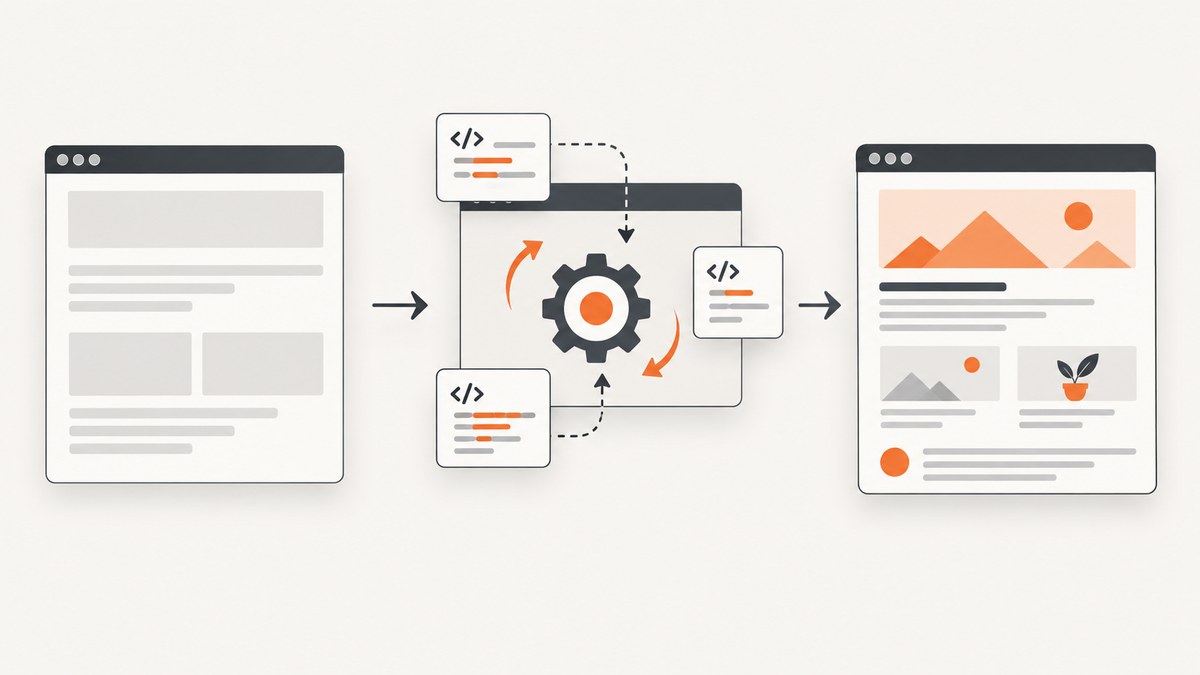
A rendered HTML API returns the page’s DOM markup after JavaScript has run in a browser. That is different from downloading the initial HTTP response, which may contain only an app shell and none of the content added by client-side rendering. You can retrieve the rendered DOM with Playwright or Puppeteer using page.content(), or call a managed browser endpoint that returns HTML. Choose an HTML endpoint when downstream code needs markup; use a structured extraction endpoint when it needs selected fields as JSON.
This guide shows the self-managed browser approach, how to decide when the page is ready, common limits such as iframes and shadow DOM, and how managed services fit. Examples retrieve rendered HTML; they do not claim that every page exposes all of its content or that rendering bypasses access controls.
1. What “rendered HTML” means
Rendered HTML is the HTML representation of a webpage’s DOM after browser rendering. Scripts may insert, remove, or change elements after the server sends its initial response. A plain HTTP client such as requests or fetch retrieves the response body but does not execute page JavaScript, so it may not include those DOM changes.
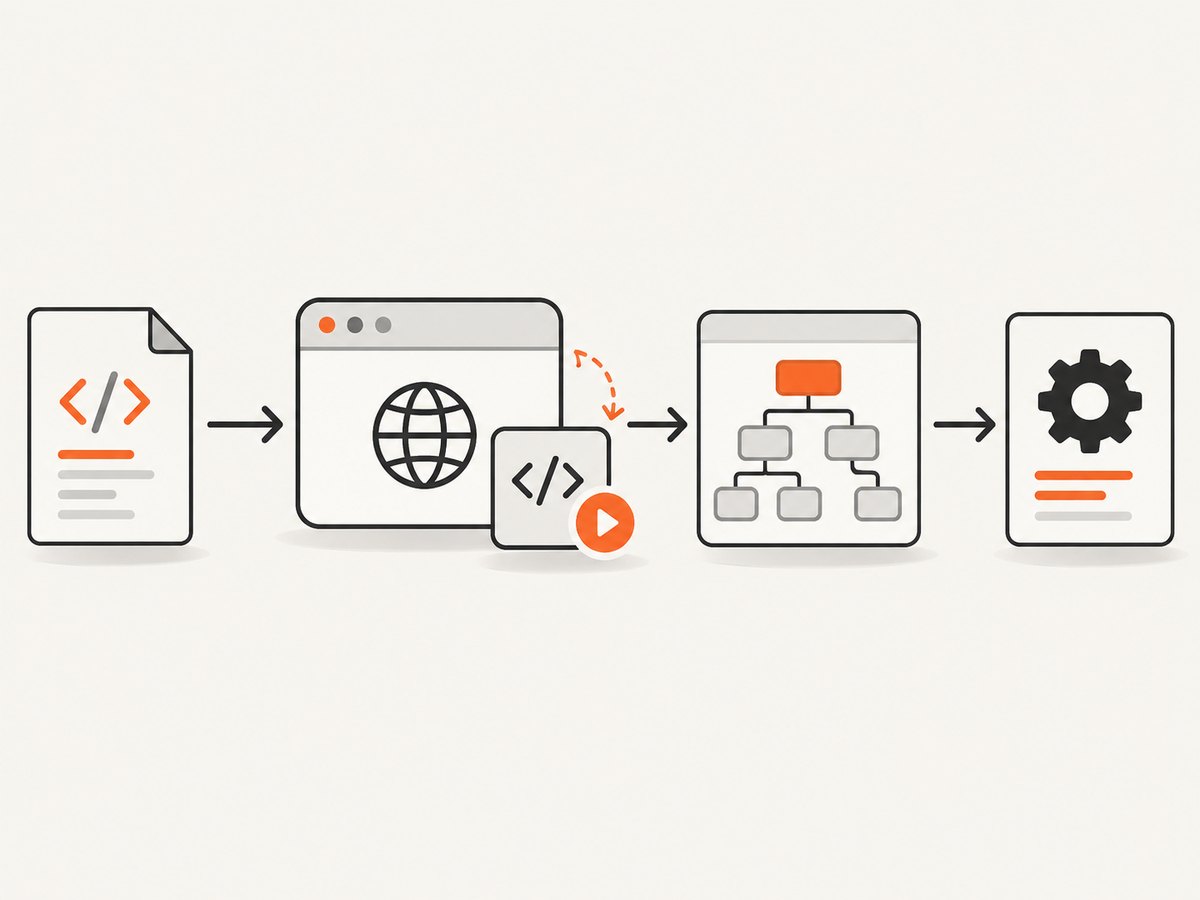
The DOM snapshot is useful for extracting content from client-rendered pages, archiving the current markup, or passing HTML to a parser. It is a snapshot of the browser’s current DOM, not necessarily the original source file, a pixel-perfect screenshot, or a complete record of every resource the page loaded.
2. Retrieve HTML with Playwright
Install Playwright and its Chromium browser, then navigate to the target and call page.content(). The snippet below is a runnable Node.js script. Save it as render.js, set TARGET_URL, and run it with Node.
const { chromium } = require('playwright');
const fs = require('node:fs/promises');

async function main() {
  const url = process.env.TARGET_URL || 'https://example.com';
  const browser = await chromium.launch({ headless: true });
  try {
    const page = await browser.newPage();
    const response = await page.goto(url, {
      waitUntil: 'domcontentloaded',
      timeout: 30000,
    });
    if (response && !response.ok()) {
      throw new Error(`Navigation returned HTTP ${response.status()}`);
    }
    await page.locator('body').waitFor({ state: 'visible', timeout: 10000 });
    const html = await page.content();
    await fs.writeFile('rendered.html', html, 'utf8');
    console.log(`Saved ${html.length} characters to rendered.html`);
  } finally {
    await browser.close();
  }
}

main().catch((error) => {
  console.error(error);
  process.exitCode = 1;
});
Install dependencies with npm install playwright and npx playwright install chromium. The script checks the main navigation response and waits for the body to be visible. Real applications should wait for a meaningful page-specific signal, as described below.
Use a content signal instead of guessing
domcontentloaded means the document has been parsed; it does not mean a single-page application has finished fetching and rendering its data. Waiting a fixed number of milliseconds can work for a known, stable site, but it is brittle: a slow response can exceed the delay, while a fast response wastes time. Prefer a selector or state that signals the content you need.
await page.goto(url, { waitUntil: 'domcontentloaded', timeout: 30000 });
await page.locator('[data-testid="article-body"]').waitFor({
  state: 'visible',
  timeout: 15000,
});
const html = await page.content();
For a site with no reliable selector, consider waitUntil: 'load' or waitUntil: 'networkidle' where appropriate. Pages with polling, analytics, streaming, or long-lived connections may never become network-idle. Navigation events also describe browser lifecycle points, not proof that the exact content you need is present. Combine a sensible navigation condition with a content assertion.
3. Retrieve HTML with Puppeteer
Puppeteer follows the same pattern: launch a browser, navigate, wait for the relevant content, retrieve page.content(), and close the browser. Install it with npm install puppeteer; Puppeteer downloads a compatible browser as part of its normal installation.
const puppeteer = require('puppeteer');
const fs = require('node:fs/promises');

(async () => {
  const url = process.env.TARGET_URL || 'https://example.com';
  const browser = await puppeteer.launch({ headless: true });
  try {
    const page = await browser.newPage();
    const response = await page.goto(url, {
      waitUntil: 'domcontentloaded',
      timeout: 30000,
    });
    if (response && !response.ok()) {
      throw new Error(`Navigation returned HTTP ${response.status()}`);
    }
    await page.waitForSelector('body', { visible: true, timeout: 10000 });
    const html = await page.content();
    await fs.writeFile('rendered.html', html, 'utf8');
    console.log(`Saved ${html.length} characters to rendered.html`);
  } finally {
    await browser.close();
  }
})().catch((error) => {
  console.error(error);
  process.exitCode = 1;
});
Both libraries can launch a local browser or connect to a hosted browser using a supported connection method. Local execution gives your code control of navigation, state, and actions, but your application must provision the browser runtime and manage its resource use.
4. Get rendered HTML through a managed API
A managed browser endpoint can run the browser and return the rendered HTML in an HTTP response. This reduces the work of installing and operating browser processes in your application. The exact request format, supported actions, limits, and returned fields vary by provider, so use its official API documentation for a runnable request.
Zyte’s extraction API supports requesting a browserHtml string for a URL. Its browser automation actions can perform operations such as typing, clicking, scrolling, and waiting before HTML is returned. Browserless documents a /content endpoint for fully rendered HTML and a separate /scrape endpoint for structured JSON selected with CSS selectors. See the Zyte API reference, Zyte migration guide, and Browserless content API.
When evaluating a managed endpoint, check its initial request semantics, headers, action support, execution time limits, and page features. For example, Zyte documents constraints on the initial browser request and a 60-second browser action execution limit. Its browser HTML leaves iframes empty by default, and its documentation directs shadow DOM use cases to browser actions. A provider’s HTML output is not automatically equivalent to every node visible in every browsing context.
5. Pick the right output and capture method
| Need | Good starting point | Check |
|---|---|---|
| One rendered DOM snapshot | Managed HTML endpoint or local Playwright/Puppeteer | Readiness signal, output size, and service limits |
| Conditional workflow with clicks or typing | Playwright/Puppeteer or managed browser actions | Whether the actions can reach the required state |
| A few fields, not the whole document | Structured extraction or selectors in your browser script | Selector stability and missing-field behavior |
| Screenshot or visual review | Screenshot capture workflow | Viewport, full-page behavior, and image format |
HTML and structured data are different outputs. A full HTML response is flexible for later parsing but can be large and noisy. A selector-based extraction response is easier to consume when you know the fields you need, but depends on selectors and provider support. If your goal is visual inspection or an image artifact, HTML retrieval is the wrong output; capture a screenshot instead.
6. Edge cases that change what HTML you get
Client-side data and hydration
A page may first render a shell, then fetch data and replace or augment content. Capture after the relevant element appears or after a known application state is reached. A successful navigation status alone does not guarantee the page’s content loaded successfully.

Frames
page.content() returns the current page document; it does not combine every iframe document into one HTML string. Inspect frames separately when needed. A managed provider may omit iframe contents unless configured. Determine whether the content is in a same-origin or cross-origin frame and whether the chosen tool exposes it.
Shadow DOM
Shadow-root content is not necessarily serialized as ordinary document markup in the way your parser expects. Browser automation can inspect page elements and use tool-specific locators or script execution to read a shadow tree. If you need serialized shadow content, define how to traverse open roots and handle closed roots; closed roots are intentionally not generally exposed through page JavaScript.
Lazy loading and scrolling
Some pages create content only when an element approaches the viewport. Scroll to the relevant area or interact with pagination before capture, then verify the expected content exists. A full DOM snapshot does not cause every lazy-loaded item to appear by itself.
Consent screens, authentication, and bot checks
A consent overlay may obscure the content or require a user choice. Authentication pages may show a sign-in screen rather than the target page. Bot checks and CAPTCHAs can prevent the content from loading. Handle these states according to the site’s access rules and your authorization; do not assume that a browser API removes them or that an HTML snapshot means the intended page was reached.
7. Reliability, performance, and cost
Browser rendering costs more operationally than fetching a static response because it starts or uses a browser, executes scripts, and may load many subresources. Reuse browser processes where the runtime and isolation model permit, while creating separate pages or contexts for independent jobs. Set navigation and action timeouts, close pages and browsers on errors, and limit concurrency according to available memory and the target sites’ behavior.
For reliable captures, record the final URL, navigation status, duration, and whether the expected selector was found. Treat timeouts, access-denied screens, empty content, and successful captures as distinct outcomes. Retry only transient failures, with a bounded retry count and backoff; repeatedly retrying deterministic errors adds load and cost without fixing the cause. Cache results when the page freshness requirements permit, and avoid retaining sensitive page content longer than necessary.
Managed services shift browser operations to a provider but introduce provider-specific pricing and limits. Zyte’s public pricing is tiered by plan and site complexity and should be checked directly for current rates; the listed amounts can change and depend on the target URL. Compare the likely per-page cost and monthly commitment against the engineering and infrastructure costs of running browsers yourself. There are no general performance or price figures that apply to all sites and workloads.
8. Troubleshooting
| Symptom | Likely cause | Fix |
|---|---|---|
| HTML contains only an app shell | Captured before client rendering or data fetch completed | Wait for a content-specific selector or application state, then inspect the result. |
| Navigation times out on a page that appears usable | Waiting for a lifecycle event that never settles, or slow subresources | Use a more suitable navigation condition and separately wait for required content. |
| Expected text is missing | Wrong selector, lazy content, frame, shadow root, or error state | Inspect the live DOM, scroll or interact if appropriate, then check frames and shadow roots. |
| Returned page is a CAPTCHA or access denied screen | The target denied or challenged the request | Confirm authorization and access requirements; handle it as a failed content capture. |
| Managed API rejects the request | Unsupported method, header, option, or malformed payload | Check that provider’s current request schema and initial-request restrictions. |
| Browser process exits or memory grows | Pages or contexts are not closed, or concurrency is too high | Use finally cleanup, cap concurrent work, and monitor process resources. |
| HTML is unexpectedly large | Full DOM includes scripts, repeated markup, or embedded content | Extract only required fields or store compressed output where appropriate. |
9. Or skip the browser setup
If you need a screenshot rather than an HTML string, ScreenshotNeo is a website screenshot API and MCP server. It returns PNG, JPEG, WebP, or PDF from one GET request. It is not a rendered HTML API: use it when the deliverable is a visual capture, not markup for parsing. See the ScreenshotNeo API documentation.
curl -G "https://api.screenshotneo.com/v1/shot" -d access_key=YOUR_API_KEY --data-urlencode url=https://stripe.com -o shot.webpimport requests
r = requests.get("https://api.screenshotneo.com/v1/shot", params={"access_key": "YOUR_API_KEY", "url": "https://stripe.com"}, timeout=90)
open("shot.webp", "wb").write(r.content)const q = new URLSearchParams({ access_key: 'YOUR_API_KEY', url: 'https://stripe.com' });
const res = await fetch(`https://api.screenshotneo.com/v1/shot?${q}`);ScreenshotNeo accepts cookie and consent banners like a visitor and removes 60+ known consent platforms, newsletter popups, and chat widgets before capture; each step can be turned off. Bot checks, blank pages, timeouts, failed loads, and cache hits cost nothing, and response headers identify the page verdict and billing status. Its MCP server provides take_screenshot, get_page_info, and capture_pdf for Claude, Cursor, and other MCP clients. The free plan includes 1,000 screenshots each month with no card; paid plans start at $5 for 3,000. Create a free ScreenshotNeo account.
10. Frequently asked questions
Does page.content() return the original page source?
No. It returns the current document’s DOM serialization, which may differ from the original response after scripts and browser actions have changed the page.
Can a rendered HTML API return JSON?
A rendered HTML endpoint returns markup. Some providers offer separate structured extraction endpoints that select fields and return JSON; those have different schemas and tradeoffs.
Can rendered HTML include content behind a login?
Only if the browser session is authorized and the workflow has valid access. Authentication state must be supplied or established using the provider’s supported method, and the target’s access rules still apply.
When should I choose a screenshot API?
Choose one when you need an image or PDF for visual review, reporting, or embedding. If your next step is parsing tags or extracting text from the DOM, retrieve HTML instead.
Sources
- Zyte API reference: browser HTML and browser actions
- Zyte migration guide: Playwright and Puppeteer patterns
- Zyte pricing (check current plan and complexity pricing before budgeting)
- Browserless REST content API
- Browserless REST scrape API


