RenderForm Alternative with No Watermarks and a Better Editor
Compare RenderForm alternatives for watermark-free exports, stronger editors, templates, APIs, storage, and cost—including Adobe Express, VistaCreate, Imejis.io, Canva, and ScreenshotNeo.
RenderForm is useful for automated, template-driven image, PDF, and short-video generation, but its free account places a watermark on images. If you need clean exports or a more capable editor, the best choice depends on what you are making: Adobe Express for a broad general-purpose editor, VistaCreate for template-heavy social content, Imejis.io for an API-oriented workflow, and Canva when you can stay within its free media library.
Best overall RenderForm alternative for most manual design work: Adobe Express. It combines a familiar editor with more than 100,000 free templates, 1 million Adobe Stock assets, 4,000 fonts, 5 GB of storage, and standard photo, video, and document tools. Premium is listed at US$9.99 per month and adds larger asset libraries, background removal, one-click resize, more scheduling, version history, and 100 GB of storage.
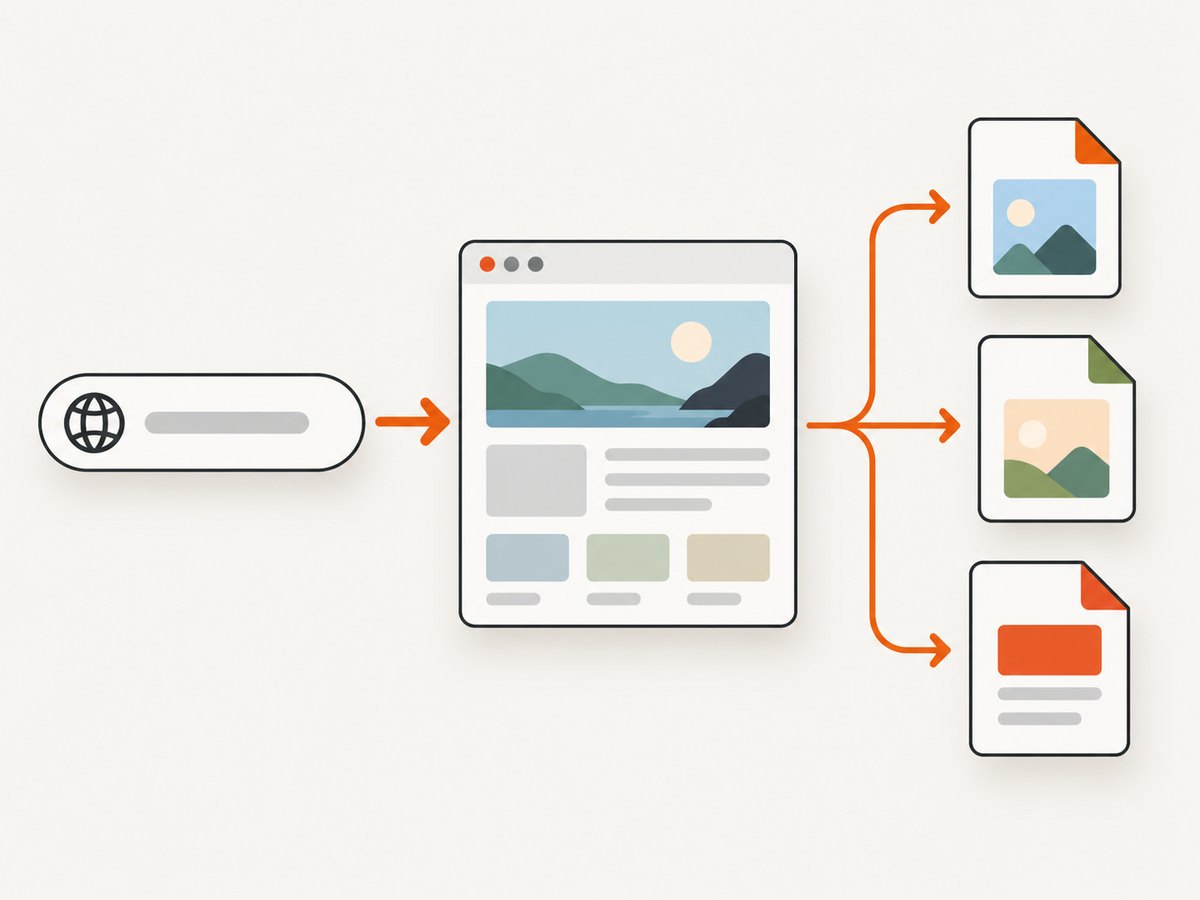
Best alternative for developers who need clean generated images from a URL: ScreenshotNeo. It is a website screenshot API rather than a visual template editor, but it returns clean PNG, JPEG, WebP, or PDF files without charging for bot checks, blank pages, timeouts, failed loads, or cache hits. Its paid plans start at $5 for 3,000 shots, and every plan includes the full feature set.
What “no watermark” means in this comparison
A watermark policy can apply to the whole export, to individual premium assets, or only to a free tier. Check which case you are dealing with before choosing a replacement.
| Product | Free watermark position | Best fit | Automation and API notes |
|---|---|---|---|
| RenderForm | Free account lists “Watermark on images.” Pay-as-you-go and Pro list no watermark. | Template-based image, PDF, and short-video generation | Developer API, no-code integrations, spreadsheet import, live preview, automatic fitting, and PDF-to-template conversion |
| Adobe Express | Free exports depend on the assets and tools used; premium assets require Premium. | Broad manual editing and large asset libraries | Designed primarily as an editor, not a render API |
| VistaCreate | Verify the export rules for the assets in your design. | Social templates, brand kits, animation, and quick resizing | Editor-first workflow rather than a developer API |
| Imejis.io | A dated comparison reports 100 watermark-free API calls per month. | API workflows that also need persistent hosting | Recheck current API documentation and quota before committing |
| Canva | Canva documents watermark-free video export when you use only free elements, images, footage, and music. | Manual design with a large template ecosystem | Not a direct RenderForm-style rendering API |
| ScreenshotNeo | Clean screenshots are returned without a watermark. | Programmatic website screenshots and PDFs | HTTP API, MCP server, bulk capture, signed links, and asynchronous jobs |
RenderForm: what you keep and what you give up
RenderForm’s free account includes 50 credits, template editing, no-code integrations, and a developer API, but the official pricing snapshot lists a watermark on images. Pay-as-you-go is listed as 250 credits for $9, and Pro is listed as 250 credits per month for $9; prices exclude VAT and can change.
The product is optimized for repeatable production rather than blank-canvas illustration. Its homepage describes live preview, automatic fitting of content to template constraints, image generation at scale, short-video generation, spreadsheet import, and PDF-to-template conversion. That makes it a sensible baseline when every output follows a controlled layout.
Choose a replacement when one of these constraints matters:
- You need watermark-free output on a free or low-cost plan.
- Designers need a deeper manual editor instead of a fixed template pipeline.
- You need permanent hosting or an API quota that is explicit about clean exports.
- You want larger stock libraries, brand kits, fonts, or one-click resizing.
- You are rendering web pages rather than generating template-based marketing graphics.
1. Adobe Express: strongest broad editor
Adobe Express is the safest first recommendation when “better editor” means more general creative control. Its Free plan lists standard photo, video, and document editing, more than 100,000 static and video templates, more than 1 million Adobe Stock assets, over 4,000 fonts, 5 GB of storage, and scheduling to one account per social network.
Premium is listed at US$9.99 per month. It adds premium templates, more than 200 million assets, over 30,000 fonts, background removal, scheduling to three accounts per network, 30-day version history, 100 GB of storage, and one-click resize.
Use Adobe Express when
- A person will refine layouts, typography, images, and video by hand.
- You need stock assets and fonts in the same workspace.
- The same design must be resized for several social formats.
- Version history and storage matter more than a rendering endpoint.
Limitations compared with RenderForm
Adobe Express is not a drop-in replacement for a RenderForm API pipeline. If your application sends structured data and expects a generated image in response, you will need to confirm the current automation options or keep a separate rendering service. Its strength is the editor and asset ecosystem, not a documented template-rendering API in the supplied research.
2. VistaCreate: best for template-heavy social production
VistaCreate is a strong choice when your team makes many social graphics and wants fast variations. Its displayed Pro offer is US$10 per month and lists more than 200,000 templates, over 170 million photos, videos, and vectors, unlimited brand kits, generative AI for image and text, a sticker maker, one-click resizer, unlimited storage, version history, and HD download.
Why teams choose it
- Large template volume shortens the time from brief to first draft.
- Brand kits keep colors, logos, and type choices together.
- One-click resizing helps adapt one design to multiple placements.
- Animation and HD download cover common social deliverables.
VistaCreate is editor-first. It is a better RenderForm alternative for people who want to browse, edit, animate, and resize templates. It is less suitable when your application must call an API for every row in a spreadsheet or generate files as part of a backend job. Verify regional pricing and export rules before purchase.
3. Imejis.io: the API and retention option
A March 17, 2026 comparison updated July 23, 2026 reports that Imejis.io offers permanent image hosting, 100 watermark-free API calls per month, and a modern editor starting at $14.99 per month. The same comparison describes it as a leading RenderForm alternative and reports that RenderForm’s free tier watermarks images and removes images after 14 days.
This is the closest match when your priority is an API workflow plus retention. Permanent hosting can simplify links in documentation, catalogs, and social scheduling. The reported quota and price come from a secondary comparison, so check Imejis.io’s current documentation and pricing before relying on them in a production plan.
Questions to verify before switching
- Is the watermark-free allowance still 100 calls per month?
- Does the API return a stable URL, a binary file, or both?
- Are generated files really retained permanently, and can you delete them?
- What happens when a call exceeds the free quota?
- Which template inputs, fonts, webhooks, and batch operations are supported?
4. Canva: a useful watermark distinction
Canva states that even a free account can export videos without a watermark when the design uses only free elements, images, footage, and music. Premium media can still require payment. This makes Canva useful when you can control the asset choices, but it does not mean every free-account design is automatically free of restrictions.
Canva is a practical choice for teams already working in its editor and template system. It is not a direct substitute for RenderForm’s developer API or automated fitting workflow. Treat it as a manual production tool unless your specific integration has been verified.
5. ScreenshotNeo: the developer alternative for clean web captures
ScreenshotNeo belongs in this comparison when “export” means capturing a live webpage, dashboard, product preview, or generated design URL. It is not a template editor. It is a website screenshot API and MCP server: one GET request returns a PNG, JPEG, WebP, or PDF.
Its differentiators matter when screenshots are part of an application:
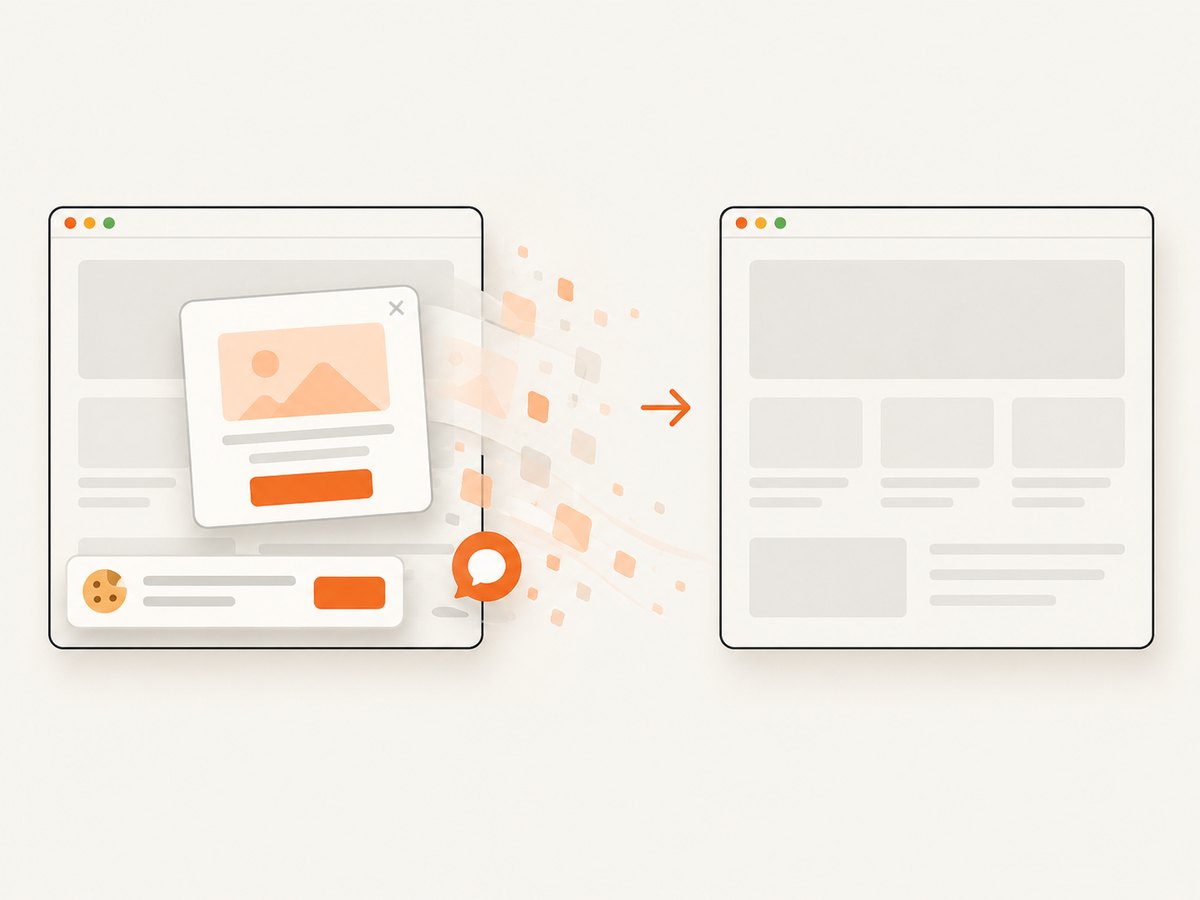
- Before capture, it accepts cookie or consent banners like a visitor and removes more than 60 known consent platforms, newsletter popups, and chat widgets. Each cleanup step can be turned off.
- Only clean shots are billed. Bot checks or CAPTCHAs, blank pages, timeouts, failed loads, and cache hits cost nothing. The response reports the result with
X-Page-VerdictandX-Billedheaders. - An MCP server provides
take_screenshot,get_page_info, andcapture_pdftools for Claude, Cursor, and other MCP clients. - Plans include 1,000 free shots per month with no card; paid plans start at $5 for 3,000 shots. Yearly billing gives two months free.
Features include full-page capture with lazy images loaded, CSS-selector element capture, dark mode, 12 device presets plus custom viewports, retina scale, PDF paper sizes and margins, page ranges, HTML/CSS to image, custom CSS and JavaScript, pre-capture clicks, hidden selectors, waits for selectors, delays or network idle, blocked ads and trackers, custom headers, cookies, user agents and Authorization, timezone and geolocation, transparent backgrounds, resizing, selectable cache TTL, signed public image links, asynchronous jobs with signed webhooks, bulk capture of up to 100 URLs per call, a usage API, and an OpenAPI specification.
Quick API examples
See the ScreenshotNeo documentation for the current parameter reference. Replace the example URL with the page you own or are authorized to capture.
curl -G "https://api.screenshotneo.com/v1/shot" \
  -d access_key=YOUR_API_KEY \
  --data-urlencode url=https://stripe.com \
  -o shot.webp
import requests
r = requests.get(
"https://api.screenshotneo.com/v1/shot",
params={"access_key": "YOUR_API_KEY", "url": "https://stripe.com"},
timeout=90,
)
r.raise_for_status()
open("shot.webp", "wb").write(r.content)const q = new URLSearchParams({
access_key: 'YOUR_API_KEY',
url: 'https://stripe.com'
});
const res = await fetch(`https://api.screenshotneo.com/v1/shot?${q}`);
if (!res.ok) throw new Error(`HTTP ${res.status}`);
const bytes = new Uint8Array(await res.arrayBuffer());How to choose: a practical decision tree
- Need a human editor and broad stock assets? Start with Adobe Express.
- Need social templates, brand kits, and rapid resizing? Compare VistaCreate.
- Need an API plus persistent image hosting? Investigate Imejis.io and verify its current quota.
- Need watermark-free video exports using free media only? Canva may fit.
- Need backend-generated files from live URLs? Try ScreenshotNeo first.
- Need structured, repeatable templates with an existing RenderForm integration? Calculate the cost of moving your templates before switching.
Migration checklist from RenderForm
- Inventory every template, output size, font, image, and video requirement.
- Record whether each output is manual, batch-generated, or API-triggered.
- Export a representative set that includes long text, missing images, transparent backgrounds, and unusual aspect ratios.
- Check watermark behavior with both free and premium assets.
- Confirm file retention, download URLs, and deletion controls.
- Measure the real monthly volume, including failed jobs and retries.
- Recreate brand colors, fonts, and safe-area rules before comparing visual quality.
- Keep the old pipeline available until several production batches pass review.
Performance, reliability, and cost considerations
For manual editors, performance usually depends on asset search, browser responsiveness, and the number of collaborators. For APIs, the important variables are request latency, output size, retry behavior, retention, and whether failed requests consume quota. Ask vendors how they classify a failed render and whether cached results are billed.
RenderForm’s listed free allowance is 50 credits, while its listed paid examples are $9 for 250 credits. Adobe Express Premium is listed at $9.99 per month, VistaCreate Pro at a displayed $10 per month, and the dated Imejis.io comparison reports $14.99 per month. These are snapshots, not guarantees. Compare the number of people, exports, API calls, storage, and premium assets included in the plan you will actually use.
ScreenshotNeo’s billing rule is explicit for its API use: clean shots are billed, while bot checks, blank pages, timeouts, failed loads, and cache hits are not. Its free plan includes 1,000 shots monthly without a card, and paid plans begin at $5 for 3,000 shots. Use caching with a TTL, bulk capture for up to 100 URLs, and asynchronous jobs with signed webhooks when a large batch does not need to complete in the request cycle.
Troubleshooting
The exported image has a watermark
In RenderForm, the free plan lists watermarks on images. In other tools, a premium asset may be the cause even when the editor itself is free. Replace premium elements with free ones or move to a plan that explicitly removes the watermark.
The design looks different after migration
Check font substitution, image cropping, canvas dimensions, safe areas, and automatic fitting rules. Export the same test content in both tools and compare at the final delivery size.
API output is missing or expires
Confirm the retention policy and whether the returned URL is temporary. If permanent hosting is required, verify it directly in the vendor documentation rather than assuming that an image URL is durable.
A ScreenshotNeo capture is blank or blocked
Inspect X-Page-Verdict and X-Billed. A bot check, CAPTCHA, timeout, failed load, or blank page is not billed. Try an appropriate wait condition, a longer timeout, custom headers or cookies, a user agent, or a different viewport. For pages that render content only after interaction, use a click, selector wait, delay, or network-idle option.
The page contains unwanted popups
ScreenshotNeo removes known consent platforms, newsletter popups, and chat widgets before capture. If your page has a custom modal, pass its CSS selector to hide or remove it, or use custom JavaScript where appropriate.
FAQ
What is the best free RenderForm alternative without a watermark?
There is no single answer for every output. Adobe Express and Canva can produce clean exports when you stay within their free tools and assets. Imejis.io is reported to include 100 watermark-free API calls per month, but verify that current offer before relying on it.
Which alternative has the better editor?
Adobe Express is the strongest broad editor in this comparison. VistaCreate is better when templates, brand kits, animation, and rapid resizing are the main requirements.
Can I replace RenderForm with ScreenshotNeo?
Use ScreenshotNeo when the input is a live URL, HTML/CSS page, dashboard, or design preview that you want rendered as an image or PDF. It is not a replacement for a template editor.
Does a watermark-free export mean all assets are free?
No. A service may allow clean output while restricting premium photos, videos, fonts, or other elements. Check the asset license and export rule separately.
What should developers compare first?
Compare the API surface, output formats, retention, quota accounting, retries, authentication, and failure billing before comparing headline prices.
Or skip the browser setup
For programmatic website images, call ScreenshotNeo directly instead of maintaining a browser capture stack. Cookie banners, popups, and chat widgets are removed before the shot. Bot checks, blank pages, and failed loads are never billed. An MCP server lets AI agents take screenshots, inspect pages, and capture PDFs. You get 1,000 screenshots a month free with no card, and paid plans start at $5 for 3,000.
curl -G "https://api.screenshotneo.com/v1/shot" \
  -d access_key=YOUR_API_KEY \
  --data-urlencode url=https://stripe.com \
  -o shot.webp
Sign up for the free ScreenshotNeo plan and start with 1,000 screenshots per month without a card.


