Rendering HTTP Websites in Screenshot Tools
Learn how screenshot tools render HTTP pages, choose waits and capture modes, troubleshoot failures, and automate reliable captures with Playwright or ScreenshotNeo.
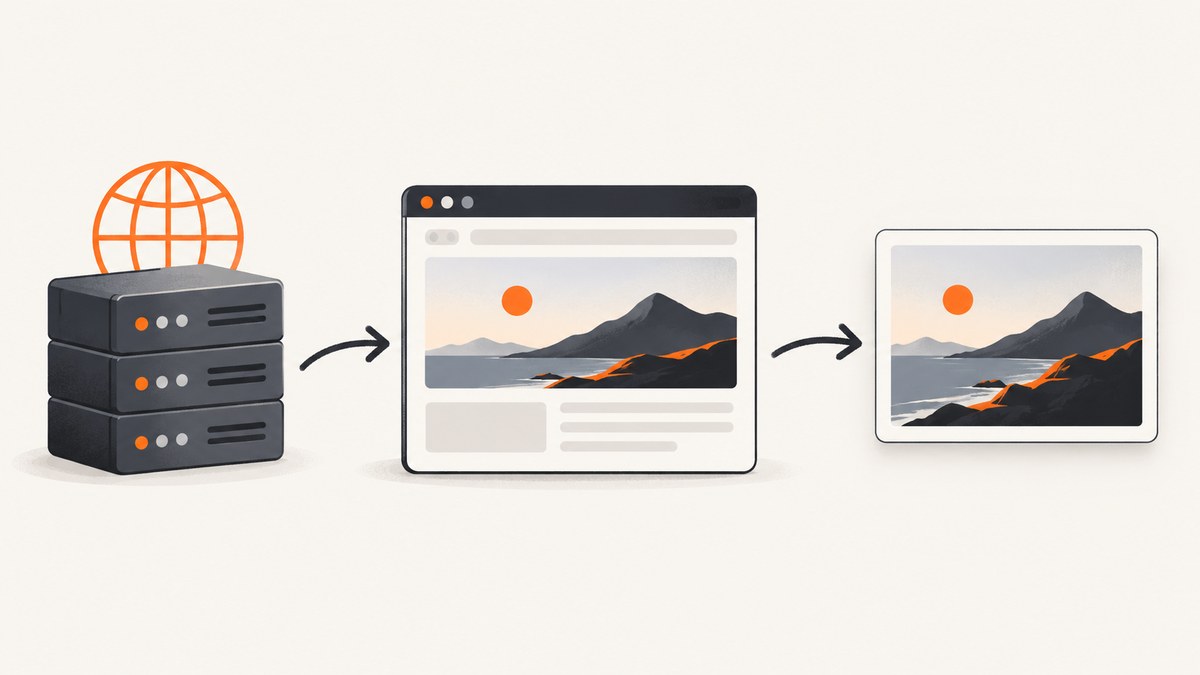
Yes, screenshot tools can render websites served over HTTP. The browser must be able to reach the address, and the URL should include its scheme, such as http://example.com. A typical workflow navigates to the URL, waits for the page to reach the required state, then captures the viewport, a selected element, or the complete scrollable page.
HTTP support does not guarantee that the visual result is correct. A server can return a 404 or 500 page that the browser successfully renders, while JavaScript may still be loading content after the load event. Reliable capture therefore requires explicit URL validation, readiness rules, viewport settings, and checks for the response and page content.
What happens when a tool captures an HTTP page
Most screenshot tools use a real browser engine. The browser performs DNS lookup, opens an HTTP connection, requests the document, parses HTML and CSS, executes JavaScript, loads images and fonts, and paints the result. The tool then saves pixels from the rendered page.
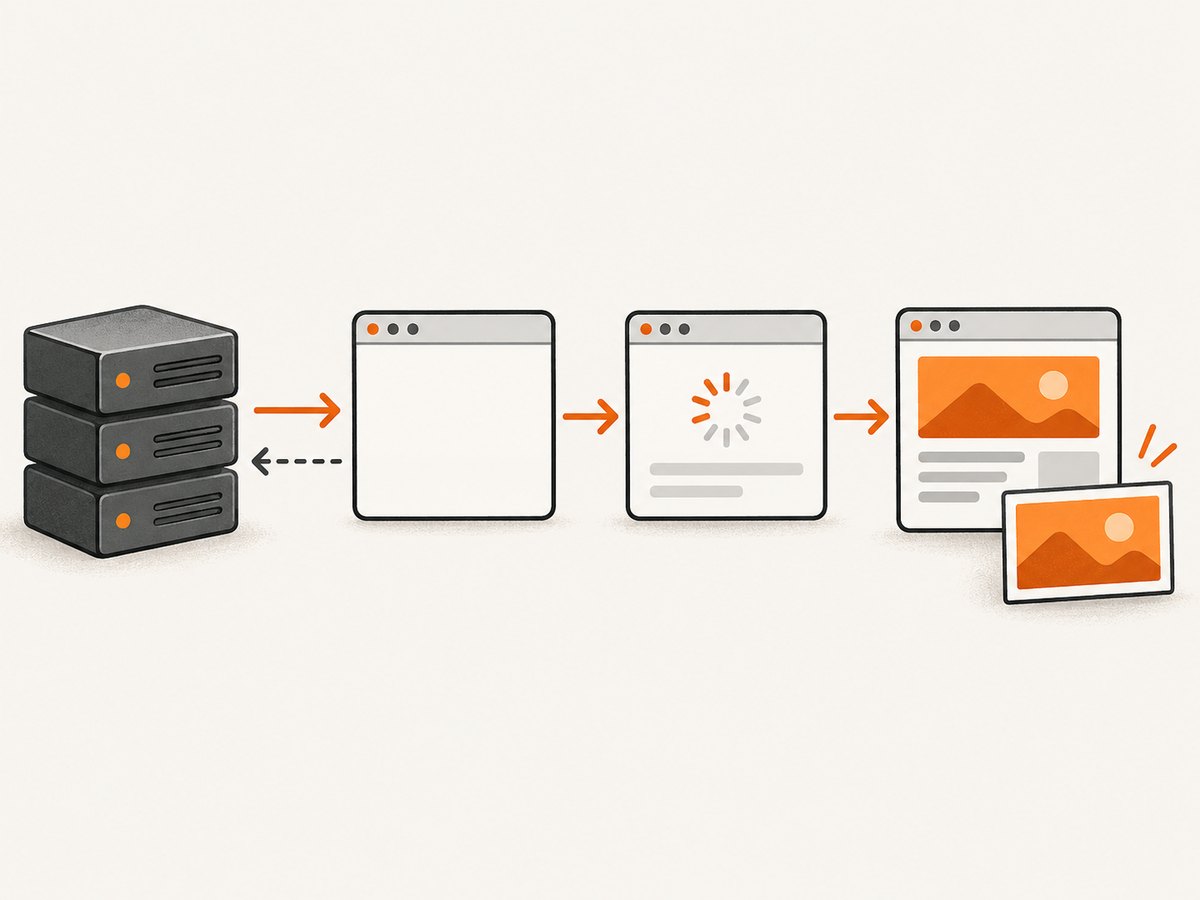
- Navigation: the browser opens the exact URL, including
http://. - Network activity: the document requests stylesheets, scripts, images, fonts, and API data.
- Readiness: the tool waits for a load event, network-idle state, selector, delay, or another provider-specific condition.
- Capture: it records the visible viewport, a CSS-selected element, or the full scrollable page.
Playwright documents that page.goto() expects a URL with a scheme. Its navigation method does not throw merely because the server returns a valid HTTP status such as 404 or 500; the response object contains that status for your code to inspect. See the Playwright Page API.
Use an explicit HTTP URL
Always pass the scheme you intend to capture. http://www.example.com/ and https://www.example.com/ are different navigation targets. A tool may redirect one to the other, serve different content, or reject an insecure request according to its own policy.
const { chromium } = require('playwright');

(async () => {
  const browser = await chromium.launch();
  const page = await browser.newPage({ viewport: { width: 1440, height: 900 } });
  const response = await page.goto('http://example.com/', {
    waitUntil: 'domcontentloaded',
    timeout: 30_000
  });

  console.log('status:', response && response.status());
  await page.screenshot({ path: 'http-page.png', fullPage: true });
  await browser.close();
})();
domcontentloaded means the initial HTML has been parsed. It does not mean that images, fonts, or client-rendered data are ready. Use a later condition when the screenshot depends on those resources.
Choose the right readiness condition
The page lifecycle continues after the browser receives HTML. Scripts can fetch data, render components, replace placeholders, and append content long after the first paint. Pick a wait strategy based on what must be visible in the image.
| Condition | Use it when | Typical risk |
|---|---|---|
domcontentloaded |
Static HTML is enough | Images or JavaScript content may be missing |
load |
Initial images and subresources matter | Analytics or long polls can delay completion |
networkidle |
The page becomes quiet after data loads | WebSockets, ads, and polling may never become idle |
| Selector wait | A known component signals readiness | The selector may never appear on an error state |
| Fixed delay | A short animation or deferred script needs time | Slow environments can still be incomplete |
await page.goto('http://localhost:8080/dashboard', { waitUntil: 'domcontentloaded' });
await page.locator('[data-testid="dashboard-ready"]').waitFor({ state: 'visible', timeout: 15_000 });
await page.screenshot({ path: 'dashboard.png', fullPage: true });
Prefer a selector that represents the content you need over an arbitrary multi-second sleep. If no stable selector exists, combine a navigation condition with a short delay and inspect the result.
Viewport, full-page, and element screenshots
A viewport screenshot records only what is visible at the configured width and height. A full-page screenshot extends through the document’s scrollable height. An element screenshot crops to one DOM element and is useful for cards, charts, invoices, or components.
// Viewport
await page.screenshot({ path: 'viewport.png' });

// Full page
await page.screenshot({ path: 'full-page.png', fullPage: true });

// One element
await page.locator('.pricing-table').screenshot({ path: 'pricing-table.png' });
Viewport dimensions affect responsive breakpoints and therefore the layout. Pixel scale affects output dimensions and sharpness. In Playwright, set the viewport and device scale factor when creating the context.
const context = await browser.newContext({
  viewport: { width: 1280, height: 800 },
  deviceScaleFactor: 2,
  colorScheme: 'light'
});
Hosted tools expose similar controls under provider-specific names. Cloudflare Browser Run documents URL capture, full-page options, viewport control, navigation waiting, and authentication configuration in its browser-rendering APIs.
Inspect status codes and visual errors
A successful navigation call only proves that a response was received and rendered. Check the status code and page content before accepting the file.
const response = await page.goto('http://example.com/missing', { waitUntil: 'load' });
const status = response ? response.status() : null;
const title = await page.title();
const bodyText = await page.locator('body').innerText();

if (status === null || status >= 400) {
  throw new Error(`Unexpected HTTP status: ${status}`);
}
if (/page not found|internal server error/i.test(bodyText)) {
  throw new Error('The page rendered an application error');
}
Also record the final URL after redirects. A page that starts on HTTP may end on HTTPS, a login page, or a bot-check interstitial.
HTTP-specific edge cases
Redirects
Servers commonly redirect HTTP to HTTPS or from a bare hostname to a canonical host. Capture the final URL and decide whether redirects are acceptable for your workflow.
Mixed content
An HTTP document may request HTTPS resources, or an HTTPS document may request HTTP images and scripts. Browsers can block active mixed content, leaving blank areas. Fix the page or provide equivalent HTTPS assets.
Authentication and private networks
A local or private HTTP address is reachable only from a browser running in the same network. Hosted services cannot see your laptop’s localhost unless you expose it through an appropriate tunnel. For protected pages, use browser context credentials, request headers, cookies, or the provider’s authentication settings.
Bot checks and interstitials
Some servers return a challenge instead of the page. The screenshot may be technically valid but useless. Detect challenge text, inspect the final URL, and use an authenticated session or an approved rendering route.
Lazy loading and infinite scroll
Full-page capture does not always trigger every lazy image. Scroll through the document or wait for the relevant elements before capturing. Infinite-scroll pages need a defined stopping rule so the job does not grow without bound.
Or skip the browser setup
ScreenshotNeo accepts an HTTP or HTTPS URL and returns a PNG, JPEG, WebP, or PDF. The one-call API handles the browser lifecycle while exposing controls for full-page capture, element selectors, viewport and device presets, retina scale, waits, custom CSS and JavaScript, headers, cookies, user agents, authentication, timezone, geolocation, resource blocking, caching, resizing, and more. Read the ScreenshotNeo API documentation for the complete option list.

curl -G "https://api.screenshotneo.com/v1/shot" -d access_key=YOUR_API_KEY --data-urlencode url=http://example.com -o shot.webpimport requests
r = requests.get(
"https://api.screenshotneo.com/v1/shot",
params={"access_key": "YOUR_API_KEY", "url": "http://example.com"},
timeout=90,
)
r.raise_for_status()
open("shot.webp", "wb").write(r.content)const q = new URLSearchParams({ access_key: 'YOUR_API_KEY', url: 'http://example.com' });
const res = await fetch(`https://api.screenshotneo.com/v1/shot?${q}`);
if (!res.ok) throw new Error(`Screenshot failed: ${res.status}`);
const data = Buffer.from(await res.arrayBuffer());
require('fs').writeFileSync('shot.webp', data);Cookie banners, newsletter popups, and chat widgets are removed before the shot. Bot checks, blank pages, failed loads, timeouts, and cache hits are not billed; response headers identify the page verdict and billing result. An MCP server provides take_screenshot, get_page_info, and capture_pdf tools for Claude, Cursor, and other MCP clients. The free plan includes 1,000 screenshots each month with no card, and paid plans start at $5 for 3,000 shots. Create a free ScreenshotNeo account.
Troubleshooting checklist
| Symptom | Likely cause | Fix |
|---|---|---|
| Invalid URL error | Scheme is missing or malformed | Use a complete http:// or https:// URL and URL-encode query characters. |
| Timeout | Slow server, blocked resource, or never-ending network activity | Increase timeout, wait for a selector, block unnecessary resources, and avoid relying on network idle for pages with polling. |
| Blank screenshot | Application renders after navigation or requires JavaScript | Wait for a content selector and verify that scripts are not blocked. |
| 404 or 500 image | Server returned an error document that browsers still render | Inspect the response status and page text; fix the route or fail the job. |
| Missing images | Lazy loading, mixed content, or blocked CDN | Scroll or wait for image selectors, use HTTPS assets, and check network access. |
| Wrong layout | Viewport, device scale, timezone, or user agent differs | Set these values explicitly and keep them consistent between runs. |
| Login page captured | Cookies or authorization were not supplied | Provide a storage state, cookies, headers, or an authenticated capture route. |
| Bot challenge captured | Origin detected automation or rate limits | Use an approved access method, reduce concurrency, or capture after authentication. |
Performance, reliability, and cost
Performance
Use the smallest viewport and capture area that meets your requirement. Element screenshots are usually cheaper to process than very tall full-page images. Block analytics, ads, and third-party media when they are not part of the visual contract. Reuse a browser process for batches instead of launching one browser per URL.
Reliability
Make readiness deterministic: wait for a meaningful selector, freeze animations with CSS when pixel consistency matters, set a bounded timeout, and save status, final URL, and error details with each artifact. Retry transient network failures with backoff, but do not blindly retry permanent 4xx responses.
Cost
Local Playwright costs infrastructure time and maintenance. Hosted APIs charge according to their own counting rules, so read their billing documentation. ScreenshotNeo bills only clean shots; bot checks, blank pages, timeouts, failed loads, and cache hits cost nothing, and X-Page-Verdict and X-Billed headers identify the result. It offers 1,000 free shots monthly, then $5 for 3,000, $15 for 15,000, $39 for 60,000, $99 for 250,000, and $249 for 1,000,000; yearly billing provides two months free.
FAQ
Can I capture an HTTP URL without upgrading it to HTTPS?
Yes, if the browser and tool can reach the HTTP server and the provider accepts that URL. Include the scheme explicitly.
Does a 404 mean the screenshot request failed?
Not automatically. Browsers can render a 404 response. Treat it as an application-level failure when your workflow requires a successful page.
Should I always wait for network idle?
No. Polling, analytics, and WebSockets can prevent network idle indefinitely. A selector that marks the required content is usually more reliable.
What capture mode should I use for a web page?
Use viewport mode for above-the-fold previews, full-page mode for documents and landing pages, and element mode for a specific component.
Why does the same HTTP page look different between runs?
Responsive breakpoints, fonts, animations, ads, timezones, geolocation, and changing API data can alter pixels. Fix the browser context and wait for stable content.


