How to Replace Deprecated Selenium Ruby driver_opts with service
Move driver paths, ports, and driver-process arguments from deprecated Selenium Ruby initializer options into a browser-specific Service object.

Short answer: replace the deprecated Selenium Ruby initializer settings driver_opts, driver_path, and port with a browser-specific Selenium::WebDriver::Service object. Set the driver executable path, port, and driver-process arguments on that service. Keep browser flags such as --headless in a separate browser Options object, then pass both objects to Selenium::WebDriver.for.
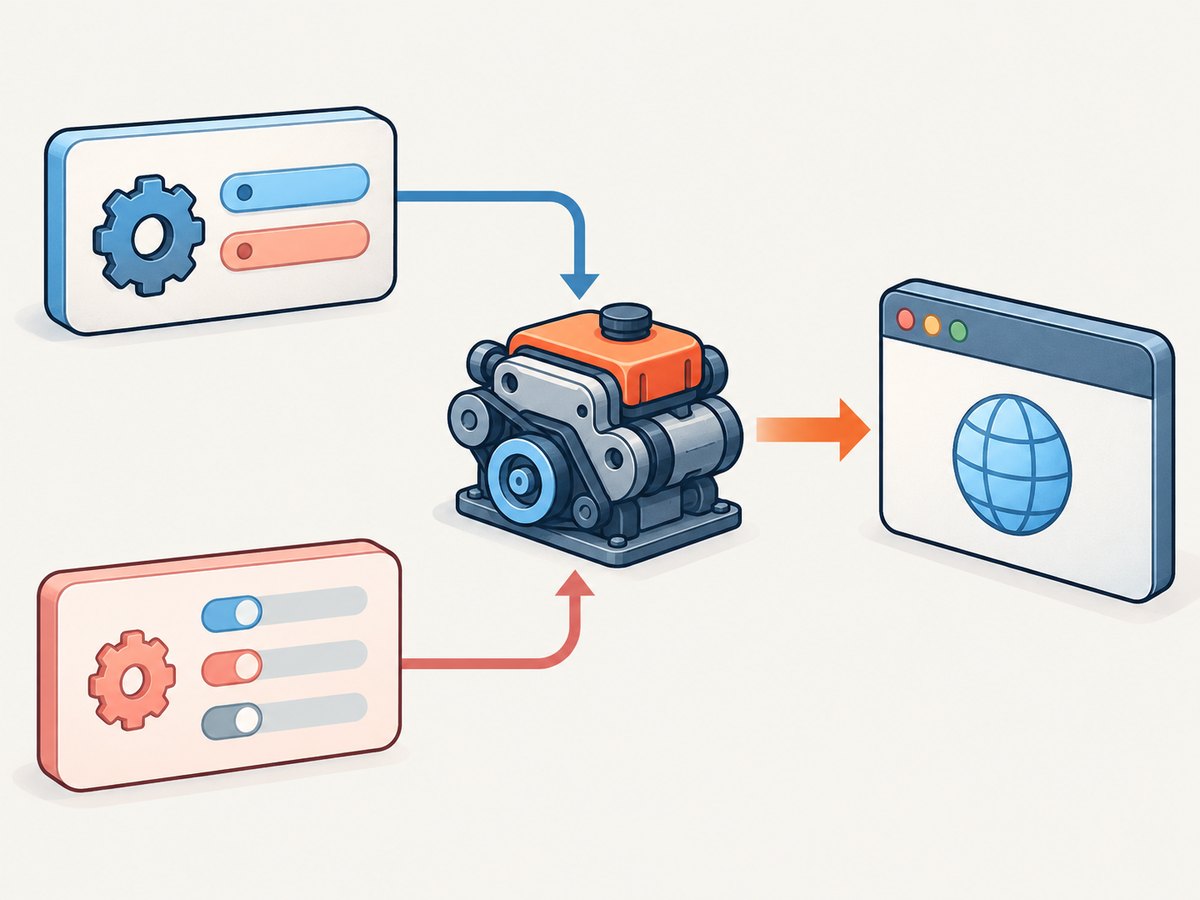
The change separates two jobs: Options configures the browser, while Service starts and manages the local driver process. Selenium’s documentation describes Service classes as managing the starting and stopping of local drivers. The Ruby changelog specifically deprecates passing driver_opts, driver_path, and port to the driver initializer and directs users to browser-specific Service objects.
1. The migration at a glance
| Deprecated initializer setting | Replacement | What it configures |
|---|---|---|
driver_path |
service.executable_path |
Local driver executable |
port |
service.port |
Port used by the driver service |
Driver-process args in driver_opts |
service.args |
Arguments passed to the driver process |
Browser flags, for example --headless |
options.add_argument |
Arguments passed to the browser |
The key distinction is which process receives an argument. A Chrome flag configures Chrome, so it belongs in Options. An argument that configures the ChromeDriver process belongs in Service. Moving every old argument into one new location can leave the browser or driver configured incorrectly.
2. Replace the deprecated Chrome setup
Here is the old shape. It is shown to make the mapping clear; do not use this as the new configuration:
require 'selenium-webdriver'

driver = Selenium::WebDriver.for :chrome,
  driver_opts: { args: ['--log-level=0'] },
  driver_path: '/path/to/chromedriver',
  port: 9515
Create a Chrome service and move the driver-specific settings onto it. Configure Chrome itself through Options:
require 'selenium-webdriver'

service = Selenium::WebDriver::Service.chrome
service.executable_path = '/path/to/chromedriver'
service.port = 9515
service.args << '--log-level=0'

options = Selenium::WebDriver::Options.chrome
options.add_argument('--headless')

driver = Selenium::WebDriver.for(:chrome, service: service, options: options)

begin
  driver.navigate.to('https://example.com')
  puts driver.title
ensure
  driver.quit
end
This is a complete session example: it loads the gem, builds the service and browser options, starts a session, navigates, prints the page title, and quits even if navigation or title retrieval raises an exception. Replace the example path with the actual driver executable path on the machine running the Ruby process. If you do not need to pin a custom executable or port, omit those assignments and let the Selenium setup use its applicable defaults.
Where did driver_opts go?
There is not a one-for-one replacement for the old hash as a whole. Sort its contents by purpose:
- Driver executable behavior and process arguments go on
Service. - Browser startup switches, capabilities, and browser preferences go on the browser’s
Optionsobject.
For example, keep --headless on Chrome options. The sample’s --log-level=0 is placed on the service to illustrate a driver-process argument, following the migration example in the research material. Check the meaning of each argument for your installed driver version before moving it.
3. Use the matching Service for each browser
The Service class is browser-specific. The documented Ruby mappings include Chrome, Firefox, and Edge. Keep the same separation between service configuration and browser options for each one.

Chrome
service = Selenium::WebDriver::Service.chrome
service.executable_path = '/path/to/chromedriver'
service.port = 9515
service.args << '--log-level=0'

options = Selenium::WebDriver::Options.chrome
options.add_argument('--headless')

driver = Selenium::WebDriver.for(:chrome, service: service, options: options)
Firefox
service = Selenium::WebDriver::Service.firefox
service.executable_path = '/path/to/geckodriver'
service.port = 4444

options = Selenium::WebDriver::Options.firefox

driver = Selenium::WebDriver.for(:firefox, service: service, options: options)
Edge
service = Selenium::WebDriver::Service.edge
service.executable_path = '/path/to/msedgedriver'
service.port = 9515

options = Selenium::WebDriver::Options.edge

driver = Selenium::WebDriver.for(:edge, service: service, options: options)
These examples show the configuration shape. Use paths and ports that are valid and available in your environment; the research sources establish the API shape, not compatibility among every installed Ruby gem, browser, and driver version.
4. Migrate an existing initializer step by step
- Identify the browser. Select the matching constructor, such as
Service.chrome,Service.firefox, orService.edge. - Create the service before creating the driver. Assign
executable_pathonly when you need an explicit driver executable. Setportonly when your setup requires a specific port. - Classify old arguments. Put driver-process arguments in the service configuration. Put browser flags and browser configuration in the appropriate
Optionsobject. - Pass the objects by name. Call
Selenium::WebDriver.for(:browser, service: service, options: options). - Run the session in the target environment. Confirm the browser starts, the executable can be launched, the chosen port is available if specified, and the browser receives its intended flags.
- Remove the old initializer keys. Once the new setup works, delete the deprecated
driver_opts,driver_path, andportarguments rather than maintaining two competing configurations.
If your prior setup relied on automatic driver discovery, do not add a guessed executable path just to satisfy the migration. The documented API makes the path optional. An incorrect explicit path can turn a previously working setup into a launch failure.
5. Service configuration and edge cases
Executable path
Use service.executable_path for an explicit local driver path. Check that the path exists in the runtime environment, not merely on a developer workstation. A path inside a container, CI worker, or remote machine can differ from the path on the host where the code was written. If your environment supplies the driver through another mechanism, omit the explicit path and follow that environment’s setup.
Port
Set service.port when you have a reason to use a particular port. A fixed port can conflict when multiple test processes start the same driver concurrently. If parallel sessions are involved, avoid assuming that one hard-coded port is free for every process; coordinate port assignment with the runner or omit the override when appropriate.
Service arguments
Append process arguments to the service’s args collection, for example service.args << '--log-level=0'. Verify that a setting is recognized by the driver process. Browser command-line flags passed to the service may be ignored or cause a startup problem because they target a different process.
Browser options
Create the browser-specific options object and set browser behavior there. In the Chrome example, options.add_argument('--headless') configures Chrome. Keep this object alongside the service in the for call; it does not replace the service.
Cleanup and process lifetime
Call driver.quit when the session is done. The ensure pattern in the runnable example handles cleanup if an operation fails. This matters in repeated jobs because abandoned sessions can leave browser and driver processes consuming resources.
6. Troubleshooting common migration errors
| Symptom | Likely cause | Fix |
|---|---|---|
| Deprecation warning still appears | One of the old initializer keys remains in a code path or helper. | Search all driver construction sites and wrappers for driver_opts, driver_path, and port; move those settings to the service. |
| Driver executable cannot be started | The explicit path is wrong, unavailable to the process, or not executable. | Check the path from the same machine/container and user that runs Ruby. Remove the override if the environment already handles driver discovery. |
| Address or port is already in use | A fixed service port collides with another driver process. | Choose an available port or avoid a fixed port where parallel workers launch sessions. |
| Browser starts without the expected flag | A browser flag was moved to service.args. |
Move browser switches to the browser Options object, for example options.add_argument('--headless') for Chrome. |
| Driver rejects an argument or fails at startup | A browser-only argument was supplied to the driver service, or the driver does not accept that argument. | Classify the argument by target process and confirm it is supported by the installed driver. |
| Unknown keyword or constructor error | Old and new API shapes may be mixed, or the installed Selenium Ruby gem may differ from the API expected by the code. | Use the documented service: and options: keywords, inspect the installed gem version, and consult the official Ruby documentation and changelog for that version. |
| Works locally, fails in CI | Executable location, permissions, installed browser, port availability, or runtime versions differ. | Verify those conditions on the CI worker itself, then configure the service path and port to match that environment only where needed. |
The API migration is stable in shape, but runtime behavior depends on the Selenium Ruby gem, installed browser and driver, and local execution environment. The sources document where configuration belongs; they do not guarantee that a particular local path, argument, or port will work on every machine.
7. Performance, reliability, and cost considerations
Changing from initializer keys to a Service object is a configuration migration; it does not by itself make browser sessions faster. For reliability, make the executable and port explicit only when your deployment needs those overrides, classify arguments correctly, and always close sessions. In parallel test jobs, fixed ports need coordination so workers do not compete for the same endpoint.
For cost, this migration uses Selenium and a locally managed browser driver; the research dossier gives no pricing or benchmark figures for Selenium, browsers, or infrastructure, so none are quoted here. Your operational cost depends on the environment where sessions run and the resources those sessions consume.
8. Capture a page without managing a browser driver
If your task is to obtain a screenshot rather than automate browser interactions, ScreenshotNeo is a website screenshot API and MCP server. Its API accepts a URL in one GET request and returns an image or PDF. See the ScreenshotNeo documentation for API details.
cURL
curl -G "https://api.screenshotneo.com/v1/shot" -d access_key=YOUR_API_KEY --data-urlencode url=https://stripe.com -o shot.webpPython
import requests

r = requests.get(
    "https://api.screenshotneo.com/v1/shot",
    params={"access_key": "YOUR_API_KEY", "url": "https://stripe.com"},
    timeout=90,
)
r.raise_for_status()
open("shot.webp", "wb").write(r.content)
Node.js
const q = new URLSearchParams({
  access_key: 'YOUR_API_KEY',
  url: 'https://stripe.com'
});
const res = await fetch(`https://api.screenshotneo.com/v1/shot?${q}`);
if (!res.ok) throw new Error(`Screenshot request failed: ${res.status}`);
const image = Buffer.from(await res.arrayBuffer());
await import('node:fs/promises').then(fs => fs.writeFile('shot.webp', image));
Ruby
require 'net/http'
require 'uri'

uri = URI('https://api.screenshotneo.com/v1/shot')
uri.query = URI.encode_www_form(access_key: 'YOUR_API_KEY', url: 'https://stripe.com')
response = Net::HTTP.get_response(uri)
raise "Screenshot request failed: #{response.code}" unless response.is_a?(Net::HTTPSuccess)
File.binwrite('shot.webp', response.body)
ScreenshotNeo removes cookie and consent banners, newsletter popups, and chat widgets before capture; each of those steps can be turned off. Bot checks and CAPTCHAs, blank pages, timeouts, failed loads, and cache hits cost nothing, and responses identify page verdict and billing status in headers. Its MCP server provides take_screenshot, get_page_info, and capture_pdf for AI agents and MCP clients. The Free plan includes 1,000 shots a month with no card; paid plans start at $5 for 3,000 shots. Sign up for ScreenshotNeo’s free plan.
9. Frequently asked questions
Do I need to set executable_path every time?
No. Set it when you need to choose a specific local driver executable. The documented examples make this assignment optional.
Can I keep using a fixed port?
Yes, through service.port. Make sure that port is available whenever a session starts, especially when test workers run in parallel.
Does the Service object configure browser behavior?
No. It manages the local driver process. Configure browser flags and capabilities with the browser’s Options object.
Which browsers have the documented Service constructors?
The migration sources name Chrome, Firefox, and Edge: Service.chrome, Service.firefox, and Service.edge.
Sources
- Selenium documentation: Driver Service — role and Ruby service usage.
- Selenium Ruby changelog — deprecation notice for initializer
driver_opts,driver_path, andport.


