How to Reset wkhtmltopdf Page Numbers for Specific Pages
wkhtmltopdf documents a global page offset, not a built-in mid-document reset. Learn what it can do and how to handle section-specific numbering safely.

Short answer: wkhtmltopdf documents --page-offset as a global starting-number offset. Its documented [page], [frompage], and [topage] header and footer placeholders display page values, but the reviewed documentation does not describe a built-in option to restart numbering at an arbitrary page or section within one output PDF.
First decide whether you need to change the number on the first page, omit a number on a cover, or restart the displayed sequence in the middle. Those are different jobs. The first is supported by the global offset; the second can be handled in header/footer markup; the third needs a verified workflow for your exact binary and document structure. Do not assume an offset attached to a later input object resets the counter.
1. Identify which page-numbering change you need
There are at least three meanings of “reset page numbers for specific pages”:
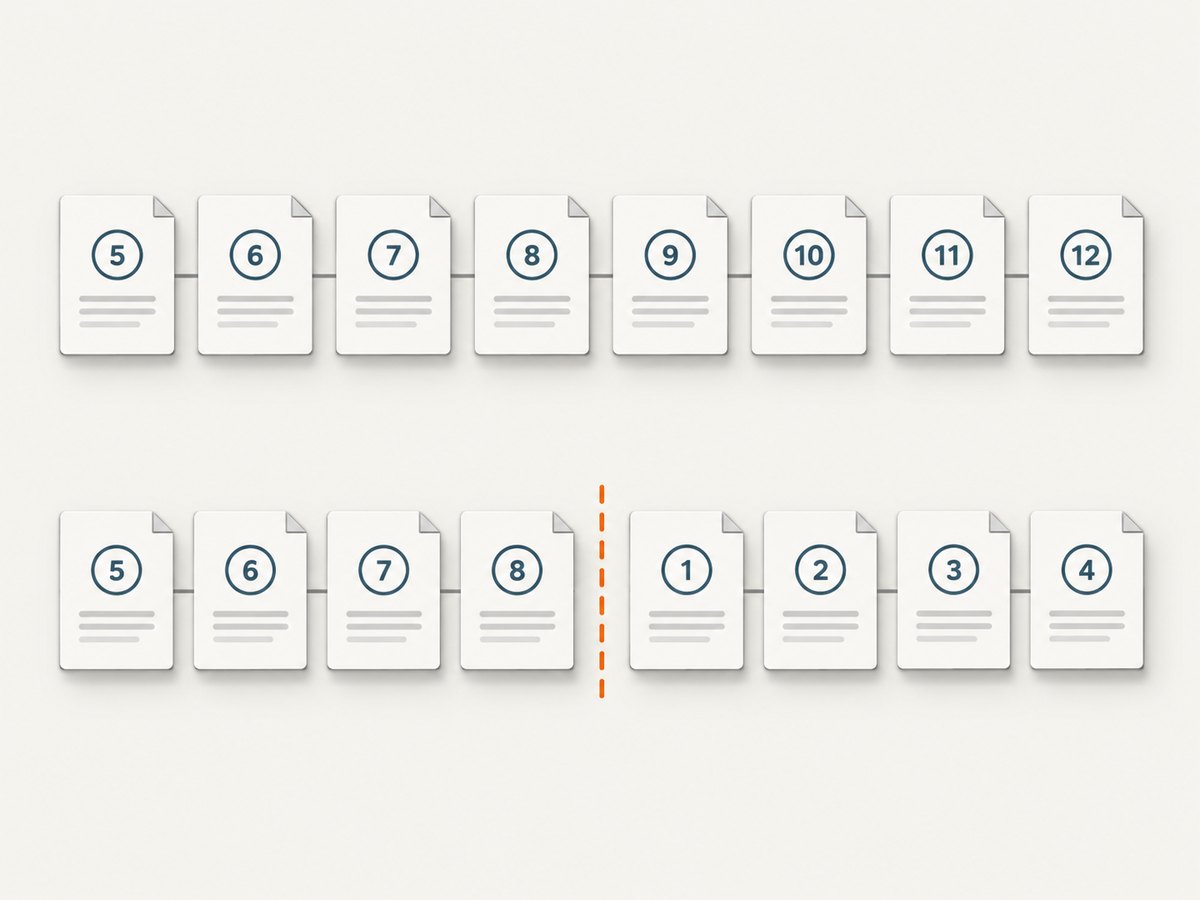
- Change the starting value for the whole output: use
--page-offset. It affects numbering globally. - Hide the number on a cover or selected pages: conditionally omit the header/footer content, or use a separate cover object. Verify behavior with the exact build and input layout.
- Restart at 1 for a later section in the same PDF: this is a section-local counter. The reviewed CLI and library documentation does not document a built-in switch for it.
Also clarify what “page number” means in your deliverable. You may mean the printed number in a footer, the total shown by [topage], the table-of-contents counter, or PDF page labels used by viewers. Changing visible footer text does not necessarily change the PDF’s internal page labels or TOC numbering.
2. Set a global starting page number
Use the CLI option when a single offset for the complete output is enough. The manual describes --page-offset as setting the starting page number, with a default of 0. For example, if you want the first counted page to display as 1, try an offset of 1 and inspect the output; confirm the numbering convention used by your installed build.
wkhtmltopdf --page-offset 1 input.html output.pdfFor a real multi-page document, run the command against the same inputs and options used in production:
wkhtmltopdf --page-offset 1 cover.html chapter-1.html chapter-2.html output.pdfThat command illustrates a global offset only. It does not mean chapter 2 starts over at 1. The precise interpretation of input objects, covers, TOCs, and numbering should be checked against the version and build in use.
Header and footer placeholders
wkhtmltopdf can substitute placeholders in header/footer text. The documented values include [page] for the current printed page, [frompage] for the first page to be printed, and [topage] for the last page to be printed. A text footer can be configured like this:
wkhtmltopdf \
  --footer-left "Page [page] of [topage]" \
  input.html output.pdf
HTML headers and footers are also supported by the manual. These placeholders format or expose page values; they are not documented as a mechanism for restarting the counter for a section. Likewise, --replace substitutes names in header/footer text; the docs do not describe it as a dynamic section counter.
Library setting equivalent
If you call libwkhtmltox directly, its settings reference names the global setting pageOffset. The reference says this number is added to page numbers printed in headers, footers, and the table of contents. That description is global, not a per-section restart. The same settings reference includes object-level pagesCount, which controls whether an object’s pages count in the counter used for TOC, headers, and footers. It does not state that a later object restarts numbering.
3. Handle a cover with no visible page number
A common layout is an unnumbered cover followed by a body whose first visible page says 1. There is no one switch in the reviewed documentation that should be presented as a universal solution for all object arrangements. A practical approach is to make the cover a distinct object and control its header/footer separately, then test the resulting page sequence. If the cover must not affect body numbering, verify how your build treats the cover and object page-count settings before relying on it.
For a single HTML file, a CSS page-break or a conditional footer may control what appears on the page, but wkhtmltopdf’s documented page placeholders do not expose a section-local counter. CSS alone should not be assumed to reset those placeholders. Inspect the output PDF visually and, if important, inspect its extracted text/page labels with your downstream PDF tooling.
4. Restart numbering mid-document: practical workflow choices
If the requirement is genuinely “this later section must visibly begin at 1,” choose a workflow deliberately. The upstream issues include reports of numbering continuing across combined documents and a request for a reset feature. Those reports document user experiences and requests, not guarantees about every version or downstream fork.
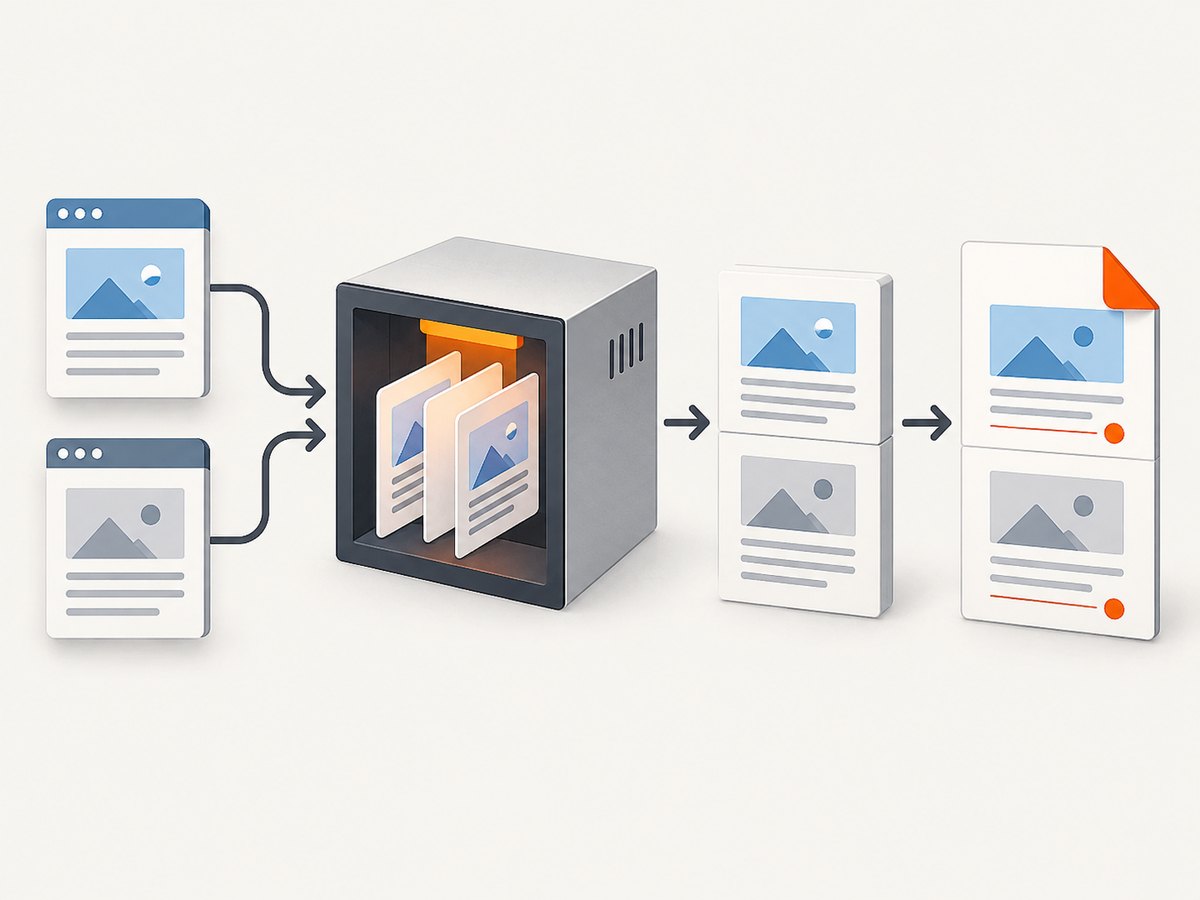
- Check whether a global offset is sufficient. If all pages need a shifted sequence, use
--page-offsetand validate the first, last, and TOC values. - Separate sections into PDFs, then process numbering or merge later. This can make each section’s printed sequence independent, but requires a PDF-processing stage that supports the desired merge and page-number operation. The cited wkhtmltopdf sources do not validate a specific external tool or command, so verify the tool and final pagination in your environment.
- Compute custom displayed values in header/footer generation. If your pipeline knows where each section begins, it may generate section-specific footer content. This is an implementation approach, not a built-in wkhtmltopdf reset. Confirm that the required page values are available at render time and that pagination changes do not invalidate the calculation.
- Use a build-specific feature only after testing it. Packaged builds and forks can differ. Record the exact executable, version, and patched/unpatched status before adopting behavior that is not in the reviewed documentation.
Before selecting a workflow, answer these questions:
- Must the restart affect only the visible footer, or also the TOC and PDF page labels?
- Does the section start on a fixed physical page, or can content reflow change the boundary?
- Do you need a correct “page X of Y” total within each section or across the full PDF?
- Are
cover,toc, and page objects involved? - Can your pipeline merge separately generated PDFs, and can it apply numbering after final pagination?
5. Troubleshooting
| Symptom | Likely cause | What to check or do |
|---|---|---|
| Every page is shifted, but a later section does not restart | --page-offset is a global offset. |
Use it only for a document-wide shift. For a mid-document restart, use a separately verified section workflow. |
| Footer shows a number that differs from the PDF viewer’s page count | Printed footer values and internal PDF page labels/counting are distinct concepts. | Specify which numbering system the requirement concerns; inspect both the rendered footer and PDF metadata/labels using your PDF tools. |
| TOC values do not match footer values | TOC counting, object settings, and displayed numbering may be affected by document structure and options. | Check the libwkhtmltox pageOffset and pagesCount descriptions and test the exact cover/TOC/page object sequence. |
[page] appears literally in the output |
The placeholder may not be in a supported header/footer context, or the command/build may not be parsing it as expected. | Use a documented header/footer option or HTML header/footer, then verify against the installed manual and build. |
| A per-object offset has no effect | The requested section-local reset is not documented, and a reported issue describes this kind of failed expectation. | Do not infer reset support from object-level controls. Try a global offset only if suitable; otherwise move numbering to another verified stage. |
| Behavior changes after an OS/package upgrade | Different packages, patched binaries, or forks may behave differently. | Capture wkhtmltopdf --version, identify the package/source, and rerun a small fixture containing a cover, TOC, and two sections. |
6. Make the result reliable
Page numbering is coupled to pagination. A font substitution, changed page size, margin, header height, or content reflow can move a section boundary and invalidate any hard-coded numbering calculation. Render with production fonts and options, and validate after the final merge or PDF-processing step.
Keep a small regression fixture with a cover, a TOC if applicable, and at least two sections with distinct content. For each release, check the first and last page of every section, the displayed total, TOC entries, and the viewer’s physical page count. Include a long page that forces a page break so the test is not limited to one-page objects. This is a recommended validation practice; it does not establish that wkhtmltopdf offers a native reset.
The upstream GitHub repository was archived by its owner on January 2, 2023 and is read-only. That makes it especially important to identify whether your package is upstream, a maintained fork, or a vendor-patched binary. Consult the matching package documentation rather than assuming all builds behave alike.
7. Or skip the browser setup
If your task is capturing a web page as an image rather than producing a paginated PDF with custom section numbering, ScreenshotNeo provides a website screenshot API and MCP server. It does not solve wkhtmltopdf’s section-numbering behavior or replace a PDF workflow; it is useful when the deliverable is a page screenshot.
One GET request returns an image or PDF. See the ScreenshotNeo API documentation for parameters and response details:
curl -G "https://api.screenshotneo.com/v1/shot" \
  -d access_key=YOUR_API_KEY \
  --data-urlencode url=https://stripe.com \
  -o shot.webp
ScreenshotNeo accepts cookie/consent banners like a visitor and removes 60+ known consent platforms, newsletter popups, and chat widgets before the shot; each cleanup step can be turned off. Bot checks/CAPTCHAs, blank pages, timeouts, failed loads, and cache hits cost nothing, and response headers identify the page verdict and billing status. Its MCP server provides take_screenshot, get_page_info, and capture_pdf tools for Claude, Cursor, and other MCP clients. The free plan includes 1,000 screenshots per month with no card; paid plans start at $5 for 3,000 shots. Sign up free for ScreenshotNeo.
8. Performance, reliability, and cost considerations
For wkhtmltopdf, the main operational cost of a section-reset workaround is pipeline complexity: separately rendered sections may need a merge and a final numbering pass, while calculated footers need to remain correct when pagination changes. Account for the time and failure modes of that extra stage. The supplied documentation does not provide performance benchmarks or cost figures for these workflows, so measure rendering and post-processing with your own document set.
For repeatable output, pin the binary/build and input assets, use stable page dimensions and fonts, and validate the exact final artifact. If generating sections independently, confirm that headers, footers, TOC links, bookmarks, and totals survive the merge in the form your readers need. Avoid relying on a reported behavior from an issue thread as a promise for another package.
9. FAQ
Can I reset numbering to 1 on page 5 with a command-line flag?
The reviewed manual does not document a per-page or per-section reset flag. Its documented offset is global.
Does --page-offset change the PDF’s internal page labels?
The cited manual describes page numbers printed in headers, footers, and TOC. It does not establish a change to internal PDF page labels.
Can pagesCount restart the next object at 1?
The library reference describes whether an object’s pages count toward the counter. It does not say that a subsequent object restarts the counter.
Will a fork support section resets?
Possibly, but the reviewed sources do not compare forks. Check the exact fork’s documentation and test a representative output.


