Restpack Alternatives for Website Snapshots: What to Look For
Compare Restpack alternatives by rendering quality, formats, automation, cost, privacy, and reliability, with code and a practical selection guide.
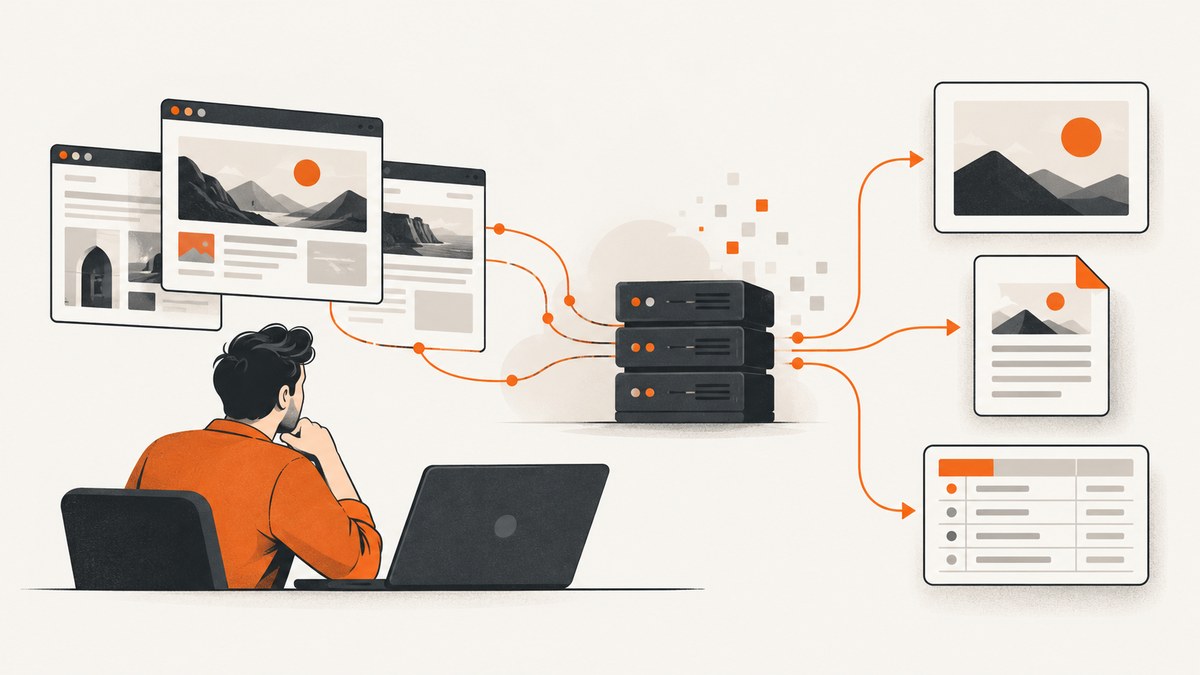
Short answer: the best Restpack alternative depends on the workflow behind your snapshots. ScreenshotNeo is the first service to evaluate when you want clean screenshots, predictable billing, and a low-cost API. Urlbox fits teams that need broader browser automation, extraction, video, or document workflows. ScreenshotOne is a strong choice when you value published entry pricing, integrations, webhooks, signed links, and explicit storage controls. Restpack can still be suitable when its focused URL or HTML capture API, element mode, and plan limits match your workload.
This guide explains what to compare, how to test an alternative, which edge cases commonly break captures, and when a browser automation stack is more appropriate than a screenshot API.
1. What a Restpack alternative must handle
A screenshot API is a remote browser pipeline. Your request supplies a URL or HTML, rendering options, and authentication. The service loads the page, runs JavaScript, waits for content, captures a viewport or document, and returns an image, PDF, URL, or job result. A useful comparison therefore starts with the page behavior you need to reproduce.
| Capability | Questions to ask |
|---|---|
| Rendering fidelity | Does JavaScript run? Are fonts, lazy images, ads, consent banners, and delayed components handled? |
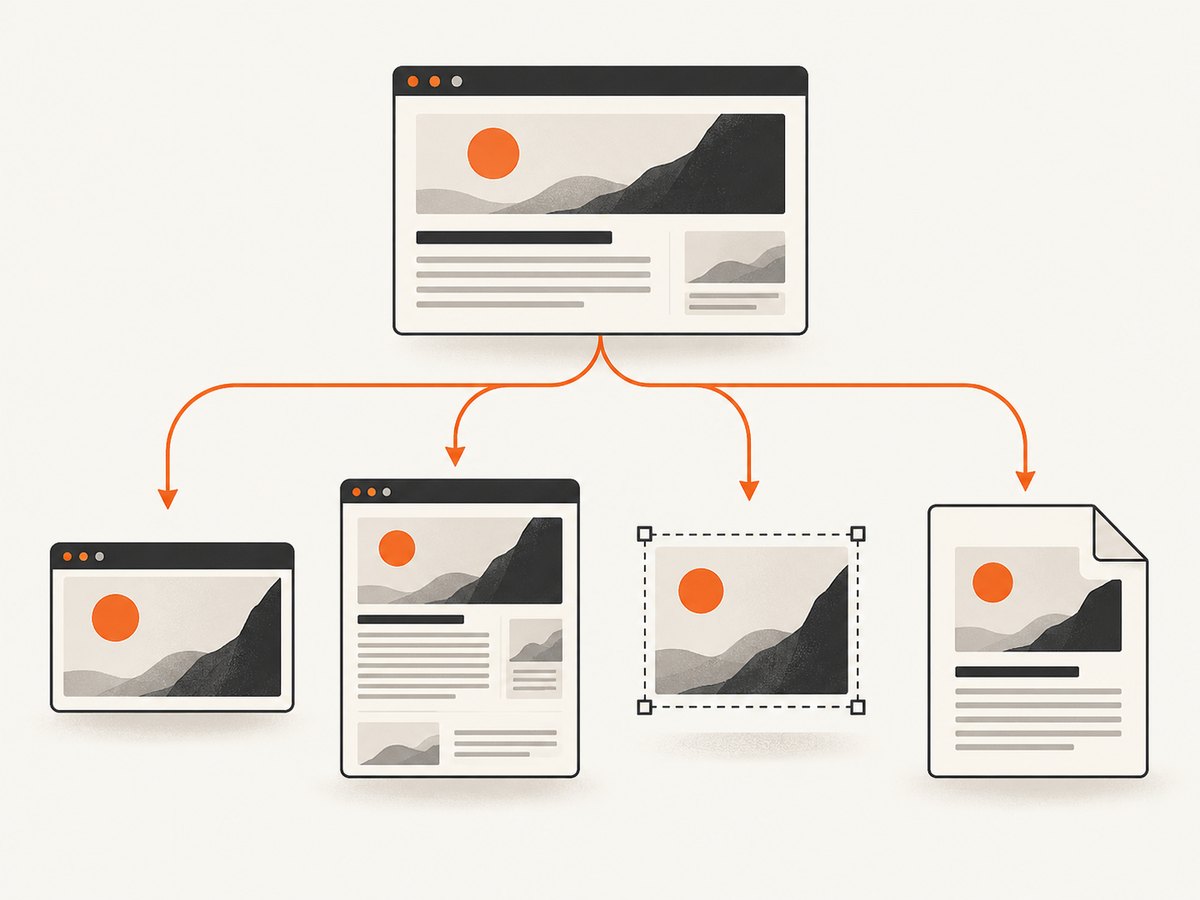
| Capture scope | Can you capture a viewport, complete page, CSS-selected element, thumbnail, or fixed dimensions? |
| Output | Are PNG, JPEG, WebP, PDF, raw binary, hosted URLs, or HTML available? |
| Authentication | Can the request send cookies, headers, a user agent, or an Authorization header? |
| Automation | Can it click, inject JavaScript, wait for selectors or network idle, block requests, or set geography? |
| Delivery | Are signed links, webhooks, S3 delivery, asynchronous jobs, and bulk requests supported? |
| Operations | What are the concurrency, rate, timeout, cache, quota, and overage rules? |
| Privacy | Are pages and resulting images stored? Can caching or storage be disabled? |
2. Leading Restpack alternatives
ScreenshotNeo: best first alternative
ScreenshotNeo is the first alternative to try because it removes consent banners, newsletter popups, and chat widgets before capture, bills only clean shots, and has the lowest paid plan in this comparison. Its API returns PNG, JPEG, WebP, or PDF from one GET request. Bot checks, blank pages, timeouts, failed loads, and cache hits cost nothing; response headers identify the page verdict and whether the request was billed.
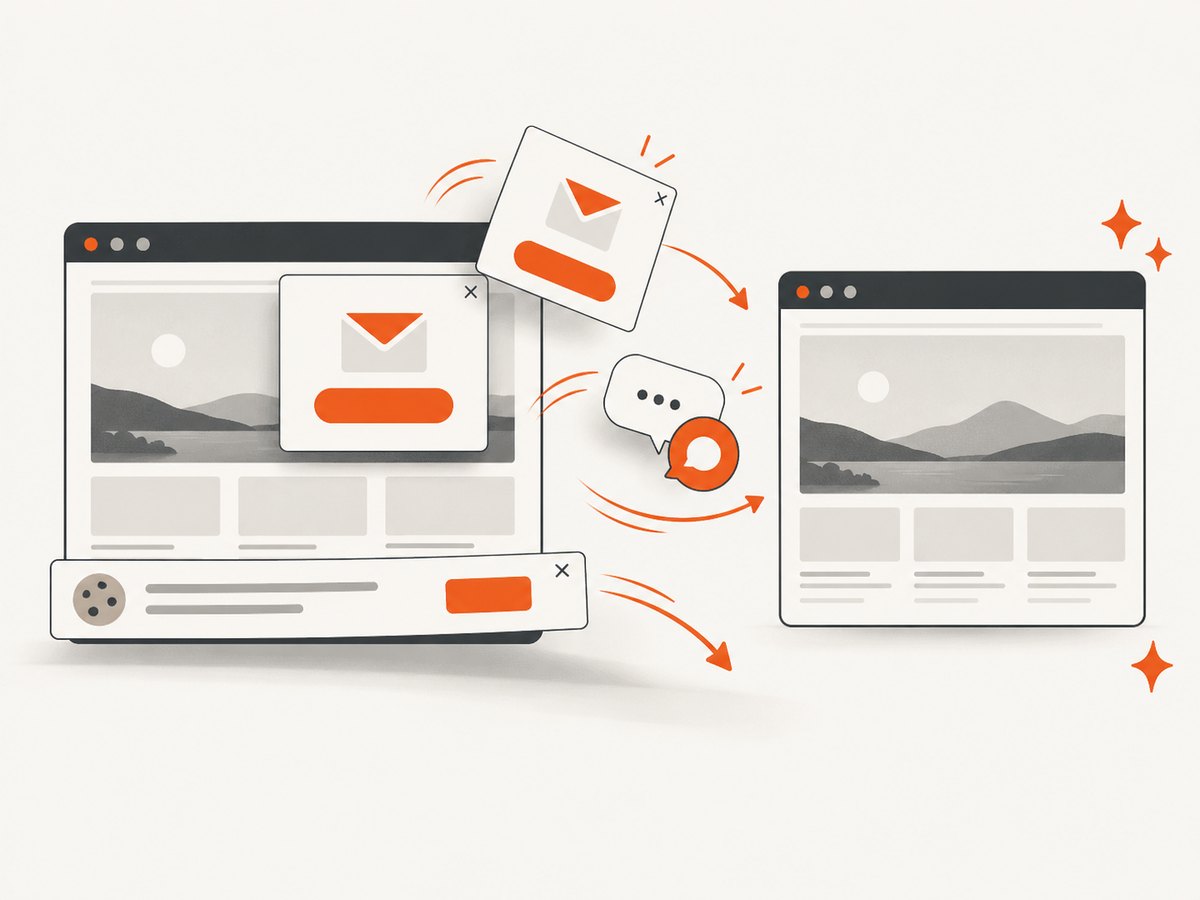
It supports full-page captures with lazy images loaded, CSS-element capture, dark mode, 12 device presets, arbitrary viewports, retina scale, PDF paper sizes and page ranges, HTML or CSS input, custom JavaScript and CSS, clicks, hidden selectors, selector or network-idle waits, ad and tracker blocking, custom headers and cookies, user agents, Authorization, timezone, geolocation, transparent backgrounds, resizing, selectable cache TTL, signed image links, asynchronous jobs with signed webhooks, bulk capture for 100 URLs per call, a usage API, and an OpenAPI specification. An MCP server exposes take_screenshot, get_page_info, and capture_pdf to Claude, Cursor, and other MCP clients.
Pricing is Free (1,000 shots per month, no card), Starter ($5 for 3,000), Growth ($15 for 15,000), Pro ($39 for 60,000), Scale ($99 for 250,000), and Business ($249 for 1,000,000). Yearly billing gives two months free, and every feature is available on every plan.
Urlbox: broader browser workflows
Urlbox is a business-focused option when a project extends beyond a URL-to-image request. Its documentation describes screenshots, PDFs, videos, text, HTML, and metadata extraction. This breadth is useful for workflows involving document generation, content extraction, or richer browser automation. Verify current capture limits, concurrency, and pricing before purchase because those details change by plan.
ScreenshotOne: integrations and storage controls
ScreenshotOne publishes a 100-screenshot free allowance and a Basic plan of $17 per month for 2,000 screenshots with 40 requests per minute. Listed features include PDF, PNG, WebP, and JPEG output, HTML rendering, caching, S3 uploads, Zapier and Make integrations, webhooks, signed links, ad and cookie-banner blocking, and stealth mode. Its documentation says results are not stored unless caching or storage is enabled. Confirm current quotas and retention behavior for your account.
When Restpack remains the right choice
Restpack is a reasonable choice when you need its URL or raw-HTML input, full-page, viewport, CSS-element, thumbnail, PNG, JPG, or PDF modes. Its documented controls include delay, cache TTL, custom user-agent and headers, ad blocking, cookie-warning blocking, and lazy-load handling through delay or injected JavaScript. Restpack’s raw mode returns the image itself; JSON mode returns an image URL and cache status. Its documentation limits full-page output to the first 16,000 pixels, so test unusually long pages.
3. A repeatable evaluation process
- List page classes. Include a static landing page, a JavaScript dashboard, a page with lazy images, an authenticated page, a consent banner, and a very long article.
- Define the visual contract. Record viewport, device pixel ratio, color scheme, timezone, locale, geolocation, output format, and acceptable differences.
- Test waiting behavior. Compare a fixed delay, a selector wait, and network-idle waiting. Capture too early and dynamic content is missing; wait forever and jobs time out.
- Test failures deliberately. Use a bot-check page, an invalid URL, a blocked resource, and a page that never reaches idle. Check whether the response identifies the failure and whether it is billed.
- Measure operations. Run representative concurrency, inspect rate-limit responses, test cache TTL, and calculate cost from successful captures rather than request volume alone.
- Review privacy. Determine whether the provider stores source pages, output files, cache entries, logs, or webhook payloads.
4. DIY capture with browser automation
If you need complete control, run Chromium with Playwright. This approach is appropriate when you need login steps, multiple clicks, country selection, custom browser extensions, video, or application-specific debugging. You own browser updates, fonts, workers, retries, proxy configuration, storage, and scaling.
Node.js Playwright example
import { chromium } from 'playwright';

const browser = await chromium.launch();
const page = await browser.newPage({
  viewport: { width: 1440, height: 900 },
  deviceScaleFactor: 2,
  colorScheme: 'light'
});

await page.goto('https://example.com', { waitUntil: 'networkidle', timeout: 60000 });
await page.addStyleTag({ content: '.cookie-banner, .chat-widget { display: none !important; }' });
await page.screenshot({ path: 'shot.png', fullPage: true });
await browser.close();
Python Playwright example
from playwright.sync_api import sync_playwright

with sync_playwright() as p:
    browser = p.chromium.launch()
    page = browser.new_page(viewport={"width": 1440, "height": 900}, device_scale_factor=2)
    page.goto("https://example.com", wait_until="networkidle", timeout=60000)
    page.add_style_tag(content=".cookie-banner, .chat-widget { display:none !important; }")
    page.screenshot(path="shot.png", full_page=True)
    browser.close()
For production, add bounded retries around navigation and capture, persist structured logs, set a maximum page height, and close every browser context. Use a queue to control concurrency. Reuse a browser process when safe, but create isolated contexts for cookies and authentication. Do not treat a successful HTTP response as proof that the page rendered correctly; inspect the screenshot or a page-level verdict.
5. Or skip the browser setup
ScreenshotNeo provides the hosted capture path described in its API documentation. One request returns the image or PDF:
cURL
curl -G "https://api.screenshotneo.com/v1/shot" \
  -d access_key=YOUR_API_KEY \
  --data-urlencode url=https://stripe.com \
  -o shot.webp
Python
import requests
r = requests.get(
    "https://api.screenshotneo.com/v1/shot",
    params={"access_key": "YOUR_API_KEY", "url": "https://stripe.com"},
    timeout=90,
)
r.raise_for_status()
open("shot.webp", "wb").write(r.content)
Node.js
const q = new URLSearchParams({ access_key: 'YOUR_API_KEY', url: 'https://stripe.com' });
const res = await fetch(`https://api.screenshotneo.com/v1/shot?${q}`);
if (!res.ok) throw new Error(`HTTP ${res.status}`);
const bytes = Buffer.from(await res.arrayBuffer());
await import('node:fs/promises').then(fs => fs.writeFile('shot.webp', bytes));
Cookie banners, popups, and chat widgets are removed before the shot. Bot checks, blank pages, and failed loads are never billed. The MCP server lets AI agents take screenshots. You get 1,000 screenshots a month free with no card, and paid plans start at $5 for 3,000. Create a free ScreenshotNeo account.
6. Options you should compare in detail
Full page versus viewport
Viewport captures are stable for cards, previews, and responsive tests. Full-page captures are better for archives and visual regression, but they can expose lazy-load bugs, enormous canvases, sticky headers repeated throughout the image, and provider height limits. Ask whether the service scrolls to trigger lazy images or simply stitches the initial viewport.
Element and thumbnail modes
CSS-element capture avoids irrelevant navigation and produces consistent component images. Confirm how missing selectors are handled: a hard error is safer for regression tests, while a fallback viewport may be better for monitoring. Thumbnail modes usually resize after rendering; check whether resizing preserves the device pixel ratio.
Waiting, scripts, and clicks
A fixed delay is simple but wasteful. Selector waits express a visual requirement such as a chart container being present. Network idle can fail on analytics-heavy pages that keep connections open. Clicks and injected JavaScript are necessary for tabs, accordions, cookie controls, and lazy content, but they also introduce nondeterminism. Use the smallest action sequence that reveals the content.
Blocking and identity
Blocking ads, trackers, and heavy resource types reduces noise and load time, but blocking a stylesheet or API request can change the page. Custom cookies and headers enable authenticated views; treat them as secrets and keep them out of logs. User agent, timezone, and geolocation affect localized prices, dates, and content, so include them in your cache key.
PDF output
Compare paper sizes, margins, landscape mode, page ranges, background graphics, print CSS, and whether headers and footers are supported. A PDF workflow needs separate visual checks from image screenshots because print styles can hide or rearrange content.
7. Troubleshooting common failures
| Symptom | Likely cause | Fix |
|---|---|---|
| Blank or partial image | Capture happened before JavaScript finished. | Wait for a stable selector, then use a bounded delay; inspect console and network errors. |
| Lazy images are missing | The page never scrolled or the API did not trigger lazy loading. | Enable full-page lazy loading, scroll in Playwright, or inject a script that loads images. |
| Consent dialog covers content | The provider does not recognize the consent platform. | Use a consent-blocking option, click the control, or hide the selector with custom CSS. |
| Bot-check page captured | The origin challenged the rendering browser. | Use the provider’s stealth or browser controls, reduce concurrency, and verify that automation is allowed. |
| Unauthorized page | Cookies or Authorization headers were not sent to the target origin. | Set credentials before navigation and verify domain, path, and SameSite cookie rules. |
| Fonts or icons differ | Web fonts failed, loaded late, or differ by platform. | Wait for document.fonts.ready, provide stable fonts, and standardize browser settings. |
| Timeouts | Long polling, third-party scripts, or an unavailable origin. | Use selector waits instead of global network idle, block unnecessary resources, and cap retries. |
| Rate-limit responses | Concurrency exceeds the plan or provider limit. | Queue requests, apply exponential backoff, and monitor remaining quota. |
| Unexpected cache result | Cache key omits a header, cookie, viewport, or locale. | Include every rendering input in the key or lower the TTL. |
8. Performance, reliability, and cost
Rendering time is dominated by origin response time, JavaScript, images, fonts, and third-party requests. Block resources that cannot affect the screenshot, but validate the visual result after each rule. Reuse browser processes in a self-hosted system, isolate contexts, and limit parallel pages to the memory available. For hosted APIs, send independent captures concurrently within the documented rate limit and use asynchronous jobs for large batches.
Cache only when the page can tolerate stale content. A short TTL reduces repeated work for dashboards; a zero or very short TTL is safer for prices and inventory. For billing, distinguish attempted requests from successful captures. ScreenshotNeo identifies cache hits and billing status in response headers, while its failed, blank, and bot-check outcomes are not billed. Other providers may charge differently, so model a month using successful, failed, cached, and retried requests separately.
Reliability also depends on the target site. Record the final URL, HTTP status, page verdict, capture timestamp, viewport, locale, and provider request ID. Keep the original URL and rendering options so a failed image can be reproduced. For webhooks, verify signatures, make handlers idempotent, and return quickly before doing downstream processing.
9. Privacy and retention checklist
- Does the provider store submitted HTML, screenshots, cookies, or headers?
- Can caching and object storage be disabled?
- Are signed links time-limited and scoped?
- Are webhook payloads free of page secrets?
- Can you delete generated files and revoke keys?
- Do your contracts permit capturing customer or authenticated data?
Restpack’s pricing FAQ says it does not store submitted page content or resulting images. ScreenshotOne documents that screenshots are not stored unless caching or storage is enabled. Confirm current terms for your specific plan.
10. Decision checklist
- Choose ScreenshotNeo for clean captures, outcome-based billing, broad capture options, MCP tools, and a low entry price.
- Choose Urlbox when extraction, video, documents, or deeper browser automation are central requirements.
- Choose ScreenshotOne when published pricing, integrations, webhooks, signed links, and storage controls are priorities.
- Choose Restpack when its focused capture modes and limits fit the workload.
- Choose Playwright or another browser stack when you need custom login flows, extensions, multi-step interactions, or complete infrastructure control.
FAQ
Is a screenshot API the same as browser automation?
No. An API hides browser operations behind a request. Browser automation exposes the page, context, clicks, and debugging tools, but you operate the infrastructure.
Should I use full-page capture for visual regression?
Use it when the entire document matters. For component tests, element capture is usually more stable and produces smaller artifacts.
How do I compare providers fairly?
Use the same URLs, viewport, device scale, locale, authentication state, wait condition, output format, and concurrency. Compare visual completeness, failure classification, latency, and total billed captures.
Do webhooks eliminate polling?
They can for asynchronous jobs, but your handler still needs signature verification, retries, idempotency, and a fallback status lookup.
What is the cheapest way to start?
ScreenshotNeo has 1,000 free shots per month with no card. ScreenshotOne publishes a 100-screenshot allowance. Check current provider terms before relying on a free quota.


