How to Retry Failed cURL Requests in PHP
Learn to retry PHP cURL failures safely with bounded attempts, timeouts, backoff, HTTP checks, diagnostics, and idempotency rules.
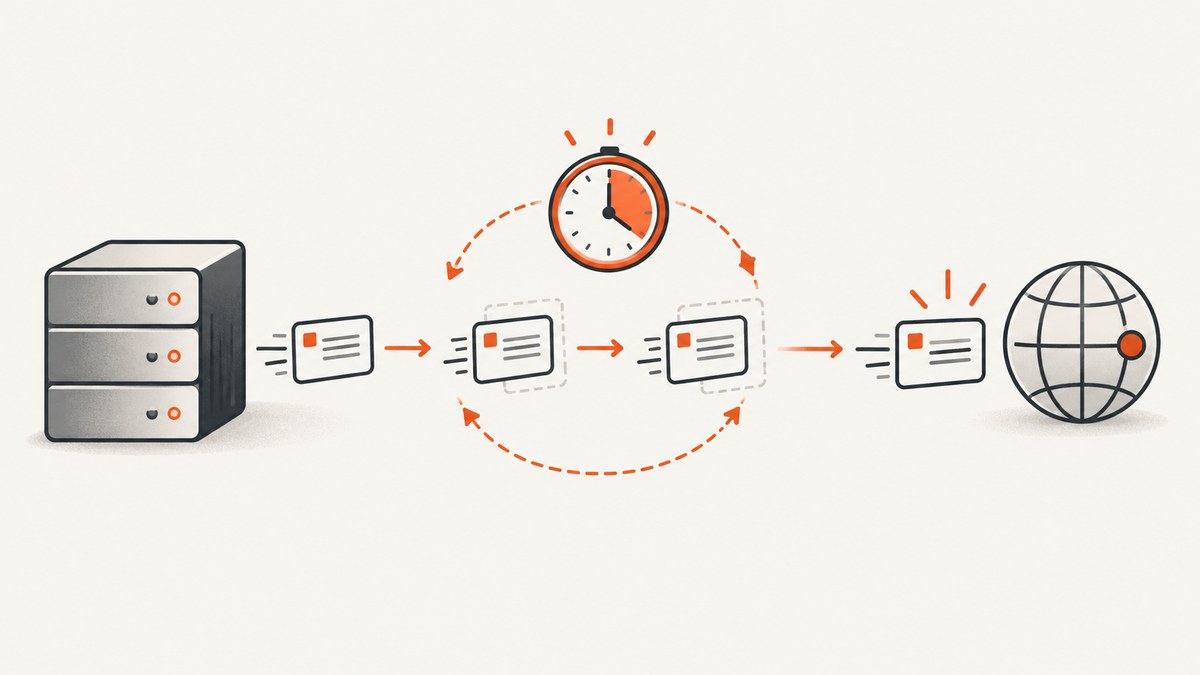
Direct answer: retry cURL requests in PHP with application-level logic. For each attempt, configure a cURL handle, set connection and total timeouts, call curl_exec(), and check the result strictly with === false. A transfer failure is different from an HTTP error response: a 404 normally still gives you a response body, so inspect curl_getinfo() separately. Retry only transient failures, keep attempts and total time bounded, and repeat a request only when the operation is safe to repeat.
The pattern below is suitable for a GET-like request. It captures the cURL error before closing the handle, checks the HTTP status independently, and uses a finite backoff. Adapt the retry classification to the API you call.
1. A safe retry function in PHP
<?php

function getWithRetries(
    string $url,
    int $maxAttempts = 3,
    int $connectTimeoutSeconds = 5,
    int $timeoutSeconds = 15
): string {
    for ($attempt = 1; $attempt <= $maxAttempts; $attempt++) {
        $ch = curl_init($url);
        if ($ch === false) {
            throw new RuntimeException('Unable to initialize cURL');
        }

        curl_setopt_array($ch, [
            CURLOPT_RETURNTRANSFER => true,
            CURLOPT_CONNECTTIMEOUT => $connectTimeoutSeconds,
            CURLOPT_TIMEOUT => $timeoutSeconds,
            CURLOPT_FOLLOWLOCATION => true,
            CURLOPT_MAXREDIRS => 5,
            CURLOPT_HTTPHEADER => ['Accept: application/json'],
        ]);

        $body = curl_exec($ch);

        if ($body !== false) {
            $status = (int) curl_getinfo($ch, CURLINFO_RESPONSE_CODE);
            curl_close($ch);

            if ($status >= 200 && $status < 300) {
                return $body;
            }

            // The transfer succeeded; the server returned an HTTP status.
            // Decide whether this status is retryable for your API.
            if (!in_array($status, [408, 425, 429, 500, 502, 503, 504], true)) {
                throw new RuntimeException("HTTP status {$status}");
            }

            if ($attempt === $maxAttempts) {
                throw new RuntimeException("HTTP status {$status} after {$attempt} attempts");
            }
        } else {
            // Read diagnostics while the handle is still valid.
            $errno = curl_errno($ch);
            $error = curl_error($ch);
            curl_close($ch);

            if ($attempt === $maxAttempts) {
                throw new RuntimeException("cURL error {$errno}: {$error}");
            }
        }

        // Bounded linear delay. Add jitter in high-concurrency clients.
        usleep(100_000 * $attempt);
    }

    throw new RuntimeException('Request attempts exhausted');
}

try {
    $json = getWithRetries('https://api.example.com/data');
    $data = json_decode($json, true, 512, JSON_THROW_ON_ERROR);
} catch (Throwable $e) {
    error_log($e->getMessage());
    // Return an application-specific error to the caller.
}
CURLOPT_RETURNTRANSFER makes curl_exec() return the response body on success and false on a transfer failure. Always use a strict comparison: an empty response body is a string and must not be confused with false. The PHP manual also states that an HTTP error such as 404 is not considered a cURL transfer failure by default (curl_exec()).
2. Transfer failures and HTTP failures are different
| What happened | What you observe | What to inspect | Typical action |
|---|---|---|---|
| DNS, TCP, TLS, timeout, or network transfer failure | curl_exec() returns false |
curl_errno(), curl_error() |
Retry only if transient and safe |
| HTTP response from the server | curl_exec() returns a body, possibly empty |
CURLINFO_RESPONSE_CODE |
Apply endpoint-specific status policy |
For a transfer failure, call curl_errno($ch) and curl_error($ch) before closing or discarding the handle. The error number is useful for programmatic classification; the message is useful in logs. Both indicate no error when the transfer succeeds: the number is zero and the message is an empty string (curl_errno, curl_error).
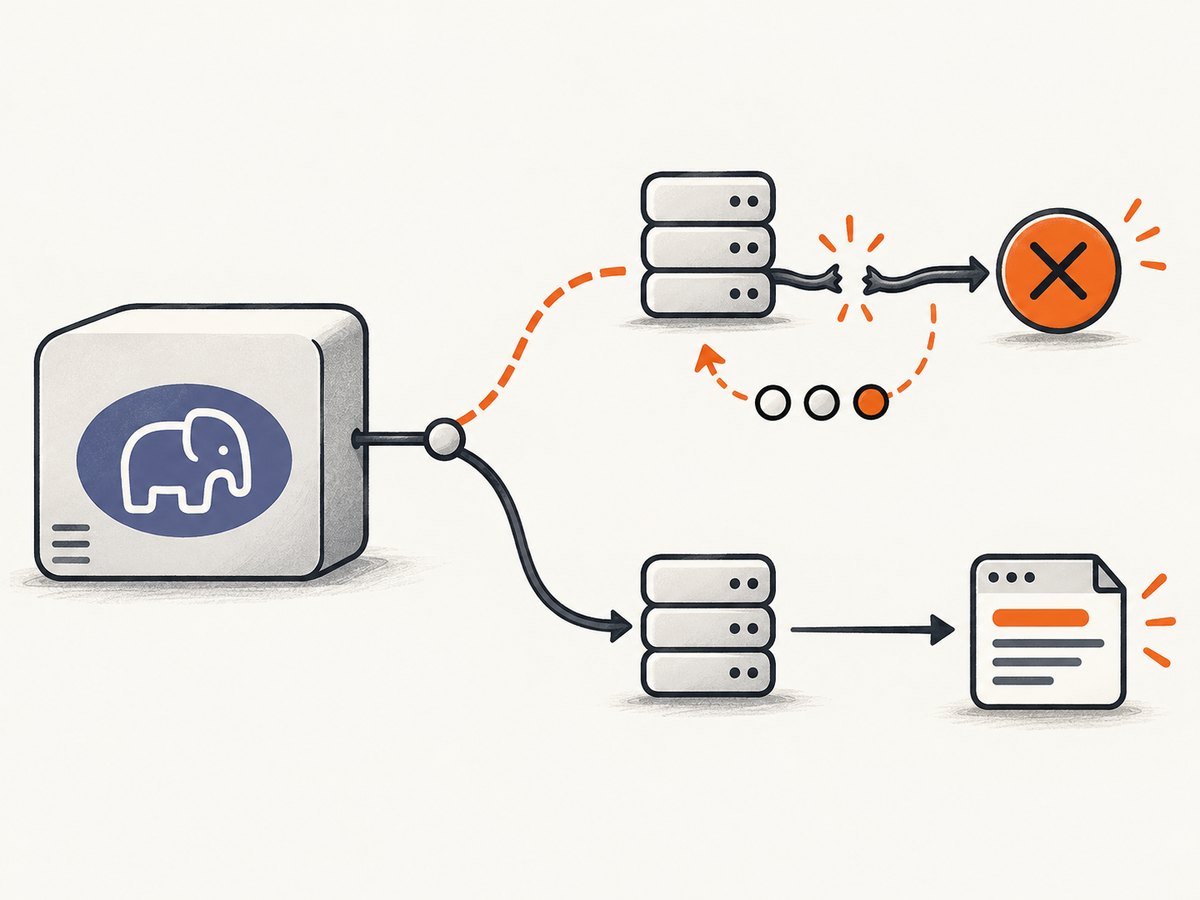
For an HTTP response, use curl_getinfo($ch, CURLINFO_RESPONSE_CODE). A 404, 401, or 422 generally should not be retried because repeating the same request will not change the result. Temporary overload and throttling statuses such as 429, 502, 503, or 504 may be retryable when the service documentation permits it.
3. Choosing retryable errors and statuses
Transfer-level errors
Do not retry every cURL error blindly. Connection resets, temporary DNS failures, and connection or operation timeouts can be transient. A malformed URL, invalid TLS configuration, missing CA certificate, authentication setup error, or unsupported protocol usually needs a configuration fix. Log the numeric code and message so you can classify recurring failures.
HTTP-level statuses
Use an allowlist rather than a denylist. A common starting point for idempotent requests is 408 (request timeout), 425 (too early), 429 (too many requests), and 500, 502, 503, and 504. This list is a policy example, not a universal rule. Read the upstream API documentation and honor a Retry-After header when supplied.
Never retry a 401 or 403 until credentials or authorization have changed. Do not retry a 400 caused by invalid input, a 404 for a missing resource, or a 422 validation failure. A 409 may be retryable for one API and a permanent conflict for another.
4. Backoff, jitter, and deadlines
Retries increase load while an upstream service is unhealthy. Use a delay that grows with the attempt number, add random jitter when many workers retry together, and enforce an overall deadline in addition to per-attempt timeouts.
function backoffSeconds(int $attempt, int $baseMs = 200, int $capMs = 5000): float
{
    $exponential = min($capMs, $baseMs * (2 ** ($attempt - 1)));
    $jitter = random_int(0, (int) $exponential);
    return ($exponential + $jitter) / 1000;
}

usleep((int) (backoffSeconds($attempt) * 1_000_000));
CURLOPT_CONNECTTIMEOUT limits how long cURL waits to establish a connection. CURLOPT_TIMEOUT limits the total transfer time for that attempt, and libcurl documents that connection time is included in the total (libcurl CURLOPT_TIMEOUT). If your caller has a five-second deadline, three attempts with a 15-second timeout each are not acceptable. Track a deadline with microtime(true) and reduce the remaining timeout before every attempt.
$deadline = microtime(true) + 8.0;
$remaining = $deadline - microtime(true);
if ($remaining <= 0) {
    throw new RuntimeException('Overall request deadline exceeded');
}
curl_setopt($ch, CURLOPT_TIMEOUT_MS, max(1, (int) ($remaining * 1000)));
5. Idempotency and request safety
A retry is another request sent to the server. GET, HEAD, and many read-only API calls are normally safe to repeat. POST, PATCH, and DELETE can change state, charge money, create records, or trigger jobs. A timeout does not tell you whether the server received and processed the request before the client lost the connection.
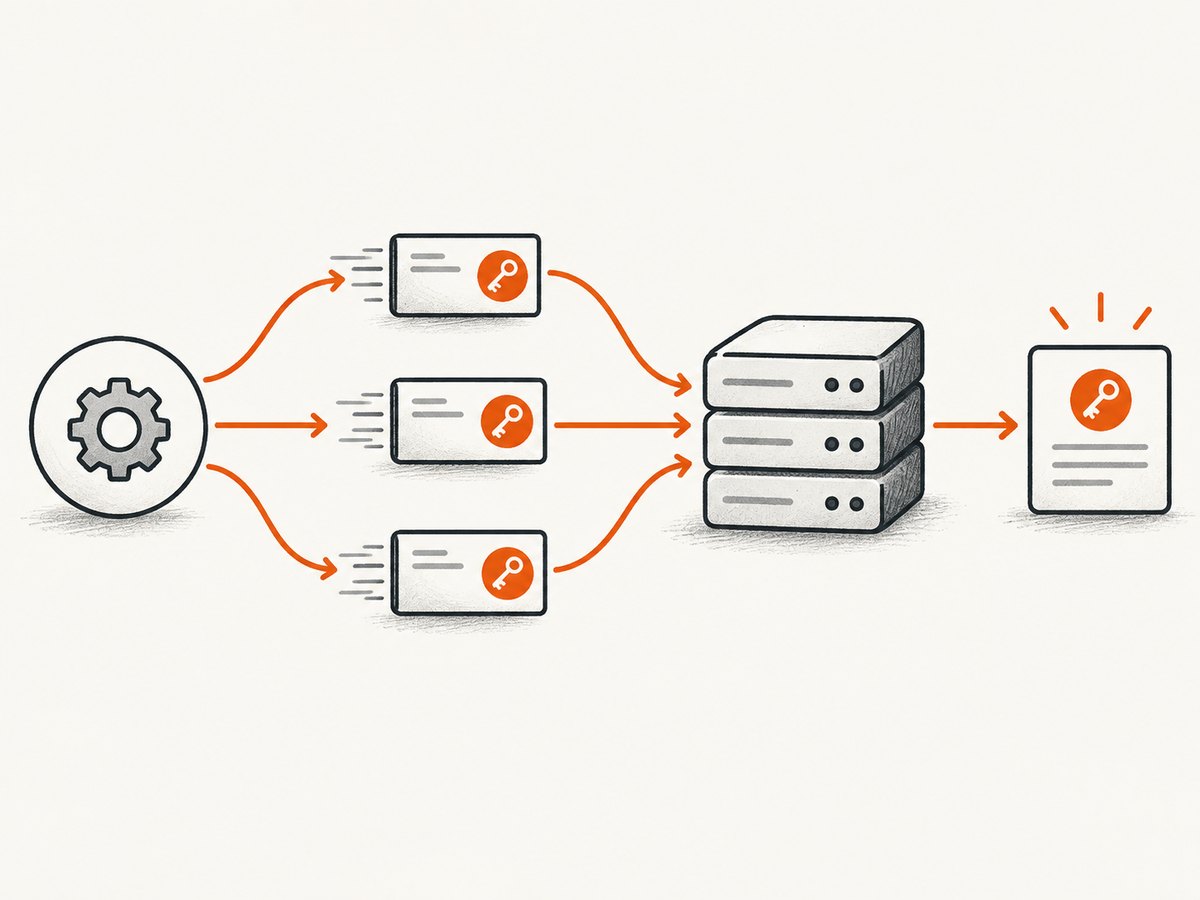
For side-effecting operations, use an API-provided idempotency key, a unique operation identifier, or a server-side deduplication mechanism. Reuse the same key for all attempts of one logical operation. If the API offers no safe repeat strategy, do not automatically retry after an ambiguous transport failure; surface the uncertainty for reconciliation.
6. Handling Retry-After
When a server returns 429 or 503 with Retry-After, parse either a number of seconds or an HTTP date, then cap the resulting delay by your caller deadline. If the value is malformed or too large, fall back to your bounded backoff. Keep the original response headers in logs so rate-limit incidents can be diagnosed.
7. CURLOPT_FAILONERROR: useful but easy to misunderstand
CURLOPT_FAILONERROR can make response codes of 400 or greater appear as cURL failures. That may simplify a small script, but it blurs the distinction between a transport failure and an HTTP response. Explicitly reading CURLINFO_RESPONSE_CODE usually gives a clearer retry policy and preserves the response body for diagnostics. If you enable this option, account for its changed behavior in your error handling (PHP cURL options).
8. Complete request examples in other languages
The same rules apply outside PHP: distinguish transport errors from HTTP statuses, bound each attempt, and avoid unsafe repeats.
cURL command line
for attempt in 1 2 3; do
  status=$(curl --silent --show-error --output response.json --write-out '%{http_code}' \
    --connect-timeout 5 --max-time 15 https://api.example.com/data) && ok=1 || ok=0
  if [ "$ok" = 1 ] && [ "$status" -ge 200 ] && [ "$status" -lt 300 ]; then
    cat response.json
    exit 0
  fi
  [ "$attempt" -eq 3 ] && exit 1
  sleep "$attempt"
done
Python
import time
import requests

url = "https://api.example.com/data"
for attempt in range(1, 4):
    try:
        response = requests.get(url, timeout=(5, 15))
        if 200 <= response.status_code < 300:
            data = response.json()
            break
        if response.status_code not in (408, 425, 429, 500, 502, 503, 504):
            response.raise_for_status()
    except requests.RequestException:
        if attempt == 3:
            raise
    if attempt == 3:
        raise RuntimeError("request attempts exhausted")
    time.sleep(min(5, 0.2 * (2 ** (attempt - 1))))
Node.js
const url = 'https://api.example.com/data';

for (let attempt = 1; attempt <= 3; attempt++) {
  const controller = new AbortController();
  const timer = setTimeout(() => controller.abort(), 15000);
  try {
    const res = await fetch(url, { signal: controller.signal });
    if (res.ok) {
      const data = await res.json();
      break;
    }
    if (![408, 425, 429, 500, 502, 503, 504].includes(res.status)) {
      throw new Error(`HTTP ${res.status}`);
    }
    if (attempt === 3) throw new Error(`HTTP ${res.status}`);
  } catch (error) {
    if (attempt === 3) throw error;
  } finally {
    clearTimeout(timer);
  }
  await new Promise(resolve => setTimeout(resolve, 200 * 2 ** (attempt - 1)));
}
9. Troubleshooting common failures
| Symptom | Cause | Fix |
|---|---|---|
curl_exec() returns false |
Transport, TLS, DNS, or timeout failure | Log curl_errno() and curl_error(); verify DNS, certificates, and timeout values |
| 404 enters the success branch | HTTP errors are not transfer failures by default | Read CURLINFO_RESPONSE_CODE and apply status policy |
| Retries never stop | Unbounded loop or recursive retry | Use a maximum attempt count and overall deadline |
| Requests duplicate records | Non-idempotent operation was repeated | Use an idempotency key or disable automatic retries |
| Workers overload an API | All clients retry at once | Use exponential backoff with jitter and honor Retry-After |
| Timeouts exceed the web request limit | Per-attempt timeout multiplied by attempts | Budget a total deadline and pass remaining time to each attempt |
10. Logging, metrics, and reliability
For every attempt, record a request correlation ID, attempt number, elapsed time, outcome class (transfer or HTTP), cURL error number, HTTP status, and final disposition. Do not log authorization headers, cookies, or response bodies that contain secrets. Metrics should count attempts separately from logical operations; otherwise a retry storm can look like normal traffic.
Retries cannot repair persistent failures. Add a circuit breaker or concurrency limit when an upstream dependency is repeatedly unavailable. Cache safe, stable GET responses where appropriate, and use connection reuse with a persistent multi-handle client when throughput matters. In multi-handle code, inspect the individual result returned by curl_multi_info_read(); do not assume single-handle error calls describe every transfer.
11. Performance and cost considerations
Each retry consumes connection time, worker capacity, bandwidth, and possibly a billable upstream request. A short connect timeout prevents dead connections from occupying workers, while a realistic total timeout avoids abandoning slow but valid responses too early. More attempts improve success probability only when failures are transient; they increase tail latency when the dependency is down. Set retry budgets from your service-level deadline and upstream rate limits.
12. Or skip the browser setup
If your PHP job ultimately needs a reliable screenshot rather than a general HTTP response, ScreenshotNeo provides a website screenshot API at https://api.screenshotneo.com/v1/shot. It accepts one GET request and returns PNG, JPEG, WebP, or PDF output. The call is still ordinary HTTP, so you can apply the same bounded retry and status checks shown above.
Use the ScreenshotNeo API documentation for the complete option list. A minimal request looks like this:
cURL
curl -G "https://api.screenshotneo.com/v1/shot" -d access_key=YOUR_API_KEY --data-urlencode url=https://stripe.com -o shot.webpPHP
<?php
$url = 'https://api.screenshotneo.com/v1/shot';
$query = http_build_query([
    'access_key' => 'YOUR_API_KEY',
    'url' => 'https://stripe.com',
]);
$ch = curl_init($url . '?' . $query);
curl_setopt_array($ch, [
    CURLOPT_RETURNTRANSFER => true,
    CURLOPT_CONNECTTIMEOUT => 5,
    CURLOPT_TIMEOUT => 90,
]);
$body = curl_exec($ch);
if ($body === false) {
    $errno = curl_errno($ch);
    $error = curl_error($ch);
    curl_close($ch);
    throw new RuntimeException("cURL error {$errno}: {$error}");
}
$status = curl_getinfo($ch, CURLINFO_RESPONSE_CODE);
curl_close($ch);
if ($status < 200 || $status >= 300) {
    throw new RuntimeException("ScreenshotNeo HTTP status {$status}");
}
file_put_contents('shot.webp', $body);
Python
import requests
r = requests.get("https://api.screenshotneo.com/v1/shot", params={"access_key": "YOUR_API_KEY", "url": "https://stripe.com"}, timeout=90)
r.raise_for_status()
open("shot.webp", "wb").write(r.content)
Node.js
const q = new URLSearchParams({ access_key: 'YOUR_API_KEY', url: 'https://stripe.com' });
const res = await fetch(`https://api.screenshotneo.com/v1/shot?${q}`);
if (!res.ok) throw new Error(`HTTP ${res.status}`);
const buffer = Buffer.from(await res.arrayBuffer());
require('fs').writeFileSync('shot.webp', buffer);
ScreenshotNeo removes cookie and consent banners, newsletter popups, and chat widgets before capture. Bot checks, blank pages, failed loads, timeouts, and cache hits are not billed, and response headers identify the page verdict and whether the request was billed. It also offers an MCP server with take_screenshot, get_page_info, and capture_pdf tools for Claude, Cursor, and other MCP clients. The Free plan includes 1,000 screenshots per month with no card; paid plans start at $5 for 3,000 shots.
Create a free ScreenshotNeo account and start with 1,000 screenshots each month at no charge.
13. FAQ
Why does curl_exec() return false?
It indicates a cURL transfer failure. Read curl_errno() and curl_error() before closing the handle.
Does a 404 make curl_exec() fail?
No. By default, cURL successfully transfers the HTTP response. Check the status code yourself.
How many retries should I use?
There is no universal number. Choose a finite count that fits your total deadline and the upstream service policy.
Should every POST be retried?
No. Repeat a POST only when the API provides idempotency or another safe deduplication strategy.
Can I retry after a timeout?
Sometimes. A timeout may mean the server never received the request or completed it. For state-changing operations, reconcile the operation or use an idempotency key before repeating it.


