How to Reuse Cypress Image Snapshots Without Generating a New Screenshot Every Test
Reuse Cypress visual baselines correctly: what overwrite does, how matchImageSnapshot works, and how to keep CI comparisons stable.

Direct answer
You cannot reuse a Cypress image snapshot as a comparison without taking a current capture. Visual regression always needs a fresh image to compare with the stored baseline. What you can reuse is the baseline file, test setup, and stable browser state.
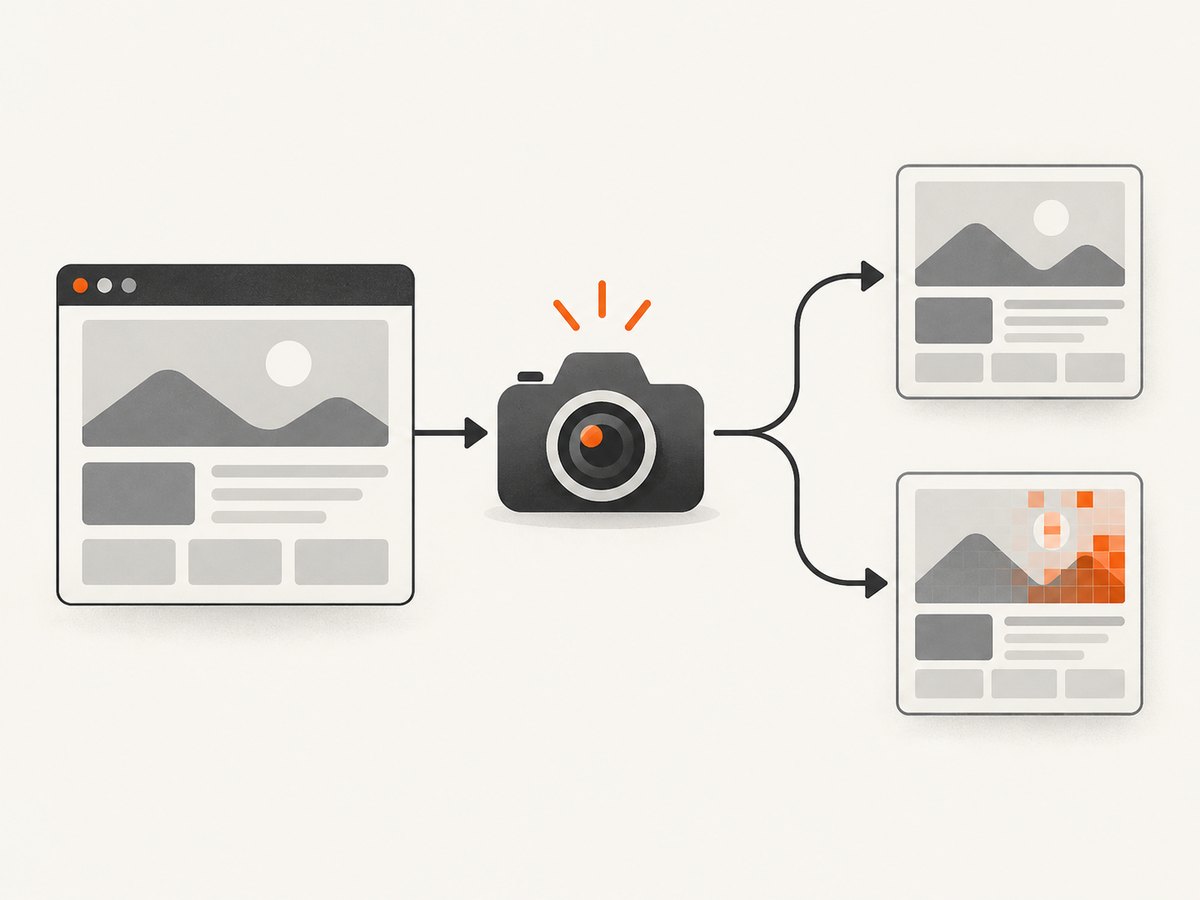
Cypress has three separate mechanisms:
| Mechanism | What it does | What it does not do |
|---|---|---|
overwrite: true |
Replaces a same-named Cypress screenshot. | Does not compare pixels or reuse a baseline. |
trashAssetsBeforeRuns: false |
Preserves files in the screenshots folder. | Does not make those files regression baselines. |
cy.matchImageSnapshot() |
Captures the current state and compares it with a saved baseline. | Cannot skip the current capture. |
For local visual regression, use @simonsmith/cypress-image-snapshot. Keep baselines in source control or provision them in CI, use stable names, and update them only after reviewing intentional changes.
Why overwrite is not baseline reuse
By default Cypress saves unique screenshot files for screenshots taken in one test. Cypress.Screenshot.defaults({ overwrite: true }) changes only filename behavior. It does not load an expected image or report visual differences. See the Cypress screenshot API.
Cypress also clears cypress/screenshots, or your configured screenshotsFolder, before cypress run unless trashAssetsBeforeRuns is false. Use that setting for diagnostic screenshots, not as your visual baseline strategy.
Set up reusable visual baselines
1. Install the plugin
npm install --save-dev @simonsmith/cypress-image-snapshotCheck compatibility with your Cypress version. The current README documents Cypress 15.x and 16.x and requires Cypress 15.10+ for Cypress.expose. Cypress 13.x and 14.x projects should use the package’s version 10.x line.
2. Register the Node event plugin
const { defineConfig } = require('cypress');
const { addMatchImageSnapshotPlugin } = require('@simonsmith/cypress-image-snapshot/plugin');

module.exports = defineConfig({
  e2e: {
    setupNodeEvents(on, config) {
      addMatchImageSnapshotPlugin(on, config);
      return config;
    },
  },
});
3. Add the Cypress command
import { addMatchImageSnapshotCommand } from '@simonsmith/cypress-image-snapshot/command';

addMatchImageSnapshotCommand();
Put this in cypress/support/e2e.js or your E2E TypeScript support file.
4. Capture a stable checkpoint
describe('checkout', () => {
  it('matches the loaded form', () => {
    cy.visit('/checkout');
    cy.get('[data-testid="checkout-form"]').should('be.visible');
    cy.matchImageSnapshot('checkout-form-loaded');
  });
});
The first run creates a baseline. Later runs capture the same state, compare it, and create a diff when pixels differ. Give every checkpoint a stable, unique name such as checkout-empty, checkout-invalid-card, or checkout-success.
Make captures comparable
False diffs usually come from an unstable page. Cypress disables timers and CSS animations during screenshot capture by default, but your test still needs to control changing content.
- Wait for readiness: assert that loading indicators are gone and key elements are visible. Wait for API responses or an application-specific ready signal.
- Fix rendering: use the same browser, viewport, operating system, fonts, device scale, Cypress version, and plugin version.
- Control data and time: seed known data, stub variable APIs, freeze the clock, and avoid random IDs, live counters, rotating ads, and current-time labels.
- Handle intentional variability: mask or black out dynamic regions with the capability supported by your selected tool.
- Use screenshot hooks:
onBeforeScreenshotcan hide a cursor or widget, whileonAfterScreenshotrestores it.
The Cypress visual testing guide recommends stable rendering conditions and controlled data.
Keep baselines reusable in CI
- Commit plugin baselines, or publish them as versioned CI artifacts.
- Run pull-request checks with baseline updates disabled.
- Require expected baselines so missing files fail CI instead of creating new ones.
- For an intentional UI change, run an explicit update job, review diffs, then commit the approved images.
# Update baselines intentionally
npx cypress run --expose updateSnapshots=true

# Fail when a baseline is missing
npx cypress run --expose requireSnapshots=true
Do not enable updateSnapshots=true on every CI run. A broken page or missing fixture could silently rewrite the visual contract.
Element snapshots and full-page snapshots
Use an element snapshot when the test owns one component:
cy.get('[data-testid="invoice-total"]').matchImageSnapshot('invoice-total');Use a full-page capture when navigation, spacing, and page composition are part of the contract. Wait for lazy content before capturing and use identical full-page configuration for baseline and comparison runs.
Local plugin or hosted visual testing?
A local plugin compares pixels in your project or CI and stores baselines alongside code. A hosted service such as Percy uploads snapshots, renders them across configured browsers and responsive widths, and provides review and approval.
| Question | Local plugin | Hosted service |
|---|---|---|
| Baseline storage | Repository or CI storage. | Provider project storage. |
| Rendering coverage | Your Cypress browser and runner. | Provider-managed browser and width matrix. |
| Review | Code review of images and diffs. | Web review and approval workflow. |
| Operations | You manage artifacts, fonts, and determinism. | You manage tokens, uploads, and provider settings. |
Keep snapshot names unique in either model. Percy documents unique names for its snapshots; duplicate names can associate separate checkpoints incorrectly.
Troubleshooting
| Symptom | Cause | Fix |
|---|---|---|
overwrite: true shows no diff |
It only replaces an ordinary screenshot. | Use a visual comparison command such as matchImageSnapshot. |
| Baselines disappear | Cypress cleans screenshotsFolder. |
Set trashAssetsBeforeRuns: false for diagnostics; keep regression baselines in the plugin directory. |
| Every run creates a baseline | Baselines are absent in CI or updates are enabled. | Provision the baseline, use requireSnapshots=true, and remove automatic update flags. |
| Only CI fails | Browser, fonts, viewport, OS, or device scale differs. | Pin the runner image, browser, viewport, and fonts. |
| Diffs show clocks or random IDs | Time and data are nondeterministic. | Freeze time, seed data, stub APIs, wait for readiness, or mask the region. |
| Checkpoints overwrite one another | Names are reused. | Include test, state, and viewport in each name. |
| Command is undefined | Support file or Node hook is not loaded, or versions are incompatible. | Verify imports, Cypress config, and package compatibility. |
Performance, reliability, and cost
- Runtime: Every comparison still requires a browser render and image comparison. Wait on precise readiness signals and capture only meaningful states.
- Parallel CI: Give every shard the same read-only baseline set and write diffs to shard-specific artifact paths.
- Storage: Baselines and diffs are binary artifacts. Remove obsolete states and retain failed-run diffs for review.
- Reliability: Pin Cypress, plugin, browser, fonts, viewport, and fixture versions.
- Cost: A local plugin uses CI minutes and artifact storage. Hosted rendering adds provider usage and token management.
Or skip the browser setup
If you need a clean image of a URL rather than a Cypress assertion, ScreenshotNeo provides a single screenshot API request. It supports PNG, JPEG, WebP, PDF, full-page and element capture, device presets, dark mode, custom CSS and JavaScript, waits, request blocking, headers, cookies, user agents, geolocation, caching, signed links, async jobs, bulk capture, and usage reporting. See the ScreenshotNeo API docs.

curl -G "https://api.screenshotneo.com/v1/shot" -d access_key=YOUR_API_KEY --data-urlencode url=https://stripe.com -o shot.webpimport requests
r = requests.get('https://api.screenshotneo.com/v1/shot', params={'access_key': 'YOUR_API_KEY', 'url': 'https://stripe.com'}, timeout=90)
r.raise_for_status()
open('shot.webp', 'wb').write(r.content)const q = new URLSearchParams({ access_key: 'YOUR_API_KEY', url: 'https://stripe.com' });
const res = await fetch(`https://api.screenshotneo.com/v1/shot?${q}`);
if (!res.ok) throw new Error(`Screenshot failed: ${res.status}`);
const fs = await import('node:fs/promises');
await fs.writeFile('shot.webp', Buffer.from(await res.arrayBuffer()));Cookie and consent banners are accepted and removed before capture, along with more than 60 known consent platforms, newsletter popups, and chat widgets. Each cleanup step can be disabled. Bot checks or CAPTCHAs, blank pages, timeouts, failed loads, and cache hits are not billed, and responses identify the result with X-Page-Verdict and X-Billed headers. An MCP server lets Claude, Cursor, and other MCP clients call take_screenshot, get_page_info, and capture_pdf. The Free plan includes 1,000 screenshots per month with no card; paid plans start at $5 for 3,000.
Create a free ScreenshotNeo account and get 1,000 screenshots each month with no card.
FAQ
Can I compare the same screenshot file on every test?
Only if the test state is intentionally identical, and you still take a current capture. Reusing a file as the actual image tests file existence, not the rendered UI.
Should baselines be committed to Git?
Yes when their size and review workflow fit your repository. Otherwise store versioned artifacts and download the exact baseline set before comparison.
When should I use an element snapshot?
Use it when the component is the contract and surrounding page changes should not fail the test. Use a full-page snapshot when composition is part of the contract.
Does Cypress itself provide visual regression?
Cypress provides screenshot capture. Baseline comparison and diff review come from a plugin or hosted visual-testing service.


