How to Rotate Proxies Automatically in a Browser
Choose between a browser extension, a PAC script, or a provider-managed endpoint. Learn how to configure each, verify routing, and troubleshoot common failures.
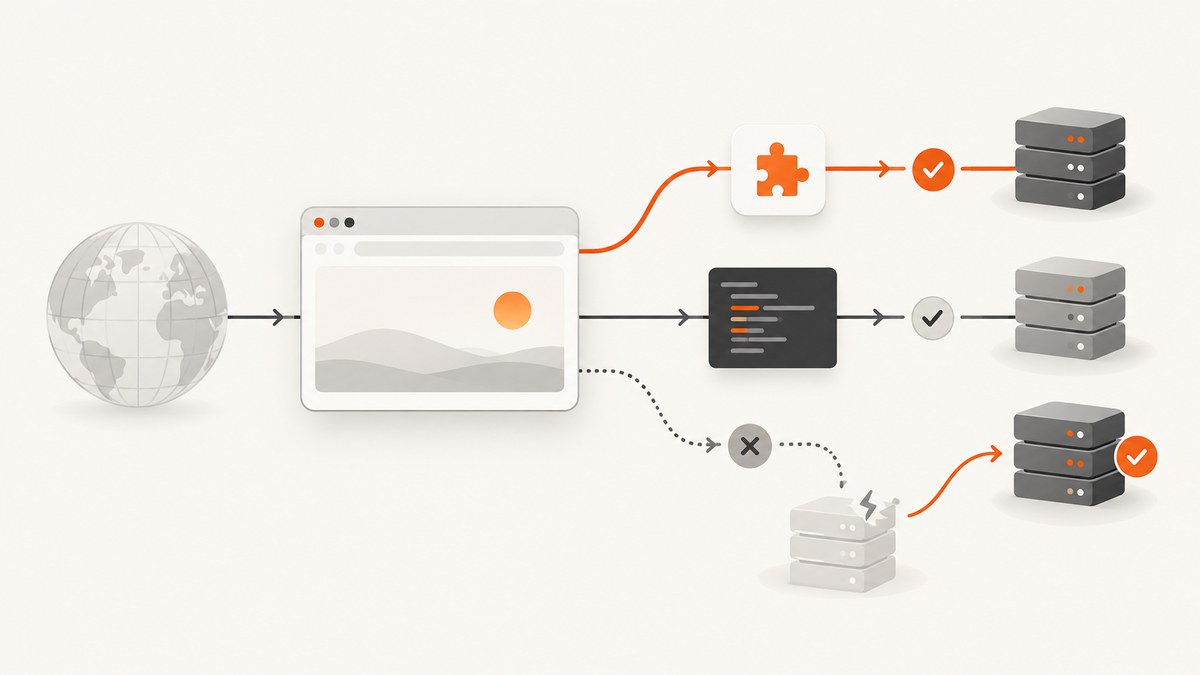
To rotate proxies automatically in a browser, configure the browser to use either an extension or a Proxy Auto-Config (PAC) script that selects among proxy endpoints, or configure one provider endpoint that manages address changes for you. The browser routes traffic; it does not supply proxy addresses or create a proxy pool. A proxy rotation setup therefore needs an endpoint or pool from a service or network you are authorized to use.
Use an extension when you need a user-controlled switch between endpoints, a PAC script when routing depends on the destination, and a provider-managed endpoint when you want the provider to control the exit address behind a single browser configuration. The exact rotation schedule, session behavior, available locations, and supported protocols depend on the chosen service; verify those details with its documentation.
1. Choose how rotation should work
| Approach | What changes | Useful when | Check first |
|---|---|---|---|
| Browser extension | The extension selects or configures a proxy endpoint. | You want an explicit browser-level control or need to switch between known endpoints. | Permissions, credential handling, browser compatibility, and whether it supports the protocol you need. |
| PAC script | A JavaScript function selects a route based on a request URL or host. | Different destinations should use different routes, or some hosts should go direct. | Which PAC decisions your browser supports and whether the endpoint itself changes addresses. |
| Provider-managed endpoint | The service changes the exit address behind one configured endpoint. | You want a single browser proxy configuration and the provider offers the rotation behavior you need. | Rotation trigger, session stability, protocols, DNS handling, locations, price, and service terms. |
A PAC decision is a routing choice, not a guarantee that a new IP is used for every request. Likewise, configuring several endpoints in an extension does not guarantee a particular rotation cadence. If a login or multi-step workflow depends on a stable address, check for session controls before relying on rotation.
2. Configure a Chrome extension
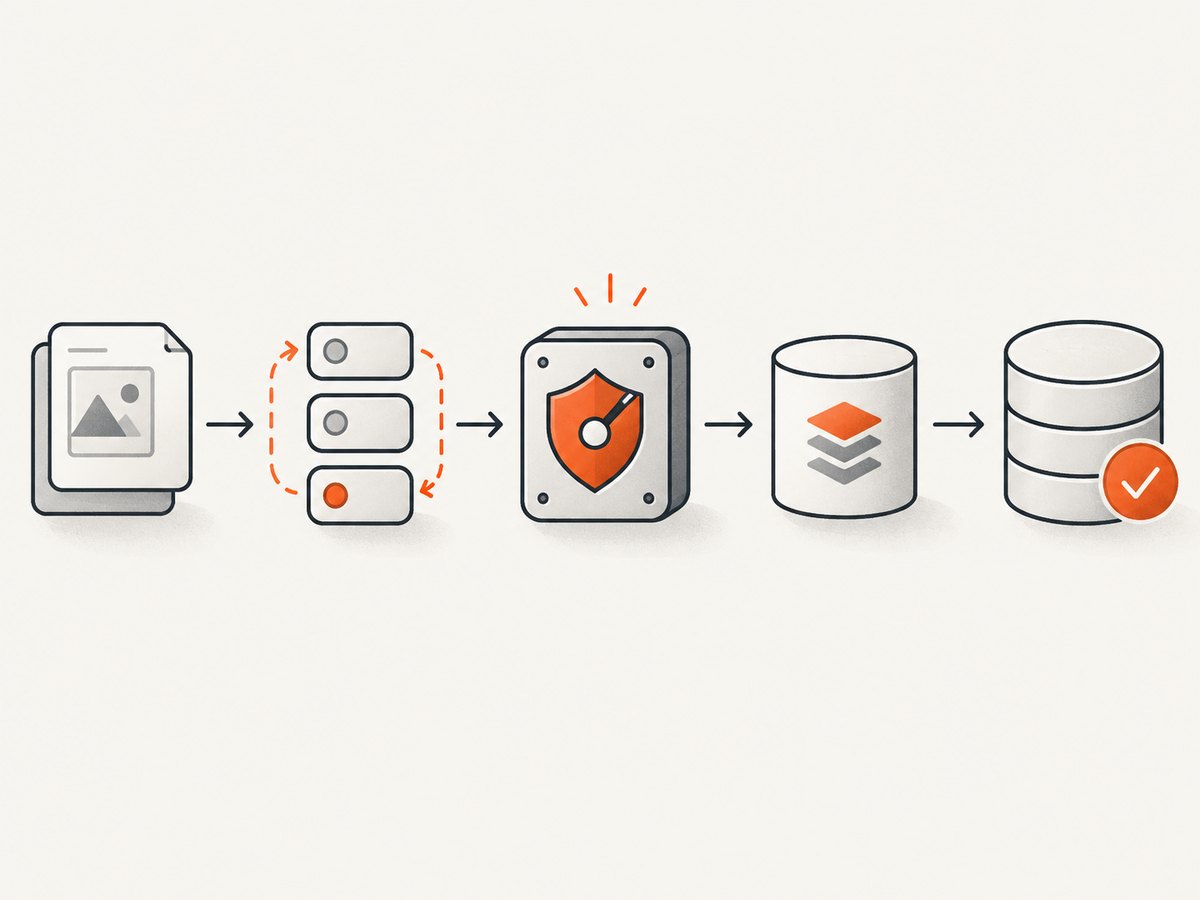
Chrome extensions can set browser proxy configuration with the chrome.proxy API. The extension needs the proxy permission. Chrome documents fixed_servers for explicit proxy rules and pac_script for PAC configuration; settings may also be affected by policy or another extension. See the Chrome proxy API documentation.
Here is a minimal Manifest V3 extension that sets one HTTP proxy endpoint when you click its toolbar button. Replace the example host and port with an endpoint you are authorized to use. This configures an endpoint; it does not rotate addresses by itself.
{
  "manifest_version": 3,
  "name": "Local Proxy Switch",
  "version": "1.0.0",
  "permissions": ["proxy"],
  "background": { "service_worker": "background.js" },
  "action": { "default_title": "Set proxy" }
}
chrome.action.onClicked.addListener(() => {
chrome.proxy.settings.set(
{
value: {
mode: "fixed_servers",
rules: {
singleProxy: {
scheme: "http",
host: "proxy.example.net",
port: 8080
},
bypassList: ["localhost", "127.0.0.1", "*.internal.example"]
}
},
scope: "regular"
},
() => {
if (chrome.runtime.lastError) {
console.error(chrome.runtime.lastError.message);
}
}
);
});Save the files in one directory, open chrome://extensions, enable Developer mode, and choose “Load unpacked.” Click the extension button to set the endpoint. To switch among a fixed list, have the extension select a different authorized endpoint and call chrome.proxy.settings.set again. Do not embed reusable proxy credentials in extension source that you distribute.
Chrome proxy modes include direct, auto_detect, pac_script, fixed_servers, and system. Fixed rules can define proxy behavior by protocol, a fallback, and destinations to bypass. For managed Chromebooks, enterprise policy, per-network policy, extension settings, and the settings UI can interact by a documented precedence order. Extension proxy settings are disabled in Incognito by default unless the user allows the extension there. Test the profile and window types you actually use.
3. Use a PAC script for destination-based routing
A PAC file exports FindProxyForURL(url, host). Its return value tells the browser whether to connect directly or try one or more proxy routes. This example sends internal hosts directly and sends other requests through a configured proxy, with a direct fallback:
function FindProxyForURL(url, host) {
  if (host === "localhost" ||
      host === "127.0.0.1" ||
      dnsDomainIs(host, ".internal.example")) {
    return "DIRECT";
  }

  return "PROXY proxy.example.net:8080; DIRECT";
}
Host the PAC file at a location the browser can access, then configure the browser or an extension to use that PAC URL. For a local test, use a PAC file URL if your browser and device policy allow it. The browser evaluates the function for requests; a rule can return a different proxy based on the hostname or URL. A list such as PROXY first.example:8080; PROXY second.example:8080 describes fallback behavior when a route fails. It should not be treated as a timed or per-request rotation schedule.
Keep rules narrow. A mistaken condition can send internal services through an external proxy or bypass the proxy for destinations you meant to route. Test representative hosts, including ones that should be direct, through the proxy, and unreachable. Avoid putting credentials in a PAC file; PAC files are routing logic, not a secure credential store.
4. Firefox and other browser differences
Firefox provides its own WebExtensions proxy APIs and settings. The Firefox proxy API reference describes proxy configuration, while proxy settings covers manual and automatic configuration, HTTP and SOCKS fields, bypass hosts, and SOCKS DNS behavior.
Firefox extensions that change proxy settings affect regular and private windows, so Firefox requires private-browsing access for the extension; the user controls whether to grant it. Chrome’s proxy API and Firefox’s proxy API have similar goals but are not interchangeable implementations. Do not assume the same manifest, permission behavior, or private-window behavior works in both browsers.
For browser settings without an extension, open the browser’s network or connection settings and choose manual proxy configuration or automatic proxy configuration, then enter the endpoint or PAC URL supplied by your administrator or service. The exact menus vary by browser version and operating system. Managed devices may enforce settings that override local changes.
5. Protocol, DNS, and security choices
Before choosing an endpoint, match its scheme and port to the browser configuration. HTTP, HTTPS, and SOCKS proxies differ in authentication support, DNS resolution, confidentiality between browser and proxy, and which traffic can use them. Chromium’s proxy documentation explains these distinctions. For example, Chrome SOCKS5 resolves names at the proxy; Firefox exposes a SOCKS DNS setting.
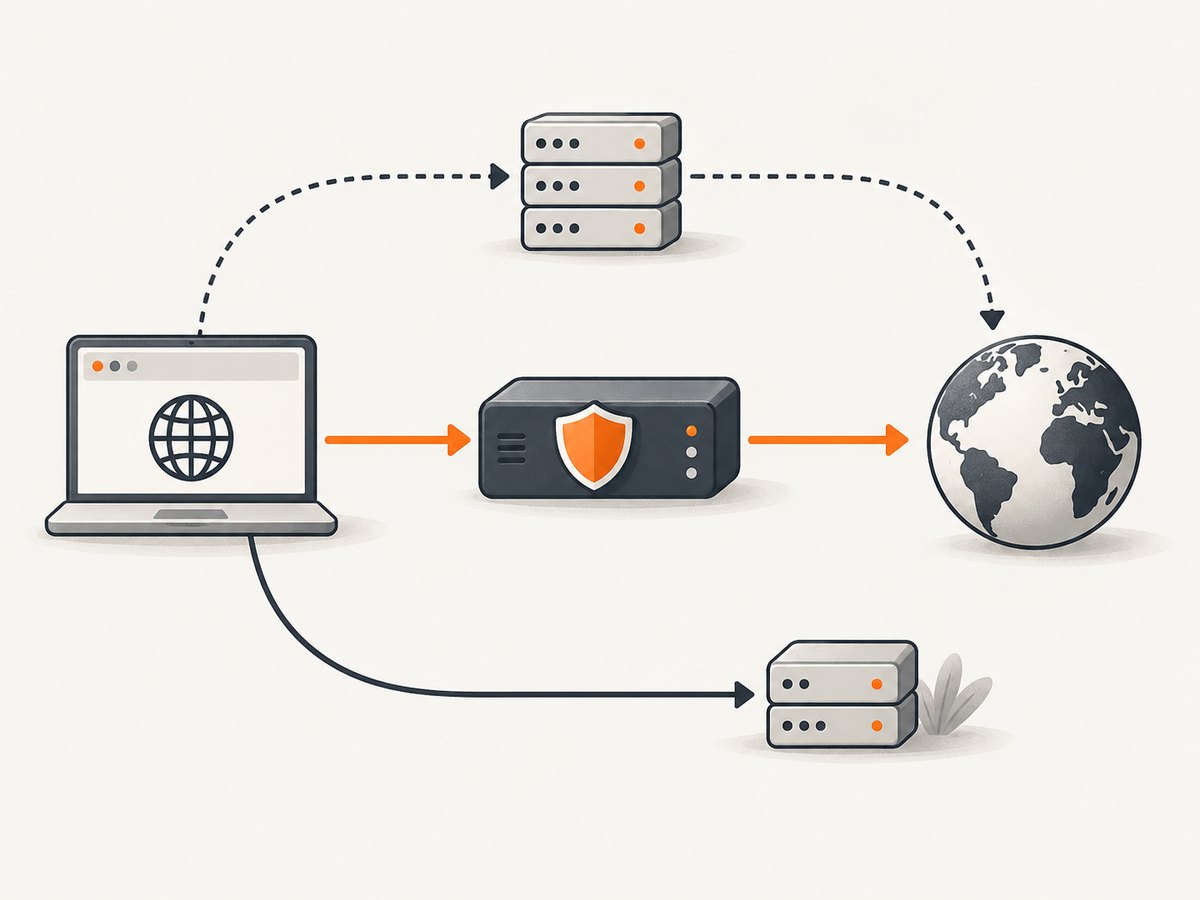
An HTTP proxy connection is not encrypted between the browser and proxy. When the destination uses HTTPS, CONNECT establishes a tunnel in which the destination’s TLS connection remains end-to-end, but the destination hostname is sent to the proxy during tunnel setup. An HTTPS proxy adds TLS protection on the browser-to-proxy connection. These protections do not make the proxy invisible to the service operator or guarantee anonymity.
- DNS: Confirm whether names resolve in the browser or at the proxy, especially if DNS privacy or internal host resolution matters.
- Bypasses: Check localhost, intranet names, and wildcard behavior. A bypass sends matching requests outside the proxy.
- Authentication: Confirm the browser and proxy agree on supported authentication. Avoid publishing credentials in extension code, shared PAC files, or logs.
- Scope: Browser proxy settings may not apply to operating-system services or other applications. Determine whether your goal is browser traffic only or device-wide routing.
- Permissions: Review extension access, publisher, and credential and browsing-data practices before installation.
6. Verify that the browser is using the intended route
- Record the endpoint, protocol, bypass rules, and expected egress address or provider behavior.
- Apply the extension, PAC URL, or browser settings in the profile you intend to use.
- Visit a service you are authorized to use that reports the request’s public IP, and compare the result with your expected route.
- Test a destination that should bypass the proxy and one that should use it.
- Repeat in private browsing only if your use case includes it and the extension has the required access.
- After changing configuration, check the effective browser settings and inspect competing extensions, operating-system settings, or enterprise policy.
Test actual browser traffic, not only a command-line request: browser and system networking can have different proxy configuration, authentication, and DNS behavior. Rotation should be treated as a routing mechanism. It does not change browser fingerprints or guarantee that a site will accept a request.
7. Performance, reliability, and cost
Every proxy adds a network hop. Response time and reliability depend on the browser-to-proxy path, the proxy, and the destination; this guide makes no latency or uptime claim. Compare candidate routes with your real pages and workflow. A route that fails can add delays, and PAC fallback rules may send traffic directly if configured to do so.
For reliability, keep a known-good configuration, log which route was selected without recording sensitive page data, and test failure behavior. Decide explicitly whether fallback to a direct connection is acceptable: it may preserve access but change the traffic path. For cost, check the provider’s current billing unit, whether failed requests count, and any plan or concurrency limits. Rotation frequency, sticky sessions, pricing, locations, and service quality are provider-specific and should not be assumed.
8. Troubleshooting
| Symptom | Likely cause | What to check |
|---|---|---|
| Pages fail after enabling the proxy | Wrong hostname, port, scheme, credentials, or an unavailable endpoint. | Recheck the supplied endpoint details and test a known reachable destination. Confirm the proxy expects the selected protocol. |
| Some sites use the proxy and others do not | PAC conditions or bypass rules match only part of the traffic. | Review the hostname passed to the PAC rule, wildcard syntax, and bypass list. Test both intended paths. |
| Browser changes have no effect | Another extension, operating-system setting, or managed policy controls the effective proxy. | Inspect effective proxy settings and disable or resolve competing configuration where you have authority. |
| Extension works in a normal window but not Incognito | Private-window access is off or the browser has different proxy policy there. | Review the extension’s private-browsing access and the browser’s policy for that profile. |
| Names resolve differently than expected | DNS is resolved locally or by the proxy depending on scheme and browser settings. | Check SOCKS DNS settings, proxy scheme, and which resolver should handle the hostname. |
| Proxy authentication repeatedly prompts or fails | Unsupported authentication method, incorrect credentials, or an endpoint mismatch. | Confirm supported browser authentication and endpoint requirements with the administrator or service. Do not put secrets in shared configuration. |
| Traffic still appears to come directly from the network | A bypass rule, fallback to DIRECT, or a request type outside the proxy configuration may apply. | Inspect the matching PAC result and test the specific browser traffic type and destination. |
| Address does not change between requests | The browser is still using the same endpoint and the endpoint may not rotate on that event. | Check the service’s documented rotation trigger and session controls. Browser routing alone does not force a new exit address. |
9. Or skip the browser setup
If your goal is to capture a page rather than route general browser traffic through a proxy, ScreenshotNeo is a website screenshot API and MCP server. One GET request returns a screenshot or PDF. Its clean capture flow accepts cookie and consent banners like a visitor and removes 60+ known consent platforms, newsletter popups, and chat widgets before capture; each step can be turned off. Only clean shots are billed: bot checks, blank pages, timeouts, failed loads, and cache hits cost nothing, and response headers identify the page verdict and billing status. Its MCP server provides screenshot tools for Claude, Cursor, and other MCP clients.
See the ScreenshotNeo API documentation. cURL:
curl -G "https://api.screenshotneo.com/v1/shot" \
  -d access_key=YOUR_API_KEY \
  --data-urlencode url=https://stripe.com \
  -o shot.webp
Python:
import requests

r = requests.get(
    "https://api.screenshotneo.com/v1/shot",
    params={"access_key": "YOUR_API_KEY", "url": "https://stripe.com"},
    timeout=90,
)
open("shot.webp", "wb").write(r.content)
Node.js:
const q = new URLSearchParams({
  access_key: 'YOUR_API_KEY',
  url: 'https://stripe.com'
});
const res = await fetch(`https://api.screenshotneo.com/v1/shot?${q}`);
if (!res.ok) throw new Error(`Screenshot request failed: ${res.status}`);
const image = Buffer.from(await res.arrayBuffer());
await import('node:fs/promises').then(fs => fs.writeFile('shot.webp', image));
ScreenshotNeo includes 1,000 screenshots a month free with no card; paid plans start at $5 for 3,000 shots. Cookie banners, popups, and chat widgets are removed before the shot; bot checks, blank pages, and failed loads are never billed; the MCP server lets AI agents take screenshots. Sign up for 1,000 free screenshots a month, with no card.
10. FAQ
Does rotating a proxy make browser activity anonymous?
No. A proxy changes the network route and visible egress address, but it does not guarantee anonymity or remove browser-level identification.
Can a PAC file rotate the IP on every request?
A PAC file selects a route for requests. Whether that route yields a different address depends on the endpoint or service, not on PAC itself.
Will a browser proxy cover every app on my computer?
Usually, browser settings configure browser traffic. System services and other applications may use separate networking settings.
Should I rotate during a multi-step session?
Only if the workflow and chosen service support it. Check whether the provider offers session stability controls and test the flow you are authorized to run.


