How to Rotate Proxies in Web Scraping
Learn how to configure proxy rotation with Python Requests and Scrapy, preserve sessions when needed, and respond to throttling responsibly.
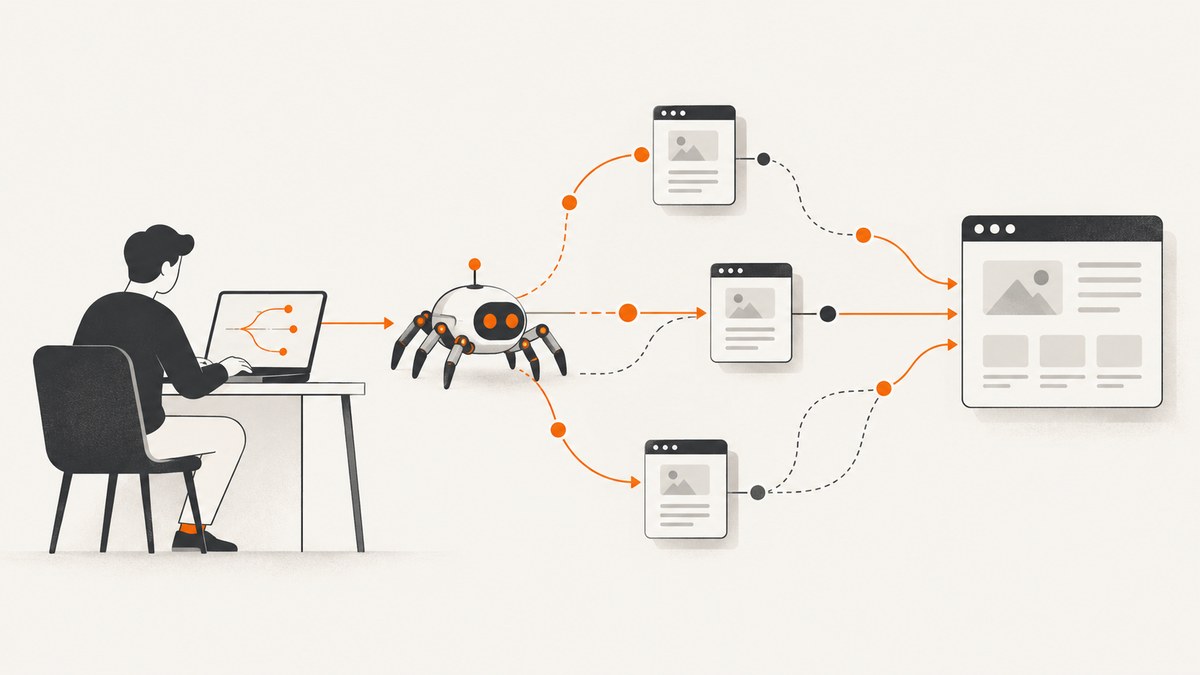
To rotate proxies in web scraping, choose a proxy route for each request or workflow, configure your HTTP client to use it, and track response status, errors, and latency. Use different routes for independent requests when your access is permitted; keep a stable route for a multi-step session that depends on cookies or other continuity. There is no universal safe rotation interval. Follow the site’s access rules, documented rate limits, and robots.txt, then slow down or stop if the site signals that your crawl is too fast.
A proxy changes the network route your request takes. It does not grant permission to access a site or justify bypassing its controls. If the site offers an API, export, or search endpoint for your use case, start there.
1. Check permission and plan the crawl
Before configuring a proxy pool, confirm that the site allows the activity you intend to perform. Read its robots.txt and published terms or crawler guidance. Prefer an official API or bulk export when available. Identify your crawler honestly where appropriate, and provide a way for the site owner to contact you.
Scrapy’s guidance recommends identifying a permitted crawler with a descriptive user agent and spacing requests; its example of “2 seconds apart or more” is a practice suggestion, not a universal quota. A site’s own documented limits take precedence. Scrapy does not automatically apply robots.txt Crawl-delay or Request-rate directives, so translate relevant directives into your crawler’s delay and concurrency settings yourself. See the Scrapy practices guidance and Scrapy settings reference.
Decide what the job needs before selecting a rotation approach:
- Independent requests: pages can be fetched in any order and do not depend on a shared login or cookie state.
- Stateful workflow: requests form a sequence, such as a permitted authenticated flow, that needs the same cookies or route.
- Output: raw HTML, parsed records, or a visual screenshot are different needs and may call for different tools.
2. Configure proxies with Python Requests
Requests accepts a mapping from URL scheme to proxy URL, either on an individual call or on a Session. A proxy URL includes its scheme. Use a per-request mapping when route selection varies request by request; use session configuration when related requests share a route and configuration. Requests documents both approaches in its proxy guide.
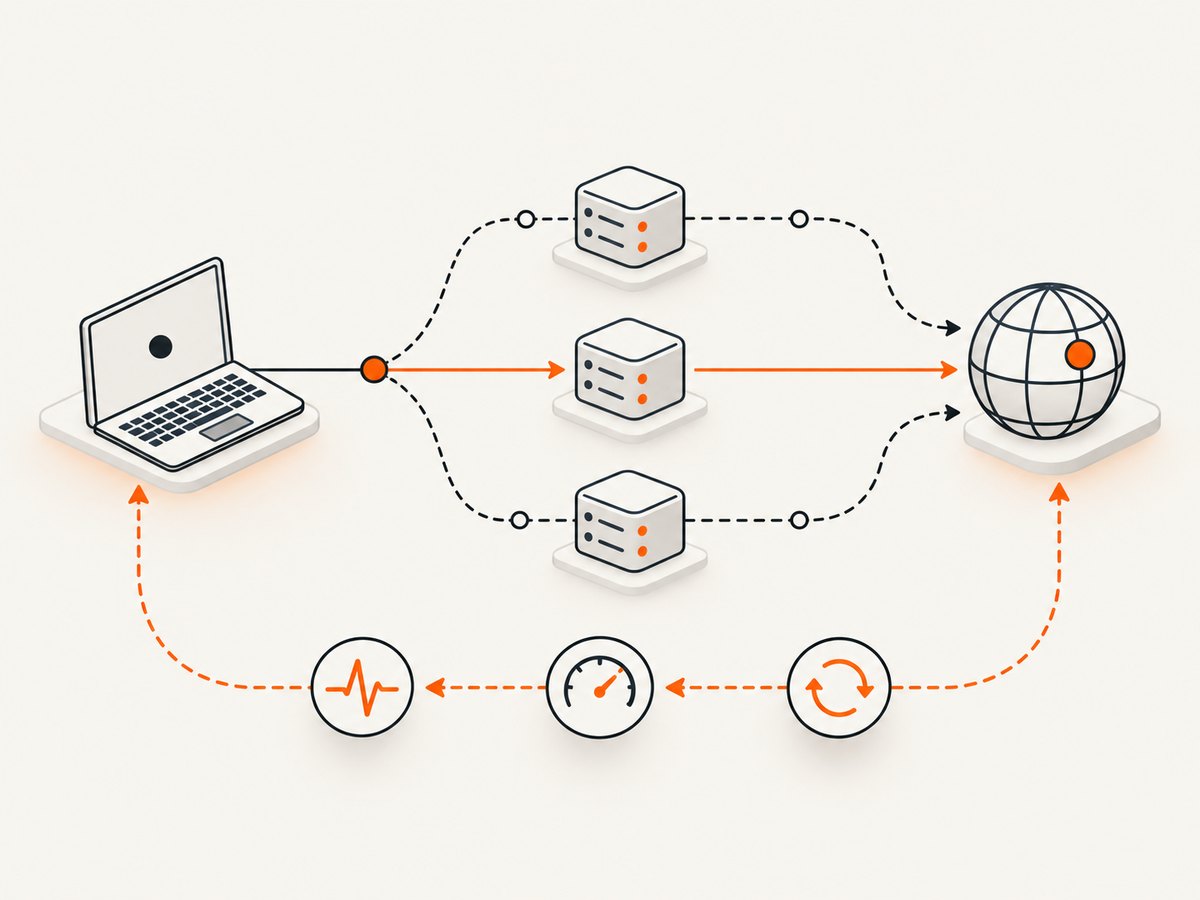
One configured proxy
import requests

proxy_url = "http://proxy.example:8080"
proxies = {
    "http": proxy_url,
    "https": proxy_url,
}

response = requests.get(
    "https://example.com/",
    proxies=proxies,
    timeout=(5, 30),
)
response.raise_for_status()
print(response.status_code, len(response.content))
Replace the example host with a proxy endpoint you are authorized to use. The tuple timeout sets separate connection and read limits; choose values that fit the job and the service you are contacting. Handle connection and HTTP errors in your application rather than treating every response as usable data.
Choose a route for independent requests
This small pattern selects one route from a configured pool for each independent request. It is an implementation sketch: proxy health checks, eligibility, and retry policy are workload-specific. It does not guarantee a request will succeed or that a site will accept it.
import random
import requests

proxy_urls = [
    "http://proxy-a.example:8080",
    "http://proxy-b.example:8080",
]

for url in ["https://example.com/", "https://example.com/about"]:
    proxy_url = random.choice(proxy_urls)
    proxies = {"http": proxy_url, "https": proxy_url}
    try:
        response = requests.get(url, proxies=proxies, timeout=(5, 30))
        print(url, response.status_code, "route", proxy_url.split("@")[0])
        if response.status_code in (429, 503):
            print("Throttling signal: pause and reassess the crawl")
            break
        response.raise_for_status()
    except requests.RequestException as exc:
        # Record the route and error category, but never log credentials.
        print("Request failed:", type(exc).__name__)
Production code should select only from routes that are configured for your task, distinguish proxy connection failures from target responses, and record route identity without secrets. Avoid retrying immediately through a succession of proxies after a 429 or 503; that response is evidence to reduce load or stop, not a cue to evade the limit.
Keep related requests on a Session
A Requests Session persists cookies and shares configuration across requests. Keep a stable proxy for a workflow that relies on session continuity, unless the site’s documented behavior says otherwise.
import requests

proxy_url = "http://proxy.example:8080"
session = requests.Session()
session.proxies.update({"http": proxy_url, "https": proxy_url})
session.headers.update({"User-Agent": "ResearchCrawler/1.0 contact: crawler@example.org"})

try:
    first = session.get("https://example.com/start", timeout=(5, 30))
    first.raise_for_status()
    second = session.get("https://example.com/next", timeout=(5, 30))
    second.raise_for_status()
finally:
    session.close()
Use a truthful user agent and contact address you control. Do not include a fabricated identity. When environment proxy variables may affect routing, pass proxies explicitly and inspect the effective configuration. Requests warns that environment settings can override session proxy settings. Check HTTP_PROXY, HTTPS_PROXY, and related variables in the runtime environment; do not print secret-bearing values into logs.
3. Configure proxy routing in Scrapy
For a simple fixed proxy, Scrapy supports a per-request meta["proxy"] value. A downloader middleware can choose a route from your approved pool and assign it to requests. The spider should still obey target-specific pacing and access instructions.
import scrapy

class ExampleSpider(scrapy.Spider):
    name = "example"
    allowed_domains = ["example.com"]
    start_urls = ["https://example.com/"]

    custom_settings = {
        "USER_AGENT": "ResearchCrawler/1.0 contact: crawler@example.org",
        "ROBOTSTXT_OBEY": True,
        "DOWNLOAD_DELAY": 2,
        "CONCURRENT_REQUESTS_PER_DOMAIN": 1,
    }

    def start_requests(self):
        proxy = "http://proxy.example:8080"
        for url in self.start_urls:
            yield scrapy.Request(url, callback=self.parse, meta={"proxy": proxy})

    def parse(self, response):
        yield {
            "url": response.url,
            "title": response.css("title::text").get(),
        }
Save the spider in a Scrapy project and run it with that project’s normal scrapy crawl example command. Replace the sample domain, proxy, and user agent. Configure credentials through a secret manager or protected runtime configuration, not source control. For per-request selection, put the routing logic in middleware or request construction and ensure downstream requests in a stateful flow retain the intended route.
Scrapy’s CONCURRENT_REQUESTS_PER_DOMAIN caps simultaneous requests to a domain; DOWNLOAD_DELAY sets a minimum interval between consecutive requests to that domain. These are distinct controls. The limit that matters is the one the target tolerates. Start conservatively, observe results, and adjust only within documented limits. See the download delay and concurrency settings.
4. Choose a rotation cadence that fits the workflow
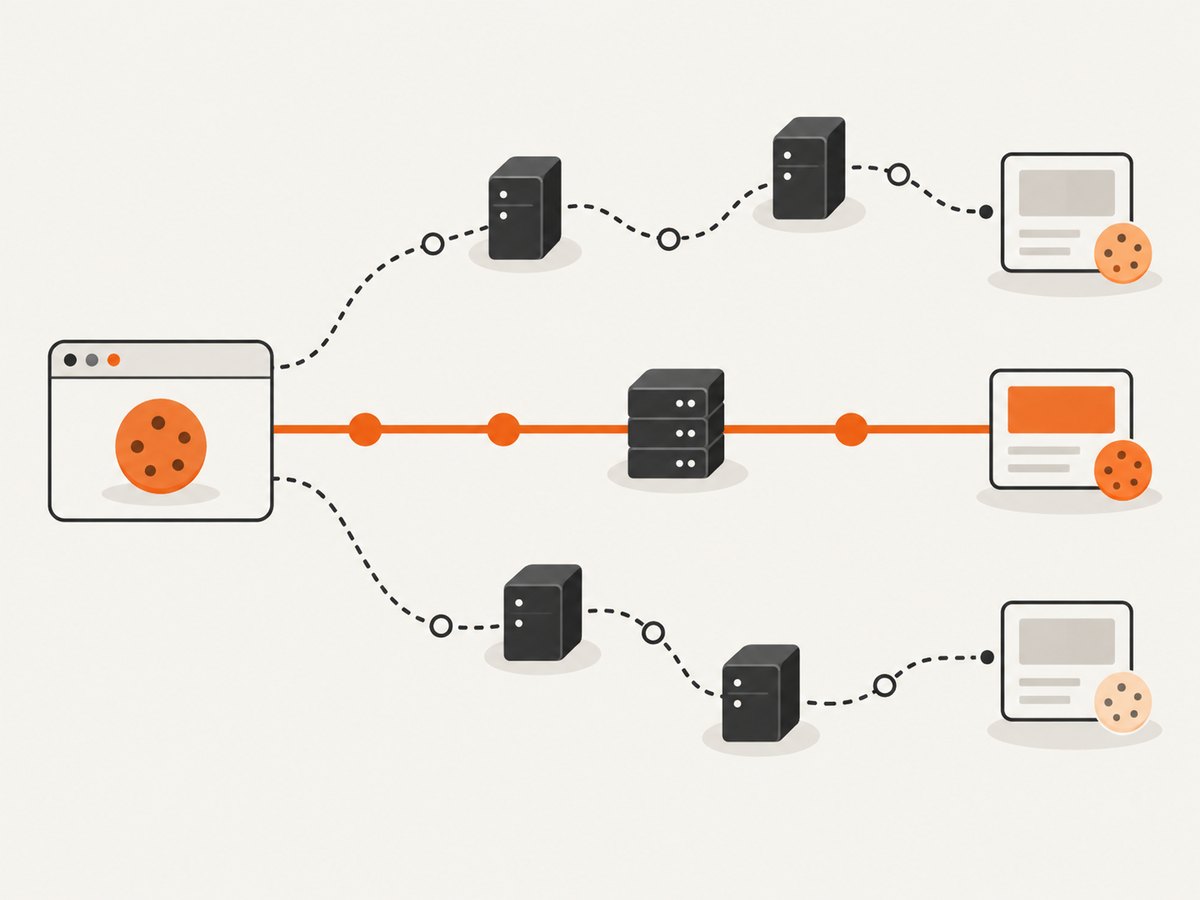
Do not rotate on every request by default. Match the route lifetime to the task:
| Work pattern | Routing approach | Reason |
|---|---|---|
| Independent public pages | A different configured route can be selected between requests. | Requests do not depend on shared state. |
| Multi-step sequence or session | Keep the route stable for the relevant session. | Cookies and workflow continuity may be route-dependent. |
| Documented rate limit or crawl schedule | Follow that limit and pace requests, regardless of route. | Changing routes does not increase the permitted request rate. |
| 429, 503, ban page, or rising latency | Pause or stop, then reassess. | These are signs that the target may be overloaded or throttling the crawl. |
There is no universal rotation interval in the framework documentation. Preserve a stable route when continuity matters; for independent work, route selection can be per request, but the request rate must still respect the target’s rules. A larger proxy pool does not make an excessive crawl acceptable.
5. Handle proxy credentials and SOCKS
Treat proxy credentials as secrets. Requests cautions against storing them in environment variables or version-controlled files as a security practice; use an appropriate secrets manager or protected runtime configuration for your deployment. Redact credentials from exception messages, debug logs, telemetry, and URLs copied into tickets.
For SOCKS proxies, install Requests’ optional dependency with python -m pip install "requests[socks]". Requests distinguishes socks5, which resolves DNS on the client, from socks5h, which resolves through the proxy. Choose according to your network and privacy requirements, and verify the endpoint supports the scheme.
import requests

proxy_url = "socks5h://proxy.example:1080"
proxies = {"http": proxy_url, "https": proxy_url}
response = requests.get("https://example.com/", proxies=proxies, timeout=(5, 30))
response.raise_for_status()
6. Troubleshoot failures and throttling
| Symptom | Likely cause | What to do |
|---|---|---|
| Connection refused or proxy connection error | Proxy endpoint is unavailable, malformed, or unreachable from the worker. | Verify scheme, hostname, port, network access, and credentials. Test the proxy separately and mark the route unhealthy if appropriate. |
| TLS or certificate error | Proxy scheme or TLS interception configuration does not match the endpoint, or a certificate is not trusted. | Confirm the provider’s documented endpoint scheme and certificate requirements. Do not disable certificate verification as a routine fix. |
| Unexpected route despite Session configuration | Environment proxy settings may override session values. | Inspect runtime proxy variables and pass an explicit per-request mapping where needed. Do not expose secret values while debugging. |
| HTTP 407 | The proxy requires authentication or the supplied credentials are invalid. | Check the credential source and provider format; keep secrets out of logs and code. |
| HTTP 429 or 503 | The target is signaling throttling, overload, or temporary unavailability. | Reduce request rate and concurrency, honor any published retry guidance, and pause or stop if the signal continues. Do not simply rotate faster. |
| Increasing retries or download latency | Target capacity may be exceeded, routes may be unhealthy, or the service may be slow. | Track latency and retry counts by target and route. Lower concurrency, increase spacing, and investigate before resuming. |
| Session appears logged out or state is lost | Requests moved between sessions or cookies were not retained. | Use one Session and a stable route for the workflow; confirm the site permits the activity. |
| Scrapy keeps retrying failed proxy routes | Middleware or an extension is retrying route failures without useful classification. | Set a bounded retry policy appropriate to the job; separate proxy errors from target throttling and stop when the target asks for less traffic. |
Scrapy identifies rising counts of 429/503 responses or ban-page responses, increasing retries, and climbing download latency as signs that a crawler may have exceeded the tolerated limit. Observe those signals together. A single transient failure and a sustained pattern call for different operational responses.
7. Optional proxy health tracking
The third-party scrapy-rotating-proxies extension tracks working and non-working proxies, supports periodic checks and configurable ban detection, and provides per-proxy concurrency controls. It does not supply proxy lists or site-specific ban rules. Its documentation lists five proxy attempts as the default retry budget; that is an extension default, not a generally safe recommendation. The docs are old, with release history showing version 0.6.2 from 2019, so check compatibility with your installed Scrapy release before adopting it. Configure a site-specific policy only when your activity is permitted, and treat 429/503 as a reason to back off rather than evade a limit. See the project documentation.
8. Performance, reliability, and cost
Rotation adds operational work: route selection, credentials, health tracking, retries, and diagnosis. More simultaneous requests can increase throughput only while the target and your proxy service can handle them. Scrapy’s per-domain concurrency and download delay control different parts of this load; tune both gradually while watching response codes, latency, and retry counts.
For reliability, classify failures by layer: DNS or connection, proxy authentication, TLS, target HTTP status, and parsing. Keep bounded timeouts and retries, preserve enough route metadata to investigate a failure, and never record credentials. If errors or latency rise, lower traffic or stop and reassess. Do not treat proxy rotation as a reliability guarantee.
For cost, compare the expense of operating a proxy pool and maintaining crawler logic with a managed scraping service, using your actual request volume and requirements. Compare control, engineering burden, raw response versus parsed output, session persistence, target geography, observability, retry behavior, and cost. Scrapy’s docs name Zyte API with a Scrapy plugin and ProxyMesh as examples; that is not an endorsement, and current pricing or capabilities are not established here. Scrapy also suggests considering Common Crawl, which does not send a request to the target site, when its data suits the task. See Scrapy’s practices page.
9. Or skip the browser setup
If your goal is a visual record of a permitted public page rather than raw HTML or parsed records, ScreenshotNeo is a website screenshot API and MCP server from Yorker Media. One GET request returns a PNG, JPEG, WebP, or PDF. See the ScreenshotNeo API documentation.
curl -G "https://api.screenshotneo.com/v1/shot" -d access_key=YOUR_API_KEY --data-urlencode url=https://example.com -o shot.webpimport requests
r = requests.get("https://api.screenshotneo.com/v1/shot", params={"access_key": "YOUR_API_KEY", "url": "https://example.com"}, timeout=90)
open("shot.webp", "wb").write(r.content)const q = new URLSearchParams({ access_key: 'YOUR_API_KEY', url: 'https://example.com' });
const res = await fetch(`https://api.screenshotneo.com/v1/shot?${q}`);Cookie banners are accepted and removed before the shot, along with known consent platforms, newsletter popups, and chat widgets. Bot checks, blank pages, and failed loads are never billed. An MCP server lets AI agents use take_screenshot, get_page_info, and capture_pdf. The free plan includes 1,000 screenshots a month with no card; paid plans start at $5 for 3,000. ScreenshotNeo is for screenshots and PDFs, not a proxy pool or a substitute for a crawler that needs source content. Sign up for 1,000 free screenshots a month, with no card.
10. Before you run the crawler
- Confirm the site permits the activity and check its robots.txt, API, exports, and rate limits.
- Choose whether requests are independent or need session continuity.
- Set a truthful user agent, conservative delay, and domain concurrency that respects documented limits.
- Keep credentials out of source control and logs; use explicit proxy configuration where environment settings could interfere.
- Track status codes, retries, latency, and route health without logging secrets.
- Pause or stop on persistent 429/503 responses, ban pages, or worsening latency.
FAQ
Should I rotate proxies on every request?
Only when requests are independent and your activity is allowed. Keep a stable route for workflows that depend on cookies or session continuity, and follow the site’s rate limits either way.
Does rotating proxies prevent a 429?
No. A 429 is evidence to slow down or stop and check the site’s guidance. Changing routes does not grant permission to bypass a limit.
Can I use the same proxy settings in Requests and Scrapy?
The proxy endpoint and credentials may be reusable if compatible, but configuration is different: Requests takes a proxy mapping, while Scrapy commonly uses request metadata or downloader middleware.
What should I read to learn more about scraping?
O’Reilly lists Ryan Mitchell’s Web Scraping with Python, 3rd Edition (February 2024, 352 pages); its contents include a chapter on proxies as well as Scrapy and crawling topics. See the publisher’s book page.


