How to Set Up a Rotating Proxy in Selenium With Python
Configure a proxy for Selenium’s browser session, understand where IP rotation happens, and switch endpoints safely between runs with Python examples.
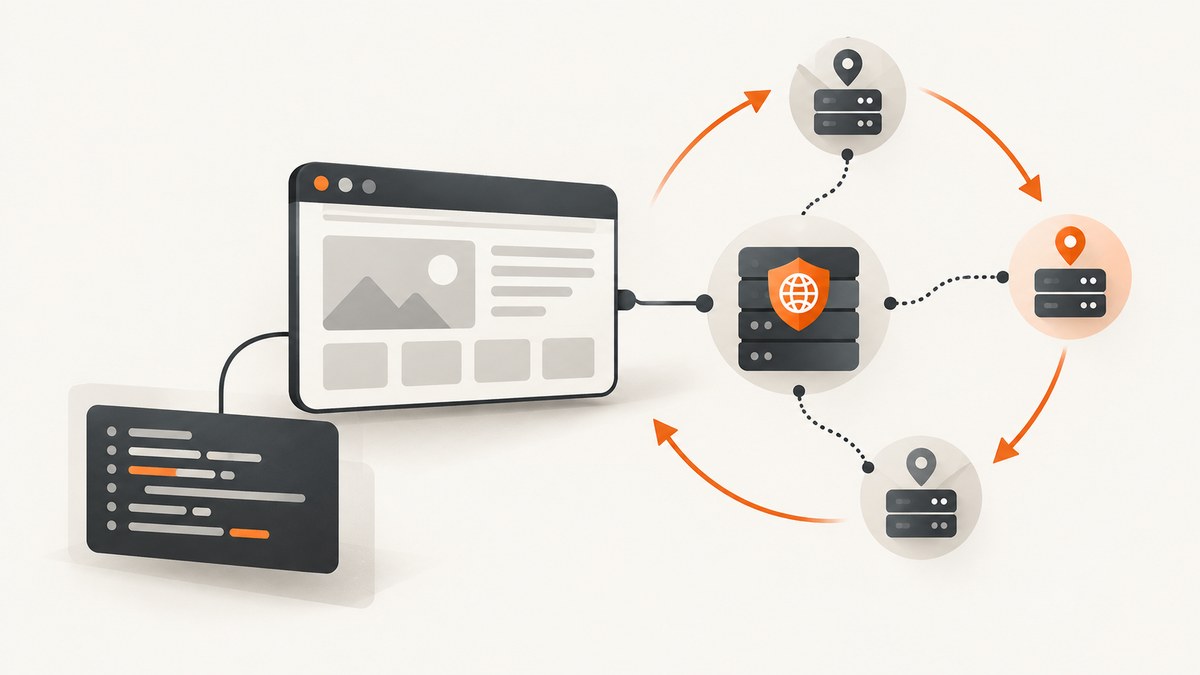
To use a rotating proxy with Selenium and Python, configure a proxy endpoint when you create the WebDriver session. Selenium routes browser traffic through that endpoint; the proxy provider or another upstream system must handle IP rotation. Selenium’s documented proxy settings do not provide a built-in switch that changes the upstream IP on every navigation.
There are two common setups: point Selenium at a provider-managed gateway that rotates according to the provider’s rules, or change endpoints yourself by starting a new browser session. This guide covers both, including HTTP, HTTPS, SOCKS, authentication considerations, troubleshooting, and the boundary between Python Requests traffic and browser traffic. Use proxy automation only where you have permission and it complies with the target site’s terms and applicable law.
1. Understand what Selenium configures
A proxy server acts as an intermediary for requests between a client and a server. In this setup, Selenium configures the browser’s route to a proxy endpoint. It does not determine whether that endpoint rotates its upstream IP.
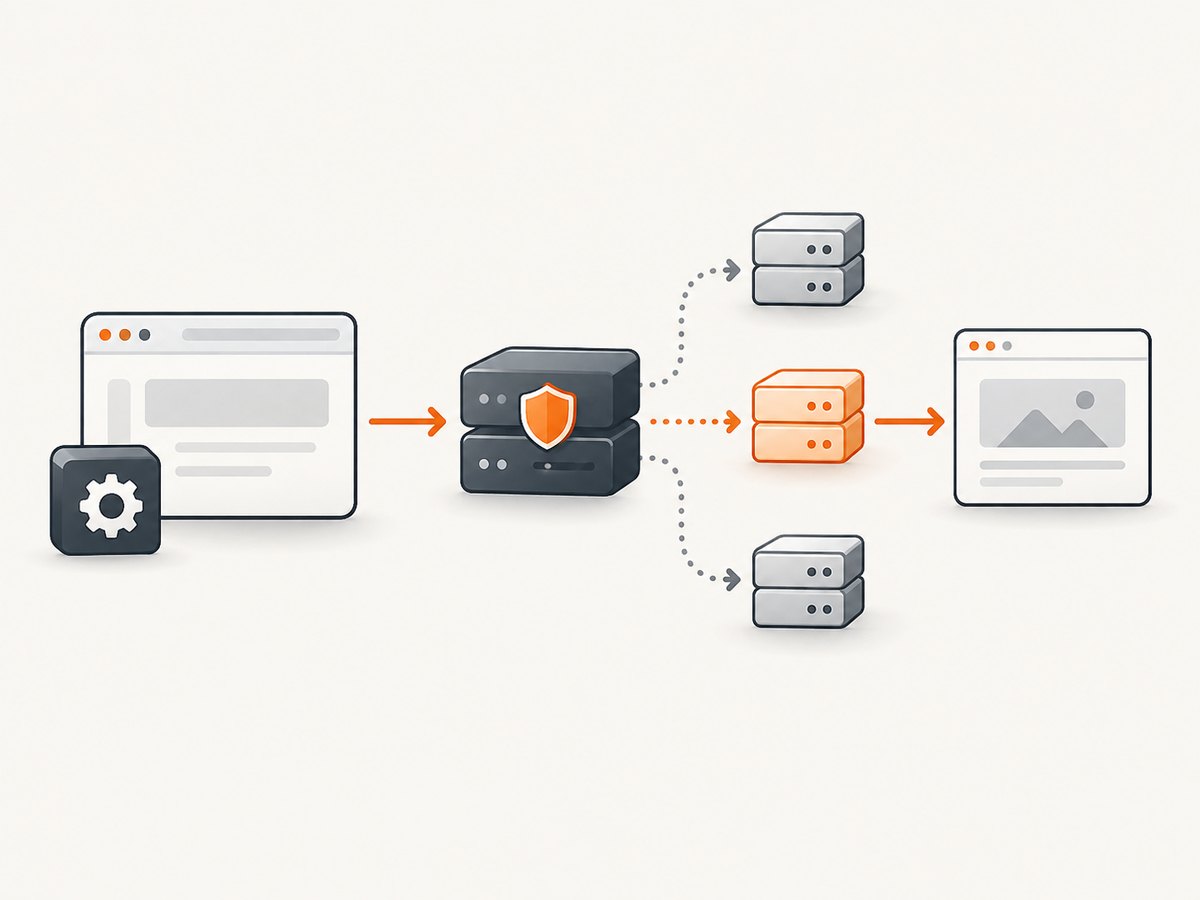
With provider-managed rotation, the browser can keep using one gateway address while the provider changes the upstream IP according to its own rules. Rotation might depend on requests, elapsed time, a session identifier, or another provider-specific mechanism. Confirm the cadence, persistence, geography, authentication, and supported protocols in the provider’s current documentation; these details are not universal.
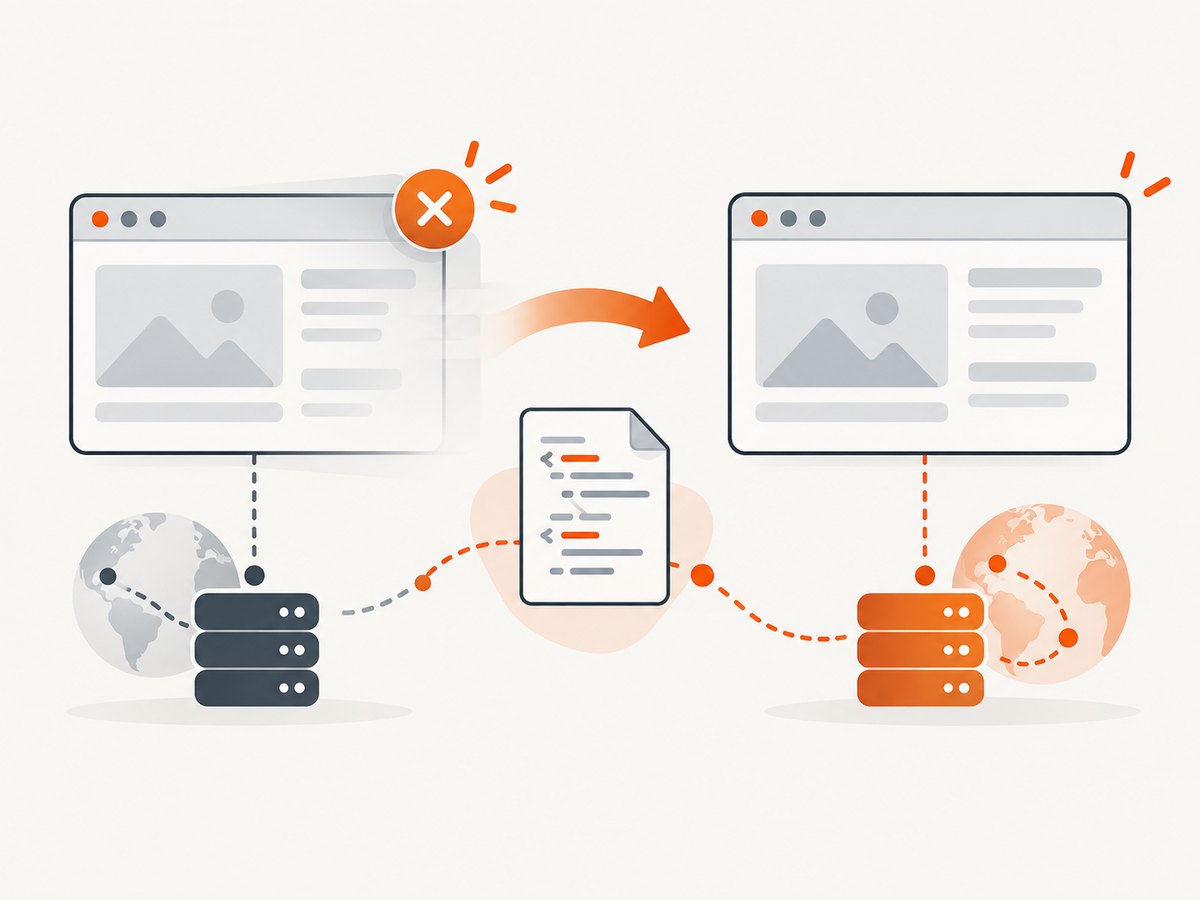
With manual rotation, your Python program starts a browser session configured with one endpoint, ends it, then starts a new session configured with another. Selenium documents proxy configuration through browser options and ending sessions with quit(). This is a session-level change, not a general mechanism for changing the proxy on a live browser.
2. Configure a proxy in Selenium 4
Install Selenium and a compatible browser and driver setup for your environment. The example uses Chrome and Selenium’s Python Proxy object. Replace the example hostname and port with the endpoint supplied by your proxy provider.
See Selenium’s Python Proxy API and Browser Options documentation for the documented fields and options model.
from selenium import webdriver
from selenium.webdriver.common.proxy import Proxy, ProxyType

PROXY_HOST = "proxy.example.net:8000"

proxy = Proxy()
proxy.proxy_type = ProxyType.MANUAL
proxy.http_proxy = PROXY_HOST
proxy.ssl_proxy = PROXY_HOST

options = webdriver.ChromeOptions()
options.proxy = proxy

driver = webdriver.Chrome(options=options)
try:
    driver.get("https://example.com")
    print("Title:", driver.title)
finally:
    driver.quit()
The http_proxy field configures HTTP traffic and ssl_proxy configures HTTPS traffic. Many providers use the same host and port for both, but follow the provider’s instructions if it specifies different endpoints or schemes. Do not assume that a proxy accepting HTTP connections necessarily supports HTTPS tunneling, or that a SOCKS endpoint should be entered in an HTTP field.
Use a current Selenium 4 installation and the browser options class for the browser you are actually launching. The example relies on Selenium Manager where available to resolve a compatible driver; environments with pinned browser versions, restricted network access, or managed drivers may need their own driver installation and configuration.
3. Use a provider-managed rotating gateway
If your provider offers rotation through a gateway, the browser configuration may stay unchanged while the provider changes the upstream route. The Selenium code above still configures that gateway. Rotation itself is controlled outside Selenium.
- Get the exact gateway hostname, port, protocol, and authentication format from the provider.
- Check whether rotation is per request, per connection, time-based, or controlled by a session identifier.
- Determine whether the provider requires sticky sessions for multi-page workflows. A checkout, login, or other stateful sequence may fail if the upstream IP changes mid-flow.
- Run a small permitted test and inspect the provider’s own diagnostics or an authorized IP-check endpoint to confirm the behavior.
- Keep credentials out of source control, screenshots, exception output, and shared logs.
A browser can reuse network connections, so “one gateway” does not necessarily mean “one new upstream IP for every navigation.” Connection reuse and provider rotation semantics can affect what you observe. The provider’s current documentation is the authority for its behavior.
4. Rotate manually between browser sessions
When you control a list of endpoints, create a new WebDriver for each endpoint and call quit() on the old one before proceeding. This simple pattern makes the lifecycle explicit:
from selenium import webdriver
from selenium.webdriver.common.proxy import Proxy, ProxyType

PROXY_ENDPOINTS = [
    "proxy-a.example.net:8000",
    "proxy-b.example.net:8000",
]


def make_driver(endpoint):
    proxy = Proxy()
    proxy.proxy_type = ProxyType.MANUAL
    proxy.http_proxy = endpoint
    proxy.ssl_proxy = endpoint

    options = webdriver.ChromeOptions()
    options.proxy = proxy
    return webdriver.Chrome(options=options)


for endpoint in PROXY_ENDPOINTS:
    driver = make_driver(endpoint)
    try:
        driver.get("https://example.com")
        print(endpoint, driver.title)
    finally:
        driver.quit()
Each iteration creates a separate browser session. For a production job, select endpoints according to your provider’s rules, add bounded retries for transient failures, and record a safe endpoint identifier rather than credentials. If a browser crashes, finally still attempts cleanup; operational code can additionally handle startup errors and continue or stop according to the task’s requirements.
Selenium’s Driver Sessions guide describes session creation and ending a session with quit(). Avoid assuming that changing options.proxy after constructing a driver will reconfigure the already-running browser. The options are supplied when the session is initialized.
5. Choose HTTP, HTTPS, SOCKS, or browser arguments
Selenium’s Proxy API documents fields including http_proxy, ssl_proxy, socks_proxy, proxy_autoconfig_url, and SOCKS credentials. Choose the field matching your provider’s endpoint and authentication requirements.
| Need | Configuration direction | Check |
|---|---|---|
| HTTP proxy | Set http_proxy; set ssl_proxy too if HTTPS should use the endpoint. |
Confirm provider protocol and port. |
| SOCKS proxy | Use socks_proxy and the applicable SOCKS settings. |
Confirm SOCKS version and credential support in the browser/provider setup. |
| Proxy auto-config (PAC) | Use proxy_autoconfig_url when your environment supplies a PAC URL. |
Confirm the browser can access the PAC resource. |
| Unauthenticated Chrome endpoint | A Chromium-specific option is --proxy-server=host:port. |
Validate it against current Chromium and provider guidance. |
The Proxy object is the general Selenium-documented approach. Chrome command-line arguments are browser-specific; do not treat them as portable to Firefox or other browsers. For Chrome, an unauthenticated endpoint can be configured like this:
from selenium import webdriver

options = webdriver.ChromeOptions()
options.add_argument("--proxy-server=proxy.example.net:8000")

driver = webdriver.Chrome(options=options)
try:
    driver.get("https://example.com")
finally:
    driver.quit()
Use the scheme and syntax your provider documents. If an endpoint requires authentication, a plain host-and-port browser argument does not itself establish a universal credential workflow. Check provider guidance for browser-compatible authentication, and avoid placing secrets in command lines that may be visible to other processes or logs.
6. Keep Requests proxies separate from Selenium
Python Requests and Selenium configure different traffic. A Requests proxy dictionary affects HTTP calls made by Requests; it does not configure the browser controlled by WebDriver. Conversely, setting Selenium browser options does not automatically proxy your Requests calls.
import requests

proxy_url = "http://proxy.example.net:8000"
proxies = {
    "http": proxy_url,
    "https": proxy_url,
}

response = requests.get(
    "https://example.com",
    proxies=proxies,
    timeout=30,
)
response.raise_for_status()
print(response.status_code)
Requests also documents that environment proxy variables can override settings on a Session. If Requests traffic appears to use an unexpected proxy, inspect variables such as HTTP_PROXY and HTTPS_PROXY in the process environment. Those variables and the Requests proxies argument do not replace Selenium’s browser configuration. See the Requests proxy documentation.
7. Plan for authentication and credentials
Authentication is provider- and browser-specific. Selenium’s documented API includes SOCKS credential fields, but that does not mean every browser, proxy protocol, and authentication scheme works with the same configuration. Before choosing an implementation, verify:
- Whether the endpoint uses credentials, IP allowlisting, or both.
- Whether the credentials apply to HTTP, HTTPS, or SOCKS connections.
- Whether the browser supports the provider’s authentication flow without an extension or additional setup.
- Whether account-level session identifiers are part of the username or endpoint, and how they control rotation.
Do not hard-code real secrets in a script committed to version control. Load them from an environment or secrets manager appropriate to your deployment, and redact them from logs. The sample endpoints in this article are placeholders; no provider or endpoint behavior is implied.
8. Tune reliability, performance, and cost
Proxying adds another network dependency: the browser must reach the proxy, and the proxy must reach the target. A slow or unavailable proxy can look like a slow or unavailable website. Use realistic navigation timeouts, bound retries, and make sure each failed attempt closes its browser. Retrying every error indefinitely can increase load and spend without improving reliability.
Browser startup is also work. If you manually rotate by launching a new WebDriver each time, session startup and browser resource use become part of the job’s runtime cost. Reusing a session can reduce repeated startup, but it also means the session’s configured proxy remains in place; it is not a documented general live-rotation mechanism. Choose based on whether your requirement is endpoint changes between sessions or a provider-managed gateway inside a session.
For stateful workflows, keep the IP stable for the full sequence when the provider supports sticky sessions and the task needs continuity. A change during authentication or a multi-step interaction may invalidate server-side state. For independent page captures, a provider’s rotation behavior may be more acceptable, but verify it rather than inferring it from the gateway address.
Cost depends on the provider’s current plan, billing unit, geography, and usage rules. The research for this guide did not verify a specific provider’s prices, pool sizes, success rates, or rotation cadence. Estimate against your expected browser requests and retries, then confirm current terms directly with the provider. Also consider the compute cost of running browsers and the operational cost of investigating failures.
9. Troubleshooting
| Symptom | Likely cause | What to check or do |
|---|---|---|
| Browser starts, but navigation times out | Proxy is unreachable, wrong port, protocol mismatch, or proxy cannot reach the destination. | Confirm host, port, endpoint scheme, and provider availability. Test only with an authorized target and provider diagnostics. |
| HTTP pages work but HTTPS fails | The HTTPS proxy field is missing or the endpoint does not support the expected HTTPS tunneling behavior. | Set ssl_proxy as documented by the provider and verify the endpoint’s protocol support. |
| Proxy authentication popup or connection failure | Credentials or authentication method are not compatible with the browser configuration. | Check the provider’s browser instructions, protocol, credential format, and allowlist settings. Do not assume HTTP credentials work as SOCKS credentials. |
| IP seems unchanged across pages | The provider may use sticky sessions, rotate on a different cadence, or reuse connections. | Check the provider’s rotation rules and session controls. Selenium itself does not promise per-navigation IP rotation. |
| IP changes during a workflow and the site resets state | Provider rotation is incompatible with a stateful sequence. | Use a provider-supported sticky session or split independent tasks into separate sessions, if permitted. |
| Changing a Python variable has no effect | The active browser session was initialized with its existing options. | End it with quit() and create a new session with the intended endpoint. |
| Requests uses an unexpected proxy | Environment proxy variables may override Requests Session settings. | Inspect Requests configuration and process environment. Remember this does not configure Selenium browser traffic. |
| Driver creation fails before a page loads | Browser/driver compatibility, local installation, or environment configuration issue. | Resolve the WebDriver startup error independently of proxy connectivity, then test the proxy once a session starts. |
10. Or skip the browser setup
If your actual task is getting a website screenshot rather than automating an interactive browser workflow, ScreenshotNeo provides a website screenshot API and MCP server for developers. One GET request returns a PNG, JPEG, WebP, or PDF. Its clean-shot flow accepts cookie/consent banners like a visitor and removes 60+ known consent platforms, newsletter popups, and chat widgets before capture; each step can be turned off. Bot checks/CAPTCHAs, blank pages, timeouts, failed loads, and cache hits cost nothing, and response headers report the page verdict and billing status. Its MCP server provides take_screenshot, get_page_info, and capture_pdf for Claude, Cursor, and other MCP clients.
See the ScreenshotNeo documentation for API options and setup.
curl -G "https://api.screenshotneo.com/v1/shot" -d access_key=YOUR_API_KEY --data-urlencode url=https://stripe.com -o shot.webpimport requests
r = requests.get(
"https://api.screenshotneo.com/v1/shot",
params={"access_key": "YOUR_API_KEY", "url": "https://stripe.com"},
timeout=90,
)
open("shot.webp", "wb").write(r.content)const q = new URLSearchParams({ access_key: 'YOUR_API_KEY', url: 'https://stripe.com' });
const res = await fetch(`https://api.screenshotneo.com/v1/shot?${q}`);ScreenshotNeo includes full-page capture, element capture, custom CSS and JavaScript, device presets, custom headers and cookies, wait conditions, caching, asynchronous jobs, bulk capture, and other options. Plans include 1,000 shots per month free with no card; paid plans start at $5 for 3,000 shots. Every feature is on every plan. Sign up for 1,000 free screenshots a month, with no card required.
11. FAQ
Can Selenium rotate proxies automatically?
Selenium configures the browser’s proxy endpoint; it does not document built-in upstream IP rotation per navigation. A provider gateway may rotate according to its own rules.
Can I change my IP without restarting Chrome?
Do not rely on changing a Selenium options object after the browser session starts. For manual endpoint changes, create a new session with the new configuration and quit the old session.
Does setting HTTP_PROXY configure ChromeDriver?
That environment setting may affect tools such as Requests, but it is not a substitute for configuring the browser’s proxy through Selenium options or browser-specific configuration.
Should I use a rotating or sticky session?
Use the provider’s documented behavior that fits the task. Workflows that depend on continuous server-side state may need a stable session; independent requests may tolerate rotation. Check the provider’s current rules and the target site’s terms.


