Route Website Renders Through Your Own HTTP Proxy
Configure Playwright or Puppeteer to send rendered-page traffic through your proxy, handle authentication and bypasses, and avoid common TLS mistakes.
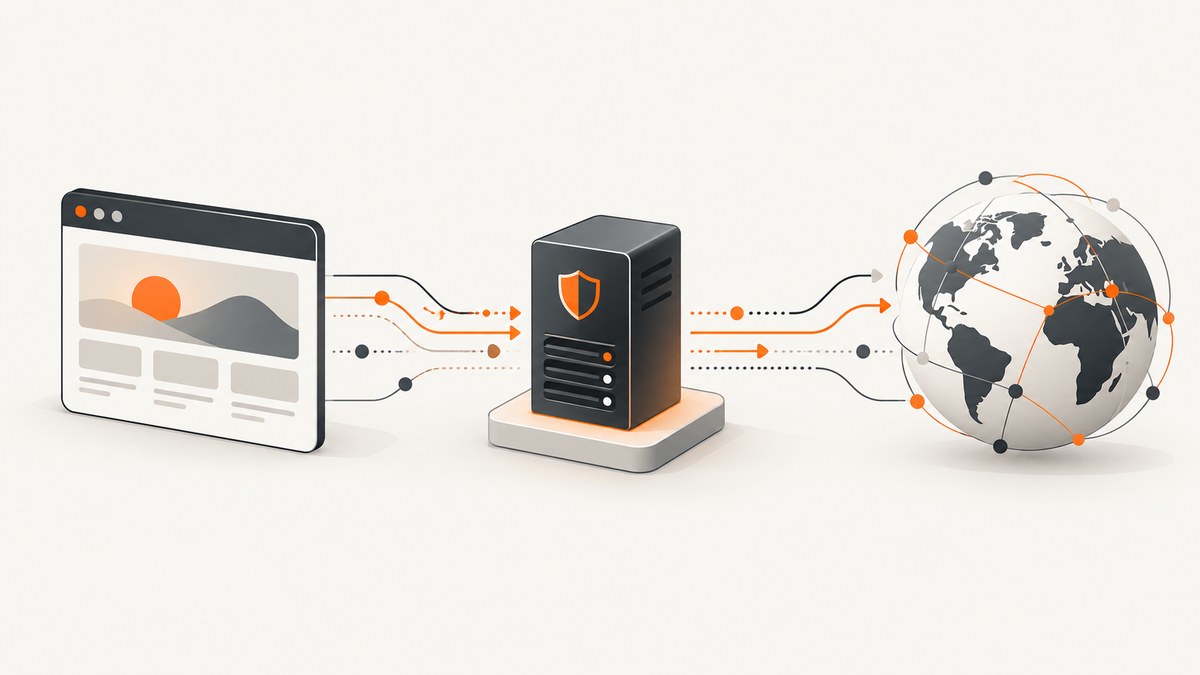
Direct answer: configure the proxy on the browser that performs the render. In Playwright, pass a proxy object to chromium.launch() (browser-wide) or to a browser context where supported by your version. Set the proxy server URL, and add a username, password, or comma-separated bypass list only when your network requires them. This controls traffic generated by the running browser. It is separate from the proxy used to download Playwright or Puppeteer browser binaries.
For Playwright, the documented option supports HTTP and SOCKS proxy server values, optional credentials, and bypass domains. The API describes it as a proxy “to be used for all requests.” See the Playwright BrowserType API for the version you run.
1. Choose the proxy scope
Browser-wide proxy
Launch a browser with a proxy when every page and context in that browser should use the same egress endpoint. This is the simplest setup for a worker that handles one network identity at a time.
import { chromium } from 'playwright';

const browser = await chromium.launch({
  proxy: {
    server: 'http://proxy.example:3128',
    username: process.env.PROXY_USER,
    password: process.env.PROXY_PASSWORD,
    bypass: 'localhost,.internal.example'
  }
});

const page = await browser.newPage();
await page.goto('https://example.com', { waitUntil: 'networkidle' });
console.log(await page.title());
await browser.close();
Context-level isolation
A context-level proxy is useful when only one isolated context should use an endpoint. Check the API for your installed Playwright release because support and lifecycle details can vary. If your version does not expose context-level proxy configuration, launch separate browser processes for separate proxy identities.
const context = await browser.newContext({
  proxy: {
    server: 'socks5://proxy.example:1080',
    username: process.env.PROXY_USER,
    password: process.env.PROXY_PASSWORD,
    bypass: 'localhost,127.0.0.1'
  }
});
const page = await context.newPage();
await page.goto('https://example.com');
Use the actual endpoint supplied by your proxy administrator. HTTP proxy URLs commonly include a port; SOCKS URLs identify the SOCKS protocol explicitly. Do not assume that an HTTPS website requires an https:// proxy URL: the proxy protocol and the destination URL are separate settings.
2. Proxy authentication and bypass rules
Provide username and password only when the proxy requires authentication. Keep both in environment variables or a secret manager, never in a committed test file, container image, or captured log.
PROXY_USER=render-worker
PROXY_PASSWORD='replace-with-a-secret'
The bypass value is a comma-separated list of hosts or domain patterns that should connect directly. Typical examples include localhost, 127.0.0.1, and an internal domain such as .corp.example. A bypass is a routing exception, so document why each entry exists. An overly broad bypass can accidentally send sensitive requests outside the intended egress path.
3. Complete Playwright example with diagnostics
This script records the effective public address returned by a diagnostic endpoint, then renders the target page. Use a diagnostic service approved by your organization; the URL below is only a placeholder.
import { chromium } from 'playwright';

const proxy = {
  server: process.env.PROXY_SERVER || 'http://proxy.example:3128',
  ...(process.env.PROXY_USER ? { username: process.env.PROXY_USER } : {}),
  ...(process.env.PROXY_PASSWORD ? { password: process.env.PROXY_PASSWORD } : {}),
  bypass: process.env.PROXY_BYPASS || 'localhost,127.0.0.1'
};

const browser = await chromium.launch({ proxy });
const context = await browser.newContext({
  ignoreHTTPSErrors: false,
  userAgent: 'render-worker/1.0'
});
const page = await context.newPage();
page.on('requestfailed', request => {
  console.error('request failed', request.url(), request.failure());
});

try {
  await page.goto('https://diagnostic.example/ip', {
    waitUntil: 'domcontentloaded',
    timeout: 45_000
  });
  console.log('diagnostic:', await page.locator('body').innerText());

  await page.goto('https://example.com', {
    waitUntil: 'networkidle',
    timeout: 60_000
  });
  await page.screenshot({ path: 'render.png', fullPage: true });
} finally {
  await context.close();
  await browser.close();
}
Playwright’s network guide distinguishes browser proxying from request routing. Use the proxy option for network egress. Use page.route() or browserContext.route() when you need to intercept, mock, modify, or block individual requests. Service workers can hide requests from route handlers; if observing every request is the goal, follow the guide’s advice about blocking service workers.
4. cURL, Python, and Node.js alternatives
cURL
For a direct HTTP request rather than a browser render, cURL uses its own proxy flags. This does not execute JavaScript or reproduce browser rendering.
curl --proxy http://proxy.example:3128 \
  --proxy-user "$PROXY_USER:$PROXY_PASSWORD" \
  --location https://example.com \
  --output page.html
For a SOCKS endpoint, use the corresponding cURL SOCKS option supported by your build. Avoid placing credentials directly in shell history.
Python with Playwright
from playwright.sync_api import sync_playwright
import os

with sync_playwright() as p:
    browser = p.chromium.launch(proxy={
        "server": os.environ["PROXY_SERVER"],
        "username": os.getenv("PROXY_USER"),
        "password": os.getenv("PROXY_PASSWORD"),
        "bypass": os.getenv("PROXY_BYPASS", "localhost,127.0.0.1"),
    })
    page = browser.new_page()
    page.goto("https://example.com", wait_until="networkidle", timeout=60_000)
    page.screenshot(path="render.png", full_page=True)
    browser.close()
Node.js with Puppeteer
import puppeteer from 'puppeteer';

const browser = await puppeteer.launch({
  args: [
    '--proxy-server=http://proxy.example:3128'
  ]
});
const page = await browser.newPage();
if (process.env.PROXY_USER) {
  await page.authenticate({
    username: process.env.PROXY_USER,
    password: process.env.PROXY_PASSWORD
  });
}
await page.goto('https://example.com', { waitUntil: 'networkidle0' });
await page.screenshot({ path: 'render.png', fullPage: true });
await browser.close();
Puppeteer’s configuration guide documents HTTP_PROXY, HTTPS_PROXY, and NO_PROXY for downloading and running the browser. It also notes that puppeteer-core ignores Puppeteer configuration files and environment variables, and that browser downloads through a proxy may require the optional proxy-agent package. Verify the behavior against your installed Puppeteer version and package variant in the official configuration guide.
5. Browser downloads are a separate proxy problem
There are two network stages:
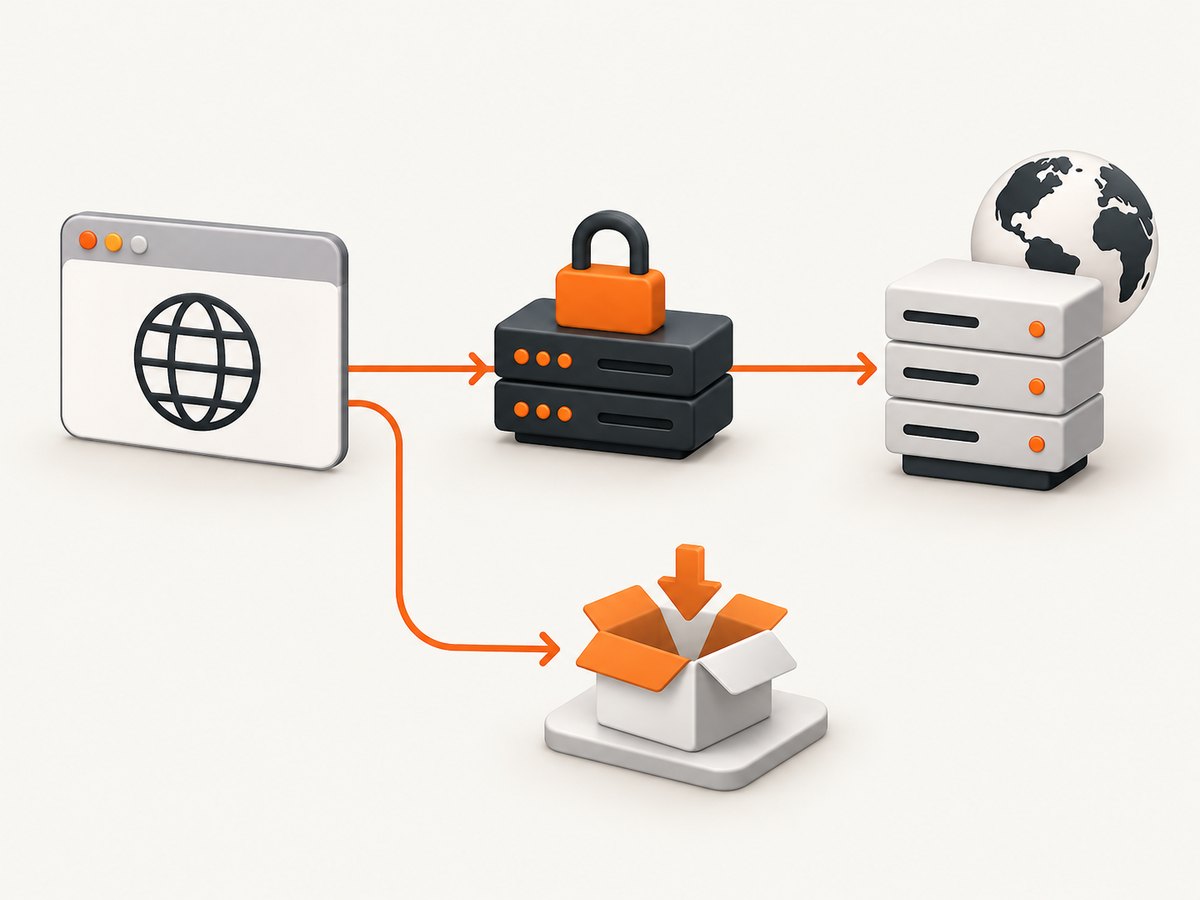
- Installation: your package manager and automation tool retrieve browser binaries.
- Rendering: the launched browser retrieves the target site and its subresources.
Playwright documents HTTPS_PROXY for browser installation downloads, PLAYWRIGHT_DOWNLOAD_HOST and browser-specific variants for an internal artifact host, and NODE_EXTRA_CA_CERTS when proxy interception introduces a trusted internal certificate chain. These variables do not replace the proxy option on the running browser.
If your organization intercepts TLS, ask the proxy administrator for the approved CA certificate and configure trust using the documented mechanism. Do not disable TLS verification as a casual workaround: it can hide a broken trust chain and expose rendered traffic.
6. Common mistakes and fixes
| Symptom | Likely cause | Fix |
|---|---|---|
| Browser starts but pages never load | Wrong protocol, host, or port | Verify the endpoint independently, then use the exact HTTP or SOCKS URL in proxy.server. |
| 407 Proxy Authentication Required | Missing or incorrect proxy credentials | Set username and password; check that the account is allowed from the worker’s IP. |
| Internal sites unexpectedly bypass proxy | Overly broad bypass pattern |
Remove the pattern or narrow it to specific hosts. |
| Certificate authority or self-signed error | TLS interception by the proxy | Install the approved CA and follow Playwright’s NODE_EXTRA_CA_CERTS guidance. |
| Routes do not show service-worker requests | A service worker handled the request | Use the network guide’s service-worker blocking approach when request visibility is required. |
| Proxy environment variables do nothing | They affect downloads or are ignored by puppeteer-core |
Configure the running browser explicitly and check the package variant. |
| Only some assets use the proxy | Those hosts match a bypass rule or are loaded outside the browser | Inspect bypass patterns and ensure downloads are performed by the proxied browser context. |
7. Performance, reliability, and cost considerations
Performance
A proxy adds a network hop. Measure navigation time, time to first byte, and total render time from the same worker location before changing endpoints. Keep a browser process warm when safe, reuse contexts for the same proxy identity, and set explicit navigation and resource timeouts. Blocking unnecessary ads, trackers, or resource types can reduce page weight, but do so only when the resulting screenshot remains representative.
Reliability
Treat proxy failures as a separate class from target-site failures. Log the proxy host (never its password), destination host, HTTP status, navigation timing, and Playwright’s request-failure reason. Use bounded retries with backoff for transient connection resets. A retry should not silently switch to a direct connection unless that fallback is an explicit security decision. Test DNS resolution, authentication, TLS trust, and long-lived connections from the same runtime that performs captures.
Cost and capacity
Proxy billing, bandwidth limits, and concurrency rules come from your proxy provider. Browser memory and CPU rise with parallel contexts, large pages, videos, and full-page screenshots. Start with a small concurrency limit, observe queue time and failure rate, then increase it while respecting the endpoint’s limits. The research sources provide no benchmark or success-rate comparison, so size capacity from your own traffic and provider terms.
8. Or skip the browser setup
ScreenshotNeo provides a website screenshot API and MCP server. One GET request returns a PNG, JPEG, WebP, or PDF. Its capture pipeline accepts cookie and consent banners like a visitor, then removes more than 60 known consent platforms, newsletter popups, and chat widgets; each cleanup step can be turned off. Bot checks, blank pages, timeouts, failed loads, and cache hits are not billed, and response headers report the page verdict and whether the request was billed.

See the ScreenshotNeo API documentation for all options. A minimal call is:
curl -G "https://api.screenshotneo.com/v1/shot" -d access_key=YOUR_API_KEY --data-urlencode url=https://stripe.com -o shot.webpimport requests
r = requests.get("https://api.screenshotneo.com/v1/shot", params={"access_key": "YOUR_API_KEY", "url": "https://stripe.com"}, timeout=90)
open("shot.webp", "wb").write(r.content)const q = new URLSearchParams({ access_key: 'YOUR_API_KEY', url: 'https://stripe.com' });
const res = await fetch(`https://api.screenshotneo.com/v1/shot?${q}`);ScreenshotNeo also supports full-page and element capture, dark mode, device presets, custom viewports, retina scale, PDF paper settings and page ranges, custom CSS and JavaScript, clicks, selector waits, network-idle waits, request blocking, headers, cookies, user agents, timezone, geolocation, transparent backgrounds, resizing, caching with a chosen TTL, signed image links, asynchronous jobs with signed webhooks, bulk capture of up to 100 URLs per call, a usage API, and an OpenAPI specification. Its MCP server exposes take_screenshot, get_page_info, and capture_pdf for Claude, Cursor, and other MCP clients.
There is no browser installation or proxy configuration in this call. Cookie banners, popups, and chat widgets are removed before the shot; bot checks, blank pages, and failed loads are never billed; an MCP server lets AI agents take screenshots; 1,000 screenshots per month are free with no card, and paid plans start at $5 for 3,000 shots. Create a free ScreenshotNeo account.
9. Practical checklist
- Confirm whether the proxy is HTTP or SOCKS and record the exact endpoint.
- Decide whether the proxy applies to the entire browser or one isolated context.
- Store credentials in a secret manager or environment variables.
- Keep bypass domains minimal and documented.
- Configure browser download proxies separately from render proxies.
- Install the organization’s trusted CA for TLS interception.
- Use route APIs for interception and mocking, not as a substitute for egress proxying.
- Log failures without logging credentials.
- Set explicit navigation, resource, and job timeouts.
- Verify the resulting public egress address from the same runtime.
FAQ
Does a browser proxy change API requests made by my Node.js process?
No. It affects requests made by the configured browser. Configure a separate HTTP client agent or proxy setting for direct Node.js requests.
Can I use different proxies for different tabs?
Tabs in one context share that context’s network configuration. Use separate contexts where supported, or separate browser processes when you need stronger isolation.
Should I use a Chromium command-line proxy flag?
Prefer Playwright’s documented proxy option. The API documentation warns that custom browser arguments can break functionality.
Will a proxy make a blocked website accessible?
Not necessarily. The destination may still require authentication, reject the proxy’s address, present a bot challenge, or fail independently.
Can a proxy hide my automation?
A proxy changes network egress. It does not guarantee that a site cannot detect automation or identify the browser through other signals.


