Ruby SDK for PDF Generation
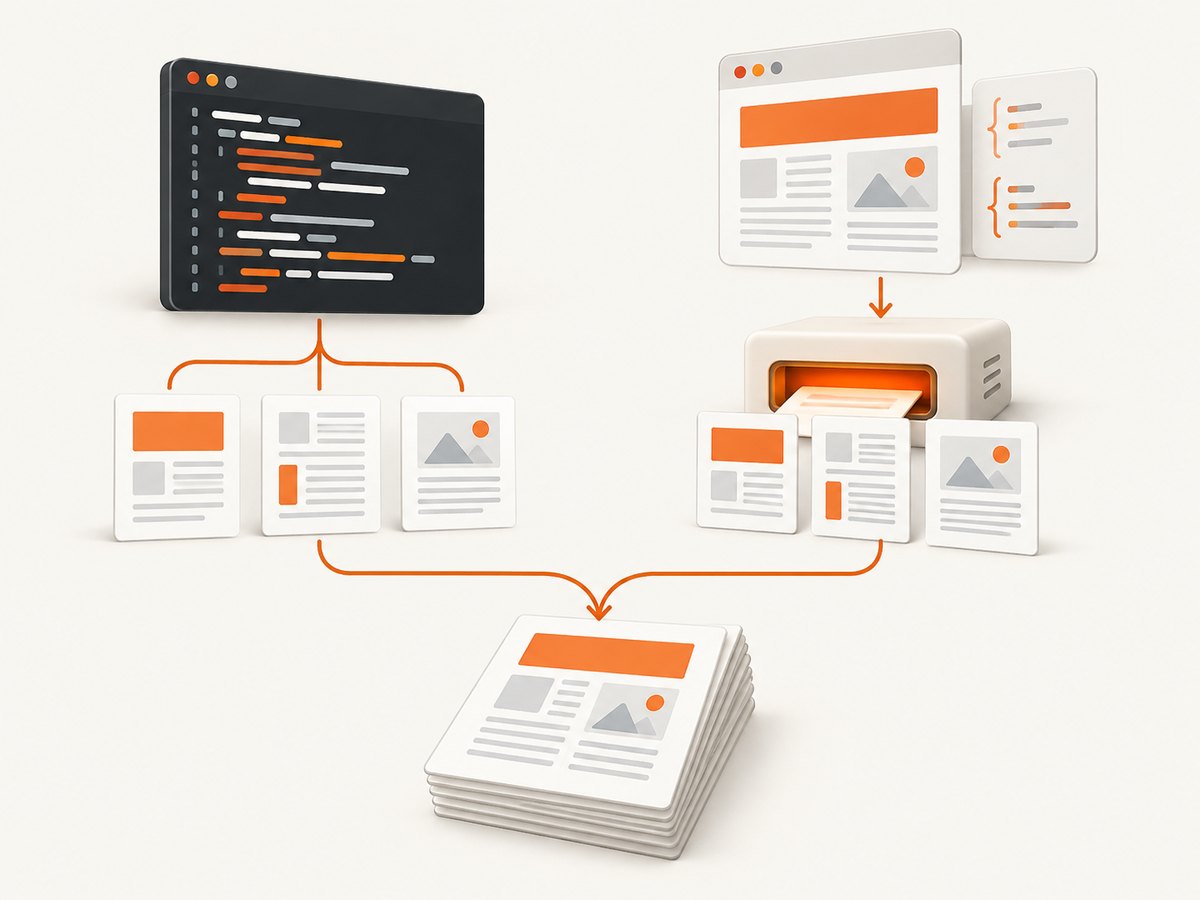
Choose a Ruby PDF library by how you want to author documents: draw layouts in Ruby, manipulate existing PDFs, or render HTML and CSS.

For PDF generation in Ruby, choose Prawn or HexaPDF when you want to define the document from Ruby code. Choose PDFKit or Wicked PDF when you want to author the document as HTML and CSS and convert it with wkhtmltopdf. HexaPDF is also a fit when your workflow must manipulate existing PDFs, such as merging or extracting content.
There is no single Ruby PDF SDK that fits every project. The decision mainly comes down to authoring model, whether you need to edit existing files, and what runtime dependencies your production environment can support. This guide shows a runnable starting point for each approach and a checklist for evaluating the chosen library before deployment.
1. Pick an authoring model
| Option | Authoring model | Good fit when | Runtime consideration |
|---|---|---|---|
| Prawn | Ruby drawing and layout API | You are generating new documents and want layout logic in Ruby. | Pure Ruby PDF writer. |
| HexaPDF | Ruby API for creating and manipulating PDFs | You need generation plus operations on existing PDF files. | Pure Ruby library and application; verify the selected release’s Ruby requirement. |
| PDFKit | HTML and CSS rendered to PDF | Your templates are already HTML or you want browser-like page styling. | Invokes the separate wkhtmltopdf executable. |
| Wicked PDF | HTML and CSS rendered to PDF with Rails integration | Your Rails application renders views and you want a Rails-oriented integration. | Uses wkhtmltopdf; plan for the binary and its resources in deployment. |
Prawn’s feature overview includes text, vector drawing, image embedding, TrueType fonts, encryption, headers and footers, and internationalization support. HexaPDF’s scope includes both creating and manipulating PDF files. PDFKit and Wicked PDF delegate page rendering to wkhtmltopdf, so they bring an external runtime dependency. See the [Prawn project](https://github.com/prawnpdf/prawn), [HexaPDF project](https://github.com/gettalong/hexapdf), [PDFKit project](https://github.com/pdfkit/pdfkit), and [Wicked PDF project](https://github.com/mileszs/wicked_pdf) for the respective project details.
2. Generate a PDF directly with Prawn
Prawn is the straightforward choice when a document can be described as Ruby layout instructions. Install the gem, then generate a file:
gem install prawnrequire "prawn"
Prawn::Document.generate("invoice.pdf") do |pdf|
pdf.text "Invoice", size: 24, style: :bold
pdf.move_down 12
pdf.text "Invoice number: INV-1042"
pdf.text "Customer: Example Company"
pdf.move_down 18
pdf.text "Description Amount"
pdf.text "Consulting services $500.00"
pdf.move_down 24
pdf.text "Total: $500.00", size: 16, style: :bold
endRun the file with ruby invoice.rb after saving the Ruby code as invoice.rb. The block receives a document object; add text and layout operations inside it. The Prawn manual describes generate as rendering the document after the block completes, so build the content in that block rather than expecting an unfinished document to be written incrementally.
When Prawn fits
- Structured, programmatic documents: invoices, statements, labels, and reports where data determines the content.
- Ruby-controlled layout: developers are comfortable expressing page layout and drawing operations through a library API.
- PDF output without HTML conversion: the application can use a Ruby library rather than managing the
wkhtmltopdfbinary.
Before selecting it, check the project’s current documentation for the APIs and supported features you need. If the document depends on an existing HTML design system, recreating that design in a drawing API may be more work than adopting an HTML-to-PDF workflow.
3. Consider HexaPDF for creation and manipulation
HexaPDF is relevant when the application needs more than producing a new document. Its project describes creation and manipulation capabilities that include merging, extraction, encryption, and optimization. That broader scope can make it a better candidate for workflows that ingest or transform customer-supplied PDFs as well as generate output.
HexaPDF is distributed as a Ruby gem. Its researched 1.7.0 RubyGems listing required Ruby 2.7 or later, while the listing also showed later releases through 1.9.1. Those are version-specific details, not a promise about the newest version. Resolve the release compatible with your application and read that release’s requirements before installing.
gem install hexapdfFor production work, use the current HexaPDF documentation and examples for the operation you need; generation, merging, extraction, and encryption each have distinct APIs and constraints. Avoid copying a version pin from an old guide without checking the package’s current release and Ruby compatibility.
4. Render HTML and CSS with PDFKit or Wicked PDF
Choose an HTML-to-PDF path when templates are best maintained as HTML and CSS. PDFKit documents using WebKit through wkhtmltopdf. Wicked PDF integrates the same converter into Rails and describes saving HTML and assets to temporary files before executing the binary.
The installation includes two pieces: the Ruby gem and the wkhtmltopdf executable. The binary must be present and runnable in every environment that generates PDFs, including production containers and workers. The Ruby integration alone is not the renderer.
PDFKit installation outline
gem install pdfkit
# Install wkhtmltopdf using the package or deployment method for your OS
Consult the [PDFKit README](https://github.com/pdfkit/pdfkit) for its current setup and usage instructions. Its README has historically listed Ruby 2.5–3.1 and Rails 4.2–7.0 compatibility. Treat those as bounded README statements, not a guarantee for current releases; verify the versions you actually deploy.
Wicked PDF in Rails
# Gemfile
gem "wicked_pdf"
bundle install
# Install wkhtmltopdf in the runtime environment
After installing and configuring the binary according to the current [Wicked PDF documentation](https://github.com/mileszs/wicked_pdf), a Rails controller can render a view to PDF with the integration’s PDF response helper. Keep the HTML view and its assets available to the converter, and verify that production can access the same stylesheets, fonts, and images as development.
Wicked PDF’s README has historically said it was verified with Ruby 2.2–3.2 and Rails 4–7.0. As with PDFKit, check the selected version’s current compatibility rather than treating that range as timeless.
5. Choose based on the actual workflow
- List the documents and operations. Is the app creating new pages, merging supplied PDFs, extracting information, or converting existing PDFs? If manipulation is part of the job, include HexaPDF in the evaluation.
- Choose where layout lives. If developers should describe layout in Ruby, compare Prawn and HexaPDF. If designers and developers maintain HTML templates, compare PDFKit and Wicked PDF.
- Check framework fit. For a Rails application that renders views, Wicked PDF is the Rails-specific integration in this set. Verify its compatibility with the Rails and Ruby releases in use.
- Test deployment dependencies. For HTML conversion, install and invoke
wkhtmltopdfin the same kind of environment that will run production jobs. - Review operational and legal details. Check current release history, security advisories, dependency tree, license text, issue tracker, and runtime requirements for the exact package version. The available research does not establish a current, apples-to-apples license or maintenance comparison.
6. Production concerns: rendering, reliability, and cost
Rendering inputs and assets
For HTML conversion, determine whether the converter can load every required stylesheet, font, and image from the execution environment. A template that works in a browser may refer to assets using paths or remote URLs unavailable to a background worker. Bundle or expose the assets deliberately and exercise the real production rendering path.
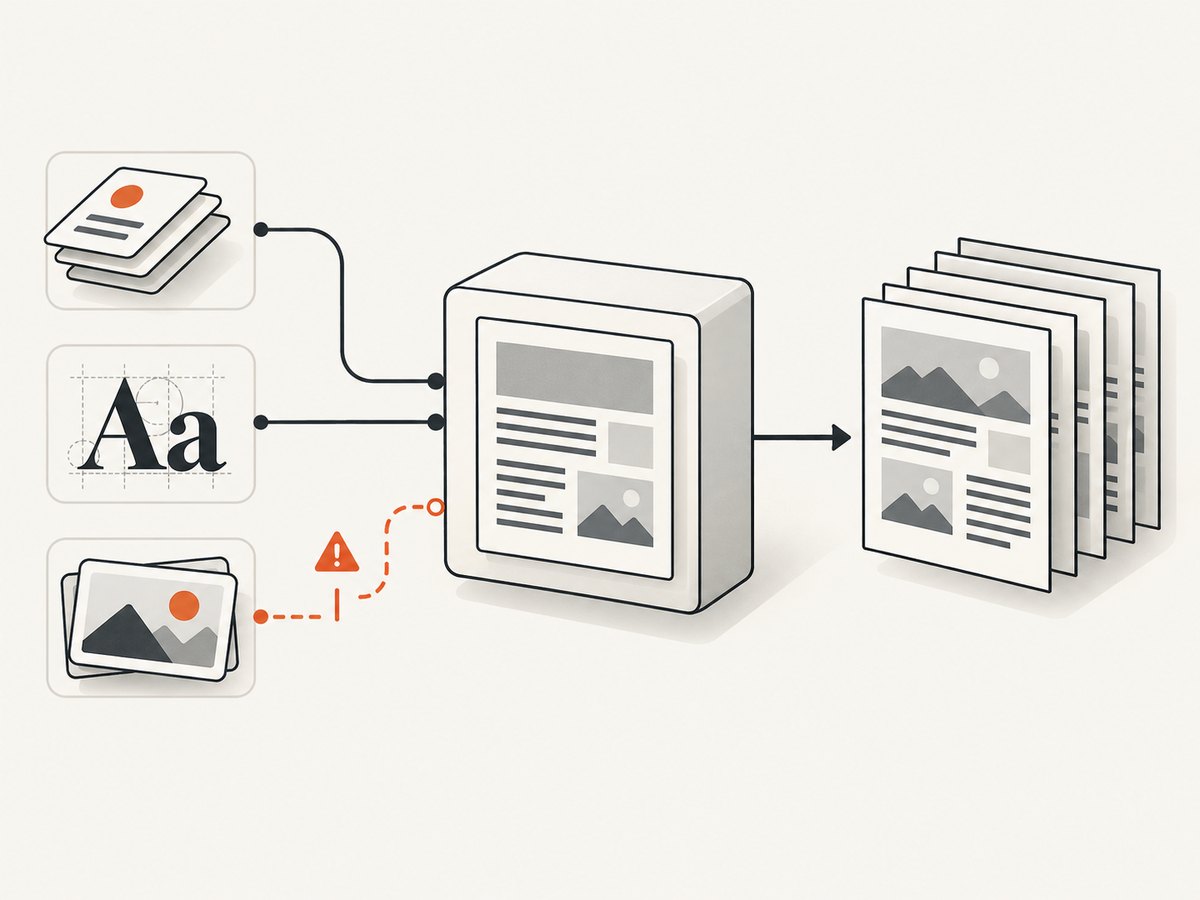
For Ruby-authored layouts, validate long text, missing data, unusual characters, font availability, and page breaks. Test documents at the boundaries your application accepts, such as the longest names, largest tables, or largest input files. These cases can expose layout overflow or resource problems that a short sample will not.
Reliability and operational checks
- Run PDF generation in the same Ruby version and operating-system image used by the deployed app.
- For PDFKit or Wicked PDF, check the converter executable path, permissions, and availability in every worker.
- Set application-level timeouts and handle converter failures as job errors; log enough context to identify the input record and failure stage without logging sensitive document contents.
- Write output to a temporary location and make the completed artifact available only after generation succeeds.
- For user-uploaded PDFs or HTML, define size and resource limits and review the library’s security guidance for the selected release.
- Pin a reviewed dependency version, then revisit compatibility and security information during upgrades.
Performance and cost
The research dossier provides no comparable benchmark, so do not assume one library is faster. Measure representative documents in your own runtime, including cold starts and the largest expected inputs. HTML conversion adds a separate process and asset rendering to the work; direct Ruby generation avoids that converter process but still has document-specific layout and file-size costs.
Budget for engineering and operations as well as package fees: the cited libraries are software packages, but the available research does not establish an apples-to-apples current licensing comparison. Runtime resources, worker time, storage, and maintenance of an external binary can all affect your application’s cost. Check current license texts and deployment requirements before adoption.
7. Troubleshooting common problems
| Symptom | Likely cause | What to check |
|---|---|---|
| PDFKit or Wicked PDF cannot start conversion | wkhtmltopdf is missing, not executable, or not found at the configured path. |
Install the binary in the runtime image, confirm the path and permissions, and test from the same worker account. |
| Styles, fonts, or images are missing | The converter cannot load a referenced asset or the asset URL is inaccessible from its environment. | Check generated HTML, asset paths, network access, and whether the files are present in the job container. |
| PDF differs between local and production | Different converter versions, fonts, operating systems, or asset availability affect rendering. | Align runtime images and tool versions; package fonts and assets; compare output in the deployment environment. |
| RubyGems reports a Ruby version conflict | The selected gem release requires a different Ruby version. | Inspect the exact release’s required Ruby version and choose a compatible release or runtime. |
| Text is clipped or pages break unexpectedly | Content exceeds the layout assumptions or assets/fonts differ from the expected inputs. | Test long content and boundary cases, then adjust layout, pagination, fonts, or template rules. |
| Encrypted or malformed input cannot be processed | The workflow’s PDF operation, permissions, or input assumptions do not match the file. | Validate the file and password/permissions handling; use the current library docs for the specific manipulation operation. |
8. Or skip the browser setup
If the job is to capture a web page as an image or PDF rather than generate a custom document, [ScreenshotNeo](https://screenshotneo.com) is a website screenshot API and MCP server. One GET request returns a PNG, JPEG, WebP, or PDF. Its cookie and consent handling accepts the banner like a visitor and removes more than 60 known consent platforms, newsletter popups, and chat widgets before capture; each step can be turned off. Bot checks and CAPTCHAs, blank pages, timeouts, failed loads, and cache hits cost nothing, and response headers report the page verdict and billing status.
It also provides an MCP server for Claude, Cursor, and other MCP clients, with take_screenshot, get_page_info, and capture_pdf tools. The free plan includes 1,000 shots each month with no card; paid plans start at $5 for 3,000, and every feature is on every plan. See the [ScreenshotNeo API documentation](https://screenshotneo.com/docs/) for request options.
curl -G "https://api.screenshotneo.com/v1/shot" -d access_key=YOUR_API_KEY --data-urlencode url=https://stripe.com -o shot.webpStart with [1,000 free screenshots a month, no card required](https://screenshotneo.com/account/sign-up/).
9. Frequently asked questions
Is Prawn an HTML-to-PDF converter?
No. Prawn is a Ruby PDF writer where the document is built with Ruby layout and drawing operations. PDFKit and Wicked PDF convert HTML and CSS through wkhtmltopdf.
Can I use HexaPDF only to generate new documents?
Yes, creation is part of its scope. It is also worth evaluating when the same workflow must manipulate existing PDFs.
Does Wicked PDF remove the need to install wkhtmltopdf?
No. The gem integrates the converter with Rails, but the executable remains a deployment dependency.
Which library is best for a new Rails project?
It depends on whether the team wants to author PDFs in Ruby or HTML/CSS, whether existing PDFs must be manipulated, and which versions the selected release supports. Verify current compatibility before choosing.


