How to Run Bash Scripts from Python
Run Bash scripts safely from Python with subprocess, arguments, environment control, timeouts, output capture, troubleshooting, and production patterns.
Use Python’s built-in subprocess module. For a normal Bash script, the safest and clearest pattern is subprocess.run(["bash", "script.sh"], check=True). Put the interpreter, script path, and every argument in separate list elements. Add capture_output=True and text=True when you need decoded output, and use cwd, env, and timeout to control the execution context.
import subprocess

result = subprocess.run(
    ["bash", "script.sh", "first-arg", "second-arg"],
    check=True,
    capture_output=True,
    text=True,
)

print(result.stdout)
This article explains how to execute .sh files, pass arguments, read stdout and stderr, handle exit codes, choose between shell=False and shell=True, make execution reproducible, and diagnose common failures.
1. The standard subprocess pattern
Python’s documentation recommends subprocess.run() for use cases it can handle. The function starts a child process, waits for it to finish, and returns a CompletedProcess object. A sequence of arguments is generally preferred because Python preserves argument boundaries and handles the required escaping for you. See the Python subprocess documentation.
from pathlib import Path
import subprocess

script = Path("scripts/backup.sh").resolve()

result = subprocess.run(
    ["/bin/bash", str(script)],
    check=True,
    capture_output=True,
    text=True,
)

print("exit code:", result.returncode)
print("stdout:", result.stdout)
print("stderr:", result.stderr)
Calling /bin/bash explicitly makes the interpreter choice clear on POSIX systems. If the script has an executable bit and a valid shebang such as #!/usr/bin/env bash, you can invoke the script directly:
subprocess.run(
    ["/absolute/path/to/script.sh", "first-arg"],
    check=True,
)
Use an absolute path when the program may run from a scheduler, service, container, or web worker whose working directory is not predictable.
2. Passing arguments correctly
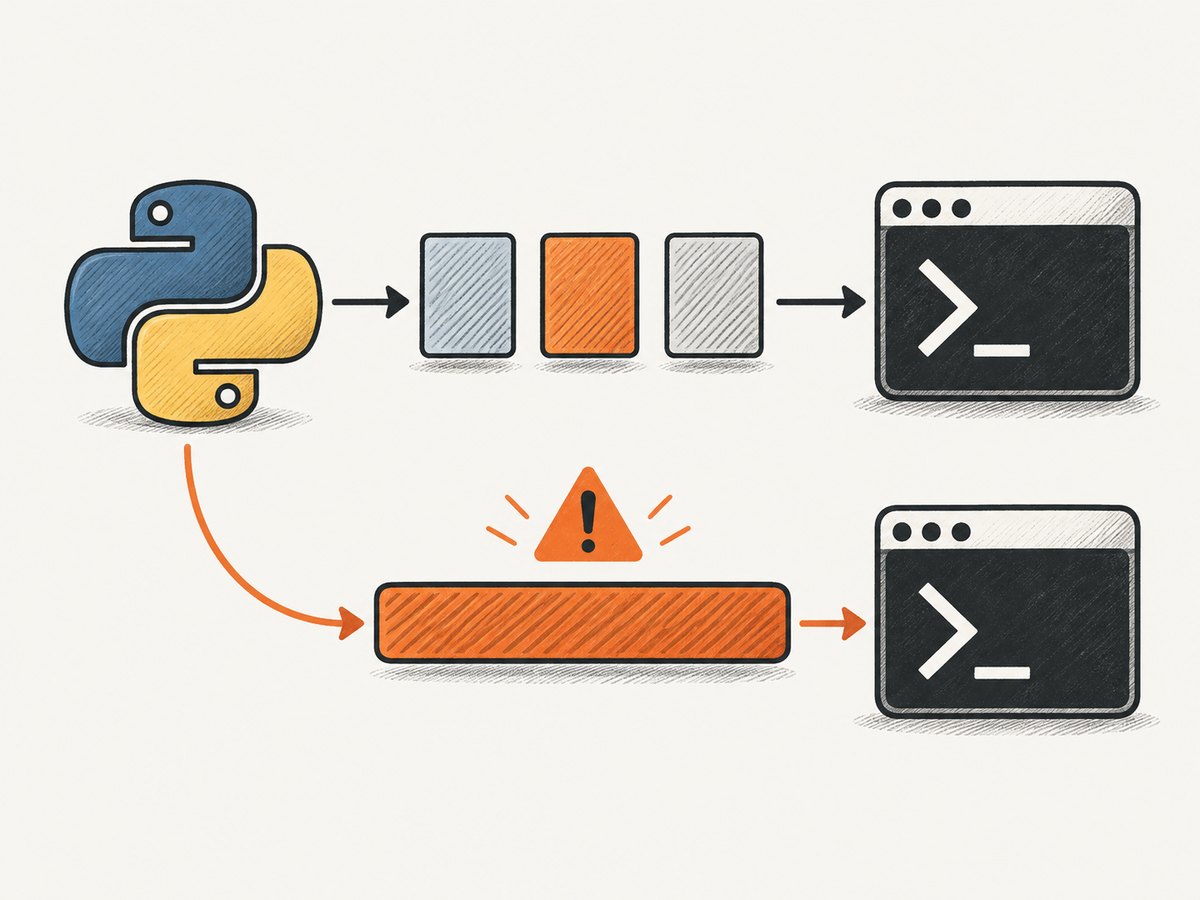
Pass each script argument as its own list item. Do not build one command string by concatenating user input.
# Python
import subprocess

name = "release candidate"
output_dir = "/tmp/build output"

subprocess.run(
    ["bash", "build.sh", name, output_dir],
    check=True,
)
The Bash script receives these values in $1, $2, and so on:
#!/usr/bin/env bash
set -euo pipefail

name="$1"
output_dir="$2"
printf 'Building %s into %s\n' "$name" "$output_dir"
List arguments preserve spaces, wildcard characters, quotes, and other characters as data. In the example above, release candidate remains one argument rather than becoming two.
Validate arguments at the boundary
Argument boundaries prevent accidental shell parsing, but they do not make every operation safe. Validate values according to your application’s rules. For example, accept only known environment names instead of allowing an arbitrary value to select a deployment target.
import subprocess

allowed = {"staging", "production"}
environment = "staging"
if environment not in allowed:
    raise ValueError("unsupported environment")

subprocess.run(
    ["bash", "deploy.sh", environment],
    check=True,
)
3. Capturing stdout and stderr
Set capture_output=True to collect both output streams. Set text=True (also called universal_newlines=True in older code) to decode bytes into strings using the locale encoding.
import subprocess

result = subprocess.run(
    ["bash", "status.sh"],
    check=True,
    capture_output=True,
    text=True,
)

print(result.stdout)
print(result.stderr)
Use explicit pipes when you need more control:
result = subprocess.run(
    ["bash", "status.sh"],
    stdout=subprocess.PIPE,
    stderr=subprocess.PIPE,
    text=True,
    check=False,
)
For large or continuous output, do not wait for run() to finish while storing everything in memory. Use subprocess.Popen and consume the streams incrementally.
import subprocess

with subprocess.Popen(
    ["bash", "long-task.sh"],
    stdout=subprocess.PIPE,
    stderr=subprocess.STDOUT,
    text=True,
    bufsize=1,
) as process:
    for line in process.stdout:
        print(line, end="")
    returncode = process.wait()

if returncode != 0:
    raise RuntimeError(f"script failed with exit code {returncode}")
4. Handling exit codes and failures
With check=True, a nonzero exit code raises subprocess.CalledProcessError. This is usually the right default when failure should stop the current operation.
import subprocess

try:
    result = subprocess.run(
        ["bash", "migrate.sh"],
        check=True,
        capture_output=True,
        text=True,
    )
except subprocess.CalledProcessError as error:
    print("exit code:", error.returncode)
    print("stdout:", error.stdout)
    print("stderr:", error.stderr)
    raise
Use check=False when a failure is an expected branch that your code will inspect:
result = subprocess.run(
    ["bash", "probe.sh"],
    capture_output=True,
    text=True,
    check=False,
)

if result.returncode == 0:
    print("available")
elif result.returncode == 2:
    print("not configured")
else:
    raise RuntimeError(result.stderr.strip() or "probe failed")
Be careful with scripts that use meaningful nonzero statuses. A script may return a nonzero code for a condition that is not an infrastructure failure. Document those codes and handle them explicitly.
5. Working directory and environment variables
Relative paths inside a script are resolved from the child process’s current directory. Set cwd instead of relying on the parent process’s location.
import subprocess

subprocess.run(
    ["bash", "scripts/package.sh"],
    cwd="/srv/my-app",
    check=True,
)
To add or replace environment variables, copy the current environment first. Replacing it with a small dictionary can remove PATH and other values the script needs.
import os
import subprocess

env = os.environ.copy()
env["MODE"] = "production"
env["RELEASE_ID"] = "2026-09-29"

result = subprocess.run(
    ["bash", "scripts/publish.sh"],
    cwd="/srv/my-app",
    env=env,
    timeout=30,
    check=True,
    capture_output=True,
    text=True,
)
print(result.stdout)
Do not put secrets in command-line arguments if other users or monitoring systems can inspect process lists. Prefer an environment variable or a protected file, and make sure logs do not print it.
6. Timeouts and cancellation
The timeout argument bounds how long Python waits. If the limit expires, subprocess.TimeoutExpired is raised.
import subprocess

try:
    subprocess.run(
        ["bash", "slow-job.sh"],
        timeout=30,
        check=True,
    )
except subprocess.TimeoutExpired as error:
    print(f"script exceeded {error.timeout} seconds")
    # Decide whether to retry, report failure, or cancel related work.
With run(), Python cleans up the child process after a timeout exception, but a script may have started grandchildren. For jobs that create their own process trees, use Popen, process groups, and an application-specific shutdown policy. A retry should also be bounded and idempotent; repeating a partially completed deployment or migration can make the situation worse.
7. When shell=True is appropriate
shell=False is the default and is correct for a script path plus arguments. Use shell=True only when you deliberately need shell syntax such as pipelines, wildcard expansion, command substitution, redirection, or shell built-ins.
import subprocess

result = subprocess.run(
    "printf '%s\n' *.log | sort",
    shell=True,
    executable="/bin/bash",
    check=True,
    capture_output=True,
    text=True,
)
print(result.stdout)
Python’s documentation states that when the shell is invoked explicitly, the application is responsible for quoting whitespace and metacharacters to avoid shell injection. Never interpolate untrusted input into a shell command:
# Unsafe: user input becomes shell syntax
command = f"grep {user_pattern} *.log"
subprocess.run(command, shell=True)
Prefer a list and no shell:
subprocess.run(
    ["grep", "--", user_pattern, "app.log"],
    check=True,
)
If POSIX shell parsing is unavoidable, quote each dynamic value with shlex.quote() and validate allowed values first:
import shlex
import subprocess

pattern = shlex.quote(user_pattern)
command = f"grep -- {pattern} app.log"
subprocess.run(command, shell=True, executable="/bin/bash", check=True)
shlex.quote() is for POSIX shell syntax. It is not a universal quoting solution for Windows cmd.exe or PowerShell; quoting rules differ. The Python documentation and PEP 787 both emphasize that shell quoting is specific to the shell being used.
8. Executable scripts, shebangs, and permissions
A directly invoked script needs a valid shebang and execute permission:
#!/usr/bin/env bash
set -euo pipefail
printf 'hello\n'
chmod +x scripts/hello.shThen:
subprocess.run(["./scripts/hello.sh"], check=True)If you see “Permission denied,” invoke Bash explicitly or fix the file mode. If you see “Exec format error,” the shebang may be missing, malformed, or pointing to an unavailable interpreter. On Windows, install a Bash implementation such as WSL or Git Bash and pass its executable path explicitly; a native Python process cannot assume that bash exists.
9. Platform and portability considerations
| Concern | POSIX systems | Windows |
|---|---|---|
| Interpreter | /bin/bash or bash |
Use WSL, Git Bash, or another installed Bash path |
| Paths | Use pathlib.Path; avoid assuming the current directory |
Convert paths for the selected Bash environment |
| Quoting | shlex.quote() follows POSIX rules |
Use the quoting rules of PowerShell, cmd.exe, or the Bash layer |
| Signals | Process groups and signals are available | Process-tree behavior differs by runtime |
For cross-platform applications, detect the execution environment and fail with a useful message when Bash is unavailable. If the operation can be implemented portably in Python, that may be simpler than requiring a shell.
10. A reusable production helper
from __future__ import annotations

import os
import subprocess
from pathlib import Path
from typing import Sequence


def run_bash(
    script: str | Path,
    args: Sequence[str] = (),
    *,
    cwd: str | Path | None = None,
    extra_env: dict[str, str] | None = None,
    timeout: float = 60,
) -> subprocess.CompletedProcess[str]:
    command = ["/bin/bash", str(Path(script).resolve()), *map(str, args)]
    env = os.environ.copy()
    if extra_env:
        env.update(extra_env)

    return subprocess.run(
        command,
        cwd=cwd,
        env=env,
        timeout=timeout,
        check=True,
        capture_output=True,
        text=True,
    )


result = run_bash(
    "scripts/report.sh",
    ["2026-09-29"],
    cwd="/srv/my-app",
    extra_env={"MODE": "production"},
    timeout=45,
)
print(result.stdout)
This helper gives callers one consistent policy: explicit Bash, separate arguments, controlled environment, a deadline, captured output, and exceptions for failures. Add structured logging around it in a service, but redact secrets and avoid logging complete commands when arguments may contain sensitive data.
11. Troubleshooting common errors
| Error or symptom | Likely cause | Fix |
|---|---|---|
FileNotFoundError: [Errno 2] |
bash or the script is not on the executable path |
Use an absolute interpreter and script path; verify installation |
| Permission denied | Direct invocation lacks execute permission | Run through Bash or use chmod +x |
| Script cannot find a file | Unexpected child working directory | Set cwd and use stable paths |
| Arguments are split incorrectly | A single command string was built | Pass a list with one element per argument |
| Output is bytes | text=True was omitted |
Add text=True or decode explicitly |
| Python raises on an expected status | check=True treats every nonzero code as failure |
Use check=False and inspect returncode |
| Command hangs | Interactive prompt, deadlock, or slow child process | Set timeout; remove prompts; stream output with Popen |
| Shell injection risk | Untrusted data interpolated with shell=True |
Use list arguments and shell=False; validate input |
| Different behavior in production | Different PATH, environment, user, or directory |
Set cwd, env, absolute paths, and an explicit interpreter |
12. Performance, reliability, and cost notes
Starting a process has overhead, so avoid launching a new Bash process for every item in a large loop when one script invocation can process a batch. If work is independent and expensive, a bounded worker queue may help, but cap concurrency so you do not exhaust CPU, memory, file descriptors, or downstream service limits.
Reliability comes from deterministic inputs and bounded execution: pin the working directory, provide the required environment, use absolute paths, set timeouts, capture diagnostics, and make retries safe. Treat stdout as data only when the script’s output format is documented; otherwise use a file or structured protocol.
The Python subprocess module has no per-call service fee. Your practical costs are the host resources consumed by the child process and any services the script calls. For screenshot capture workflows, an API can remove browser infrastructure from your application.
13. Or skip the browser setup
If your Bash script is launching a browser just to capture webpages, ScreenshotNeo provides a single HTTP request instead. It returns PNG, JPEG, WebP, or PDF and supports full-page shots, CSS element capture, device presets, custom CSS and JavaScript, waits, headers, cookies, blocking rules, caching, asynchronous jobs, bulk capture, and more. The ScreenshotNeo API documentation lists the request options.
curl -G "https://api.screenshotneo.com/v1/shot" -d access_key=YOUR_API_KEY --data-urlencode url=https://stripe.com -o shot.webpimport requests
r = requests.get(
"https://api.screenshotneo.com/v1/shot",
params={"access_key": "YOUR_API_KEY", "url": "https://stripe.com"},
timeout=90,
)
r.raise_for_status()
open("shot.webp", "wb").write(r.content)const q = new URLSearchParams({ access_key: 'YOUR_API_KEY', url: 'https://stripe.com' });
const res = await fetch(`https://api.screenshotneo.com/v1/shot?${q}`);
if (!res.ok) throw new Error(`HTTP ${res.status}`);
const image = Buffer.from(await res.arrayBuffer());
await Bun.write('shot.webp', image);Cookie and consent banners, newsletter popups, and chat widgets are removed before the shot. Bot checks, blank pages, failed loads, timeouts, and cache hits are not billed, and response headers identify the page verdict and billing status. An MCP server lets Claude, Cursor, and other MCP clients call take_screenshot, get_page_info, and capture_pdf. The Free plan includes 1,000 screenshots per month with no card; paid plans start at $5 for 3,000 shots.
Create a free ScreenshotNeo account and start with 1,000 screenshots each month at no charge.
14. FAQ
Should I use os.system() instead?
Usually no. subprocess.run() provides explicit arguments, output capture, exit-code handling, environment control, and timeouts.
Can I pass a list of arguments to shell=True?
That combination has shell-specific semantics and is easy to misunderstand. Use a list with shell=False for normal scripts. Use one carefully constructed string only when shell syntax is required.
How do I send input to a script?
Pass input="value\n" with text=True, or connect a Popen pipe for interactive protocols. Prefer noninteractive script interfaces for automation.
How do I run a script asynchronously?
Use asyncio.create_subprocess_exec() or asyncio.create_subprocess_shell() and apply the same argument, timeout, and validation rules.
Why does my script work in a terminal but fail from Python?
The terminal may provide a different directory, PATH, shell startup files, user, permissions, or environment variables. Set those explicitly and log the captured stderr.


