How to Run Feature Files with Cypress 10
Configure Cypress 10 to discover, bundle, and run Gherkin feature files with step definitions, debugging advice, and a complete working setup.
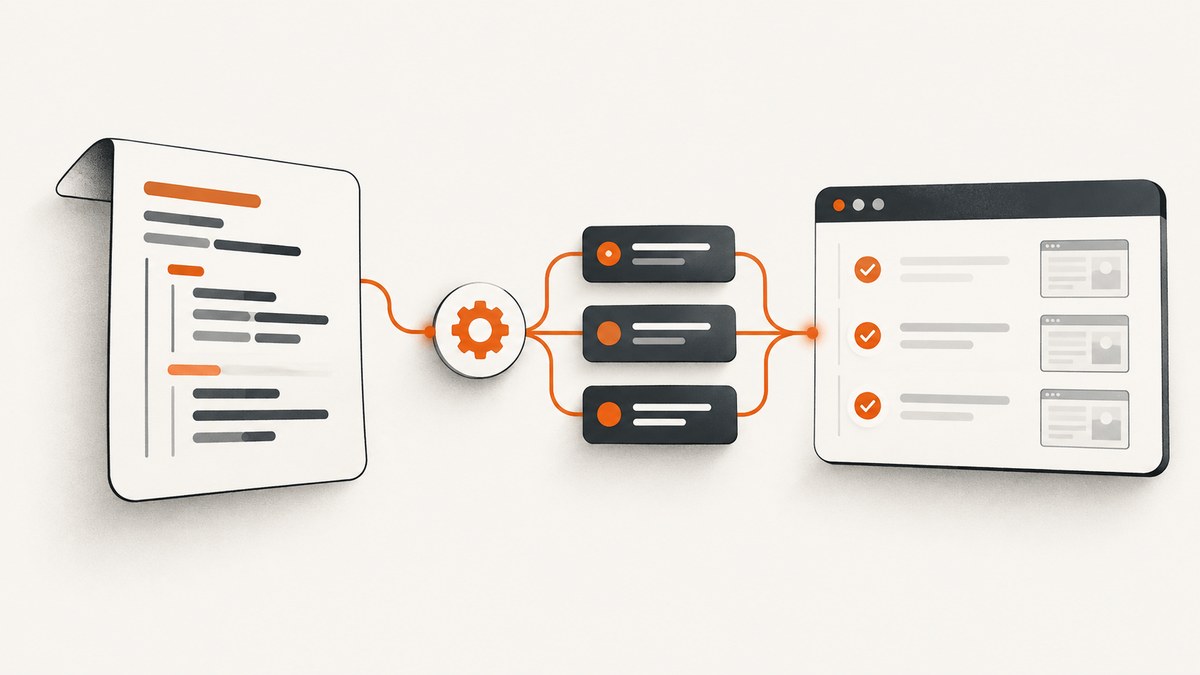
Short answer: Cypress 10 cannot execute a .feature file by itself. Add a Cucumber preprocessor, include feature files in the Cypress specPattern, register the preprocessor and a bundler in e2e.setupNodeEvents, then create step definitions that call Cypress commands. The maintained @badeball/cypress-cucumber-preprocessor quick start uses Esbuild as the default example.
This guide gives you a complete Cypress 10 setup, explains what each configuration line does, shows JavaScript and TypeScript variants, and covers discovery, bundling, aliases, version-sensitive failures, open and headless runs, reliability, performance, and maintenance.
1. How the Cypress 10 and Cucumber pieces fit together
A Gherkin feature is a readable description of behavior. Cypress still needs JavaScript or TypeScript code to implement every step. The preprocessor translates the Gherkin scenario into a spec Cypress can load, while the bundler resolves imports and prepares that spec for the browser.
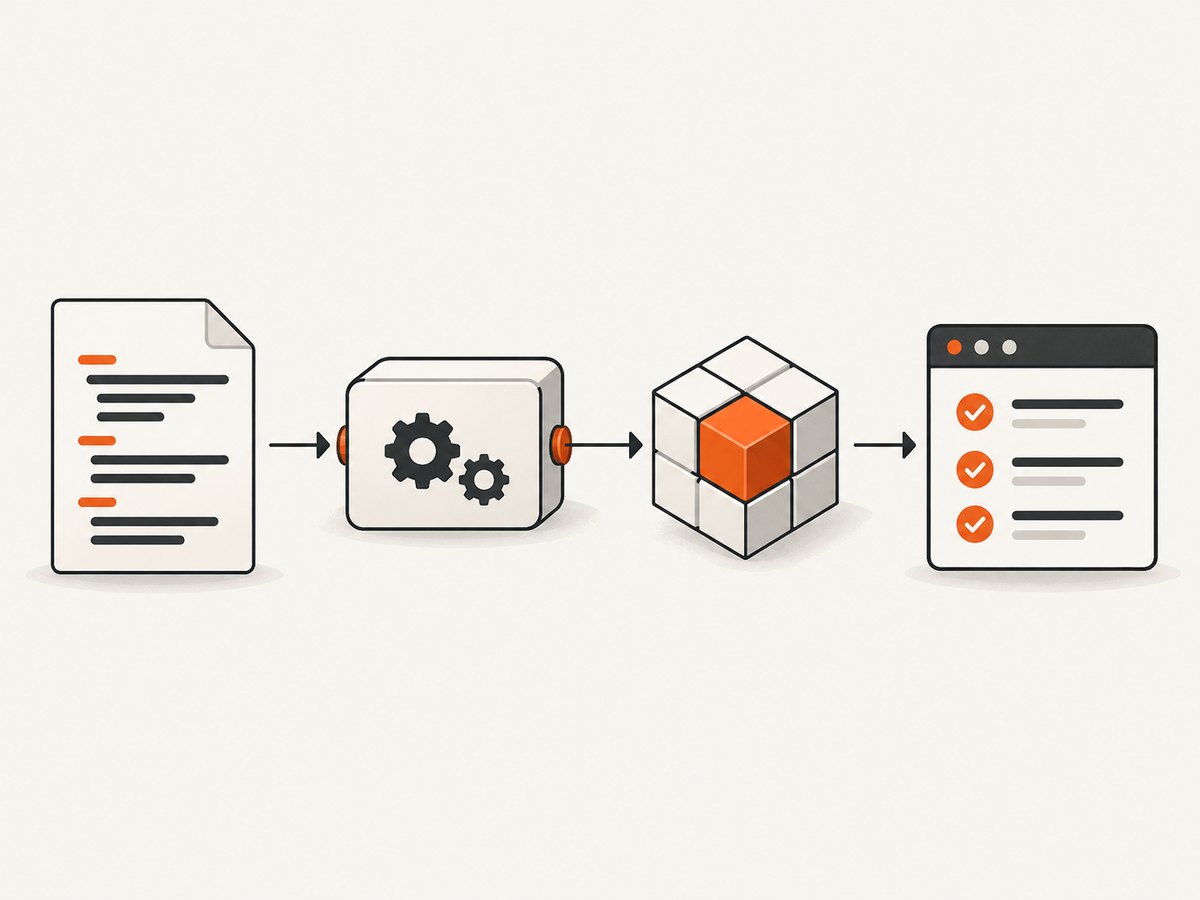
- Discovery: Cypress finds files matching the configured
specPattern. - Preprocessing: the Cucumber plugin converts Gherkin into executable test code.
- Bundling: Esbuild, Webpack, or another supported bundler resolves the feature’s generated imports and step definitions.
- Execution: Cypress runs the resulting spec and your step definitions issue commands such as
cy.visit()andcy.get().
If any layer is missing, the common symptoms are that no feature appears in the Cypress runner, Cypress reports that it cannot parse the file, or the bundler fails before a test starts.
2. Install Cypress and the preprocessor
Start in the project directory. Use package versions that match your Cypress 10 project, Node runtime, lockfile, and the preprocessor documentation. The current package documentation is not a compatibility matrix for every Cypress 10 and Node combination, so verify the exact versions before upgrading.
npm install --save-dev cypress @badeball/cypress-cucumber-preprocessor \
  @bahmutov/cypress-esbuild-preprocessor esbuild
If Cypress is not initialized yet, open it once:
npx cypress openChoose an end-to-end testing setup when prompted. Cypress 10 stores end-to-end configuration in cypress.config.js or cypress.config.ts. Older tutorials that put this code in cypress/plugins/index.js use a deprecated layout for this version.
3. Configure Cypress 10 with Esbuild
The following TypeScript configuration follows the maintained quick-start pattern. It is also a useful reference for a JavaScript project; remove TypeScript annotations and use require or equivalent imports if your module format requires it.
import { defineConfig } from "cypress";
import createBundler from "@bahmutov/cypress-esbuild-preprocessor";
import { addCucumberPreprocessorPlugin } from "@badeball/cypress-cucumber-preprocessor";
import { createEsbuildPlugin } from "@badeball/cypress-cucumber-preprocessor/esbuild";

export default defineConfig({
  e2e: {
    specPattern: "**/*.feature",

    async setupNodeEvents(on, config) {
      await addCucumberPreprocessorPlugin(on, config);

      on(
        "file:preprocessor",
        createBundler({
          plugins: [createEsbuildPlugin(config)],
        })
      );

      return config;
    },
  },
});
Four details matter here:
specPatternmust include.featurefiles. A pattern such as"**/*.feature"is the simplest choice.setupNodeEventsis asynchronous because plugin registration can perform asynchronous work.addCucumberPreprocessorPlugin(on, config)connects the Cucumber preprocessor to Cypress events.return configpreserves configuration changes made by the plugin. Omitting it can produce confusing discovery or runtime behavior.
The Cypress preprocessor documentation describes the file:preprocessor event: preprocessing prepares a spec before Cypress loads it in the browser.
4. Create a feature file and matching step definitions
Make a feature file under your Cypress directory, for example cypress/e2e/search.feature:
Feature: DuckDuckGo search

  Scenario: visiting the front page
    When I visit the search page
    Then I should see a search field
Now create a step-definition file in the location supported by your installed preprocessor configuration. A colocated file is easy to understand while you are starting. For example, cypress/e2e/search.ts:
import { When, Then } from "@badeball/cypress-cucumber-preprocessor";

When("I visit the search page", () => {
  cy.visit("https://www.duckduckgo.com");
});

Then("I should see a search field", () => {
  cy.get('input[type="text"]').should("have.attr", "placeholder");
});
The wording in the feature and the string passed to When or Then must match. A mismatch leaves the scenario with an undefined step. The example demonstrates the connection between Gherkin and Cypress commands; the external page and assertion should be replaced with the application under test.
Organize steps for a larger suite
For a small suite, colocating steps beside the feature is convenient. For a larger suite, group reusable steps by domain and follow the preprocessor’s step-definition resolution conventions. Keep phrases stable, avoid putting long application workflows into one step, and put selectors and assertions in ordinary helper functions when they are reused.
A practical structure is:
cypress/
  e2e/
    checkout/
      checkout.feature
      checkout.steps.ts
    account/
      login.feature
      login.steps.ts
  support/
    commands.ts
Do not assume that a directory arrangement from an older plugin release applies unchanged to your installed release. If steps are reported as undefined, check the current quick start and your project’s configured step-definition pattern first.
5. Run feature files in open and headless mode
Start the interactive runner:
npx cypress openSelect the end-to-end project and choose the discovered feature. In open mode Cypress watches matching spec files and reruns the active spec after relevant changes, which makes it useful while editing Gherkin or step definitions.
For CI or a repeatable local run, use:
npx cypress run --e2eTo run one feature, pass its path:
npx cypress run --e2e --spec "cypress/e2e/search.feature"Use the same Node and package-manager environment in CI that you use to install the lockfile. A different Node version can expose conditional-export or bundler issues even when the feature itself is unchanged.
6. JavaScript configuration variant
If your Cypress config uses CommonJS, the equivalent shape is:
const { defineConfig } = require("cypress");
const createBundler = require("@bahmutov/cypress-esbuild-preprocessor");
const {
  addCucumberPreprocessorPlugin,
} = require("@badeball/cypress-cucumber-preprocessor");
const {
  createEsbuildPlugin,
} = require("@badeball/cypress-cucumber-preprocessor/esbuild");

module.exports = defineConfig({
  e2e: {
    specPattern: "**/*.feature",
    async setupNodeEvents(on, config) {
      await addCucumberPreprocessorPlugin(on, config);
      on(
        "file:preprocessor",
        createBundler({ plugins: [createEsbuildPlugin(config)] })
      );
      return config;
    },
  },
});
Use the import style supported by your Node module configuration. If a package export is unavailable in that format, follow the package’s example for the exact release instead of mixing syntax from different versions.
7. TypeScript, module resolution, and path aliases
TypeScript projects can encounter errors because the preprocessor package uses conditional exports. The quick start documents moduleResolution: "node16" as one solution. If changing module resolution is not possible, use the documented paths workaround for your package version.
Path aliases are a separate concern. Cypress’s default Webpack preprocessor does not automatically apply every compilerOptions.paths alias from tsconfig.json. If you import @/support/foo and the bundler cannot resolve it, configure the alias in the bundler or replace it with a resolvable relative import. Esbuild, Webpack, and custom preprocessors each have their own alias configuration.
8. Choosing a bundler
| Question | Why it matters |
|---|---|
| Does the project already use Esbuild, Webpack, or another bundler? | Reusing an existing tool can reduce configuration and duplicate transforms. |
| Does the installed preprocessor release support it? | Support is version-specific and can change between releases. |
| Which module format and TypeScript settings are in use? | Conditional exports, ESM, CommonJS, and TypeScript resolution must agree. |
| Are aliases or custom transforms required? | They may need explicit bundler configuration. |
| Do you need Browserify? | The current FAQ says Browserify support was removed in preprocessor v24; projects that require it should investigate the older v23 line and its limited backports. |
Esbuild is the quick-start recommendation when you have no special bundling requirements. That recommendation does not guarantee compatibility with every Cypress 10, Node, or plugin-version combination; check the documentation and lockfile together.
9. Troubleshooting common errors
No feature files appear in Cypress
Cause: the pattern does not include .feature, the file is outside the project root, or the wrong testing type is open.
Fix: set the end-to-end specPattern to include feature files, reopen the project, and verify that the file is under the configured project directory.
“Step implementation missing” or undefined steps
Cause: the step text does not match the definition, or the definition file is not in the location discovered by the preprocessor.
Fix: compare punctuation and capitalization, then check the installed preprocessor’s step-definition resolution rules and file naming conventions.
Webpack compilation or module-resolution errors
Cause: the bundler is not registered, its configuration is in a file Cypress never loads, or a package is incompatible with the selected module format.
Fix: register the bundler on file:preprocessor inside setupNodeEvents. Remove configuration copied from a deprecated plugin-folder tutorial, and verify package versions.
TypeScript cannot resolve the preprocessor package
Cause: conditional exports and the project’s module-resolution mode disagree.
Fix: try the documented node16 module-resolution setting, or apply the quick-start paths workaround when that setting cannot be changed.
Aliases work in application code but fail in a feature
Cause: the Cypress preprocessor’s bundler does not automatically read TypeScript path aliases.
Fix: add the alias to the chosen bundler configuration or use a relative import in the step-definition code.
Browserify instructions fail after an upgrade
Cause: Browserify support was removed in preprocessor v24.
Fix: use a supported bundler, or deliberately pin the older v23 line after reviewing its compatibility and limited backports. Do not combine v24 instructions with a v23 setup without checking the release documentation.
10. Reliability and performance practices
- Pin and review versions. Keep Cypress, the preprocessor, bundler, and Node version in the lockfile. Upgrade them together in a branch.
- Keep steps focused. A step should express one behavior and delegate repeated implementation to helpers. This makes failures easier to diagnose.
- Use stable selectors. Prefer application test IDs or stable attributes over fragile layout selectors.
- Control waiting explicitly. Cypress commands retry assertions, but a fixed delay should be reserved for a real external timing requirement. Prefer waiting on a visible state or network-driven application condition.
- Separate discovery failures from test failures. If no browser opens, inspect preprocessing and bundling first. If the browser opens and an assertion fails, debug the step or application.
- Run one feature during development. A targeted
--specrun shortens feedback time; run the complete suite in CI. - Capture useful CI artifacts. Preserve Cypress command logs, screenshots, and videos according to your CI retention policy so a failed Gherkin scenario can be traced to its step.
11. Or skip the browser setup
If your goal is to obtain a clean page image for documentation, visual review, or an AI workflow rather than execute behavior assertions, ScreenshotNeo provides a single HTTP request. Its API accepts a URL and returns PNG, JPEG, WebP, or PDF. See the ScreenshotNeo documentation for the request options.

curl -G "https://api.screenshotneo.com/v1/shot" \
  -d access_key=YOUR_API_KEY \
  --data-urlencode url=https://stripe.com \
  -o shot.webp
import requests
r = requests.get(
"https://api.screenshotneo.com/v1/shot",
params={"access_key": "YOUR_API_KEY", "url": "https://stripe.com"},
timeout=90,
)
r.raise_for_status()
open("shot.webp", "wb").write(r.content)const q = new URLSearchParams({
access_key: 'YOUR_API_KEY',
url: 'https://stripe.com'
});
const res = await fetch(`https://api.screenshotneo.com/v1/shot?${q}`);ScreenshotNeo accepts options for full-page capture with lazy images, CSS-element capture, dark mode, device presets or custom viewports, retina scale, PDF paper size and ranges, custom CSS and JavaScript, clicks, selector waits, delays, network idle, blocked requests or resource types, headers, cookies, user agents, authorization, timezone, geolocation, transparent backgrounds, resizing, caching with a chosen TTL, signed links, asynchronous jobs with signed webhooks, bulk capture for up to 100 URLs, usage reporting, and an OpenAPI specification. Parameter names used by other screenshot APIs also work to simplify migration.
Before capture, cookie and consent banners are accepted like a visitor and more than 60 known consent platforms, newsletter popups, and chat widgets are removed. Each cleanup step can be disabled. Bot checks or CAPTCHAs, blank pages, timeouts, failed loads, and cache hits are not billed; response headers identify the page verdict and whether the request was billed with X-Page-Verdict and X-Billed.
An MCP server exposes take_screenshot, get_page_info, and capture_pdf to Claude, Cursor, and other MCP clients. The Free plan includes 1,000 shots per month without a card. Paid plans start at $5 for 3,000 shots; yearly billing gives two months free, and every feature is available on every plan. Create a free ScreenshotNeo account.
12. FAQ
Can Cypress 10 run a feature file without a plugin?
No. Cypress needs a Cucumber preprocessor and a file bundler to translate and prepare the Gherkin spec.
Where should plugin setup live in Cypress 10?
Put it in the e2e.setupNodeEvents function in cypress.config.js or cypress.config.ts.
Why must setupNodeEvents return config?
The preprocessor can modify the Cypress configuration. Returning the object preserves those changes.
Is Esbuild mandatory?
No. It is the maintained quick-start default when there are no special requirements. Choose a supported bundler that matches your project and installed preprocessor release.
Can feature files use TypeScript step definitions?
Yes. Configure the bundler and TypeScript module resolution so the preprocessor package and your imports resolve correctly.
Does open mode rerun feature files?
Yes. Cypress watches configured specs in open mode and reruns the active spec after relevant changes.


