How to Run Headless Chrome from a Rails Server
Configure Selenium, ChromeDriver, Docker and remote browsers for Rails system tests, with troubleshooting, security guidance and a hosted screenshot alternative.
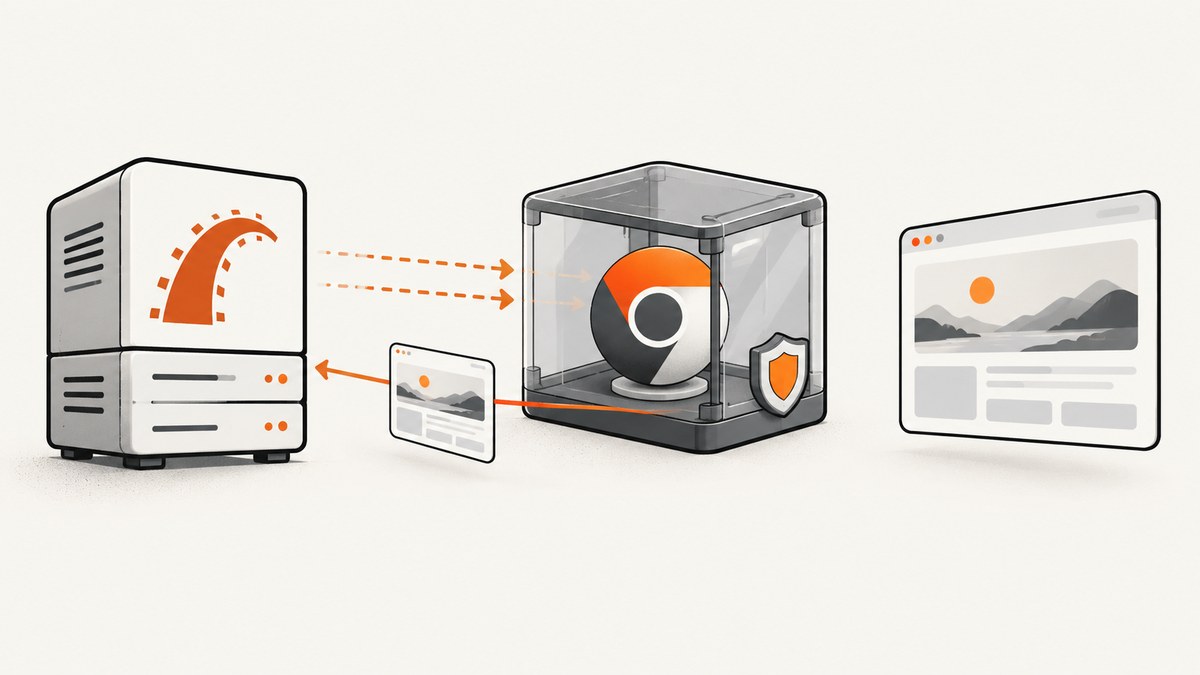
Direct answer: Rails system tests can run Chrome without a visible window by using Selenium’s headless Chrome driver in application_system_test_case.rb:
require "test_helper"

class ApplicationSystemTestCase < ActionDispatch::SystemTestCase
  driven_by :selenium, using: :headless_chrome
end
The browser executable and a compatible driver must be installed wherever the session starts. That may be the Rails process environment, a CI runner, or a separate browser container. If Chrome runs remotely, configure Selenium with the remote URL and ensure the browser can reach the Rails application over the container network. The Rails testing guide covers the system-test integration and remote-browser pattern in more detail: Rails Testing Guide.
1. Choose where Chrome will run
There are two supported deployment shapes.
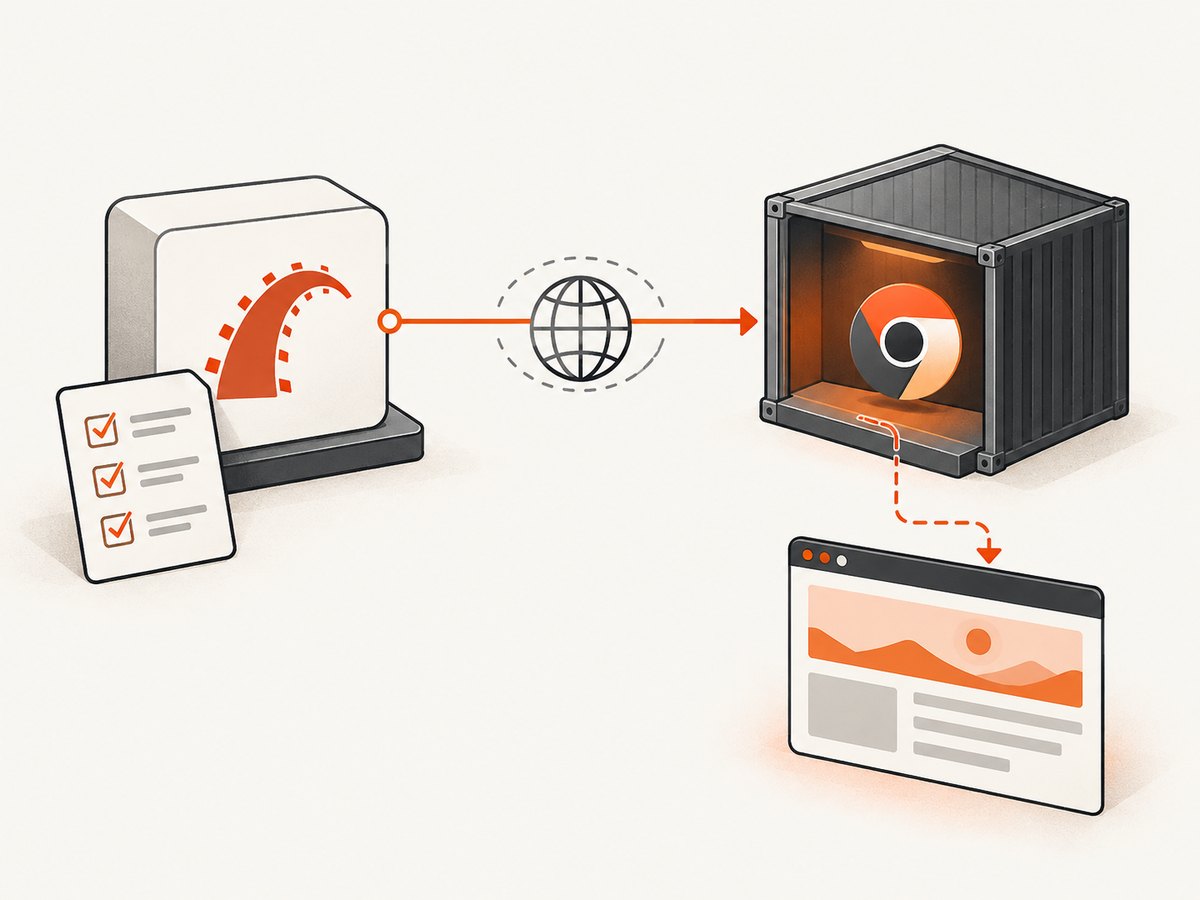
| Choice | How it works | What you maintain |
|---|---|---|
| Local headless Chrome | Rails, Selenium, Chrome and the driver run in the same test environment. | Browser packages, driver discovery, runtime permissions and version compatibility. |
| Remote browser service | Rails connects to Selenium Server or another browser container over a network URL. | The browser service, protected ports, DNS, network reachability and the Rails app address visible from the browser. |
Local execution is usually the shortest path for a workstation or a single CI job. A remote browser is useful when the Rails image should stay small, when browsers are shared by test workers, or when your deployment already provides a Selenium service. Separating the processes also introduces network configuration that must be correct in both directions.
2. Configure Rails system tests
Minimal Selenium setup
Put the driver declaration in test/application_system_test_case.rb (the exact path can vary with your Rails layout):
require "test_helper"

class ApplicationSystemTestCase < ActionDispatch::SystemTestCase
  driven_by :selenium, using: :headless_chrome
end
Any system test inheriting from this class will create a headless Chrome session. Rails can pass additional Capybara and Selenium settings through the system-test case. Confirm the current Rails guide for your installed Rails version because supported options are mediated by Rails, Capybara and Selenium.
A complete example system test
require "application_system_test_case"

class SignInTest < ApplicationSystemTestCase
  test "user can sign in" do
    visit "/users/sign_in"
    fill_in "Email", with: "person@example.test"
    fill_in "Password", with: "correct horse battery staple"
    click_on "Sign in"

    assert_text "Dashboard"
  end
end
Use your normal Rails test commands to run the system test. The test process starts the browser driver, navigates through the application, and exits the session when the test finishes.
3. Make Chrome and the driver available
Headless mode removes the visible window; it does not remove Chrome’s runtime dependencies. The environment must contain a Chrome or Chromium executable and a compatible driver that Selenium can discover. Selenium’s documentation identifies a missing driver executable as a common first-run failure. Installation commands differ by operating system, base image and package manager, so use the instructions for your exact runtime rather than copying a distribution-specific command into every environment.
In CI, verify these items before the test job starts:
- The Chrome or Chromium binary exists in the job image.
- Selenium can locate the corresponding driver through the process environment or the integration’s configured path.
- The browser and driver versions are compatible and kept current.
- The test user can execute Chrome and write to the temporary directories it needs.
- The container has enough shared memory and CPU for the number of concurrent sessions.
When a job image is rebuilt, check browser and driver discovery again. A previously working test can fail after a package update if the browser and driver no longer pair correctly.
4. Run the browser in another container
Rails documents selecting a remote browser through a URL such as SELENIUM_REMOTE_URL. The URL in the guide is an example endpoint; the hostname, port and path depend on your Selenium version and service.
require "test_helper"

class ApplicationSystemTestCase < ActionDispatch::SystemTestCase
  remote_url = ENV.fetch("SELENIUM_REMOTE_URL", nil)

  options = if remote_url
    { browser: :remote, url: remote_url }
  else
    { browser: :chrome }
  end

  driven_by :selenium, using: :headless_chrome, options: options
end
Set SELENIUM_REMOTE_URL only in environments that have a reachable Selenium service. Leaving it unset keeps local Chrome as the fallback. Your Rails and Selenium versions may expose slightly different option names; check the current Rails API and Selenium documentation before changing this declaration.
Make the Rails app reachable from the browser
A remote browser cannot use localhost to reach a Rails server in another container. In a container, loopback refers to that container itself. Bind the test server to an address on the container network and use a hostname and port that the browser container can resolve.
require "test_helper"

class ApplicationSystemTestCase < ActionDispatch::SystemTestCase
  remote_url = ENV.fetch("SELENIUM_REMOTE_URL", nil)

  if remote_url
    Capybara.server_host = "0.0.0.0"
    Capybara.app_host = ENV.fetch("CAPYBARA_APP_HOST")
  end

  options = remote_url ? { browser: :remote, url: remote_url } : { browser: :chrome }
  driven_by :selenium, using: :headless_chrome, options: options
end
Set CAPYBARA_APP_HOST to the address that is reachable from the browser service, for example a Docker Compose service name and the test-server port. Do not assume the Rails container’s internal hostname, the host machine’s hostname, and the browser container’s DNS view are identical.
5. Waiting, JavaScript and test stability
Headless Chrome executes JavaScript, so system tests can exercise client-side navigation, asynchronous forms and browser APIs. Keep assertions tied to observable page state rather than arbitrary sleeps. Capybara’s waiting behavior will wait for elements and text according to its configured wait time. A fixed delay is appropriate only when an external animation or service cannot expose a better synchronization point.
- Wait for a selector or visible text that proves the action completed.
- Stub third-party calls that are not part of the behavior under test.
- Use deterministic test data and reset state between examples.
- Capture browser and Rails logs when a failure is intermittent.
- Run one failing test repeatedly before increasing global timeouts.
Remote execution adds network latency to session creation and navigation. Keep the browser service close to the CI workers and avoid creating a new session for every small assertion when a test framework can safely reuse one.
6. Troubleshooting common failures
| Symptom | Likely cause | Fix |
|---|---|---|
| “Unable to obtain driver” or executable not found | Selenium cannot locate the browser driver. | Install the driver in the runtime that launches the session, expose it on the process path or configure its location, then verify it is executable. |
| Session fails after a browser update | Chrome and ChromeDriver are incompatible. | Keep both current and use a supported pairing for the installed browser. Do not assume one version mapping works for every image. |
| Chrome exits immediately on Linux | Permission, sandbox, temporary-directory or runtime issues; launching as root is a known cause of startup crashes. | Run with a non-privileged test account, inspect Chrome logs, verify writable temporary paths and use a maintained container image. |
| Remote session starts but the page is unreachable | The browser cannot resolve or connect to the Rails app address. | Bind Capybara to a reachable interface, set the correct app host, check container DNS and open only the required internal port. |
| Rails falls back to local Chrome unexpectedly | SELENIUM_REMOTE_URL is missing or empty. |
Set the variable in the test job and print a sanitized configuration check before starting the suite. |
| Tests time out on dynamic pages | The assertion runs before the application finishes its asynchronous work, or the remote network is slow. | Assert on a completion element, inspect server and browser logs, and adjust the narrowest relevant wait rather than every test globally. |
| Works locally, fails in CI | Different browser packages, user permissions, fonts, network access or environment variables. | Record browser and driver versions, use a reproducible image, and compare the CI container’s reachable hosts with local assumptions. |
7. Security for a Rails browser service
ChromeDriver provides powerful browser control. Chrome for Developers recommends running it as a test account without access to sensitive local or network data, never as a privileged account, and inside a protected Docker container or virtual machine. Keep Chrome and ChromeDriver current.
Protect the Selenium and ChromeDriver ports as carefully as an internal administration interface:
- Keep browser-control ports on a trusted network.
- Allow connections only from the intended Rails test process or CI workers.
- Use firewall rules and the driver’s allowed-IP controls when remote access is required.
- Do not expose a browser-control endpoint publicly to make a test pass.
- Separate test credentials and data from production secrets.
These controls matter even when the browser is used only for screenshots. A page loaded by the browser can interact with resources available to the browser container, so least privilege and network isolation reduce the impact of an unexpected page or test dependency.
8. Performance and reliability considerations
There is no universal speed winner between local and remote Chrome. Local execution avoids a network hop and usually has simpler session startup. A remote service can centralize browser maintenance and let CI workers remain smaller, but session creation and page loads depend on the service’s capacity and network path.
For predictable runs:
- Pin a known-good browser image and update it deliberately.
- Limit parallel sessions to the CPU and memory available to the browser service.
- Use one browser service per isolated test environment when tests mutate shared state.
- Collect duration, failed-session and browser-startup logs in CI.
- Retry only infrastructure failures; retries should not conceal deterministic application failures.
- Keep the Rails app and remote browser on the same low-latency network.
Headless Chrome still downloads assets, runs scripts and waits for the application. Large pages, third-party scripts and unbounded polling increase test time in either deployment model. Control those dependencies in test fixtures where possible.
9. Or skip the browser setup
If your goal is a rendered image or PDF rather than an interactive Rails system test, ScreenshotNeo provides a hosted screenshot API and MCP server. One GET request returns a PNG, JPEG, WebP or PDF. See the ScreenshotNeo API documentation for parameters and response details.
curl -G "https://api.screenshotneo.com/v1/shot" -d access_key=YOUR_API_KEY --data-urlencode url=https://stripe.com -o shot.webpimport requests
r = requests.get(
"https://api.screenshotneo.com/v1/shot",
params={"access_key": "YOUR_API_KEY", "url": "https://stripe.com"},
timeout=90,
)
r.raise_for_status()
open("shot.webp", "wb").write(r.content)const q = new URLSearchParams({ access_key: 'YOUR_API_KEY', url: 'https://stripe.com' });
const res = await fetch(`https://api.screenshotneo.com/v1/shot?${q}`);
if (!res.ok) throw new Error(`Screenshot failed: ${res.status}`);
const bytes = new Uint8Array(await res.arrayBuffer());
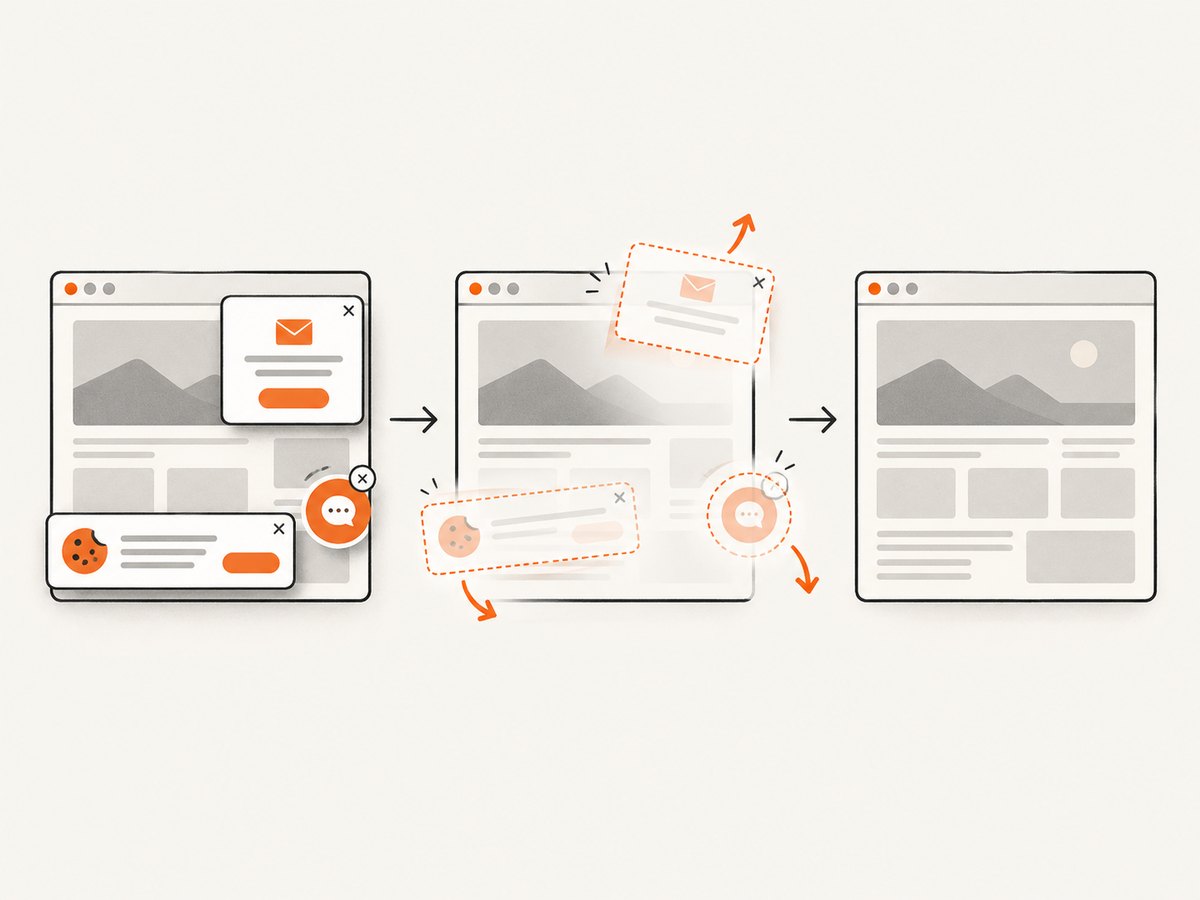
await Bun.write('shot.webp', bytes);ScreenshotNeo removes cookie and consent banners, newsletter popups and chat widgets before capture. Bot checks, blank pages, timeouts, failed loads and cache hits are not billed; response headers identify the page verdict and whether the request was billed. It supports full-page and element captures, dark mode, device presets, custom viewport and retina scale, PDF settings, custom CSS and JavaScript, clicks, selector waits, delays, network-idle waits, request blocking, headers, cookies, user agents, authorization, timezone, geolocation, transparent backgrounds, resizing, configurable caching, signed links, asynchronous jobs with signed webhooks, bulk capture for up to 100 URLs per call, a usage API and an OpenAPI specification. An MCP server exposes take_screenshot, get_page_info and capture_pdf to Claude, Cursor and other MCP clients.
The Free plan includes 1,000 shots per month with no card. Paid plans start at $5 for 3,000 shots; every feature is available on every plan. Create a free ScreenshotNeo account.
10. Rails headless Chrome checklist
- Declare Selenium with
using: :headless_chromein the system-test base class. - Install Chrome and a compatible driver wherever the session launches.
- For remote Chrome, set the Selenium URL and verify container DNS and ports.
- Bind Capybara to an address the browser can reach.
- Run Chrome as a non-privileged account inside a protected environment.
- Keep browser and driver versions current and observable in CI logs.
- Synchronize tests with page state instead of adding broad sleeps.
- Protect Selenium and ChromeDriver endpoints from public access.
FAQ
Does headless Chrome require a display server?
No. Headless mode runs without a visible desktop window. Chrome, its dependencies and a compatible driver are still required.
Can I use this setup with RSpec or Cucumber?
The Rails example targets system tests. RSpec, Cucumber and custom Capybara setups configure their driver at their own integration point; use the equivalent Selenium headless configuration for that framework.
Should Chrome run in the Rails container?
Either arrangement works. Local execution is simpler; a remote container separates browser maintenance but requires explicit network and security configuration.
Why does localhost fail with a remote browser?
Inside a container, localhost points to that container. Use a service hostname and port reachable from the browser container, and configure Capybara’s server host and app host accordingly.
Can ScreenshotNeo run my Rails system tests?
ScreenshotNeo is intended for rendered screenshots, PDFs and page information through its API or MCP tools. Rails system tests that need clicks, assertions and application state still need a browser test framework such as Selenium.


