How to Run PhantomJS From a Java Backend on AWS Linux
Launch PhantomJS safely from Java on AWS Linux with a checked-in script, timeouts, stream handling, and production troubleshooting.

Direct answer: run PhantomJS as a child process of your Java backend. Package an architecture-compatible Linux binary, call it with ProcessBuilder, pass a checked-in JavaScript file plus URL and output arguments, consume the process output, enforce a deadline, inspect the exit code, and delete temporary files. PhantomJS is pure headless on Linux, so PhantomJS 1.5 and later do not require X11 or Xvfb on EC2. Treat it as legacy infrastructure: the project is suspended and its GitHub repository is archived.
This guide shows a complete implementation, AWS Linux deployment checklist, failure handling, concurrency controls, and a managed alternative when maintaining a browser binary is not worth the operational cost.
What PhantomJS is, and what it means for AWS Linux
PhantomJS is a scriptable headless WebKit browser. The official project page states that development is suspended until further notice, and the archived repository lists 2.1 as the latest stable release. The project documentation describes pure headless operation beginning with PhantomJS 1.5 and explicitly includes Amazon EC2 in its headless testing guidance.
That lifecycle status matters. PhantomJS can still be useful for a controlled legacy workload, but it is not a maintained browser engine. Expect differences from modern Chromium in JavaScript, CSS, TLS, fonts, and web-platform behavior. Pin the binary, keep a replacement plan, and test every target page you depend on.
Architecture: Java owns the job, PhantomJS owns rendering
The clean boundary is a short-lived operating-system process:
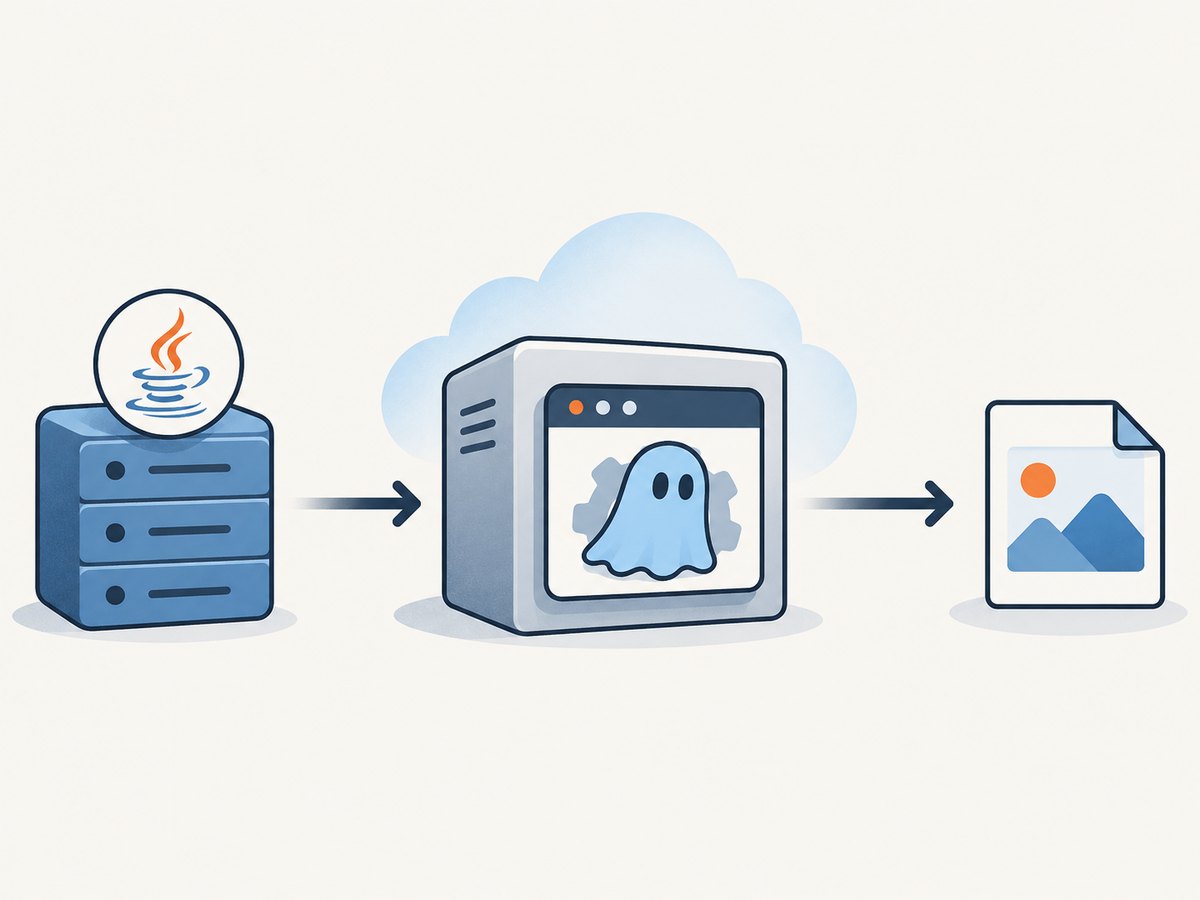
- Your Java request validates the URL and chooses a safe output location.
ProcessBuilderstarts an absolute PhantomJS executable path and a checked-in script.- The script calls
page.open(), optionally evaluates DOM content, writes the result, and always callsphantom.exit(). - Java drains output, waits up to a fixed deadline, records the exit code, and removes temporary files.
Keep URL and file arguments as separate ProcessBuilder arguments. Do not concatenate user input into shell text. This avoids quoting bugs and command injection.
Install and smoke-test PhantomJS on EC2
1. Package the executable
Obtain a PhantomJS Linux binary that matches the EC2 architecture and the operating system libraries available on your Amazon Linux image. Store it in an application-owned directory such as /opt/phantomjs/bin/phantomjs. Make it executable and ensure the service account can traverse every parent directory.
chmod 0755 /opt/phantomjs/bin/phantomjs
/opt/phantomjs/bin/phantomjs --version
Do not assume that a binary built for one architecture or older system library set will run on another. Make the binary part of your deployment artifact and verify it during image build or release promotion.
2. Run a host smoke test
var system = require('system');
console.log('PhantomJS started');
phantom.exit(0);
Save this as hello.js, then run:
/opt/phantomjs/bin/phantomjs hello.jsThe quick-start documentation warns that omitting phantom.exit() leaves PhantomJS running. Make an explicit exit call on every success and failure path in production scripts.
Write the PhantomJS capture script
The following script accepts a URL and output path. It reports a nonzero exit code when navigation fails, writes a PNG on success, and exits in both branches.
var system = require('system');
var webpage = require('webpage');

if (system.args.length < 3) {
  console.log('Usage: render.js URL OUTPUT_PATH');
  phantom.exit(2);
}

var url = system.args[1];
var outputPath = system.args[2];
var page = webpage.create();

page.viewportSize = { width: 1440, height: 900 };
page.open(url, function (status) {
  if (status !== 'success') {
    console.log('FAIL to load ' + url);
    phantom.exit(1);
    return;
  }

  page.render(outputPath, { format: 'png', quality: '90' });
  console.log('Wrote ' + outputPath);
  phantom.exit(0);
});
page.open() is asynchronous. Put rendering and DOM extraction inside its callback so the page has completed its navigation attempt. For a readiness condition, poll a known DOM marker from a timer, but keep an overall Java deadline because a page can wait indefinitely on network activity.
Launch PhantomJS from Java
This Java 11+ example uses a temporary output file, merges stderr into stdout, drains the stream, enforces a 60-second deadline, and rejects a failed exit code. In a service, put this work on a bounded executor rather than the request thread.
import java.io.IOException;
import java.nio.charset.StandardCharsets;
import java.nio.file.Files;
import java.nio.file.Path;
import java.time.Duration;
import java.util.List;
import java.util.concurrent.TimeUnit;

public final class PhantomRenderer {
    private final Path phantom = Path.of('/opt/phantomjs/bin/phantomjs');
    private final Path script = Path.of('/opt/app/scripts/render.js');

    public Path render(String targetUrl) throws Exception {
        if (targetUrl == null || !(targetUrl.startsWith('https://') || targetUrl.startsWith('http://'))) {
            throw new IllegalArgumentException('Only HTTP(S) URLs are allowed');
        }

        Path output = Files.createTempFile('phantom-', '.png');
        ProcessBuilder builder = new ProcessBuilder(List.of(
            phantom.toString(), script.toString(), targetUrl, output.toString()
        ));
        builder.redirectErrorStream(true);
        Process process = builder.start();
        String log;
        try (var input = process.getInputStream()) {
            byte[] bytes = input.readAllBytes();
            log = new String(bytes, StandardCharsets.UTF_8);
        }

        if (!process.waitFor(60, TimeUnit.SECONDS)) {
            process.destroy();
            if (!process.waitFor(2, TimeUnit.SECONDS)) {
                process.destroyForcibly();
            }
            Files.deleteIfExists(output);
            throw new IOException('PhantomJS timed out after 60 seconds. Log: ' + log);
        }

        if (process.exitValue() != 0) {
            Files.deleteIfExists(output);
            throw new IOException('PhantomJS exited with ' + process.exitValue() + ': ' + log);
        }
        return output;
    }
}
For very large logs, replace readAllBytes() with a streaming gobbler that writes to a bounded log buffer. If stderr is not merged, consume stdout and stderr concurrently; reading one stream only can deadlock when the other pipe fills. Add request cancellation so an abandoned HTTP request can terminate its child process.
Making the Java integration production-safe
Validate inputs and paths
- Allow only
httpandhttpsschemes unless your application has a documented need for another protocol. - Use an allowlist or network policy if users can submit arbitrary URLs. This reduces SSRF exposure to internal services and metadata endpoints.
- Create output files with
Files.createTempFile; never derive a filesystem path directly from a URL or user filename. - Run PhantomJS under a dedicated unprivileged account with a writable temporary directory and read-only application files.
Control concurrency
Each render consumes a process, memory, file descriptors, and network connections. Use a bounded worker pool and reject or queue work when the limit is reached. Set separate limits for queue wait and browser execution. Delete output files in a finally block after the caller has consumed them.
Set a useful deadline
Use one outer deadline in Java even if the script has a page timeout. Navigation can hang on a broken resource, a script loop, or a callback that never fires. On timeout, send a graceful destroy signal, wait briefly, then force-kill the process and remove its temporary files.
Capture diagnostics
Record URL host, duration, exit code, timeout status, and a truncated process log. Avoid logging credentials, cookies, authorization headers, or full sensitive URLs. A nonzero exit code should be an explicit failure, not a partially successful screenshot.
Do you need Xvfb on EC2?
No for PhantomJS 1.5 and later. The PhantomJS FAQ says it is pure headless and does not need X11 or Xvfb, and the headless-testing documentation covers Amazon EC2. Installing Xvfb adds another daemon and another failure mode without helping this specific engine.
You still need to validate the host environment:
- Install the shared libraries required by the exact binary you selected.
- Provide CA certificates so HTTPS navigation can validate certificates.
- Install the fonts your pages require; missing fonts change layout and screenshots.
- Allow outbound DNS and HTTPS traffic in security groups, network ACLs, and host firewalls.
- Confirm the service account can execute the binary and write its temporary output.
- Test the target Amazon Linux release in CI or an image-build pipeline.
When AWS SDK for Java is involved
The AWS SDK is independent of launching a local PhantomJS process. You need it only when your backend also calls services such as S3 or EC2. AWS identifies SDK for Java 2.x as the current major line; the SDK 1.x repository records end of support on December 31, 2025. Use 2.x for new AWS service integrations, and keep browser execution isolated from those API calls.
A common flow is: render to a temporary local file, upload the file with the S3 client, then delete the local file. Do not hold an SDK client open inside every render process; reuse clients at application scope and bound upload concurrency separately.
Performance, reliability, and cost considerations
Performance
Startup time is dominated by creating a new process and loading the page. Reusing a PhantomJS process is difficult because page state, memory growth, and crashes can leak between jobs; short-lived processes are easier to isolate. Reduce work by capturing only the required viewport, avoiding unnecessary retries, and using a page readiness marker instead of a long fixed sleep.
Reliability
Classify outcomes as success, navigation failure, script failure, timeout, killed process, and invalid output. Retry only transient failures, with a small capped backoff. Do not retry deterministic errors such as an invalid URL, missing binary, permission failure, or a page that consistently triggers a script error. Check that the output file exists and has a nonzero size before publishing it.
Cost
On EC2, the main costs are instance runtime, storage, bandwidth, and engineering maintenance. Oversized instances waste money when concurrency is low; undersized instances create queueing and out-of-memory kills. Measure queue time, process time, memory, and failure rate in your own workload because the researched PhantomJS sources do not publish authoritative performance benchmarks.
Troubleshooting common failures
| Symptom | Likely cause | Fix |
|---|---|---|
Permission denied |
Binary is not executable or the service account cannot traverse its directory. | Set execute permission and verify directory permissions as the service user. |
No such file or directory despite a visible binary |
Missing dynamic loader or shared library, or wrong CPU architecture. | Inspect the binary on the same AMI, install required libraries, and package a matching build. |
| Java request hangs | Missing phantom.exit(), blocked pipe, or page callback never returns. |
Exit every script branch, drain both streams, and enforce a Java deadline with forced cleanup. |
| Navigation reports failure | DNS, TLS, security-group, certificate, or remote-server problem. | Test from the EC2 host, verify CA certificates and outbound rules, then inspect the process log. |
| Blank or incomplete image | Rendering starts before asynchronous content or fonts are ready. | Wait for a DOM marker or bounded delay, and confirm the required fonts are installed. |
| Works in a shell but not in Java | Different PATH, user, working directory, environment, or permissions. | Use absolute paths and run the smoke test as the same service account. |
| Processes accumulate | Timeout path does not kill descendants or temporary files are never removed. | Destroy the process, force-kill after a grace period, monitor child counts, and clean files in finally. |
Or skip the browser setup
If your goal is a dependable screenshot endpoint rather than maintaining a suspended browser binary, ScreenshotNeo provides a single GET request that returns PNG, JPEG, WebP, or PDF. See the ScreenshotNeo API documentation for the complete option list.

curl -G 'https://api.screenshotneo.com/v1/shot' -d access_key=YOUR_API_KEY --data-urlencode url=https://stripe.com -o shot.webpimport requests
r = requests.get('https://api.screenshotneo.com/v1/shot', params={'access_key': 'YOUR_API_KEY', 'url': 'https://stripe.com'}, timeout=90)
open('shot.webp', 'wb').write(r.content)const q = new URLSearchParams({ access_key: 'YOUR_API_KEY', url: 'https://stripe.com' });
const res = await fetch(`https://api.screenshotneo.com/v1/shot?${q}`);ScreenshotNeo removes cookie and consent banners, newsletter popups, and chat widgets before capture. Bot checks, blank pages, failed loads, timeouts, and cache hits are not billed, and response headers identify the page verdict and billing result. It also offers an MCP server with take_screenshot, get_page_info, and capture_pdf for AI agents, plus full-page and element capture, device presets, custom CSS and JavaScript, waits, request blocking, headers, cookies, geolocation, caching, signed links, async jobs, bulk capture, and a usage API. The Free plan includes 1,000 screenshots per month with no card; paid plans start at $5 for 3,000. Create a free ScreenshotNeo account.
FAQ
Can I run PhantomJS inside a Java web server?
Yes. Treat it as an external child process and isolate rendering on bounded worker threads. Never let unbounded HTTP requests create unbounded browser processes.
Is PhantomJS a replacement for current Chrome automation?
No. It is a suspended, archived project with an older WebKit engine. Use it only when its rendering behavior matches your legacy requirement, and evaluate a maintained browser for new work.
Should I keep one PhantomJS process alive?
Short-lived processes provide stronger isolation. A persistent process may reduce startup overhead but requires careful state reset, crash recovery, and memory monitoring.
Where should screenshots be stored?
Use a private temporary directory first, validate the output, then upload to controlled storage such as S3. Apply lifecycle rules so abandoned files do not accumulate.
What is the first production alarm to add?
Track timeout rate and child-process count. A rising timeout rate often appears before workers exhaust memory or file descriptors.


