How to Run Two Playwright Scripts Concurrently
Run two Playwright scripts at once with workers, parallel suites, or CI jobs. Learn how to avoid shared-state races and choose the right concurrency model.

Direct answer: For two Playwright Test suites on one machine, run npx playwright test --workers=2. Playwright runs separate test files in parallel by default, and this option caps the run at two worker processes. If both suites are in one file, enable parallel mode with test.describe.configure({ mode: 'parallel' }) or set fullyParallel: true for the project. If you mean two standalone Node.js scripts, start two OS processes. In every case, check that the scripts do not write to the same external data or exhaust the machine’s resources.
This guide covers local runs, parallel tests in one file, independent scripts, CI sharding, isolation, troubleshooting, and when to limit concurrency.
1. Pick the execution model
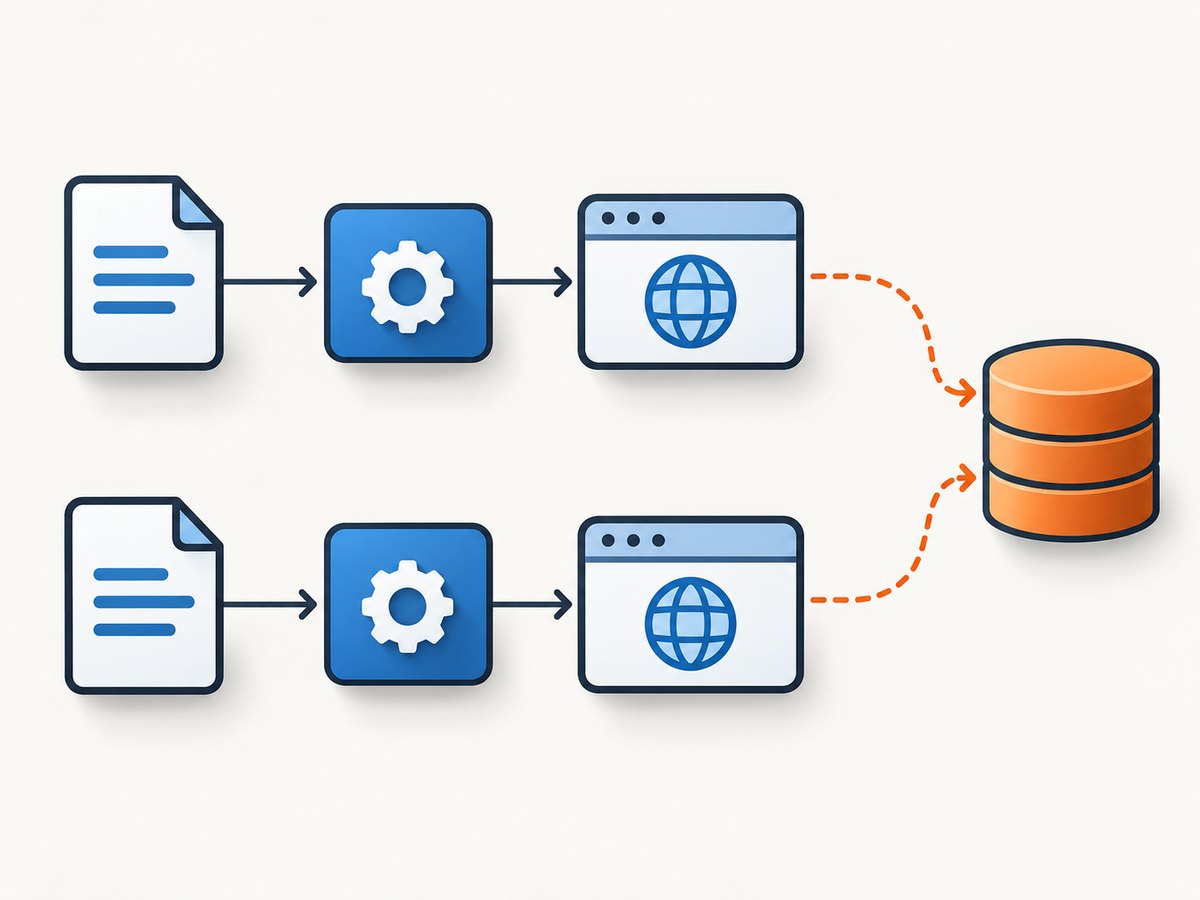
“Two Playwright scripts” can refer to two test files, two test groups in one file, or two independent programs. The right way to run them depends on which you have:
| What you have | Use this | What it does |
|---|---|---|
| Two Playwright Test files | npx playwright test --workers=2 |
Allows up to two worker processes; different test files can run in parallel. |
| Two suites in a single file | test.describe.configure({ mode: 'parallel' }) |
Runs tests in that describe block concurrently, subject to the worker limit. |
| Test-level parallelism across a project | fullyParallel: true |
Lets Playwright schedule individual tests concurrently. |
| Two standalone Node programs | Start both as OS processes | Runs the programs independently; set each program’s worker limit deliberately. |
| More capacity across machines | --shard=x/y in separate CI jobs |
Splits the suite among multiple jobs or machines. |
Playwright Test uses worker processes. By default, it runs test files in parallel, while tests within one file run in order. See the official parallelism guide for worker and parallel-mode details.
2. Run two test files with two workers
Suppose your project has this structure:
tests/
  account.spec.ts
  checkout.spec.ts
playwright.config.ts
Run both files with a maximum of two workers:
npx playwright test --workers=2The worker count is a concurrency limit, not a promise that exactly two tests will be busy at every moment. Playwright schedules work according to available tests and its execution rules. With only one file, for example, a second worker may have nothing eligible to run unless tests in that file are configured for parallel execution.
You can make the limit the project default in playwright.config.ts:
import { defineConfig } from '@playwright/test';

export default defineConfig({
  testDir: './tests',
  workers: 2,
});
Use the CLI option when you want an easy one-off override, such as comparing a local serial run with a two-worker run. Use configuration when the project should consistently use that cap. The relevant configuration options are documented in the Playwright Test configuration reference.
3. Run tests in one file concurrently
Tests in a single file run in order by default. To make a specific group eligible for parallel execution, configure the group:
import { test, expect } from '@playwright/test';

test.describe.configure({ mode: 'parallel' });

test('account page loads', async ({ page }) => {
  await page.goto('https://example.com/account');
  await expect(page).toHaveURL(/account/);
});

test('pricing page loads', async ({ page }) => {
  await page.goto('https://example.com/pricing');
  await expect(page).toHaveURL(/pricing/);
});
Each test should be independent enough to run in another worker. In particular, do not assume that one test’s in-memory variables, cookies, or browser state will be available to the other. Playwright gives tests isolated browser contexts, but that isolation does not extend automatically to databases, accounts, APIs, or files your test code changes.
To make tests across the project eligible for test-level parallelism, configure the project instead:
import { defineConfig } from '@playwright/test';

export default defineConfig({
  fullyParallel: true,
  workers: 2,
});
Choose the narrowest setting that matches the suite. A single describe block is useful when only a few independent tests can overlap. Project-wide parallelism is appropriate when the project’s tests are designed to be independent throughout.
4. Start two standalone Playwright programs
If you have two ordinary Node.js scripts that each launch a browser, run them as separate operating-system processes. For a Unix-like shell, this starts both in the background and waits for both to finish:
node script-one.mjs &
pid_one=$!
node script-two.mjs &
pid_two=$!

wait "$pid_one"
status_one=$?
wait "$pid_two"
status_two=$?

if [ "$status_one" -ne 0 ] || [ "$status_two" -ne 0 ]; then
  exit 1
fi
The commands begin independently. The final status check makes the shell command fail if either script fails. If a script launches several browser instances or internal tasks, constrain that work too: two processes can create substantially more than two browsers.
For Playwright Test suites, prefer one test runner invocation with --workers=2 over manually launching the same suite twice. Two independent test-runner invocations do not coordinate their scheduling and may select the same tests, overwrite the same report, or collide on shared state.
5. Scale across CI machines with sharding
Workers add concurrency within one machine. Shards divide a test suite across separate CI jobs or machines. For two jobs, use different shard indexes:
# CI job 1
npx playwright test --shard=1/2

# CI job 2
npx playwright test --shard=2/2
Both jobs can run at the same time. Each shard must use the same test configuration and a distinct shard index; running the same shard twice duplicates work. See Playwright’s sharding documentation for the CLI format and CI setup considerations.
Sharding is useful when one machine is too slow or constrained, but it does not fix unsafe tests. Jobs still share external systems if they use the same test account, database, or remote environment. Isolate test data across shards just as you would across workers.
6. Prevent races in shared state
Parallel browser contexts protect browser state at the context level. They do not isolate state outside the browser. Two tests can still overwrite the same user record, remove each other’s uploaded file, consume the same one-time token, or update the same database row.
Give each worker or test unique data
Use a unique identifier derived from the test or worker for records that must coexist. Playwright provides test and worker metadata through fixtures such as testInfo and workerInfo:
import { test } from '@playwright/test';

test('creates a user-specific record', async ({ page }, testInfo) => {
  const recordName = `e2e-${testInfo.testId}`;
  await page.goto('https://example.com/records/new');
  await page.getByLabel('Name').fill(recordName);
  await page.getByRole('button', { name: 'Save' }).click();
});
Choose an identifier that is unique for the lifetime and scope of the shared resource. A test ID is often suitable for a per-test record; a worker index can be suitable when a resource is intentionally reused by tests assigned to the same worker.
Use a lock or limit concurrency when data cannot be isolated
If a test must mutate one shared account or singleton resource, serialize that work. The simplest option is to set the affected project to one worker:
import { defineConfig } from '@playwright/test';

export default defineConfig({
  projects: [
    {
      name: 'shared-account-tests',
      testMatch: '**/shared-account/**/*.spec.ts',
      workers: 1,
    },
  ],
});
Alternatively, use an appropriate named lock in the system that owns the resource. A lock must cover the entire critical section and be reliable across processes or machines if your tests run in CI. A local in-memory mutex cannot coordinate separate CI jobs.
Project-level configuration and test grouping options can evolve; consult the configuration reference for the current shape supported by your installed Playwright version.
7. Manage browser and machine resources
Two workers may reduce elapsed time when independent tests are available, but they also use more CPU, memory, browser processes, network connections, and capacity in the test environment. Playwright does not publish a universal speed-up figure for exactly two scripts; results depend on the machine, browser workload, isolation, and system under test.
- Begin with
--workers=2and observe memory, CPU, and test-environment load. - Reduce workers if browser processes are killed, pages slow down, or the application starts returning rate limits.
- Account for retries: a failing test may be attempted again, adding work and contention.
- Keep worker counts in line with the CI machine’s actual capacity; adding workers to a saturated host can make the run slower or less reliable.
- When parallel runs stress a shared staging site, use a lower worker limit or a separate environment.
Concurrency is a throughput choice with tradeoffs, not a deterministic speed setting. Compare completed runs with the same test selection and similar environment before changing the project’s standard worker count.
8. Troubleshooting common failures
| Symptom | Likely cause | Fix |
|---|---|---|
| Only one test runs at once | There is only one test file, or tests in the same file are sequential. | Add another eligible file, configure the group with mode: 'parallel', or use fullyParallel: true. |
| Tests fail only with two workers | Tests race on shared accounts, records, files, or remote state. | Use unique test data, add a lock, or set the affected project to one worker. |
| Browser launches fail or the machine becomes unresponsive | Concurrent browser processes exceed available memory or process capacity. | Lower workers, reduce concurrent browser projects, or move work to additional CI machines with sharding. |
| Two CI jobs produce duplicate results | Both jobs ran the same shard, or each started the full suite. | Assign distinct shard indexes such as 1/2 and 2/2. |
| Reports overwrite one another | Separate runner invocations write to the same output path. | Prefer a single runner with workers or shards, or configure unique report outputs and merge them using the documented workflow. |
| One script succeeds but the combined shell command succeeds too | The shell only reported the status of the last background job. | Capture each PID’s exit status and make the wrapper fail if either process fails. |
| CI parallelism is not balanced | Without test-level parallel scheduling, sharding may divide work at file granularity, and files may have uneven duration. | Use fullyParallel: true if tests are independent and test-level balancing suits the suite; otherwise split long files or accept file-level distribution. |
9. Or skip the browser setup
If your goal is to capture a page rather than test browser interactions, ScreenshotNeo offers a website screenshot API and MCP server. One GET request returns an image or PDF, so you do not need to install or manage Playwright browsers for a simple capture. See the ScreenshotNeo API docs for options and request details.

curl -G "https://api.screenshotneo.com/v1/shot" \
  -d access_key=YOUR_API_KEY \
  --data-urlencode url=https://stripe.com \
  -o shot.webp
import requests
r = requests.get(
"https://api.screenshotneo.com/v1/shot",
params={"access_key": "YOUR_API_KEY", "url": "https://stripe.com"},
timeout=90,
)
open("shot.webp", "wb").write(r.content)const q = new URLSearchParams({
access_key: 'YOUR_API_KEY',
url: 'https://stripe.com'
});
const res = await fetch(`https://api.screenshotneo.com/v1/shot?${q}`);
if (!res.ok) throw new Error(`Screenshot request failed: ${res.status}`);
await Bun.write('shot.webp', res);Cookie banners are accepted and removed before the shot, along with known newsletter popups and chat widgets. Bot checks, blank pages, failed loads, timeouts, and cache hits are not billed, and response headers identify the page verdict and billing status. An MCP server provides take_screenshot, get_page_info, and capture_pdf tools for AI agents. The free plan includes 1,000 screenshots per month without a card; paid plans start at $5 for 3,000 shots. Sign up for 1,000 free screenshots a month, with no card required.
10. FAQ
Can I run exactly two tests at the same time?
Set workers: 2 or pass --workers=2. Playwright can use up to two workers, but it only runs concurrently when enough tests are eligible under your file and parallel-mode configuration.
Do two workers share cookies?
Tests receive isolated browser contexts, so browser storage is separated at that level. They can still collide through shared accounts, APIs, databases, or files.
Should I use workers or shards?
Use workers to increase concurrency on one machine. Use shards when splitting work across multiple CI jobs or machines. You can combine sharding and workers if each machine has capacity for local parallel work.
Does parallelism always make a suite faster?
No. Resource contention, uneven test durations, and shared-system bottlenecks can reduce or erase the benefit. Measure on the actual CI or development machine.


