How to Run wkhtmltopdf from PHP
Learn how to install wkhtmltopdf, invoke it safely from PHP, capture errors, troubleshoot deployments, and choose an API when browser setup is unnecessary.
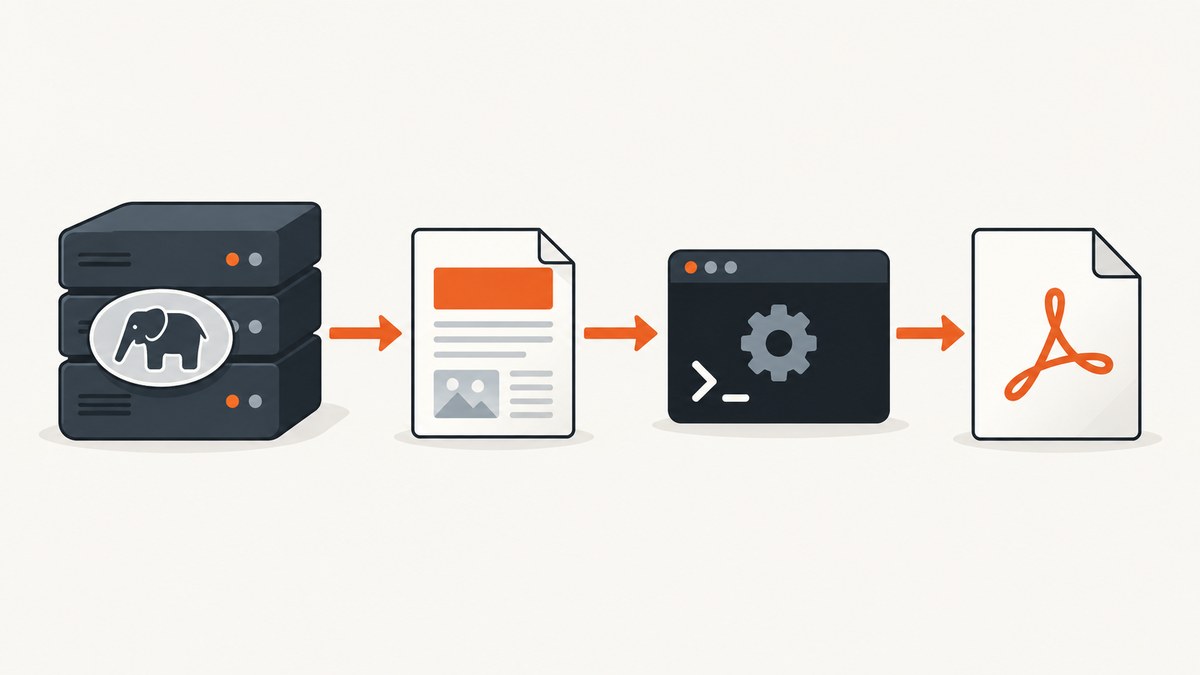
Direct answer: wkhtmltopdf is a separate command-line executable, not a PHP function or extension. Install a build that matches your operating system and architecture, make its absolute path available to the PHP worker, then launch it with proc_open() (PHP 7.4 or newer) so you can control arguments, capture stderr, wait for completion, and verify the output file.
The smallest command-line workflow is:
wkhtmltopdf input.html output.pdfFrom PHP, treat the executable and every argument as a process boundary. Prefer the array command form, keep output paths server-generated, capture diagnostics, and never render untrusted HTML or JavaScript without strong isolation. This guide covers installation choices, complete PHP code, options, wrappers, deployment differences, troubleshooting, performance, reliability, and a managed alternative.
1. Understand the architecture
Your PHP process does not render the page itself. It starts wkhtmltopdf as a child process:
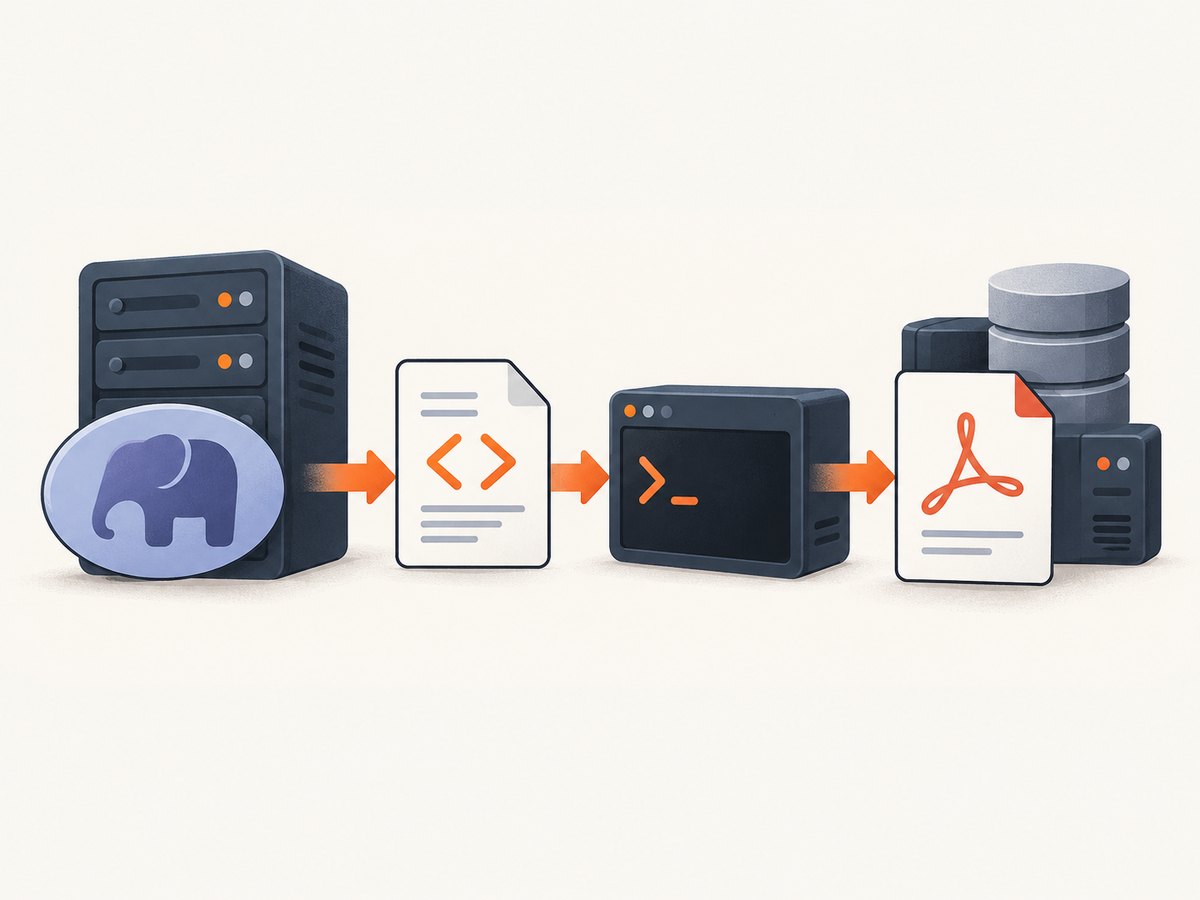
- PHP creates or selects an HTML input.
- PHP starts the wkhtmltopdf executable.
- wkhtmltopdf loads the file or URL with its QtWebKit-based renderer.
- The executable writes a PDF and diagnostics.
- PHP checks the exit code and output before returning the file.
A Composer package can make the PHP API nicer, but it still needs the same executable, shared libraries, fonts, permissions, and runtime environment. The project lists 0.12.6 as its stable series, released June 11, 2020; its renderer is therefore older than current browser engines. Confirm that its CSS and JavaScript behavior meets your application’s needs. See the official downloads and status information.
2. Install a platform-matched build
There is no universal Linux binary that works everywhere. Distribution, CPU architecture, libc, OpenSSL, fonts, and other libraries affect compatibility. “Static” packages can still depend on system resources. Use the package intended for your operating system and architecture, and record the installed version:
wkhtmltopdf --version
wkhtmltopdf -H
The second command prints the help for the build you actually installed. Options can differ between builds, including whether patched Qt features are present. Do not copy an option from an article without checking this output.
Make the binary visible to PHP
An interactive shell often has a richer PATH than PHP-FPM, Apache, a queue worker, or a systemd service. Find the executable and use its absolute path in production:
command -v wkhtmltopdf
ls -l /usr/local/bin/wkhtmltopdf
Ensure the service account can execute it and can read the input and write the destination directory. Keep the binary in a controlled location; do not accept an executable path from an HTTP request.
3. Prove the renderer works outside PHP
Start with a command-line test. This separates renderer, font, library, and network problems from PHP process-launch problems.
cat > /tmp/example.html <<'HTML'
<!doctype html>
<html><body><h1>Invoice</h1><p>Generated by wkhtmltopdf.</p></body></html>
HTML

wkhtmltopdf /tmp/example.html /tmp/example.pdf
file /tmp/example.pdf
ls -lh /tmp/example.pdf
For a remote page, test the exact URL from the same machine and network namespace as the PHP worker. If this fails in the shell, fix the package, URL access, certificates, fonts, or renderer options before changing PHP.
4. Run wkhtmltopdf safely with proc_open()
On PHP 7.4 and newer, the array command form starts the program directly without shell parsing. This avoids an entire class of quoting mistakes. The following function accepts a local HTML file or URL and writes a PDF to a server-generated path.
<?php
declare(strict_types=1);

function renderPdf(string $input, string $output, string $binary): void
{
    if (!is_file($input) && !filter_var($input, FILTER_VALIDATE_URL)) {
        throw new InvalidArgumentException('Input must be a local file or valid URL');
    }

    $outputDir = dirname($output);
    if (!is_dir($outputDir) || !is_writable($outputDir)) {
        throw new RuntimeException('Output directory is missing or not writable');
    }

    $command = [
        $binary,
        '--quiet',
        '--encoding', 'utf-8',
        '--page-size', 'A4',
        '--margin-top', '15mm',
        '--margin-right', '15mm',
        '--margin-bottom', '15mm',
        '--margin-left', '15mm',
        $input,
        $output,
    ];

    $descriptors = [
        0 => ['pipe', 'r'],
        1 => ['pipe', 'w'],
        2 => ['pipe', 'w'],
    ];

    $process = proc_open($command, $descriptors, $pipes, $outputDir);
    if (!is_resource($process)) {
        throw new RuntimeException('Could not start wkhtmltopdf');
    }

    fclose($pipes[0]);
    $stdout = stream_get_contents($pipes[1]);
    fclose($pipes[1]);
    $stderr = stream_get_contents($pipes[2]);
    fclose($pipes[2]);
    $exitCode = proc_close($process);

    if ($exitCode !== 0) {
        throw new RuntimeException(sprintf(
            "wkhtmltopdf failed with exit code %d: %s",
            $exitCode,
            trim($stderr ?: $stdout)
        ));
    }

    clearstatcache(true, $output);
    if (!is_file($output) || filesize($output) === 0) {
        throw new RuntimeException('wkhtmltopdf reported success but created no PDF');
    }
}

$output = sys_get_temp_dir() . '/report-' . bin2hex(random_bytes(8)) . '.pdf';
renderPdf('/srv/app/storage/report.html', $output, '/usr/local/bin/wkhtmltopdf');

header('Content-Type: application/pdf');
header('Content-Length: ' . filesize($output));
readfile($output);
unlink($output);
proc_open() maps descriptor 0 to stdin, 1 to stdout, and 2 to stderr. The PHP manual documents this interface at proc_open(). Close unused pipes and wait for the process; otherwise a busy or long-running renderer can leave resources open.
Timeouts and long pages
PHP does not automatically impose a useful renderer timeout. Run PDF work in a queue for user-generated or large documents, and enforce a job deadline at the worker level. If you need to terminate a stuck process, retain the process resource and call proc_terminate() after your deadline. A web request should not wait indefinitely for a page whose JavaScript never settles.
5. Common wkhtmltopdf options
Use wkhtmltopdf -H on the installed build for the authoritative list. Frequently useful global or page options include:
| Need | Example | Notes |
|---|---|---|
| Paper and orientation | --page-size A4 --orientation Landscape |
Paper names and orientation affect pagination. |
| Margins | --margin-top 20mm |
Set all four margins when layout must be predictable. |
| Headers and footers | --header-html header.html |
Check supported header/footer switches in your build. |
| JavaScript delay | --javascript-delay 1000 |
Waits after load; it does not guarantee an application is ready. |
| Disable JavaScript | --disable-javascript |
Useful for static documents and reduces page behavior. |
| Load error policy | --load-error-handling ignore |
Use deliberately; ignoring errors can produce incomplete PDFs. |
| Local assets | --enable-local-file-access |
Only enable when the input needs local files, and restrict paths. |
| Encoding | --encoding utf-8 |
Helps when HTML omits a clear charset declaration. |
| Images | --image-quality 90 |
Available switches vary by build and output format. |
Options can be global or page-specific. Read the installed help rather than assuming every package supports every switch.
6. Shell strings, escaping, and input validation
If you must use exec() or a shell-string API, escape each dynamic argument separately:
$cmd = escapeshellcmd('/usr/local/bin/wkhtmltopdf')
     . ' ' . escapeshellarg($input)
     . ' ' . escapeshellarg($output);
exec($cmd, $lines, $exitCode);
escapeshellarg() protects one argument; it is not a sanitizer for an entire command. PHP documents platform-specific behavior, especially on Windows, and argument escaping does not make arbitrary flags, executable paths, or hostile HTML safe. Prefer the array form, allowlist acceptable URLs or file IDs, generate output names yourself, and never concatenate request data into options.
7. PHP wrappers: convenience over the same executable
mikehaertl/phpwkhtmltopdf provides a Composer-friendly API, binary-path configuration, and error retrieval. A typical setup still points the wrapper at the installed executable:
composer require mikehaertl/phpwkhtmltopdf<?php
use mikehaertl\wkhtmlto\Pdf;
$pdf = new Pdf([
'binary' => '/usr/local/bin/wkhtmltopdf',
'commandOptions' => [
'no-outline',
'encoding' => 'utf-8',
],
]);
$pdf->addPage('/srv/app/storage/report.html');
if (!$pdf->saveAs('/srv/app/storage/report.pdf')) {
throw new RuntimeException($pdf->getError());
}
Check the wrapper’s compatibility with your PHP version, selected wkhtmltopdf build, and operating system. A wrapper cannot repair missing libraries, fonts, permissions, or an incompatible binary.
8. Deployment differences
PHP-FPM, Apache, and queues
Compare the service user, PATH, current directory, environment variables, PHP restrictions, and filesystem permissions with your shell session. Absolute paths remove the most common PATH discrepancy. Queue workers are often a better place for slow or parallel PDF jobs than a request process.
Containers
Install the binary and all required libraries in the image that runs PHP. Include fonts deliberately, set a writable temporary directory, and run the command as the same non-root user used by the application. Rebuild when the base image or architecture changes.
AWS Lambda
The wkhtmltopdf project documents an Amazon Linux 2 archive and a layer/function packaging example, including FONTCONFIG_PATH=/opt/fonts. Treat that as a target-specific recipe: verify it against your Lambda runtime generation, architecture, libraries, and fonts.
9. Security and maintenance limits
The project’s security warning is explicit: “Do not use wkhtmltopdf with any untrusted HTML – be sure to sanitize any user-supplied HTML/JS, otherwise it can lead to complete takeover of the server it is running on!” Read the project’s downloads and security guidance. Shell quoting protects process invocation; it does not make hostile HTML safe.
- Sanitize user-supplied HTML and JavaScript, or render only trusted templates.
- Run the renderer with a low-privilege account in a restricted container or worker.
- Restrict outbound network access when remote resources are unnecessary.
- Limit CPU, memory, process count, temporary storage, and job duration.
- Do not enable local file access broadly; expose only the asset directory required.
The project’s status history notes that QtWebKit was deprecated in 2015 and removed from Qt in 2016. Modern CSS, web fonts, ES features, and client-side applications may render differently from a current browser. Re-evaluate the renderer when accessibility, security updates, or contemporary web compatibility is a requirement.
10. Troubleshooting checklist
| Symptom | Likely cause | Fix |
|---|---|---|
| “Command not found” | PHP’s PATH differs from your shell. | Use the absolute binary path and verify it as the service user. |
| Permission denied | Executable, input, output, or temp directory is inaccessible. | Check ownership and mode bits for the PHP worker account. |
| Works in terminal, fails in PHP | Different user, environment, working directory, or PHP restrictions. | Log get_current_user(), working directory, binary path, stderr, and exit code; reproduce under the service account. |
| Missing shared library | Package does not match the distribution or architecture. | Install the distribution-matched build and its documented dependencies. |
| Blank or partial PDF | JavaScript did not finish, a resource failed, or the page requires a newer engine. | Inspect stderr, try a deliberate JavaScript delay, verify assets, and compare with a current-browser renderer. |
| Fonts are wrong or absent | Fonts are not installed or fontconfig cannot find them. | Install required fonts, refresh fontconfig, and set the documented font path in packaged environments. |
| Remote URL cannot load | DNS, TLS, proxy, authentication, or egress restriction. | Test from the worker environment; provide required headers only through controlled options. |
| Invalid option | Switch is unsupported by this build. | Run wkhtmltopdf -H and remove or replace the option. |
| Output file is empty | Process failed or destination is not writable. | Check exit status, stderr, directory permissions, and file existence before serving. |
11. Performance, reliability, and cost
Each conversion starts a native process and may load a full page, images, fonts, and JavaScript. Reuse stable HTML templates, avoid unnecessary remote assets, and select an explicit page size and margin set so pagination is deterministic. Queue jobs, cap concurrency according to available CPU and memory, and keep temporary files on fast local storage.
For reliability, log the command version, sanitized input identifier, duration, exit code, stderr, output size, and renderer host. Retry only transient failures such as a temporary network error; do not blindly retry invalid HTML, unsupported options, or a missing dependency. Verify the PDF’s existence and nonzero size before publishing it. There is no licensing or hosting price in the reviewed sources to quote; your operational cost is the compute, storage, and maintenance of the executable and its dependencies.
12. Or skip the browser setup
If your goal is simply to capture a reliable screenshot or PDF from a URL, ScreenshotNeo provides a hosted API and MCP server. It accepts one GET request and returns PNG, JPEG, WebP, or PDF. Cookie and consent banners, newsletter popups, and chat widgets are removed before capture; bot checks, blank pages, failed loads, timeouts, and cache hits are not billed, and response headers identify the page verdict and billing result. AI agents can use the MCP tools take_screenshot, get_page_info, and capture_pdf.

See the ScreenshotNeo API documentation for all options, including paper size, margins, page ranges, custom CSS and JavaScript, selectors, device presets, headers, cookies, caching, signed links, async jobs, bulk capture, and usage reporting.
curl -G "https://api.screenshotneo.com/v1/shot" -d access_key=YOUR_API_KEY --data-urlencode url=https://stripe.com -o shot.webpimport requests
r = requests.get("https://api.screenshotneo.com/v1/shot", params={"access_key": "YOUR_API_KEY", "url": "https://stripe.com"}, timeout=90)
open("shot.webp", "wb").write(r.content)const q = new URLSearchParams({ access_key: 'YOUR_API_KEY', url: 'https://stripe.com' });
const res = await fetch(`https://api.screenshotneo.com/v1/shot?${q}`);There are 1,000 screenshots a month free with no card. Paid plans start at $5 for 3,000 shots, and every feature is included on every plan. Create a free ScreenshotNeo account.
FAQ
Is wkhtmltopdf a PHP library?
No. It is an external executable. PHP launches it directly or through a wrapper.
Should I use shell_exec()?
Use proc_open() when you need separate stderr, an exit status, and controlled descriptors. If a shell string is unavoidable, escape each argument and validate inputs.
Why is my PDF different from Chrome?
wkhtmltopdf uses an older QtWebKit rendering stack. Modern CSS and JavaScript are not guaranteed to behave like a current browser.
Can I render user HTML?
Only with strict sanitization and isolation. The project explicitly warns that untrusted HTML or JavaScript can lead to server takeover.
When should I move conversion to a queue?
Use a queue when documents are large, pages execute JavaScript, traffic is bursty, or a request timeout would harm the user experience.


