How to Run wkhtmltopdf in Google Colab
Install a compatible wkhtmltopdf package in Colab, convert HTML or URLs to PDF, fix common errors, and choose a hosted screenshot API when needed.

Short answer: inspect the Colab runtime first, install a wkhtmltopdf package whose Ubuntu release and CPU architecture match that runtime, verify the executable, then run wkhtmltopdf input.html output.pdf. In a normal Colab Linux runtime, wkhtmltopdf runs headlessly, so it does not need a desktop display.
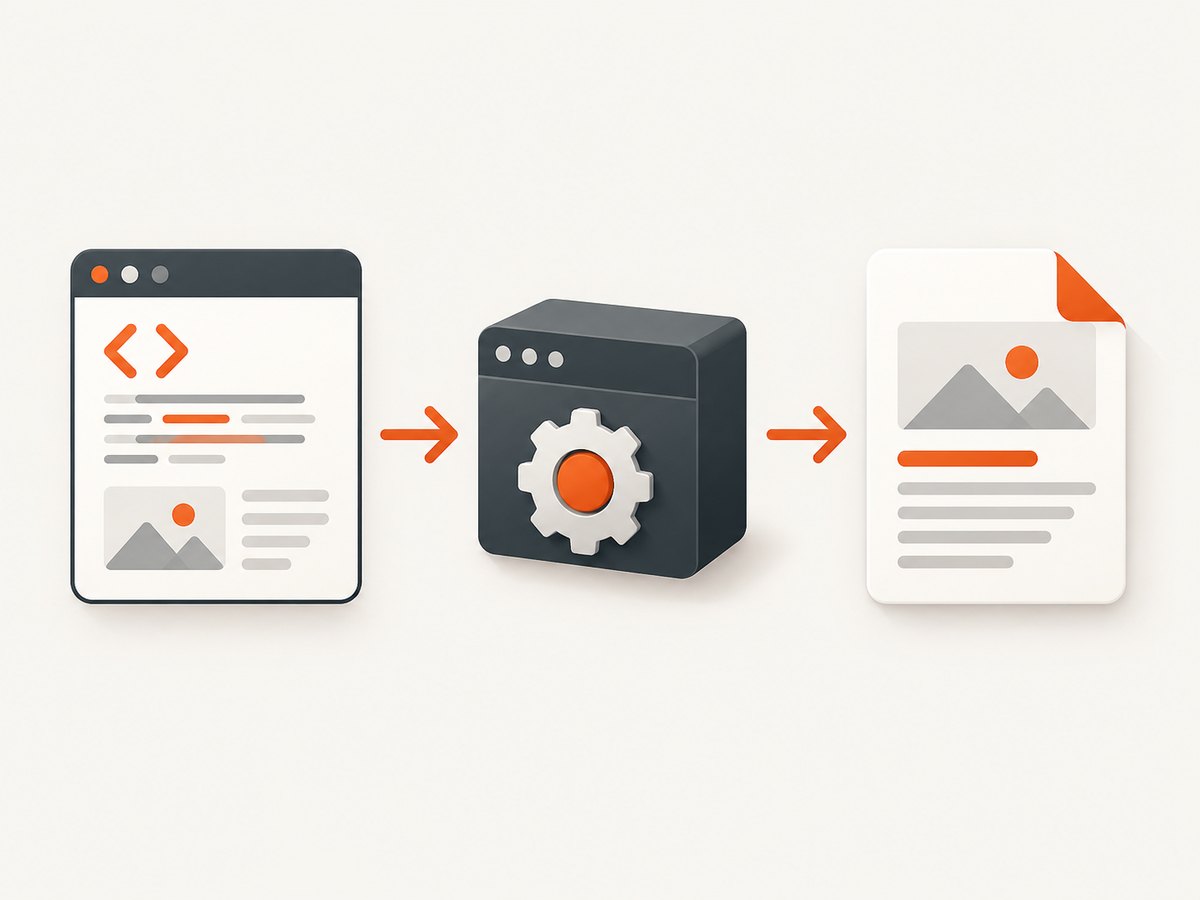
wkhtmltopdf is an open-source command-line renderer built on Qt WebKit. Its basic workflow is to create or fetch an HTML document and pass an input and output path to the executable. The project documents the canonical form as wkhtmltopdf http://google.com google.pdf and states that the renderer runs headlessly without a display service (project site; command reference).
1. Inspect the Colab runtime before installing
Colab images change over time. Do not assume that a package built for one Ubuntu release or architecture will work in every notebook. Run these cells first:
# Show the Linux distribution and release
!cat /etc/os-release

# Show the CPU architecture
!uname -m

# Confirm the Python and kernel details if you need them
!python --version
!uname -a
Look for a Debian or Ubuntu release and an architecture such as x86_64. A package named amd64 is intended for x86-64 systems. If uname -m reports a different architecture, find a matching release asset or build wkhtmltopdf from source. The package distribution must match both the operating system family and the architecture.
2. Install a compatible wkhtmltopdf package
The official downloads page lists 0.12.6 as the stable series, released June 11, 2020, with release assets hosted on GitHub (downloads). The following example uses the Focal amd64 package frequently used with an Ubuntu 20.04 Colab runtime. Treat the URL as an example: select the asset that matches the metadata you just inspected.
# Example for a compatible Ubuntu/Debian amd64 runtime
!wget -O wkhtmltox.deb https://github.com/wkhtmltopdf/packaging/releases/download/0.12.6-1/wkhtmltox_0.12.6-1.focal_amd64.deb
!sudo apt-get update
!sudo apt-get install -y ./wkhtmltox.deb
Install the .deb with apt. Do not copy the package into /usr/bin and execute it as if it were already an unpacked binary. Package installation lets apt register files and resolve dependencies. Incorrect copying is a common cause of permission and “Exec format error” failures.
3. Verify the executable and locate it
!wkhtmltopdf --version
!which wkhtmltopdf
You should see a version string and a path on PATH. If the command is not found, inspect the installation output and query the package database:
!dpkg -L wkhtmltox | head -50
!dpkg -s wkhtmltox | sed -n '1,20p'
Some builds package the executable under a directory that is not on the default path. If you find it elsewhere, call that absolute path or add its directory to PATH for the notebook process.
4. Convert an HTML file created in the notebook
This complete example writes HTML from Python, renders it with the shell command, and downloads the resulting PDF from Colab.
from pathlib import Path
html = """
Colab PDF
Hello from Google Colab
This document was generated as HTML and converted with wkhtmltopdf.
"""
Path("input.html").write_text(html, encoding="utf-8")!wkhtmltopdf input.html output.pdf
from google.colab import files
files.download("output.pdf")For a reachable web page, replace the local input with a URL:
!wkhtmltopdf https://example.com example.pdfKeep the output filename explicit. Colab stores it in the current working directory, where you can inspect it with !ls -lh or download it with google.colab.files.
5. Useful rendering options
The command reference documents options for paper format, JavaScript timing, print media styles, local files, headers, footers, and more. These are the options most often needed in notebooks:
| Need | Option or example | When to use it |
|---|---|---|
| Paper size | --page-size A4 |
Choose A4, Letter, or another supported paper size. |
| Landscape pages | --orientation Landscape |
Use for wide tables and reports. |
| Margins | --margin-top 15mm, --margin-bottom 15mm |
Set each margin explicitly when layout matters. |
| JavaScript delay | --javascript-delay 3000 |
Wait three seconds for scripts that populate the page after load. |
| Print CSS | --print-media-type |
Use styles declared for print media instead of screen styles. |
| Local assets | --enable-local-file-access |
Allow local CSS, images, or fonts when the HTML references files on disk. |
| Headers and footers | --header-center 'Report', --footer-right '[page] / [topage]' |
Add simple repeating page metadata. |
| Resource debugging | --log-level info |
Get more detail about loading and rendering problems. |
Example combining several flags:
!wkhtmltopdf \
  --page-size A4 \
  --orientation Portrait \
  --margin-top 12mm \
  --margin-bottom 12mm \
  --print-media-type \
  --javascript-delay 2000 \
  input.html output.pdf
Use delays deliberately. A longer delay can make dynamic pages complete, but it also increases notebook runtime. If the page never finishes loading, a delay alone will not fix a network or JavaScript error.
6. Local CSS, images, and fonts
Relative local paths can fail because the renderer applies file-access restrictions. Keep the document and its assets in a controlled directory and enable local access only when required:
!mkdir -p /content/report-assets
!cp input.html /content/report-assets/
!wkhtmltopdf --enable-local-file-access \
  /content/report-assets/input.html \
  /content/report-assets/output.pdf
Prefer absolute paths while diagnosing missing resources. Check that filenames use the exact case stored on the Linux filesystem. For remote assets, verify that the Colab runtime can reach the host without authentication or an interactive consent step.
7. JavaScript-heavy pages
wkhtmltopdf uses the Qt WebKit engine, which is older than current Chromium browsers. Pages that depend on modern browser APIs, complex client-side rendering, or strict bot protection may not render correctly. Start with a modest delay:
!wkhtmltopdf --javascript-delay 3000 https://example.com dynamic.pdfIf the output is still blank, confirm that the URL is reachable from the runtime and inspect the command output with a higher log level. A delay cannot repair unsupported JavaScript, an HTTP error, or a page that requires a browser interaction the engine cannot perform.
8. Calling wkhtmltopdf from Python
For occasional conversions, a subprocess is usually the smallest dependency chain. It gives you direct access to every command-line flag and preserves the executable’s exit status:
from pathlib import Path
import subprocess

source = Path("input.html")
target = Path("output.pdf")

result = subprocess.run(
    [
        "wkhtmltopdf",
        "--page-size", "A4",
        "--print-media-type",
        str(source),
        str(target),
    ],
    text=True,
    capture_output=True,
)

if result.returncode != 0:
    raise RuntimeError(result.stderr or result.stdout)

print(f"Wrote {target} ({target.stat().st_size} bytes)")
Python wrappers can provide a friendlier API, but their documentation commonly lists extra Linux requirements such as Xvfb and font packages. A wrapper is worthwhile when its API simplifies a larger application; otherwise, direct invocation is easier to diagnose and more portable across changing Colab images.
9. Troubleshooting common Colab errors
| Symptom | Likely cause | Fix |
|---|---|---|
Exec format error |
The package architecture does not match the runtime, or a package file was treated as an executable. | Run uname -m, download a matching asset, and install it with apt-get install ./package.deb. |
wkhtmltopdf: command not found |
The package was not installed or the executable is outside PATH. |
Recheck the apt output, run dpkg -L wkhtmltox, and call the discovered absolute path. |
| Unmet dependencies | The package targets a different Ubuntu release or the runtime image changed. | Inspect /etc/os-release, select a matching release asset, run apt-get update, and consult current GitHub release assets. |
| Blank PDF | The page failed to load, requires JavaScript, or uses browser features unsupported by Qt WebKit. | Test the URL from Colab, add a bounded --javascript-delay, enable logging, and simplify or pre-render the HTML. |
| Missing CSS, images, or fonts | Local file access is disabled, paths are wrong, or a remote resource is unreachable. | Use controlled absolute paths, add --enable-local-file-access only when needed, and verify each URL. |
| Python wrapper import or display errors | The wrapper expects additional system components such as Xvfb or fonts. | Install the wrapper’s documented dependencies, or use a direct subprocess call. |
| Output differs from Chrome | wkhtmltopdf uses an older WebKit renderer. | Use simpler CSS, pre-render dynamic content, or choose a current browser-based capture service. |
10. Security and trust
The official downloads page warns against using wkhtmltopdf with untrusted HTML because unsanitized HTML and JavaScript can lead to a complete server takeover (official warning). Treat notebook inputs, URLs, HTML, JavaScript, and local assets as hostile when they come from users. Do not place API keys, cookies, or other secrets in generated pages or shell command arguments.
Code executed through a connected Colab runtime can access that runtime’s filesystem. Google advises users to trust notebook authors and code they run (Colab FAQ). Remove sensitive files before sharing or disconnecting a runtime, and avoid running installation cells copied from sources you do not understand.
11. Performance, reliability, and cost considerations
- Startup cost: Installing a package and downloading dependencies adds time to a fresh runtime. Keep a setup cell near the top of the notebook and reuse the same session for batches.
- Batching: Invoke one process per document only when necessary. For many files, generate them in a loop and record each exit code and output path so one failure does not hide the rest.
- Network variance: Remote pages depend on DNS, TLS, the target server, and external assets. Save local HTML when reproducibility matters.
- Rendering limits: Qt WebKit is predictable for static HTML and basic CSS, but modern application pages may need a current browser engine.
- Storage: Colab runtimes are temporary. Download or copy PDFs before the session ends.
- Cost: Colab availability and runtime limits are separate from wkhtmltopdf itself. A hosted API can make per-capture usage and failure handling easier to account for.
12. Or skip the browser setup
If your goal is a clean screenshot or PDF rather than maintaining a renderer in every notebook, ScreenshotNeo provides a website screenshot API and MCP server. It accepts one GET request and can return PNG, JPEG, WebP, or PDF. Cookie and consent banners, newsletter popups, and chat widgets are removed before capture; bot checks, blank pages, timeouts, failed loads, and cache hits are not billed. Each response identifies the result with X-Page-Verdict and X-Billed headers. Its MCP server exposes take_screenshot, get_page_info, and capture_pdf for Claude, Cursor, and other MCP clients.

See the ScreenshotNeo API documentation for all options. A direct call looks like this:
curl -G "https://api.screenshotneo.com/v1/shot" \
  -d access_key=YOUR_API_KEY \
  --data-urlencode url=https://stripe.com \
  -o shot.webp
import requests
r = requests.get(
"https://api.screenshotneo.com/v1/shot",
params={"access_key": "YOUR_API_KEY", "url": "https://stripe.com"},
timeout=90,
)
r.raise_for_status()
open("shot.webp", "wb").write(r.content)const q = new URLSearchParams({ access_key: 'YOUR_API_KEY', url: 'https://stripe.com' });
const res = await fetch(`https://api.screenshotneo.com/v1/shot?${q}`);
if (!res.ok) throw new Error(`HTTP ${res.status}`);
const image = Buffer.from(await res.arrayBuffer());
await import('node:fs/promises').then(fs => fs.writeFile('shot.webp', image));Every plan includes the capture features: full-page screenshots with lazy images loaded, element capture by CSS selector, dark mode, device presets or custom viewports, retina scale, PDF paper and margin controls, custom CSS and JavaScript, click and wait actions, request blocking, headers, cookies, user agents, authorization, timezone, geolocation, transparent backgrounds, resizing, caching with a chosen TTL, signed links, asynchronous jobs with signed webhooks, bulk capture for up to 100 URLs per call, usage data, and an OpenAPI specification. The free plan includes 1,000 shots per month with no card; paid plans start at $5 for 3,000 shots. Create a free ScreenshotNeo account.
FAQ
Does wkhtmltopdf require Xvfb in Colab?
The wkhtmltopdf project describes the command-line renderer as headless, so a display service is not normally required. Some Python wrappers document Xvfb as an additional dependency; direct invocation avoids that wrapper-specific requirement.
Which package should I install?
Choose a release asset matching the live Ubuntu or Debian release and the architecture reported by /etc/os-release and uname -m. The Focal amd64 URL is only an example.
Can wkhtmltopdf render a modern single-page app?
It can render pages compatible with its Qt WebKit engine, but modern browser APIs and complex JavaScript may fail. Pre-render the HTML or use a current browser-based capture service when compatibility is essential.
Where is the generated PDF stored?
Unless you provide another path, it is written to the notebook’s current working directory. Use !ls -lh to find it and files.download() to retrieve it.
How do I make a repeatable build?
Record the runtime metadata, pin the package URL, keep HTML and assets together, use explicit rendering flags, and save the command output and exit code for each conversion.


