How to Run wkhtmltopdf Reliably from a Cron Job
Make wkhtmltopdf dependable under cron with fixed paths, deterministic rendering, diagnostics, security boundaries, and safe output replacement.
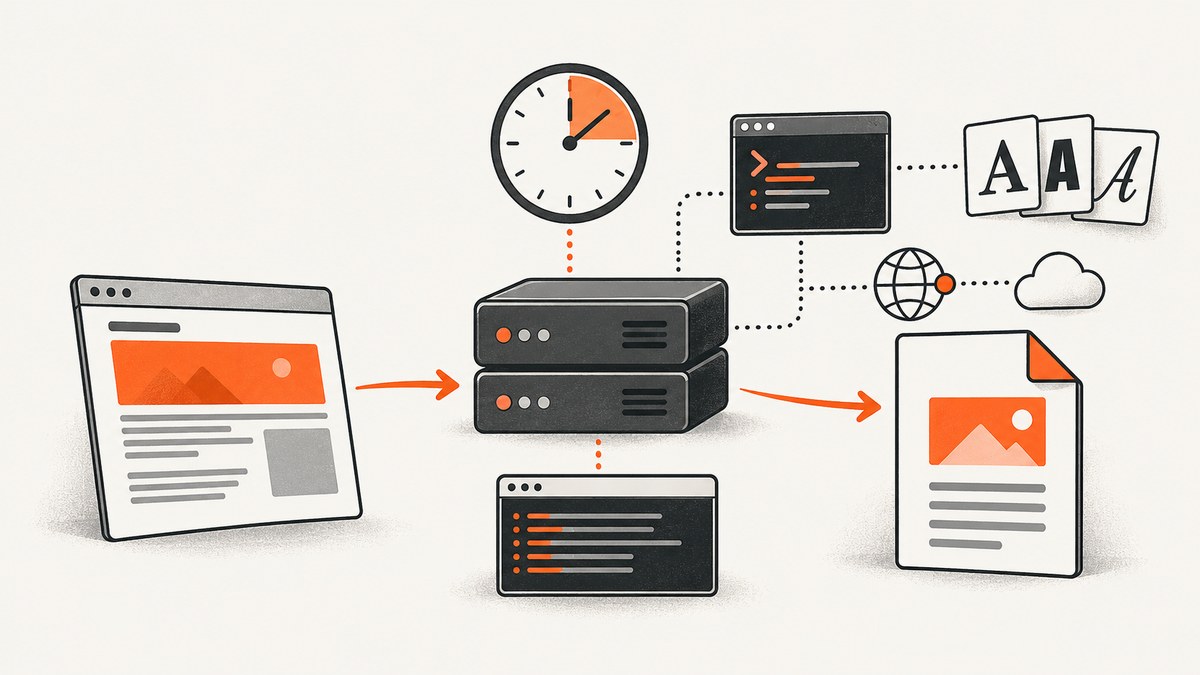
Direct answer: run wkhtmltopdf from a small wrapper that uses an absolute binary path, an explicit PATH and locale, absolute input and output paths, deliberate page-readiness settings, captured stdout and stderr, and a checked exit status. Execute that wrapper from the account that owns the cron job and can read every input and write the destination. wkhtmltopdf is headless, so it normally does not need Xvfb or another display service.
Cron supplies a deliberately small environment. A command that succeeds in an interactive shell can fail because PATH, HOME, working directory, fonts, runtime libraries, permissions, network access or page timing differ. Treat the executable, its build, dependencies, inputs, output location and diagnostics as one deployment specification.
1. Build a deterministic wrapper
Create a script owned by the job account. The example below assumes a Debian-like host, but the absolute binary path and font locations must match your system.
#!/bin/sh
set -eu

PATH=/usr/local/bin:/usr/bin:/bin
export PATH
export LANG=C.UTF-8
export LC_ALL=C.UTF-8
# Set this only when your host needs an explicit fontconfig directory.
# export FONTCONFIG_PATH=/etc/fonts

WKHTMLTOPDF=/usr/local/bin/wkhtmltopdf
INPUT=/srv/reports/report.html
OUTPUT_DIR=/srv/reports/out
LOG_DIR=/var/log/report-pdf
TMP="$OUTPUT_DIR/report.pdf.tmp.$$"
OUTPUT="$OUTPUT_DIR/report.pdf"

mkdir -p "$OUTPUT_DIR" "$LOG_DIR"
cd /srv/reports

{
  printf 'started=%s\\n' "$(date -u +%FT%TZ)"
  printf 'id='; id
  printf 'pwd='; pwd
  printf 'version='; "$WKHTMLTOPDF" --version
  "$WKHTMLTOPDF" \
    --enable-javascript \
    --javascript-delay 1000 \
    --load-error-handling abort \
    --load-media-error-handling abort \
    "$INPUT" "$TMP"
} >"$LOG_DIR/run.log" 2>&1

# Do not publish a missing or empty document.
test -s "$TMP"
mv -f "$TMP" "$OUTPUT"
printf 'completed=%s output=%s\\n' "$(date -u +%FT%TZ)" "$OUTPUT" >>"$LOG_DIR/run.log"
Save it as /usr/local/sbin/render-report.sh, make it executable, and ensure the cron account can read the HTML and create files in both the output and log directories.
sudo chown report:report /usr/local/sbin/render-report.sh
sudo chmod 0750 /usr/local/sbin/render-report.sh
sudo -u report /usr/local/sbin/render-report.sh
The temporary file and final mv prevent readers from seeing a partially written PDF. If overlapping runs are possible, add a lock (for example, flock) or use a unique job directory so two processes cannot replace the same result unexpectedly.
2. Schedule it with cron
Use an absolute path to the wrapper. Cron commands run as the crontab owner; the default shell is commonly /bin/sh, and HOME and LOGNAME come from that account. MAILTO controls where command output is mailed on implementations that support it. Verify details on the target host in the crontab(5) documentation.
SHELL=/bin/sh
PATH=/usr/local/bin:/usr/bin:/bin
MAILTO=ops@example.com

# Every day at 02:15 UTC (set CRON_TZ if your cron supports it)
15 2 * * * /usr/local/sbin/render-report.sh
Keep the wrapper’s own logging even when cron mail is enabled. Cron daemons may mail output or route it to syslog depending on configuration; explicit logs give you predictable retention and monitoring. The cron(8) documentation describes this output behavior.
3. Verify the build and host dependencies
Record the exact renderer before putting the job into production:
/usr/local/bin/wkhtmltopdf --version
ldd /usr/local/bin/wkhtmltopdf
fc-match Arial
fc-list | head
The official downloads page lists 0.12.6 as the stable release, dated June 11, 2020. Even builds described as using static Qt still depend on host details such as fonts, fontconfig, freetype and other runtime libraries. Record whether the version output says with patched qt; builds differ in feature support and behavior. See the official downloads and build notes.
Install the same package and fonts on every worker, or pin the image or VM used by the cron account. Differences in installed fonts change glyph fallback, text metrics, line wrapping and pagination. A missing font can make a PDF appear to have a layout bug when the real problem is font substitution.
4. Choose a page-readiness and error policy
wkhtmltopdf enables JavaScript by default and has a short default delay. That delay is not evidence that an asynchronous application has finished loading. The usage manual documents these controls:
| Need | Options | Guidance |
|---|---|---|
| Static HTML | --disable-javascript |
Remove unnecessary script execution when the document does not need it. |
| Known delay | --javascript-delay <milliseconds> |
Use a measured delay that covers normal data and asset latency; test the slow case. |
| Application readiness | --window-status <value> |
Have the page set the requested window status after data and layout are ready. |
| Page-load failures | --load-error-handling abort|ignore|skip |
Prefer abort when incomplete output must never be published. |
| Media failures | --load-media-error-handling abort|ignore|skip |
Choose whether missing images, CSS or other media should fail the job. |
Confirm an option exists in the installed build. Some capabilities require a patched Qt build. For a page you control, a readiness marker can be more reliable than a guessed sleep:
<script>
  fetch('/api/report-data')
    .then(() => { window.status = 'report-ready'; })
    .catch(() => { window.status = 'report-failed'; });
</script>
"$WKHTMLTOPDF" \
  --window-status report-ready \
  --load-error-handling abort \
  input.html output.pdf
For local files, use explicit file URLs and the local-file access controls supported by your build. For network assets, verify DNS, firewall rules, credentials and worst-case latency from the cron host, not from your laptop.
5. A complete command-line example
/usr/local/bin/wkhtmltopdf \
  --enable-javascript \
  --javascript-delay 1500 \
  --load-error-handling abort \
  --load-media-error-handling abort \
  --encoding utf-8 \
  --margin-top 15mm \
  --margin-right 15mm \
  --margin-bottom 15mm \
  --margin-left 15mm \
  /srv/reports/report.html \
  /srv/reports/out/report.pdf
Keep options in the wrapper rather than relying on aliases, shell profiles or a developer’s current directory. Use absolute paths for local stylesheets, images and output. Validate that the final file exists and is nonzero; a zero exit status alone does not prove the document contains the expected data.
6. Why it works manually but fails from cron
| Symptom | Likely cause | Fix |
|---|---|---|
wkhtmltopdf: not found |
Cron PATH does not include the install directory. | Use the absolute path and set PATH in the wrapper. |
| Permission denied | The cron account cannot read the source or write the destination/log. | Check directory traversal and file permissions as that account. |
| Works in a terminal, fails unattended | Shell startup variables, HOME, locale or working directory are missing. | Set them explicitly; log id, pwd and env. |
| Missing glyphs or changed pagination | Fonts or fontconfig differ. | Install and pin required fonts; inspect with fc-match and fc-list. |
| Images or CSS are absent | Relative paths, local-file restrictions, DNS, firewall or insufficient wait time. | Use absolute URLs/paths, configure local-file access deliberately, and test connectivity and readiness. |
| Blank or partially populated PDF | JavaScript data had not arrived before capture. | Use a readiness signal or measured delay and abort on load errors. |
| “Cannot connect to X server” | A wrapper or nonstandard build is trying to use a display. | Verify the binary and invocation. The official project describes wkhtmltopdf as headless; add Xvfb only when your specific build demonstrably requires it. |
| Job appears successful but output is stale | Errors were ignored, or a previous file remained. | Use abort policies, write a temporary file, check size and freshness, then atomically replace the destination. |
7. A repeatable debugging sequence
- Run the wrapper as the exact cron account:
sudo -u report env -i HOME=/home/report PATH=/usr/local/bin:/usr/bin:/bin /usr/local/sbin/render-report.sh. - Capture
id,pwd, the relevant environment, the absolute binary’s--version, and all stdout and stderr. - Confirm the binary matches the host architecture and that required runtime libraries are installed.
- Check fonts and fontconfig when text metrics, substitutions or page breaks differ.
- Make the input deterministic: verify local asset permissions, network reachability, authentication and asynchronous readiness.
- Inspect exit status, log warnings, output existence, output size and (when practical) rendered pages or a known checksum.
- Check for overlapping jobs and serialize or isolate them.
8. Security boundaries for scheduled rendering
The wkhtmltopdf project warns against rendering untrusted HTML or JavaScript because its older rendering stack can enable server compromise. Sanitize user-supplied markup, run the job as a dedicated low-privilege account, and keep secrets out of its environment and readable directories.
Restrict filesystem and command access with the local-file controls available in your build. AppArmor can confine paths and execution on supported systems; SELinux is the corresponding approach on Red Hat and Fedora. The project’s AppArmor guidance explains the model. Limit outbound network access when pages do not need it, and never give the renderer broad access to credentials or the rest of the host.
9. Reliability, performance and cost considerations
- Reliability: pin the binary/package, fonts and OS image; log every run; fail closed on missing inputs; and publish only validated temporary output.
- Performance: avoid an unnecessarily long JavaScript delay, but measure the slowest legitimate data path. Reusing a stable host and local assets reduces DNS and network variability.
- Concurrency: rendering many documents at once can exhaust CPU, memory, file descriptors or network limits. Queue work or cap parallel jobs.
- Cost: cron itself has no per-render fee, but CPU, memory, storage, network egress and maintenance are operational costs. The 0.12.6 release and older Qt/WebKit stack also create upgrade and security-maintenance work; the upstream repository was archived January 2, 2023.
- Alternatives: the project suggests WeasyPrint or commercial Prince for controlled static reports, and Puppeteer or a wrapper for JavaScript-heavy sites. Compare CSS and pagination fidelity, JavaScript readiness, security and maintenance posture, OS dependencies, licensing and operational support before switching.
10. Or skip the browser setup
If your actual requirement is “capture a URL on a schedule” rather than maintaining a wkhtmltopdf host, ScreenshotNeo provides a website screenshot API. One GET request returns PNG, JPEG, WebP or PDF, and its options cover full-page capture, lazy images, selectors, custom CSS and JavaScript, waits, headers, cookies, user agents, time zone, geolocation, blocking and caching. See the ScreenshotNeo API documentation.
curl -G "https://api.screenshotneo.com/v1/shot" -d access_key=YOUR_API_KEY --data-urlencode url=https://stripe.com -o shot.webpimport requests
r = requests.get("https://api.screenshotneo.com/v1/shot", params={"access_key": "YOUR_API_KEY", "url": "https://stripe.com"}, timeout=90)
open("shot.webp", "wb").write(r.content)
const q = new URLSearchParams({ access_key: 'YOUR_API_KEY', url: 'https://stripe.com' });
const res = await fetch(`https://api.screenshotneo.com/v1/shot?${q}`);
Cookie banners, newsletter popups and chat widgets are removed before the shot. Bot checks, blank pages and failed loads are never billed, and response headers identify the page verdict and billing status. An MCP server provides take_screenshot, get_page_info and capture_pdf for Claude, Cursor and other MCP clients. The free plan includes 1,000 screenshots each month with no card; paid plans start at $5 for 3,000. Create a free ScreenshotNeo account.
11. FAQ
Does wkhtmltopdf need Xvfb in cron?
Normally no. The project documents the tools as headless and not requiring a display service. Investigate the binary, wrapper and error first; use Xvfb only for a build or wrapper that demonstrably requires a display.
Which wkhtmltopdf version should I standardize on?
Record and pin the exact package and build. The official downloads page lists 0.12.6 as stable, released June 11, 2020, and feature behavior varies between builds.
Why are PDFs different on two identical schedules?
Compare fonts, locale, asset availability, JavaScript readiness, network responses, renderer build and concurrent load. A successful process does not guarantee identical page content.
Should I ignore load errors to get a PDF?
Only when incomplete documents are acceptable and the result is explicitly marked as partial. For reports that must be correct, abort on page or media errors and alert from the log.
How can I prevent a broken PDF from replacing yesterday’s file?
Write to a unique temporary path, check exit status and nonzero size, then atomically rename it into place. Keep the previous file until the new one passes validation.


