How to Save django-wkhtmltopdf PDFs to the Server Instead of Returning a Response
Render a django-wkhtmltopdf PDF in Django, save its bytes to a server path, and avoid duplicate work with a stable cache key.
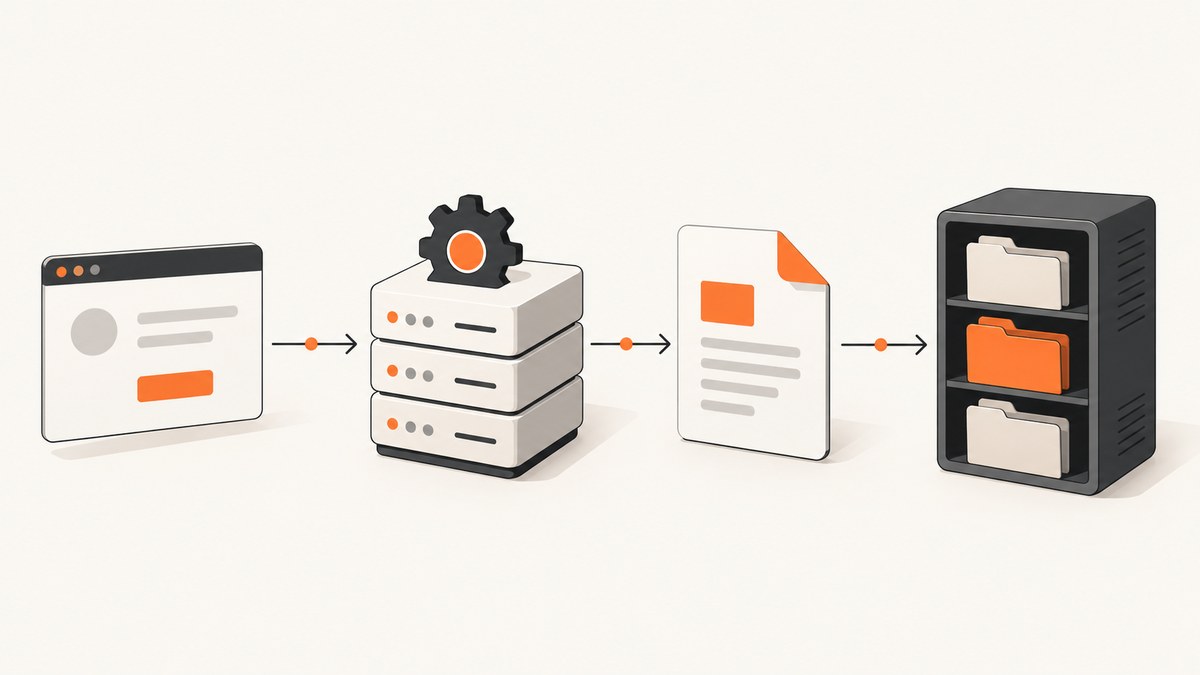
To save a PDF produced by django-wkhtmltopdf instead of returning it to the browser, create a PDFTemplateResponse in application code, call render(), and write response.rendered_content to a file opened in binary mode. The response object gives you the rendered PDF bytes; the file write makes persistence a separate step from HTTP delivery.
from pathlib import Path
from wkhtmltopdf.views import PDFTemplateResponse


def build_pdf(request, context, output_path):
    response = PDFTemplateResponse(
        request=request,
        template="site/pdftemplate.html",
        filename="my_pdf.pdf",
        context=context,
        cmd_options={"load-error-handling": "ignore"},
    )
    response.render()

    destination = Path(output_path)
    destination.parent.mkdir(parents=True, exist_ok=True)
    destination.write_bytes(response.rendered_content)
    return destination
This is the core pattern for a Django view, task, or service function that needs a server-side copy. The template, context, command options, path, and request must match your project and installed package version. See the django-wkhtmltopdf usage documentation and ScreenshotNeo API documentation for their respective interfaces.
1. Understand what is being saved
PDFTemplateView is a Django class-based view whose default response class is PDFTemplateResponse. The normal view flow renders a PDF and returns an HTTP response. To persist the generated result, you can instantiate the response yourself, render it, and write its rendered content to storage.
The file is binary data. Do not open its destination in text mode or convert the PDF content to a string. Python’s Path.write_bytes() opens the destination in binary mode internally; with a file object, use open(path, "wb"). The essential operation is:
response.render()
pdf_bytes = response.rendered_content
with open(output_path, "wb") as pdf_file:
    pdf_file.write(pdf_bytes)
Rendering and writing are two distinct operations. A successful render does not guarantee the destination can be written: the directory may not exist, the Django process may lack permissions, or the storage may be unavailable. Handle and log those failure modes at the layer that owns the job.
2. Generate and save the PDF from Django
A practical implementation creates the parent directory, renders the response, and writes bytes. It should also avoid accepting an arbitrary path directly from a request parameter; let the application choose a controlled destination.

from pathlib import Path
from wkhtmltopdf.views import PDFTemplateResponse


def render_invoice_pdf(request, invoice, output_path):
    context = {"invoice": invoice}
    response = PDFTemplateResponse(
        request=request,
        template="invoices/invoice_pdf.html",
        filename="invoice.pdf",
        context=context,
        cmd_options={"load-error-handling": "ignore"},
    )
    response.render()

    path = Path(output_path)
    path.parent.mkdir(parents=True, exist_ok=True)
    with path.open("wb") as pdf_file:
        pdf_file.write(response.rendered_content)
    return path
Pass the request object from a view when available. It can be needed by template rendering and URL resolution. In a background job, use the request strategy supported by your application and package version; do not assume a request from an earlier web request remains available to a task.
Return a download after saving
Persistence does not require returning the PDF from the same view. If a user should download the saved copy, return a separate FileResponse after verifying that the requested file belongs to that user and is a valid application-managed path.
from django.http import FileResponse


def download_invoice(request, path):
    # Resolve and authorize the path using application-owned invoice data.
    pdf_file = open(path, "rb")
    return FileResponse(pdf_file, as_attachment=True, filename="invoice.pdf")
Keep the file handle open for the response lifecycle; FileResponse handles closing it. For private documents, authorization belongs in the download endpoint, and a guessable filesystem path must not serve as access control.
Keep saving separate from the request response
If the caller needs only a server-side artifact, have the view or task call the save function and return a status, record ID, or redirect. If the caller needs both a saved artifact and an immediate download, save first and then return the same bytes or a file response. Decide explicitly what should happen if saving succeeds but delivering the HTTP response fails; a later request should ideally find the existing artifact rather than regenerate it blindly.
3. Configure wkhtmltopdf
The Python package invokes the external wkhtmltopdf executable. The package looks for it on PATH by default. If it is installed elsewhere, set WKHTMLTOPDF_CMD to its full path. The executable must also be available in the environment used by the actual Django process or worker, not just in an interactive shell.
# settings.py
WKHTMLTOPDF_CMD = "/usr/local/bin/wkhtmltopdf"
WKHTMLTOPDF_CMD_OPTIONS = {
    "disable-javascript": True,
    "load-error-handling": "ignore",
}
Use options appropriate to the document. Per-response cmd_options can specify settings for a particular PDF; WKHTMLTOPDF_CMD_OPTIONS supplies project defaults. The package settings documentation gives examples such as disable-javascript and title, and describes WKHTMLTOPDF_ENV for overriding environment variables. An X server may be required in some environments, in which case the configured environment can include a suitable DISPLAY.
Choose whether JavaScript should execute based on the template. Disabling it can avoid running client-side code and can simplify rendering, but a page whose content is created by JavaScript may then be incomplete. Do not treat load-error-handling: ignore as proof that all referenced resources loaded correctly; inspect the generated PDF if missing images, styles, or remote content matter.
Consult the installation guide, settings reference, and wkhtmltopdf command usage. The command-line tool itself accepts an output filename; using PDFTemplateResponse is one way to integrate the renderer with Django templates and response handling.
4. Avoid regenerating the same document
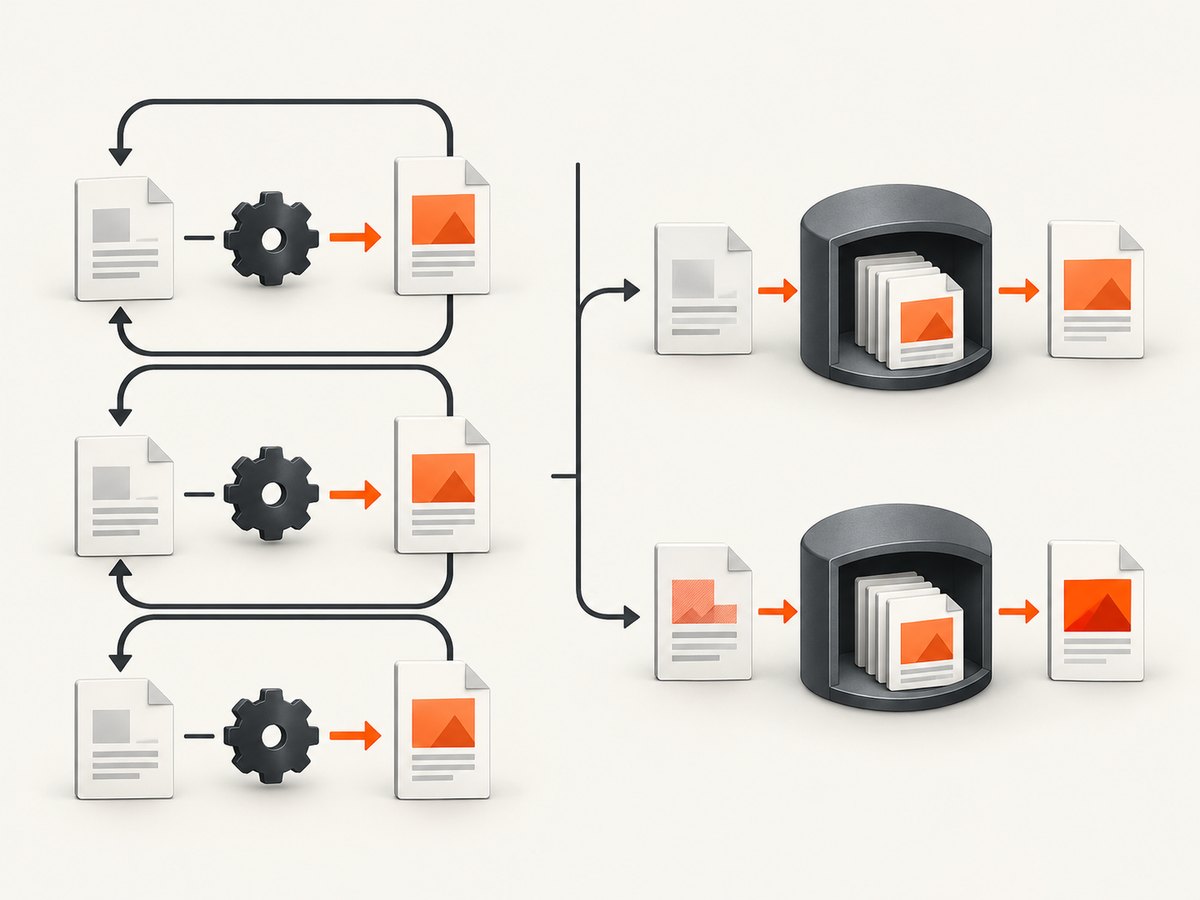
For repeated requests, look up a stable cache key or database record before invoking wkhtmltopdf. A cache key should represent the document inputs that affect its content, such as the object identifier, a data revision, locale, and template version. If any relevant input changes, use a new key or invalidate the old artifact.
from pathlib import Path
from wkhtmltopdf.views import PDFTemplateResponse


def invoice_pdf_path(invoice, storage_root):
    # Include a revision that changes when PDF-relevant invoice data changes.
    return Path(storage_root) / "invoices" / f"{invoice.pk}-{invoice.pdf_revision}.pdf"


def get_or_create_invoice_pdf(request, invoice, storage_root):
    path = invoice_pdf_path(invoice, storage_root)
    if path.is_file():
        return path

    response = PDFTemplateResponse(
        request=request,
        template="invoices/invoice_pdf.html",
        filename="invoice.pdf",
        context={"invoice": invoice},
    )
    response.render()
    path.parent.mkdir(parents=True, exist_ok=True)
    path.write_bytes(response.rendered_content)
    return path
This minimal example is suitable only when the cache key and write pattern fit the application’s concurrency needs. If two workers can build the same missing artifact simultaneously, they may both render it. If partial files or readers seeing an in-progress write would be harmful, write to a unique temporary file in the same directory and atomically replace the final path after a successful write. Coordinate with a database uniqueness constraint or job lock when duplicate work is costly.
Filesystem caching is not automatically durable. Containers may have ephemeral disks, multiple web instances may have separate local filesystems, and backups or retention may be required. For shared or durable storage, use the storage system your deployment supports and keep a database record of the artifact key, location, and generation status.
5. Paths, permissions, and untrusted input
- Use an application-controlled root: join a validated identifier to a configured storage directory. Never let an untrusted caller choose an arbitrary output path.
- Create parent directories:
mkdir(parents=True, exist_ok=True)handles a missing directory tree. - Check process permissions: the Django web process and background workers need write access to the destination and execute access to wkhtmltopdf.
- Keep private documents private: avoid placing sensitive PDFs in a public static directory. Serve them through an authorized endpoint or protected storage mechanism.
- Define retention: decide when stale generated documents and temporary files are removed, and whether the artifact must survive deployment or instance replacement.
- Validate URLs and assets: if templates load remote resources, consider what network locations the renderer can access. User-controlled URLs or HTML can create server-side request risks.
6. Troubleshooting
| Symptom | Likely cause | Fix |
|---|---|---|
wkhtmltopdf executable not found |
It is missing from the runtime image or not on the worker’s PATH. |
Install the binary in the environment that runs Django or configure WKHTMLTOPDF_CMD with its full path. Confirm the process can execute it. |
| Permission denied while writing | The destination directory is owned by another user or is not writable by the Django process. | Choose an application storage directory and grant the runtime user the needed permissions. Avoid broad permissions as a shortcut. |
| No such file or directory | A parent directory has not been created or a configured path is wrong. | Create parent directories before writing and verify the resolved destination. |
| PDF is empty, incomplete, or missing images | The renderer failed, could not load resources, or the template depends on JavaScript or inaccessible URLs. | Inspect the response/rendering error and generated output; verify asset URLs and runtime network access. Revisit JavaScript and load-error options for the document. |
| PDF content is corrupted | Bytes were written through text mode or transformed during storage. | Write rendered_content unchanged with wb or Path.write_bytes(). |
| Works locally but fails in production | The production worker may have a different binary path, environment, font set, filesystem, or display setup. | Check the deployed runtime’s executable, configured environment, write permissions, and required display support. Apply WKHTMLTOPDF_ENV where an environment override is needed. |
| Repeated requests regenerate the PDF | The lookup key is not stable, the artifact is saved elsewhere, or invalidation is too broad. | Persist the artifact location or use a deterministic key based on document inputs and revision. Check that every worker uses the same storage backend. |
| Two workers create the same file concurrently | Both observed a cache miss before either finished generating. | Use a job lock or unique database record, and write a temporary file before atomically replacing the destination where appropriate. |
7. Performance, reliability, and cost
Saving avoids sending the document as the response when the caller only needs server-side storage, and caching can avoid repeated rendering for unchanged inputs. There is no authoritative rendering-time, file-size, or throughput figure for this workflow; measure using your own templates, asset access, runtime, and concurrency. wkhtmltopdf runs as an external process, so account for its CPU, memory, process limits, and failure handling in the deployment.
For large or unpredictable generation workloads, moving rendering to a background job can keep a web request from waiting on the external renderer. Track states such as pending, succeeded, and failed, and make retries safe by using a deterministic artifact key. Be careful not to mark a cache entry complete until the write finishes. Monitor both renderer errors and storage errors, since either can prevent a usable document from being produced.
Local disk can be simple, but it may not survive container replacement or be shared across instances. Shared storage improves access consistency only when configured and operated correctly. Decide based on durability, access control, backup, retention, and deployment topology. Budget for the compute and storage your workload actually consumes rather than assuming a fixed cost per PDF.
8. Or skip the browser setup
If the job is capturing a website as an image or PDF rather than generating a Django template document, ScreenshotNeo provides a screenshot API and MCP server. Its one-call API returns a screenshot or PDF; consult the API docs for parameters and formats.
curl -G "https://api.screenshotneo.com/v1/shot" -d access_key=YOUR_API_KEY --data-urlencode url=https://stripe.com -o shot.webpimport requests
r = requests.get(
"https://api.screenshotneo.com/v1/shot",
params={"access_key": "YOUR_API_KEY", "url": "https://stripe.com"},
timeout=90,
)
open("shot.webp", "wb").write(r.content)
const q = new URLSearchParams({ access_key: 'YOUR_API_KEY', url: 'https://stripe.com' });
const res = await fetch(`https://api.screenshotneo.com/v1/shot?${q}`);
ScreenshotNeo accepts cookie and consent banners before capture and removes more than 60 known consent platforms, newsletter popups, and chat widgets; each cleanup step can be turned off. Bot checks, blank pages, timeouts, failed loads, and cache hits are not billed, with response headers indicating the page verdict and billing status. Its MCP server provides take_screenshot, get_page_info, and capture_pdf tools for Claude, Cursor, and other MCP clients. The free plan includes 1,000 shots a month with no card; paid plans start at $5 for 3,000 shots. It is for capturing live web pages, while django-wkhtmltopdf renders your own Django templates.
Create a free ScreenshotNeo account for 1,000 screenshots a month with no card.
9. Frequently asked questions
Can I save the file and still return it to the browser?
Yes. Save the rendered bytes, then return a FileResponse or another response. Treat file authorization and HTTP delivery as separate concerns.
Does setting filename save the file on the server?
No. The view’s filename setting controls the attachment name when a response is sent. To persist a server-side copy, write the rendered PDF bytes to a destination.
Can I cache a PDF forever?
Only if the document inputs never change and your retention policy allows it. Most applications should tie the artifact to a data revision or template version and define invalidation and cleanup.
Should every PDF be generated inside a web request?
No. For slow or bursty generation, a background task can return a job status first and create the artifact asynchronously. The same render-and-save pattern applies, provided the worker has the request or context strategy, binary, and storage access it needs.


