Save a Generated PDF to Amazon S3 in PHP
Generate a PDF in PHP, upload bytes or a file to Amazon S3 with the AWS SDK, and handle metadata, security, errors, streams, and retries.

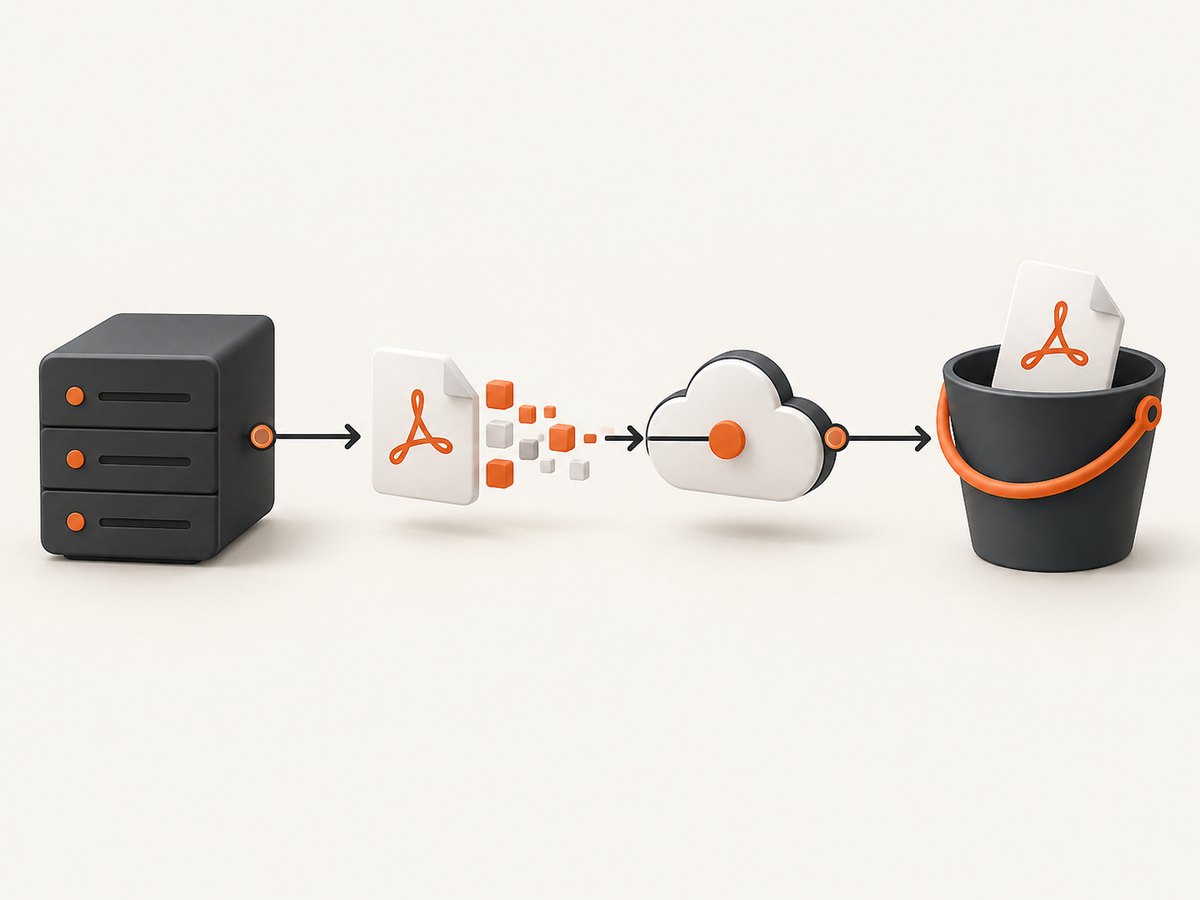
Direct answer: generate the PDF as bytes, a stream, or a local file, then upload that representation with the AWS SDK for PHP v3. For bytes or a stream, pass Body to putObject; for a file, pass SourceFile. Set ContentType to application/pdf, choose an intentional object key, keep the object private unless your access design requires sharing, and catch SDK exceptions.
The PDF generator determines the upload shape. A renderer such as Dompdf can return PDF bytes from output(); a renderer that writes to disk can be uploaded from its path. AWS documents both stream and file inputs for S3 operations. See the AWS SDK for PHP file operations guide and the S3 PHP examples.
1. Choose the PDF representation first
| Representation | Upload field | Best fit | Checks |
|---|---|---|---|
| In-memory string | Body |
Your renderer naturally returns bytes and the document is small enough for the PHP memory limit. | Memory use, retry behavior, and whether you need a checksum or length. |
| Readable stream | Body |
Generation or a temporary source already exposes a stream. | Rewindability, stream size, ownership, and whether the SDK consumes and closes it. |
| Local or temporary file | SourceFile |
The renderer writes a file or the PDF is too large to keep in memory. | Disk quota, permissions, cleanup, and retention of sensitive files. |
| S3 stream wrapper | PHP file functions | You want to write through a native stream API. | Explicitly check fflush; AWS reports write errors when flushing. |
Do not select a storage method only because it uses fewer lines. A byte string is straightforward and easy to retry, while a file or stream can reduce memory pressure. For a large document, compare the renderer’s output behavior, available disk, worker lifetime, and retry strategy.
2. Install and configure the AWS SDK
Install the AWS SDK for PHP v3 with Composer:
composer require aws/aws-sdk-phpCreate an S3 client for the bucket’s region. Let the SDK use its normal credential provider chain, such as an instance or task role, environment variables, or another deployment-approved provider. Do not commit long-lived access keys to application source.
<?php
require __DIR__ . '/vendor/autoload.php';

use Aws\S3\S3Client;

$s3 = new S3Client([
    'version' => 'latest',
    'region'  => getenv('AWS_REGION') ?: 'us-east-1',
]);

$bucket = getenv('S3_BUCKET');
if (!$bucket) {
    throw new RuntimeException('S3_BUCKET is not configured');
}
The version and region values should match your installed SDK and deployment. Keep bucket and key configuration outside the source when possible.
3. Upload PDF bytes returned by a renderer
This pattern is useful when a PDF library returns a string. Dompdf’s documented output() method returns the generated PDF as a string. The renderer is only an example; the S3 portion works with any generator that produces valid PDF bytes.
<?php
require __DIR__ . '/vendor/autoload.php';

use Aws\S3\S3Client;
use Aws\Exception\AwsException;
use Dompdf\Dompdf;

$s3 = new S3Client([
    'version' => 'latest',
    'region'  => getenv('AWS_REGION') ?: 'us-east-1',
]);

$bucket = getenv('S3_BUCKET');
$key = 'invoices/2026/09/invoice-12345.pdf';

$dompdf = new Dompdf();
$dompdf->loadHtml('<h1>Invoice 12345</h1><p>Amount due: $42.00</p>');
$dompdf->setPaper('A4', 'portrait');
$dompdf->render();
$pdfBytes = $dompdf->output();

try {
    $result = $s3->putObject([
        'Bucket'      => $bucket,
        'Key'         => $key,
        'Body'        => $pdfBytes,
        'ContentType' => 'application/pdf',
        'Metadata'    => [
            'document-type' => 'invoice',
        ],
    ]);

    echo $result['ObjectURL'] ?? $key;
} catch (AwsException $e) {
    error_log($e->getMessage());
    throw new RuntimeException('The PDF could not be uploaded', 0, $e);
}
Keep the key stable if a later generation should replace the earlier object. Include a version, UUID, or timestamp when every generation must be retained. S3 accepts the object body exactly as provided; validate that your renderer produced a non-empty PDF before calling putObject.
4. Upload a generated file with SourceFile
If the PDF renderer writes to a temporary path, upload that path directly and remove it in a finally block. This avoids copying the whole document into a PHP string.
<?php
$tmp = tempnam(sys_get_temp_dir(), 'pdf-');
if ($tmp === false) {
    throw new RuntimeException('Unable to create a temporary file');
}

try {
    // Ask your PDF renderer to write a valid PDF to $tmp.
    $renderer->saveToFile($tmp);

    if (!is_readable($tmp) || filesize($tmp) === 0) {
        throw new RuntimeException('PDF generation produced no readable output');
    }

    $s3->putObject([
        'Bucket'      => $bucket,
        'Key'         => 'reports/report-123.pdf',
        'SourceFile'  => $tmp,
        'ContentType' => 'application/pdf',
    ]);
} finally {
    if (is_file($tmp)) {
        unlink($tmp);
    }
}
Replace saveToFile with the API of your renderer. Ensure cleanup runs after both successful and failed uploads, and consider whether a failed job needs the temporary file retained for diagnosis.
5. Upload a stream safely
A stream can be supplied as Body. Rewind it before upload if earlier code has read from it, and provide a content length when the stream does not expose a usable size.
$stream = fopen($pdfPath, 'rb');
if ($stream === false) {
    throw new RuntimeException('Cannot open generated PDF');
}

try {
    $s3->putObject([
        'Bucket'        => $bucket,
        'Key'           => $key,
        'Body'          => $stream,
        'ContentLength' => filesize($pdfPath),
        'ContentType'   => 'application/pdf',
    ]);
} finally {
    fclose($stream);
}
The AWS SDK documentation explains that raw PHP stream resources supplied to a command are consumed and closed by the SDK. Follow the SDK’s stream guidance if you need to reuse a handle. For generated data held in php://temp, rewind before passing it and check that the stream has not spilled beyond your available temporary storage.
6. Use the S3 stream wrapper when native file APIs help
The SDK can register an S3 stream wrapper so code using fopen and fwrite can target an S3 URI. A write mode of w overwrites an existing object. The wrapper buffers data, so a successful fclose alone is not the correct success test.
$s3->registerStreamWrapper();

$handle = fopen('s3://' . $bucket . '/reports/report-123.pdf', 'w');
if ($handle === false) {
    throw new RuntimeException('Unable to open S3 stream');
}

try {
    fwrite($handle, $pdfBytes);
    if (!fflush($handle)) {
        throw new RuntimeException('S3 stream flush failed');
    }
} finally {
    fclose($handle);
}
AWS states that file write errors through this wrapper are returned when fflush is called. Check its result before closing and treat a failed flush as a failed upload. Read the official S3 stream wrapper documentation for wrapper modes and behavior.
7. Object keys, metadata, and access
Content type
Set ContentType to application/pdf. This controls how clients interpret the object when it is downloaded or opened. Add deliberate metadata such as document type or application version when it helps operations, but do not put secrets or unnecessary personal data in metadata.
Key naming and overwrites
Use a predictable prefix such as invoices/2026/09/ and an identifier that matches your retention policy. A deterministic key makes idempotent retries easier: retrying the same job updates one known object. A unique key preserves every generation but requires a database record or event to find the latest version.
Private by default
S3 resources are private by default. Keep Block Public Access enabled and grant only the application identity or reader that needs access. A user can download a private PDF through an authorized application flow; public access is not required merely because the file must be downloadable. See Amazon’s S3 access control guidance.
New S3 uploads are encrypted by default according to AWS documentation. Check the bucket’s configured encryption and compliance requirements instead of assuming every application must add an encryption field to every request.
8. Generate PDFs safely with Dompdf
Dompdf is one possible HTML-to-PDF renderer. Its project documentation describes controls such as chroot and isRemoteEnabled for local and web resources. Restrict resource access when rendering untrusted HTML, and never enable embedded PHP for untrusted documents. The project also documents layout limits, including no CSS flexbox or grid support and table rows that cannot split across pages.
use Dompdf\Options;
use Dompdf\Dompdf;

$options = new Options();
$options->set('chroot', __DIR__ . '/templates');
$options->set('isRemoteEnabled', false);

$dompdf = new Dompdf($options);
$dompdf->loadHtml($trustedHtml);
$dompdf->setPaper('Letter', 'portrait');
$dompdf->render();
$pdfBytes = $dompdf->output();
If the document needs remote images or fonts, enable only the access required by your application and validate URLs. Test the CSS actually used by your templates rather than assuming browser layout and PDF layout are identical.
9. Reliability, retries, and idempotency
- Validate before upload. Reject empty output and, where practical, check that the bytes begin with a PDF signature and that your renderer completed without warnings.
- Use bounded retries. Retry transient network or service failures with exponential backoff. Do not blindly retry authentication, permission, invalid bucket, or invalid parameter errors.
- Make the key intentional. A stable key makes a retry safe when replacing the same logical document. For immutable records, generate the key once and persist it before retrying.
- Record the result. Store the bucket, key, generation identifier, and upload status in your application database. The returned S3 metadata is useful for logging, but do not expose internal details to end users.
- Separate rendering from uploading. A queue job can render, upload, and mark completion independently, which prevents a web request timeout from leaving the document state ambiguous.
For very large PDFs, use a file or stream workflow and evaluate multipart upload support in the installed SDK. The cited AWS guides establish file and stream inputs; they do not define one universal size threshold or performance winner for every PHP host.
10. Troubleshooting common failures
| Symptom | Likely cause | Fix |
|---|---|---|
AccessDenied |
The role lacks permission for the bucket or key prefix, or a bucket policy denies the request. | Check the runtime identity, bucket policy, key ARN scope, and Block Public Access assumptions. Grant only required actions. |
NoSuchBucket or redirect errors |
The bucket name or region is wrong. | Verify the exact bucket and configure the client for that bucket’s region. |
| Object downloads as generic binary data | ContentType was omitted or incorrect. |
Set ContentType to application/pdf on upload. |
| Uploaded object is empty or corrupt | The renderer returned empty data, the stream cursor was at the end, or a write was not flushed. | Check output length, rewind streams, verify the file before upload, and check fflush for wrapper writes. |
| Out-of-memory error | The full PDF string plus renderer buffers exceed the PHP memory limit. | Render to a temporary file or stream, reduce template size, and inspect renderer resource usage. |
| Images or fonts are missing | The renderer cannot access remote resources or the resource path is outside its allowed root. | Configure a narrow resource policy, use accessible local assets, and verify URLs and permissions. |
| Layout differs from the browser | PDF renderer CSS support differs from browser CSS. | Use supported layout primitives, test page breaks, and consult the renderer documentation for limitations. |
| Temporary files accumulate | Cleanup runs only on success. | Use finally and monitor the temporary directory and disk quota. |
11. Performance and cost considerations
Rendering is often more expensive than the S3 request because HTML parsing, fonts, images, and pagination consume CPU and memory. Cache reusable assets, avoid unnecessarily large images, and keep templates deterministic. Uploading a local file can keep peak PHP memory lower than holding multiple copies of a PDF string.
S3 pricing depends on the AWS account’s region, storage, requests, and data transfer. The implementation itself does not establish a price. Keep keys and retention policies deliberate so abandoned generations do not accumulate. Lifecycle rules can help enforce retention, but configure them according to your document and compliance requirements.
Measure in your own deployment: render duration, output size, peak memory, upload duration, retry count, and failure category. The official sources cited here do not provide a universal benchmark.
12. Or skip the browser setup
If the PDF you need starts as a webpage, you can obtain a clean capture from ScreenshotNeo and then persist the returned bytes in your PHP application. ScreenshotNeo is a website screenshot API and MCP server; one GET request returns a PNG, JPEG, WebP, or PDF. Its capture options include full-page pages with lazy images loaded, CSS-selector element capture, custom CSS and JavaScript, waits, headers, cookies, user agents, blocking rules, device presets, and PDF paper, margin, landscape, and page-range controls. See the ScreenshotNeo documentation for the current request parameters and PDF configuration.

<?php
$pdfResponse = file_get_contents('https://api.screenshotneo.com/v1/shot?access_key=YOUR_API_KEY&url=https%3A%2F%2Fstripe.com');
if ($pdfResponse === false || $pdfResponse === '') {
    throw new RuntimeException('ScreenshotNeo returned no document');
}

$s3->putObject([
    'Bucket'      => $bucket,
    'Key'         => 'web-captures/stripe.pdf',
    'Body'        => $pdfResponse,
    'ContentType' => 'application/pdf',
]);
For the same capture endpoint from other environments:
curl -G "https://api.screenshotneo.com/v1/shot" -d access_key=YOUR_API_KEY --data-urlencode url=https://stripe.com -o shot.webpimport requests
r = requests.get("https://api.screenshotneo.com/v1/shot", params={"access_key": "YOUR_API_KEY", "url": "https://stripe.com"}, timeout=90)
open("shot.webp", "wb").write(r.content)const q = new URLSearchParams({ access_key: 'YOUR_API_KEY', url: 'https://stripe.com' });
const res = await fetch(`https://api.screenshotneo.com/v1/shot?${q}`);Cookie banners, newsletter popups, and chat widgets are removed before the shot. Bot checks, blank pages, timeouts, failed loads, and cache hits are not billed, and response headers identify the page verdict and billing result. An MCP server lets AI agents use take_screenshot, get_page_info, and capture_pdf. The free plan includes 1,000 screenshots a month with no card; paid plans start at $5 for 3,000. Create a free ScreenshotNeo account.
13. Deployment checklist
- PDF generation returns valid, non-empty bytes or a readable file.
- The AWS SDK client uses the correct region and deployment credential provider.
- The IAM identity can write only the required bucket and prefix.
- The object key and overwrite policy match retention requirements.
ContentTypeisapplication/pdf.- Private access and Block Public Access remain enabled unless a documented design requires otherwise.
- Temporary files and streams are closed and cleaned up on every path.
- Stream-wrapper writes check
fflush. - Retries are bounded and distinguish transient errors from configuration errors.
- Renderer resource access and untrusted HTML handling are restricted.
FAQ
Can I upload a PDF without saving it locally?
Yes. If the generator returns bytes, pass them as Body. A readable stream can also be passed as Body, with a content length when needed.
Does a successful S3 upload make the PDF public?
No. S3 objects are private by default. Use an authorized application flow or another deliberate access design.
Should every PDF use a unique key?
Only when you need immutable generations. A stable key is simpler for idempotent replacement; a unique key preserves history but requires version tracking.
Why is my S3 stream write reported as successful until close?
The stream wrapper buffers writes. AWS documents that write errors are returned when fflush is called, so check its return value explicitly.
Can Dompdf render every browser layout?
No. Its documented limitations include no flexbox or grid support and restrictions on splitting table rows. Adapt templates or choose a renderer whose supported features match your documents.


