How to Save a Generated PDF to Amazon S3 with Node.js
Generate a PDF with PDFKit and upload it to Amazon S3 using AWS SDK for JavaScript v3. Choose between buffering, temporary files, and multipart streaming.

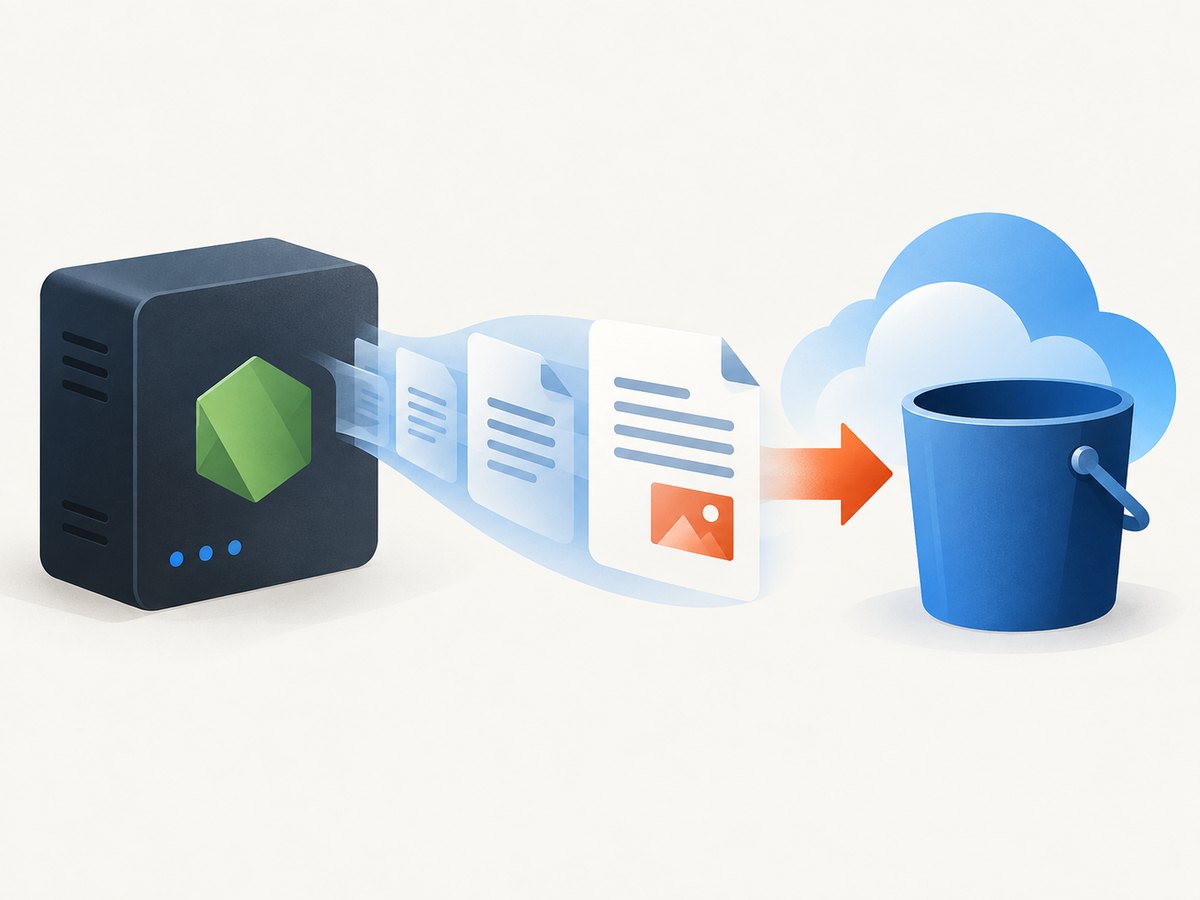
Generate a PDF with a Node.js library such as PDFKit, then upload the resulting bytes or stream to Amazon S3 with AWS SDK for JavaScript v3. For a modest document, use PutObjectCommand with a buffer. For larger output, consider @aws-sdk/lib-storage and its multipart upload helper. Set the target bucket and Region, use ContentType: "application/pdf", and treat the operation as complete only when its promise resolves.
This guide uses PDFKit and AWS SDK v3. PDFKit produces a readable Node.js stream and requires doc.end() to finalize the PDF. You can keep the whole output in memory, stage it in a temporary file, or connect generation to an upload workflow. The right choice depends on document size, memory and disk limits, and the retry and error behavior your application needs.
1. Install the packages and configure AWS
Use an Active LTS release of Node.js, install the PDF generator and S3 client, and configure credentials using the AWS SDK’s supported authentication setup. The example below uses ES modules.
npm init -y
npm pkg set type=module
npm install pdfkit @aws-sdk/client-s3
Set AWS_REGION to the Region of the bucket and PDF_BUCKET to its name. Credentials should come from the environment or the AWS credential provider chain appropriate to your deployment; do not paste long-lived keys into source code. The S3 client can obtain configuration from local AWS configuration when not supplied explicitly, but set the actual bucket Region in deployment configuration rather than depending on a developer machine’s defaults.
export AWS_REGION=us-east-1
export PDF_BUCKET=my-private-reports-bucket
# Configure AWS credentials using your deployment's standard credential provider.
For official setup and authentication details, see AWS’s Node.js SDK getting-started guide and client and Region configuration.
2. Generate and upload a small PDF with PutObject
For a document that comfortably fits in your application’s memory budget, collect PDFKit’s stream chunks into a buffer, then provide the buffer as the S3 object’s Body. This end-to-end script generates a one-page report and waits for S3 to acknowledge the upload before printing success.
import PDFDocument from "pdfkit";
import { S3Client, PutObjectCommand } from "@aws-sdk/client-s3";

const bucket = process.env.PDF_BUCKET;
const region = process.env.AWS_REGION;
if (!bucket || !region) {
  throw new Error("Set PDF_BUCKET and AWS_REGION before running this script");
}

function makePdfBuffer() {
  return new Promise((resolve, reject) => {
    const doc = new PDFDocument({ size: "LETTER", margin: 50 });
    const chunks = [];
    doc.on("data", (chunk) => chunks.push(chunk));
    doc.on("end", () => resolve(Buffer.concat(chunks)));
    doc.on("error", reject);

    doc.fontSize(20).text("Monthly report", { align: "left" });
    doc.moveDown();
    doc.fontSize(11).text(`Generated at ${new Date().toISOString()}`);
    doc.moveDown();
    doc.text("Replace this content with your application's report data.");
    doc.end();
  });
}

const pdfBuffer = await makePdfBuffer();
const s3 = new S3Client({ region });
const key = `reports/monthly-${Date.now()}.pdf`;

try {
  const result = await s3.send(new PutObjectCommand({
    Bucket: bucket,
    Key: key,
    Body: pdfBuffer,
    ContentType: "application/pdf",
  }));
  console.log(JSON.stringify({ bucket, key, etag: result.ETag }));
} catch (error) {
  console.error("PDF upload failed", {
    name: error.name,
    message: error.message,
    bucket,
    key,
  });
  throw error;
} finally {
  s3.destroy();
}
Save this as generate-and-upload.js and run node generate-and-upload.js after configuring the environment and credentials. The object key is an example; choose a stable, intentional key scheme that avoids unwanted overwrites. The sample logs the bucket, key, and returned ETag, not the document contents or credentials.
What the important fields do
| Field | Purpose | Decision |
|---|---|---|
Bucket |
Destination bucket | Read from deployment configuration. |
Key |
Object path and name | Use a deliberate naming and overwrite policy. |
Body |
PDF bytes, file stream, or supported upload body | Choose buffer or stream based on size and lifecycle requirements. |
ContentType |
Media type metadata | Set to application/pdf. |
A successful request means the S3 operation resolved. It does not mean the object should be public: keep bucket and object access aligned with the application’s security model. If readers need access, use the application’s established authorization or delivery mechanism rather than making a bucket public just to retrieve a PDF.
3. Pick a transfer strategy
| Approach | Memory and disk | Good fit | Trade-offs |
|---|---|---|---|
Buffer, then PutObject |
Holds the generated output in memory | Small, bounded PDFs and simple jobs | Easy to understand; peak memory grows with document size and buffering copies. |
| Temporary file, then upload stream | Uses disk staging; avoids keeping all PDF bytes in RAM | Jobs where local temporary storage is available | Requires cleanup, disk capacity planning, and handling interrupted jobs. |
| Multipart helper | Can upload larger output in parts | Larger documents or workflows that benefit from multipart handling | More moving parts; stream completion, errors, retries, and cleanup need attention. |
AWS’s JavaScript v3 migration guide identifies @aws-sdk/lib-storage as the multipart upload helper. The best option depends on document size, memory budget, disk availability, retry behavior, and implementation complexity; there is no universal size cutoff established here. The direct composition of a PDFKit readable stream with a particular helper should be checked against the exact installed package versions and exercised for backpressure and errors.

4. Stage to a temporary file for a memory-bounded workflow
A temporary file separates PDF generation from S3 transfer. This is useful if the upload code should read a finalized file stream or if buffering the complete PDF is undesirable. The example uses Node’s promise-based filesystem APIs and deletes the temporary file even when upload fails.
import PDFDocument from "pdfkit";
import { S3Client, PutObjectCommand } from "@aws-sdk/client-s3";
import { createWriteStream, createReadStream } from "node:fs";
import { mkdtemp, rm } from "node:fs/promises";
import { tmpdir } from "node:os";
import { join } from "node:path";
import { pipeline } from "node:stream/promises";

const bucket = process.env.PDF_BUCKET;
const region = process.env.AWS_REGION;
if (!bucket || !region) throw new Error("Missing PDF_BUCKET or AWS_REGION");

const dir = await mkdtemp(join(tmpdir(), "pdf-job-"));
const path = join(dir, "report.pdf");
const doc = new PDFDocument({ size: "LETTER", margin: 50 });
doc.fontSize(18).text("Generated report");
doc.moveDown().fontSize(11).text("PDFKit writes to a Node.js stream.");

try {
  await pipeline(doc, createWriteStream(path));
  // pipeline waits for stream completion. PDFKit must be finalized.
} finally {
  // In this minimal example doc.end() should be called before awaiting pipeline;
  // see the corrected sequence immediately below.
}
PDFKit’s producer must be finalized; calling doc.end() after awaiting a pipeline would wait forever because the writable side is still waiting for the document to finish. Use this corrected sequence for the generation step:
const writeFinished = pipeline(doc, createWriteStream(path));
doc.end();
await writeFinished;

const s3 = new S3Client({ region });
try {
  await s3.send(new PutObjectCommand({
    Bucket: bucket,
    Key: "reports/generated-report.pdf",
    Body: createReadStream(path),
    ContentType: "application/pdf",
  }));
} finally {
  s3.destroy();
  await rm(dir, { recursive: true, force: true });
}
For a complete runnable version, combine the setup and the corrected sequence into one file, retaining a single try/finally around both generation and upload so that temporary data is removed on every exit path. When processing concurrent jobs, ensure the temporary directory is unique and account for the runtime’s disk quota.
5. Use multipart upload for larger outputs
For larger generated PDFs, AWS provides @aws-sdk/lib-storage. Install it separately:
npm install @aws-sdk/lib-storageThe helper supports multipart uploads. Because stream composition details depend on the precise helper and SDK versions, verify the package’s current API and configure part size and concurrency only with the documentation for the installed version. Do not assume that exposing a readable stream alone guarantees correct error propagation or backpressure.
import PDFDocument from "pdfkit";
import { S3Client } from "@aws-sdk/client-s3";
import { Upload } from "@aws-sdk/lib-storage";

const s3 = new S3Client({ region: process.env.AWS_REGION });
const doc = new PDFDocument();
const upload = new Upload({
  client: s3,
  params: {
    Bucket: process.env.PDF_BUCKET,
    Key: "reports/large-report.pdf",
    Body: doc,
    ContentType: "application/pdf",
  },
});

try {
  const uploadPromise = upload.done();
  doc.fontSize(18).text("Large report");
  // Add report content here, with bounded application-side production.
  doc.end();
  await uploadPromise;
  console.log("Upload complete");
} catch (error) {
  doc.destroy(error);
  console.error("Multipart upload failed", { name: error.name, message: error.message });
  throw error;
} finally {
  s3.destroy();
}
This illustrates the producer and consumer lifecycle, but treat it as a version-sensitive integration example: validate the exact Upload stream behavior in your application, especially when PDF generation can fail after upload starts. Ensure the rejection is observed, stop or destroy the producer on failure, and do not report success before done() resolves. AWS documents multipart uploads and the SDK helper in its S3 migration guide.
6. Credentials, permissions, and integrity
The SDK needs usable credentials and a client configured for the bucket’s Region. Give the runtime only the permissions needed to write the intended objects, and keep bucket policy and object access intentional. A permission failure is different from a network or Region issue; preserve AWS error names and request context for diagnosis without logging secrets.
AWS documents default CRC32 upload checksum calculation beginning with AWS SDK for JavaScript v3.729.0 when no precalculated checksum or alternate algorithm is selected. This is version and configuration dependent. Check the installed SDK version and settings before relying on that behavior; do not assume every version or custom configuration calculates the same checksum.
See AWS SDK for JavaScript checksum documentation for the stated version behavior and conditions.
7. Reliability, performance, and cost
- Memory: buffering holds the finished document and concatenation may briefly require additional memory. Bound PDF size or use staging/multipart approaches if memory pressure matters.
- Disk: temporary-file staging requires available space and reliable cleanup after failures or process termination.
- Latency: upload begins only after generation in the buffered and staged approaches. A stream-oriented workflow can overlap production and transfer, but increases lifecycle and backpressure complexity.
- Retries: a failed upload may be retried, but decide whether repeating the same key should replace an existing report or whether each attempt should use a unique key. Make job handling idempotent where appropriate.
- Completion: await
send()or the multipart helper’s completion promise. A generated PDF or an initiated upload is not proof that S3 accepted the object. - Cost: consider S3 storage, request, and data transfer costs applicable to your account and usage. The research sources provide no workflow-specific price or performance benchmark; check current AWS pricing for the relevant Region and access pattern.
For response streams from S3, consume or destroy the stream: AWS notes that unconsumed response streams can keep connections occupied. That note applies to downloads, but it reinforces a general rule to manage stream lifecycles explicitly. PDF upload code should also propagate generator and network errors and release temporary resources.
8. Troubleshooting
| Symptom | Likely cause | Fix |
|---|---|---|
AccessDenied |
Credentials lack permission, bucket policy rejects the write, or the selected identity is not the expected one. | Check the active identity, bucket policy, and narrowly scoped write permissions for the object path. |
| Bucket not found or redirect/Region error | Wrong bucket name or client Region. | Confirm the bucket’s actual Region and set AWS_REGION accordingly. |
| Missing credentials | The runtime cannot resolve credentials from its configured provider. | Configure the deployment’s AWS credential mechanism; avoid embedding credentials in the source. |
| Upload hangs while generating | The PDF producer was not finalized or the upload is waiting on a stream that never ends. | Call doc.end() after content is written and observe both stream errors and the upload promise. |
| Truncated or invalid PDF | Upload began before generation finished, a stream error was ignored, or bytes were not fully collected. | For a buffer, wait for the document’s end event; for streams, await the pipeline/upload completion and propagate errors. |
| Memory exhaustion | Large documents or many concurrent buffered jobs exceed the process budget. | Limit concurrent jobs, impose document bounds, stage to disk, or evaluate multipart streaming. |
| Temporary storage fills up | Large or concurrent jobs exceed available disk, or cleanup did not run. | Check runtime quotas, use unique temp paths, remove files in finally, and consider streaming alternatives. |
| Object is uploaded but inaccessible | Upload success does not make an object public; access policy may be private by design. | Use the application’s authorized retrieval path and verify expected permissions. |
| Unexpected overwrite | Two jobs wrote the same key. | Use a unique key or enforce the intended replace/condition policy at the application layer. |
9. A no-browser screenshot PDF alternative
If the PDF you need is a rendered webpage rather than a custom report generated by PDFKit, ScreenshotNeo can capture a URL as a PDF through one API request. Its API base is https://api.screenshotneo.com/v1/shot. The screenshot API’s PDF options include paper size, margins, landscape orientation, and page ranges. See the ScreenshotNeo API documentation for request options.
import { S3Client, PutObjectCommand } from "@aws-sdk/client-s3";

const q = new URLSearchParams({
  access_key: process.env.SCREENSHOTNEO_API_KEY,
  url: "https://stripe.com",
  format: "pdf",
});
const response = await fetch(`https://api.screenshotneo.com/v1/shot?${q}`);
if (!response.ok) throw new Error(`ScreenshotNeo request failed: ${response.status}`);
const pdf = Buffer.from(await response.arrayBuffer());
const s3 = new S3Client({ region: process.env.AWS_REGION });
try {
  await s3.send(new PutObjectCommand({
    Bucket: process.env.PDF_BUCKET,
    Key: "web-captures/stripe.pdf",
    Body: pdf,
    ContentType: "application/pdf",
  }));
} finally {
  s3.destroy();
}
The format=pdf parameter follows the product’s stated PDF output capability; consult the docs for exact option names and available values. This example buffers the response, so the same memory considerations apply to large documents. ScreenshotNeo accepts cookie and consent banners like a visitor and removes more than 60 known consent platforms, newsletter popups, and chat widgets before capture; those steps can be turned off. Bot checks, blank pages, failed loads, timeouts, and cache hits are not billed, and responses indicate page verdict and billing status in headers. An MCP server offers take_screenshot, get_page_info, and capture_pdf for AI agents. The free plan includes 1,000 shots per month without a card; paid plans start at $5 for 3,000 shots. Sign up for 1,000 free screenshots a month, no card required.
10. FAQ
Can I upload a PDF without saving it to disk?
Yes. Buffer the generated bytes and use PutObjectCommand, or evaluate a stream-oriented multipart helper. Disk staging is optional.
Does PDFKit upload the PDF for me?
No. It generates a readable stream. Your application must direct that output to a buffer, file, or upload workflow, call doc.end(), and wait for transfer completion.
Should I make the S3 object public?
Only if that matches the application’s access design. An upload can succeed while the object remains private; use the intended authorization path for retrieval.
When should I use multipart upload?
Consider it when documents or concurrency make simple buffering unsuitable. Review the installed helper’s current behavior and test the stream lifecycle and failure paths for your workload.
Primary references
- PDFKit Getting Started — document streams and finalization.
- AWS S3 JavaScript v3 examples —
PutObjectCommand, buffer body, and service error handling. - AWS S3 SDK migration guide — multipart helper and stream lifecycle guidance.
- AWS SDK for JavaScript setup — installation, authentication, and Node.js guidance.
- AWS service clients and Regions — S3 client configuration.
- AWS JavaScript SDK checksum guidance — version-specific default CRC32 behavior.


