How to Save and Load Cookies in Playwright
Learn when to save full Playwright storage state, when to copy cookies only, and how to handle session storage, security, expiry, and parallel tests.

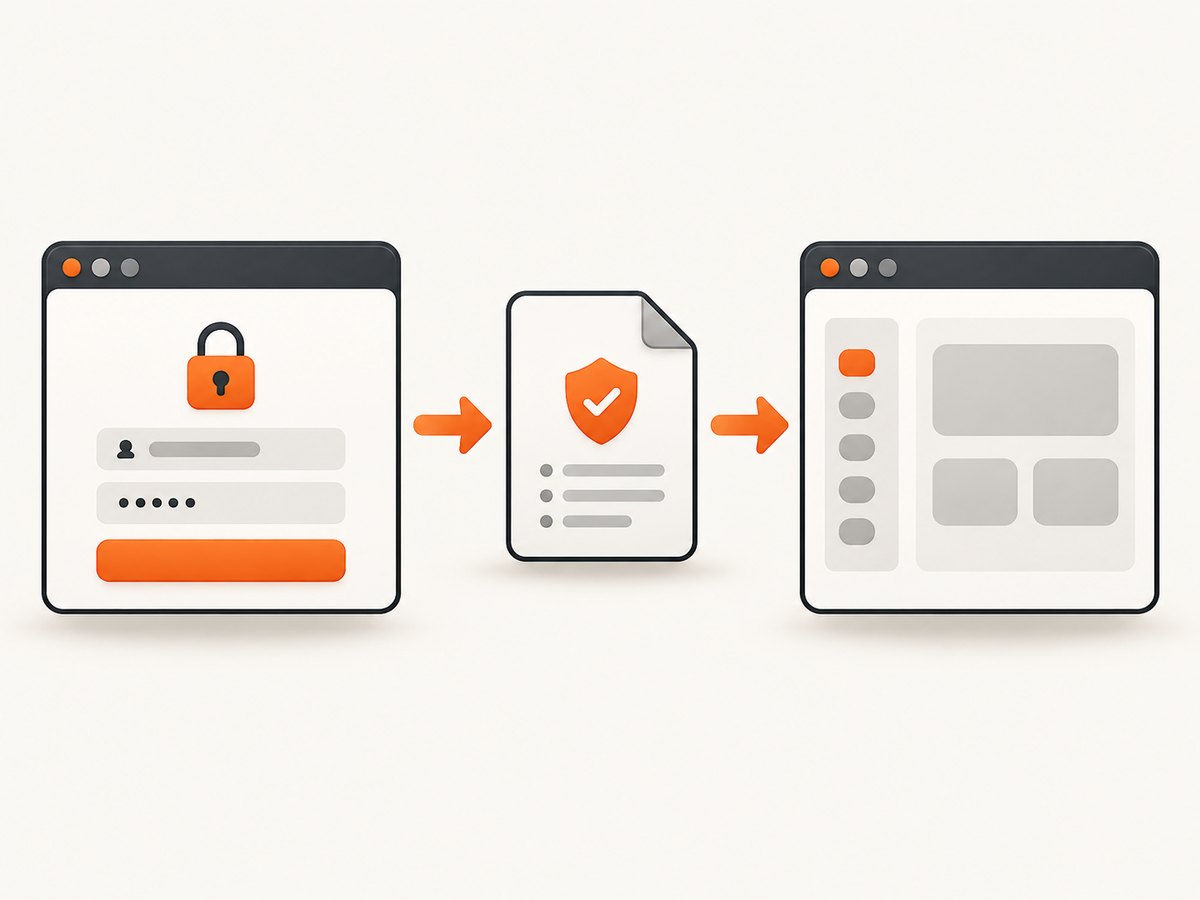
Use Playwright’s storageState API when you want to save an authenticated session and reuse it later. It stores cookies and other supported browser state in a JSON file. Save it after login, then pass the file to browser.newContext() or configure Playwright Test with use.storageState.
// Save state after a reliable login-completion check
await page.context().storageState({ path: 'playwright/.auth/user.json' });

// Load it in another context
const context = await browser.newContext({
  storageState: 'playwright/.auth/user.json',
});
Use context.cookies() and context.addCookies() when you deliberately need only selected cookies or need to control their attributes. A cookie-only workflow does not automatically preserve local storage, IndexedDB, OPFS, or virtual WebAuthn credentials, so it is usually less complete for “stay logged in” testing.
What Playwright saves
A storage-state snapshot can include cookies, local storage, and, depending on your Playwright version and options, IndexedDB, origin private file system (OPFS), and virtual WebAuthn credentials. The exact set is version-sensitive:
| Data | Included in storage state? | Notes |
|---|---|---|
| Cookies | Yes | Includes attributes such as expiry, httpOnly, secure, sameSite, and partition information. |
| Local storage | Yes | Often needed by token-based single-page applications. |
| IndexedDB | With documented option | Support was added in Playwright 1.51; check the reference for your installed version. |
| OPFS | Version-dependent | Support was added in 1.63 and is not supported in ephemeral WebKit contexts. |
| Virtual WebAuthn credentials | Version-dependent | Support was added in 1.61. Restoring them installs a virtual authenticator. |
| sessionStorage | No built-in persistence | Restore it separately with an init script. |
See the Playwright authentication guide and the BrowserContext reference for version-specific options.
Save an authenticated browser state
1. Create a setup script
Log in in a dedicated setup test or trusted script. Wait for a condition that proves authentication is complete. A URL change alone may be too early because some applications set cookies across several redirects.
// tests/auth.setup.ts
import { test as setup, expect } from '@playwright/test';

const authFile = 'playwright/.auth/user.json';

setup('authenticate', async ({ page }) => {
  await page.goto('https://example.com/login');
  await page.getByLabel('Email').fill(process.env.TEST_EMAIL!);
  await page.getByLabel('Password').fill(process.env.TEST_PASSWORD!);
  await page.getByRole('button', { name: 'Sign in' }).click();

  // Pick a reliable post-login signal.
  await expect(page.getByRole('link', { name: 'Account' })).toBeVisible();
  await page.context().storageState({ path: authFile });
});
Keep credentials in environment variables or your CI secret store. Do not hard-code them in the repository.
2. Configure Playwright Test
// playwright.config.ts
import { defineConfig } from '@playwright/test';

export default defineConfig({
  projects: [
    {
      name: 'setup',
      testMatch: /auth\.setup\.ts/,
    },
    {
      name: 'chromium',
      use: {
        browserName: 'chromium',
        storageState: 'playwright/.auth/user.json',
      },
      dependencies: ['setup'],
    },
  ],
});
The setup project runs first, and dependent projects load the resulting state. If the state should exist only for one run, place it under the test project’s output directory so Playwright Test can clean it on the next run.
3. Load state in a standalone script
import { chromium } from 'playwright';

const browser = await chromium.launch();
const context = await browser.newContext({
  storageState: 'playwright/.auth/user.json',
});
const page = await context.newPage();
await page.goto('https://example.com/account');
console.log(await page.title());
await browser.close();
Save and restore cookies only
Cookie-only handling is useful when a test needs a small, explicit set of cookies or when you are migrating cookies between contexts. cookies() returns all cookies in the context, or only cookies affecting supplied URLs.
import { chromium } from 'playwright';

const browser = await chromium.launch();
const source = await browser.newContext();
await source.goto('https://example.com');

const cookies = await source.cookies('https://example.com');
console.log(cookies);

const target = await browser.newContext();
await target.addCookies(cookies);
const page = await target.newPage();
await page.goto('https://example.com/account');

await browser.close();
Each cookie needs either a url, or both domain and path. A leading dot in a domain, such as .example.com, allows subdomains. Preserve the original secure, httpOnly, sameSite, expiry, and partition attributes unless you have a specific reason to change them.
await context.addCookies([
  {
    name: 'session',
    value: process.env.SESSION_COOKIE!,
    domain: '.example.com',
    path: '/',
    httpOnly: true,
    secure: true,
    sameSite: 'Lax',
  },
]);
Python Playwright equivalent
from playwright.sync_api import sync_playwright

with sync_playwright() as p:
    browser = p.chromium.launch()
    context = browser.new_context()
    page = context.new_page()
    page.goto("https://example.com/login")
    page.get_by_label("Email").fill("user@example.com")
    page.get_by_label("Password").fill("secret")
    page.get_by_role("button", name="Sign in").click()
    page.get_by_role("link", name="Account").wait_for()

    context.storage_state(path="playwright/.auth/user.json")
    browser.close()
from playwright.sync_api import sync_playwright
with sync_playwright() as p:
browser = p.chromium.launch()
context = browser.new_context(storage_state="playwright/.auth/user.json")
page = context.new_page()
page.goto("https://example.com/account")
print(page.title())
browser.close()Node.js and API-based authentication
The JavaScript and TypeScript APIs are the same at runtime. If the application exposes a suitable login API, authenticate with an APIRequestContext and save its state. The resulting file can be loaded by a browser context.
const { request, chromium } = require('playwright');

(async () => {
  const api = await request.newContext({ baseURL: 'https://example.com' });
  await api.post('/login', {
    data: { email: process.env.TEST_EMAIL, password: process.env.TEST_PASSWORD },
  });
  await api.storageState({ path: 'playwright/.auth/api-user.json' });

  const browser = await chromium.launch();
  const context = await browser.newContext({
    storageState: 'playwright/.auth/api-user.json',
  });
  const page = await context.newPage();
  await page.goto('https://example.com/account');
  await browser.close();
})();
Storage state is interchangeable between BrowserContext and APIRequestContext. Requests created from a browser context share its cookie storage; a separately created request context has isolated storage.
cURL and cookie files
cURL cannot read Playwright’s storage-state JSON as a browser context. For a cookie-only API call, pass a cookie header or use a cURL cookie jar after exporting the value securely:

curl --cookie "session=YOUR_SESSION_COOKIE" \
  "https://example.com/api/me"
This is appropriate for a narrow API check. It does not recreate browser local storage, IndexedDB, service workers, or page behavior, so it cannot replace Playwright when those are part of authentication.
Restore sessionStorage separately
Playwright’s standard storage-state flow does not persist sessionStorage. The documented workaround is to read it, serialize it, and restore it with context.addInitScript() for the relevant hostname.
const sessionStorage = await page.evaluate(() =>
  JSON.stringify(Object.fromEntries(Object.entries(window.sessionStorage)))
);

await context.addInitScript(storage => {
  if (location.hostname === 'example.com') {
    const entries = JSON.parse(storage);
    for (const [key, value] of Object.entries(entries)) {
      window.sessionStorage.setItem(key, value as string);
    }
  }
}, sessionStorage);
Install the init script before opening the page that reads the session values. Keep the hostname check so credentials are not injected into unrelated origins.
Choosing storageState or cookies()
| Need | Recommended API | Reason |
|---|---|---|
| Reuse a normal logged-in browser session | storageState |
Captures cookies plus supported browser storage. |
| Copy one cookie to a new context | cookies and addCookies |
Explicit and easy to scope. |
| Control domain, path, expiry, or SameSite | addCookies |
Lets you provide exact attributes. |
| API login followed by UI tests | request.storageState |
Avoids repeating a slow UI login. |
| sessionStorage-based auth | Init script workaround | Not included by standard storage state. |
| IndexedDB or passkeys | Versioned storage-state options | Verify support in your installed Playwright version. |
Security, expiry, and parallel tests
- Add
playwright/.authto.gitignore. The browser state file may contain sensitive cookies and headers that can impersonate the account. - Use a dedicated test account with the minimum permissions needed.
- Regenerate state when the session expires, the account password changes, or the application rotates refresh tokens.
- Use separate accounts when parallel tests modify server-side state or when authentication is browser-specific.
- Never print complete cookie values in CI logs. Redact state in failure diagnostics.
Performance and reliability notes
Saving state once and reusing it is usually faster and less flaky than logging in before every test. API-based setup can reduce UI work further. Keep the setup project deterministic: wait for a post-login assertion, avoid arbitrary short sleeps, and save only after redirects and background cookie writes have completed.
For parallel workers, decide whether all workers can safely share one account. If tests create, edit, or delete shared records, provision separate accounts or isolate the data. A stale state file can make every test fail at once, so make state generation an explicit dependency and report authentication failures clearly.
Troubleshooting
“The page is still logged out”
Cause: the file was saved before login finished, the wrong origin was used, or authentication also depends on local storage or IndexedDB. Fix: wait for a reliable authenticated UI condition, inspect the saved state, and capture the additional storage supported by your Playwright version.
“Cookie is ignored”
Cause: missing url, or missing domain/path; a domain does not match the target host; or a secure cookie is being sent over HTTP. Fix: provide valid scope attributes and use the correct HTTPS origin.
“Works in Chromium but not WebKit”
Cause: browser-specific authentication, unsupported OPFS behavior in ephemeral WebKit, or different cookie policies. Fix: generate state for the target browser when necessary and check the BrowserContext reference for feature support.
“State expires in CI”
Cause: authentication tokens are time-limited or tied to a device, IP, or browser. Fix: regenerate state in the setup project for each run, use a test account with predictable expiry, and avoid committing old state files.
“sessionStorage is empty”
Cause: Playwright does not include it in normal storage state. Fix: serialize it after login and restore it with addInitScript before navigation.
“Parallel tests interfere with one another”
Cause: workers share server-side account data. Fix: use separate accounts, isolate records, or serialize the tests that mutate shared state.
Or skip the browser setup
If your goal is a clean screenshot after authentication or navigation, ScreenshotNeo provides a single website screenshot API request. Its options include custom cookies, headers, Authorization, user agents, waits, selectors, JavaScript, and custom CSS. See the ScreenshotNeo API documentation.
curl -G "https://api.screenshotneo.com/v1/shot" -d access_key=YOUR_API_KEY --data-urlencode url=https://stripe.com -o shot.webpimport requests
r = requests.get("https://api.screenshotneo.com/v1/shot", params={"access_key": "YOUR_API_KEY", "url": "https://stripe.com"}, timeout=90)
open("shot.webp", "wb").write(r.content)const q = new URLSearchParams({ access_key: 'YOUR_API_KEY', url: 'https://stripe.com' });
const res = await fetch(`https://api.screenshotneo.com/v1/shot?${q}`);Cookie banners, newsletter popups, and chat widgets are removed before the shot. Bot checks, blank pages, failed loads, timeouts, and cache hits are never billed, and response headers identify the page verdict and billing status. An MCP server lets AI agents use take_screenshot, get_page_info, and capture_pdf. The Free plan includes 1,000 screenshots each month with no card; paid plans start at $5 for 3,000 shots. Create a free ScreenshotNeo account.
FAQ
Should I save cookies or the whole storage state?
Save the whole storage state for general authenticated testing. Use cookies alone when you intentionally need a limited, portable cookie set.
Can I share one state file across projects?
Only if the projects use compatible origins, browser behavior, and account permissions. Treat the file as a secret and regenerate it when its session expires.
Does storageState save passwords?
No. It saves browser state such as cookies and supported storage. Keep login credentials in environment or CI secrets.
Can I edit the JSON by hand?
You can, but malformed attributes or incorrect domains commonly produce silent authentication failures. Prefer Playwright APIs for changes.
Which Playwright version should I use for IndexedDB or WebAuthn?
Check the BrowserContext reference for the version installed in your project. These capabilities were added in specific releases and are not interchangeable across all versions.


