How to Save and Load Cookies in Python Requests
Persist Requests cookies across calls and restarts with sessions, JSON snapshots, and cookies.txt files—plus fixes for expiry, scope, and login issues.
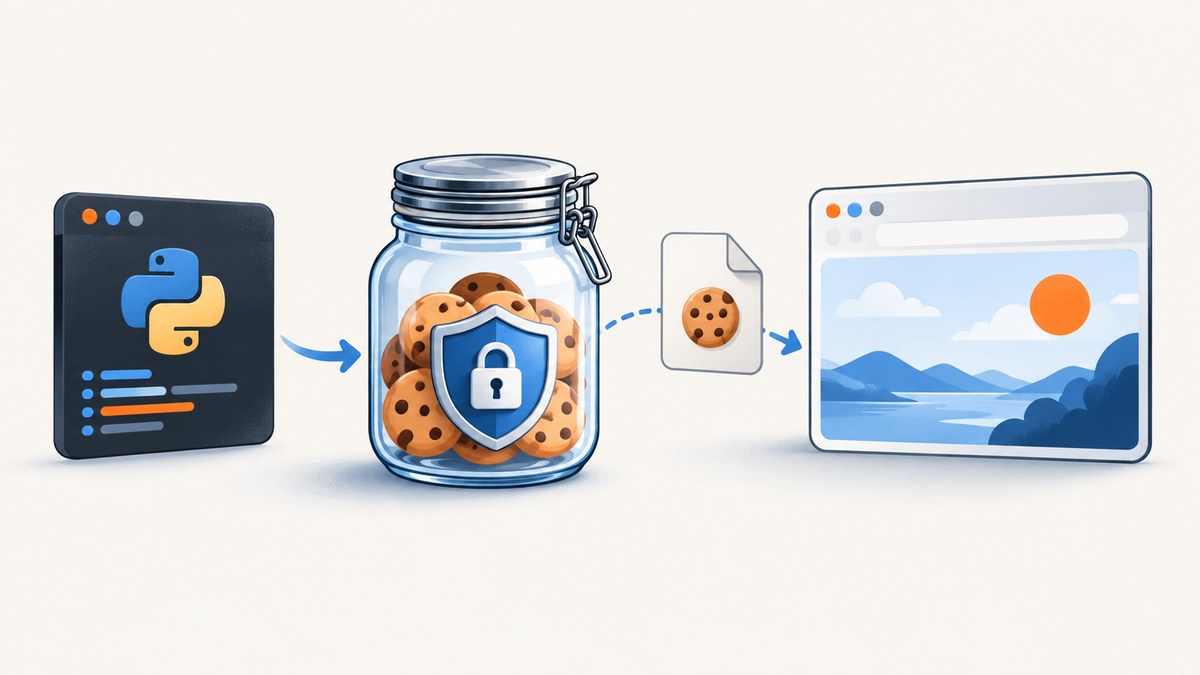
Direct answer: use one requests.Session() for every request that should share cookies. The session keeps response cookies in memory and sends eligible cookies on later calls. To keep cookies after Python exits, attach a file-backed http.cookiejar.MozillaCookieJar, load it before the first authenticated request, and save it after the server sets or refreshes cookies. A JSON dictionary snapshot is simpler, but it drops domain, path, expiry, secure, and discard metadata.
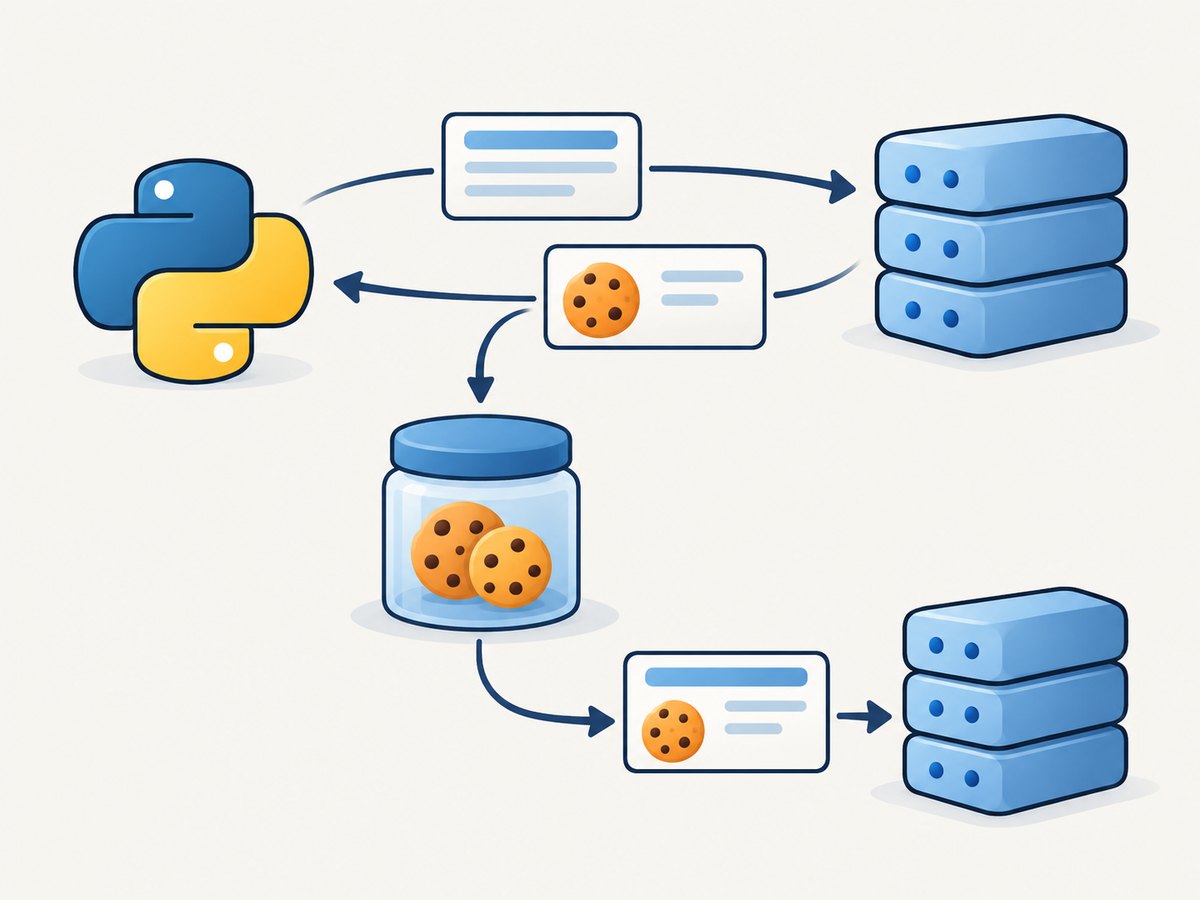
Requests documents that a Session persists parameters and cookies across requests. A cookie passed to one request method is not automatically retained by the next call, so persistent workflows should put cookies on session.cookies. The examples below cover in-memory sessions, JSON snapshots, interoperable cookies.txt files, pickle, scoped cookies, security, troubleshooting, and production considerations.
1. Keep cookies during one Python run
The normal pattern is a session context manager. If the login response sets a cookie, Requests stores it in the session jar; the next request sends it when its domain, path, security, and expiry rules match.
import requests

with requests.Session() as session:
    login_page = session.get("https://example.com/login", timeout=30)
    login_page.raise_for_status()

    # Submit credentials or a form here when required.
    account = session.get("https://example.com/account", timeout=30)
    account.raise_for_status()
    print(account.status_code)
    print(session.cookies.get_dict())
RequestsCookieJar is the jar Requests creates by default. It behaves like a cookie jar and also exposes a dictionary-style interface. Keep the same session object for the complete sequence; creating a new session starts with an empty jar.
Inspect cookies without losing scope
for cookie in session.cookies:
    print({
        "name": cookie.name,
        "value": cookie.value,
        "domain": cookie.domain,
        "path": cookie.path,
        "expires": cookie.expires,
        "secure": cookie.secure,
    })

# Scope-aware lookup. This avoids ambiguity when names collide.
value = session.cookies.get("sessionid", domain="example.com", path="/")
print(value)
Cookie names can repeat for different domains or paths. Calling get_dict() without a domain and path is convenient for simple sites, but use scoped get(), set(), or get_dict() when a jar contains multiple scopes.
2. Save a simple JSON cookie snapshot
For a controlled application that only needs a small name/value set, Requests provides conversion helpers. This survives a process restart, but it intentionally discards metadata. The target site must accept those values without relying on their original domain, path, expiry, or security attributes.
import json
import requests

session = requests.Session()
login = session.get("https://example.com/login", timeout=30)
login.raise_for_status()

with open("cookies.json", "w", encoding="utf-8") as file:
    json.dump(requests.utils.dict_from_cookiejar(session.cookies), file)

# Later, in a new process:
with open("cookies.json", encoding="utf-8") as file:
    values = json.load(file)

restored = requests.Session()
restored.cookies = requests.cookies.cookiejar_from_dict(values)
response = restored.get("https://example.com/account", timeout=30)
response.raise_for_status()
print(response.status_code)
This approach is useful for a single host with uncomplicated cookies. It is a poor fit when the site sets the same name on several paths, uses subdomains, checks expiry, or requires a Secure flag. Never commit cookies.json to source control: its values may be bearer credentials.
3. Save and load a cookies.txt-compatible file
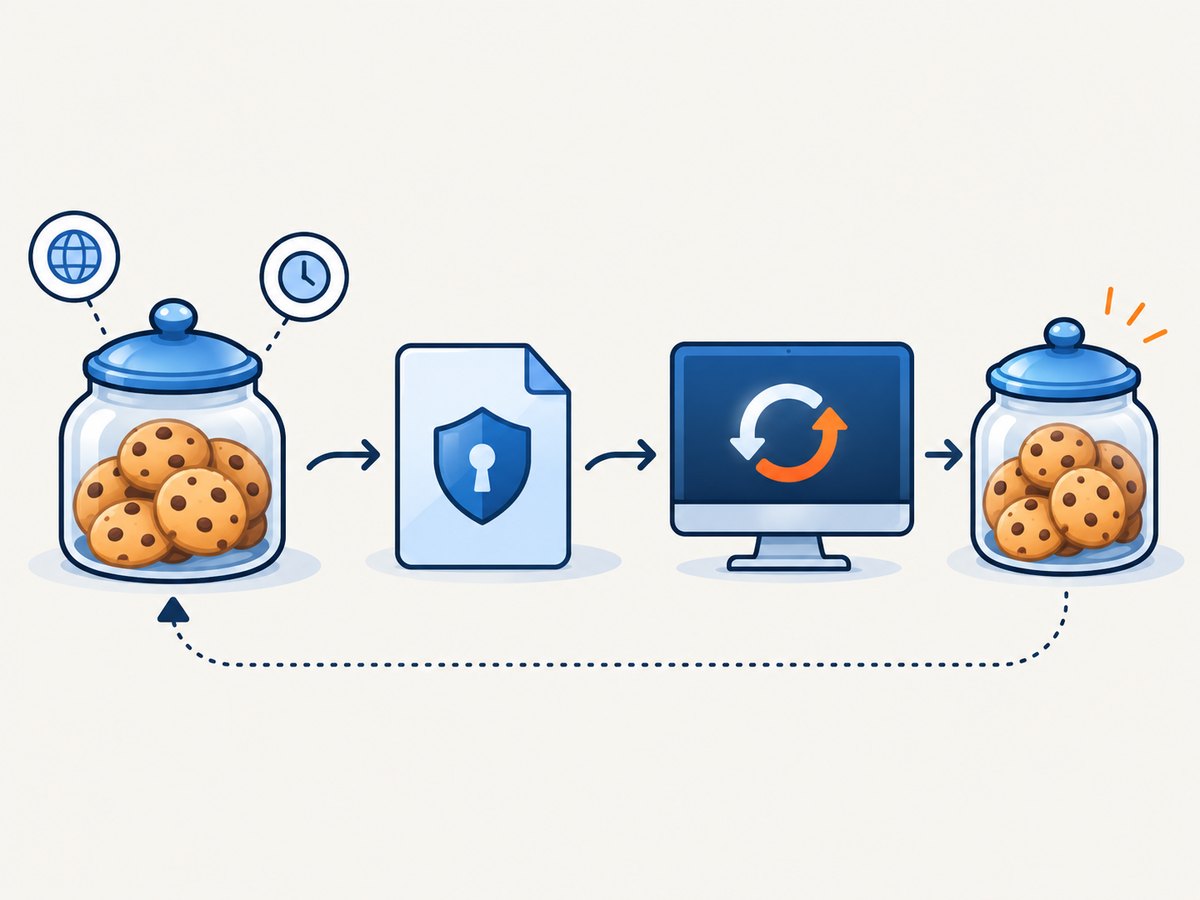
http.cookiejar.MozillaCookieJar is a file-backed jar that reads and writes the Mozilla/Netscape cookies.txt format. Python documents it as a FileCookieJar for this format, which makes it useful when another tool, browser export, curl, or a deployment job must share cookies.
import http.cookiejar
import requests

cookie_file = "cookies.txt"
jar = http.cookiejar.MozillaCookieJar(cookie_file)

try:
    jar.load(ignore_discard=True, ignore_expires=True)
except FileNotFoundError:
    # First run: the empty jar will be filled by the next response.
    pass

with requests.Session() as session:
    session.cookies = jar

    response = session.get("https://example.com/login", timeout=30)
    response.raise_for_status()

    # Submit a login form here if the site requires one.
    account = session.get("https://example.com/account", timeout=30)
    account.raise_for_status()

    # Include session cookies deliberately. Omit ignore_discard=True if
    # you only want persistent cookies written to disk.
    jar.save(ignore_discard=True)
Requests’ API notes that .save() does not save session cookies unless ignore_discard=True is passed. Expired cookies are normally omitted; use ignore_expires=True only when you have a deliberate reason to preserve stale entries for inspection or a controlled refresh workflow. Loading a file before the first authenticated request matters: otherwise the initial request may receive a new anonymous session.
Validate the file and create parent directories
from pathlib import Path
import http.cookiejar

path = Path("state") / "example-cookies.txt"
path.parent.mkdir(parents=True, exist_ok=True)
jar = http.cookiejar.MozillaCookieJar(str(path))
if path.exists():
    jar.load(ignore_discard=True, ignore_expires=False)

for cookie in jar:
    if not cookie.domain.endswith("example.com"):
        raise ValueError(f"Unexpected cookie domain: {cookie.domain}")
Validate the expected domain before using an imported file. A cookies.txt file is plain text and may contain entries for many sites.
4. Pass a cookie jar to one request
A jar can be supplied directly for a one-off call:
import http.cookiejar
import requests

jar = http.cookiejar.MozillaCookieJar("cookies.txt")
jar.load(ignore_discard=True, ignore_expires=False)
response = requests.get("https://httpbin.org/cookies", cookies=jar, timeout=30)
print(response.json())
This does not turn a method-level cookies= argument into a persistent sequence. For several calls, assign the jar to Session.cookies. The Requests quickstart documents cookie-jar passing and scope behavior.
5. Pickle a RequestsCookieJar (Python-only)
RequestsCookieJar is pickleable, so a trusted Python-only workflow can preserve its metadata:
import pickle
import requests

session = requests.Session()
session.get("https://example.com/login", timeout=30)
with open("cookies.pickle", "wb") as file:
    pickle.dump(session.cookies, file)

with open("cookies.pickle", "rb") as file:
    restored_jar = pickle.load(file)
restored = requests.Session()
restored.cookies = restored_jar
Never unpickle a file from an untrusted source. Pickle is not an interchange format and cannot be consumed by curl or browser tools. Choose MozillaCookieJar when interoperability matters.
6. Cookie attributes, scope, and login edge cases
| Attribute | Effect | What to check |
|---|---|---|
| Domain | Limits which host receives the cookie | Make sure the request host matches the cookie domain and subdomain rules. |
| Path | Limits URL paths | A cookie for /app may not be sent to /. |
| Expires/Max-Age | Controls lifetime | Expired entries are normally not sent or saved. |
| Secure | Restricts sending to HTTPS | Use HTTPS for authenticated requests. |
| Discard | Marks a session-only cookie | Saving requires ignore_discard=True. |
Some login systems also require a CSRF token, a hidden form value, a matching user agent, or a redirect sequence. Cookies alone may not reproduce a browser login. Follow redirects unless the application needs to inspect the intermediate response, and call raise_for_status() so an HTML error page is not mistaken for an authenticated response.
7. Troubleshooting common failures
“The cookie disappears after restarting Python”
Cause: a Session stores cookies only in memory. Fix: save a JSON snapshot or MozillaCookieJar after login, then load it before the next authenticated request.
“The file is empty”
Cause: the server issued only discard/session cookies and save() filtered them. Fix: use jar.save(ignore_discard=True) when deliberately persisting session cookies, or confirm that the response actually contains a Set-Cookie header.
“Authentication works in a browser but not Requests”
Cause: wrong domain/path, expired cookies, missing CSRF data, or a login flow that depends on JavaScript. Fix: inspect every cookie’s scope and expiry, preserve redirects, submit required form fields, and compare the request sequence rather than copying only one value.
“CookieConflictError” or an ambiguous lookup
Cause: the jar contains duplicate names for different domains or paths. Fix: call session.cookies.get(name, domain=..., path=...) or iterate through the jar; do not assume a name is globally unique.
“The cookies.txt file will not load”
Cause: malformed Netscape format, an incorrect path, or a file exported in a different format. Fix: verify the file begins with the expected cookie format, use an absolute path while debugging, and catch http.cookiejar.LoadError. Re-export as a Mozilla/Netscape cookies.txt file when necessary.
“Requests sends an old cookie”
Cause: an unexpired entry remains in the jar or a more specific path wins. Fix: inspect all matching entries, delete the stale one with clear(domain, path, name), or start with a fresh jar.
session.cookies.clear(domain="example.com", path="/", name="sessionid")8. Security checklist
- Keep cookie files outside the repository and add their names to
.gitignore. - Restrict permissions, for example
chmod 600 cookies.txton Unix systems. - Never print cookie values in logs, exceptions, notebooks, or CI output.
- Treat saved cookies as bearer credentials; rotate or delete them when a job ends.
- Use a secret manager for long-lived automation and inject the path or values at runtime.
- Validate domains before loading an imported jar.
- Use HTTPS and a separate jar per account, environment, and target site.
9. Performance, reliability, and cost
Reusing a Session can reduce connection setup because Requests can reuse underlying HTTP connections. It also gives every request the same cookie state, which makes multi-step flows deterministic. A file load and save are small compared with a network login, but avoid writing the jar after every request in a high-volume loop; save after login or when the server refreshes authentication.
For concurrent work, do not casually share one mutable session across threads. Use one session and jar per worker or add synchronization around cookie updates. Handle timeouts explicitly, retry only idempotent operations unless the application supports safe replay, and refresh the jar when the server returns an authentication failure. Cookie persistence does not eliminate server-side session expiry or revocation.
10. Or skip the browser setup
If your goal is to capture a page after an authenticated or consented browser flow, ScreenshotNeo provides a website screenshot API and MCP server. It accepts cookies, custom headers, user agents, and Authorization values, so you can send the state your application already holds without maintaining browser automation. See the ScreenshotNeo API documentation for all parameters.
curl -G "https://api.screenshotneo.com/v1/shot" -d access_key=YOUR_API_KEY --data-urlencode url=https://stripe.com -o shot.webpimport requests
r = requests.get("https://api.screenshotneo.com/v1/shot", params={"access_key": "YOUR_API_KEY", "url": "https://stripe.com"}, timeout=90)
open("shot.webp", "wb").write(r.content)const q = new URLSearchParams({ access_key: 'YOUR_API_KEY', url: 'https://stripe.com' });
const res = await fetch(`https://api.screenshotneo.com/v1/shot?${q}`);Cookie banners, newsletter popups, and chat widgets are removed before the shot. Bot checks, blank pages, failed loads, timeouts, and cache hits are not billed; response headers identify the page verdict and whether it was billed. An MCP server lets Claude, Cursor, and other MCP clients call take_screenshot, get_page_info, and capture_pdf. The Free plan includes 1,000 screenshots each month with no card; paid plans start at $5 for 3,000 shots. Create a free ScreenshotNeo account.
11. FAQ
Should I use JSON or cookies.txt?
Use JSON for a controlled name/value snapshot. Use MozillaCookieJar when domain, path, expiry, session flags, or interoperability matter.
Can I load cookies into a single request?
Yes, pass cookies=jar. For a sequence, assign the jar to Session.cookies.
Why does get_dict() show fewer cookies than expected?
It may collapse duplicate names and does not display every scope. Iterate through the jar or request a domain/path-specific dictionary.
Do saved cookies guarantee a permanent login?
No. The server may expire, revoke, rotate, or bind sessions to additional request properties. Refresh and save the jar when authentication changes.
Is pickle safe for cookie storage?
Only for trusted, Python-only files. Never unpickle untrusted input; use cookies.txt or JSON when another process must consume the data.
Reference documentation: Requests Advanced Usage, Requests API, Python http.cookiejar, and the Requests Quickstart.


