How to Save and Restore the Current URL in Cypress with TypeScript
Capture a Cypress URL with cy.url(), restore it with cy.visit(), or use cy.go() when you need browser history.

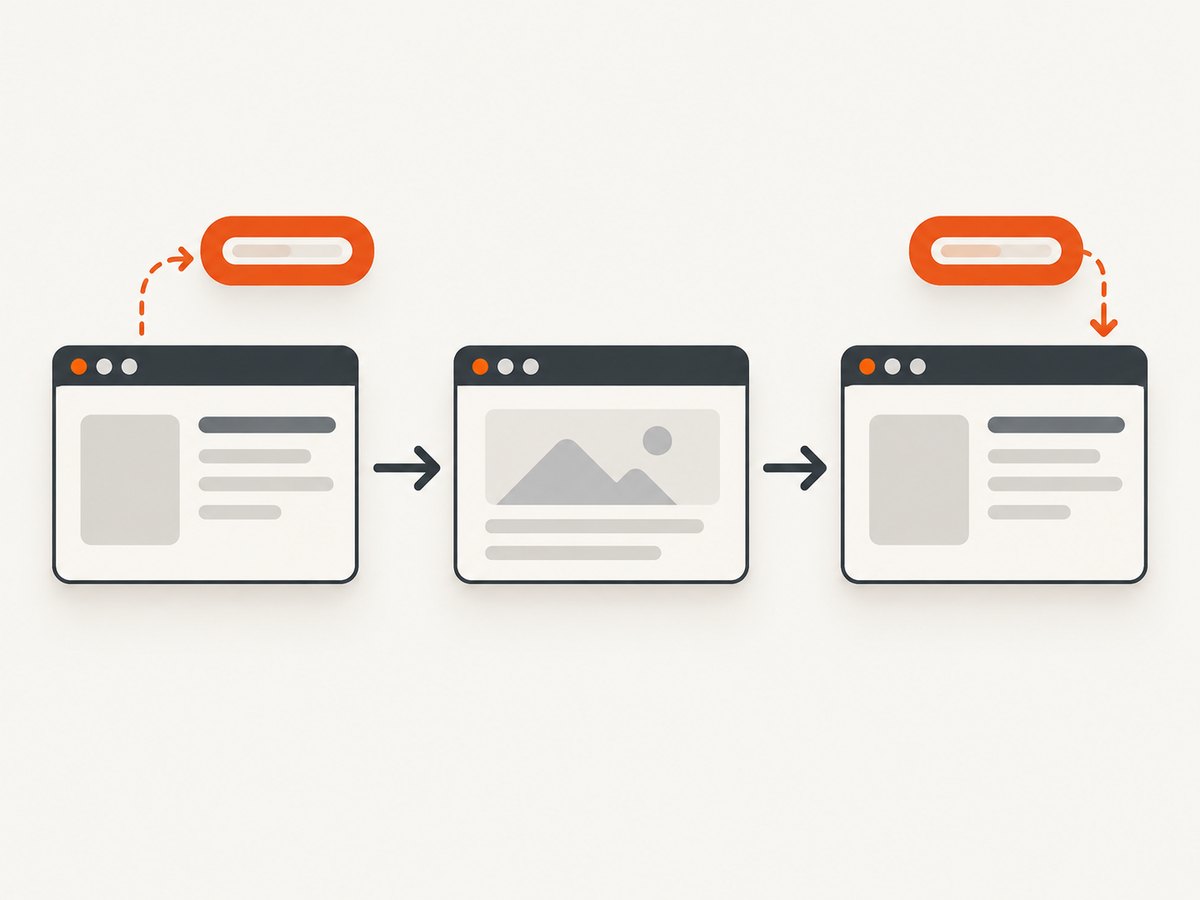
Use cy.url() to capture the complete current address, then pass the yielded string to cy.visit() to open that exact address again. If you mean the browser’s Back or Forward behavior, use cy.go('back'), cy.go(-1), cy.go('forward'), or cy.go(1) instead. These are different operations: cy.visit() performs direct navigation, while cy.go() moves through existing browser history.
Capture and restore a URL in one Cypress test
Cypress commands are queued. The callback passed to .then() receives the URL after cy.url() has run, so dependent commands should stay inside that callback.
describe('URL restoration', () => {
  it('returns to the page whose URL was captured', () => {
    cy.visit('/start')

    cy.url().then((savedUrl) => {
      cy.get('[data-cy=next]').click()
      cy.url().should('not.eq', savedUrl)

      cy.visit(savedUrl)
      cy.url().should('eq', savedUrl)
    })
  })
})
cy.url() yields the full URL as a string and is an alias of cy.location('href'). A full equality assertion checks the entire address, including protocol, host, path, query string, and hash. Cypress retries chained assertions until they pass or time out. See the cy.url() documentation and cy.visit() documentation.
Configure a TypeScript project with a base URL
Set e2e.baseUrl so tests can use paths instead of repeating the application host.
// cypress.config.ts
import { defineConfig } from 'cypress'

export default defineConfig({
  e2e: {
    baseUrl: 'http://localhost:3000'
  }
})
// cypress/e2e/url-restore.cy.ts
it('restores a saved URL', () => {
cy.visit('/start')
cy.url().then((savedUrl) => {
cy.get('[data-cy=next]').click()
cy.visit(savedUrl)
cy.url().should('eq', savedUrl)
})
})With an absolute URL returned by cy.url(), the saved value already contains the complete destination. Cypress prefixes relative paths with baseUrl; configuring it also avoids repeating host strings and can avoid an unnecessary initial reload. Use the official visit guidance for project-specific navigation rules.
Choose the right restoration strategy
| Need | Use | Why |
|---|---|---|
| Reopen an exact captured address | cy.visit(savedUrl) |
Directly navigates to the stored URL. |
| Exercise browser Back behavior | cy.go('back') or cy.go(-1) |
Moves one entry backward in browser history. |
| Exercise browser Forward behavior | cy.go('forward') or cy.go(1) |
Moves one entry forward in browser history. |
| Assert only the path | cy.location('pathname') |
Ignores host, query, and hash. |
| Assert query parameters | cy.location('search') |
Checks the query string, such as ?page=2. |
| Assert a fragment | cy.location('hash') |
Checks the hash used by anchors or hash routers. |
it('uses browser history', () => {
  cy.visit('/first')
  cy.visit('/second')
  cy.go('back')
  cy.url().should('include', '/first')
  cy.go('forward')
  cy.url().should('include', '/second')
})
cy.go() works with history positions, not an arbitrary saved string. On a full page refresh Cypress waits for the new page to load; hash-only navigation may resolve without a new page load. See the cy.go() documentation.

Capture only the URL component you need
it('asserts normalized URL fields', () => {
  cy.visit('/users?page=2#active')
  cy.location().should((loc) => {
    expect(loc.pathname).to.eq('/users')
    expect(loc.search).to.eq('?page=2')
    expect(loc.hash).to.eq('#active')
  })
})
cy.location() yields a normalized plain object. Assigning to a property on that returned object does not navigate the browser. Use a command such as cy.visit() or an application action when navigation is required. For URLs containing non-ASCII characters, Cypress documents cy.url({ decode: true }); the default leaves the URL encoded.
cy.url({ decode: true }).then((decodedUrl) => {
  cy.log(decodedUrl)
})
TypeScript patterns that avoid timing and typing mistakes
Prefer callback scope over a mutable outer variable
cy.visit('/start')
cy.url().then((savedUrl: string) => {
  cy.get('[data-cy=next]').click()
  cy.visit(savedUrl)
})
The yielded value is a string, so TypeScript normally infers its type. A mutable variable declared outside the callback can be read before Cypress has executed the queued command.
If you must keep a value for later commands
let savedUrl: string

cy.visit('/start')
cy.url().then((url) => {
  savedUrl = url
})

// Keep any command that depends on savedUrl in the same queued flow.
cy.then(() => {
  cy.visit(savedUrl)
})
Nesting dependent work directly inside the first .then() is easier to read and avoids definite-assignment assertions such as savedUrl!.
Cross-superdomain persistence
Ordinary same-test navigation can keep the captured string in a closure. A cross-superdomain flow is different: navigation can wipe local variables. Cypress documents using cy.task() to store and retrieve a value outside the test process for that advanced case.
// cypress.config.ts
import { defineConfig } from 'cypress'

let savedUrl: string | undefined

export default defineConfig({
  e2e: {
    setupNodeEvents(on) {
      on('task', {
        saveUrl(url: string) {
          savedUrl = url
          return null
        },
        readUrl() {
          return savedUrl ?? null
        }
      })
    }
  }
})
cy.url().then((url) => {
cy.task('saveUrl', url)
})
// After the cross-superdomain step:
cy.task('readUrl').then((savedUrl) => {
if (typeof savedUrl !== 'string') {
throw new Error('No URL was saved')
}
cy.visit(savedUrl)
})Use this only when the documented cross-superdomain behavior requires it. cy.session() solves a different problem: it caches and restores cookies, localStorage, and sessionStorage; it does not save a URL or navigate to one.
Common errors and fixes
| Symptom | Cause | Fix |
|---|---|---|
savedUrl is undefined |
The variable was read before the queued cy.url() command ran. |
Move dependent commands inside cy.url().then((savedUrl) => { ... }), or continue with cy.then(). |
| The test returns to the wrong page | cy.go('back') was used when an exact address was required, or history contains unexpected entries. |
Capture with cy.url() and restore with cy.visit(savedUrl). |
| Full URL equality fails | The app changes a query string, trailing slash, hash, protocol, or host. | Decide the contract: use eq for the complete address, or assert pathname, search, or hash separately. |
cy.visit('/path') cannot resolve the host |
baseUrl is missing or the application is not running. |
Set e2e.baseUrl in cypress.config.ts and start the app before the test. |
| Cross-domain navigation loses the value | Local test-process state was not preserved across the navigation. | Use the documented cy.task() persistence pattern. |
| Decoded and encoded URLs differ | The assertion compares different URL representations. | Use cy.url({ decode: true }) consistently when decoded characters are part of the contract. |
| Back or forward does not load a new document | The app uses hash routing or client-side navigation. | Assert the relevant location field and application state instead of assuming a full load. |
Reliability and performance considerations
- Capture once at the point where the destination is known; repeated URL queries add noise and can make a test harder to follow.
- Use stable selectors such as
data-cyfor the action that changes the URL. - Assert the smallest contract that matters. A pathname assertion is less brittle than full equality when query parameters are generated dynamically.
- After
cy.visit()orcy.go(), assert a page-specific signal when the test depends on application readiness, such as a heading or data marker. - Do not use browser history to simulate an exact deep link. Directly visiting the saved URL makes the destination explicit and independent of intervening history entries.
- Configure
baseUrlonce rather than repeating host names, which keeps suites shorter and environment changes simpler.
Or skip the browser setup
If your goal is to capture a page image for documentation, visual review, or an AI workflow rather than drive an end-to-end browser test, ScreenshotNeo provides a single GET request. Its cleanup steps accept cookie and consent banners and remove more than 60 known consent platforms, newsletter popups, and chat widgets before capture; each step can be turned off. Bot checks, blank pages, failed loads, timeouts, and cache hits are not billed, and the response identifies the result with X-Page-Verdict and X-Billed headers. An MCP server provides take_screenshot, get_page_info, and capture_pdf tools for Claude, Cursor, and other MCP clients.
curl -G "https://api.screenshotneo.com/v1/shot" -d access_key=YOUR_API_KEY --data-urlencode url=https://docs.cypress.io -o shot.webpimport requests
r = requests.get("https://api.screenshotneo.com/v1/shot", params={"access_key": "YOUR_API_KEY", "url": "https://docs.cypress.io"}, timeout=90)
open("shot.webp", "wb").write(r.content)const q = new URLSearchParams({ access_key: 'YOUR_API_KEY', url: 'https://docs.cypress.io' }); const res = await fetch(`https://api.screenshotneo.com/v1/shot?${q}`);See the ScreenshotNeo API documentation for options such as full-page capture, selectors, device presets, dark mode, custom CSS and JavaScript, waits, headers, cookies, caching, signed links, asynchronous jobs, bulk capture, and PDF output. 1,000 screenshots per month are free with no card; paid plans start at $5 for 3,000.
Create a free ScreenshotNeo account and get 1,000 screenshots each month with no card.
FAQ
Does cy.url() save the URL outside the test?
No. It yields a string during the current Cypress command chain. Use a closure for same-test work, or the documented cy.task() pattern when cross-superdomain navigation can clear local state.
Can I assign to cy.location() to navigate?
No. Its result is a normalized object for reading and assertions. Navigate with cy.visit(), application actions, or browser history commands.
Should I use cy.go('back') or cy.visit(savedUrl)?
Use cy.go() when the behavior under test is Back or Forward. Use cy.visit() when you need the exact previously captured address.
Is cy.session() a URL restore mechanism?
No. It restores session data such as cookies and storage. It does not capture or reopen a URL.
Do I need a custom TypeScript type for the saved URL?
Usually not. Cypress yields a string and TypeScript infers it. An explicit string annotation is optional documentation.


