How to Save Page Screenshots During Scraping with Simple HTML DOM
Simple HTML DOM parses HTML but cannot render screenshots. Learn how to add Chrome, Playwright, or an API to save reliable page images.

Simple HTML DOM cannot take a real webpage screenshot by itself. It fetches HTML, builds a document tree, and lets PHP code query text, links, images, and selectors. A screenshot needs a browser or rendering service that executes JavaScript, applies CSS, lays out the page, and paints pixels.
Use Simple HTML DOM for extraction, then pass the URL to a browser renderer such as Chrome PHP or Playwright PHP. The workflow is:
- Fetch or identify the URL to scrape.
- Parse static HTML with Simple HTML DOM when you need selectors or extracted values.
- Open the URL in a real browser context.
- Wait for navigation and the page state you need.
- Capture the viewport, full page, or a selected element.
- Save the bytes with the URL, timestamp, viewport, and state metadata.
Why Simple HTML DOM does not create screenshots
Simple HTML DOM is an HTML parser. Its file_get_html() and str_get_html() functions return a DOM representation, not a rendered surface. The parser does not run page JavaScript, resolve layout, load web fonts as a browser does, or produce pixels. PHP desktop functions such as imagegrabscreen() capture a Windows workstation screen; they are not a portable server-side webpage renderer.
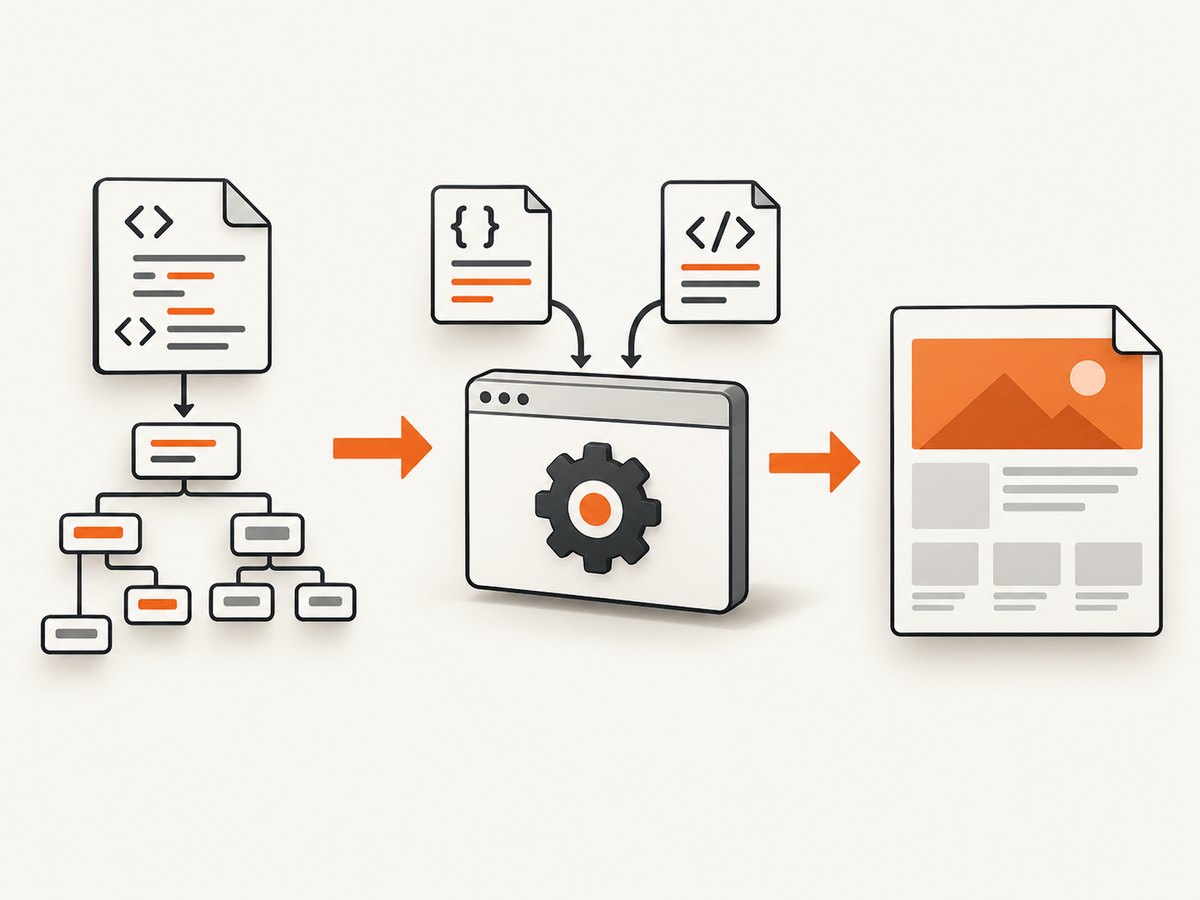
A browser screenshot records one rendered state. Make that state explicit: wait for a meaningful heading or component, disable or wait out animations when possible, and capture only the region that answers your question.
Self-hosted PHP solution with Chrome PHP
Chrome PHP launches Chrome or Chromium through the DevTools protocol. It supports PNG, JPEG, WebP, clipping, and full-page captures. Install it with Composer and ensure a compatible Chrome or Chromium binary is available on the machine.
composer require chrome-php/chrome<?php
require __DIR__ . '/vendor/autoload.php';
use HeadlessChromium\\BrowserFactory;
$url = $argv[1] ?? 'https://example.com';
$outDir = __DIR__ . '/artifacts';
if (!is_dir($outDir)) {
mkdir($outDir, 0775, true);
}
$browser = (new BrowserFactory())->createBrowser();
try {
$page = $browser->createPage();
$page->navigate($url)->waitForNavigation();
// Viewport screenshot.
$page->screenshot([
'format' => 'png',
])->saveToFile($outDir . '/page.png');
// Full-page JPEG, including content below the viewport.
$page->screenshot([
'captureBeyondViewport' => true,
'clip' => $page->getFullPageClip(),
'format' => 'jpeg',
])->saveToFile($outDir . '/page-full.jpg');
} finally {
$browser->close();
}
Run it with php capture.php https://example.com. Use PNG for sharp text and transparency, JPEG for smaller photographic files, and WebP when your downstream tooling supports it.
Wait for the state you intend to document
Navigation completion only means the initial document finished its navigation event. JavaScript applications may still be rendering. Wait for a selector that proves the useful state exists, or add a bounded delay for a known animation. Avoid an arbitrary long sleep when a selector can express readiness.
// Conceptual sequence:
$page->navigate($url)->waitForNavigation();
// Then wait for a meaningful application element using the library's
// selector/evaluation facilities before calling screenshot().
Viewport, full-page, and element captures
- Viewport: captures what a user sees at the current viewport size.
- Full page: use
captureBeyondViewportandgetFullPageClip()to include below-the-fold content. - Element: locate the element, read its bounding box, and pass a clip rectangle to the screenshot command. This avoids huge images when only a product card, table, or chart matters.
Playwright PHP alternative
Playwright PHP provides browser contexts, explicit viewport settings, full-page screenshots, and element screenshots. A typical script creates a browser, opens a page, waits for a selector, and writes the image to a path.
<?php
// API names can vary with the Playwright PHP package version.
// Consult its current documentation before deployment.
$browser = $playwright->chromium()->launch();
$page = $browser->newPage([
    'viewport' => ['width' => 1440, 'height' => 900],
]);
$page->goto('https://example.com');
$page->waitForSelector('main');
$page->screenshot([
    'path' => __DIR__ . '/artifacts/example.png',
    'fullPage' => true,
]);
$browser->close();
Hosted screenshot services
A hosted renderer removes browser installation and process management. Compare services on JavaScript support, viewport/full-page/element scope, file versus base64 output, authentication and session handling, reproducibility, limits, and billing.
| Approach | Best fit | Operational trade-off |
|---|---|---|
| Chrome PHP | Self-hosted PHP pipelines | You manage Chrome, fonts, sandboxes, updates, and concurrency. |
| Playwright PHP | Repeatable browser workflows and element captures | You manage browser binaries and runtime capacity. |
| Scrape.do | API-based viewport, full-page, or CSS-targeted captures | Provider parameters and program limits apply; screenshots are returned as base64. |
| ScraperAPI | Adding a screenshot request to an existing scraping integration | Screenshot behavior and response headers are provider-specific. |
| Cloudflare Browser Run | Rendered HTML plus a base64 screenshot in one browser call | Requires Cloudflare browser infrastructure and its API model. |
Or skip the browser setup
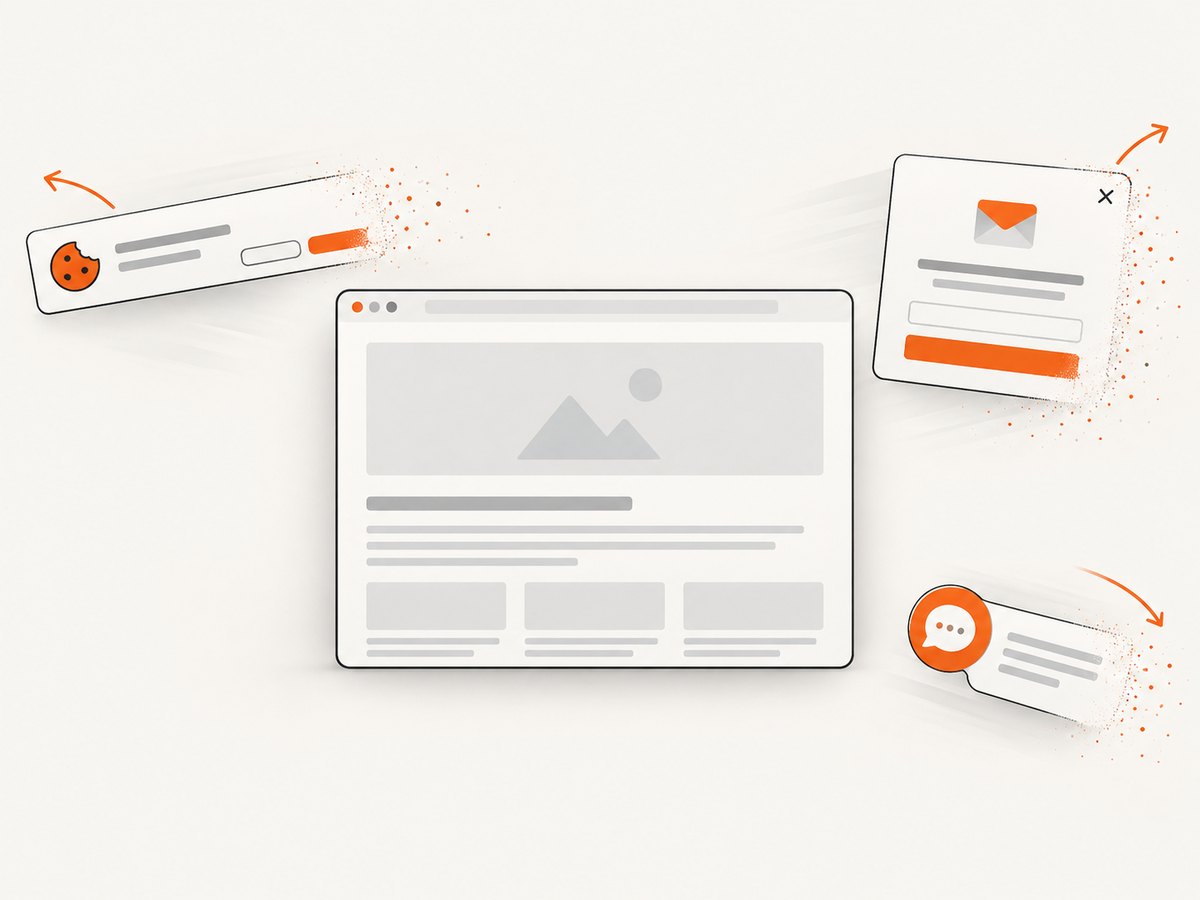
ScreenshotNeo is a website screenshot API and MCP server. It accepts one GET request and returns PNG, JPEG, WebP, or PDF. Cookie and consent banners, newsletter popups, and chat widgets are removed before capture; each step can be disabled. Bot checks, blank pages, timeouts, failed loads, and cache hits are not billed, and response headers identify the page verdict and billing result.
See the ScreenshotNeo API documentation for the complete option set, including full-page and element capture, device presets, custom viewport and retina scale, dark mode, custom CSS and JavaScript, clicks, selector or network-idle waits, blocked requests and resource types, headers, cookies, user agents, authorization, timezone, geolocation, transparency, resizing, TTL caching, signed links, asynchronous webhooks, bulk capture, usage reporting, and PDF output.
curl -G "https://api.screenshotneo.com/v1/shot" \\
  -d access_key=YOUR_API_KEY \\
  --data-urlencode url=https://stripe.com \\
  -o shot.webp
import requests
r = requests.get(
"https://api.screenshotneo.com/v1/shot",
params={"access_key": "YOUR_API_KEY", "url": "https://stripe.com"},
timeout=90,
)
r.raise_for_status()
open("shot.webp", "wb").write(r.content)
const q = new URLSearchParams({ access_key: 'YOUR_API_KEY', url: 'https://stripe.com' });
const res = await fetch(`https://api.screenshotneo.com/v1/shot?${q}`);
if (!res.ok) throw new Error(`HTTP ${res.status}`);
const bytes = Buffer.from(await res.arrayBuffer());
await fs.promises.writeFile('shot.webp', bytes);
An MCP server lets Claude, Cursor, and other MCP clients call take_screenshot, get_page_info, and capture_pdf. The Free plan includes 1,000 shots per month without a card; paid plans start at $5 for 3,000 shots. Create a free ScreenshotNeo account.
Reliability and performance checklist
- Pin viewport width, height, device scale, timezone, and locale for repeatable output.
- Wait for a semantic readiness selector instead of guessing with a sleep.
- Set navigation and capture timeouts; record failures with the URL and stage.
- Use element or viewport captures when a full page is unnecessary.
- Keep extracted DOM values or assertions beside the image when results must be auditable.
- Reuse browser processes carefully, but isolate pages and cookies between accounts.
- Cache immutable URLs and include the capture configuration in the cache key.
- Limit concurrency to available CPU and memory; browsers are substantially heavier than HTML parsing.
Troubleshooting
| Symptom | Likely cause | Fix |
|---|---|---|
| Image is blank | Capture happened before JavaScript rendered, or the page returned an interstitial. | Wait for a meaningful selector, inspect the response, and handle bot checks or authentication explicitly. |
| Only the top section appears | Viewport capture was requested. | Use a full-page clip or capture the required element. |
| Fonts or layout differ | Different browser version, installed fonts, viewport, or device scale. | Pin the rendering environment and install required fonts. |
| Lazy images are missing | Images load only after scrolling or intersection events. | Scroll through the page or use a renderer that loads lazy content before full-page capture. |
| Navigation timeout | Slow origin, blocked resource, redirect loop, or network policy. | Set a bounded timeout, log redirects, block unnecessary resources, and retry transient failures. |
| Chrome will not launch | Missing binary, sandbox restrictions, or incompatible versions. | Install a supported Chrome/Chromium build, verify executable paths, and configure the container sandbox correctly. |
| Too many large files | Full-page PNGs consume significant storage. | Choose JPEG/WebP where suitable, resize, or capture only the needed element. |
Cost and data considerations
Simple HTML DOM itself is lightweight; the browser is usually the expensive part in CPU, memory, startup time, and operations. Self-hosting avoids per-shot API charges but transfers the cost to infrastructure and maintenance. Hosted APIs charge according to their own plans and definitions, so measure the number of successful captures, retries, and cached results in your workload.
Treat screenshots as potentially sensitive artifacts. Redact or avoid authenticated pages when possible, protect stored files, and do not log cookies, authorization headers, or private URLs.
FAQ
Can Simple HTML DOM capture a JavaScript-rendered page?
No. Use a browser renderer for JavaScript execution and pixels, then keep Simple HTML DOM for parsing returned HTML when extraction is also required.
Should I save the HTML or the screenshot?
Save both when you need auditability. HTML and extracted values explain the data; the screenshot records the visual state.
When is a full-page screenshot a bad choice?
When the page is extremely long, changes while scrolling, or only one component matters. Capture a stable element or viewport instead.
Can desktop screenshot functions replace headless Chrome?
No. They capture a local desktop window and are unsuitable for portable server scraping.
What is the simplest production path?
Use a managed rendering API when you do not want to operate browsers. For PHP-native control, use Chrome PHP or Playwright PHP with explicit waits and fixed rendering settings.


