How to Save Screenshots with Unique Filenames in Python
Create collision-resistant screenshot filenames in Python with UTC timestamps, UUIDs, counters, and complete Playwright and desktop examples.

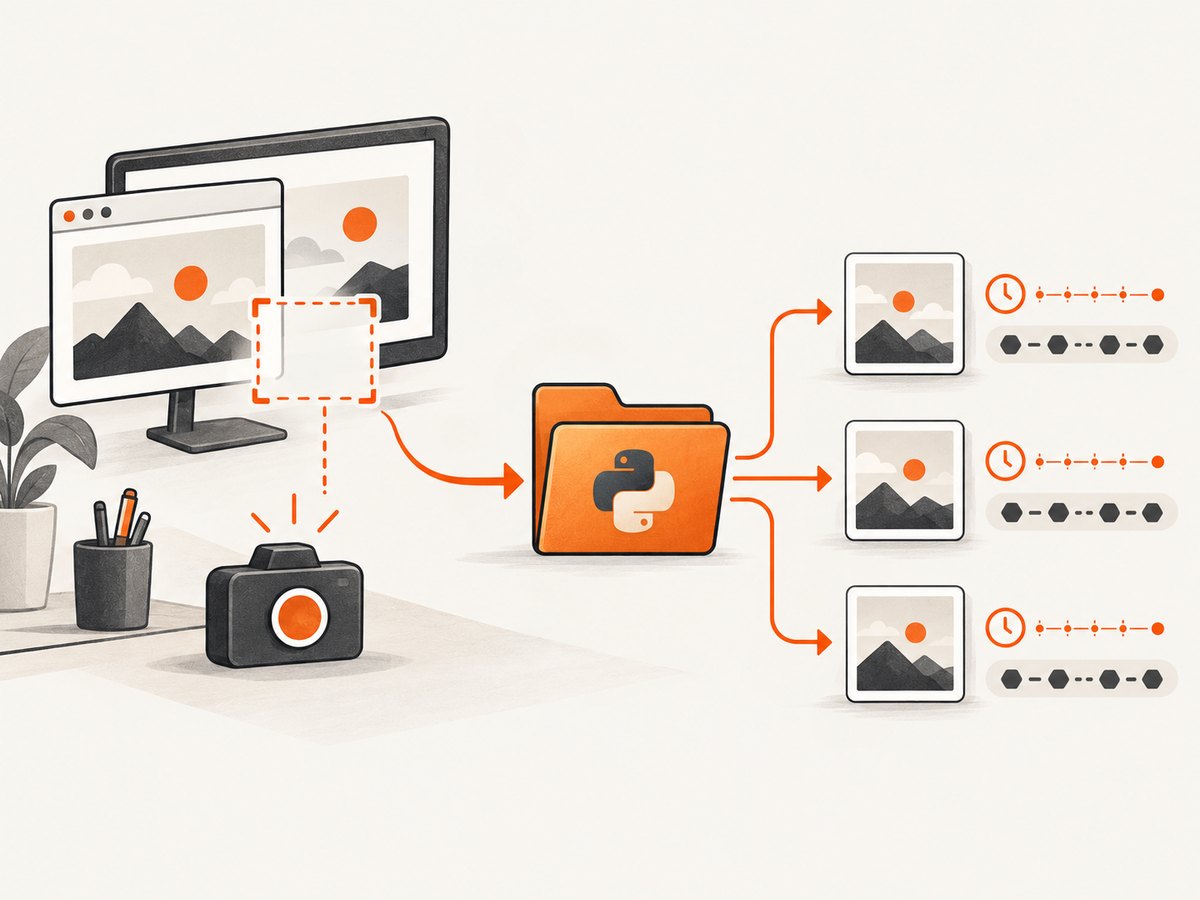
Use a UTC timestamp plus a UUID4 in the filename. Create the destination directory with Path.mkdir(..., exist_ok=True), build the path with pathlib.Path, and pass that path to your screenshot library. The timestamp keeps files sortable; the UUID4 suffix prevents collisions when captures happen in the same microsecond or run in parallel.
from datetime import datetime, timezone
from pathlib import Path
from uuid import uuid4

out_dir = Path("screenshots")
out_dir.mkdir(parents=True, exist_ok=True)

name = f"shot-{datetime.now(timezone.utc):%Y%m%dT%H%M%S.%fZ}-{uuid4().hex}.png"
path = out_dir / name
print(path)
# Pass str(path) to your screenshot backend.
This produces names such as shot-20260930T142355.123456Z-8f3c...a91d.png. A filename is unique only relative to every process that can write to the same destination, so timestamps alone are not sufficient for concurrent capture.
1. Choose a naming strategy
| Strategy | Readable | Sorts by time | Parallel safety | Use when |
|---|---|---|---|---|
| UTC timestamp | Excellent | Yes | Can collide | A single, slow capture process controls writes |
| UUID4 | Low | No | Strong practical protection | Names are machine identifiers |
| Timestamp + UUID4 | Excellent | Yes | Strong practical protection | Default for most pipelines |
| Counter with existence check | Excellent | Yes | Needs coordination | Human-facing numbered files |
Python documents uuid4() as creating a random UUID. See the uuid documentation, pathlib documentation, and datetime documentation.
Timestamp plus UUID4 (recommended)
from datetime import datetime, timezone
from pathlib import Path
from uuid import uuid4

def unique_screenshot_path(directory="screenshots", extension="png") -> Path:
    directory = Path(directory)
    directory.mkdir(parents=True, exist_ok=True)
    stamp = datetime.now(timezone.utc).strftime("%Y%m%dT%H%M%S.%fZ")
    return directory / f"shot-{stamp}-{uuid4().hex}.{extension.lstrip('.') }"

path = unique_screenshot_path()
print(path)
Use UTC so names have the same meaning on every machine. Keep the extension aligned with the format your capture backend writes.
UUID4 only
from pathlib import Path
from uuid import uuid4

out_dir = Path("screenshots")
out_dir.mkdir(parents=True, exist_ok=True)
path = out_dir / f"shot-{uuid4()}.png"
This is short and collision-resistant in practice, but it is harder to inspect chronologically.
Readable counter
from pathlib import Path

def next_counter_path(directory="screenshots", prefix="shot", extension="png") -> Path:
    directory = Path(directory)
    directory.mkdir(parents=True, exist_ok=True)
    number = 1
    while True:
        candidate = directory / f"{prefix}-{number:06d}.{extension.lstrip('.') }"
        if not candidate.exists():
            return candidate
        number += 1

path = next_counter_path()
print(path)
The existence check prevents overwriting files in one process. Two processes can still select the same unused number between the check and the write. For multi-process workloads, add a UUID, use an operating-system exclusive-create primitive, or allocate names through a shared store.
2. Save browser screenshots with Playwright
Playwright accepts a destination path through page.screenshot(path=...) and also supports full-page and element screenshots. Read the official Playwright screenshot guide for the current API.
import asyncio
from datetime import datetime, timezone
from pathlib import Path
from uuid import uuid4
from playwright.async_api import async_playwright

def screenshot_path() -> Path:
    directory = Path("screenshots")
    directory.mkdir(parents=True, exist_ok=True)
    stamp = datetime.now(timezone.utc).strftime("%Y%m%dT%H%M%S.%fZ")
    return directory / f"page-{stamp}-{uuid4().hex}.png"

async def main():
    async with async_playwright() as p:
        browser = await p.chromium.launch()
        page = await browser.new_page(viewport={"width": 1440, "height": 900})
        await page.goto("https://example.com", wait_until="networkidle")
        path = screenshot_path()
        await page.screenshot(path=str(path), full_page=True)
        print(f"Saved {path}")
        await browser.close()

asyncio.run(main())
Element screenshots
card = page.locator("article.product-card").first
await card.screenshot(path=str(screenshot_path()))
Generate the path immediately before the write. If a capture fails, the unused name does not matter; do not reuse a name from a failed attempt unless your workflow explicitly requires contiguous numbering.
3. Save desktop screenshots with MSS
MSS can capture a monitor or region and export PNG data. Its examples document output templates and mss.tools.to_png; see the MSS examples.
from datetime import datetime, timezone
from pathlib import Path
from uuid import uuid4
from mss import mss
from mss.tools import to_png

def screenshot_path() -> Path:
    directory = Path("screenshots")
    directory.mkdir(parents=True, exist_ok=True)
    stamp = datetime.now(timezone.utc).strftime("%Y%m%dT%H%M%S.%fZ")
    return directory / f"monitor-{stamp}-{uuid4().hex}.png"

with mss() as sct:
    monitor = sct.monitors[1]
    image = sct.grab(monitor)
    path = screenshot_path()
    to_png(image.rgb, image.size, output=str(path))
    print(f"Saved {path}")
For a region, pass a dictionary containing top, left, width, and height to grab. The naming method stays the same regardless of the capture area.
4. Make writes reliable
- Call
mkdir(parents=True, exist_ok=True)before starting capture. - Use a file extension that matches the encoded data.
- Keep the path on the same filesystem when possible; very long names and unsupported characters can fail on some systems.
- For important artifacts, write bytes to a temporary file in the destination directory and rename it after the write completes. A completed filename then indicates a complete file.
- Do not use local time for names shared between machines; daylight-saving changes and clock settings make ordering ambiguous.
- If workers write to separate directories, include the worker or job identifier in the prefix for easier investigation.
Saving bytes returned by an API
from datetime import datetime, timezone
from pathlib import Path
from uuid import uuid4
import requests

def unique_path() -> Path:
    directory = Path("screenshots")
    directory.mkdir(parents=True, exist_ok=True)
    stamp = datetime.now(timezone.utc).strftime("%Y%m%dT%H%M%S.%fZ")
    return directory / f"api-{stamp}-{uuid4().hex}.webp"

response = requests.get(
    "https://example.com/image-endpoint",
    timeout=90,
)
response.raise_for_status()
path = unique_path()
path.write_bytes(response.content)
print(path)
5. Or skip the browser setup
ScreenshotNeo is a website screenshot API and MCP server. One GET request returns a PNG, JPEG, WebP, or PDF, so your Python program only needs to create a unique output path and save the response. See the ScreenshotNeo API documentation.

Python
from datetime import datetime, timezone
from pathlib import Path
from uuid import uuid4
import requests

out_dir = Path("screenshots")
out_dir.mkdir(parents=True, exist_ok=True)
name = f"shot-{datetime.now(timezone.utc):%Y%m%dT%H%M%S.%fZ}-{uuid4().hex}.webp"
path = out_dir / name

r = requests.get(
    "https://api.screenshotneo.com/v1/shot",
    params={"access_key": "YOUR_API_KEY", "url": "https://stripe.com"},
    timeout=90,
)
r.raise_for_status()
path.write_bytes(r.content)
print(path)
cURL
curl -G "https://api.screenshotneo.com/v1/shot" -d access_key=YOUR_API_KEY --data-urlencode url=https://stripe.com -o shot.webpNode.js
const fs = require('node:fs/promises');
const crypto = require('node:crypto');

const q = new URLSearchParams({ access_key: 'YOUR_API_KEY', url: 'https://stripe.com' });
const res = await fetch(`https://api.screenshotneo.com/v1/shot?${q}`);
if (!res.ok) throw new Error(`ScreenshotNeo returned ${res.status}`);
const filename = `shot-${new Date().toISOString().replace(/[:.]/g, '-')}-${crypto.randomUUID()}.webp`;
await fs.mkdir('screenshots', { recursive: true });
await fs.writeFile(`screenshots/${filename}`, Buffer.from(await res.arrayBuffer()));
console.log(filename);
Before capture, ScreenshotNeo accepts cookie and consent banners and removes more than 60 known consent platforms, newsletter popups, and chat widgets; each step can be turned off. Only clean shots are billed: bot checks or CAPTCHAs, blank pages, timeouts, failed loads, and cache hits cost nothing. Responses identify the result with X-Page-Verdict and X-Billed headers. Its MCP server provides take_screenshot, get_page_info, and capture_pdf for Claude, Cursor, and other MCP clients.
Other options include full-page capture with lazy images loaded, CSS-selector element capture, dark mode, device presets or custom viewports, retina scale, PDF paper and page settings, custom CSS and JavaScript, clicks, waits, request blocking, headers, cookies, user agents, authorization, timezone, geolocation, transparent backgrounds, resizing, configurable caching, signed links, asynchronous jobs with signed webhooks, bulk capture of up to 100 URLs per call, usage data, and an OpenAPI specification.
Plans include 1,000 screenshots per month free with no card; paid plans start at $5 for 3,000. Create a free ScreenshotNeo account.
6. Troubleshooting
| Symptom | Likely cause | Fix |
|---|---|---|
Every capture is named screenshot.png |
A constant path is being reused. | Call the unique-path function for every capture. |
| Files overwrite each other under load | Timestamp precision is insufficient or a counter races. | Add UUID4 and avoid check-then-write naming across processes. |
FileNotFoundError |
The output directory does not exist. | Create it with mkdir(parents=True, exist_ok=True). |
| Images cannot be opened | The extension does not match the encoded bytes, or the write was interrupted. | Use the backend’s format extension and write atomically for critical files. |
| Playwright times out | The page has not reached the selected readiness state. | Choose an appropriate wait_until, wait for a selector, and inspect the target page separately. |
| Counter names duplicate | Multiple workers checked the same free number. | Use timestamp plus UUID4 or an exclusive-create mechanism. |
| MSS captures the wrong display | The selected monitor index or region is incorrect. | Inspect sct.monitors and select the intended monitor or coordinates. |
7. Performance, reliability, and cost
- Generating a UUID and joining a
Pathis negligible compared with browser startup, page loading, image encoding, or disk I/O. - Reuse a Playwright browser and context for batches; launch overhead can otherwise dominate a short capture.
- Use a bounded worker pool so concurrent captures do not exhaust CPU, memory, file descriptors, or remote rate limits.
- Keep timestamps in UTC and include the source URL or job ID in a separate manifest rather than making filenames excessively long.
- For retries, generate a new filename per attempt or record attempts in metadata; overwriting can hide which response produced an artifact.
- With ScreenshotNeo, cache hits and failed or unusable page results are not billed, and configurable caching can reduce repeated work. Review the response headers when reconciling usage.
8. FAQ
Are timestamps unique?
No. They are readable and sortable, but rapid or parallel captures can share the same timestamp. Add UUID4 or coordinate naming.
Should I use UUID1 or UUID4?
For a simple filename suffix, UUID4 is the practical choice because it is random and does not expose host or time information.
Can I keep the original page name?
Yes. Sanitize it, limit its length, and append a UTC timestamp and UUID4: homepage-20260930T142355Z-...png.
How do I find the screenshot’s source later?
Store a JSON or database record containing the generated filename, URL, capture time, options, and worker or job ID. Treat the filename as an identifier, not a full audit log.
When is a counter appropriate?
Use one when people need compact sequential names and a single writer controls the directory. Add coordination or a UUID when writers can run concurrently.


