How to Scrape Air France Flights with Python in 2026
Learn the compliant way to obtain Air France flight data with Python, understand access limits, and choose a documented API instead of brittle scraping.

Short answer: Do not build a production scraper that extracts Air France booking pages unless you have permission that covers your use. Air France’s US website terms restrict automated extraction for direct or indirect commercial use, and Air France discloses Akamai bot detection. For a compliant Python workflow, use an authorized, documented flight-data API or obtain written permission, then validate fares and availability through an official booking channel.
This guide shows how to design that workflow, provides runnable Python, cURL, and Node.js request templates for an API you are authorized to use, and explains why browser scraping is fragile. It does not claim that Air France has a public API, nor that any scraping script has been tested against its site.
1. Check permission before writing code
The cited Air France terms are for the US website, so read the terms that apply to your market and use case. They say the websites are for “personal, non-commercial use” and prohibit, without prior written authorization, processes such as screen scraping, robots, software, or automated practices intended to search for, retrieve, copy, monitor, or extract site data for direct or indirect commercial use, including display on another website. The terms also say access may be denied and legal claims may follow. Read the Air France US website terms before collecting data.
That language does not establish a blanket rule for every personal research activity or every country. It does mean you should document your purpose, market, data fields, retention period, and permission status. Do not automate booking, payment, login, or CAPTCHA handling in a scraper.
2. Understand why direct scraping is unreliable
Air France says it uses Akamai to detect automated bots and protect the website from overload. Its disclosure describes cookies that help distinguish human and automated traffic. A request that works in a browser can therefore receive a challenge, a denial, different content, or no usable result when sent by a script. See the Air France partner disclosure.
- HTML structure, JavaScript bundles, and internal request parameters can change without notice.
- Prices and seats are time-sensitive and may require a final recheck before purchase.
- Bot controls can block an IP or session; do not rotate identities or attempt to defeat challenges.
- An apparent success page is not evidence that automated extraction is authorized.
3. Choose a documented data source
The research did not establish a public Air France flight-data API or a documented authorization route for this exact use. That absence is not proof that private, partner, or permission-based access does not exist. Ask Air France or your data provider for written terms covering programmatic searches, storage, commercial display, rate limits, and attribution.
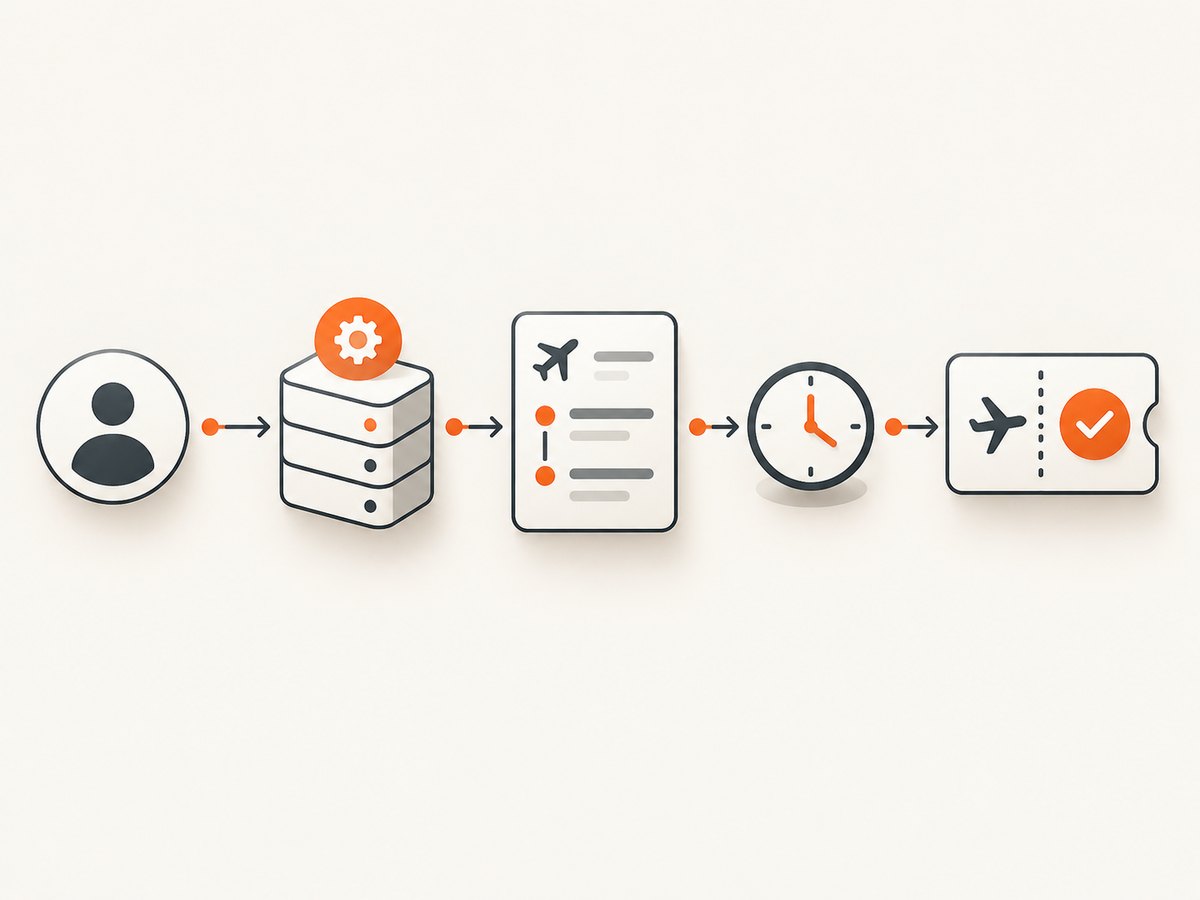
For consumer searches, Air France’s France disclosure identifies Google Flight Search as an aggregator that lets people search flights on Google. This supports a human search alternative, not a public developer API. For transactions, Air France advises customers to use its official websites; follow the official-site security guidance.
A licensed service may be more suitable than scraping. For example, IATA.co’s Flights API terms prohibit polling, scraping, and searches not driven by a real user or real business process. They also warn that suppliers may limit or suspend automated searches that are not matched by a proportionate booking process. The provider states that it is not affiliated with the International Air Transport Association.
4. Define the data contract
Before coding, write down exactly what your authorized source returns:
| Field | Example meaning | Validation |
|---|---|---|
| origin, destination | IATA airport codes | Require three-letter uppercase codes. |
| departure date | Local date at origin | Use ISO 8601 and an explicit timezone. |
| segments | Flight number, times, airports | Preserve each segment; do not infer nonstop service. |
| price | Amount and currency | Store both; never compare numbers without currency. |
| availability | Seats or fare status | Display a retrieval timestamp and revalidate before booking. |
5. Python: request data from an authorized API
The following is a complete client template. Replace the placeholder URL and parameter names with those from a provider whose terms authorize your workflow. It is intentionally not an Air France website endpoint and has not been presented as a live Air France scraper.
import os
from datetime import date
import requests

API_URL = os.environ["FLIGHT_API_URL"]
API_KEY = os.environ["FLIGHT_API_KEY"]

def search_flights(origin: str, destination: str, depart: date, adults: int = 1):
    if len(origin) != 3 or len(destination) != 3:
        raise ValueError("Use three-letter airport codes")
    if adults < 1:
        raise ValueError("adults must be at least 1")

    params = {
        "origin": origin.upper(),
        "destination": destination.upper(),
        "departure_date": depart.isoformat(),
        "adults": adults,
        "carrier": "AF",
    }
    headers = {"Authorization": f"Bearer {API_KEY}"}
    response = requests.get(API_URL, params=params, headers=headers, timeout=30)
    response.raise_for_status()
    payload = response.json()

    # Keep the provider's response until you have mapped every field you need.
    return payload

if __name__ == "__main__":
    result = search_flights("CDG", "JFK", date(2026, 11, 15))
    print(result)
Install the dependency with python -m pip install requests. Keep keys in environment variables, not source control. Add pagination only when the provider documents it, and obey its query and booking limits.
6. Equivalent cURL request
curl --fail-with-body --get "$FLIGHT_API_URL" \
  -H "Authorization: Bearer $FLIGHT_API_KEY" \
  --data-urlencode origin=CDG \
  --data-urlencode destination=JFK \
  --data-urlencode departure_date=2026-11-15 \
  --data-urlencode adults=1 \
  --data-urlencode carrier=AF
7. Equivalent Node.js request
const params = new URLSearchParams({
  origin: 'CDG',
  destination: 'JFK',
  departure_date: '2026-11-15',
  adults: '1',
  carrier: 'AF'
});

const res = await fetch(`${process.env.FLIGHT_API_URL}?${params}`, {
  headers: { Authorization: `Bearer ${process.env.FLIGHT_API_KEY}` }
});
if (!res.ok) throw new Error(`Flight API returned ${res.status}`);
const data = await res.json();
console.log(data);
8. If you have written permission for Air France pages
Use the narrowest workflow covered by that permission. Record the authorization, identify allowed paths and fields, set a conservative request rate, and stop when the site returns a challenge or denial. Parse only stable, documented content supplied to you. Do not reverse-engineer private endpoints, bypass bot checks, solve CAPTCHAs, or reuse authenticated sessions without explicit authorization.
9. Reliability and freshness design
- Cache identical searches only for the period your provider permits; label cached results with their retrieval time.
- Use bounded timeouts, exponential backoff for documented transient errors, and a maximum retry count.
- Do not retry 401, 403, CAPTCHA, or bot-denial responses automatically.
- Deduplicate by route, date, passenger count, cabin, currency, and provider request ID.
- Revalidate price and availability immediately before sending a user to an official booking flow.
- Log status codes and provider request IDs, but redact API keys, passenger data, and booking details.
10. Performance and cost considerations
Performance depends on the authorized provider, route complexity, and whether fares require multiple supplier searches. Measure latency, error rate, result freshness, and cost per user search in your own environment; the supplied research contains no comparable benchmarks. Minimize calls by validating input before a request, batching only when the provider documents batching, and avoiding polling.
Model cost from the provider’s query rules and supplier charges. A search that is not tied to a real user or business process may violate terms and create avoidable expense. Never promise a fare price until it has been rechecked through an official channel.
11. Troubleshooting
| Symptom | Likely cause | Fix |
|---|---|---|
| 401 or 403 | Invalid key, missing permission, or denied access | Check credentials and contract; do not bypass the response. |
| CAPTCHA or bot page | Automated traffic was detected | Stop automation and use an authorized API or request permission. |
| Empty itinerary list | Date, airport, cabin, or carrier filter is unsupported | Validate against the provider schema and test a known permitted query. |
| Prices differ at checkout | Availability changed or the result was cached | Show retrieval time and revalidate before booking. |
| 429 responses | Rate or quota limit | Honor Retry-After, reduce request volume, and review the provider limit. |
| Malformed JSON or timeout | Transient provider failure or oversized query | Use a bounded retry for documented transient failures and capture response metadata. |
12. Or skip the browser setup
If your goal is a clean visual record of a permitted public page, ScreenshotNeo provides a website screenshot API and MCP server. It accepts one GET request and returns PNG, JPEG, WebP, or PDF. Before capture it can accept consent banners and remove more than 60 known consent platforms, newsletter popups, and chat widgets; each step can be turned off. Bot checks, blank pages, timeouts, failed loads, and cache hits are not billed, and the response identifies the result with X-Page-Verdict and X-Billed headers. It is a visual capture tool, not a flight-data API, so use it only where capturing the page is permitted.
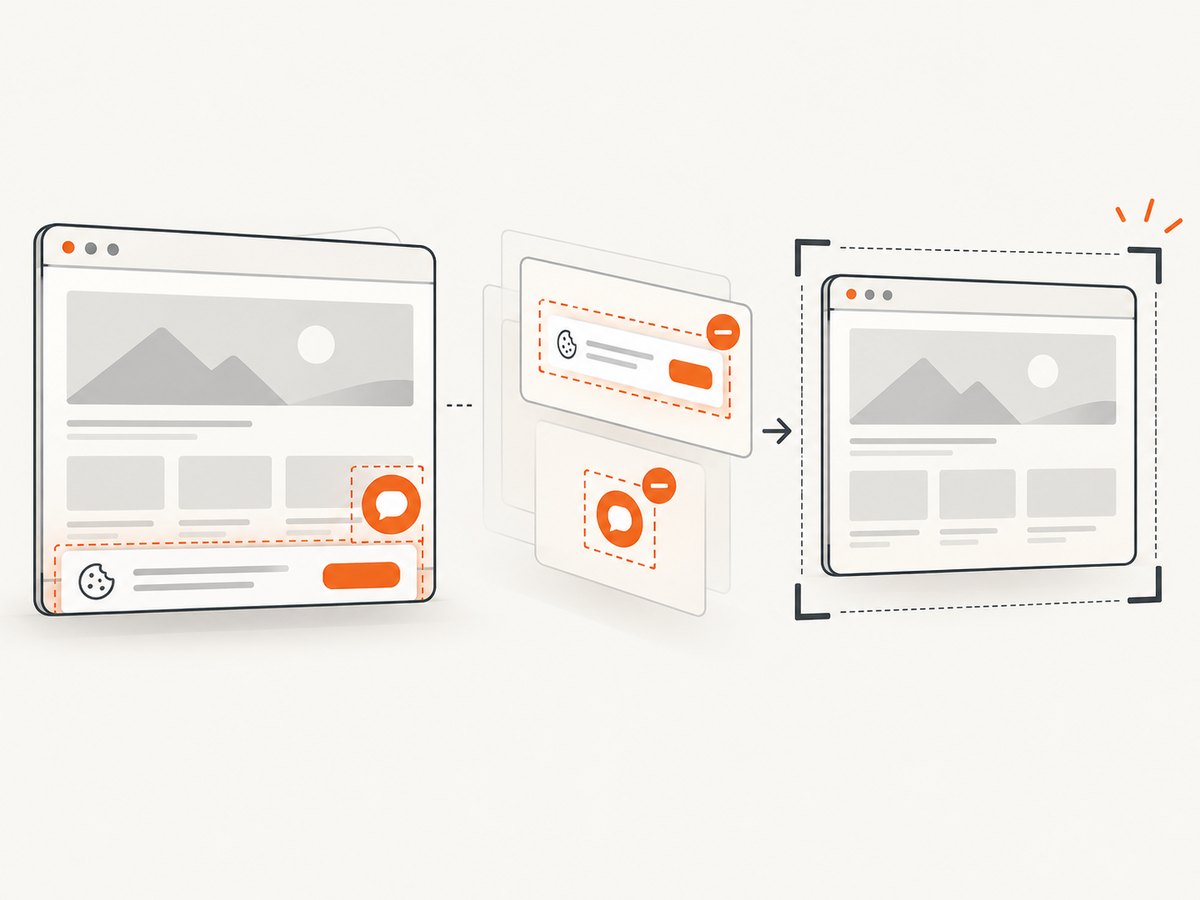
See the ScreenshotNeo API documentation for all options.
cURL
curl -G "https://api.screenshotneo.com/v1/shot" -d access_key=YOUR_API_KEY --data-urlencode url=https://stripe.com -o shot.webpPython
import requests
r = requests.get("https://api.screenshotneo.com/v1/shot", params={"access_key": "YOUR_API_KEY", "url": "https://stripe.com"}, timeout=90)
open("shot.webp", "wb").write(r.content)
Node.js
const q = new URLSearchParams({ access_key: 'YOUR_API_KEY', url: 'https://stripe.com' }); const res = await fetch(`https://api.screenshotneo.com/v1/shot?${q}`);ScreenshotNeo also supports full-page captures, CSS-selector elements, device presets, custom headers and cookies, waits, blocking rules, custom CSS and JavaScript, PDFs, signed links, asynchronous jobs, bulk capture, and an MCP server for Claude, Cursor, and other MCP clients. The free plan includes 1,000 shots each month with no card; paid plans start at $5 for 3,000. Create a free ScreenshotNeo account.
13. FAQ
Is there an official Air France scraping API?
This research did not establish a public API. Ask Air France or an authorized partner for current access options.
Can I scrape flights for a personal project?
Read the terms for your country and purpose. The cited US terms specifically address commercial extraction; do not assume they authorize your project.
Can I use Google Flights as an API?
No public developer API is established by the cited Air France disclosure. It identifies Google Flight Search as a consumer aggregator.
Should I automate booking after finding a fare?
No. Keep search and booking separate, and send users through an official, authorized booking channel.


