How to Scrape Amazon Buy Box Data: Winning Offers and Sellers
Learn how to collect Amazon Featured Offer data through SP-API, compare sellers fairly, and monitor Buy Box changes without misleading price-only analysis.

Direct answer: Amazon calls the Buy Box the Featured Offer. For seller-facing data, the documented route is Amazon’s Selling Partner API (SP-API), especially the Product Pricing API and its pricing notifications. An authorized application can retrieve offer and pricing signals for a marketplace, condition, and seller account. A retail-page scraper is a different workflow with different contractual and operational risks; do not assume that automating Amazon pages is permitted or that it exposes the same data as SP-API.
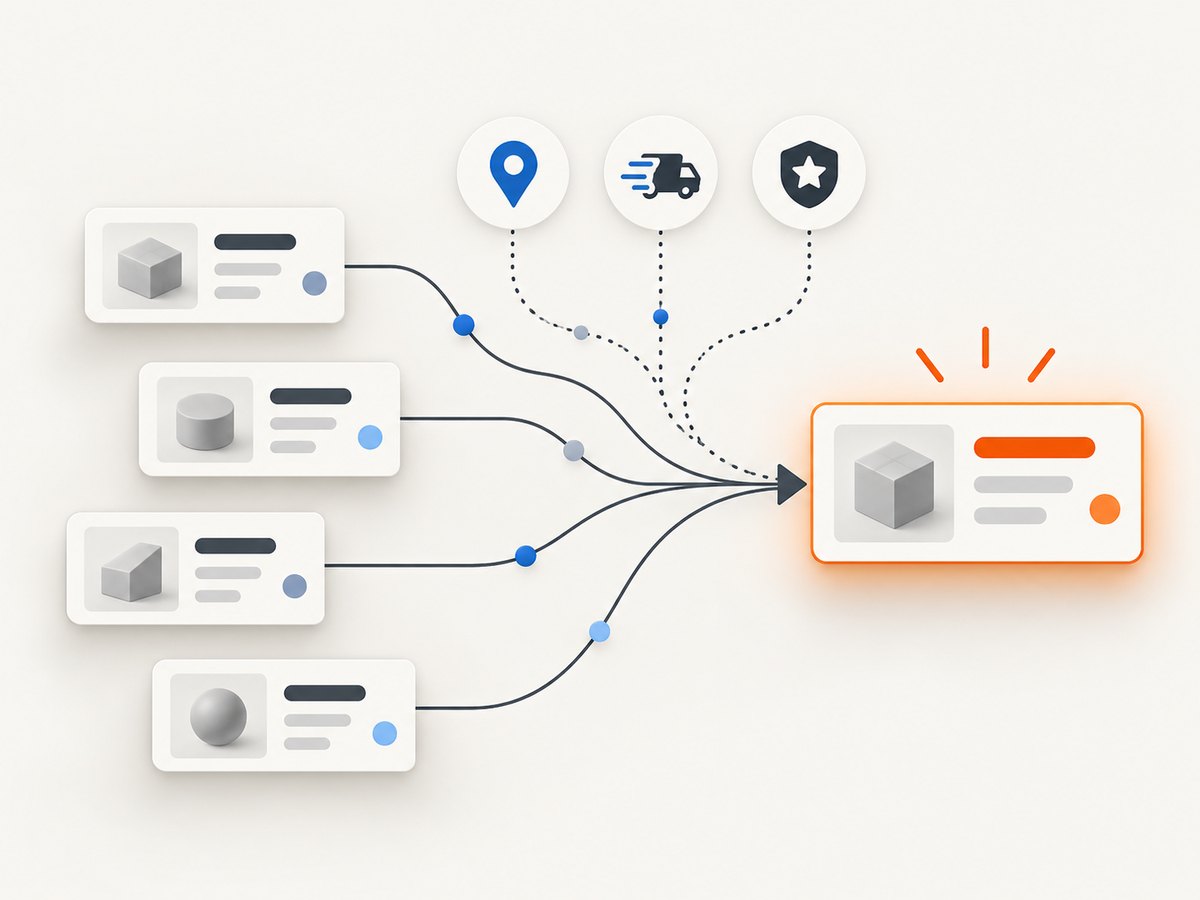
The most useful Buy Box dataset is contextual. Store the marketplace, customer-location assumptions, ASIN, condition, seller or offer identity when returned, listing price, shipping, fulfillment, delivery context, winner flag, and observation time. A seller is not “winning” forever because it has the lowest visible price: Amazon says Featured Offer selection considers eligibility, price, availability, shipping address, and customer-experience factors such as delivery speed.
What Amazon Buy Box data actually means
Amazon’s documentation defines the Featured Offer as “the offer selected when the customer chooses Add to Cart on the product detail page.” Treat “Buy Box winner” as a familiar synonym, then use Amazon’s official terminology in your database and reports.
| Field or concept | Why it matters |
|---|---|
| Marketplace | Prices, eligibility, and shipping vary by country and marketplace. |
| Condition | New, Used, Collectible, Refurbished, and Club offers should not be compared as one group. |
| Listing price | The displayed item price before delivery charges. |
| Shipping and landed price | Notifications rank top offers using landed price (price plus shipping, less Amazon Points where applicable). |
| Fulfillment | Record whether an offer is fulfilled by Amazon and the available delivery context. |
| Winner flag | Use returned Buy Box or Featured Offer status for that observation, not a permanent seller rank. |
| Observed at | Offer placement changes over time and may depend on customer location. |
Choose the authorized collection route
Seller application for an account you control
If you are building internal repricing, catalog, or monitoring software for your own seller account, onboard as an SP-API application and request the role required by the Product Pricing operation. Amazon’s onboarding documentation describes seller authorization and role-based access. Private and public applications have different registration requirements; public applications also have Appstore and Solution Provider Agreement requirements.

Application serving other sellers
For a multi-seller product, each selling partner must authorize your application. Do not treat a developer account as permission to read arbitrary sellers’ data. Confirm the current role, authorization method, marketplace coverage, rate limits, and operation version in the live Product Pricing API reference before shipping.
Retail-page automation
A browser or HTTP scraper that collects public Amazon retail pages is not the same as SP-API access. Amazon’s UK Conditions of Use restrict data mining, robots, and similar extraction of substantial portions of Amazon content for reuse without express written consent. That is a UK source, not a universal legal conclusion. Check the terms governing your marketplace and obtain legal advice for your use case. Never advise bypassing bot checks, rotating identities to defeat controls, or defeating authentication.
SP-API operations for Featured Offer and seller tracking
The Product Pricing API documents pull operations and push notifications. Pull requests give a point-in-time view; notifications let your service react to documented changes.
getItemOffersreturns offer records and summary data for an item, marketplace, and condition. The documented response can include a Buy Box winner flag and has a maximum offer array length of 20. It is not an unrestricted dump of every offer on every ASIN.getCompetitiveSummaryprovides competitive pricing signals for supported requests.getFeaturedOfferExpectedPriceBatchprovides expected-price information for supported batch requests.ANY_OFFER_CHANGEDnotifications include top competitive offers and fields such as price, shipping, seller ID, fulfillment, and winner status. They are limited to items for which the subscriber has active offers.PRICING_HEALTHcan signal pricing health and disqualification conditions. An uncompetitive price is one factor; it is not proof that price alone determines placement.
Amazon’s notification documentation says the top 20 offers are determined by landed price and that tied landed prices may be returned in random order. Build deterministic reporting around seller IDs and timestamps, not array position.
Build a point-in-time offer collector
The example below shows the request shape you should implement after completing SP-API authorization. It deliberately reads the endpoint, access token, marketplace, ASIN, and condition from environment variables so you can select the correct regional endpoint and current API version from Amazon’s reference.
Python
import json
import os
from datetime import datetime, timezone
import requests

endpoint = os.environ["SP_API_ENDPOINT"]
access_token = os.environ["SP_API_ACCESS_TOKEN"]
marketplace_id = os.environ["SP_API_MARKETPLACE_ID"]
asin = os.environ["ASIN"]
condition = os.getenv("CONDITION", "New")

url = f"{endpoint}/products/pricing/v0/items/{asin}/offers"
params = {"MarketplaceId": marketplace_id, "ItemCondition": condition}
headers = {
    "x-amz-access-token": access_token,
    "accept": "application/json",
}

response = requests.get(url, params=params, headers=headers, timeout=30)
response.raise_for_status()
payload = response.json()
record = {
    "observed_at": datetime.now(timezone.utc).isoformat(),
    "marketplace_id": marketplace_id,
    "asin": asin,
    "condition": condition,
    "response": payload,
}
with open(f"{asin}-{marketplace_id}.json", "w", encoding="utf-8") as f:
    json.dump(record, f, indent=2)
print(json.dumps(record, indent=2))
The access token must be obtained through the SP-API authorization flow, and requests may also require AWS Signature Version 4 signing. Use Amazon’s current SDK or signing guidance rather than copying an old authentication snippet.
cURL
curl --fail-with-body --get "$SP_API_ENDPOINT/products/pricing/v0/items/$ASIN/offers" \
  --data-urlencode "MarketplaceId=$SP_API_MARKETPLACE_ID" \
  --data-urlencode "ItemCondition=${CONDITION:-New}" \
  -H "x-amz-access-token: $SP_API_ACCESS_TOKEN" \
  -H "accept: application/json"
In production, add the signing headers required by your selected SP-API endpoint. Treat a successful HTTP response as transport success only; inspect the payload for operation errors and missing offer fields.
Node.js
const endpoint = process.env.SP_API_ENDPOINT;
const token = process.env.SP_API_ACCESS_TOKEN;
const marketplace = process.env.SP_API_MARKETPLACE_ID;
const asin = process.env.ASIN;
const condition = process.env.CONDITION || 'New';

const url = new URL(`${endpoint}/products/pricing/v0/items/${asin}/offers`);
url.searchParams.set('MarketplaceId', marketplace);
url.searchParams.set('ItemCondition', condition);

const res = await fetch(url, {
  headers: {
    'x-amz-access-token': token,
    'accept': 'application/json'
  }
});
if (!res.ok) throw new Error(`${res.status}: ${await res.text()}`);
const payload = await res.json();
console.log(JSON.stringify({
  observed_at: new Date().toISOString(),
  marketplace_id: marketplace,
  asin,
  condition,
  response: payload
}, null, 2));
Normalize offers before deciding who is winning
- Partition by marketplace and condition.
- Convert prices and shipping into a consistent decimal representation and currency.
- Calculate or store landed price only when the response supplies the required components. Do not infer Amazon Points treatment when it is absent.
- Keep seller ID, offer ID, fulfillment, and delivery fields exactly as returned.
- Use the explicit winner flag when present. If no winner flag is returned, label the observation “winner unknown,” not “lowest price wins.”
- Write an observation timestamp and request correlation ID so later changes can be explained.
A practical table has columns for asin, marketplace_id, condition, seller_id, offer_id, listing_price, shipping_price, landed_price, currency, fulfillment_channel, is_buy_box_winner, and observed_at. Store the raw response alongside the normalized row for auditability.
Use notifications for monitoring
Polling every ASIN at a high frequency is wasteful and may exceed usage limits. Subscribe to the documented pricing notification types for products where your seller account has active offers. On ANY_OFFER_CHANGED, upsert the notification’s top competitive offers and preserve the event time. Use periodic pull requests as reconciliation: notifications can be delayed, dropped by your consumer, or limited to the fields and products Amazon documents.
Design the consumer to be idempotent. Give each event a stable deduplication key, acknowledge only after durable storage, retry transient failures with exponential backoff, and send malformed events to a dead-letter queue. Keep the last successful cursor or timestamp and run a reconciliation job after downtime.
Edge cases that change your conclusion
- Customer location: shipping address can change the Featured Offer. A result observed from one location is not universal.
- Condition mismatch: comparing New with Used produces a false seller ranking.
- Tied landed prices: notification order may be random when prices tie.
- Missing fields: permissions, operation type, or marketplace can affect which fields are returned. Preserve nulls rather than filling them with guesses.
- Top-20 limit: a response containing 20 offers does not prove there are exactly 20 offers in the catalog.
- Inactive offer:
ANY_OFFER_CHANGEDis not a general catalogue feed; it is constrained to items where the subscriber has active offers. - Price health: a pricing-health signal may indicate disqualification, but eligibility, availability, and customer experience still matter.
- Currency and tax: never compare raw numeric prices across marketplaces without currency and tax context.
Reliability, performance, and cost notes
Cache immutable metadata such as ASIN and condition, but attach a TTL to price observations. Use notification-driven updates for active inventory and lower-frequency reconciliation for the rest. Batch operations where the current API supports them, while respecting documented usage limits and backoff responses. Keep API credentials in a secret manager, restrict roles to the operations you need, and rotate credentials according to your organization’s policy.
SP-API usage cost is governed by your Amazon application and account arrangement; do not promise a universal per-request price. Your own costs usually come from storage, queueing, retries, and analytics. Retaining raw responses improves debugging but increases storage, so apply a documented retention policy.
Troubleshooting
| Symptom | Likely cause | Fix |
|---|---|---|
| 401 or 403 | Expired token, missing role, wrong seller authorization, or invalid signature. | Recheck LWA authorization, role approval, endpoint region, clock skew, and SigV4 signing. |
| 400 validation error | Invalid ASIN, marketplace, condition, or parameter name. | Compare the request with the live operation reference and verify marketplace IDs. |
| 200 response with no winner | The operation did not return a winner flag, or no eligible Featured Offer exists. | Store “unknown” or “none”; do not select the cheapest row yourself. |
| Only a few offers appear | Operation, condition, authorization, or the documented top-20 limit. | Check the response summary and operation scope; do not call it a complete seller dump. |
| Notification gaps | Consumer outage, duplicate handling bug, or subscription scope. | Use durable acknowledgements, retries, deduplication, and periodic reconciliation. |
| Prices disagree with the retail page | Different marketplace, customer location, time, condition, or landed-price components. | Compare context fields and timestamps before treating it as an error. |
Or skip the browser setup
If your immediate need is a visual record of an Amazon page for QA, documentation, or an internal review, ScreenshotNeo provides a one-call website screenshot API. It does not replace seller-authorized SP-API data and should not be used to evade Amazon controls. Before capture, it accepts cookie or consent banners and removes more than 60 known consent platforms, newsletter popups, and chat widgets; each step can be disabled. Bot checks, blank pages, timeouts, failed loads, and cache hits are not billed, and response headers identify the page verdict and billing status. Its MCP server provides take_screenshot, get_page_info, and capture_pdf tools for Claude, Cursor, and other MCP clients.
See the ScreenshotNeo API documentation for all options.
curl -G "https://api.screenshotneo.com/v1/shot" -d access_key=YOUR_API_KEY --data-urlencode url=https://www.amazon.com/dp/ASIN -o shot.webpimport requests
r = requests.get("https://api.screenshotneo.com/v1/shot", params={"access_key": "YOUR_API_KEY", "url": "https://www.amazon.com/dp/ASIN"}, timeout=90)
open("shot.webp", "wb").write(r.content)const q = new URLSearchParams({ access_key: 'YOUR_API_KEY', url: 'https://www.amazon.com/dp/ASIN' });
const res = await fetch(`https://api.screenshotneo.com/v1/shot?${q}`);ScreenshotNeo includes full-page capture, CSS-selector element capture, device presets, custom headers and cookies, JavaScript, waits, request blocking, caching, signed links, PDFs, asynchronous jobs, bulk capture for up to 100 URLs per call, and a usage API. The Free plan includes 1,000 screenshots each month with no card; paid plans start at $5 for 3,000. Create a free ScreenshotNeo account.
FAQ
Is the Buy Box always the cheapest offer?
No. Amazon evaluates eligible offers using price, availability, shipping address, and customer-experience factors. Use the returned winner status and context.
Can I monitor every Amazon seller with notifications?
Not generally. The documented ANY_OFFER_CHANGED notification is limited to items for which your subscriber has active offers.
Does getItemOffers return every offer?
No. The reference documents a maximum offer array length of 20 and operation-specific scope.
Should I store screenshots as proof of a winner?
A screenshot is a time-stamped visual artifact, not a substitute for authorized offer data. Store API observations for structured analysis and use screenshots only for the visual context your policy permits.
Where do I verify current permissions and limits?
Use Amazon’s live Product Pricing API, onboarding, registration, and notification references. Amazon can change operation versions, roles, marketplaces, and usage limits.


