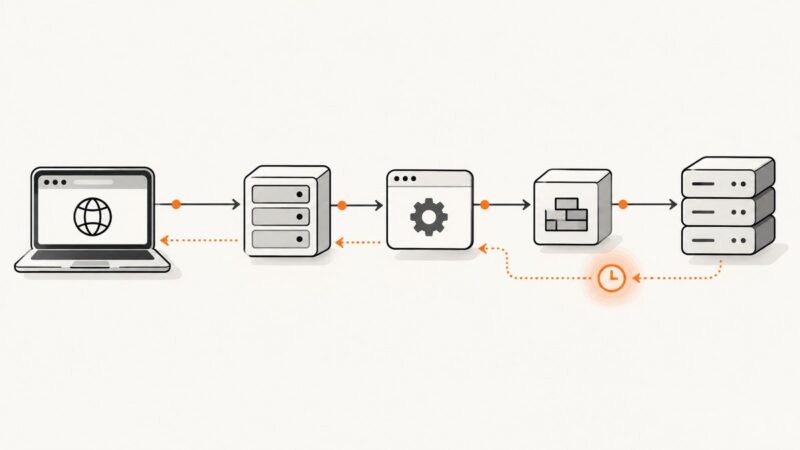
How to Scrape Amazon Search Pages With Python
Learn a permissioned, low-rate Python workflow for Amazon search pages, with pagination, parsing, validation, retries, and safer alternatives.

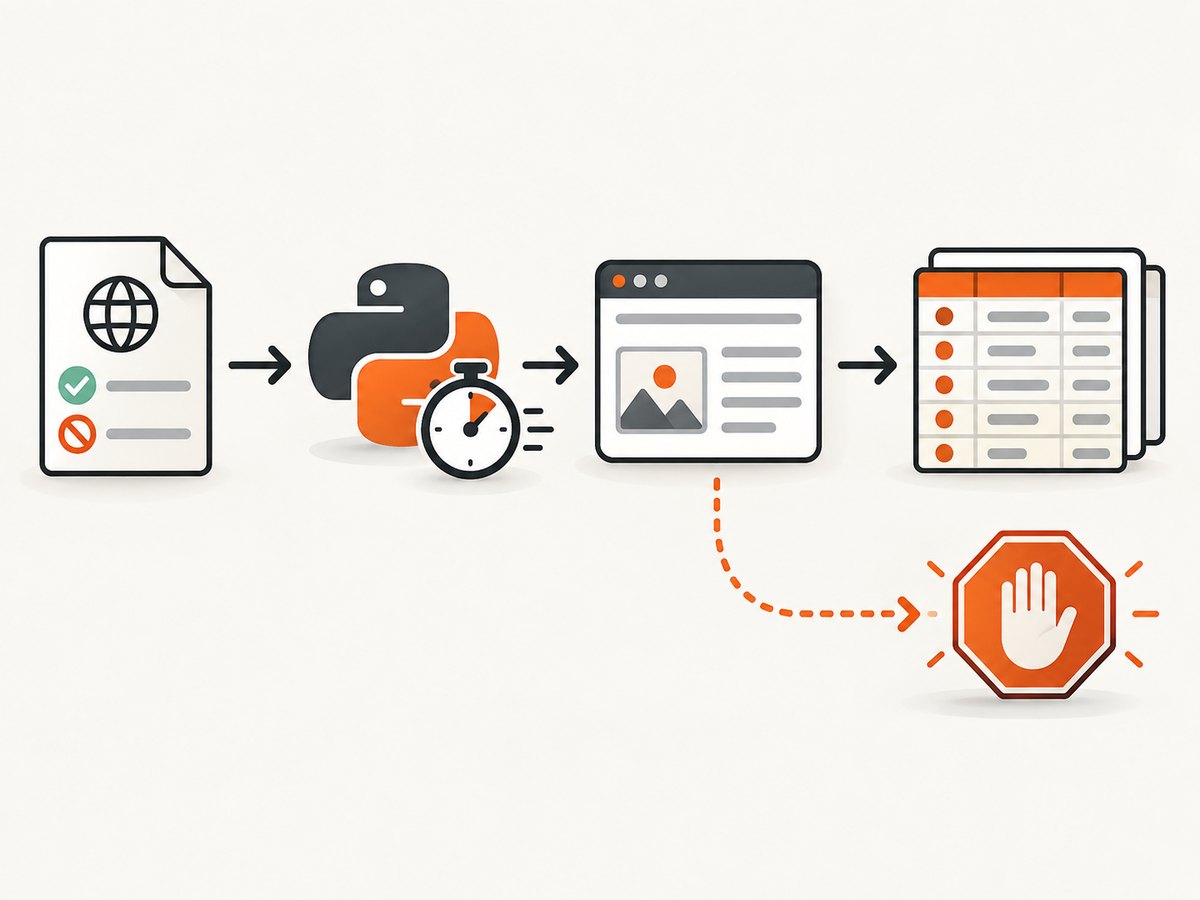
Short answer: use a requests.Session with an honest user agent, timeout, bounded retries, and a low request rate; verify robots.txt and the site’s terms first; parse only the fields you need with BeautifulSoup; follow pagination with a hard page limit; deduplicate product URLs or ASINs; and stop when you receive a 403, 429, 503, CAPTCHA, or robot-check page. Those responses are stop signals, not challenges to evade.
The examples below use example.com and generic selectors deliberately. Amazon’s customer-facing search markup changes, and Amazon’s documented Amazonbot rules describe Amazon’s own crawlers rather than granting permission to scrape search pages. Replace the URL and selectors only after confirming that your target permits automated access.
Before you send a request
- Confirm permission. Read the target site’s terms and the relevant
robots.txtfile. If a path is disallowed or the terms forbid automated access, stop and use an official API, licensed export, or another permitted source. - Define a small prototype. Start with one search term and a few pages on a practice site or an explicitly allowed target.
- Set a stop condition. Your program should stop on access-control responses, CAPTCHA or robot-check HTML, repeated empty pages, or a configured page/request limit.
- Minimize load. Add a delay between requests, avoid parallel bursts, cache results while developing, and request only the pages and fields you need.
A complete permissioned Python example
Install the two retrieval and parsing libraries:
python -m pip install requests beautifulsoup4This script checks robots.txt, fetches at most three pages, detects common block pages, follows a verified next link when available, deduplicates product URLs, records raw response metadata, and writes a CSV. Adapt the URL, selectors, and robots policy to an allowed target.
import csv
import hashlib
import time
from datetime import datetime, timezone
from urllib.parse import urljoin, urlparse
from urllib.robotparser import RobotFileParser

import requests
from bs4 import BeautifulSoup
from requests.adapters import HTTPAdapter
from urllib3.util.retry import Retry

BASE_URL = "https://example.com"
SEARCH_PATH = "/search"
QUERY = "python book"
MAX_PAGES = 3
DELAY_SECONDS = 2.0
TIMEOUT_SECONDS = 15
USER_AGENT = "ResearchExampleBot/1.0 (contact: you@example.com)"


def robots_allows(url: str) -> bool:
    parsed = urlparse(url)
    robots_url = f"{parsed.scheme}://{parsed.netloc}/robots.txt"
    parser = RobotFileParser(robots_url)
    try:
        parser.read()
    except Exception as exc:
        raise RuntimeError(f"Could not read {robots_url}: {exc}") from exc
    return parser.can_fetch(USER_AGENT, url)


def looks_blocked(response: requests.Response) -> bool:
    body = response.text.lower()
    markers = (
        "captcha",
        "robot check",
        "verify you are human",
        "automated access",
        "access denied",
    )
    return response.status_code in {403, 429, 503} or any(m in body for m in markers)


def build_session() -> requests.Session:
    retry = Retry(
        total=2,
        connect=2,
        read=2,
        status=2,
        backoff_factor=1.0,
        status_forcelist=(500, 502, 504),
        allowed_methods=frozenset({"GET"}),
        raise_on_status=False,
    )
    session = requests.Session()
    session.headers.update({
        "User-Agent": USER_AGENT,
        "Accept": "text/html,application/xhtml+xml",
        "Accept-Language": "en-US,en;q=0.8",
    })
    session.mount("https://", HTTPAdapter(max_retries=retry))
    session.mount("http://", HTTPAdapter(max_retries=retry))
    return session


def parse_products(html: str, page_url: str) -> list[dict]:
    soup = BeautifulSoup(html, "html.parser")
    rows = []
    for card in soup.select("article.product"):
        link = card.select_one("a.product-link")
        title = card.select_one(".title")
        if not link or not title or not link.get("href"):
            continue
        rows.append({
            "url": urljoin(page_url, link["href"]),
            "title": title.get_text(" ", strip=True),
            "price_text": (card.select_one(".price") or {}).get_text(" ", strip=True) if card.select_one(".price") else "",
            "rating_text": (card.select_one(".rating") or {}).get_text(" ", strip=True) if card.select_one(".rating") else "",
            "review_count_text": (card.select_one(".review-count") or {}).get_text(" ", strip=True) if card.select_one(".review-count") else "",
        })
    return rows


def main() -> None:
    first_url = f"{BASE_URL}{SEARCH_PATH}?q={QUERY.replace(' ', '+')}&page=1"
    if not robots_allows(first_url):
        raise SystemExit("robots.txt does not allow this path for the declared user agent")

    session = build_session()
    seen_urls = set()
    output = []
    next_url = first_url

    for page_number in range(1, MAX_PAGES + 1):
        if not next_url or not robots_allows(next_url):
            break

        response = session.get(next_url, timeout=TIMEOUT_SECONDS)
        retrieved_at = datetime.now(timezone.utc).isoformat()
        raw_hash = hashlib.sha256(response.content).hexdigest()

        if looks_blocked(response):
            print(f"Stopping on page {page_number}: status={response.status_code}")
            break
        if response.status_code != 200:
            print(f"Stopping on unexpected status {response.status_code}")
            break

        products = parse_products(response.text, response.url)
        new_count = 0
        for product in products:
            if product["url"] in seen_urls:
                continue
            seen_urls.add(product["url"])
            product.update({
                "retrieved_at": retrieved_at,
                "page": page_number,
                "status_code": response.status_code,
                "raw_sha256": raw_hash,
            })
            output.append(product)
            new_count += 1

        if new_count == 0:
            break

        soup = BeautifulSoup(response.text, "html.parser")
        next_link = soup.select_one("a[rel='next']")
        next_url = urljoin(response.url, next_link["href"]) if next_link and next_link.get("href") else ""
        if next_url:
            time.sleep(DELAY_SECONDS)

    fields = ["url", "title", "price_text", "rating_text", "review_count_text", "retrieved_at", "page", "status_code", "raw_sha256"]
    with open("products.csv", "w", newline="", encoding="utf-8") as file:
        writer = csv.DictWriter(file, fieldnames=fields)
        writer.writeheader()
        writer.writerows(output)
    print(f"Wrote {len(output)} unique products")


if __name__ == "__main__":
    main()
The article.product and child selectors are placeholders. Inspect an allowed target’s HTML and choose stable attributes, such as semantic elements or documented data attributes, instead of brittle positional selectors.
Fetching robots.txt safely
Robots rules are part of your preflight check. They are not an access-bypass puzzle. The standard library’s RobotFileParser is enough for a small script:
from urllib.robotparser import RobotFileParser

url = "https://example.com/search?q=python"
robots = RobotFileParser("https://example.com/robots.txt")
robots.read()
print(robots.can_fetch("ResearchExampleBot/1.0 (contact: you@example.com)", url))
Handle a missing or unreachable robots file according to your compliance policy. When permission is unclear, pause and ask the site owner or use an official data source.
Pagination that does not loop forever
Pagination may use a verified next link, a page query parameter, a cursor, or interaction-driven navigation such as infinite scroll. Do not assume that incrementing page will work. A safe paginator has all of these guards:
- A maximum page count and, if useful, a maximum total request count.
- A set of visited page URLs to prevent cycles.
- Deduplication by canonical product URL or ASIN.
- A stop when a page produces no new products.
- A stop when the next link is absent, malformed, outside the permitted host, or disallowed by robots rules.
- A delay between requests.
For a target that documents a page parameter, this smaller loop can be used after the same permission checks:
for page in range(1, 4):
    response = session.get(
        "https://example.com/search",
        params={"k": "python book", "page": page},
        timeout=15,
    )
    if response.status_code != 200 or "captcha" in response.text.lower():
        break
    soup = BeautifulSoup(response.text, "html.parser")
    # Parse only selectors confirmed for this permitted target.
    time.sleep(2)
Parsing and validating product fields
Keep the raw text for fields whose format varies by locale. Price symbols, decimal separators, currencies, ratings, and review counts can differ. Store both the displayed text and a normalized value only when you have a locale-aware parser.
| Field | Why keep it | Validation |
|---|---|---|
| Product URL | Stable identity and later retrieval | Resolve relative links; restrict to the permitted host; deduplicate |
| Title | Human-readable product label | Require non-empty text; log missing titles |
| Price text | Preserves currency and display format | Do not silently convert currencies |
| Rating text | Preserves the site’s displayed scale | Keep text if the scale is unknown |
| Review-count text | Useful for downstream filtering | Expect locale-specific separators and abbreviations |
| Retrieved timestamp | Shows when a value was observed | Use UTC and ISO 8601 |
| Raw HTML hash | Helps diagnose parser changes | Hash response bytes and retain HTML where permitted |
Log parser misses rather than dropping them silently. A sudden increase in missing titles or prices usually means the markup changed, the response is a consent or block page, or the locale returned a different layout.
Retries, rate limits, and stop signals
Retries are for transient transport failures, not for defeating controls. Use a small retry budget and exponential backoff. Do not retry 403, 429, CAPTCHA, robot-check, or repeated 503 responses indefinitely. Respect response headers such as Retry-After when present, then stop or wait according to the site’s documented policy.
When requests is not enough
Direct HTTP retrieval is cheap and easy to operate when the permitted page contains the data in its initial HTML. It will not execute JavaScript, click controls, or load content revealed by interaction. Browser automation can render permitted dynamic content but adds CPU, latency, browser maintenance, and another compliance surface. Infinite scroll and click-created links are especially easy to miss with a requests-only crawler.
At material volume, compare an official API or permissioned export with a managed scraping or data API. Evaluate permission, throttling behavior, extraction fidelity, pagination support, locale coverage, markup maintenance, latency, request volume, and total operating cost. A service that reports 503 blocking or TLS/JA3 fingerprinting problems at scale is a reason to choose a compliant data source, not a reason to bypass controls.
Common errors and fixes
| Symptom | Likely cause | Fix |
|---|---|---|
| 403 Forbidden | Access policy, terms, or bot controls | Stop; review permission and use an official source or export |
| 429 Too Many Requests | Rate limit exceeded | Stop or honor Retry-After; reduce request rate and volume |
| 503 or intermittent failures | Throttling, unavailable upstream, or block page | Use a bounded retry budget for transient failures; stop if the body is a block page |
| 200 response containing CAPTCHA | HTML block page returned with success status | Detect marker text and stop; do not automate the challenge |
| Empty product list | Selector drift, consent page, locale difference, or no results | Save a response sample/hash, inspect it, and update selectors only for an allowed target |
| Duplicate products | Overlapping pages or tracking query strings | Canonicalize permitted URLs and deduplicate by URL or ASIN |
| Parser crashes on missing price | Optional field absent | Use nullable fields and preserve the original text when present |
| Timeouts | Slow server or oversized response | Set connect/read timeouts, limit pages, and avoid parallel bursts |
Performance, reliability, and cost checklist
- Use one session so connections can be reused.
- Keep concurrency low unless the target explicitly permits it.
- Cache during development and avoid re-fetching unchanged pages.
- Set connect and read timeouts separately for production jobs.
- Persist checkpoints after each page so a permitted job can resume without repeating requests.
- Record status, latency, response size, parser misses, and the stop reason.
- Keep raw HTML or hashes only as long as your policy permits.
- Estimate cost from total requests, browser runtime if used, storage, retries, and engineering maintenance.
Or skip the browser setup
If your goal is a clean visual record of an allowed search page rather than structured product data, ScreenshotNeo provides a single screenshot request. It accepts the cookie or consent banner like a visitor and removes more than 60 known consent platforms, newsletter popups, and chat widgets before capture; each step can be turned off. Bot checks, blank pages, timeouts, failed loads, and cache hits are not billed, and the response identifies the result with X-Page-Verdict and X-Billed headers. Its MCP server lets Claude, Cursor, and other MCP clients use take_screenshot, get_page_info, and capture_pdf.
See the ScreenshotNeo API documentation for all options.
cURL
curl -G "https://api.screenshotneo.com/v1/shot" \
  -d access_key=YOUR_API_KEY \
  --data-urlencode url=https://example.com/search?q=python \
  -o search.webp
Python
import requests

r = requests.get(
    "https://api.screenshotneo.com/v1/shot",
    params={"access_key": "YOUR_API_KEY", "url": "https://example.com/search?q=python"},
    timeout=90,
)
r.raise_for_status()
open("search.webp", "wb").write(r.content)
print(r.headers.get("X-Page-Verdict"), r.headers.get("X-Billed"))
Node.js
const q = new URLSearchParams({
  access_key: 'YOUR_API_KEY',
  url: 'https://example.com/search?q=python'
});
const res = await fetch(`https://api.screenshotneo.com/v1/shot?${q}`);
if (!res.ok) throw new Error(`HTTP ${res.status}`);
const image = Buffer.from(await res.arrayBuffer());
await import('node:fs/promises').then(fs => fs.writeFile('search.webp', image));
console.log(res.headers.get('X-Page-Verdict'), res.headers.get('X-Billed'));
ScreenshotNeo includes full-page capture with lazy images loaded, CSS-selector element capture, custom CSS and JavaScript, waits for selectors or network idle, request blocking, custom headers and cookies, user-agent and authorization settings, timezone and geolocation, caching with a chosen TTL, signed links, asynchronous jobs, bulk capture for up to 100 URLs per call, PDF output, and a usage API. Every feature is on every plan. The Free plan includes 1,000 shots per month with no card; paid plans start at $5 for 3,000 shots. Create a free ScreenshotNeo account.
FAQ
Can I use Amazon’s Amazonbot rules as permission to scrape search pages?
No. Amazon’s documentation describes Amazonbot, Amzn-SearchBot, and Amzn-User and how those systems follow robots.txt and page directives. Those rules do not grant permission to scrape customer-facing search pages.

Should I rotate proxies or user agents after a block?
No. Treat a block as a stop signal. Review permission, reduce scope, or switch to an official API, licensed export, or other permitted source.
Why retain a raw HTML hash?
It lets you correlate parsing failures with a specific response without relying only on mutable extracted fields. Retain the raw document itself only when your policy allows it.
Can this approach extract products loaded by infinite scroll?
Not reliably with plain requests. Use a documented endpoint or an explicitly permitted browser workflow, with the same rate and stop controls.