How to Scrape AutoScout24 Product Pages
AutoScout24 terms restrict automated queries. Learn the compliant API options, dealer workflows, and how to capture authorized pages safely.

Short answer: do not build a bulk scraper for AutoScout24 consumer listing pages without written authorization. AutoScout24’s consumer terms allow individual records to be viewed or printed through its online search masks, but prohibit automated script queries that bypass those masks. They also restrict building a database from queried records and commercial data exploitation. The company’s documented Listing Creation API is for managing classified listings and vehicle taxonomy, not a documented public read API for collecting consumer pages.
For a legitimate project, choose one of these routes:
- View individual records manually through AutoScout24’s normal search interface.
- If you are a dealer or data provider, ask AutoScout24 about an authorized software or API workflow for your own stock.
- For research, analytics, archiving, or integration, contact AutoScout24 and confirm licensing, rate limits, fields, retention, and permitted reuse before collecting anything.
This guide explains what the sources support, what they do not support, how to design an authorized workflow, and how to capture a page only after you have permission.
What AutoScout24’s terms mean for scraping
AutoScout24’s consumer GTC state: “Automated queries using scripts, bypassing the search mask using search software or similar measures are not permitted.” The same terms distinguish viewing an individual record through the site from automated collection. They also prohibit using queried records to build a database or for commercial data exploitation. Read the current consumer GTC before planning any collection.
A page being visible in a browser does not grant permission to copy, retain, enrich, republish, or sell its contents. A listing can contain make, model, price, first registration, mileage, performance, condition, VIN, photographs, and advertisement duration, but visibility of a field does not establish a right to collect or reuse it. AutoScout24’s privacy notice also describes personal data processed in connection with listings and site use.
| Need | Supported interpretation | Next action |
|---|---|---|
| Check one vehicle record | Individual viewing through the search interface is described in the consumer terms. | Use the normal interface; save only what your rights and purpose allow. |
| Import a dealer’s own inventory | Dealer terms describe software or programs for transmitting listing data. | Contact AutoScout24 and request the appropriate partner workflow. |
| Read marketplace listings in bulk | The cited sources do not authorize this and prohibit automated queries under consumer terms. | Obtain written authorization or use a licensed data route. |
| Research a public read API | The documented Listing Creation API is not presented as a public read API for consumer pages. | Ask AutoScout24 directly; do not assume one exists. |
Does AutoScout24 have an API for listings?
AutoScout24 documents a REST Listing Creation API using JSON. It manages the lifecycle of classified listings and exposes make, model, and other vehicle taxonomy. Most endpoints require Basic Auth credentials connected to an AutoScout24 account. The documentation directs data providers managing dealership stock to contact AutoScout24 about using the API.
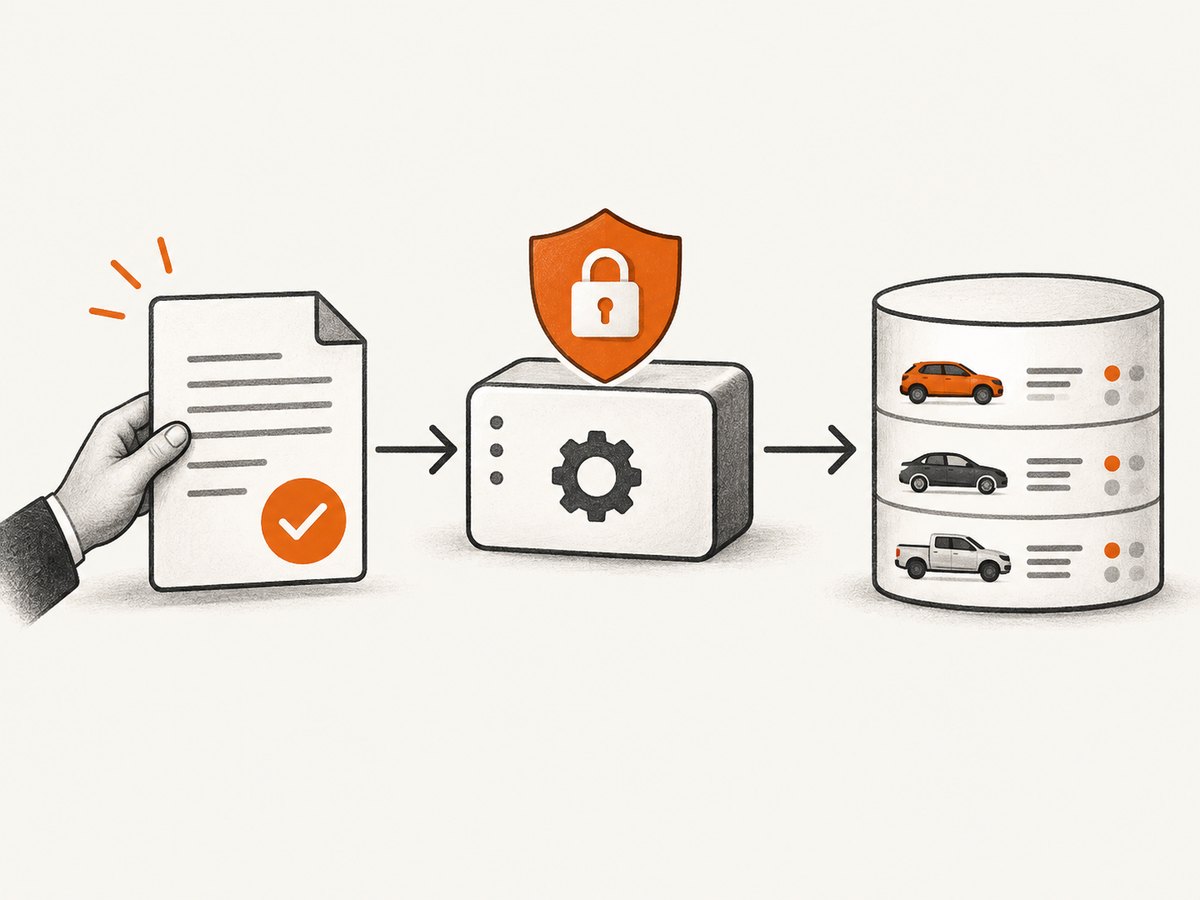
That purpose matters: creating or managing listings is different from reading every consumer listing. The supplied documentation does not establish a public, read-only listings API for scraping vehicle detail pages. The search results also do not establish whether AutoScout24 offers a separate research license or data-licensing route. Treat that as an unresolved question and confirm it with the company.
A compliant project plan
1. Define the exact records and purpose
Write down whether you need your own dealership inventory, a few manually selected records, taxonomy values, historical prices, or a market-wide dataset. Specify who owns the data, where it will be stored, how long it will be retained, and whether it will be displayed to others. A precise purpose makes it possible for AutoScout24 to approve or reject the proposed access.
2. Request an authorized route
Send AutoScout24 a short technical brief. Include your organization, account, countries and languages, approximate record volume, fields, request frequency, intended use, retention period, and whether you are a dealer, data provider, researcher, or software vendor. Ask whether the Listing Creation API, a dealer program, a separate read API, or a license is appropriate.
3. Record the authorization
Keep the contract, email approval, API scope, allowed fields, rate limits, attribution rules, and deletion obligations with your project documentation. Do not rely on an informal assumption that a page is public.
4. Build an access boundary
Put all AutoScout24 access behind one service. Enforce an allowlist of approved endpoints, a request budget, authentication, retries with backoff, logging, and deletion rules. Do not add proxy rotation, CAPTCHA bypass, search-mask bypasses, or techniques intended to evade controls.
5. Minimize collection
Collect only fields explicitly permitted by the agreement. Separate vehicle attributes from personal data. Hash or remove seller contact data unless it is required and authorized. Store the source URL and retrieval time for auditability, but do not republish photographs or VINs without permission.
Example: an authorized JSON client
The following pattern is a generic client for an endpoint that AutoScout24 has explicitly authorized for your account. Replace the placeholder URL and fields only with values from your contract and the current API documentation. It is not a consumer-page scraper.
import os
import requests

base_url = os.environ["AUTHORIZED_API_URL"]
username = os.environ["AUTOSCOUT_USERNAME"]
password = os.environ["AUTOSCOUT_PASSWORD"]

response = requests.get(
    f"{base_url}/listings",
    params={"status": "active", "limit": 50},
    auth=(username, password),
    headers={"Accept": "application/json"},
    timeout=30,
)
response.raise_for_status()
data = response.json()

for listing in data.get("listings", []):
    print(listing.get("id"), listing.get("make"), listing.get("model"))
Before production use, confirm the actual path, pagination, response envelope, authentication method, and permitted parameters in your account documentation. Never put credentials in source control. Use a secret manager and rotate credentials when staff or vendors change.
Manual review and single-record workflows
If your purpose is to inspect a small number of vehicles, use the search masks and review each record in the browser. A human can record the minimum facts needed for a decision, link back to the original listing, and avoid creating a bulk database. If you need an audit trail, document the reviewer, date, URL, and fields copied.
For a page you own, or a page for which you have written capture permission, a browser automation tool can render the page and extract an approved selector. Keep this example restricted to your own or authorized site:
import { chromium } from "playwright";

const browser = await chromium.launch({ headless: true });
const page = await browser.newPage();
await page.goto(process.env.AUTHORIZED_PAGE_URL, { waitUntil: "domcontentloaded" });
const result = await page.locator("[data-approved-price]").first().textContent();
console.log({ price: result?.trim() ?? null });
await browser.close();
Do not point this code at AutoScout24 consumer pages unless your written authorization expressly permits automated browser access. A robots.txt file, an accessible HTML response, or a successful request does not replace contractual permission.
Or skip the browser setup
When you have permission to capture a page, ScreenshotNeo can return a clean PNG, JPEG, WebP, or PDF from one GET request. Cookie and consent banners are accepted before capture, and more than 60 known consent platforms, newsletter popups, and chat widgets can be removed. Bot checks, blank pages, timeouts, failed loads, and cache hits are not billed; the response identifies the result with X-Page-Verdict and X-Billed headers. Use it only for URLs you are authorized to capture.
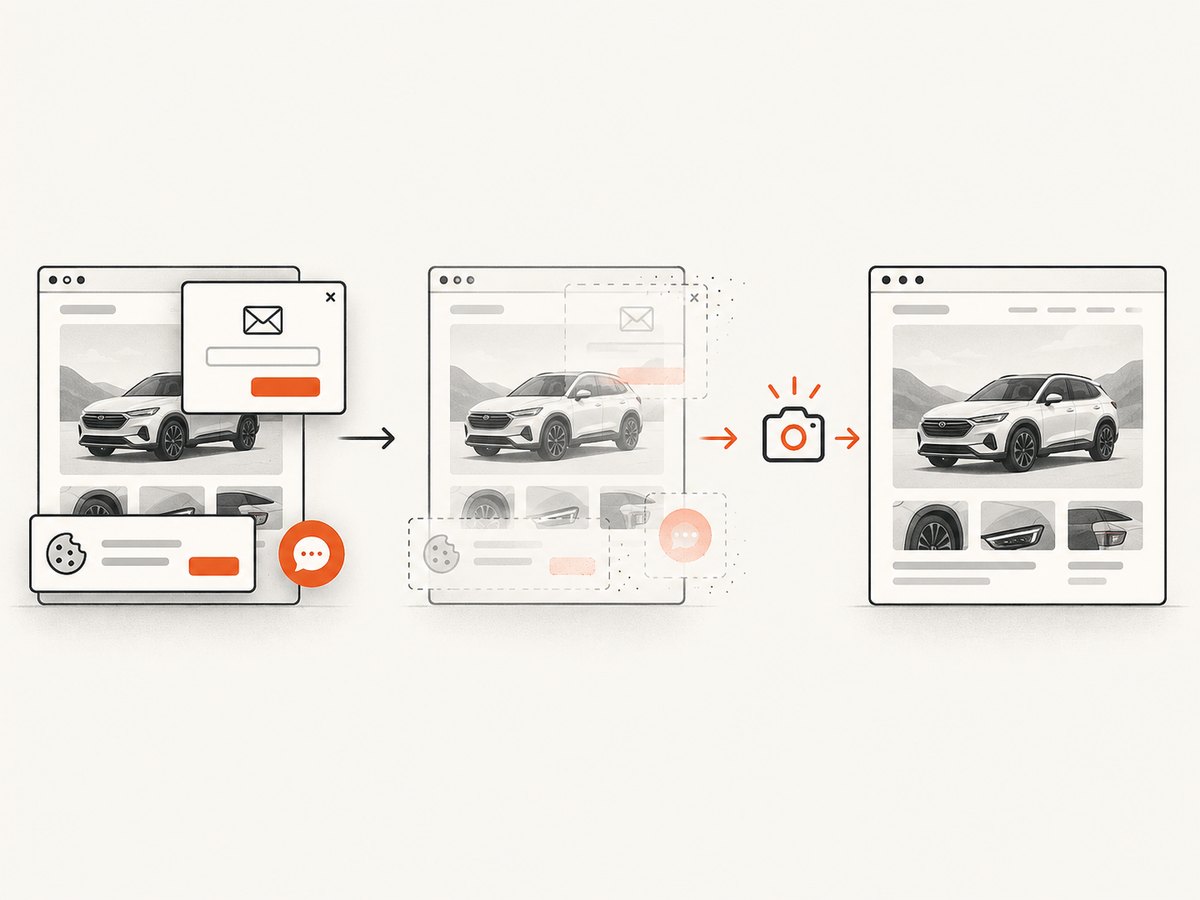
See the ScreenshotNeo API documentation for all options. This basic request captures an authorized page:
curl -G "https://api.screenshotneo.com/v1/shot" -d access_key=YOUR_API_KEY --data-urlencode url=https://stripe.com -o shot.webpimport requests
r = requests.get("https://api.screenshotneo.com/v1/shot", params={"access_key": "YOUR_API_KEY", "url": "https://stripe.com"}, timeout=90)
open("shot.webp", "wb").write(r.content)const q = new URLSearchParams({ access_key: 'YOUR_API_KEY', url: 'https://stripe.com' });
const res = await fetch(`https://api.screenshotneo.com/v1/shot?${q}`);You can select one element, capture a full page with lazy images loaded, set a device or viewport, use dark mode or retina scale, add custom CSS or JavaScript, click an element, wait for a selector, delay, or network idle, and provide authorized headers, cookies, a user agent, timezone, geolocation, or Authorization value. Other controls cover ad and tracker blocking, resource-type blocking, transparent backgrounds, resizing, caching with a chosen TTL, signed image links, asynchronous jobs with signed webhooks, PDF paper settings and page ranges, HTML/CSS rendering, bulk capture of 100 URLs per call, and usage reporting.
An MCP server provides take_screenshot, get_page_info, and capture_pdf tools for Claude, Cursor, and other MCP clients. The Free plan includes 1,000 shots per month with no card; paid plans start at $5 for 3,000 shots. Create a free ScreenshotNeo account.
Data model for an approved pipeline
Use a schema that distinguishes source facts from your own calculations. A minimal record might contain:
{
  "source_url": "https://authorized.example/listing/123",
  "retrieved_at": "2026-09-29T12:00:00Z",
  "source_listing_id": "123",
  "make": "...",
  "model": "...",
  "price": {"amount": 0, "currency": "EUR"},
  "first_registration": "YYYY-MM",
  "mileage_km": 0,
  "permission_reference": "contract-or-ticket-id",
  "retention_until": "YYYY-MM-DD"
}
Validate currencies, dates, and units at ingestion. Preserve the original value alongside normalized values, because a displayed price can include financing, taxes, or fees. Deduplicate by the authorized listing identifier when available; otherwise use a carefully documented composite key and expect changes over time.
Reliability, performance, and cost
- Rate limits: use the limit supplied by AutoScout24, queue work, and apply exponential backoff for transient failures. Never increase volume to compensate for throttling.
- Freshness: record retrieval timestamps and define an update interval that matches your authorization. Do not poll continuously.
- Retries: retry network timeouts and 5xx responses only with bounded attempts. Do not retry authentication or permission errors.
- Idempotency: key writes by listing ID and retrieval date so a retry cannot duplicate records.
- Observability: log status, latency, response size, authorization scope, and deletion events without logging credentials or unnecessary personal data.
- Costs: an approved API may have contractual fees or quotas. For ScreenshotNeo, cache with a TTL when permitted; cache hits are not billed, and failed loads, blank pages, bot checks, and timeouts are not billed.
Troubleshooting
| Symptom | Likely cause | Fix |
|---|---|---|
| 403 or account denied | Missing Basic Auth, wrong account, or endpoint outside your scope. | Check credentials and contract; ask AutoScout24 to enable the intended API scope. |
| 429 or repeated throttling | Requests exceed the approved rate. | Stop the queue, honor Retry-After, reduce concurrency, and request a documented limit. |
| HTML instead of JSON | You called a website page, login route, or undocumented endpoint. | Use the authorized API base and Accept header; do not parse consumer pages as an API. |
| Fields disappear | Listing content changed or the field is optional. | Handle nulls, version your schema, and store only permitted fields. |
| Duplicate vehicles | No stable identifier or a listing was relisted. | Use the approved listing ID and retain a documented history policy. |
| Screenshot contains a banner | Consent or widget cleanup is disabled or the platform is unknown. | Enable the relevant ScreenshotNeo cleanup options and inspect the page verdict. |
| Screenshot is blank | Page failed, timed out, or requires access you did not provide. | Check authorized cookies, headers, waits, and the X-Page-Verdict and X-Billed headers. |
FAQ
Can I scrape AutoScout24 if the listings are public?
Public visibility is not permission for automated collection. The consumer GTC prohibit automated script queries that bypass search masks. Obtain written authorization first.
Can I use the Listing Creation API to read all vehicles?
The cited documentation describes listing management and taxonomy. It does not establish a public bulk-read API for consumer detail pages.
Can a dealer export its own stock?
Dealer terms describe software and programs for transmitting listing data. Contact AutoScout24 for the approved workflow and restrictions on copying or querying other sellers’ content.
Does a screenshot solve the data-rights issue?
No. A screenshot is another copy of page content. Capture only pages and fields your authorization allows, and follow retention and reuse terms.
Where should researchers ask about licensing?
Ask AutoScout24 directly whether a read API, research license, or data-licensing route exists for your exact purpose. The cited sources do not answer that question.
Checklist before shipping
- Purpose, fields, volume, retention, and audience are documented.
- Written authorization covers automated access and reuse.
- Credentials are stored outside source control.
- Rate limits, retries, deletion, and audit logs are implemented.
- Personal data, VINs, photographs, and seller information are minimized.
- The pipeline stops on 401, 403, or scope errors.
- Any ScreenshotNeo capture uses an authorized URL and records verdict and billing headers.
The practical answer to “How do I scrape AutoScout24?” is therefore an authorization decision first and an engineering task second. Use the normal interface for individual review, use the documented API or dealer program for approved inventory workflows, and contact AutoScout24 before designing bulk collection.


