How to Scrape AutoTrader Product Pages
Learn the terms-aware way to collect AutoTrader vehicle data, when automation is prohibited, and how to use authorized feeds or screenshots safely.
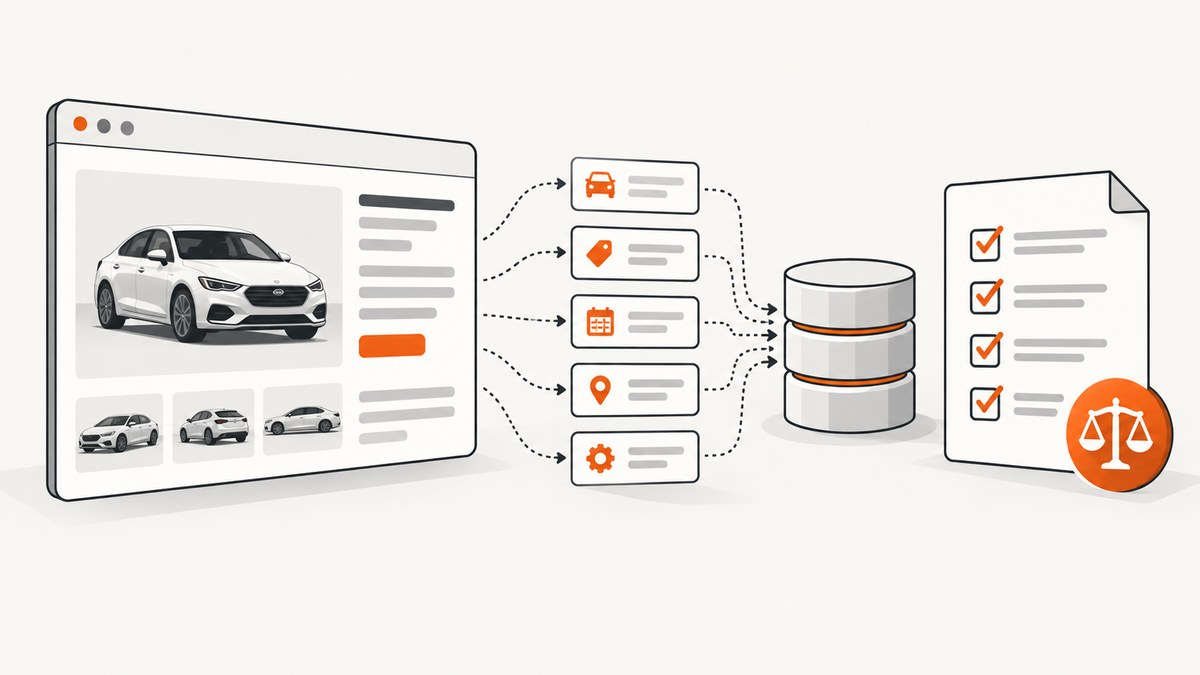
Direct answer: You cannot assume that publicly visible AutoTrader listings may be systematically scraped. AutoTrader sites in the United States, Canada, and the United Kingdom have different terms, and the reviewed terms restrict automated extraction in different ways. Identify the exact regional site, read its current terms and robots instructions, define your fields and purpose, and obtain written permission or an authorized feed before building recurring collection.
This guide shows a compliant workflow for an authorized integration, including browser automation, HTML parsing, structured-data extraction, rate control, storage, troubleshooting, and alternatives. It is an engineering guide, not legal advice. Your contract, jurisdiction, intended use, and data fields determine what is permitted.
1. Identify the AutoTrader site and your use case
“AutoTrader” is not one service. The US site is Autotrader.com, the Canadian site is AutoTrader.ca, and the UK site is Autotrader.co.uk. Do not transfer a permission or exception from one country to another.
| Question | Why it changes the implementation |
|---|---|
| Which host? | Each regional operator publishes separate terms, privacy rules, and robots instructions. |
| Consumer, dealer, or integration partner? | Dealer agreements and licensed feeds may allow access that consumer terms do not. |
| What fields? | Vehicle facts, photographs, seller details, and identifiers can have different rights and privacy implications. |
| What purpose? | Personal research, internal inventory tooling, resale, and public redistribution are not equivalent uses. |
| What scale and retention? | Request rate, caching, export, and deletion obligations should be written into an authorization. |
2. What the published terms say
United States
The Autotrader.com Visitor Agreement prohibits systematic extraction of data or data fields by automated mechanisms such as robots, crawlers, or spiders, except in strict conformance with the Robots Exclusion Protocol. It also restricts collecting information about other people without consent. The B2B terms separately restrict automated collection, indexing, and systematic extraction. Treat a general-purpose listing scraper as outside the documented permission unless Autotrader has authorized your proposed use. Read the current Autotrader.com agreements before operating.
Canada
AutoTrader.ca terms say that access must use interfaces the site provides and prohibit attempting to collect or index content or data with scripts or other automated means. The reviewed terms do not establish a general API exception. Ask the operator for a permitted interface or written authorization rather than treating visible markup as permission. Check the current AutoTrader.ca terms.
United Kingdom
Autotrader.co.uk terms state that copyright in page content and photographs and database rights in the vehicle database are owned or controlled by Auto Trader. Search material is for personal, non-commercial use, and—unless an exception applies—users must not copy, redistribute, download, adapt, extract, or reuse it without express written permission. The page was reported as last updated 7 May 2026, but terms can change, so verify the live Autotrader.co.uk terms at publication and before each material change to your integration.
3. Choose an authorized data route
- Ask for a feed, API, or licence. Describe the host, fields, volume, refresh interval, storage period, display destination, and whether data leaves your organization.
- For eligible UK advertisers, investigate Auto Trader Connect. Its published business rules describe a revocable, non-exclusive licence for specified data, with restrictions on purpose, territory, and export. Eligibility and exact fields are case-specific.
- Use an independent licensed dataset if the operator cannot authorize your use.
- Stop when authorization ends. Do not evade blocks, CAPTCHAs, login controls, or rate limits.
Keep the written authorization with your code. Record allowed hosts, fields, request limits, authentication method, export rights, retention, caching, and termination conditions. Robots instructions can help you operate politely, but they do not replace a contract or legal review.

4. Build a terms-aware collector
The following example is suitable only when you have authorization. It checks robots.txt, uses a small explicit URL list, applies a delay, records status codes, and extracts schema.org JSON-LD when present. It does not bypass access controls.
Python with Playwright
from urllib.parse import urlparse
from urllib.robotparser import RobotFileParser
import asyncio, json, random
from pathlib import Path
from playwright.async_api import async_playwright

HOST = "www.example-authorized-host.example"
URLS = ["https://www.example-authorized-host.example/listing/123"]
USER_AGENT = "AuthorizedInventoryClient/1.0 (+contact@example.com)"

async def allowed(url):
    p = urlparse(url)
    robots = RobotFileParser(f"{p.scheme}://{p.netloc}/robots.txt")
    try:
        robots.read()
    except Exception:
        return False
    return robots.can_fetch(USER_AGENT, url)

async def main():
    Path("pages").mkdir(exist_ok=True)
    async with async_playwright() as pw:
        browser = await pw.chromium.launch()
        context = await browser.new_context(user_agent=USER_AGENT)
        page = await context.new_page()
        for url in URLS:
            if urlparse(url).netloc != HOST or not await allowed(url):
                print(f"Skipped by host or robots policy: {url}")
                continue
            try:
                response = await page.goto(url, wait_until="domcontentloaded", timeout=30000)
                await page.wait_for_timeout(1500)
                html = await page.content()
                (Path("pages") / "123.html").write_text(html, encoding="utf-8")
                records = await page.locator('script[type="application/ld+json"]').all_text_contents()
                for raw in records:
                    try:
                        print(json.dumps(json.loads(raw), indent=2))
                    except json.JSONDecodeError:
                        pass
                print(url, response.status if response else None)
            finally:
                await asyncio.sleep(random.uniform(2, 4))
        await browser.close()

asyncio.run(main())
Install dependencies with pip install playwright and playwright install chromium. Replace the host and URLs only with those covered by your authorization. In production, use a stable listing identifier from the authorized feed instead of guessing URL patterns.
Node.js with Playwright
import { chromium } from "playwright";
import fs from "node:fs/promises";

const urls = ["https://www.example-authorized-host.example/listing/123"];
const browser = await chromium.launch();
const context = await browser.newContext({
  userAgent: "AuthorizedInventoryClient/1.0 (+contact@example.com)"
});
const page = await context.newPage();

for (const url of urls) {
  const response = await page.goto(url, { waitUntil: "domcontentloaded", timeout: 30000 });
  await page.waitForTimeout(1500);
  const html = await page.content();
  await fs.writeFile("listing-123.html", html, "utf8");
  const jsonLd = await page.locator('script[type="application/ld+json"]').allTextContents();
  console.log({ url, status: response?.status(), jsonLd });
  await new Promise(r => setTimeout(r, 2500));
}
await browser.close();
cURL for an explicitly permitted HTML endpoint
curl --fail --location \
  --user-agent 'AuthorizedInventoryClient/1.0 (+contact@example.com)' \
  --max-time 30 \
  'https://www.example-authorized-host.example/listing/123' \
  -o listing-123.html
cURL receives server HTML only. It will not execute JavaScript, wait for lazy content, or reproduce a browser session. Use the documented feed when available; browser rendering should be the fallback for an authorized integration.
Python requests for a server-rendered page
import requests

url = "https://www.example-authorized-host.example/listing/123"
r = requests.get(
    url,
    headers={"User-Agent": "AuthorizedInventoryClient/1.0 (+contact@example.com)"},
    timeout=30,
)
r.raise_for_status()
open("listing-123.html", "wb").write(r.content)
5. Extract stable fields
Prefer the operator’s feed schema. If your authorization permits page parsing, look for JSON-LD before CSS classes because visual class names change more often. Validate every field and preserve the source URL and collection timestamp.
from bs4 import BeautifulSoup
import json

html = open("listing-123.html", encoding="utf-8").read()
soup = BeautifulSoup(html, "html.parser")
for tag in soup.select('script[type="application/ld+json"]'):
    try:
        data = json.loads(tag.string or tag.get_text())
    except json.JSONDecodeError:
        continue
    items = data if isinstance(data, list) else [data]
    for item in items:
        if item.get("@type") in ("Product", "Vehicle", "Car"):
            print({
                "name": item.get("name"),
                "url": item.get("url"),
                "image": item.get("image"),
                "offers": item.get("offers"),
            })
Do not collect seller contact details unless your authorization and privacy basis clearly cover them. Minimize fields, hash or remove identifiers you do not need, and define deletion rules before the first run.
6. Reliability, performance, and cost
- Prefer feeds over rendering. A documented feed avoids browser startup cost and is easier to validate against a contract.
- Use bounded concurrency. Start with one worker and the authorized request rate. Increase only when the operator documents a higher limit.
- Cache carefully. Cache only when the agreement permits it, attach an expiry, and do not use stale data where price or availability matters.
- Retry selectively. Retry network timeouts and transient 5xx responses with exponential backoff. Do not retry 401, 403, CAPTCHA, or robots denials.
- Make runs resumable. Store URL, status, timestamp, parser version, and error category so a failed batch can resume without duplicate requests.
- Control browser resources. Reuse a browser context, block unnecessary resources only if the authorization permits it, and close pages after each item.
- Measure the right costs. Track browser minutes, storage, bandwidth, feed fees, and human review. The official AutoTrader material reviewed provides no universal price, rate limit, or benchmark, so do not estimate one without a provider quote.
7. Troubleshooting
| Symptom | Likely cause | Fix |
|---|---|---|
| 403 or 401 | Missing permission, expired credentials, or disallowed endpoint. | Stop retries; check the contract and use the documented interface. |
| Robots denial | Your user agent is not permitted for that path. | Skip the URL and request an authorized route. |
| Empty HTML | Content is rendered client-side or a challenge was returned. | Use the authorized feed or browser rendering; never bypass a challenge. |
| Prices or images missing | Lazy loading, region settings, or a changed schema. | Wait for an authorized selector, inspect JSON-LD, and version your parser. |
| Too many timeouts | Overloaded browser, slow assets, or an incorrect wait condition. | Set a bounded timeout, capture diagnostics, reduce concurrency, and confirm the provider’s limits. |
| Duplicate listings | URL tracking parameters or listing revisions. | Use the provider’s stable ID and store a canonical URL plus revision timestamp. |
| Data disappears later | Listing sold, expired, or access revoked. | Respect retention and deletion rules; mark records stale instead of silently inventing values. |
8. Or skip the browser setup
If you need a visual record of an authorized page rather than a structured vehicle dataset, ScreenshotNeo provides a one-call website screenshot API. It accepts a URL and returns PNG, JPEG, WebP, or PDF. Before capture it can accept the cookie or consent banner and remove more than 60 known consent platforms, newsletter popups, and chat widgets; each step can be turned off. Bot checks, blank pages, timeouts, failed loads, and cache hits are not billed, and response headers report the page verdict and whether the shot was billed.

See the ScreenshotNeo API documentation for options such as full-page capture, CSS-element capture, device presets, dark mode, custom headers and cookies, JavaScript, waits, blocked resources, geolocation, caching, signed links, asynchronous jobs, bulk capture, and PDF output.
cURL
curl -G "https://api.screenshotneo.com/v1/shot" -d access_key=YOUR_API_KEY --data-urlencode url=https://www.autotrader.com -o shot.webpPython
import requests
r = requests.get("https://api.screenshotneo.com/v1/shot", params={"access_key": "YOUR_API_KEY", "url": "https://www.autotrader.com"}, timeout=90)
open("shot.webp", "wb").write(r.content)
Node.js
const q = new URLSearchParams({ access_key: 'YOUR_API_KEY', url: 'https://www.autotrader.com' });
const res = await fetch(`https://api.screenshotneo.com/v1/shot?${q}`);
An MCP server also exposes take_screenshot, get_page_info, and capture_pdf for Claude, Cursor, and other MCP clients. The free plan includes 1,000 shots per month with no card; paid plans start at $5 for 3,000 shots. Create a free ScreenshotNeo account.
9. FAQ
Can I scrape AutoTrader listings because anyone can view them?
No. Public visibility does not establish permission for systematic automated collection. Check the exact regional terms and obtain authorization.
Does AutoTrader have a public API?
The reviewed material does not establish a public, unrestricted API. Auto Trader UK publishes advertiser-facing licensed access and feed information; eligibility and restrictions apply.
Can robots.txt make scraping legal?
No. Robots instructions are an operational signal. They do not replace contractual permission, privacy analysis, copyright review, or database-rights analysis.
Should I use browser automation or requests?
Use the operator’s feed first. Use requests for permitted server-rendered content and Playwright only when authorized content requires JavaScript.
What should I do if terms change?
Pause collection, save the change record, and ask the operator whether your authorization still covers the workflow.


