How to Scrape beIN Sports Pages
A compliance-first guide to collecting public beIN Sports metadata with robots.txt, Python, cURL and Node.js—plus safer page capture options.
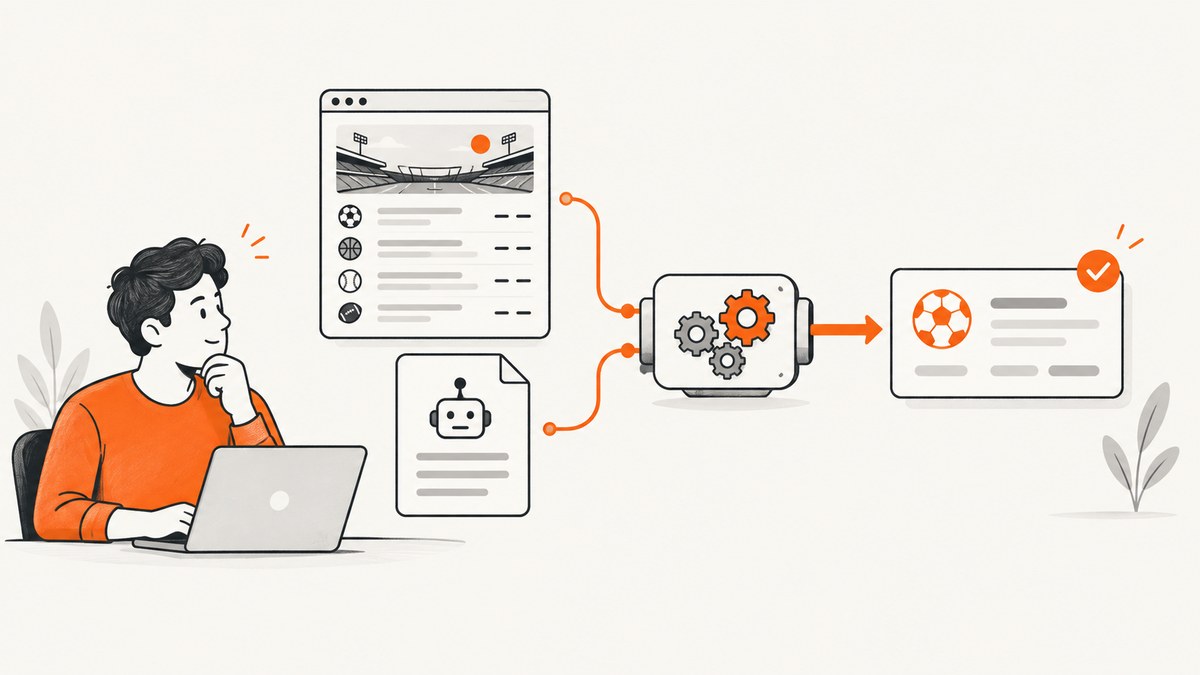
Short answer: You can collect limited, public beIN Sports page data only when the specific regional site permits your use. Define a narrow dataset, read that host’s /robots.txt, use ordinary GET requests at a conservative rate, identify your crawler, stop on authentication, bot checks or terms that prohibit the activity, and keep only the fields you need. Do not bypass login, DRM, geoblocking or anti-bot controls, and do not copy or redistribute broadcasts, streams, article text, images or feeds without written permission.
This guide shows a defensible workflow for metadata such as publicly displayed event titles and start times. It also explains when scraping is the wrong approach, how to implement a small Python collector, and how to capture a page for review without building a browser stack.
1. Decide whether your planned scrape is allowed
“beIN Sports” is a family of regional sites and services. Rights, terms, availability and robots directives can differ by host and country, so start with the exact hostname you will request. Read the terms and copyright notices linked from that host before writing code.
| Question | Safer answer | Stop or escalate when |
|---|---|---|
| What data? | Only public metadata required for a stated purpose, such as title, competition and displayed start time. | You need full articles, images, video, streams, feeds, subscriber data or personal information. |
| Who can access it? | Any visitor can load the page without an account or special token. | The page requires login, a subscription, a paywall, a signed URL or a private API. |
| What will you do with it? | Internal research or a permitted product feature with provenance and deletion rules. | You plan to republish, resell, train a model, broadcast, or aggregate commercially without a licence. |
| How much traffic? | Low volume, cached requests with backoff and a clear user-agent. | Continuous high-volume collection that could affect the service. |
beIN’s published terms reserve copyright, trademark and other intellectual-property rights and state that no licence is granted to copy or use them unless the conditions expressly allow it. The terms also prohibit reverse engineering, copying, downloading, distribution and hacking attempts. The commercial CONNECT licence separately prohibits reproducing, publishing, broadcasting or disseminating service content outside the licence. Treat these restrictions as a practical boundary: metadata visible to every visitor still needs a lawful purpose and careful handling; protected content needs permission.
2. Read robots.txt before making requests
Fetch https://HOST/robots.txt from the same host you intend to crawl. RFC 9309 defines the Robots Exclusion Protocol. If you successfully download a parseable file, your crawler must follow the matching user-agent group’s rules. Robots.txt is a signal for automated clients, not an access grant: a path allowed there can still be restricted by terms, copyright, authentication or law.
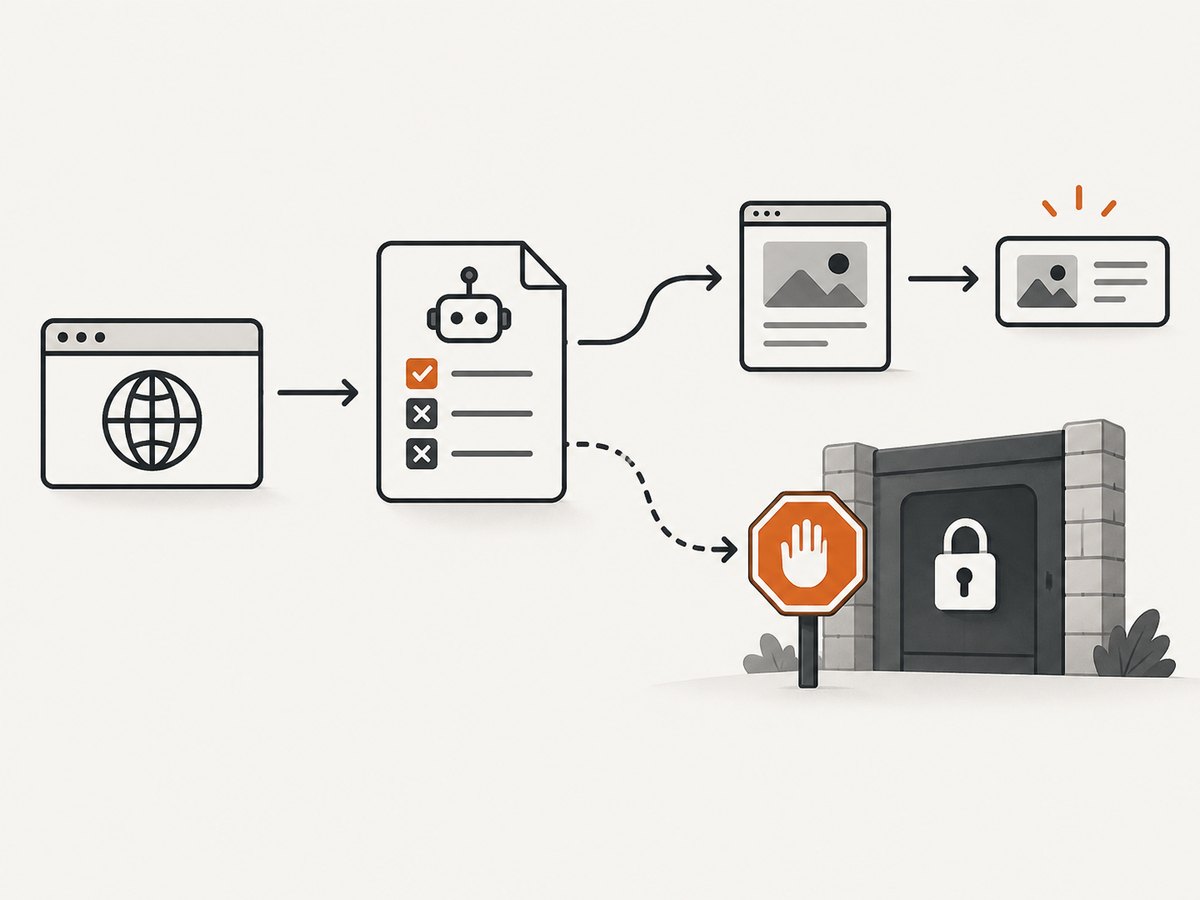
- Resolve the regional hostname linked by your local beIN site.
- Download
/robots.txtover HTTPS and record the retrieval time. - Match your declared user-agent; apply the most-specific
Allow/Disallowrule. - Refresh the file regularly. RFC 9309 says crawlers should not use a cached copy for more than 24 hours unless the file is unreachable.
- If the file is unavailable, malformed or your intended path is disallowed, pause and get human or legal review rather than guessing.
3. Build a narrow, auditable collection plan
Write a one-page scope before coding. Include the host, URL patterns, fields, purpose, retention period, request budget, user-agent and an owner for takedown requests. Preserve provenance for every record: source URL, retrieval timestamp, locale and page version or content hash. Delete records when the purpose or permission ends.
Prefer a documented feed or written permission for resale, public republication, model training or high-volume commercial aggregation. A feed is usually more reliable than parsing a changing web page and makes rights explicit.
4. Minimal Python collector for public metadata
The example below fetches robots.txt, checks a path, rate-limits requests and extracts visible JSON-LD event metadata when present. It deliberately avoids login pages, embedded players and media URLs. Review the selectors and terms for the exact regional host before running it.
import json
import time
from datetime import datetime, timezone
from urllib.parse import urljoin, urlparse
from urllib.robotparser import RobotFileParser

import requests
from bs4 import BeautifulSoup

BASE = 'https://YOUR-REGIONAL-BEIN-HOST.example'
PAGE_URLS = [f'{BASE}/public-schedule-page']
USER_AGENT = 'ScheduleMetadataBot/1.0 (+mailto:you@example.com)'
DELAY_SECONDS = 3
TIMEOUT_SECONDS = 20

session = requests.Session()
session.headers.update({'User-Agent': USER_AGENT, 'Accept': 'text/html,application/xhtml+xml'})

robots_url = urljoin(BASE, '/robots.txt')
robots = RobotFileParser()
robots.set_url(robots_url)
try:
    robots.read()
except Exception as exc:
    raise SystemExit(f'Cannot verify robots.txt at {robots_url}: {exc}')

def extract_events(html, source_url):
    soup = BeautifulSoup(html, 'html.parser')
    found = []
    for node in soup.select('script[type="application/ld+json"]'):
        try:
            data = json.loads(node.string or node.get_text())
        except json.JSONDecodeError:
            continue
        values = data if isinstance(data, list) else [data]
        for item in values:
            if not isinstance(item, dict):
                continue
            if item.get('@type') in {'SportsEvent', 'Event'}:
                found.append({
                    'name': item.get('name'),
                    'startDate': item.get('startDate'),
                    'location': item.get('location'),
                    'source_url': source_url,
                    'retrieved_at': datetime.now(timezone.utc).isoformat(),
                })
    return found

records = []
for url in PAGE_URLS:
    parsed = urlparse(url)
    if parsed.netloc != urlparse(BASE).netloc:
        raise ValueError(f'Refusing unexpected host: {parsed.netloc}')
    if not robots.can_fetch(USER_AGENT, url):
        print(f'Skipped by robots.txt: {url}')
        continue
    response = session.get(url, timeout=TIMEOUT_SECONDS, allow_redirects=True)
    if response.status_code in (401, 403, 429):
        print(f'Stopped on protected or rate-limited response {response.status_code}: {url}')
        break
    response.raise_for_status()
    records.extend(extract_events(response.text, url))
    time.sleep(DELAY_SECONDS)

print(json.dumps(records, ensure_ascii=False, indent=2))
Why this example is intentionally conservative
RobotFileParserenforces the rules you downloaded for the declared user-agent.- A three-second delay is an engineering default, not a beIN rate limit. Lower concurrency further if the host shows stress or asks you to stop.
- 401, 403 and 429 responses stop the run. Never rotate identities or proxies to evade them.
- JSON-LD is often more stable than brittle CSS selectors, but it is optional and can be absent or stale. Validate names and times against the rendered public page.
- The host check prevents a redirect or bad input from silently expanding the crawl.
5. cURL and Node.js request patterns
For a single public page, a normal GET is enough. Keep the request identifiable, cache the response and inspect status codes before parsing.
curl --fail-with-body --location \
  --user-agent 'ScheduleMetadataBot/1.0 (+mailto:you@example.com)' \
  --max-time 20 \
  'https://YOUR-REGIONAL-BEIN-HOST.example/public-schedule-page' \
  --output page.html
const url = 'https://YOUR-REGIONAL-BEIN-HOST.example/public-schedule-page';
const res = await fetch(url, {
headers: {
'User-Agent': 'ScheduleMetadataBot/1.0 (+mailto:you@example.com)',
'Accept': 'text/html,application/xhtml+xml'
},
signal: AbortSignal.timeout(20_000),
redirect: 'manual'
});
if ([401, 403, 429].includes(res.status)) {
throw new Error(`Stopped on protected or rate-limited response: ${res.status}`);
}
if (!res.ok) throw new Error(`HTTP ${res.status}`);
const html = await res.text();
console.log(html.length);Fetch and inspect robots.txt separately before this request. For repeated jobs, add exponential backoff for transient 5xx responses, a persistent cache keyed by URL plus locale, and a maximum page count. Do not treat a 5xx retry policy as permission to continue indefinitely.
6. Handle pages rendered by JavaScript
If the HTML contains no schedule because the browser fills it with JavaScript, first look for a documented public endpoint or server-rendered alternate page. An undocumented endpoint may be restricted by the same terms as the page. Do not copy authorization headers from a subscriber session, harvest tokens, or defeat a bot check.
When you have permission to render a public page, a browser automation tool can wait for a specific selector, then extract only the scoped fields. Set a finite timeout, block unnecessary third-party resources, keep one or a few pages open, and close the browser after each batch. Browser rendering increases CPU, bandwidth and failure modes, so reserve it for pages that cannot be collected with ordinary GET requests.
7. Edge cases and data quality
- Regional differences: Store hostname and locale with every record. A match time may be localized or change with daylight-saving rules.
- Live updates: Mark records as observed at a timestamp; do not overwrite history without retaining the prior value.
- Duplicate events: Deduplicate on a compound key such as normalized name, competition, start time and source URL.
- Missing or conflicting times: Keep the raw displayed value and parse a normalized value separately. Flag ambiguity for review.
- Consent banners: A consent wall can change what is visible. Do not auto-submit consent where the terms or your legal basis do not allow it.
- Embedded video and streams: Treat player manifests, DRM endpoints and broadcast content as out of scope unless your licence explicitly covers them.
- Personal data: Avoid account names, comments and identifiers. If collection is necessary, document the lawful basis, retention and access controls.
8. Troubleshooting
| Symptom | Likely cause | Fix |
|---|---|---|
| robots.txt download fails | Network, DNS or temporary server error. | Stop the crawl, retry later once, and record the failure. Do not assume permission. |
| 403 or bot-check page | Automation is blocked or access is restricted. | Stop. Contact beIN or obtain a licensed feed; never bypass the control. |
| 429 responses | Request rate is too high. | Honor Retry-After, reduce concurrency, increase delays and cache results. |
| Empty HTML | Content is client-rendered or a consent state hides it. | Check for a permitted server-rendered page or documented endpoint. Do not reuse subscriber tokens. |
| Times are wrong | Locale or timezone conversion. | Store the source timezone and raw string; convert only with an explicit region setting. |
| Parser breaks | Markup changed or an A/B variant loaded. | Use JSON-LD where available, validate fields, alert on schema changes and keep fixtures from permitted pages. |
| High bandwidth or slow jobs | Images, scripts and browser rendering are unnecessary. | Use GET plus caching, request only needed pages, and block nonessential resources when authorized. |
9. Performance, reliability and cost
For low-volume metadata, the dominant costs are your own bandwidth, parser or browser compute and engineering time. Cache by URL and locale, use conditional requests when the server supports them, and schedule refreshes around the data’s real change rate. A queue with a small worker pool makes backoff and cancellation explicit. Record status, latency, response size, parser version and verdict for each attempt so failures can be diagnosed without replaying traffic.
Reliability comes from narrow scope and graceful stopping: cap pages per run, set connection and total timeouts, retry only a small number of transient 5xx errors, and stop on authentication, bot checks, disallowed paths or repeated failures. A licensed feed is the dependable option for production or commercial scale because it addresses both availability and rights.
10. Or skip the browser setup
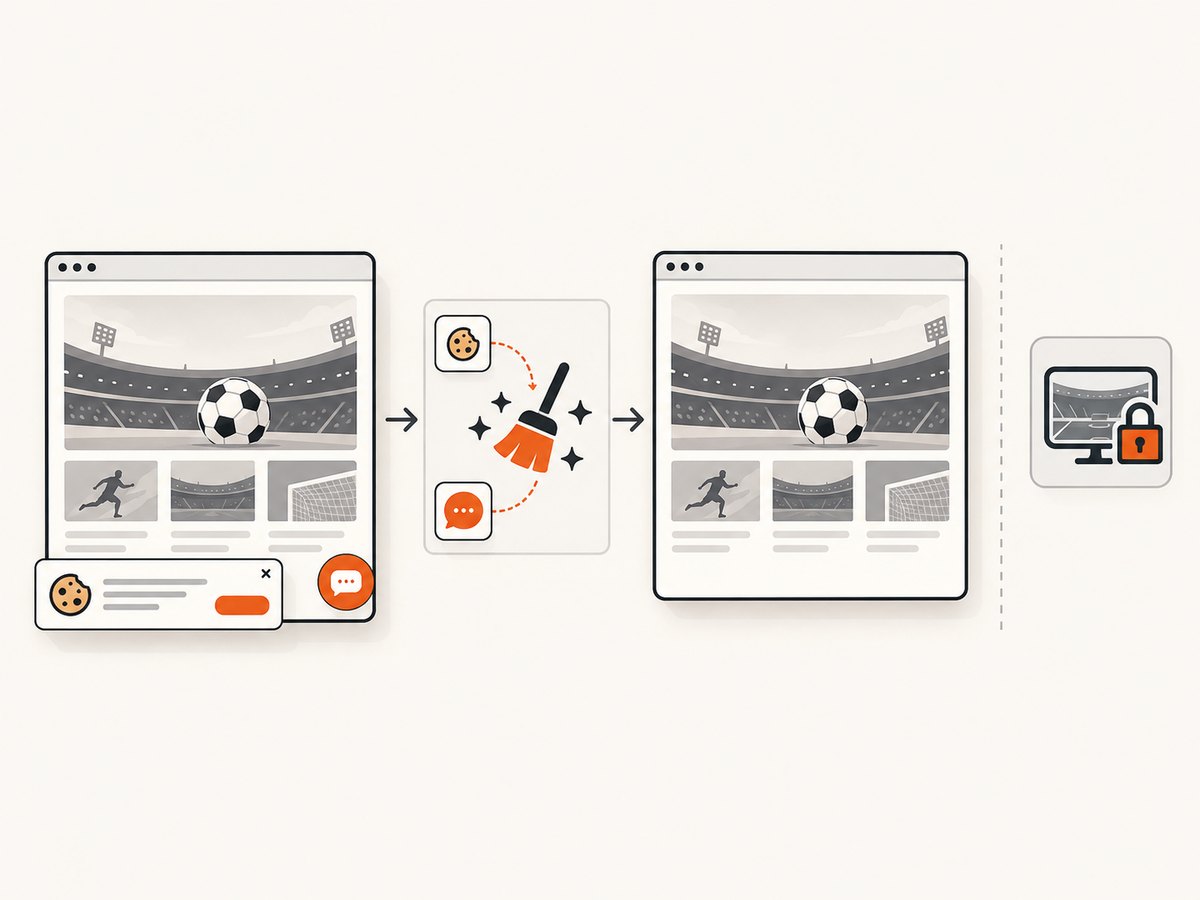
For a visual record of a public page, ScreenshotNeo provides a single GET that returns PNG, JPEG, WebP or PDF. See the API documentation for options. This is useful when your deliverable is an auditable page image rather than parsed match data.
curl -G "https://api.screenshotneo.com/v1/shot" -d access_key=YOUR_API_KEY --data-urlencode url=https://www.beinsports.com -o shot.webpimport requests
r = requests.get("https://api.screenshotneo.com/v1/shot", params={"access_key": "YOUR_API_KEY", "url": "https://www.beinsports.com"}, timeout=90)
open("shot.webp", "wb").write(r.content)const q = new URLSearchParams({ access_key: 'YOUR_API_KEY', url: 'https://www.beinsports.com' });
const res = await fetch(`https://api.screenshotneo.com/v1/shot?${q}`);ScreenshotNeo accepts consent banners like a visitor and removes more than 60 known consent platforms, newsletter popups and chat widgets before capture; each step can be turned off. Bot checks, blank pages, timeouts, failed loads and cache hits are not billed, and the response identifies the result with X-Page-Verdict and X-Billed headers. An MCP server provides take_screenshot, get_page_info and capture_pdf tools for Claude, Cursor and other MCP clients. You can use full-page or element captures, custom headers and cookies, a chosen viewport or device preset, waits, blocking rules, caching TTL, signed links, asynchronous webhooks and bulk capture. These controls do not grant permission to access protected beIN material; use them only for pages and purposes you are allowed to capture.
The Free plan includes 1,000 shots each month with no card. Paid plans start at $5 for 3,000 shots; every feature is on every plan. Create a free ScreenshotNeo account to try a compliant page-capture workflow.
11. FAQ
Can I scrape beIN match schedules with Python?
Only if the exact regional host, terms, robots rules and your purpose allow it. Keep the fields narrow, identify your crawler and stop on blocks or authentication.
Does robots.txt make scraping legal?
No. RFC 9309 describes how automated clients should follow published rules; it does not authorize access or override copyright, contract or privacy obligations.
Can I collect scores from a subscriber page?
Do not automate an account or bypass a paywall, token, DRM or geoblock. Ask beIN or the rights holder for permission or a licensed feed.
May I publish the screenshots?
A screenshot can contain copyrighted text, images, trademarks or video frames. Obtain permission for republication and keep captures private when your purpose is internal review.
What should I retain?
Retain only the scoped fields plus provenance needed to verify them. Set a deletion date and honor takedown or opt-out requests.


