How to Scrape Benefit Cosmetics Product Pages
Benefit Cosmetics' terms restrict automated scraping. Learn the permission-first workflow, compliant data model, failure handling, and safer alternatives.
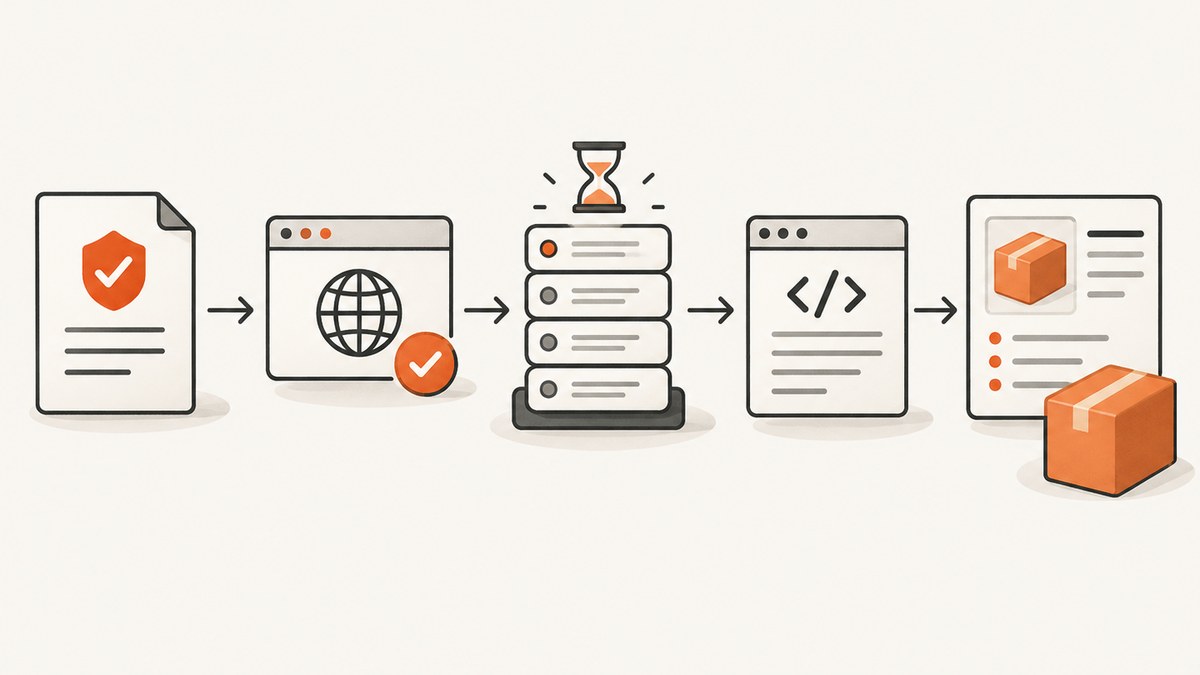
Direct answer: Do not begin by sending a scraper to Benefit Cosmetics. Benefit’s US terms prohibit using or developing automated systems such as spiders, robots, bots, scrapers, and tools that systematically retrieve site content to build a database without written permission (Benefit Cosmetics US Terms & Conditions, effective August 28, 2024; c001). Benefit’s UK terms separately prohibit data-mining, robots, and similar extraction tools (c002). A country-specific domain is therefore not a workaround.
If your project needs product names, prices, shades, ingredients, sizes, or stock status, first obtain written authorization or a licensed product feed. Then collect only the agreed fields at the agreed rate, preserve provenance, and stop when the site returns a block, challenge, terms change, or other signal that your authorization or access conditions no longer apply. This guide shows how to design that workflow and how to parse data you are permitted to receive.
1. Check permission before writing code
Permission is the first technical requirement. Record the exact regional domain, the intended use, and the date you reviewed the current terms and robots guidance. Ask Benefit or its authorized data provider for written approval that names:
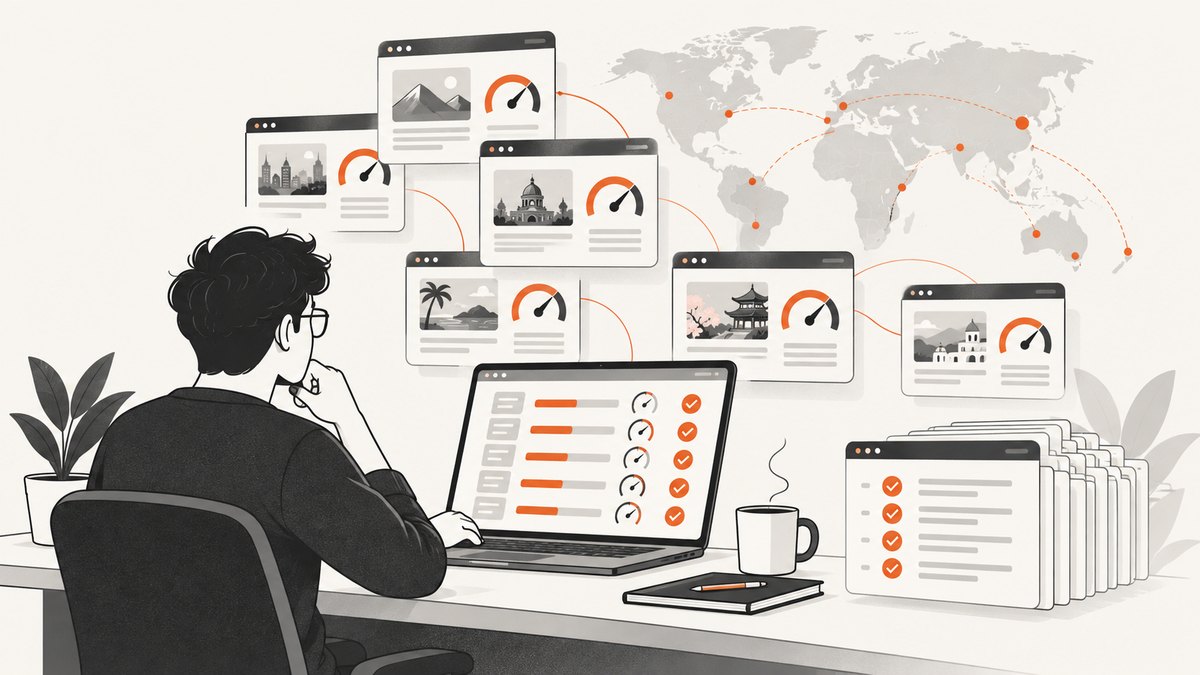
- Allowed URL patterns and regional domains.
- Permitted fields, such as product name, shade, size, price, ingredients, and availability.
- Refresh frequency, request-rate limits, concurrency, and user-agent identification.
- Storage period, redistribution rights, attribution requirements, and deletion obligations.
- Whether authenticated, personalized, cart, checkout, or account pages are excluded.
- A contact for changing limits or reporting an access problem.
Keep the approval with your project records. Treat it as a scope document: a permission to read one product page does not automatically authorize account pages, reviews, customer data, or every country site.
2. Define a privacy-minimized product schema
Benefit’s US privacy policy lists browsing behavior, viewed content, communications, contact information, purchase history, and commercial information among collected categories (c003). A catalog collector should whitelist non-personal fields and avoid authenticated pages altogether.
| Field | Use | Handling rule |
|---|---|---|
product_name |
Display and matching | Keep the source text and a normalized copy. |
product_url |
Provenance | Store the regional URL and retrieval timestamp. |
shade, size |
Variant catalog | Keep variant-level records; do not infer unavailable variants. |
price, currency |
Price display | Store currency and country; prices are volatile. |
ingredients |
Ingredient search | Preserve the original order and label the retrieval date. |
availability |
Stock indicator | Use the source wording and timestamp; never treat it as permanent. |
content_hash |
Change detection | Hash permitted content, not customer or session data. |
Do not log email addresses, account IDs, order details, review identities, cookies from logged-in sessions, or query strings that contain identifiers. Set a retention limit in the authorization agreement and delete records when that period ends or permission is withdrawn.
3. Choose an authorized collection method
There are three sensible options once the scope is approved.
| Method | Best for | Controls to require |
|---|---|---|
| Official feed or API | Recurring catalog synchronization | Field contract, versioning, rate limits, provenance, and deprecation notice. |
| Permissioned browser fetch | Small sets of public product pages | Low rate, identified client, regional routing agreed in writing, caching, and an immediate stop rule. |
| Managed scraping service | Authorized projects needing scheduling, regional routing, and monitoring | Written authorization, allowlisted URLs, privacy controls, audit logs, and a policy for 403 or markup changes. |
The search for this guide found no official Benefit API or feed documentation. Ask Benefit directly or use a licensed distributor feed instead of assuming that an undocumented endpoint is public.
4. Build a bounded, auditable fetcher
The following example is deliberately limited to a URL you have been authorized to access. It fetches one page, identifies the client, applies a timeout, and saves an HTML snapshot for offline parsing. Replace the placeholder only with an approved URL. Do not use it to probe Benefit pages without written permission.
cURL: save one authorized page
curl --fail --location \
  --max-time 30 \
  --user-agent 'CatalogResearch/1.0 (contact: data@example.com)' \
  'https://authorized.example/product/123' \
  --output product-123.html
Python: bounded request and provenance record
from datetime import datetime, timezone
from hashlib import sha256
from pathlib import Path
import requests

url = 'https://authorized.example/product/123'
headers = {'User-Agent': 'CatalogResearch/1.0 (contact: data@example.com)'}
response = requests.get(url, headers=headers, timeout=30)
response.raise_for_status()

html = response.text
Path('product-123.html').write_text(html, encoding='utf-8')
record = {
    'url': url,
    'retrieved_at': datetime.now(timezone.utc).isoformat(),
    'status': response.status_code,
    'content_hash': sha256(html.encode('utf-8')).hexdigest(),
}
print(record)
Node.js: one request with an abort timeout
const fs = require('node:fs/promises');
const crypto = require('node:crypto');

const url = 'https://authorized.example/product/123';
const controller = new AbortController();
const timer = setTimeout(() => controller.abort(), 30_000);

try {
  const res = await fetch(url, {
    signal: controller.signal,
    headers: { 'User-Agent': 'CatalogResearch/1.0 (contact: data@example.com)' }
  });
  if (!res.ok) throw new Error(`HTTP ${res.status}`);
  const html = await res.text();
  await fs.writeFile('product-123.html', html, 'utf8');
  const hash = crypto.createHash('sha256').update(html).digest('hex');
  console.log({ url, status: res.status, content_hash: hash });
} finally {
  clearTimeout(timer);
}
Use a queue with one or a few workers, a minimum delay between requests, exponential backoff for transient network errors, and a hard daily request budget. Cache an unchanged page rather than fetching it repeatedly. Keep the URL, country, timestamp, status, response headers relevant to your agreement, and content hash in an audit log.
5. Parse only stable, permitted fields
Prefer structured data embedded in an authorized snapshot, such as JSON-LD, when its fields match your permission. Fall back to selectors only when the markup contract allows it. Keep extraction and normalization separate so you can show exactly what the source contained.
Python JSON-LD extraction from a saved page
import json
from bs4 import BeautifulSoup

html = open('product-123.html', encoding='utf-8').read()
soup = BeautifulSoup(html, 'html.parser')
products = []
for tag in soup.select('script[type="application/ld+json"]'):
    try:
        value = json.loads(tag.string or tag.get_text())
    except json.JSONDecodeError:
        continue
    items = value if isinstance(value, list) else [value]
    products.extend(x for x in items if isinstance(x, dict) and x.get('@type') in ('Product', 'ProductGroup'))

for product in products:
    print({
        'product_name': product.get('name'),
        'product_url': product.get('url'),
        'brand': (product.get('brand') or {}).get('name') if isinstance(product.get('brand'), dict) else product.get('brand'),
        'offers': product.get('offers'),
    })
Prices, availability, shade ranges, and ingredients can change without a URL changing. Store retrieval dates, compare hashes, and revalidate a sample before publishing. If a field disappears, emit a validation warning rather than silently filling it with an old value.
6. Regional behavior and 403 responses
Third-party observations from Crawlbase report country-sensitive success, 403 responses, and occasional JavaScript-token use in observed Benefit traffic (c004). These are operational observations from a particular period, not permission or a guarantee. A 403, challenge page, robots restriction, or terms change is a stop signal.
- Save the status code, timestamp, regional endpoint, and request ID if one exists.
- Check that the URL and country are inside your written authorization.
- Review current regional terms and contact the authorized owner.
- Pause the queue until the owner confirms the permitted next step.
Do not rotate identities, defeat JavaScript challenges, bypass robots restrictions, or increase concurrency to force a response. If the site changes markup, update your parser only after the field contract is reconfirmed.
7. Validation, publishing, and correction
Before publishing a catalog, recheck a sample against the source in the same country and record the retrieval date. Display that date beside volatile values. Preserve a correction path so a product team or reader can report a stale price, ingredient list, shade, or stock state. If authorization ends, stop refreshing and remove or archive data according to the agreement.
8. Performance, reliability, and cost planning
- Bound the work: process an allowlist of product URLs, not site-wide discovery.
- Cache responsibly: use a content hash and an agreed refresh interval to avoid duplicate requests.
- Control concurrency: a small worker pool is easier to audit and less likely to exceed a contractual limit.
- Make jobs resumable: persist per-URL status so a failure does not restart the entire batch.
- Separate fetch and parse: retain snapshots so parser changes do not require another network request.
- Budget storage: HTML snapshots, images, and ingredient histories can grow quickly; set retention and compression rules.
- Measure useful outcomes: authorized success rate, field completeness, freshness, 403 count, and manual-review count are more meaningful than raw request volume.
Costs depend on the licensed feed, your storage, and any managed service contract. A provider’s ability to return a page after a block does not make that access permitted; evaluate authorization, auditability, privacy handling, rate controls, and what happens when the source returns 403 or changes markup.
9. Troubleshooting
| Symptom | Likely cause | Fix |
|---|---|---|
| 403 or challenge HTML | Access is blocked, outside scope, or region-sensitive. | Stop, record the response, and ask the authorized owner. Do not bypass it. |
| Empty product fields | Client-rendered content or a changed schema. | Use an approved feed, request an updated contract, or parse a saved authorized browser result. |
| Wrong currency | Regional domain or locale mismatch. | Pin the country in the authorization and store currency with every price. |
| Stale availability | Inventory changed after retrieval. | Shorten the approved refresh interval and show the retrieval timestamp. |
| Parser breaks after a redesign | Selectors or JSON-LD shape changed. | Fail validation, keep the snapshot, and update the parser after review. |
| Personal data in logs | Authenticated URL, cookies, or incidental identifiers were captured. | Stop ingestion, remove the data, rotate credentials if needed, and narrow the field whitelist. |
10. Or skip the browser setup
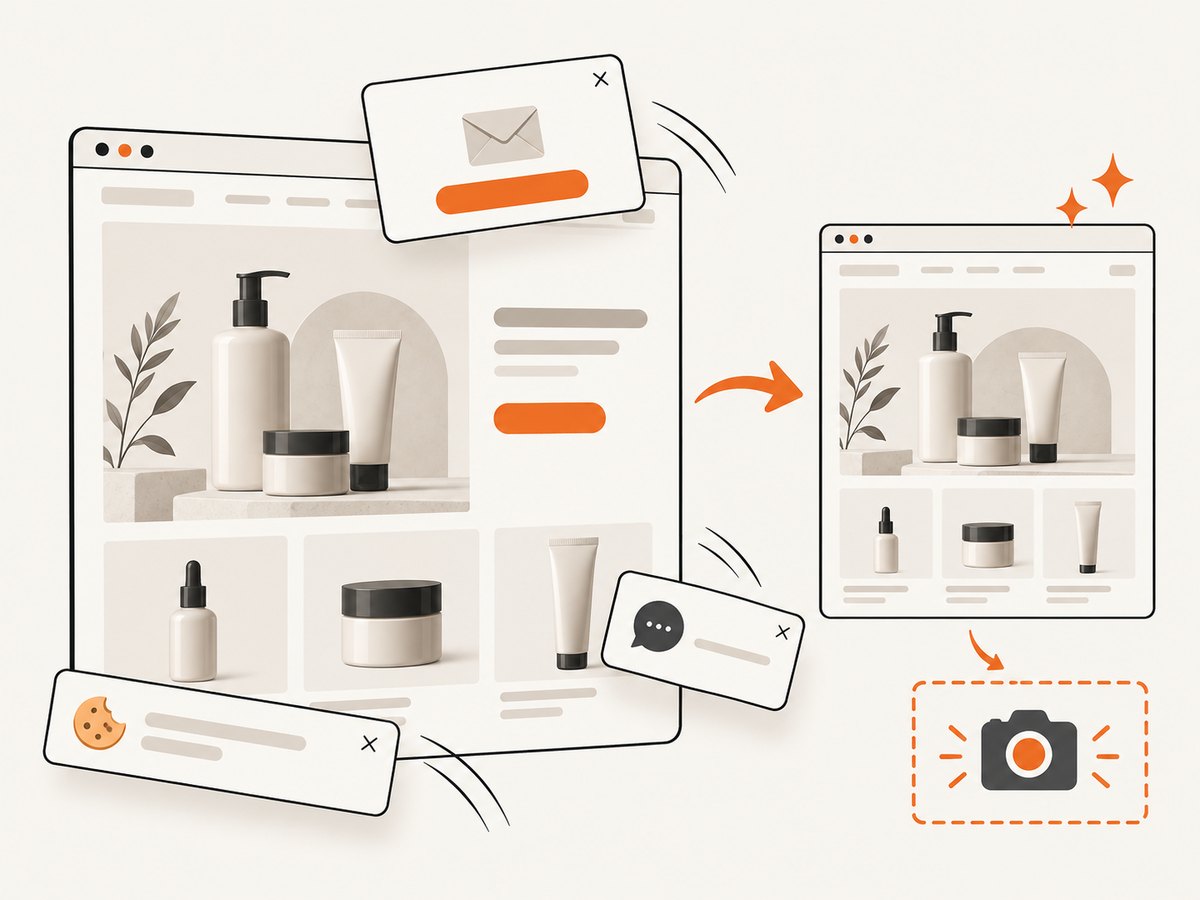
For visual review, regression checks, or an authorized record of how a product page rendered, ScreenshotNeo can return a screenshot or PDF from one GET request. It is not a substitute for permission to extract a catalog or for a licensed product feed. See the ScreenshotNeo API documentation for the complete option list.
curl -G "https://api.screenshotneo.com/v1/shot" -d access_key=YOUR_API_KEY --data-urlencode url=https://www.benefitcosmetics.com -o shot.webpimport requests
r = requests.get("https://api.screenshotneo.com/v1/shot", params={"access_key": "YOUR_API_KEY", "url": "https://www.benefitcosmetics.com"}, timeout=90)
open("shot.webp", "wb").write(r.content)const q = new URLSearchParams({ access_key: 'YOUR_API_KEY', url: 'https://www.benefitcosmetics.com' });
const res = await fetch(`https://api.screenshotneo.com/v1/shot?${q}`);Before capture, ScreenshotNeo can accept cookie or consent banners and remove more than 60 known consent platforms, newsletter popups, and chat widgets; each step can be turned off. Bot checks, blank pages, timeouts, failed loads, and cache hits cost nothing, and the response reports the result with X-Page-Verdict and X-Billed headers. Its MCP server provides take_screenshot, get_page_info, and capture_pdf tools for Claude, Cursor, and other MCP clients. The Free plan includes 1,000 screenshots each month with no card; paid plans start at $5 for 3,000. Use it for permitted visual evidence, page QA, and agent workflows while keeping data extraction inside your written agreement.
Create a free ScreenshotNeo account with 1,000 screenshots a month and no card.
11. FAQ
Is scraping Benefit Cosmetics legal?
The answer depends on authorization, jurisdiction, data, and use. Benefit’s US and UK terms restrict automated extraction, so obtain written permission or a licensed feed before collecting pages.
Can I use a different country domain?
Regional terms still apply. Choose the exact domain required by your approved use case and document it; changing countries is not a way around restrictions.
Can I collect prices and ingredients?
Only when your written scope explicitly permits those fields. Treat both as volatile and retain their retrieval date and currency or region.
Should I retry a 403?
Do not automatically retry. Record it, pause the affected job, and ask the authorized owner what is allowed.
Does a screenshot API provide a product-data API?
No. A screenshot service records rendered visuals. Use an authorized feed or permissioned parser for structured catalog data, and use screenshots for review or evidence.


