How to Scrape Bergfreunde Search Results
A practical guide to collecting Bergfreunde search data with bounded requests, JavaScript rendering, parsing, alerts, and compliance checks.

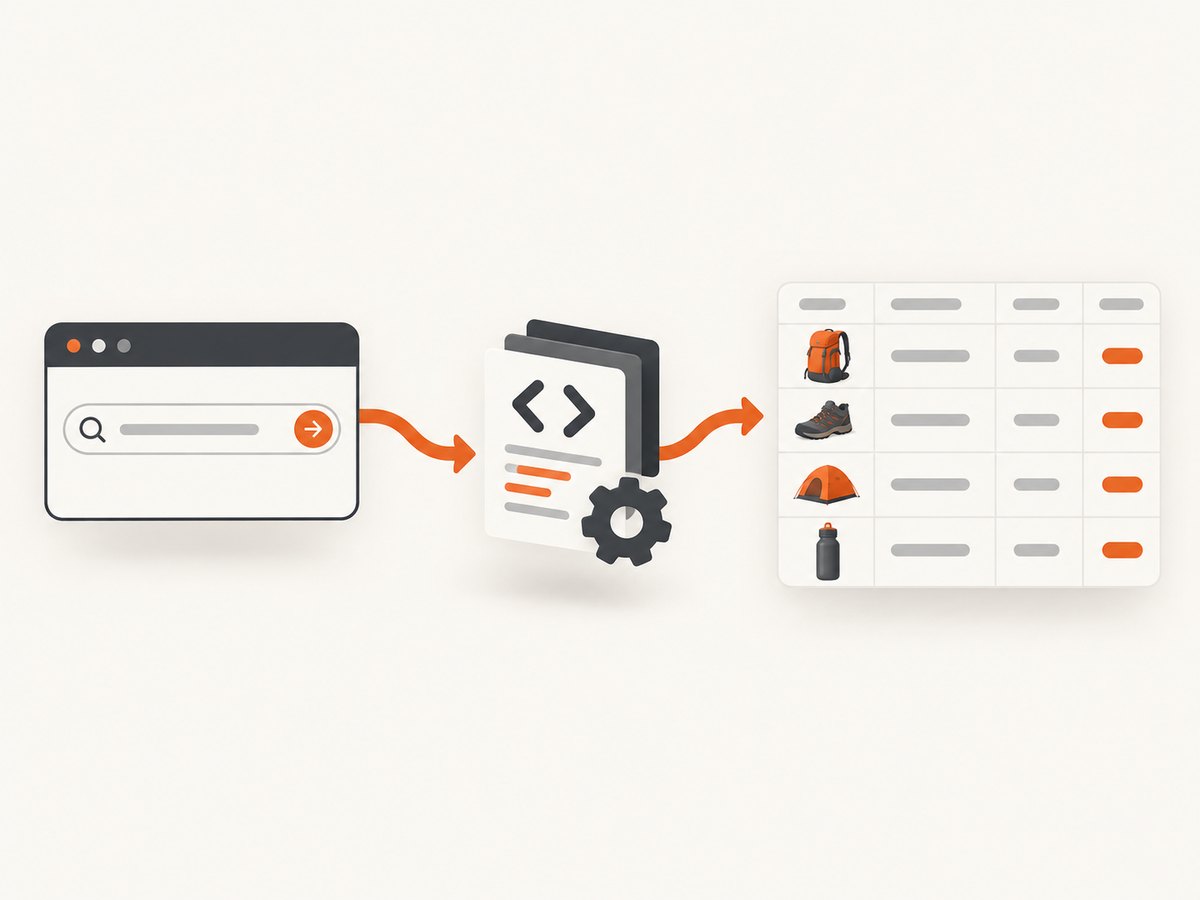
Short answer: Bergfreunde does not publish a search API in the official material reviewed for this guide. For a small, permitted collection, use the visible search pages, inspect the current HTML, render JavaScript when necessary, parse only the fields you need, cache responses, and stop when the site or its policies indicate that automation is not allowed. A third-party Crawlbase recipe describes result URLs in the form /s/{slug}, but that is a vendor observation rather than a Bergfreunde contract. Verify the live page before relying on it.
If you only need to know when one product variant returns to stock, Bergfreunde’s built-in Product-Alert is usually simpler. On the product page, select the desired variant and create an alert; the FAQ says Bergfreunde emails you when that variant is available again. Alerts are unavailable when the item cannot be reordered.
What you can collect
Define the smallest useful dataset before writing code. Typical search-result fields include:
- Search query and result-page URL
- Product name and product-page link
- Displayed price and currency
- Selected category, brand, or filter state
- Availability text shown to shoppers
- Variant information when it is visible on the result or product page
Avoid account data, checkout information, customer reviews tied to identifiable people, and fields that are irrelevant to your purpose. The official terms, account terms, and privacy notice reviewed here describe customer-facing services and website logging; they do not provide an API specification, a guaranteed endpoint, a crawler permission, or a numerical request limit.
Before automating: establish the normal shopper result
- Try the query in the visible search box. Bergfreunde’s shopper guidance for missing results is to correct spelling, use a broader term, use fewer terms, or search by brand.
- Record the exact URL. Save the query, locale, filters, and page number. Do not assume that a path observed in one country storefront works in another.
- Inspect one response manually. Check whether product cards are in the initial HTML or inserted by JavaScript. Look for canonical links, pagination controls, structured data, and a clear availability field.
- Check current rules. Review the live terms, privacy notice, access guidance, and any response headers or page messages that indicate restrictions. If the collection is commercial, large, or long-running, ask Bergfreunde for permission.

A small Python scraper for an already permitted page
The example below demonstrates a bounded workflow. It fetches one result page, extracts links and visible text, and writes JSON. The CSS selectors are placeholders: inspect the current page and replace them with selectors that match the response you receive.
from __future__ import annotations

import json
import time
from pathlib import Path
from urllib.parse import urljoin

import requests
from bs4 import BeautifulSoup

SEARCH_URL = "https://www.bergfreunde.eu/s/example-search/"

session = requests.Session()
session.headers.update({
    "User-Agent": "ResearchBot/1.0 (contact: you@example.com)",
    "Accept-Language": "en-US,en;q=0.8",
})

response = session.get(SEARCH_URL, timeout=30)
response.raise_for_status()

soup = BeautifulSoup(response.text, "html.parser")
products = []

# Replace these selectors after inspecting the current page.
for card in soup.select("article, [data-product-card], .product-card"):
    link = card.select_one("a[href]")
    name = card.select_one("h2, h3, [data-product-name]")
    price = card.select_one("[data-price], .price")
    availability = card.select_one("[data-availability], .availability")

    if not link or not name:
        continue

    products.append({
        "name": name.get_text(" ", strip=True),
        "url": urljoin(response.url, link["href"]),
        "price": price.get_text(" ", strip=True) if price else None,
        "availability": availability.get_text(" ", strip=True) if availability else None,
    })

Path("bergfreunde-results.json").write_text(
    json.dumps({"source": response.url, "products": products}, indent=2, ensure_ascii=False),
    encoding="utf-8",
)

print(f"saved {len(products)} products")
time.sleep(2)  # choose a conservative pause for any subsequent permitted request
Do not copy the placeholder path or selectors into production unchanged. The Crawlbase cookbook reports a Bergfreunde search pattern under /s/, but its own instructions say to inspect the first response. Page markup, locale behavior, consent flows, and pagination can change.
When the page needs JavaScript
If the HTTP response contains an empty product container and the browser fills it later, use a browser automation tool only when your collection is permitted. Playwright is a practical option because it waits for the page to render and lets you save the resulting HTML.
import asyncio
import json
from urllib.parse import urljoin
from playwright.async_api import async_playwright

SEARCH_URL = "https://www.bergfreunde.eu/s/example-search/"

async def main():
    async with async_playwright() as p:
        browser = await p.chromium.launch(headless=True)
        page = await browser.new_page(locale="en-US")
        await page.goto(SEARCH_URL, wait_until="domcontentloaded", timeout=60_000)
        await page.wait_for_load_state("networkidle", timeout=60_000)

        rows = await page.locator("article, [data-product-card], .product-card").evaluate_all(
            """cards => cards.map(card => {
                const a = card.querySelector('a[href]');
                const n = card.querySelector('h2, h3, [data-product-name]');
                const p = card.querySelector('[data-price], .price');
                return a && n ? {
                    name: n.innerText.trim(),
                    url: new URL(a.href, location.href).href,
                    price: p ? p.innerText.trim() : null
                } : null;
            }).filter(Boolean)"""
        )

        print(json.dumps(rows, indent=2, ensure_ascii=False))
        await browser.close()

asyncio.run(main())
Use a selector wait when you know a stable product-card selector, for example await page.wait_for_selector("[data-product-card]", timeout=30000). A generic network-idle wait can be delayed by analytics, chat, or other long-lived requests. Set a maximum page timeout and record failures instead of retrying indefinitely.
Parsing product pages and structured data
The Crawlbase recipe reports that product pages commonly expose ld+json data containing a name, price, currency, and availability. Treat that as a useful possibility, not a guarantee. Inspect the actual response and support both a JSON object and an array:
import json
from bs4 import BeautifulSoup


def product_ld_json(html: str):
    soup = BeautifulSoup(html, "html.parser")
    records = []
    for tag in soup.select('script[type="application/ld+json"]'):
        try:
            value = json.loads(tag.string or tag.get_text())
        except json.JSONDecodeError:
            continue
        values = value if isinstance(value, list) else [value]
        for item in values:
            if isinstance(item, dict):
                records.append(item)
    return records

for item in product_ld_json(html):
    if item.get("@type") == "Product":
        offers = item.get("offers", {})
        print({
            "name": item.get("name"),
            "price": offers.get("price") if isinstance(offers, dict) else None,
            "currency": offers.get("priceCurrency") if isinstance(offers, dict) else None,
            "availability": offers.get("availability") if isinstance(offers, dict) else None,
        })
Prefer values that are visible to shoppers when your use case is price monitoring. Structured data can be stale, localized, absent, or represented with multiple offers. Normalize currency and price as separate fields, preserve the original text, and timestamp each observation.
Pagination, filters, and deduplication
- Follow the site’s own next-page link rather than manufacturing page parameters.
- Keep the original query, filter state, locale, and page URL with every record.
- Deduplicate by canonical product URL when the same item appears in multiple pages.
- Stop after a configured page count or when no new product links appear.
- Cache each successful response so a rerun does not request unchanged pages.
- Do not treat a missing card as proof that an item is unavailable; it can indicate a changed selector, a failed render, or a different locale.
cURL and Node.js request examples
For a simple HTML response, these commands help you inspect headers and body without writing a scraper.
curl --fail --location --max-time 30 \
  -H 'User-Agent: ResearchBot/1.0 (contact: you@example.com)' \
  -H 'Accept-Language: en-US,en;q=0.8' \
  'https://www.bergfreunde.eu/s/example-search/' \
  -o result.html
const url = 'https://www.bergfreunde.eu/s/example-search/';
const response = await fetch(url, {
headers: {
'user-agent': 'ResearchBot/1.0 (contact: you@example.com)',
'accept-language': 'en-US,en;q=0.8'
},
signal: AbortSignal.timeout(30_000)
});
if (!response.ok) {
throw new Error(`HTTP ${response.status}`);
}
const html = await response.text();
console.log({ bytes: html.length, url: response.url });Responsible collection checklist
- Have a documented purpose and a narrow field list.
- Use a descriptive contact in your user agent where appropriate.
- Keep concurrency low and cache responses.
- Back off after errors; do not rotate identities to evade a restriction.
- Do not collect login-only or personal information.
- Store only what you need, protect the dataset, and define a deletion period.
- Recheck current terms and access guidance before every long-running job.
- Contact Bergfreunde when the project needs authorization or sustained volume.
Common errors and fixes
| Symptom | Likely cause | Fix |
|---|---|---|
| HTTP 403 or 429 | The site rejected or throttled the request. | Stop, review current rules, reduce volume, add caching, and request permission. Do not try to bypass the restriction. |
| HTTP 200 but zero products | Products render through JavaScript, the query has no matches, or selectors changed. | Open the page manually, verify the query, inspect the HTML, then use a permitted browser workflow or update selectors. |
| Timeout during network idle | Analytics, chat, or another request never becomes idle. | Wait for a product selector with a bounded timeout, then continue or record a failure. |
| Names or prices are blank | Text is nested differently, localized, or loaded after the card. | Inspect one card, use visible-text fallbacks, and preserve the raw card HTML for debugging. |
| Duplicate products | The same item appears in multiple pages or variants. | Normalize and deduplicate by canonical product URL, while retaining variant identifiers separately. |
| Wrong currency or availability | Locale, selected variant, or structured data differs from the shopper view. | Pin the locale, capture the displayed text, and validate a sample against the rendered page. |
Performance, reliability, and cost considerations
Plain HTTP is cheaper and faster than a browser when the required fields are in the initial response. Browser rendering adds startup time and memory use, but it may be necessary for client-rendered cards. Measure your own workload rather than assuming a fixed response time.
Crawlbase publishes vendor-reported observations for its Bergfreunde recipe: a 96.9% success rate and a 15.8-second median response time for its stated August 2026 window. Those numbers describe Crawlbase account-request data, are not an independent benchmark, and are not a guarantee for your query, locale, or future page version.
Reliability improves when you use bounded retries with exponential backoff, cache successful pages, persist checkpoints, and distinguish an empty result from a failed request. Keep raw response metadata such as status, final URL, timestamp, and parser version so you can explain changes later. Costs come from your runtime, browser infrastructure, or a managed crawling provider; the research does not establish pricing or authorization for any particular provider.
Or skip the browser setup
If your task is to capture the rendered search page for review, archiving, or downstream visual processing, ScreenshotNeo provides a single screenshot request. Its cleanup steps accept cookie and consent banners and remove more than 60 known consent platforms, newsletter popups, and chat widgets before capture; each step can be disabled. Bot checks, blank pages, timeouts, failed loads, and cache hits are not billed, and the response reports the verdict and billing status in X-Page-Verdict and X-Billed headers.
See the ScreenshotNeo API documentation for all capture options, including full-page shots, CSS selectors, custom JavaScript and CSS, waits, headers, cookies, user agents, geolocation, caching, signed links, asynchronous jobs, bulk capture, and PDF output.
curl -G "https://api.screenshotneo.com/v1/shot" -d access_key=YOUR_API_KEY --data-urlencode url=https://stripe.com -o shot.webpimport requests
r = requests.get("https://api.screenshotneo.com/v1/shot", params={"access_key": "YOUR_API_KEY", "url": "https://stripe.com"}, timeout=90)
open("shot.webp", "wb").write(r.content)const q = new URLSearchParams({ access_key: 'YOUR_API_KEY', url: 'https://stripe.com' });
const res = await fetch(`https://api.screenshotneo.com/v1/shot?${q}`);ScreenshotNeo also offers an MCP server with take_screenshot, get_page_info, and capture_pdf tools for Claude, Cursor, and other MCP clients. The Free plan includes 1,000 screenshots per month with no card; paid plans start at $5 for 3,000 shots. Create a free ScreenshotNeo account.
FAQ
Is there an official Bergfreunde search API?
The official sources reviewed for this guide do not publish one. Treat third-party recipes as observations and ask Bergfreunde if your project requires an authorized interface.
Can I scrape every category and page?
Only if your purpose, volume, and method are permitted. Start with a narrow collection, cache results, and stop when responses or current policies indicate a restriction.
What should I use for one restock notification?
Use Bergfreunde’s Product-Alert on the product page when the variant can be reordered. It sends an email when that selected variant is back in stock.
Why did my selector stop working?
Retail markup changes, and some fields are rendered only in JavaScript. Inspect a current response, keep selectors configurable, and test a small sample before a larger run.
Does a screenshot contain structured product data?
No. A screenshot records rendered pixels. Use HTML or structured-data parsing when you need names, prices, links, or availability as fields; use a screenshot to preserve visual evidence of what a shopper saw.


