How to Scrape Bike24 Product Pages
Learn a careful Python workflow for extracting Bike24 product details, inspecting markup, handling robots.txt, and avoiding brittle or abusive crawlers.
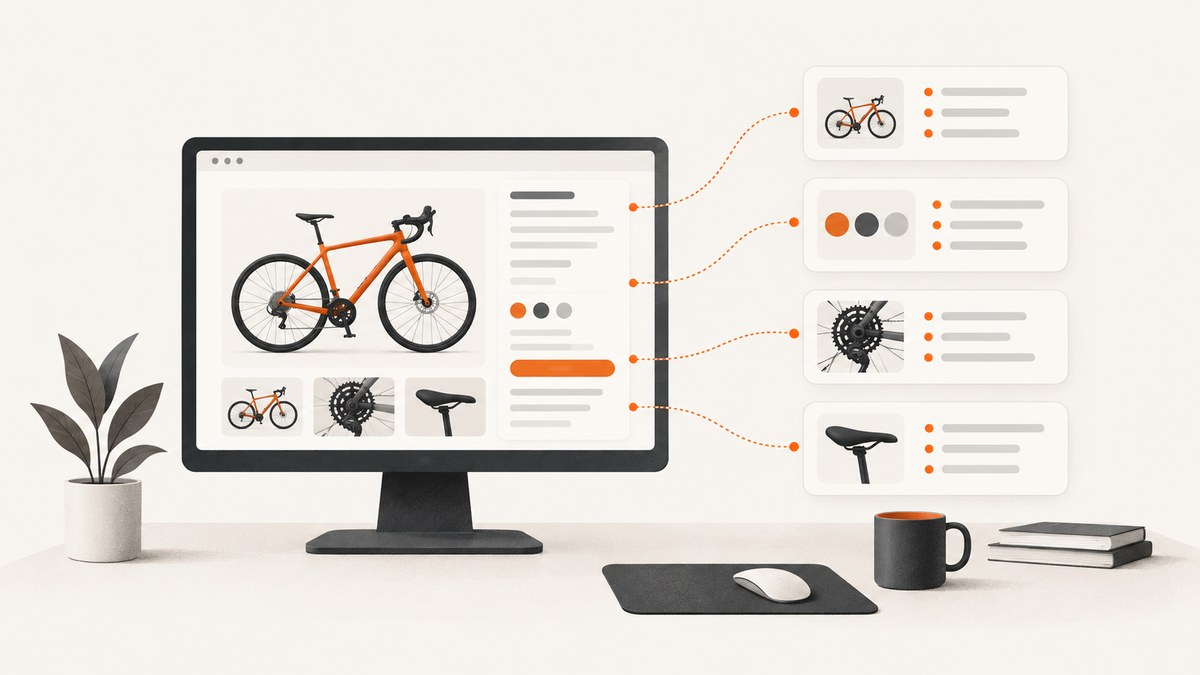
Direct answer: To scrape one Bike24 product page, send an HTTP GET request with a timeout, check the response, parse the returned HTML with Beautiful Soup, and select only the fields you have verified on the current page. Before automating more pages, read the live Bike24 robots.txt, check the applicable terms, keep request volume conservative, and stop when the site blocks or rate-limits you. Robots.txt describes crawler rules; it does not grant permission to access a site.
This guide shows a page-by-page Python workflow, how to inspect selectors, how to extract specifications, how to handle missing or changing markup, and when a browser-rendered capture is useful. The product example used in the research is the iGPSPORT BSC100Max listing. It shows a 3.0-inch display, up to 40 hours of battery life, IPX7 water resistance, sensor connections, and app or platform syncing. Those are attributes of that listing at the time it was inspected, not a guaranteed schema for every Bike24 product.
1. Check authorization and robots.txt first
Start with a specific product URL that you are authorized to access. Do not begin with search, checkout, account, or internal API routes. The current Bike24 robots file contains wildcard rules and disallows paths including /api/*, /search?*, /suche?*, /search-result-v2?*, /checkout/*, /topic/*, /cycling/bike/*, and /header?*. Recheck the live file immediately before a production run because directives can change.
Robots Exclusion Protocol rules are not an access license. The IETF standard says, “These rules are not a form of access authorization.” Read RFC 9309 alongside the site’s terms and any written permission you have. Bike24’s privacy policy describes request logging and Cloudflare controls used to limit abusive bots and crawlers; it does not publish a safe request rate or a scraping grant. Treat that information as a reason to identify your crawler honestly and use restraint.
2. Install the Python dependencies
python -m venv .venv
source .venv/bin/activate       # Windows: .venv\\Scripts\\activate
python -m pip install requests beautifulsoup4
Requests provides HTTP transport, status handling, response text, and explicit timeouts. Beautiful Soup parses the returned document and supports both descendant searches with find_all() and CSS selectors with select(). The official references are the Requests quickstart and the Beautiful Soup documentation.
3. Fetch one product page safely
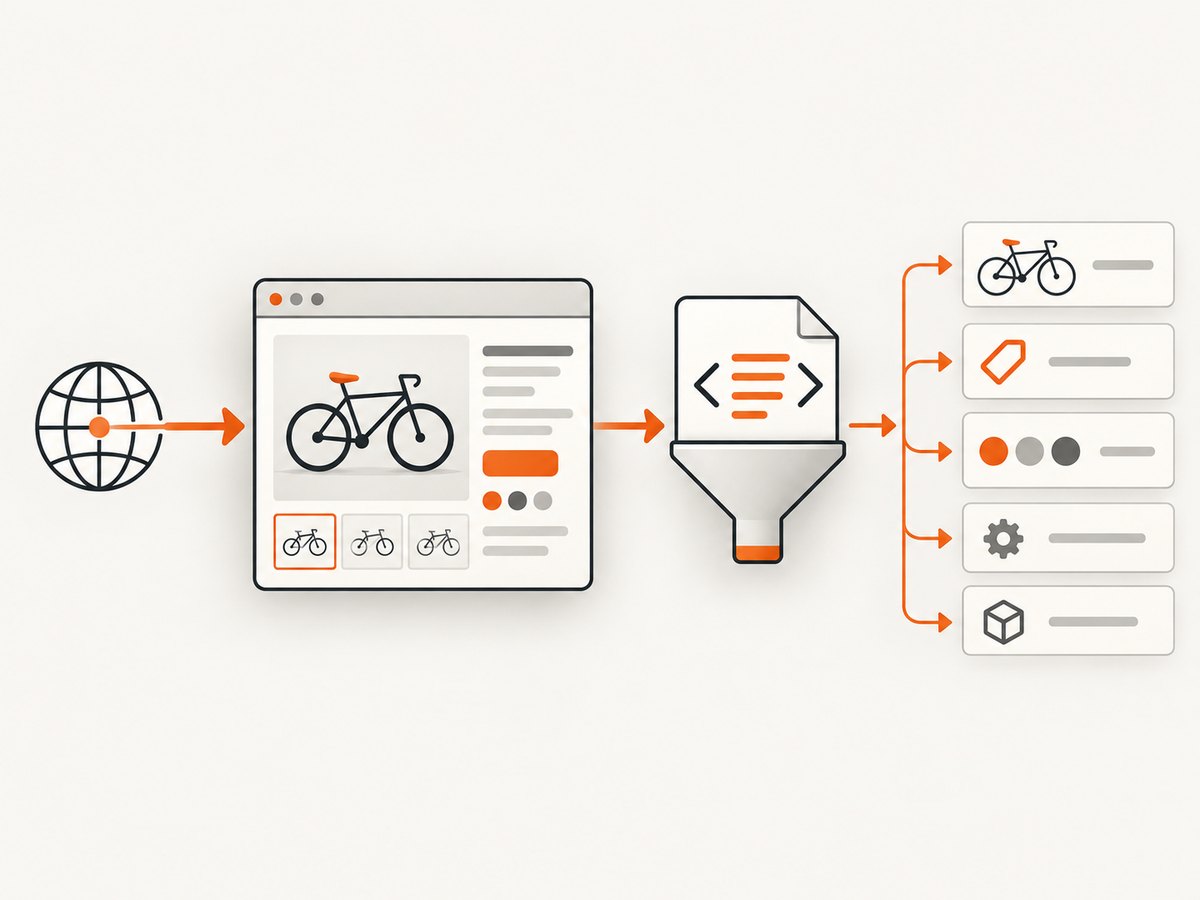
Make one request before writing extraction logic. Save the status, final URL, content type, and a short HTML sample so you can tell whether you received a product document, a consent page, a bot challenge, or an error page.
from datetime import datetime, timezone
from pathlib import Path

import requests

url = "https://www.bike24.com/p21035825.html"
headers = {
    "User-Agent": "ProductResearchBot/1.0 (contact: you@example.com)"
}

response = requests.get(url, headers=headers, timeout=(5, 20))
response.raise_for_status()

print("retrieved_at:", datetime.now(timezone.utc).isoformat())
print("status:", response.status_code)
print("final_url:", response.url)
print("content_type:", response.headers.get("content-type"))
print(response.text[:500])

Path("bike24-product.html").write_text(response.text, encoding="utf-8")
A timeout is essential. Requests states that calls without an explicit timeout do not time out, and recommends timeouts in nearly all production requests. The tuple above gives the connection five seconds and the response twenty seconds. Adjust those values for your environment, but never leave them implicit.
4. Inspect the HTML before choosing selectors
Do not assume a class name from a tutorial or from a different store. Open the saved HTML and search for the visible product name, a specification label such as “Battery,” JSON-LD blocks, and heading elements. Browser developer tools can confirm which element contains the text, but your parser must work against the HTML actually returned by the request.
from bs4 import BeautifulSoup

html = open("bike24-product.html", encoding="utf-8").read()
soup = BeautifulSoup(html, "html.parser")

print("title:", soup.title.get_text(" ", strip=True) if soup.title else None)
print("h1 candidates:")
for node in soup.select("h1"):
    print("-", node.get_text(" ", strip=True))

print("specification-like text:")
for node in soup.find_all(string=lambda value: value and "Battery" in value):
    print(node.strip())
Use this inspection step to discover the current structure. It is normal for a product page to contain navigation, recommendation modules, availability messages, and duplicated mobile or desktop markup. Extract from the narrowest container that reliably owns the value.
5. Build a resilient product extractor
The following example is deliberately defensive. It extracts a title, canonical URL, description, and a specification table when those elements exist. The selectors are examples to verify and revise against the current page; they are not a promise that Bike24 uses these exact classes on every listing.
import json
import re
from datetime import datetime, timezone
from urllib.parse import urljoin

import requests
from bs4 import BeautifulSoup

URL = "https://www.bike24.com/p21035825.html"
HEADERS = {"User-Agent": "ProductResearchBot/1.0 (contact: you@example.com)"}


def clean(value):
    return re.sub(r"\\s+", " ", value or "").strip()


def first_text(soup, selectors):
    for selector in selectors:
        node = soup.select_one(selector)
        if node:
            text = clean(node.get_text(" ", strip=True))
            if text:
                return text
    return None


response = requests.get(URL, headers=HEADERS, timeout=(5, 20))
response.raise_for_status()
soup = BeautifulSoup(response.text, "html.parser")

record = {
    "source_url": response.url,
    "retrieved_at": datetime.now(timezone.utc).isoformat(),
    "name": first_text(soup, ["h1", "[itemprop='name']", ".product-name"]),
    "description": first_text(soup, ["[itemprop='description']", ".product-description"]),
    "specifications": {},
}

canonical = soup.select_one("link[rel='canonical']")
if canonical and canonical.get("href"):
    record["canonical_url"] = urljoin(response.url, canonical["href"])

for row in soup.select("table tr"):
    cells = [clean(cell.get_text(" ", strip=True)) for cell in row.select("th, td")]
    cells = [cell for cell in cells if cell]
    if len(cells) >= 2:
        key, value = cells[0], " ".join(cells[1:])
        record["specifications"][key] = value

print(json.dumps(record, ensure_ascii=False, indent=2))
Store the source URL and retrieval time with every record. Preserve the original displayed value before normalizing units or punctuation. If you convert “up to 40 hours” into a number, keep the raw text too; qualifiers such as “up to” carry meaning.
6. Extract JSON-LD when it is present
Many commerce pages publish structured data in <script type="application/ld+json">. It can provide a cleaner product name, image URL, brand, SKU, or offers, but it may be missing, malformed, or different from the visible page. Parse it as an additional source and compare it with rendered text.
import json

jsonld_products = []
for script in soup.select("script[type='application/ld+json']"):
    try:
        data = json.loads(script.string or script.get_text())
    except json.JSONDecodeError:
        continue
    items = data if isinstance(data, list) else [data]
    for item in items:
        if isinstance(item, dict):
            if item.get("@type") == "Product":
                jsonld_products.append(item)
            elif isinstance(item.get("@graph"), list):
                jsonld_products.extend(
                    x for x in item["@graph"]
                    if isinstance(x, dict) and x.get("@type") == "Product"
                )

print(json.dumps(jsonld_products, ensure_ascii=False, indent=2))
7. Scale only after the single-page case works
- Define the exact fields you need and test them on several representative product categories.
- Read robots.txt again and confirm that each URL path is allowed by your applicable rules and permission.
- Use a small queue, a long delay between requests, and a persistent session rather than parallel bursts.
- Cache successful responses so a parser change does not require downloading the same pages again.
- Record HTTP status, content type, final URL, parser version, and extraction warnings.
- Stop on repeated 403, 429, challenge, or timeout responses. Do not rotate identities to evade controls.
import time
import requests
from bs4 import BeautifulSoup

urls = [
    "https://www.bike24.com/p21035825.html",
    # Add only URLs you are authorized to retrieve.
]

session = requests.Session()
session.headers.update({
    "User-Agent": "ProductResearchBot/1.0 (contact: you@example.com)"
})

for url in urls:
    try:
        response = session.get(url, timeout=(5, 20))
        if response.status_code in (403, 429):
            print("blocked or rate-limited; stopping:", response.status_code)
            break
        response.raise_for_status()
        soup = BeautifulSoup(response.text, "html.parser")
        print(url, soup.title.get_text(" ", strip=True) if soup.title else "no title")
    except requests.RequestException as exc:
        print("request failed:", url, exc)
    time.sleep(5)
8. Common failures and fixes
| Symptom | Likely cause | Fix |
|---|---|---|
| 403 Forbidden | Access controls, a blocked route, or an automated request pattern. | Stop, check authorization and robots.txt, and contact the site if access is legitimate. |
| 429 Too Many Requests | Request volume exceeded an unpublished limit. | Stop the queue, reduce frequency, honor any Retry-After header, and do not retry aggressively. |
| 200 response but no product data | You received a challenge, consent page, or shell whose data is rendered later. | Save and inspect the HTML. Verify whether the needed data exists in the response before choosing browser automation. |
| Selector returns nothing | Markup changed, selector is too broad, or the value is in JSON-LD. | Inspect current HTML, try a stable semantic attribute, and add a fixture test from saved pages. |
| Read timeout | Slow connection or server response. | Use separate connect/read timeouts, retry only transient failures with backoff, and keep concurrency low. |
| Duplicate or wrong values | Desktop/mobile duplicates or recommendation modules. | Scope the selector to the product information container and deduplicate by label and value. |
| Encoding problems | Incorrectly assumed character set. | Use response.encoding when declared, inspect response.apparent_encoding, and preserve Unicode. |
9. Static HTML versus a browser
Prefer direct HTTP parsing when the fields are present in the response. It is faster, cheaper to operate, and easier to make reproducible. A browser may be appropriate when the required value appears only after JavaScript runs, a click changes the page, or lazy content is not delivered in the initial document. Browser automation adds startup time, memory use, new failure modes, and more responsibility for respecting the site’s controls. Confirm that automation is authorized before using it.
10. Performance, reliability, and cost considerations
- Performance: Reuse a
requests.Session, avoid downloading images when you need only HTML, cache responses, and parse once. - Reliability: Keep raw HTML snapshots, version your selectors, validate required fields, and alert on sudden extraction-rate changes.
- Data quality: Keep displayed text, normalized values, source URL, and retrieval timestamp together. Product specifications and availability can change.
- Operational cost: The main costs are bandwidth, storage, parser maintenance, and any browser infrastructure. A permissioned feed, if Bike24 offers one for your use case, may be more stable than page parsing; this research does not establish that such a feed exists.
- Privacy: Bike24’s policy says request metadata is logged and Cloudflare is used to limit abusive bots and crawlers. Do not collect unnecessary personal data.

Or skip the browser setup
If your actual goal is a clean visual record of a Bike24 product page, ScreenshotNeo provides a single screenshot request. It accepts the cookie or consent banner like a visitor, removes more than 60 known consent platforms plus newsletter popups and chat widgets, and lets each cleanup step be turned off. Bot checks, blank pages, timeouts, failed loads, and cache hits are not billed; the response identifies the result with X-Page-Verdict and X-Billed headers. It also provides an MCP server for Claude, Cursor, and other MCP clients, with take_screenshot, get_page_info, and capture_pdf tools.
See the ScreenshotNeo API documentation for all options. This is a visual capture alternative, not a replacement for permission to collect Bike24 data or for extracting structured fields from HTML.
cURL
curl -G "https://api.screenshotneo.com/v1/shot" -d access_key=YOUR_API_KEY --data-urlencode url=https://stripe.com -o shot.webpPython
import requests

r = requests.get(
    "https://api.screenshotneo.com/v1/shot",
    params={"access_key": "YOUR_API_KEY", "url": "https://stripe.com"},
    timeout=90,
)
r.raise_for_status()
open("shot.webp", "wb").write(r.content)
Node.js
const q = new URLSearchParams({ access_key: 'YOUR_API_KEY', url: 'https://stripe.com' });
const res = await fetch(`https://api.screenshotneo.com/v1/shot?${q}`);
if (!res.ok) throw new Error(`Screenshot failed: ${res.status}`);
const buffer = Buffer.from(await res.arrayBuffer());
require('fs').writeFileSync('shot.webp', buffer);
ScreenshotNeo includes full-page capture with lazy images loaded, CSS-selector element capture, custom CSS and JavaScript, click actions, waits for selectors or network idle, custom headers and cookies, user agents, timezone and geolocation, blocking controls, image resizing, chosen cache TTLs, signed links, asynchronous jobs with signed webhooks, bulk capture for up to 100 URLs per call, PDF output, usage data, and an OpenAPI specification. Every feature is on every plan. The Free plan includes 1,000 screenshots per month with no card; paid plans start at $5 for 3,000 screenshots. Create a free ScreenshotNeo account.
FAQ
Does robots.txt mean I am allowed to scrape Bike24?
No. Robots.txt communicates crawler preferences and restrictions. RFC 9309 explicitly says those rules are not access authorization. Check terms and obtain permission where required.
Can I scrape every product category with one selector?
Do not assume that. Validate selectors across representative pages and treat the iGPSPORT example as one observed page, not a universal schema.
Should I use Selenium immediately?
No. First confirm whether the required fields are in the HTTP response. Use a browser only when authorized and when JavaScript interaction is necessary.
How do I know whether a response is a bot challenge?
Inspect the saved HTML, title, content type, and visible text. A successful status code does not prove that the response contains the product document.
What should I store with extracted data?
Keep the source URL, retrieval timestamp, raw displayed value, normalized value, HTTP metadata, and parser version. This makes later corrections auditable.