How to Scrape Bing Search Results: A Python Walkthrough
Learn what still works after Bing Search API retirement: historical API patterns, safe HTML parsing, defensive Python code, and current alternatives.
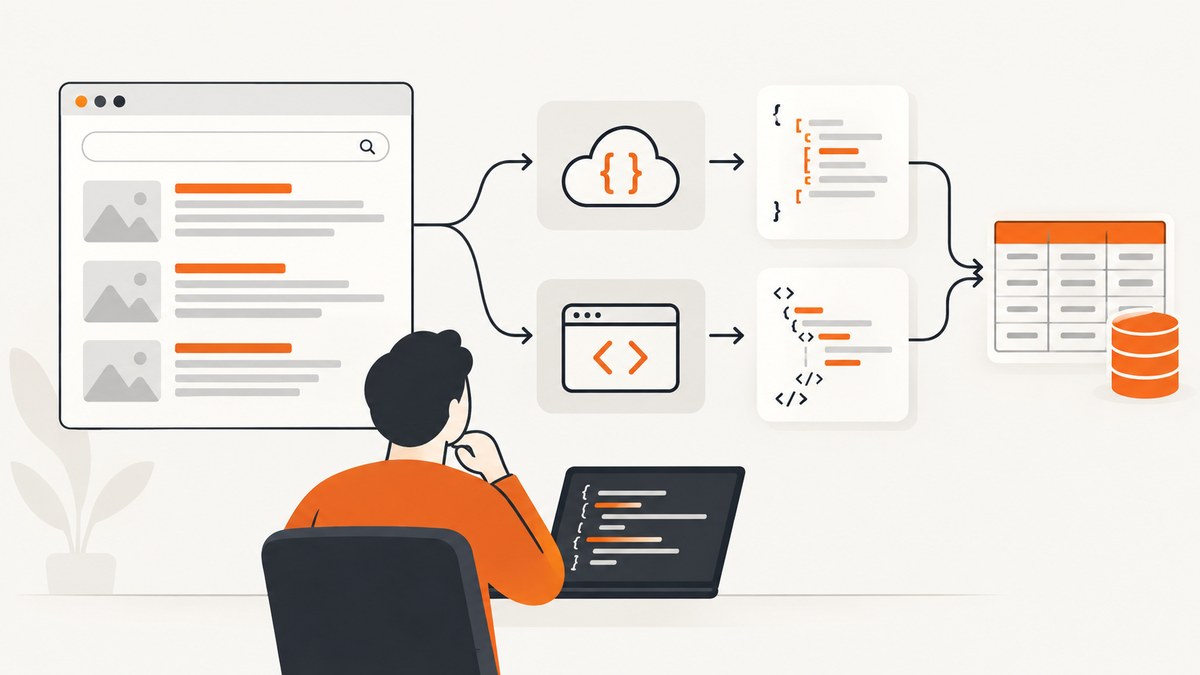
Short answer: you can fetch and parse a permitted HTML page with Python, but Microsoft’s Bing Web Search APIs were retired on August 11, 2025. The old Python quickstart is useful for learning the authenticated request and JSON parsing pattern, yet it is not a current Bing API recipe. For new projects, choose a supported Microsoft service for its intended job, or parse a stable page or local fixture only when you have permission and can tolerate markup changes.
This walkthrough separates three things that are often conflated:
- HTML scraping: downloading a web page and extracting fields from its markup.
- The retired Bing Web Search API: a historical HTTPS service that accepted a query and returned structured JSON.
- Current Microsoft products: Grounding with Bing Search for bringing public web data into LLM responses, and Bing Webmaster Tools API for data about sites you own or verify.
The examples below show the old API flow for reference, then a complete parser against a local sample page. They deliberately avoid claiming that current Bing result-page selectors are stable or that automated requests to bing.com are permitted in every situation.
1. Current status: the Bing Web Search API is retired
Microsoft announced that the Bing Search APIs would be retired on August 11, 2025. Existing instances were to be decommissioned, the product became unavailable for new signups, and Microsoft pointed users toward Grounding with Bing Search in Azure AI Agents. Read the historical Bing Web Search documentation together with Microsoft’s retirement announcement before building around any archived sample.
Grounding with Bing Search is intended to supply current public-web information to an LLM-generated response. The available evidence does not establish it as a drop-in replacement for a conventional endpoint that returns a list of SERP records with the same fields and access model.
Bing Webmaster Tools API is separate. It serves registered-site owners with rank and traffic data, links and keywords, crawl statistics, and URL or sitemap submission operations. It is not a general-purpose API for extracting arbitrary public search-result pages. Microsoft also says its legacy SOAP and POX Webmaster APIs are scheduled for retirement on August 31, 2026, with migration to REST APIs advised; that date concerns Webmaster tooling, not the already-retired Web Search API.
2. Scraping, APIs, and crawler rules
Scraping means requesting a document and interpreting its HTML. An API call is a documented service request with a defined authentication method and response schema. The historical Bing Web Search API used HTTPS, an Ocp-Apim-Subscription-Key header, query parameters, and JSON. It did not scrape the HTML at bing.com/search.
Before automating any live page:
- Check the site’s terms, access controls, and applicable law for your jurisdiction.
- Read
robots.txt. Bing describes it as a set of crawler directives, not a guarantee that every automated use is authorized. - Use a low request rate, identify your client where appropriate, and cache responses.
- Stop when the site returns a block, CAPTCHA, or other access-control response. Do not attempt to bypass it.
- Prefer an official API or a dataset when one exists for your use case.
Bing’s Webmaster Guidelines warn that failure to follow its guidelines can lead to reduced visibility, reduced eligibility for grounding experiences, or delisting from the Bing index. Treat that as a reason to design a respectful crawler, not as a blanket legal conclusion about scraping in every country.
3. Historical Python API example (for pattern recognition)
The following is a dated example based on Microsoft’s old Python quickstart. It demonstrates the request/response pattern only; a current subscription will not make the retired endpoint usable.
import os
import requests

endpoint = "https://api.bing.microsoft.com/v7.0/search"
query = "python web scraping"

headers = {
    "Ocp-Apim-Subscription-Key": os.environ["BING_SUBSCRIPTION_KEY"]
}
params = {
    "q": query,
    "mkt": "en-US",
    "safeSearch": "Moderate",
    "count": 10,
    "offset": 0,
    "textDecorations": False,
    "textFormat": "Raw",
}

response = requests.get(endpoint, headers=headers, params=params, timeout=30)
response.raise_for_status()
data = response.json()

for item in data.get("webPages", {}).get("value", []):
    print(item.get("name"))
    print(item.get("url"))
    print(item.get("snippet"))
    print()
Keep secrets in environment variables or a secret manager. The old reference documented parameters such as market, safe search, count, and offset, and warned that URL formats and parameters could change. Do not hard-code a key in source control.
Equivalent historical requests
curl -G "https://api.bing.microsoft.com/v7.0/search" \
  -H "Ocp-Apim-Subscription-Key: $BING_SUBSCRIPTION_KEY" \
  --data-urlencode "q=python web scraping" \
  --data-urlencode "mkt=en-US" \
  --data-urlencode "count=10"
const endpoint = new URL('https://api.bing.microsoft.com/v7.0/search');
endpoint.searchParams.set('q', 'python web scraping');
endpoint.searchParams.set('mkt', 'en-US');
endpoint.searchParams.set('count', '10');
const res = await fetch(endpoint, {
headers: { 'Ocp-Apim-Subscription-Key': process.env.BING_SUBSCRIPTION_KEY }
});
if (!res.ok) throw new Error(`${res.status} ${res.statusText}`);
const data = await res.json();
for (const item of data.webPages?.value ?? []) {
console.log(item.name, item.url, item.snippet);
}These snippets explain how the retired service worked; they should not be presented as a working sign-up path.
4. A safe, runnable HTML parsing walkthrough
Because live Bing markup can change and this research does not verify current selectors, use a local fixture or another stable page that you are allowed to fetch. The parser below reads sample-results.html, extracts result links, and handles missing fields.
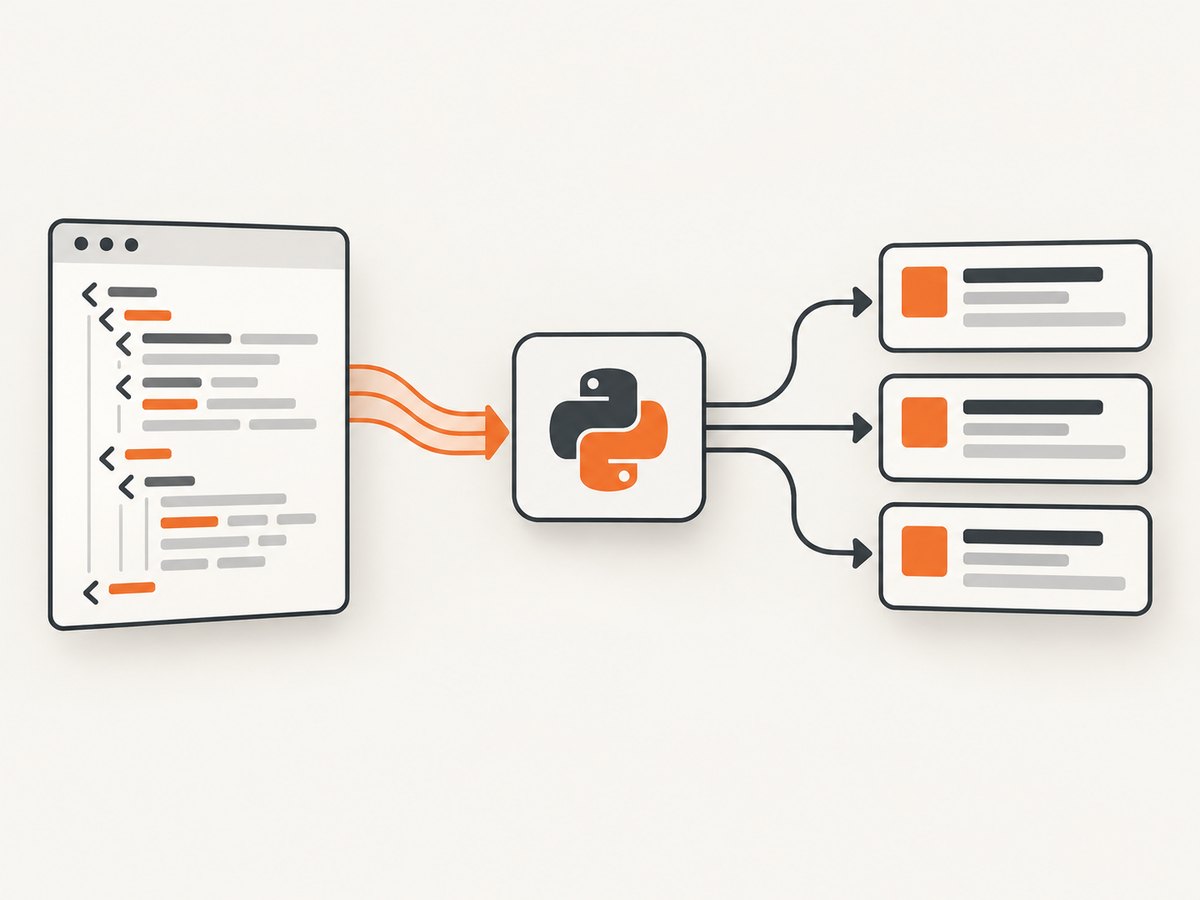
Step 1: create a fixture
<main id="results">
  <article class="result">
    <h2><a href="https://example.com/one">First result</a></h2>
    <p class="snippet">A short description.</p>
  </article>
  <article class="result">
    <h2><a href="https://example.com/two">Second result</a></h2>
  </article>
</main>
Step 2: install dependencies
python -m venv .venv
. .venv/bin/activate       # Windows: .venv\Scripts\activate
python -m pip install beautifulsoup4 lxml requests
Step 3: parse local or permitted HTML
from pathlib import Path
from urllib.parse import urlparse

from bs4 import BeautifulSoup


def parse_results(html: str) -> list[dict[str, str | None]]:
    soup = BeautifulSoup(html, "lxml")
    rows = []

    for card in soup.select("article.result"):
        link = card.select_one("h2 a[href]")
        if link is None:
            continue

        href = link.get("href", "").strip()
        title = link.get_text(" ", strip=True)
        snippet_node = card.select_one(".snippet")
        snippet = snippet_node.get_text(" ", strip=True) if snippet_node else None

        parsed = urlparse(href)
        if parsed.scheme not in {"http", "https"}:
            continue

        rows.append({"title": title, "url": href, "snippet": snippet})

    return rows


html = Path("sample-results.html").read_text(encoding="utf-8")
for result in parse_results(html):
    print(result)
The important design choice is isolating selectors inside parse_results. If an allowed target changes its markup, you update one function and keep downloading, validation, storage, and reporting code intact.
Fetching an allowed page
import requests


def fetch_html(url: str) -> str:
    response = requests.get(
        url,
        headers={"User-Agent": "ResearchBot/1.0 (contact: you@example.com)"},
        timeout=(5, 30),
    )
    response.raise_for_status()
    content_type = response.headers.get("content-type", "")
    if "text/html" not in content_type:
        raise ValueError(f"Expected HTML, got {content_type!r}")
    return response.text
Use this only for a target that permits your access. Add a delay and cache when processing multiple URLs. Never treat a successful HTTP status as proof that parsing is allowed or that the returned page is a normal result page.
5. Defensive parsing and data quality
| Risk | Defensive technique |
|---|---|
| Missing title or snippet | Use optional nodes and store None; do not discard the whole page. |
| Relative or tracking URLs | Resolve only when the target format is documented; validate schemes before storage. |
| Markup redesign | Keep selectors in one module, add fixture tests, and log a parse-rate metric. |
| Consent, bot, or error page | Detect title/body markers, record the response class, and stop or back off. |
| Encoding problems | Honor the response encoding and pass explicit UTF-8 when writing files. |
Store provenance with each record: requested URL, retrieval time, HTTP status, parser version, and a hash of the source when your retention policy permits. This makes a later selector change auditable.
6. Reliability, performance, and cost
Reliability
- Set connect and read timeouts rather than waiting forever.
- Retry only transient failures such as a connection reset or selected 5xx responses, with exponential backoff and a maximum attempt count.
- Do not retry 401, 403, CAPTCHA, or policy responses automatically.
- Cache identical requests and use conditional requests when the target supports them.
- Persist raw HTML separately from parsed records when you need to reprocess after a parser fix.
Performance
Parsing with BeautifulSoup is usually inexpensive compared with network latency. The largest gains come from fewer requests: deduplicate queries, use a queue, cap concurrency, and avoid downloading assets when a plain HTML response is sufficient. Measure request time, parse time, bytes received, and records extracted rather than guessing at throughput.
Cost
HTML scraping has infrastructure costs for bandwidth, storage, proxies, and maintenance. An official service may charge per request or require an account, while a retired service cannot be budgeted as an available dependency. Grounding with Bing Search and Webmaster APIs have different products, permissions, and outputs; check current Microsoft terms and pricing before committing.
7. Troubleshooting common failures
| Symptom | Likely cause | Fix |
|---|---|---|
| 401 or 403 from the old API | Retired service, invalid key, or wrong header. | Do not rotate keys endlessly. Confirm retirement status and move to an appropriate current product. |
| HTML contains a challenge or consent page | Automated access control or an interstitial. | Stop, respect the control, and use an approved API or manual workflow. |
rows is empty |
Selector mismatch or a non-result document. | Save a fixture, inspect the DOM you are permitted to use, and version selectors. |
JSONDecodeError |
Response is HTML or an error body, not JSON. | Check status and Content-Type before decoding; log a short safe preview. |
| Requests hang | No timeout or a slow upstream. | Use connect/read timeouts and bounded retries. |
| Duplicate records | Pagination, redirects, or repeated queries. | Normalize URLs and deduplicate by canonical URL plus query context. |
8. Or skip the browser setup
If your actual requirement is dependable screenshots of search or content pages, ScreenshotNeo provides a single HTTP call instead of maintaining a browser and selector pipeline. It accepts a URL and returns PNG, JPEG, WebP, or PDF. Before capture it accepts cookie or consent banners and removes more than 60 known consent platforms, newsletter popups, and chat widgets; each step can be disabled.
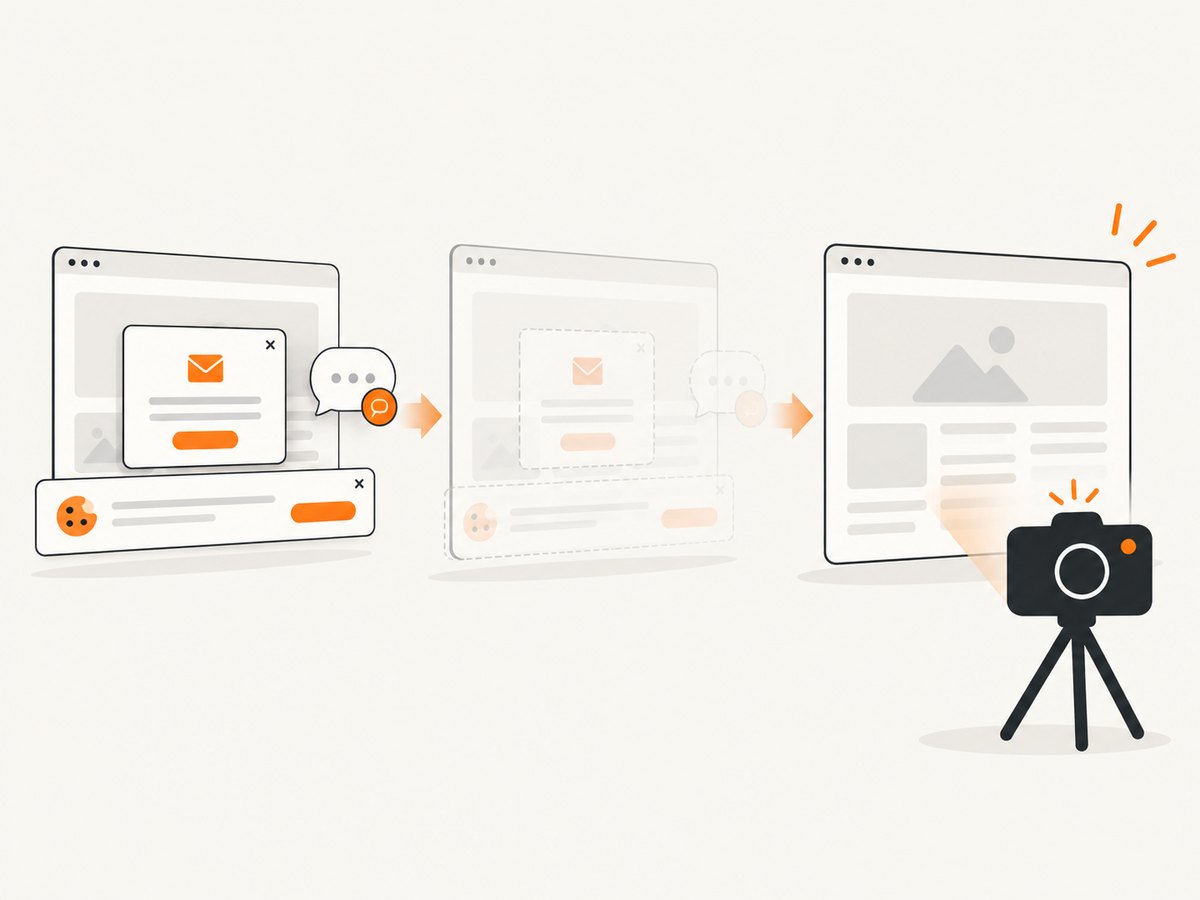
Only clean shots are billed. Bot checks, CAPTCHAs, blank pages, timeouts, failed loads, and cache hits cost nothing, and the response identifies the outcome with X-Page-Verdict and X-Billed headers. Its MCP server exposes take_screenshot, get_page_info, and capture_pdf for Claude, Cursor, and other MCP clients.
See the ScreenshotNeo API documentation for all options. A minimal call is:
curl -G "https://api.screenshotneo.com/v1/shot" -d access_key=YOUR_API_KEY --data-urlencode url=https://www.bing.com/search?q=python -o shot.webpimport requests
r = requests.get("https://api.screenshotneo.com/v1/shot", params={"access_key": "YOUR_API_KEY", "url": "https://www.bing.com/search?q=python"}, timeout=90)
open("shot.webp", "wb").write(r.content)const q = new URLSearchParams({ access_key: 'YOUR_API_KEY', url: 'https://www.bing.com/search?q=python' });
const res = await fetch(`https://api.screenshotneo.com/v1/shot?${q}`);You can also capture a full page, one CSS-selected element, a chosen device or viewport, dark mode, retina output, PDFs with paper and margin controls, custom CSS or JavaScript, clicks, waits, blocked resource types, custom headers and cookies, geolocation, transparent backgrounds, resizing, chosen cache TTLs, signed image links, asynchronous webhooks, and up to 100 URLs in one bulk call.
The Free plan includes 1,000 screenshots each month with no card. Paid plans start at $5 for 3,000 shots, and every feature is available on every plan. Create a free ScreenshotNeo account.
9. Choosing the right Microsoft route
| Need | Best-fit route | What it returns |
|---|---|---|
| Historical query-to-JSON example | Bing Web Search API v7 documentation | Archived request and response pattern; service retired. |
| Real-time public web context for an LLM | Grounding with Bing Search in Azure AI Agents | Grounding information used in generated responses; not established as identical to SERP JSON. |
| Reports or submissions for your verified sites | Bing Webmaster Tools API | Rank, traffic, crawl, link, keyword, URL, and sitemap operations. |
| Permitted extraction from a document | Python HTTP client plus an HTML parser | Fields you define, subject to markup and access rules. |
10. FAQ
Can I still sign up for the Bing Web Search API?
No. Microsoft retired the Bing Search APIs on August 11, 2025. Treat old quickstarts as historical documentation.
Can BeautifulSoup scrape Bing?
BeautifulSoup can parse HTML you have lawfully obtained. It does not provide access, bypass controls, or guarantee that a live Bing page has a stable selector structure.
Is Bing Webmaster API a SERP scraper?
No. It is for registered-site owners and their own search, crawl, and submission information.
What should I log when a parser breaks?
Log the requested URL, timestamp, status, content type, parser version, and a redacted sample or stored fixture. This lets you distinguish a markup change from an access-control response.
When is a screenshot API better than HTML scraping?
Use one when the deliverable is a visual record, PDF, or rendered page and you do not need structured result fields. ScreenshotNeo can remove common overlays and report whether a shot was clean and billable.
Keep this article dated. Microsoft services, terms, and integrations change. Recheck the retirement notice, current Grounding documentation, Webmaster API status, and the target site’s access instructions before deploying a crawler.


