How to Scrape Brain Product Pages
Use BRAIN’s partner API for authorized product data. When you need public page fields, extract Product JSON-LD first and render JavaScript when required.

Short answer: If you are an authorized BRAIN dealer or partner, start with the official BRAIN API. It provides structured catalog, price, availability, description, image, and ordering methods, and supports finding products changed since a prior sync. Scrape rendered pages only when you do not have API access or the API does not cover the public-page data you need. For page extraction, inspect the product page’s application/ld+json Product object first; if a plain HTTP request does not return it, use a JavaScript-capable browser or retrieval service.
BRAIN documents partner access to its product database through an API. The API requires access to the partner system, so it is not a public anonymous product-data endpoint. See the official BRAIN API documentation and the method index. The workflow below explains both the preferred API path and a page-scraping fallback.
1. Choose the data source before writing a scraper
Use the source that is authorized and stable for your use case. A partner API is generally the right fit for a dealer synchronizing a catalog. A page scraper is a fallback for public-page coverage or fields not available to your account. Scraped pages can change layout or block requests, so treat them as inputs that need validation rather than a permanent schema.
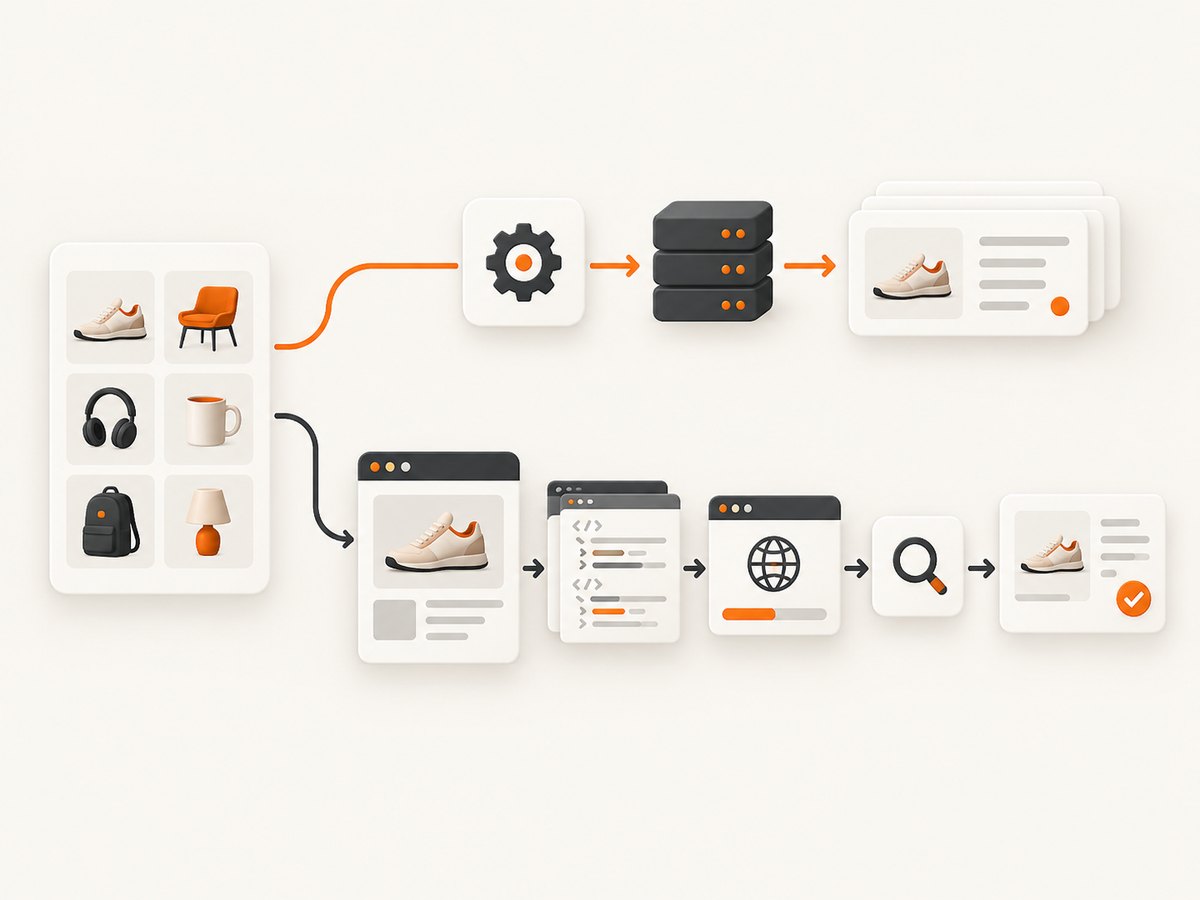
| Question | Partner API | Product-page scraping |
|---|---|---|
| Who can use it? | Activated wholesale-portal administrators or authorized partners. | Depends on the site’s access rules and your permitted use. |
| What data? | Structured product, price, availability, characteristics, descriptions, images, filters, and ordering methods are documented. | Fields exposed in the page response, commonly Product JSON-LD and visible page markup. |
| JavaScript needed? | Usually the API response is already structured. | May be needed; the current Crawlbase recipe reports that its successful requests used JavaScript rendering. |
| How to update? | Use modified_products to identify changed product IDs and refresh only those records. |
Re-fetch pages and detect changes yourself; page markup or access behavior may change. |
| Failure mode? | Authentication, method, parameter, or account access errors. | Blocking, incomplete rendering, markup changes, timeouts, and site-side errors. |
Before scraping, confirm that your access and intended collection comply with the terms and permissions that apply to your account and use case. The public page being reachable in a browser does not by itself establish permission for automated collection.
2. Get access to the official BRAIN partner API
- Register or sign in through the BRAIN wholesale portal and have an administrator enable the API access required for your integration. The documentation identifies partner access as the basis for using the catalog API.
- Read the API help pages for authentication and the specific methods you need. The method index includes authentication/logout, category product lists, vendor lists, single-product lookup, lookup by article or product code, content retrieval, product options, and changed-product discovery.
- Keep the resulting session identifier or credential out of source control. Load it from a secret manager or environment variable, limit access to the integration process, and rotate it according to your organization’s credential policy.
- Start with a small, representative sample. Confirm which product identifiers, language fields, image references, option records, and availability fields your account returns before designing the full sync.
The API examples below show the request shape documented by BRAIN. Replace placeholders with values provided for your account. The API documentation uses a session identifier (SID) in method URLs; follow the current method page for exact required parameters and response shape. Do not assume that an example identifier or old sample credential is valid for your account.
# Example: retrieve a product by ID (replace SID and product ID)
curl "http://api.brain.com.ua/product/12345/YOUR_SID"

# Example: ask for product IDs modified since a timestamp
curl "http://api.brain.com.ua/modified_products/YOUR_SID?modified_time=2026-09-28%2000:00:00&limit=1000&offset=0"
Check the endpoint’s current documentation before using a sample in production. The official pages describe methods and parameters, but the examples above are illustrative request shapes, not account credentials. For example, BRAIN’s modified-products method accepts a modification type, a timestamp, a limit, and an offset. Types documented include image, description, option, and new-product changes; omitting the type returns products where something changed.
3. Synchronize the catalog incrementally
A complete catalog refresh on every run wastes requests and makes recovery harder. Use a timestamp checkpoint with modified_products where it fits your integration:
- Persist the last successful modification time in durable storage.
- Query changed product IDs since that checkpoint. If the endpoint paginates, request every page using the documented limit and offset.
- Fetch the affected product records and any associated options, images, or content your application stores.
- Upsert records by a stable BRAIN product identifier. Do not key records solely by a product name or URL, because those can change.
- Only advance the checkpoint after all fetched records are committed successfully. If a page fails partway through, retry from the old checkpoint or keep an explicit per-page cursor.
Make the synchronization idempotent: processing the same product twice should produce the same stored state. Track the timestamp and the set of IDs processed, and allow a small overlap when selecting a time window if the API’s timestamp precision or update timing could leave a boundary ambiguous. The overlap is safe when writes are idempotent. Monitor unexpected empty responses and sudden changes in record counts; they may indicate a bad session, parameter, or checkpoint rather than an empty catalog.
4. Scrape a product page when API access is unavailable
First obtain the exact product URL from a permitted source. Do not guess product URLs from a title if the site provides a canonical URL or product code. Fetch the page, parse every JSON-LD script, and locate the object whose @type is Product (or includes it in an array). Product JSON-LD commonly contains a name and an offers object with price, currency, and availability. The current Crawlbase brain.com.ua recipe identifies Product JSON-LD as the first extraction target and notes that JavaScript rendering was used for its successful request sample. That is provider-specific observed behavior, not a guarantee that every product URL needs a browser.
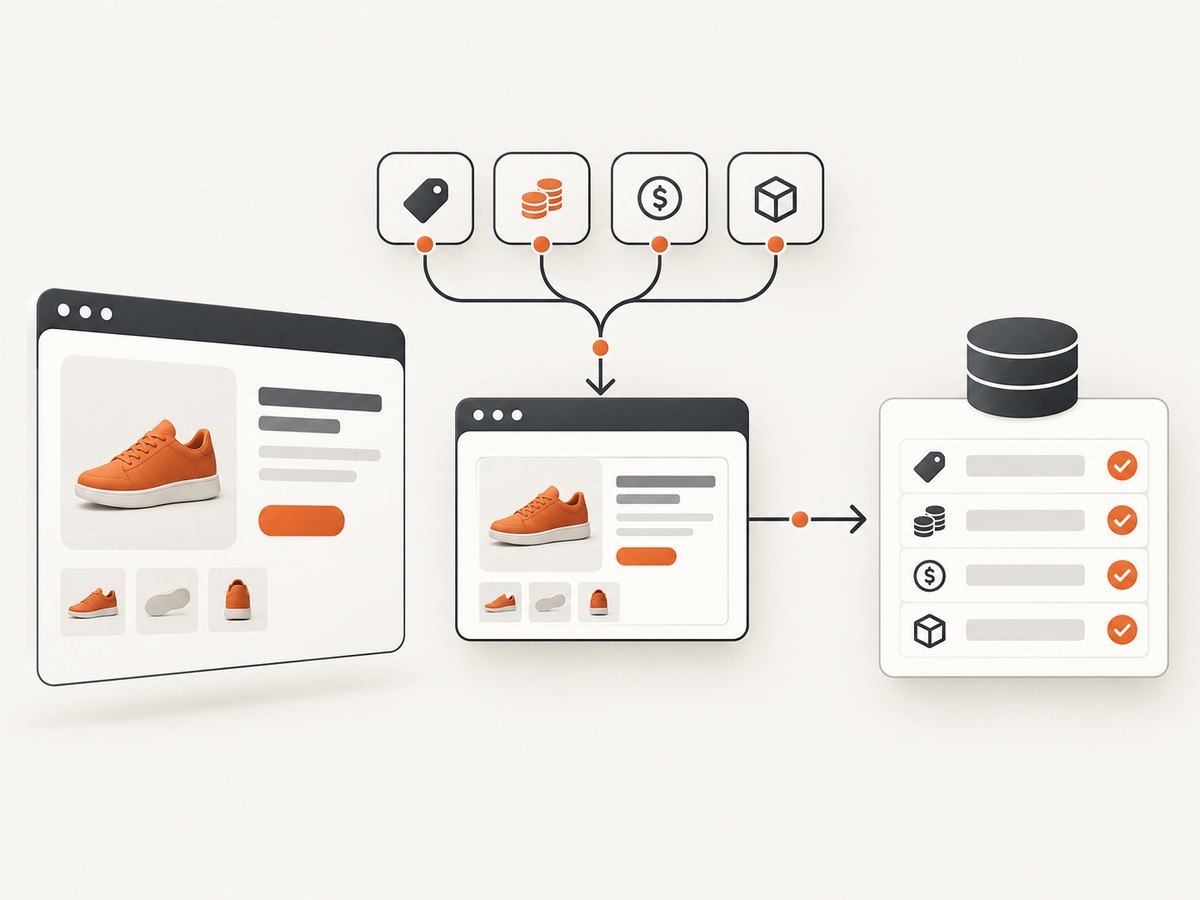
This Python example uses Requests and Beautiful Soup. Install dependencies with python -m pip install requests beautifulsoup4. It deliberately errors if it cannot find Product JSON-LD so you do not silently store a page title as a product record.
import json
import requests
from bs4 import BeautifulSoup

url = "https://www.brain.com.ua/example-product-url"
response = requests.get(
    url,
    headers={"User-Agent": "CatalogResearch/1.0 (contact: ops@example.com)"},
    timeout=(10, 30),
)
response.raise_for_status()

soup = BeautifulSoup(response.text, "html.parser")
products = []
for script in soup.select('script[type="application/ld+json"]'):
    try:
        data = json.loads(script.string or script.get_text())
    except json.JSONDecodeError:
        continue
    candidates = data if isinstance(data, list) else [data]
    for item in candidates:
        if not isinstance(item, dict):
            continue
        graph = item.get("@graph", [])
        candidates2 = graph if isinstance(graph, list) else [item]
        for candidate in candidates2:
            kind = candidate.get("@type", [])
            kinds = [kind] if isinstance(kind, str) else kind
            if "Product" in kinds:
                products.append(candidate)

if not products:
    raise RuntimeError("No Product JSON-LD found; inspect rendered HTML or use a browser")

product = products[0]
offers = product.get("offers", {})
if isinstance(offers, list):
    offers = offers[0] if offers else {}
result = {
    "name": product.get("name"),
    "sku": product.get("sku"),
    "price": offers.get("price"),
    "currency": offers.get("priceCurrency"),
    "availability": offers.get("availability"),
    "source_url": url,
}
print(json.dumps(result, ensure_ascii=False, indent=2))
The URL in that snippet is a placeholder. Replace it with an actual product URL you are allowed to retrieve. Also replace the example User-Agent contact with a real operational contact, or omit the custom header if it is not appropriate. Never use a fabricated contact identity.
When the response needs JavaScript rendering
If the plain response has a challenge page, an empty shell, or no Product JSON-LD while the browser visibly shows the product, inspect the response status and HTML first. Then use an authorized browser automation setup or a JavaScript rendering retrieval service. A browser can wait for scripts and client-rendered data, but it adds startup time, memory use, and another failure mode. Do not treat repeated access denials as a cue to rotate identities or hammer the origin.
For example, Crawlbase’s published recipe uses its JavaScript token with a URL parameter. Its reported measurements apply to its own August 2026 request sample and must not be generalized into a guarantee about future requests, other countries, accounts, or the site as a whole.
curl "https://api.crawlbase.com/?token=YOUR_JS_TOKEN&url=https%3A%2F%2Fwww.brain.com.ua%2Fexample-product-url"For Python or Node.js, use the vendor’s current SDK or documented HTTP interface and parse the returned rendered HTML with the same JSON-LD logic. Keep the vendor token server-side. Do not place it in browser code, public repositories, or URLs that are logged or shared. The extraction step should validate fields regardless of which renderer supplied the HTML.
5. Parse fields defensively
- Name: trim whitespace and preserve the original value. Do not assume localized fields have identical content.
- Price: parse as a decimal string or decimal type, not binary floating point. A formatted display price can contain separators that need locale-aware parsing.
- Currency: store the currency code separately from the numeric amount. Do not assume a currency based only on the site’s country.
- Availability: preserve the source value and normalize it into your own small status set only after defining how unknown values behave. “Out of stock,” “preorder,” and “available soon” should not collapse into a misleading in-stock boolean.
- SKU and product code: retain multiple identifiers when present; they may serve different purposes. Prefer the API’s stable product ID for record identity.
- Images and descriptions: a page’s JSON-LD may be less complete than the API or visible page. If you need these fields, inspect the relevant API methods or page data and record where each value came from.
JSON-LD can encode offers as one object or an array, and its @type can be a string or an array. Product information may be nested inside @graph. The example handles these common JSON-LD shapes, but real pages may use additional structures. Log a compact diagnostic when the expected schema is missing: status code, final URL, content type, page title, and whether any JSON-LD scripts were found. Avoid logging credentials or full page bodies by default.
6. Make the scraper reliable
Retries and status handling
Classify failures before retrying. A timeout or transient server-side error can merit a bounded retry with exponential backoff and jitter. A repeated 403 means access was refused; stop and investigate credentials, permissions, or the retrieval path instead of sending repeated requests. The Crawlbase recipe describes 403 responses as access or egress refusal and 518 responses as a site-side 5xx. Treat that as the recipe’s observed interpretation, and verify the response from your own run before assigning cause.
| Symptom | Likely cause | Action |
|---|---|---|
| 403 Forbidden | Access or egress refusal, missing authorization, or a challenge. | Stop repeated retries. Check account permission and the response body; use the official API if eligible. |
| 518 or another 5xx | Site-side or intermediary server error. | Retry a limited number of times with backoff; keep the product queued for later if it persists. |
| 200 but no product data | Challenge page, JavaScript shell, changed markup, or wrong URL. | Check final URL and page title, then use a rendered response if appropriate. Do not save an empty record as valid. |
| 429 Too Many Requests | Rate limiting. | Reduce concurrency, honor any retry guidance, and spread requests over time. |
| Timeout | Slow page, renderer startup, network issue, or stalled scripts. | Set connect/read timeouts separately and retry once or a small bounded number of times. |
| Price or stock is stale | Cached page, delayed source update, or a field interpreted incorrectly. | Record capture time and source; refresh through the partner API when available. |
Concurrency, caching, and storage
Begin with low concurrency and increase only when the site, your authorization, and your retrieval provider allow it. Browser-rendered requests are more resource-intensive than parsing an API response or static HTML. Keep a queue so failures do not lose work, and make retries bounded so one problematic URL cannot block the entire catalog. Cache successful results for a duration appropriate to the field: availability and price may change more often than static descriptions, while product pages can be revalidated before a repeat capture. Store the source URL, fetch time, response status, parser version, and normalized fields so a later correction is traceable.
For production use, set request timeouts, cap response size, validate that the final host is the expected one, and restrict outbound requests to expected domains. These safeguards reduce hangs and prevent a URL list from turning the scraper into an unintended request proxy. Keep raw HTML only when you need it for debugging and have a retention policy; product records usually need less data than full responses.
7. Or skip the browser setup
If your task is to capture what a product page looks like rather than build a catalog feed, ScreenshotNeo is a website screenshot API and MCP server. One GET request returns a PNG, JPEG, WebP, or PDF. Its [documentation] explains the API and options.
curl -G "https://api.screenshotneo.com/v1/shot" -d access_key=YOUR_API_KEY --data-urlencode url=https://www.brain.com.ua/example-product-url -o shot.webpimport requests
r = requests.get("https://api.screenshotneo.com/v1/shot", params={"access_key": "YOUR_API_KEY", "url": "https://www.brain.com.ua/example-product-url"}, timeout=90)
open("shot.webp", "wb").write(r.content)const q = new URLSearchParams({ access_key: 'YOUR_API_KEY', url: 'https://www.brain.com.ua/example-product-url' });
const res = await fetch(`https://api.screenshotneo.com/v1/shot?${q}`);Use the exact product page URL you intend to capture. ScreenshotNeo accepts cookie/consent banners and removes more than 60 known consent platforms, newsletter popups, and chat widgets before capture; each step can be turned off. Bot checks, blank pages, timeouts, failed loads, and cache hits are not billed, and response headers report the page verdict and billing status. An MCP server exposes take_screenshot, get_page_info, and capture_pdf for Claude, Cursor, and other MCP clients. The free plan includes 1,000 screenshots per month with no card; paid plans start at $5 for 3,000. Screenshot capture is useful for visual records and review, while structured product data should come from the authorized BRAIN API or a validated extraction pipeline.
Sign up for 1,000 free screenshots a month, with no card.
8. Troubleshooting checklist
- The API returns an authentication error: confirm that the partner account has API access, that the session identifier is current, and that the method URL and required parameters match the current documentation. Re-authenticate rather than reusing an expired session indefinitely.
- The API returns no changed IDs: check the timestamp format, modification type, pagination, and timezone assumptions. A timestamp later than the last update can legitimately return nothing.
- The page request succeeds but JSON-LD is absent: inspect the actual returned HTML, final URL, and content type. If the product is client-rendered, use an appropriate JavaScript rendering workflow; if a challenge or denial appears, do not mistake it for a product page.
- The parsed price is wrong: inspect the raw JSON-LD value, currency, and offer structure. Do not parse a display string by deleting punctuation without considering decimal and thousands separators.
- Availability disagrees with the visible page: record the value and timestamp from both sources, check whether one is cached, and prefer the authorized structured API when it exposes the required availability field.
- Some products fail while others work: separate URL errors, access refusals, timeouts, and server errors in logs. Retry only transient categories and keep a dead-letter queue for manual review.
9. FAQ
Is there a Brain API for product data?
Yes. BRAIN documents a partner API for product database access. The documentation describes partner access and methods for catalog data, product details, content, and changes. Access is not described as an unrestricted public API; contact BRAIN or use the wholesale portal to establish eligibility.
Do Brain.com.ua product pages require a browser?
Not always. Try a permitted ordinary HTTP request and inspect the response. If required product data is populated only after scripts run, use JavaScript rendering. The cited Crawlbase recipe reports browser rendering for its sample, but individual pages and future site behavior can differ.
Can I use JSON-LD as my complete product database?
It is a useful first extraction target for fields such as name, price, currency, and availability, but it may not include all fields your application needs. Validate it against the page and compare with the partner API for broader product, option, image, and content data.
Should I scrape the whole catalog every day?
If you have partner API access, use modified_products to find changed IDs and refresh affected records. For page scraping, a full crawl may create unnecessary load and still miss changes; choose a schedule consistent with permission, freshness requirements, and the site’s access behavior.
Recommended implementation
For dealer catalog synchronization, request authorized BRAIN API access, use the documented product and content methods, and process updates incrementally with modified_products. For a permitted public-page fallback, retrieve the product page, inspect Product JSON-LD, validate each extracted field, and render JavaScript only when the initial response proves insufficient. Classify failures, keep retries bounded, and retain source timestamps so your application can distinguish current values from stale or incomplete captures.


