How to Scrape Brave Search Results
Use Brave’s Search API for structured results, with complete Python, cURL and Node.js examples, pagination, errors, storage and scaling guidance.

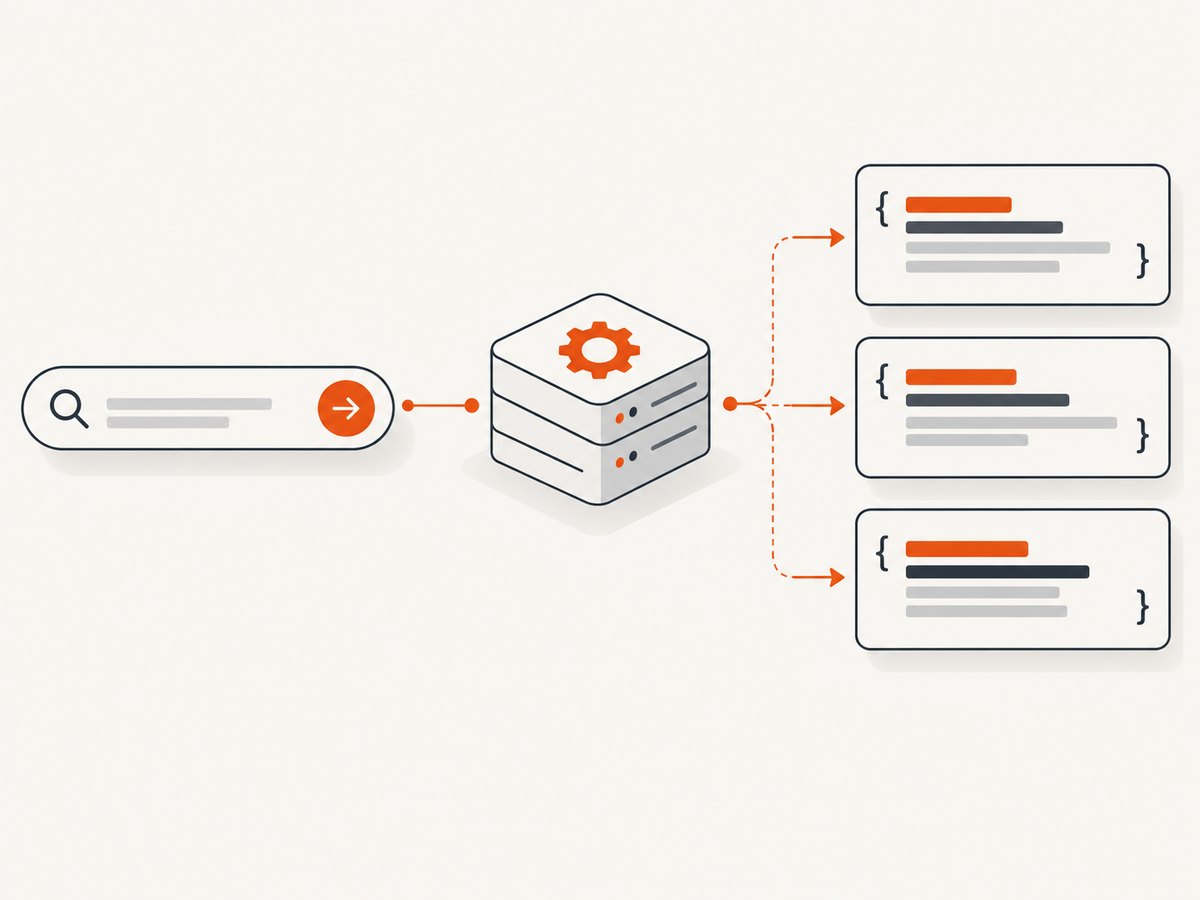
Use Brave’s Search API when your application needs Brave Search data. It returns structured results such as titles, URLs, descriptions and page metadata, so your code does not depend on the changing HTML of the consumer search page. Brave’s documentation describes an official API for Web Search and a separate LLM Context mode for pre-extracted content. The sources reviewed for this guide do not establish the automation rules for Brave’s consumer website, so this article does not claim that browser scraping of that site is permitted or forbidden.
The practical workflow is:
- Create a Brave API account, activate a plan and generate a subscription token.
- Send the token in the
X-Subscription-Tokenheader. - Call the Web Search endpoint with a query and any supported country, language or freshness parameters.
- Parse the JSON response instead of selecting elements from a results-page layout.
- Handle rate limits, empty results, network failures and publisher-rights constraints explicitly.
What “scraping Brave Search results” can mean
There are two different jobs hidden in this phrase:
| Need | Use | Returned material |
|---|---|---|
| Build a search page, rank links or collect snippets | Brave Web Search API | Ranked results with titles, URLs, descriptions and metadata |
| Give an AI system source material | Brave LLM Context API mode | Pre-extracted content intended for agent workflows |
| Reproduce the consumer website’s HTML | Browser automation or HTTP requests | Undocumented page markup; automation terms were not verified in the research for this article |
Brave says its Search API is powered by the index behind Brave Search and is not a scraper that simply queries Google or Bing and repackages their results. For an application, the API is the stable integration point documented by Brave.
Before you write code
Create an API account and key
Brave’s quickstart says account creation is free, but activating API access requires a valid email and a credit card. Plans and conditions can change, so check the current plan page before budgeting. After activation, create an API key and treat it like a password.
Never put the key in browser JavaScript, a mobile app bundle, a public repository or a client-visible URL. Store it in an environment variable or a server-side secret manager.
Choose the endpoint and fields
The Web Search endpoint is https://api.search.brave.com/res/v1/web/search. A request normally includes a q query parameter and the X-Subscription-Token header. The API reference documents additional parameters for situations such as country, search language, interface language, freshness and result count. Use only parameters supported by the current reference.
Python: a complete Web Search request
Install the dependency with pip install requests, set your token, then run:
import os
import requests

API_KEY = os.environ["BRAVE_SEARCH_API_KEY"]
endpoint = "https://api.search.brave.com/res/v1/web/search"

params = {
    "q": "site:python.org asyncio tutorial",
    "count": 10,
    "country": "US",
    "search_lang": "en",
}
headers = {
    "Accept": "application/json",
    "X-Subscription-Token": API_KEY,
}

response = requests.get(endpoint, params=params, headers=headers, timeout=30)
response.raise_for_status()
data = response.json()

for item in data.get("web", {}).get("results", []):
    print(item.get("title"))
    print(item.get("url"))
    print(item.get("description", ""))
    print()
Run it with BRAVE_SEARCH_API_KEY=your_key python search.py. The exact response envelope can evolve, so code defensively with .get() and log the response schema during development.
cURL: inspect the raw JSON
curl --fail-with-body --get \
  'https://api.search.brave.com/res/v1/web/search' \
  --header "Accept: application/json" \
  --header "X-Subscription-Token: $BRAVE_SEARCH_API_KEY" \
  --data-urlencode 'q=site:python.org asyncio tutorial' \
  --data-urlencode 'count=10' \
  --data-urlencode 'country=US' \
  --data-urlencode 'search_lang=en'
--data-urlencode prevents spaces, punctuation and non-ASCII search terms from corrupting the query. Keep the token in the environment rather than writing it directly in shell history or source control.
Node.js: fetch and normalize results
Node.js 18 and later includes fetch. Save this as search.mjs:
const key = process.env.BRAVE_SEARCH_API_KEY;
if (!key) throw new Error("Set BRAVE_SEARCH_API_KEY");

const url = new URL("https://api.search.brave.com/res/v1/web/search");
url.searchParams.set("q", "site:python.org asyncio tutorial");
url.searchParams.set("count", "10");
url.searchParams.set("country", "US");
url.searchParams.set("search_lang", "en");

const response = await fetch(url, {
  headers: {
    "Accept": "application/json",
    "X-Subscription-Token": key
  }
});

if (!response.ok) {
  const detail = await response.text();
  throw new Error(`Brave API ${response.status}: ${detail}`);
}

const data = await response.json();
const results = data.web?.results ?? [];
console.log(results.map(({ title, url, description }) => ({
  title, url, description
})));
Useful request options
Start with a small request and add options only when the product needs them.
| Option | Why use it | Implementation note |
|---|---|---|
q |
The user’s search expression | URL-encode it; preserve operators such as site: when your UI allows them |
count |
Control the number of returned results | Request only what you display or process |
| Country | Localize ranking and regional results | Use the country code documented by Brave |
| Search language | Indicate the language of the query | Do not confuse it with the interface language |
| Freshness | Prefer recent pages for news or monitoring | Use the documented freshness syntax and verify current behavior |
The API reference describes fields including title, URL, description, page age and fetch timestamps. Store only the fields your application needs and tolerate missing optional fields.
Pagination and result processing
Do not assume that every response contains the same number of results. A query can have no matches, fewer results than requested or results with missing descriptions. Inspect the response’s pagination fields in the current API reference before implementing a crawler. If the API supplies a continuation token or offset, pass it exactly as documented and stop when the response has no next page.
A safe normalization shape for your own database is:
{
  "query": "original query",
  "title": "Result title",
  "url": "https://example.com/page",
  "description": "Short result description",
  "page_age": null,
  "fetched_at": null,
  "retrieved_at": "2026-09-29T12:00:00Z"
}
Validate URLs before rendering them, escape descriptions in HTML, and deduplicate by canonical URL if your application combines several searches.
What you may do with returned pages
A result URL points to a third-party publisher. Brave’s API does not grant rights to copy, republish or transform that publisher’s content. Follow the linked site’s copyright and access terms when you fetch a page. Brave also says that storing API results in part or in full requires a plan that expressly grants storage rights. Confirm your plan before building a permanent search archive, cache or analytics dataset.
Keep API metadata separate from content you later download. This makes it easier to delete publisher material, honor retention rules and explain which source produced each record.
Error handling and troubleshooting
| Symptom | Likely cause | Fix |
|---|---|---|
| 401 or 403 | Missing, invalid or inactive token | Check the X-Subscription-Token header, account activation and environment variable |
| 400 | Invalid query or unsupported parameter | Reduce the request to q, then add documented options one at a time |
| 429 | Rate or plan limit | Back off exponentially, reduce concurrency and check current plan limits |
| 5xx or timeout | Transient service or network failure | Retry idempotent searches with bounded exponential backoff and a timeout |
| Empty result list | No matches or an overly restrictive query | Display an empty state; do not treat it as a parsing failure |
| Missing description | Optional field absent for that result | Render a fallback and avoid assuming every field is present |
| Unexpected ranking | Country, language, freshness or index changes | Record request parameters and show users which localization was applied |
Retry carefully
Retry only network errors, timeouts and documented transient server responses. Do not retry authentication or malformed-request errors. Use a maximum attempt count, jitter and a total deadline so a failing search does not hold a web request open indefinitely.
Performance, reliability and cost
- Latency: Set a client timeout and return a useful error or cached response when it expires.
- Concurrency: Limit parallel searches to the rate your plan supports. A queue is safer than launching one request per user action.
- Caching: Cache only when your plan permits storage and when your product can tolerate stale rankings. Include the full query and localization parameters in the cache key.
- Observability: Log status code, latency, query hash, result count and request identifiers without logging the secret token.
- Cost control: Debounce live-search inputs, request the smallest useful result count and avoid repeating identical searches during one page view.
- Reliability: Keep parsing tolerant of added fields and absent optional fields. Pin assumptions to the API reference and review them when you upgrade your integration.

When browser automation is the wrong tool
Browser automation is tempting because it appears to reproduce what a person sees. It also introduces selector breakage, consent dialogs, bot checks, JavaScript timing issues and a browser runtime to maintain. For structured Brave results, the supported API avoids those problems and gives your code a documented JSON contract. The research used for this guide did not verify rules for automated access to the consumer Brave Search site, so obtain separate authoritative guidance before automating that interface.
Or skip the browser setup
If your next step is turning a search result or documentation page into an image or PDF, ScreenshotNeo provides a single website screenshot request. Its API accepts a URL and returns PNG, JPEG, WebP or PDF. The complete options include full-page capture, CSS element capture, device presets, dark mode, custom CSS and JavaScript, waits, request blocking, cookies, headers, geolocation, resizing, caching, asynchronous jobs and bulk capture.
Cookie banners, newsletter popups and chat widgets are removed before the shot. Bot checks, blank pages, failed loads and cache hits are not billed, and response headers identify the page verdict and billing result. Its MCP server lets Claude, Cursor and other MCP clients call take_screenshot, get_page_info and capture_pdf.
See the ScreenshotNeo API documentation for authentication and all options.
curl -G "https://api.screenshotneo.com/v1/shot" -d access_key=YOUR_API_KEY --data-urlencode url=https://stripe.com -o shot.webpimport requests
r = requests.get("https://api.screenshotneo.com/v1/shot", params={"access_key": "YOUR_API_KEY", "url": "https://stripe.com"}, timeout=90)
open("shot.webp", "wb").write(r.content)const q = new URLSearchParams({ access_key: 'YOUR_API_KEY', url: 'https://stripe.com' });
const res = await fetch(`https://api.screenshotneo.com/v1/shot?${q}`);There are 1,000 free screenshots each month with no card. Paid plans start at $5 for 3,000 shots. Create a free ScreenshotNeo account.
FAQ
Is Brave Search API access the same as scraping brave.com?
No. The API is a documented programmatic interface. The research for this article did not establish the consumer site’s automation rules.
Where does the API key go?
Send it in the X-Subscription-Token HTTP header from server-side code.
Can I save every result forever?
Only if your plan expressly grants storage rights. Check Brave’s current terms and plan conditions.
Should I use Web Search or LLM Context?
Use Web Search for ranked links and snippets. Use LLM Context when your workflow needs pre-extracted source material for an AI agent.
Can I display the returned descriptions?
Review the publisher terms and your Brave plan. The API does not transfer rights to third-party content.