How to Scrape Business Directory Data
Plan a responsible business directory data workflow: choose a source, check reuse rights, and collect, match, and maintain records with Python.
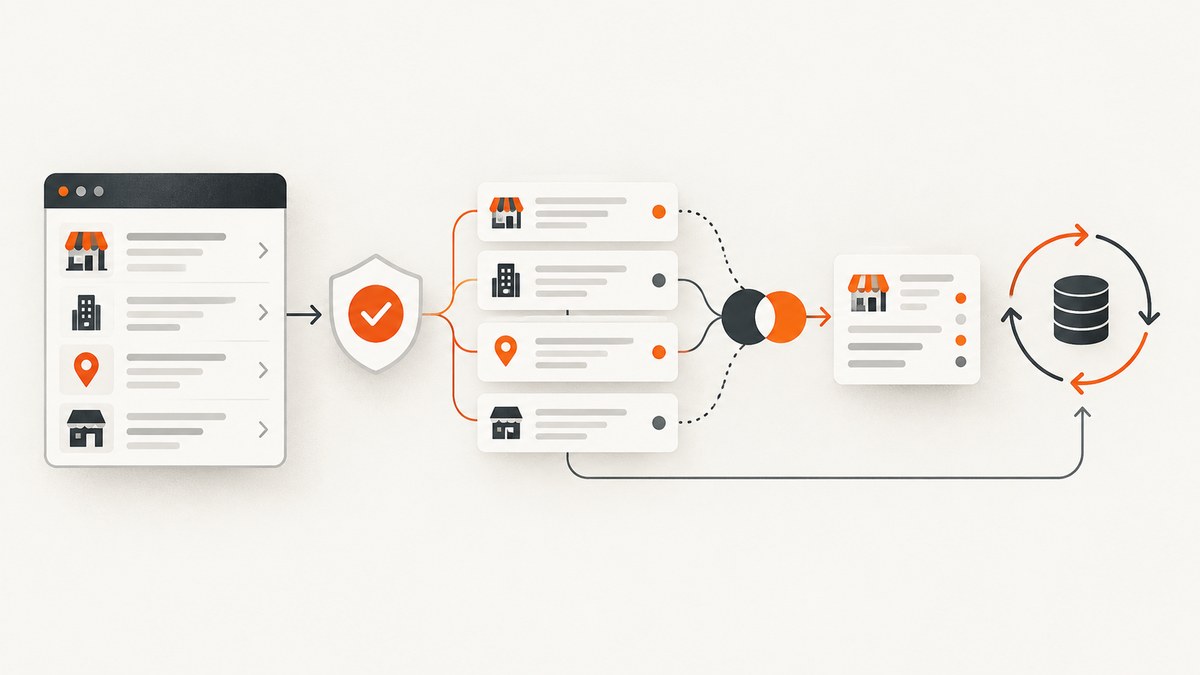
To collect business directory data, first define the fields, geography, freshness, and intended use. Then check whether the directory offers an official API, open-data feed, or licensed data product and confirm its terms before collecting anything. If page extraction is permitted for your use, collect only the needed fields, preserve source and retrieval timestamps, and follow the source’s limits on storage, display, and reuse.
The parser is usually the easy part. The harder questions are whether you may collect and reuse the records, whether your queries cover the area, and how you will handle duplicates and updates. This guide lays out a practical workflow and a Python example for pages you are authorized to access. It does not determine whether scraping a specific directory is lawful or permitted; that depends on the source, jurisdiction, data, and intended use.
1. Define the dataset before choosing a source
Write down the minimum dataset that will answer your research or application question. A useful specification includes:
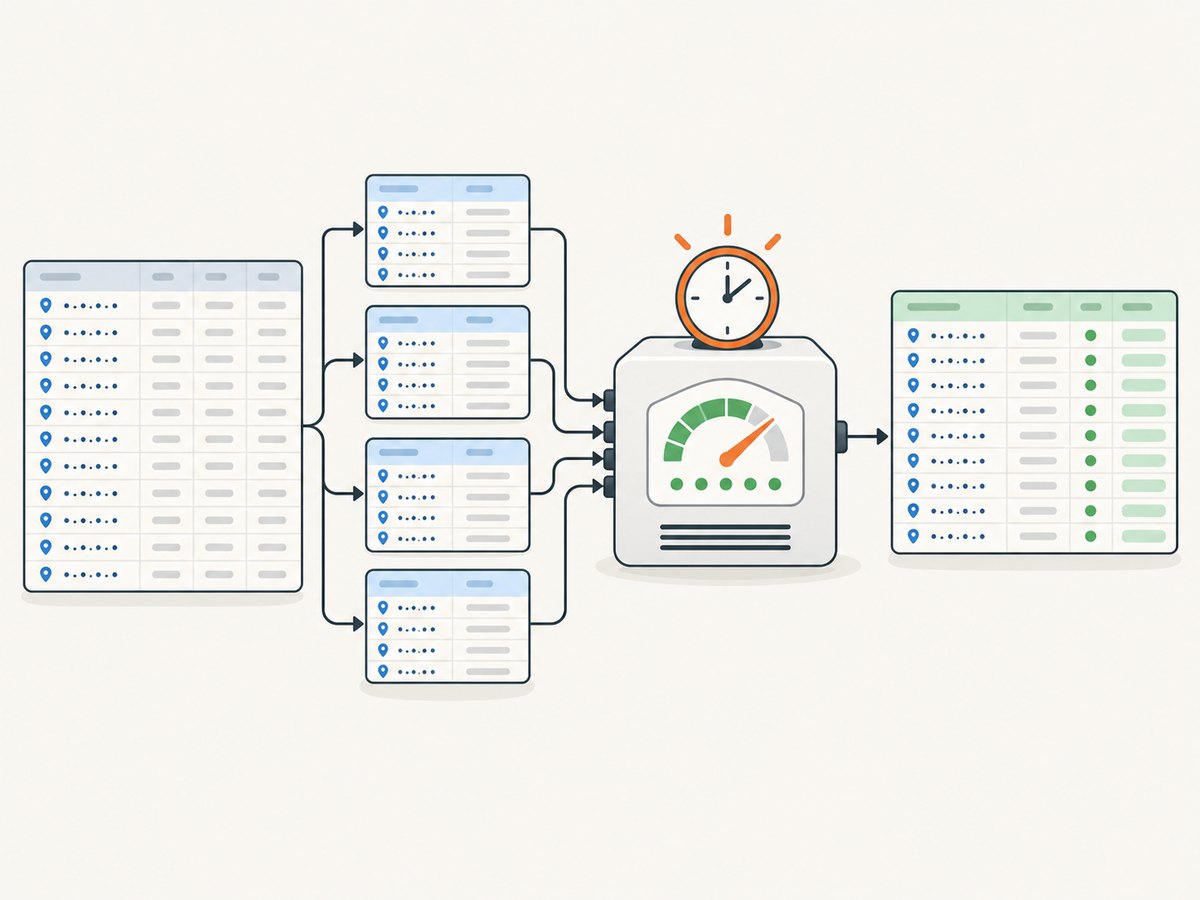
- Fields: for example, business name, address, category, website, and a source identifier. Do not collect extra personal or business information just because it appears on a page.
- Geography: country, region, city, or a bounded area such as postal codes.
- Categories and search terms: decide how you will represent categories and synonyms.
- Freshness: whether a one-time snapshot is enough or records need periodic review.
- Downstream use: internal analysis, display in an app, outreach, or creation of a reusable directory can have different requirements.
This specification lets you compare sources on coverage, fields, update cadence, rights, and total cost rather than choosing one solely because it is easy to query.
2. Prefer an official API, open-data source, or licensed feed when suitable
Look for the source’s own API documentation and terms, an open-data portal, or a commercial licensing route. Confirm the available fields, query limits, attribution, storage period, display rules, permitted reuse, and any regional terms. An API key or successful API response is not, by itself, permission to build a permanent export or a competing directory.
Yelp’s developer documentation describes business search by keyword, category, and location, business matching, and business details. It also points developers to data-licensing products. Confirm current plan availability, fields, and reuse terms for your application before relying on an endpoint. Yelp Places API documentation.
Google’s rules illustrate why technical access and reuse rights must be considered together. Google Maps consumer terms prohibit mass downloads and bulk feeds and restrict using Maps to create or augment certain substitute business-listing databases. Google’s API terms also restrict scraping, database construction, permanent copies, and retention of cached API content unless expressly permitted by the content owner or applicable law. These are Google-specific contractual rules, not a complete statement of scraping law everywhere. Google Maps terms and Google APIs Terms of Service.
Google Places has additional policy requirements for storage and attribution. Its policy says place IDs are exempt from caching restrictions and may be stored indefinitely; that exception applies to place IDs, not all associated listing content. It also identifies separate EEA terms for customers billed in the European Economic Area. Google Places API policies.
Google Business Profile APIs serve management and reporting for listings the user owns or is authorized to manage, including tools serving authorized clients. They are not a general prospecting database; their policies also impose restrictions on certain third-party access and stored content. Google Business Profile API policies.
3. Check the rules for the exact source and use
Before collection, review the source’s live terms, API policies, robots guidance where relevant, and licensing information. Record the version or date you reviewed and who approved the intended use. Check whether the rules differ by region, account type, or how you obtained the data. If the permitted scope is unclear, ask the provider or get qualified advice rather than assuming a technical route is an authorized one.
For Google Maps Platform content, do not assume you can bulk collect listings or use the data to create a substitute listing service. For Places API content, review attribution, caching, display, and regional conditions. For Business Profile, confirm that every managed listing is one you or your client is authorized to manage. For Yelp, distinguish documented search and details capabilities from a separate license that may be needed for broader data use.
4. Plan coverage and queries
Once a source and permitted collection method are selected, make bounded queries using relevant locations and categories or keywords. A single broad search may miss businesses because providers organize categories differently or return a limited result window. Build a coverage plan:
- Divide the target area into appropriately sized, non-overlapping geographic units supported by the source.
- Choose categories and synonyms, then record the query terms used.
- Use pagination or documented search limits where allowed; do not attempt to bypass access controls or rate limits.
- Track query coverage and returned record counts so gaps are visible.
- Compare sources only where their terms allow cross-source combination and reuse.
A Georgia Tech research example describes iterative location-based collection across Foursquare, Yelp, Google Maps, and OpenStreetMap using Python APIs. It is an illustration of a multi-source design, not a current guide to each provider’s access, capabilities, or terms. Georgia Tech research example.
5. A minimal Python workflow for authorized pages
The following example demonstrates careful extraction from a page you are allowed to access. It uses Python’s standard library, requests one explicitly supplied page, parses a business name and address from semantic elements, and writes provenance alongside the result. The selectors are illustrative: inspect the source’s documented markup and adapt them only within your authorized scope. Do not use this as a way to evade access controls, CAPTCHAs, or published limits.
from datetime import datetime, timezone
from html.parser import HTMLParser
from urllib.request import Request, urlopen
import json
import sys

class BusinessParser(HTMLParser):
    def __init__(self):
        super().__init__()
        self.capture = None
        self.values = {"name": [], "address": []}

    def handle_starttag(self, tag, attrs):
        attrs = dict(attrs)
        if tag == "h1" and "business-name" in attrs.get("class", "").split():
            self.capture = "name"
        elif tag == "address":
            self.capture = "address"

    def handle_endtag(self, tag):
        if tag in ("h1", "address"):
            self.capture = None

    def handle_data(self, data):
        if self.capture:
            value = " ".join(data.split())
            if value:
                self.values[self.capture].append(value)

def main():
    if len(sys.argv) != 2:
        raise SystemExit("Usage: python collect.py https://authorized.example/listing")
    url = sys.argv[1]
    request = Request(url, headers={"User-Agent": "ResearchCollector/1.0 (contact: data@example.org)"})
    with urlopen(request, timeout=20) as response:
        if response.status != 200:
            raise RuntimeError(f"Unexpected HTTP status: {response.status}")
        html = response.read(2_000_000).decode("utf-8", errors="replace")
    parser = BusinessParser()
    parser.feed(html)
    record = {
        "name": " ".join(parser.values["name"]).strip() or None,
        "address": " ".join(parser.values["address"]).strip() or None,
        "source_url": url,
        "retrieved_at": datetime.now(timezone.utc).isoformat(),
    }
    print(json.dumps(record, ensure_ascii=False))

if __name__ == "__main__":
    main()
Save this as collect.py and run python collect.py 'https://authorized.example/listing', replacing the example URL with a page whose collection and use are permitted. The script deliberately handles one page and emits JSON; it is not a bulk crawler. For an approved API, prefer the provider’s documented client or endpoint and use its authentication, pagination, and response schema instead of parsing HTML.
Extending the workflow safely
- Pagination: use only documented pagination and stay within query limits. Persist a cursor or page token so a restart does not repeat completed work.
- Rate control: follow published limits and back off on transient errors. Do not rotate identities or proxies to defeat limits.
- Validation: check required fields, normalize whitespace, and reject malformed records into a review queue rather than silently dropping them.
- Provenance: retain source ID, source URL, retrieval time, and query parameters where allowed. This makes corrections and deletion requests traceable.
- Data minimization: store only fields needed for the stated purpose and apply the source’s permitted retention period.
6. Normalize records, resolve duplicates, and manage updates
Different sources may format the same business differently. Normalize names, addresses, and phone numbers for comparison, but retain original source values as well. Match first on source identifiers when available. For cross-source matching, combine signals such as normalized name, address, and phone rather than relying on name alone. Keep uncertain matches for review: two branches may share a brand name, and one location may legitimately have several categories or phone numbers.
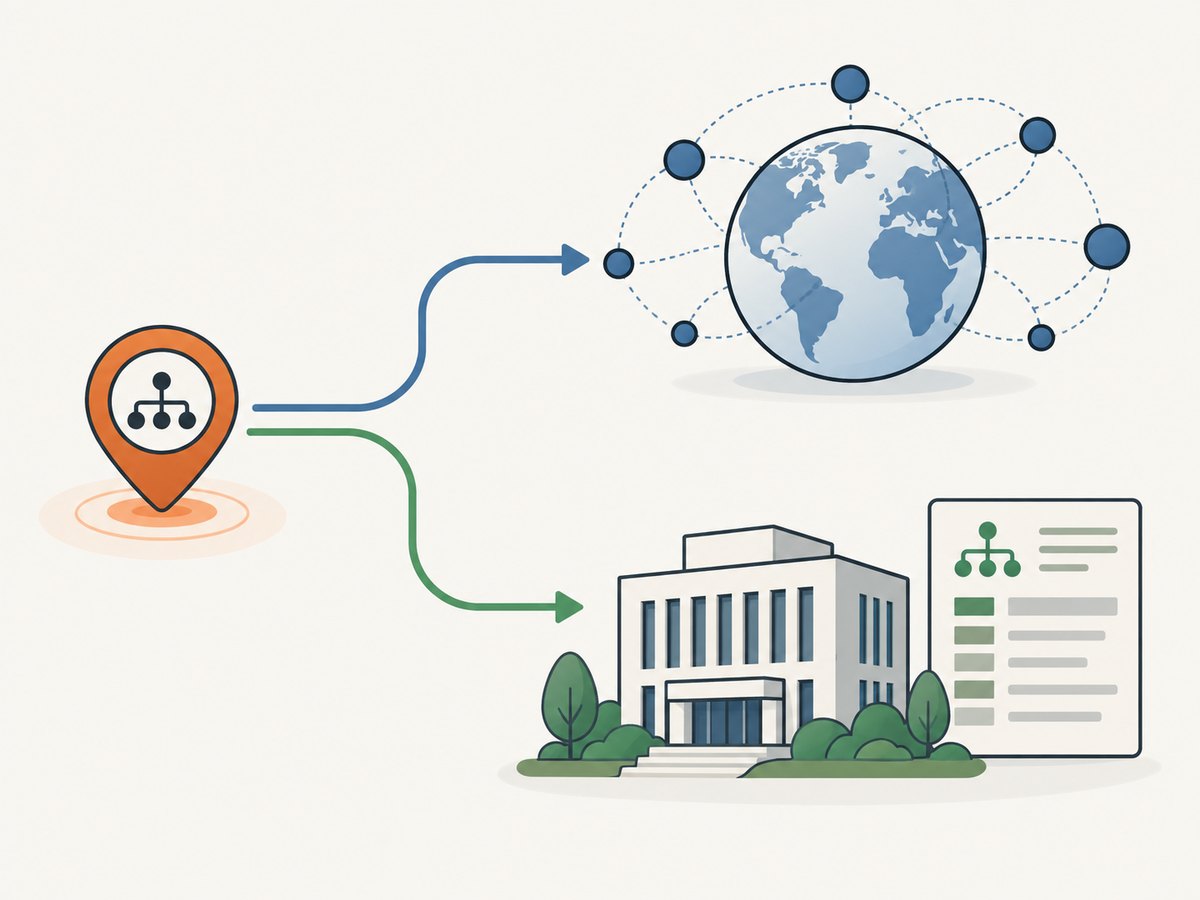
Store source provenance and retrieval timestamps for every record. Schedule refreshes only at a frequency and by a method the source permits. Record whether a field came from an API, licensed feed, or an authorized page. When a business changes or disappears, preserve a history only if your rights allow it; otherwise remove or update content according to the applicable retention rules.
7. Display and retain data according to its source
Keep each provider’s attribution and retention rules attached to the fields they govern. If a dataset combines sources, avoid treating the least restrictive source’s terms as permission for every field. Google’s place ID storage exception is specific: Google states that a place ID can be stored indefinitely, while other Places content remains subject to its policy. Google also specifies attribution requirements and EEA-specific terms for relevant customers. Review the current policy before launch and during maintenance. Google Places API policies.
Build deletion and correction procedures into the data pipeline. If a source withdraws access or a permitted retention period ends, you should be able to identify and remove the affected records rather than relying on manual database searches.
8. Compare sources on more than record count
| Question | Why it matters |
|---|---|
| Geographic and category coverage | Determines whether the source can answer the question across the entire target area. |
| Fields and freshness | Shows whether records contain the needed details and how often they need review. |
| Matching and identifiers | Affects duplicate resolution and future updates. |
| Collection and reuse rights | Controls whether the data may be stored, displayed, combined, or republished. |
| Attribution and retention | Creates implementation and lifecycle requirements. |
| Regional terms and total cost | Can change the viable source or plan for a particular project. |
Yelp’s documented search and matching endpoints make query and matching capabilities relevant in a comparison; its linked licensing route makes reuse rights a separate question. Google’s policy requirements show why storage, display, and regional terms belong in the same comparison as technical coverage. The cited research does not establish current comparative coverage figures or prices, so verify them directly with each provider.
9. Reliability, performance, and cost
For a permitted API workflow, use bounded requests, connection timeouts, retry transient network failures with exponential backoff, and respect documented quotas. Treat authentication errors, invalid parameters, and policy denials as permanent until corrected; repeated retries waste quota and can increase account risk. Log request IDs or source identifiers, status codes, retrieval timestamps, and enough context to reproduce a failed query without storing unnecessary personal data.
For HTML parsing, response size, markup changes, and client-side rendering can affect whether a field appears in the returned document. Keep parsers narrow, validate outputs, and monitor missing-field rates. If a page requires browser rendering, use an authorized method and verify the source permits it; browser automation does not change collection rights. Avoid claiming a universal speed or cost advantage: pricing, quota, and license costs depend on the provider and current plan. A licensed feed may cost more than ad hoc extraction but can simplify update and reuse rights; assess total operating cost, including refreshes, engineering, and compliance work.
10. Troubleshooting
| Symptom | Likely cause | Fix |
|---|---|---|
| HTTP 401 or 403 | Missing or invalid credentials, insufficient API entitlement, or access not permitted. | Check the official authentication steps and account permissions. Do not attempt to bypass a denial. |
| HTTP 429 or quota errors | Request rate or daily quota exceeded. | Reduce request volume, honor retry instructions, and request a suitable plan or quota through the provider. |
| Empty result set | Search terms, category, or geography are too restrictive, or the area has no matching records. | Check parameter formats and query coverage; test a small authorized query with a known expected result. |
| Duplicate businesses | Overlapping geography or different source identifiers represent the same location. | Deduplicate with normalized address and phone plus provenance; review ambiguous matches manually. |
| Missing fields after a page change | Markup or class names changed, or content is rendered client-side. | Prefer an official API or feed; otherwise update the parser only if page extraction remains authorized and validate against a small sample. |
| Records become stale | No refresh plan, or source changes outpace the current schedule. | Set a permitted refresh cadence, track retrieval dates, and remove or update expired data according to the source terms. |
| Unclear right to republish | API availability was mistaken for a broad reuse license. | Review the provider’s licensing and terms for the exact display, storage, and redistribution plan before publishing. |
Or skip the browser setup
If your research involves reviewing how a listing page renders, ScreenshotNeo can return a screenshot from one GET request. Its API captures PNG, JPEG, WebP, or PDF; the example below saves the response body as an image. See the ScreenshotNeo API documentation for request options. A screenshot can help inspect a page, but it does not grant permission to collect or reuse the listing data.
curl -G "https://api.screenshotneo.com/v1/shot" -d access_key=YOUR_API_KEY --data-urlencode url=https://stripe.com -o shot.webpimport requests
r = requests.get("https://api.screenshotneo.com/v1/shot", params={"access_key": "YOUR_API_KEY", "url": "https://stripe.com"}, timeout=90)
open("shot.webp", "wb").write(r.content)const q = new URLSearchParams({ access_key: 'YOUR_API_KEY', url: 'https://stripe.com' });
const res = await fetch(`https://api.screenshotneo.com/v1/shot?${q}`);- Cookie banners are accepted and removed before capture; the service also removes known consent platforms, newsletter popups, and chat widgets. Each step can be turned off.
- Bot checks, blank pages, timeouts, failed loads, and cache hits are not billed; response headers identify the page verdict and billing status.
- An MCP server provides
take_screenshot,get_page_info, andcapture_pdftools for AI agents and MCP clients. - The free plan includes 1,000 screenshots a month with no card. Paid plans start at $5 for 3,000 screenshots.
Sign up for 1,000 free screenshots a month, with no card required.
FAQ
Can I use an API instead of scraping a directory?
Often that is the better starting point, but API access does not automatically grant unrestricted export or republishing rights. Confirm the provider’s specific license and policies.
Does Google Business Profile provide general business leads?
No. Its APIs are scoped to managing and reporting on listings the user owns or is authorized to manage, rather than serving as a general prospecting database.
Can I combine records from multiple directories?
Only after checking the rules for each source and confirming that cross-source combination, storage, and intended display are allowed. Keep provenance per field so the applicable terms remain clear.
How often should I refresh a dataset?
Set the cadence based on the use case and each source’s permitted refresh and retention rules. There is no universal schedule that applies to every directory.
Before you collect
- Specify required fields, geography, freshness, and intended use.
- Check official APIs, open-data sources, and licensing routes first.
- Verify source-specific terms, attribution, storage, reuse, and regional requirements.
- Use bounded documented queries and stay within authorized limits.
- Store only what you need, keep provenance, and plan matching, updates, and deletion.
- Recheck official documentation before launch and during maintenance because terms and APIs can change.


