How to Scrape Business Wire Articles
Learn the compliant way to monitor Business Wire releases with newsroom alerts, RSS, licensed feeds, and an authorized scraping workflow.

Short answer: do not start by scraping BusinessWire.com article pages. For ordinary monitoring, use the Business Wire Newsroom search, filters, saved searches, email alerts, or RSS headline feeds. If you need article text in another system, ask Business Wire about an authorized Atom or licensed full-text feed. Only build an HTML scraper after you have written permission that defines the pages, fields, request rate, retention, and redistribution rights.
Business Wire’s Terms of Use limit site use to submitting releases, retrieving RSS feeds, and reading materials. They also prohibit storing, aggregating, reproducing, or distributing site information without authorization and state that scans of internet-facing websites are prohibited. The terms are effective January 1, 2024, and can change when posted, so review the current version before implementation.
Choose the right Business Wire delivery method
The correct technical approach depends on what you need to do with the releases.
| Goal | Recommended route | What you receive | Permission questions |
|---|---|---|---|
| Watch a few companies or topics | Newsroom search, filters, saved searches, email alerts | Human-readable results and notifications | Usually the simplest monitoring workflow; confirm account and alert terms. |
| Show new headlines in a feed reader | Official RSS | Headlines linking to BusinessWire.com article pages | Confirm feed use, attribution, caching, and display rights. |
| Import full article text | Atom or a licensed full-text feed | Structured full-text content, subject to a license | Confirm retention, redistribution, geography, language, and commercial terms. |
| Build a newsroom or enterprise pipeline | Licensed feed, NX, or FTP/SFTP NewsML delivery | NewsML/XHTML or another agreed delivery format | Obtain a written agreement and current schema/documentation. |
| Capture a visual copy for QA or audit | Authorized browser capture | Image or PDF of the page | Permission must cover capture and storage; an image is not a text license. |
Business Wire says its feeds can cover more than 20 languages and hundreds of geographic regions. The public feed page describes product options but does not publish individual pricing, eligibility, or a blanket grant of rights. Contact Business Wire for those details.
1. Define permission before writing code
Keep the authorization with the project documentation. Record:
- The exact domains, feed URLs, or delivery channels covered.
- Whether you may read, download, parse, store, index, summarize, display, or redistribute content.
- Which fields are allowed: headline, timestamp, body, multimedia, tables, links, release ID, and revision status.
- Maximum request rate, concurrency, time windows, and any IP allow-list requirements.
- Retention period, deletion procedure, attribution wording, and geographic or language limits.
- How corrections, cancellations, and later revisions are delivered.
If the answer is only “the page is publicly readable,” stop and ask for clarification. Public visibility does not establish permission to build a collection or republish it.
2. Use Newsroom search and alerts for personal monitoring
- Open the Business Wire Newsroom and search for the company, ticker, topic, industry, language, or region you follow.
- Apply the available filters to narrow the result set.
- Save the search if you need to repeat it.
- Configure email alerts for new matching releases.
- For an external feed reader, choose the official RSS option and configure its keywords or topic feed.
RSS is a headline-discovery mechanism. The entries link back to the article page; do not treat the feed as permission to copy the linked article body into your own database or site.
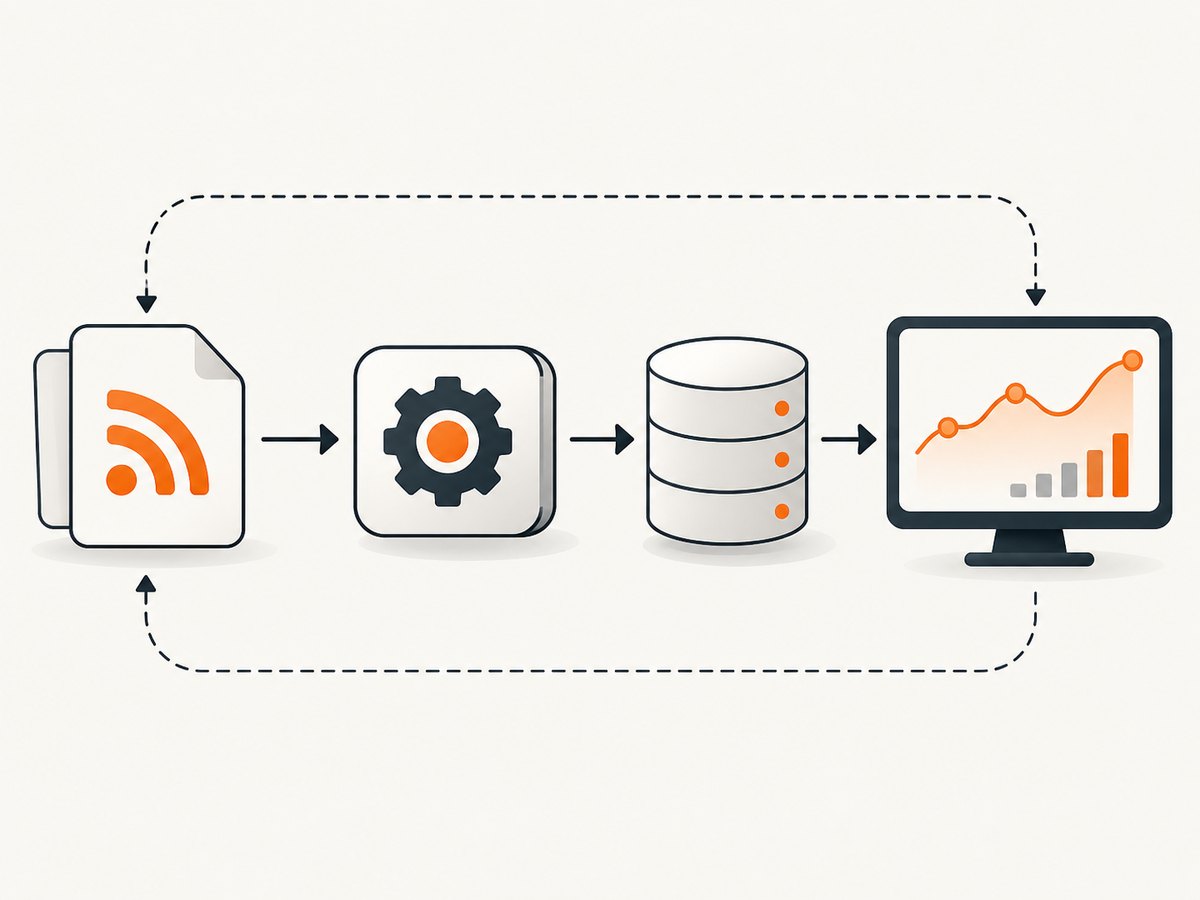
3. Request an authorized full-text feed for integration
When your application needs article text, ask Business Wire about its Atom option or a licensed newsfeed. The official feed-options documentation describes full-text Atom feeds, licensed full-text and headline feeds, and NX or FTP/SFTP delivery in NewsML with XHTML tagging.
Include these questions in your request:
- Is the feed headline-only or full text?
- May the content be stored, searched, translated, summarized, or shown to end users?
- How long may copies remain after a release is corrected or withdrawn?
- Are images, tables, video, and downloadable files included?
- What identifiers and revision or cancellation signals are supplied?
- What delivery options, rate limits, authentication, support, and pricing apply?
4. Parse an authorized RSS or Atom feed
The following Python example is suitable for an RSS or Atom URL that Business Wire has authorized for your use. It stores only the fields shown; adapt the mapping to the feed contract you receive.
import json
from datetime import datetime, timezone
from urllib.parse import urlparse

import feedparser
import requests

FEED_URL = "https://example.com/authorized-business-wire-feed"

parsed_url = urlparse(FEED_URL)
if parsed_url.scheme not in {"https"}:
    raise ValueError("Use the HTTPS URL supplied in your authorization")

response = requests.get(FEED_URL, timeout=30, headers={
    "User-Agent": "authorized-release-monitor/1.0"
})
response.raise_for_status()
feed = feedparser.parse(response.content)

items = []
for entry in feed.entries:
    published = entry.get("published") or entry.get("updated")
    items.append({
        "id": entry.get("id") or entry.get("guid") or entry.get("link"),
        "title": entry.get("title"),
        "published": published,
        "url": entry.get("link"),
        "summary": entry.get("summary"),
    })

with open("releases.json", "w", encoding="utf-8") as output:
    json.dump({"fetched_at": datetime.now(timezone.utc).isoformat(),
               "items": items}, output, ensure_ascii=False, indent=2)

print(f"Saved {len(items)} authorized feed entries")
Install dependencies with python -m pip install requests feedparser. If the licensed feed contains full text, map that field only when your agreement permits storage. Keep the source URL and the feed’s identifier so you can trace each record.
5. Parse article HTML only when it is expressly authorized
Business Wire’s redesigned release pages may include summaries, callouts, rich formatting, financial tables, lists, and multimedia. A selector that works on one page can fail after a layout change. Prefer the structured feed supplied under your agreement. If HTML is the approved source, inspect a small sample, use several fallback selectors, and treat every field except the title and URL as optional.
from bs4 import BeautifulSoup
import requests

ARTICLE_URL = "https://example.com/authorized-article"
response = requests.get(ARTICLE_URL, timeout=30, headers={
    "User-Agent": "authorized-release-parser/1.0"
})
response.raise_for_status()

soup = BeautifulSoup(response.text, "html.parser")

def first_text(selectors):
    for selector in selectors:
        node = soup.select_one(selector)
        if node:
            value = " ".join(node.get_text(" ", strip=True).split())
            if value:
                return value
    return None

title = first_text(["h1", "[data-testid='headline']"])
article = soup.select_one("article")
body = article.get_text(" ", strip=True) if article else None

record = {
    "url": ARTICLE_URL,
    "title": title,
    "body": body,
}
print(record)
The selectors above are generic examples, not a claim about current Business Wire markup. Replace them with selectors validated against the authorized pages and add fixture tests for missing summaries, tables, embedded media, and revised releases.
6. Preserve revisions, cancellations, and metadata
Do not deduplicate solely by headline text. Store the feed or release identifier, publication time, retrieval time, source URL, language, region, and revision or status fields when supplied. Business Wire’s NewsML profile describes XHTML content items and revision identifiers; in that profile, a larger RevisionId represents a later revision. The profile is version 1.18 and dates from 2007, so confirm the current schema with Business Wire before relying on it.
A safe update pattern is:
- Use the source identifier as the stable key.
- Compare the incoming revision or updated timestamp with the stored value.
- Write a new immutable version or an auditable change record.
- Mark canceled or withdrawn items as inactive instead of silently deleting them.
- Propagate corrections to search indexes and downstream caches within the licensed time limit.
7. Reliability and performance checklist
- Rate control: use a queue, exponential backoff for transient errors, and a low fixed concurrency approved by the provider.
- Conditional requests: when the feed supports them, send
If-None-MatchorIf-Modified-Sinceand handle304 Not Modified. - Timeouts: set separate connect and read timeouts; never leave workers waiting indefinitely.
- Idempotency: upsert by release identifier and revision, so retries do not create duplicates.
- Observability: log status code, latency, feed timestamp, item count, parser version, and validation failures without logging secrets.
- Markup changes: alert when required fields disappear or the item count drops unexpectedly.
- Storage: encrypt any permitted article text, enforce retention, and keep an audit trail of deletion.
- Cost: RSS and alerts reduce engineering and licensing costs for monitoring; full-text feeds may have commercial terms that must be confirmed directly.

8. Troubleshooting common failures
| Symptom | Likely cause | Fix |
|---|---|---|
| 403 or 401 response | Missing authorization, expired credentials, or disallowed endpoint | Check the written agreement and credentials; contact Business Wire instead of rotating user agents. |
| 429 response | Request rate is too high | Reduce concurrency, honor retry headers, add exponential backoff, and request an approved limit. |
| Empty RSS entries | Keyword or feed configuration excludes the release | Test the saved search and feed keywords in the Newsroom; verify the feed URL. |
| Article body is missing | Headline feed, not a full-text license | Use the link for human reading or ask about Atom/licensed full text. |
| Parser returns no title | Markup changed or a consent/interstitial page was returned | Save the response safely, inspect content type, update approved selectors, and alert on unexpected templates. |
| Duplicate releases | Deduplication by title or URL only | Use the source identifier plus revision/status metadata. |
| Stale corrected copy | Updates are ignored | Compare revision IDs or updated timestamps and reprocess later versions. |
| Images or tables absent | Feed contract excludes rich media | Confirm whether the licensed format includes those assets; do not scrape extra fields by assumption. |
Or skip the browser setup
If your task is to create a visual snapshot of an authorized Business Wire page for QA, review, or an internal record, ScreenshotNeo provides a single screenshot request. It accepts a URL and returns PNG, JPEG, WebP, or PDF. Cookie and consent banners, newsletter popups, and chat widgets are removed before the shot; bot checks, blank pages, timeouts, failed loads, and cache hits are not billed. Responses identify the page verdict and billing status with X-Page-Verdict and X-Billed headers. Use it only where your permission covers capturing and retaining the page.
See the ScreenshotNeo documentation for authentication and options.
cURL
curl -G "https://api.screenshotneo.com/v1/shot" \
  -d access_key=YOUR_API_KEY \
  --data-urlencode url=https://www.businesswire.com/news/home/20260101005000/en/example-release \
  -o business-wire.webp
Python
import requests

r = requests.get(
    "https://api.screenshotneo.com/v1/shot",
    params={
        "access_key": "YOUR_API_KEY",
        "url": "https://www.businesswire.com/news/home/20260101005000/en/example-release",
    },
    timeout=90,
)
r.raise_for_status()
open("business-wire.webp", "wb").write(r.content)
print(r.headers.get("X-Page-Verdict"), r.headers.get("X-Billed"))
Node.js
const q = new URLSearchParams({
  access_key: 'YOUR_API_KEY',
  url: 'https://www.businesswire.com/news/home/20260101005000/en/example-release'
});
const res = await fetch(`https://api.screenshotneo.com/v1/shot?${q}`);
if (!res.ok) throw new Error(`HTTP ${res.status}`);
const bytes = Buffer.from(await res.arrayBuffer());
await import('node:fs/promises').then(fs => fs.writeFile('business-wire.webp', bytes));
console.log(res.headers.get('X-Page-Verdict'), res.headers.get('X-Billed'));
ScreenshotNeo also supports full-page captures with lazy images loaded, CSS-selector element shots, custom JavaScript and CSS, waits for selectors or network idle, request blocking, headers and cookies, device presets, PDFs, caching with a chosen TTL, signed links, asynchronous jobs, webhooks, bulk capture, and an MCP server with take_screenshot, get_page_info, and capture_pdf for AI agents. Those capabilities help with visual workflows; they do not grant rights to copy Business Wire text.
There are 1,000 screenshots per month free with no card. Paid plans start at $5 for 3,000 shots. Create a free ScreenshotNeo account.
Frequently asked questions
Can I scrape Business Wire article pages because they are public?
Public readability is not blanket permission. The Terms of Use restrict storing, aggregating, reproducing, and distributing site information and prohibit scans of internet-facing websites. Obtain written authorization.
Is RSS enough to build a news dashboard?
RSS is appropriate for headline discovery and links back to BusinessWire.com. Ask about a licensed full-text feed if your dashboard needs article bodies.
What is the difference between Atom and RSS here?
The feed-options documentation describes RSS as headlines and Atom as a full-text option. Confirm the exact fields and rights in your agreement.
How should I handle a revised release?
Store the source identifier and revision or status metadata, then update downstream records when a later revision arrives. Do not rely on title matching.
Can ScreenshotNeo extract the article text?
ScreenshotNeo captures an image or PDF of an authorized URL. Use an approved Business Wire feed for text extraction and storage.


