How to Scrape Camping Wagner Product Pages
Extract Camping Wagner product data reliably with JSON-LD parsing, browser automation, retries, caching, and a production-ready Python scraper.
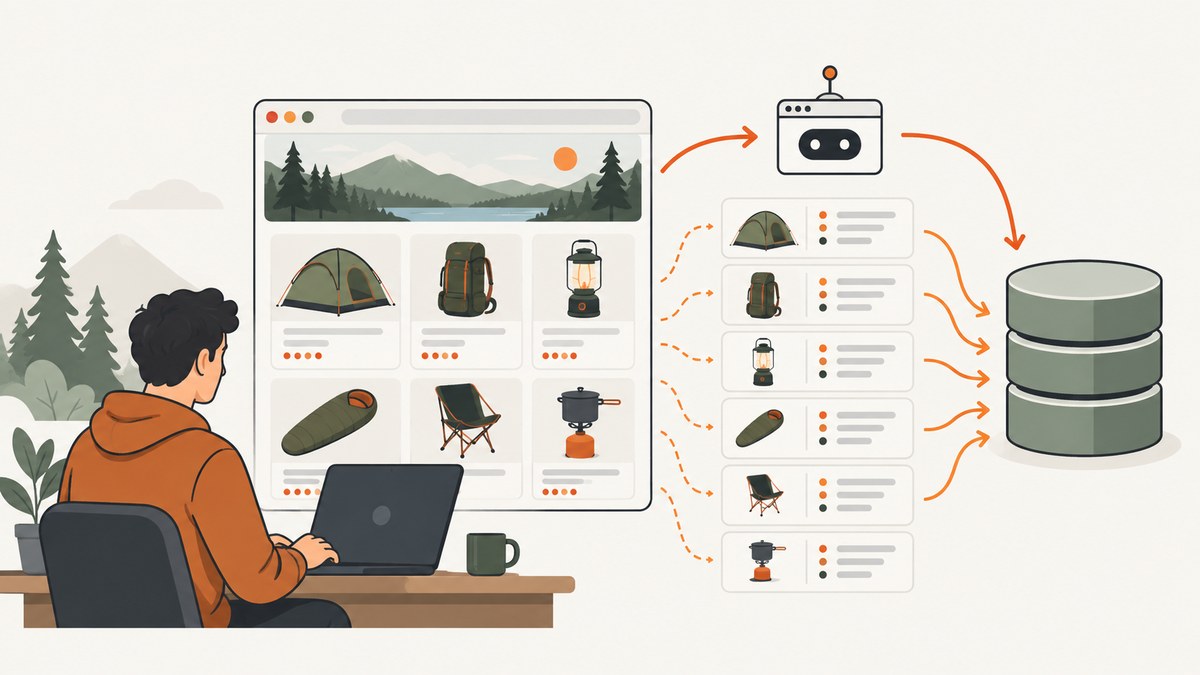
Direct answer: scrape Camping Wagner product pages with a browser-capable client, save the raw HTML, parse the page’s application/ld+json Product object first, and use visible HTML as a fallback. Queue URLs from category pages, search results, or a sitemap, throttle requests, cache unchanged pages, and retry transient failures with bounded backoff. Treat HTTP 403 as an access refusal, 503 as a server-side failure, and status 0 as a timeout or no response.
Camping Wagner sells more than 40,000 camping, caravanning and outdoor items, so a one-off script can become a recurring catalog pipeline quickly. The workflow below is designed for both a single product lookup and scheduled price and stock refreshes.
1. Check access and define the fields
Before collecting anything, read Camping Wagner’s site terms and robots.txt. Identify the minimum fields you need: URL, product name, product ID or SKU, price, currency, availability, canonical URL, fetch timestamp and parser version. A narrow field list reduces load and makes later audits easier.
Do not assume every product URL is known in advance. Product pages commonly use a three-segment slug pattern such as /{slug}/{slug}/{slug}, but build your queue from publicly exposed category pages, search results or a sitemap when available. Keep a deduplicated URL table and record where each URL came from.
2. Install a browser-capable Python client
Plain HTTP requests may receive an incomplete shell, a bot challenge or a page that needs JavaScript. Use a browser-capable path for the initial fetch and retain the returned HTML for debugging.

python -m venv .venv
source .venv/bin/activate
pip install playwright beautifulsoup4 lxml
playwright install chromium
The following script opens a product page, waits for useful content, saves the raw response, parses JSON-LD, and falls back to visible HTML for missing values.
import asyncio
import json
import re
from datetime import datetime, timezone
from pathlib import Path
from urllib.parse import urljoin

from bs4 import BeautifulSoup
from playwright.async_api import async_playwright

URL = "https://www.campingwagner.com/REPLACE/WITH/A/REAL-PRODUCT-URL"


def text_or_none(node):
    return node.get_text(" ", strip=True) if node else None


def find_product(value):
    if isinstance(value, dict):
        kind = value.get("@type")
        if kind == "Product" or (isinstance(kind, list) and "Product" in kind):
            return value
        for child in value.values():
            found = find_product(child)
            if found:
                return found
    elif isinstance(value, list):
        for child in value:
            found = find_product(child)
            if found:
                return found
    return None


def parse_product(html, final_url):
    soup = BeautifulSoup(html, "lxml")
    product = None
    for script in soup.select('script[type="application/ld+json"]'):
        try:
            data = json.loads(script.string or script.get_text())
        except json.JSONDecodeError:
            continue
        product = find_product(data)
        if product:
            break

    offers = (product or {}).get("offers", {})
    if isinstance(offers, list):
        offers = offers[0] if offers else {}

    name = (product or {}).get("name") or text_or_none(soup.select_one("h1"))
    price = offers.get("price") or text_or_none(soup.select_one('[class*="price"], [data-price]'))
    currency = offers.get("priceCurrency")
    availability = offers.get("availability")
    if not availability:
        availability = text_or_none(soup.select_one('[class*="stock"], [class*="availability"]'))

    return {
        "url": final_url,
        "name": name,
        "price": price,
        "currency": currency,
        "availability": availability,
        "sku": (product or {}).get("sku"),
        "source": "json-ld" if product else "visible-html",
        "fetched_at": datetime.now(timezone.utc).isoformat(),
        "parser_version": "1.0.0",
    }


async def main():
    async with async_playwright() as pw:
        browser = await pw.chromium.launch(headless=True)
        page = await browser.new_page()
        response = await page.goto(URL, wait_until="domcontentloaded", timeout=90000)
        await page.wait_for_timeout(1500)
        html = await page.content()
        Path("camping-wagner-product.html").write_text(html, encoding="utf-8")
        result = parse_product(html, page.url)
        result["http_status"] = response.status if response else None
        print(json.dumps(result, ensure_ascii=False, indent=2))
        await browser.close()


asyncio.run(main())
3. Parse JSON-LD before CSS selectors
Product pages usually carry an ld+json Product block with name, price, currency and availability. Structured data is less coupled to visual layout than CSS selectors, so make it your primary parser. A Product object can be nested in a graph, an array or a script containing several schema objects; the recursive find_product function handles those forms.
Normalize values before storing them. Convert prices to a decimal type, preserve the original currency, normalize availability URLs such as https://schema.org/InStock to a controlled value, and retain the original JSON-LD fragment when an audit trail matters. A missing field is different from an empty value: store null and the parser source rather than silently guessing.
4. Build a URL queue safely
- Fetch a category, search or sitemap page.
- Extract absolute links and keep only Camping Wagner product URLs.
- Normalize fragments, tracking parameters and trailing slashes.
- Deduplicate URLs and store discovery source and timestamp.
- Process a small sample manually before scheduling the full queue.
Do not manufacture URLs from the three-segment pattern. Use real links discovered from public listings. Keep failed URLs in a separate queue with status, error class, attempt count and next retry time.
5. Handle 403, 503 and status 0
| Result | Meaning | Action |
|---|---|---|
| 403 | Access refused or bot protection triggered | Slow down, use a browser-capable client and JavaScript token where your provider supports it. Do not hammer the URL. |
| 503 | Temporary server-side failure | Retry with exponential backoff and jitter, then quarantine after the retry limit. |
| Status 0 | Timeout, connection failure or no response | Check timeout and network settings, retry a bounded number of times, and record the failure separately. |
Use a retry schedule such as 2, 8 and 32 seconds with random jitter. Retry only transient classes; repeatedly retrying a 403 increases load without fixing access. The Crawlbase site-specific recipe reports a 99.8% success rate, 99.6% JavaScript-token share among successful calls and an 8.8-second median response time in its August 2026 request logs. Those are Crawlbase measurements, not universal Camping Wagner benchmarks. Its recipe also describes one credit for a plain request and two credits for the JavaScript-token path; verify current pricing before committing to a tier.
6. Add throttling, caching and change detection
Limit concurrency, add a delay between requests and cache successful HTML. For recurring refreshes, hash the normalized JSON-LD and skip downstream processing when the hash is unchanged. Keep a last-seen price and availability so you can distinguish a real catalog change from a parser regression.
For large queues, use a worker queue and a callback mechanism rather than holding one process open. Record request start, response time, status, retry count and parser result. Schedule high-value products more frequently than long-tail items. Re-fetch a small canary set after every parser change.
7. Extract fields that JSON-LD does not contain
JSON-LD may omit variant-level stock, delivery text, badges or specification tables. Use visible HTML only for fields you can identify with stable attributes. Prefer data-* attributes, semantic elements and product-component selectors over deeply nested class chains. When a product has color, size or pack variants, store one record per variant if the page exposes distinct prices or availability; otherwise store the selected variant and the selection state.
Never infer “in stock” from a price alone. If structured data and visible text disagree, retain both values, flag the record for review and capture the timestamp. This protects downstream users from silently publishing stale stock.
8. cURL, Python and Node.js request examples
These examples show a browser-capable scraping gateway pattern. Replace the endpoint and credentials with the provider you have selected, and confirm its current API contract.
curl -G "https://YOUR-CRAWLER-ENDPOINT" \
  --data-urlencode "url=https://www.campingwagner.com/REPLACE/WITH/A/REAL-PRODUCT-URL" \
  --data-urlencode "javascript=true" \
  -H "Authorization: Bearer YOUR_TOKEN" \
  -o product.html
import requests
url = "https://www.campingwagner.com/REPLACE/WITH/A/REAL-PRODUCT-URL"
r = requests.get(
"https://YOUR-CRAWLER-ENDPOINT",
params={"url": url, "javascript": "true"},
headers={"Authorization": "Bearer YOUR_TOKEN"},
timeout=90,
)
r.raise_for_status()
open("product.html", "wb").write(r.content)const target = 'https://www.campingwagner.com/REPLACE/WITH/A/REAL-PRODUCT-URL';
const q = new URLSearchParams({ url: target, javascript: 'true' });
const res = await fetch(`https://YOUR-CRAWLER-ENDPOINT?${q}`, {
headers: { Authorization: 'Bearer YOUR_TOKEN' }
});
if (!res.ok) throw new Error(`${res.status} ${res.statusText}`);
const html = await res.text();9. Validate and monitor the pipeline
- Require a canonical URL and fetch timestamp.
- Alert when Product JSON-LD disappears from the canary set.
- Track proportions of JSON-LD versus fallback parses.
- Reject impossible price formats and unknown currencies.
- Store raw HTML for a limited retention period appropriate to your audit needs.
- Review robots.txt and terms whenever your crawl scope changes.
Keep affiliate use separate from extraction. CampingWagner DE has an Awin merchant profile whose published terms prohibit duplicate product-link use and prohibit SEM and PLA advertising in the merchant’s name. Check the current Awin terms before placing any affiliate links.
10. Or skip the browser setup
ScreenshotNeo can capture the rendered Camping Wagner page with one GET request while you keep your own JSON-LD parser for data extraction. See the ScreenshotNeo API documentation for all options.

curl -G "https://api.screenshotneo.com/v1/shot" -d access_key=YOUR_API_KEY --data-urlencode url=https://stripe.com -o shot.webpimport requests
r = requests.get("https://api.screenshotneo.com/v1/shot", params={"access_key": "YOUR_API_KEY", "url": "https://stripe.com"}, timeout=90)
open("shot.webp", "wb").write(r.content)const q = new URLSearchParams({ access_key: 'YOUR_API_KEY', url: 'https://stripe.com' });
const res = await fetch(`https://api.screenshotneo.com/v1/shot?${q}`);Before capture, cookie banners, newsletter popups and chat widgets are removed. Bot checks, blank pages and failed loads are never billed, and the response identifies the page verdict and billing result in X-Page-Verdict and X-Billed headers. ScreenshotNeo also provides an MCP server so Claude, Cursor and other MCP clients can take screenshots, inspect pages and create PDFs. The Free plan includes 1,000 screenshots a month with no card; paid plans start at $5 for 3,000 shots. Create a free ScreenshotNeo account.
11. Troubleshooting checklist
There is no JSON-LD
Save the raw HTML and confirm the browser waited for the product content. If the page still has no schema, use stable visible selectors, mark the record as fallback parsed and add a canary test.
The price is empty or malformed
Inspect whether price is nested under offers, whether multiple offers exist, and whether a locale uses comma decimals. Preserve currency and parse with a decimal library.
Stock changes between requests
Record variant selection, timestamp and both structured and visible values. Treat disagreement as a review flag instead of choosing one silently.
Requests time out
Raise the browser navigation timeout moderately, wait for a specific product selector instead of an arbitrary long sleep, and retry status 0 with bounded backoff. Avoid unlimited concurrency.
403 persists
Stop retrying rapidly. Check terms and robots.txt, reduce rate, use a supported browser-capable route and contact the provider if its JavaScript-token path is required.
12. FAQ
Can I scrape every product daily?
Technically you can schedule recurring crawls, but choose a cadence based on required freshness, site rules, request cost and load. Start with a small representative sample.
Is JSON-LD enough for a catalog?
It is the best first source for name, price, currency and availability, but variants, delivery text and specifications may require visible HTML.
Should I store the HTML?
Yes, for a bounded retention period. Raw responses make parser debugging and audit reviews possible.
What should happen when a page disappears?
Mark it unavailable after repeated confirmed failures; do not delete historical records immediately. Preserve the last successful fetch and failure history.
Can ScreenshotNeo replace a data extractor?
It captures rendered pages and is useful for evidence, visual checks and agent workflows. Use your own parser or a dedicated crawler when you need structured catalog fields.


