How to Scrape Carrefour Prices and Store Availability
Build a reliable Carrefour price and availability scraper that preserves store context, fulfillment mode, seller, promotions, and timestamps.
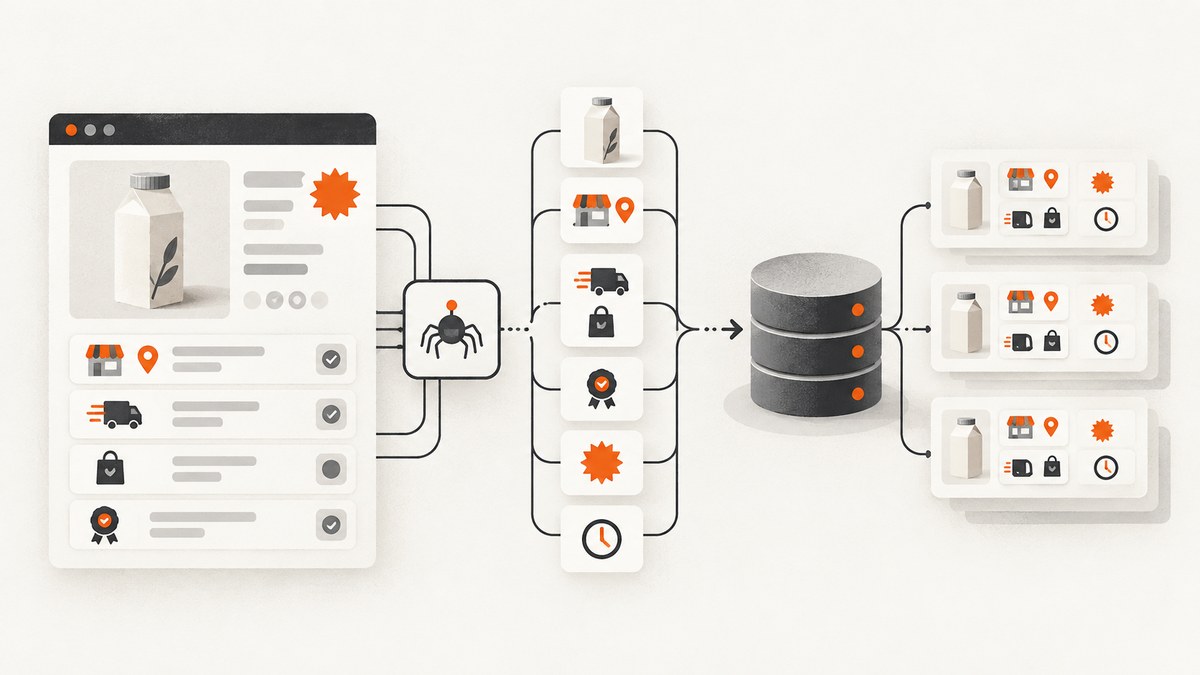
Carrefour prices and stock are contextual. The same product can show a different value after you choose a country, postal code, store, Drive location, Click & Collect option, or delivery area. A useful scraper therefore records the shopping context together with every observation.
This guide shows how to collect product prices and store availability with ordinary HTTP requests when possible, use a browser only for client-rendered pages, model the resulting data, handle promotions and marketplace sellers, and operate the scraper without confusing catalog visibility with guaranteed stock.
1. What you should capture
Start with a record that can answer: “What did Carrefour show, for whom, where, and when?” At minimum, store these fields:
| Field | Purpose |
|---|---|
| country and site | Carrefour services and catalogs are country-specific. |
| product URL and product identifier | Allows a later audit and prevents pack-size confusion. |
| name and pack size | Separates 500 g, 1 kg, multipacks, and variants. |
| shelf price, currency, and unit price | Supports fair comparisons across pack sizes. |
| promotion state | Preserves discounted price, original price, and promotion text. |
| availability text and status | Records what the page says at capture time. |
| selected store or delivery zone | Price and availability can depend on the location. |
| fulfillment mode | Keep store shopping, Drive, Click & Collect, and home delivery separate. |
| seller and channel | Marketplace offers may come from Carrefour or a third-party seller. |
| observed_at | Stock and promotions are volatile. |
| source URL and evidence | Retain the URL, raw response, or rendered screenshot for review. |
Carrefour’s Group stores information describes country-specific online services connected to stores. Carrefour France’s sales terms state that prices depend on the chosen delivery or pickup location. In practice, never compare two values unless their country, location, and fulfillment mode are known.
2. Respect the site and choose the right page strategy
Before deployment, inspect the current robots.txt, terms, authentication flow, and request behavior for the country site you use. A Carrefour technical cookbook reports disallowed paths such as /set-store, /get-store, and /webview; those paths may change, so check the live directives instead of copying an old rule.
Use this decision tree:
- Product page: request the page and parse visible data plus JSON-LD. Product pages commonly expose price in JSON-LD and often do not require a browser.
- Search or category page: use a browser-capable session only if the product grid is rendered by JavaScript.
- Store selection: establish the location through the normal site flow. Do not assume the default store represents the user.
- Drive or delivery: treat each as a separate observation, even for the same product and store.
Do not bypass bot checks, CAPTCHAs, access controls, or a robots directive. Keep request rates low, identify your application where appropriate, and stop when the site asks you to stop.
3. A minimal product-page scraper in Python
The following example fetches a product page, reads JSON-LD, and stores an observation. Replace the URL with a page you are authorized to access. It deliberately leaves location and fulfillment as explicit inputs rather than pretending the page has a universal price.
import json
import re
from datetime import datetime, timezone
from decimal import Decimal
from urllib.parse import urljoin

import requests
from bs4 import BeautifulSoup

PRODUCT_URL = "https://www.carrefour.fr/p/example-product"
COUNTRY = "FR"
SELECTED_LOCATION = "75001"
FULFILLMENT = "delivery"  # store, drive, click_collect, or delivery

headers = {"User-Agent": "price-research/1.0 (+contact@example.com)"}
r = requests.get(PRODUCT_URL, headers=headers, timeout=30)
r.raise_for_status()
soup = BeautifulSoup(r.text, "html.parser")

jsonld_items = []
for node in soup.select('script[type="application/ld+json"]'):
    try:
        value = json.loads(node.string or node.get_text())
        jsonld_items.extend(value if isinstance(value, list) else [value])
    except json.JSONDecodeError:
        continue

product = next((x for x in jsonld_items if x.get("@type") == "Product"), {})
offers = product.get("offers", {})
if isinstance(offers, list):
    offers = offers[0] if offers else {}

observation = {
    "country": COUNTRY,
    "location": SELECTED_LOCATION,
    "fulfillment": FULFILLMENT,
    "source_url": PRODUCT_URL,
    "product_id": product.get("sku") or product.get("mpn"),
    "name": product.get("name"),
    "price": offers.get("price"),
    "currency": offers.get("priceCurrency"),
    "availability": offers.get("availability"),
    "observed_at": datetime.now(timezone.utc).isoformat(),
    "raw_offer": offers,
}
print(json.dumps(observation, ensure_ascii=False, indent=2))
JSON-LD is a useful source, not a guarantee that every country site exposes every field. Parse the visible price and availability text as a second signal, and keep the raw response when you need an audit trail.
4. Parse visible fields and promotions defensively
Prices may be formatted with a comma decimal separator, a non-breaking space, a currency symbol, or a unit price such as €/kg. Keep the original text and a normalized numeric value. Do not overwrite a shelf price with a promotional price: store both and record the promotion label.
from decimal import Decimal
import re

def parse_euro(text):
    if not text:
        return None
    cleaned = text.replace("\u00a0", " ").replace("€", "")
    cleaned = re.sub(r"[^0-9,.-]", "", cleaned)
    if "," in cleaned and "." in cleaned:
        cleaned = cleaned.replace(".", "").replace(",", ".")
    else:
        cleaned = cleaned.replace(",", ".")
    try:
        return Decimal(cleaned)
    except Exception:
        return None

print(parse_euro("2,49 €"))
Also capture “per kg”, “per litre”, or another unit when shown. Comparing a 750 g pack with a 1 kg pack using only the shelf price produces a misleading result.
5. Establishing store, Drive, and delivery context
Use the same sequence a customer uses:
- Open the correct country site and record the locale.
- Choose store shopping, Drive, Click & Collect, or delivery.
- Enter the postal code, delivery area, or store identifier.
- Wait until the site confirms the selected context.
- Load the product or search page.
- Read price and availability only after the context is visible.
Persist a context object alongside every product:
{
  "country": "FR",
  "site": "carrefour.fr",
  "service": "drive",
  "store_id": "1234",
  "postal_code": "75001",
  "selected_at": "2026-09-29T10:00:00Z"
}
Cookies or local storage may hold this choice. If you use a browser, save the session only for the permitted scope and expire it when the location changes. A session that silently falls back to a default store can create a complete-looking but incorrect dataset.
6. Browser automation for client-rendered search pages
Search and category pages can render their product grid after JavaScript runs. With Playwright, wait for a stable product selector, then extract the rendered DOM. Keep the browser path separate from the HTTP path so a markup change does not break every collection job.
import asyncio
from playwright.async_api import async_playwright

async def collect(url, postal_code):
    async with async_playwright() as p:
        browser = await p.chromium.launch(headless=True)
        page = await browser.new_page(locale="fr-FR")
        await page.goto(url, wait_until="domcontentloaded", timeout=60000)
        # Complete the site's normal location flow here when required.
        await page.wait_for_selector("[data-testid='product-card']", timeout=30000)
        cards = await page.locator("[data-testid='product-card']").all()
        rows = []
        for card in cards:
            rows.append({
                "name": await card.locator("[data-testid='product-name']").inner_text(),
                "price_text": await card.locator("[data-testid='price']").inner_text(),
                "availability_text": await card.locator("[data-testid='availability']").inner_text(),
                "postal_code": postal_code,
                "url": await card.locator("a").get_attribute("href"),
            })
        await browser.close()
        return rows

print(asyncio.run(collect("https://www.carrefour.fr/s", "75001")))
Selectors in this example are placeholders: inspect the current country site and use stable attributes where available. If the site changes, update selectors and add a fixture page to your parser tests.
7. Marketplace offers and availability semantics
Carrefour marketplace data needs seller fields. Preserve whether an offer is sold by Carrefour or a third-party seller, the seller name, offer price, promotional price, condition, and quantity or availability text. Two offers for the same product identifier are not interchangeable if their sellers, delivery promises, or conditions differ.
Catalog visibility is not guaranteed stock. Carrefour indicates that offers and prices apply while visible and available, and its terms explain that adding an item to a cart does not validate the final order. Timestamp every observation and label it as an observed page state, not a promise of fulfillment.
8. Scaling collection safely
- Use a queue keyed by country, service, location, and product URL.
- Cache product pages for a chosen period; do not repeatedly fetch unchanged pages.
- Use exponential backoff for transient 429 and 5xx responses.
- Limit browser concurrency because each browser context consumes considerably more memory than an HTTP request.
- Store raw evidence for a sample of records and whenever a parser sees an unknown layout.
- Recheck robots.txt, terms, and country behavior before every production rollout.
A Carrefour cookbook reports a 92.4% success rate for its measured calls in August 2026 and says 11.0% of successful calls used a JavaScript token. Those are Crawlbase vendor test metrics for that workload, not a universal Carrefour benchmark. Expect different results by country, page type, location flow, and time.
9. Common errors and fixes
| Symptom | Likely cause | Fix |
|---|---|---|
| Price is missing in HTML | Client-side rendering | Use JSON-LD if present; otherwise use a browser and wait for the product grid. |
| Every product has the same price | Location selection was not completed | Verify the selected store or postal code in the session before extraction. |
| Stock changes between runs | Availability is volatile | Timestamp observations and treat them as snapshots. |
| 429 Too Many Requests | Rate too high or a protection layer | Back off, reduce concurrency, cache results, and review the site’s rules. |
| CAPTCHA or bot check | Automated traffic was challenged | Do not attempt to defeat it; stop or use an authorized access method. |
| Wrong currency or pack comparison | Country or unit context was dropped | Store country, currency, pack size, and unit price as separate fields. |
| Marketplace result looks cheaper | Seller or channel differs | Keep seller, condition, shipping, and fulfillment fields in the comparison. |
| Parser breaks after a redesign | Markup or labels changed | Retain raw HTML, alert on missing fields, and update selectors by country. |
10. Or skip the browser setup
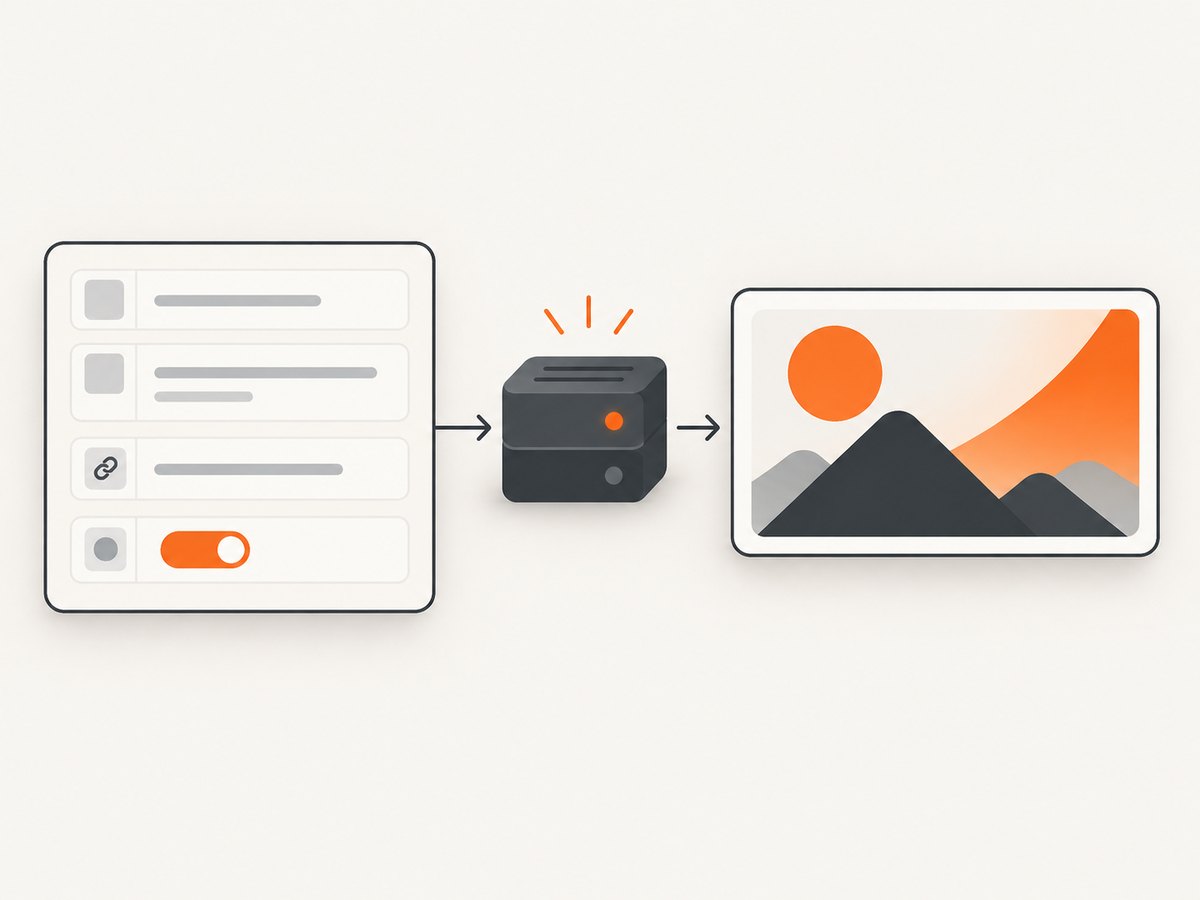
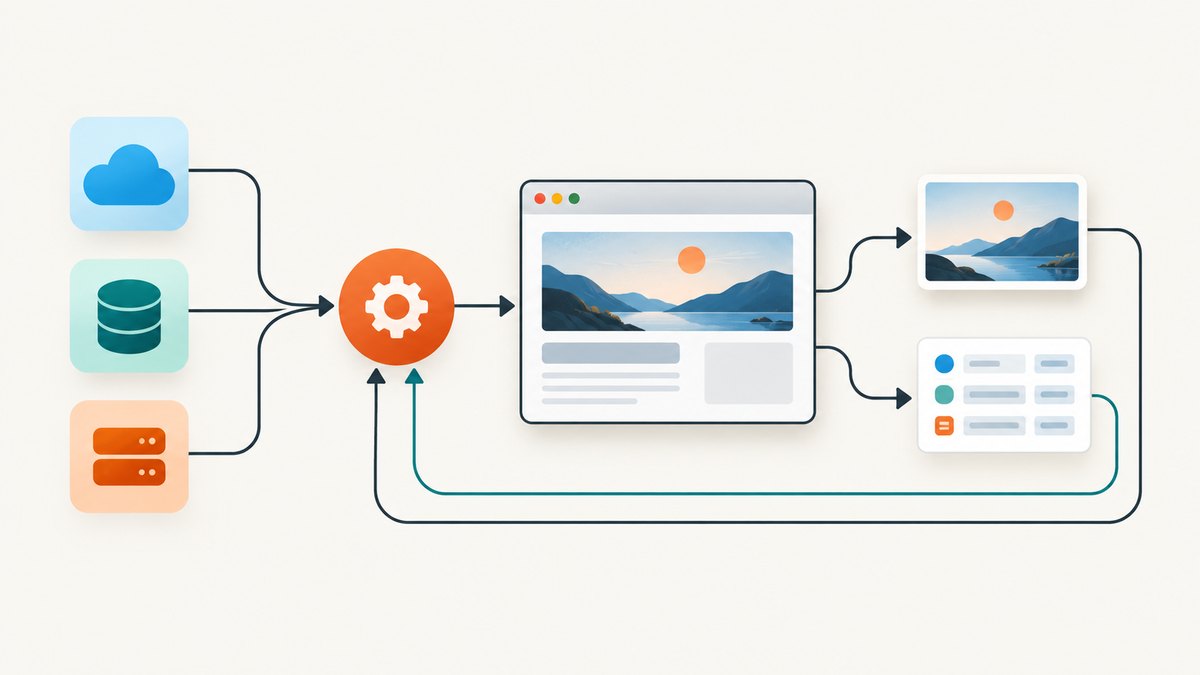
ScreenshotNeo provides a website screenshot API and MCP server. Use it when you need rendered evidence of a Carrefour page without maintaining browser infrastructure. The API accepts a URL and returns PNG, JPEG, WebP, or PDF. See the ScreenshotNeo API documentation for the full option list.
curl -G "https://api.screenshotneo.com/v1/shot" -d access_key=YOUR_API_KEY --data-urlencode url=https://www.carrefour.fr -o carrefour.webpimport requests
r = requests.get("https://api.screenshotneo.com/v1/shot", params={"access_key": "YOUR_API_KEY", "url": "https://www.carrefour.fr"}, timeout=90)
r.raise_for_status()
open("carrefour.webp", "wb").write(r.content)const q = new URLSearchParams({ access_key: 'YOUR_API_KEY', url: 'https://www.carrefour.fr' });
const res = await fetch(`https://api.screenshotneo.com/v1/shot?${q}`);
if (!res.ok) throw new Error(`HTTP ${res.status}`);
const data = Buffer.from(await res.arrayBuffer());
await Bun.write('carrefour.webp', data);For a location-specific capture, first establish the permitted context in the target URL or session flow, then use ScreenshotNeo options such as custom cookies, headers, user agent, wait-for-selector, delay, network-idle waiting, custom JavaScript, and custom CSS. You can capture one element by CSS selector or a full page with lazy images loaded. Block ads, trackers, requests, or resource types when they interfere with a clean evidence image. Use caching with a TTL you choose when repeated captures are acceptable.
Cookie banners, newsletter popups, and chat widgets are removed before the shot. Bot checks, blank pages, failed loads, timeouts, and cache hits are not billed; response headers include X-Page-Verdict and X-Billed. An MCP server lets Claude, Cursor, and other MCP clients call take_screenshot, get_page_info, and capture_pdf. The Free plan includes 1,000 screenshots per month with no card; paid plans start at $5 for 3,000 shots. Create a free ScreenshotNeo account.
11. Reliability, cost, and audit checklist
- Keep HTTP and browser collectors as separate jobs.
- Record country, store, service, seller, product identifier, pack size, promotion, availability, URL, and timestamp.
- Save raw HTML or a screenshot when a value affects a business decision.
- Alert when price, currency, or availability fields disappear.
- Measure success by complete contextual records, not just HTTP 200 responses.
- Budget browser CPU and memory separately from ordinary HTTP traffic.
- Revalidate terms, robots.txt, selectors, and location flows after site changes.
12. FAQ
Can I use one Carrefour price for every store?
No. The selected store, delivery zone, and service can change the displayed price and availability.
Does an “in stock” page guarantee fulfillment?
No. It is a timestamped catalog observation. Stock can change before final order validation.
Should I scrape search pages or product pages?
Use product pages for canonical details and JSON-LD when available. Use search pages for discovery, with browser rendering only when required.
How do I compare Carrefour across countries?
Partition by country and currency first, then normalize units and retain each country’s location and fulfillment context.
When is a screenshot useful?
Use one when you need human-reviewable evidence of the rendered location, promotion, availability text, or consent state in addition to parsed fields.


