How to Scrape Dynamic Website Content in Near Real Time
Learn how to find a page’s real data source, choose direct HTTP or browser scraping, wait for fresh content, and refresh responsibly.
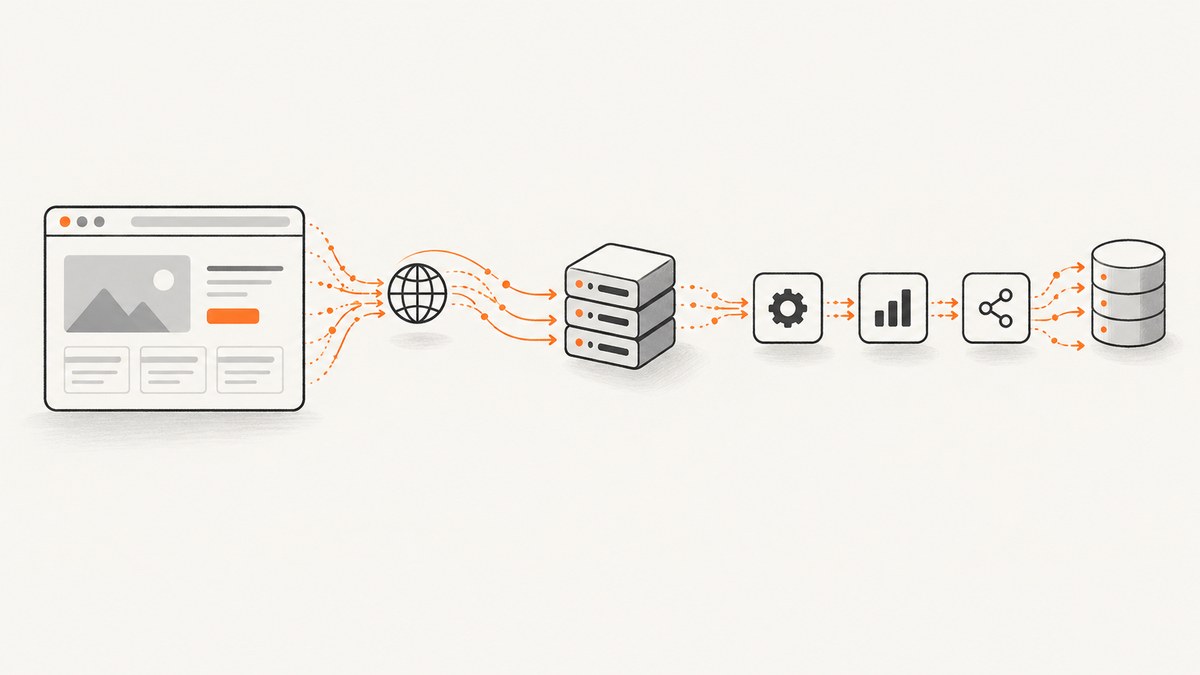
Direct answer: find where the visible data originates before choosing a scraper. Inspect the initial HTML, embedded JavaScript data, and browser Network requests. If a JSON, HTML, API, export, or search request contains the fields you need, reproduce that request directly and parse its response. Use a headless browser only when reproducing the request is impractical or you need browser-rendered DOM access and interaction. Define “near real time” as a measured freshness target for the specific site, then schedule requests within its documented access limits.
There is no universal near-real-time interval. A live operational feed may require seconds; a catalogue may be acceptable when refreshed every few minutes. Measure age end to end: queueing, DNS and connection time, server response, rendering or parsing, retries, and delivery to your consumer.
1. Define freshness before writing code
Write down these values:
- Maximum record age: for example, “every accepted record must be less than five minutes old.”
- Required fields and volume: identify the exact records, not just the page.
- Failure behavior: retain the last good result, mark it stale, or stop publishing.
- Allowed request rate: use the site’s API documentation, terms, robots.txt, and observed limits.
Store collected_at, the source timestamp when available, completed_at, status, and error details. A successful process with old source data is still stale.
2. Locate the source of dynamic content
- Open developer tools and select the Network panel.
- Reload the page with the panel open.
- Repeat the interaction that reveals the data: search, pagination, scrolling, tab selection, or filter changes.
- Search request URLs and response bodies for a distinctive value visible on the page.
- Inspect the initial HTML and inline script tags for embedded JSON or state objects.
- Record the method, URL, query parameters, request body, required headers, cookies, authentication, and response format.
Scrapy’s guidance is to find the source location of dynamically loaded data and extract it directly when possible: Selecting dynamically-loaded content.
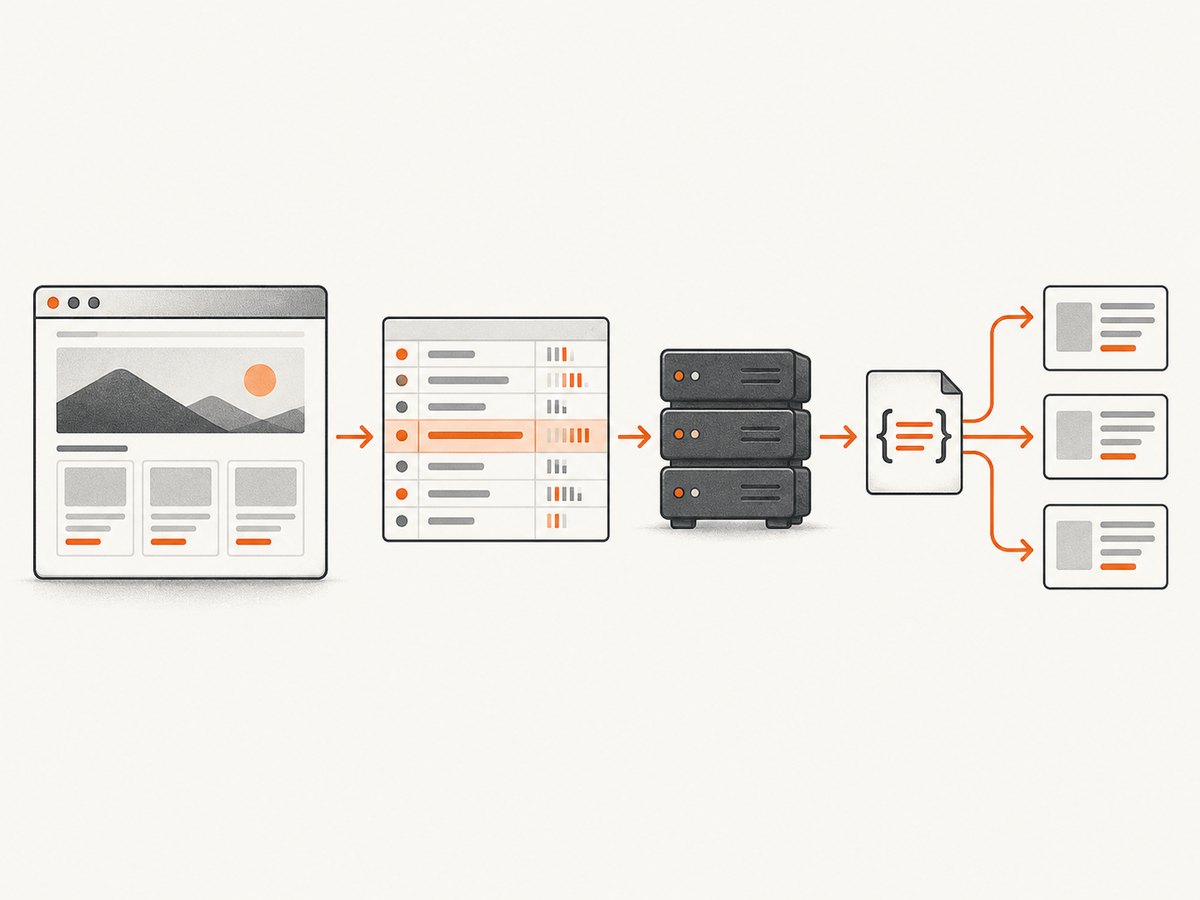
Classify what you found
| Source | Preferred method | Typical readiness signal |
|---|---|---|
| Official API, export, or search endpoint | Use the supported endpoint | HTTP response with documented schema |
| JSON or HTML request made by the page | Reproduce it with an HTTP client | Response contains required fields |
| Embedded script or initial HTML | Parse the document or script safely | State object or markup is present |
| Data appears only after browser behavior | Use a headless browser | Response event or target DOM element |
An API, bulk export, or search endpoint is generally faster for a collector and cheaper for the target site than crawling pages. See Scrapy’s optimization guidance and the site’s own documentation.
3. Prefer a direct HTTP request when possible
Once you identify the data request, copy only the required parameters and headers. Do not copy session cookies or authorization tokens into source control. Refresh credentials through the supported authentication flow.
Python: poll a JSON endpoint
import time
from datetime import datetime, timezone
import requests

ENDPOINT = "https://target.example/api/items"
INTERVAL_SECONDS = 60
TIMEOUT_SECONDS = 30

session = requests.Session()
session.headers.update({"Accept": "application/json", "User-Agent": "my-collector/1.0"})

while True:
    started = datetime.now(timezone.utc)
    try:
        response = session.get(ENDPOINT, timeout=TIMEOUT_SECONDS)
        response.raise_for_status()
        payload = response.json()
        records = payload.get("items", [])
        completed = datetime.now(timezone.utc)
        print({
            "collected_at": started.isoformat(),
            "completed_at": completed.isoformat(),
            "count": len(records),
            "records": records,
        })
    except (requests.RequestException, ValueError) as error:
        print({"collected_at": started.isoformat(), "status": "error", "error": str(error)})
    time.sleep(INTERVAL_SECONDS)
For production, validate the schema, cap response size, use bounded retries with backoff, and persist the last successful result and its timestamp.
cURL: inspect the discovered request
curl --fail-with-body --silent --show-error \
  -H 'Accept: application/json' \
  -H 'User-Agent: my-collector/1.0' \
  'https://target.example/api/items?limit=100'
Node.js: fetch and validate a response
const endpoint = new URL('https://target.example/api/items');
endpoint.searchParams.set('limit', '100');

const res = await fetch(endpoint, {
  headers: {
    accept: 'application/json',
    'user-agent': 'my-collector/1.0'
  },
  signal: AbortSignal.timeout(30000)
});

if (!res.ok) {
  throw new Error(`HTTP ${res.status}: ${await res.text()}`);
}

const payload = await res.json();
if (!Array.isArray(payload.items)) {
  throw new Error('Schema mismatch: items is not an array');
}
console.log({ collectedAt: new Date().toISOString(), count: payload.items.length });
4. Use a headless browser only when it is necessary
Browser automation is appropriate when the request cannot be reproduced reliably, content is produced only after client-side code runs, or the workflow needs real DOM interaction. Avoid launching a browser for every record when one discovered data request can serve all records.
Python Playwright example
import asyncio
from datetime import datetime, timezone
from playwright.async_api import async_playwright

URL = "https://target.example/dashboard"
SELECTOR = "[data-testid='latest-value']"

async def scrape_once():
    async with async_playwright() as p:
        browser = await p.chromium.launch(headless=True)
        page = await browser.new_page(
            viewport={"width": 1440, "height": 900},
            timezone_id="UTC",
            locale="en-US",
        )

        failures = []
        page.on("requestfailed", lambda request: failures.append({
            "url": request.url,
            "error": request.failure,
        }))

        await page.goto(URL, wait_until="domcontentloaded", timeout=60000)
        await page.wait_for_selector(SELECTOR, state="visible", timeout=30000)
        value = await page.locator(SELECTOR).inner_text()
        result = {
            "value": value,
            "collected_at": datetime.now(timezone.utc).isoformat(),
            "request_failures": failures,
        }
        await browser.close()
        return result

print(asyncio.run(scrape_once()))
Install with pip install playwright and playwright install chromium. In a browser workflow, wait for the data-bearing response or a specific element, rather than assuming navigation means the data is ready.
Observe the request lifecycle
page.on("request", lambda request: print("issued", request.method, request.url))
page.on("response", lambda response: print("response", response.status, response.url))
page.on("requestfinished", lambda request: print("finished", request.url))
page.on("requestfailed", lambda request: print("failed", request.url, request.failure))
Playwright distinguishes issued requests, responses, completed downloads, and failures. An HTTP 404 or 503 can still complete at the HTTP level, so inspect the status and body; completion alone is not proof that the desired data was returned. See the Playwright request API.
5. Make readiness explicit
- Response-based: wait for a response whose URL and status match the data request, then parse its body.
- Element-based: wait for a selector that represents usable data, not a generic page container.
- State-based: wait until a loading indicator disappears and a result count is nonzero, if zero is a valid result.
- Time-based: use a short delay only when no reliable signal exists; keep it bounded.
- Network idle: use cautiously on pages with analytics, streaming, or long-lived connections.
Capture the response status, content type, body size, and a small diagnostic excerpt on failure. Redact secrets before logging.
6. Schedule refreshes responsibly
Choose an interval from the source’s update frequency and permitted request rate. Polling every second does not create fresher data when the source updates hourly, and it can trigger throttling. For larger workloads, use a queue with bounded concurrency, per-host limits, exponential backoff, and jitter. If the site offers webhooks, feeds, exports, or schedules, prefer those over aggressive polling.
For every run, persist:
- run ID, start and completion times;
- source timestamp and observed freshness age;
- HTTP status, parser version, and schema version;
- record count and checksum where useful;
- retry count, failure reason, and whether the result is publishable.
Expose a stale state to downstream consumers. Do not silently serve the last result as current.
7. Authentication, cookies, and access controls
Use documented API keys, OAuth, or session mechanisms. Keep secrets in environment variables or a secret manager. Send only the cookies and headers required by the supported workflow, and never bypass bot checks, CAPTCHAs, paywalls, or access controls. Review robots.txt, terms, privacy obligations, and applicable law before collecting data. Scrapy’s robots middleware does not enforce Crawl-delay or Request-rate automatically, so translate those directives into explicit delay and concurrency settings.
8. Handle changing pages and bad responses
Prefer stable IDs, documented fields, and response schemas over brittle positional selectors. Validate required fields and retain a sample of raw responses for diagnosis. Treat empty results, challenge pages, login redirects, HTML returned where JSON was expected, and schema changes as distinct states.
9. Performance, reliability, and cost
| Concern | Direct request | Headless browser |
|---|---|---|
| Latency and compute | Usually lower overhead | Browser startup and rendering add work |
| Completeness | Depends on finding the right endpoint | Can access rendered DOM and interactions |
| Maintenance | API contracts and parameters can change | Selectors, scripts, and browser behavior can change |
| Target load | Usually fewer bytes and requests | Can load many assets unless blocked |
| Operating cost | HTTP client and parsing resources | Browser CPU, memory, storage, and orchestration |
Measure the full pipeline instead of promising a fixed delay. Reuse HTTP sessions and browser contexts, cache immutable resources where permitted, block unnecessary assets in browser runs, paginate deliberately, and avoid duplicate refreshes. Retries should be bounded and status-aware: retry transient network failures and selected 5xx responses, but do not blindly retry authentication errors, 404s, validation errors, or challenge pages.
10. Troubleshooting
| Symptom | Likely cause | Fix |
|---|---|---|
| HTML contains no desired text | Data is loaded by JavaScript | Inspect Network and reproduce the data request. |
| Browser shows a spinner forever | Waiting for network idle or a selector that never appears | Wait for the specific response or use a bounded selector timeout. |
| Response is 200 but contains a login or challenge page | Missing authentication or automated-access challenge | Use the documented access flow; classify the response and stop retrying blindly. |
| JSON parsing fails | HTML error page, truncation, or schema change | Check status and content type, log a redacted excerpt, and validate the schema. |
| Values are stale | Source cache, slow schedule, or old upstream timestamp | Record source timestamps, adjust cadence within limits, and expose staleness. |
| Frequent 429 responses | Concurrency or interval exceeds the site’s tolerance | Reduce concurrency, add delay and jitter, honor Retry-After, and use an official endpoint. |
| Browser run is expensive or slow | Launching a browser per item or loading unnecessary assets | Reuse contexts, discover the underlying request, and block irrelevant resources. |
| Selector broke after a redesign | Unstable classes or DOM structure | Use stable attributes, response data, or a documented API and add schema/selector monitoring. |
11. Or skip the browser setup
ScreenshotNeo provides a website screenshot API and MCP server. It is useful when your near-real-time workflow needs a visual record of the rendered page or a PDF alongside extracted data. The API accepts one GET request and returns PNG, JPEG, WebP, or PDF.

curl -G "https://api.screenshotneo.com/v1/shot" -d access_key=YOUR_API_KEY --data-urlencode url=https://stripe.com -o shot.webpimport requests
r = requests.get("https://api.screenshotneo.com/v1/shot", params={"access_key": "YOUR_API_KEY", "url": "https://stripe.com"}, timeout=90)
open("shot.webp", "wb").write(r.content)const q = new URLSearchParams({ access_key: 'YOUR_API_KEY', url: 'https://stripe.com' }); const res = await fetch(`https://api.screenshotneo.com/v1/shot?${q}`);See the ScreenshotNeo documentation for request options. Cookie banners, newsletter popups, and chat widgets are removed before the shot; bot checks, blank pages, timeouts, failed loads, and cache hits are never billed, and response headers identify the page verdict and billing status. An MCP server lets Claude, Cursor, and other MCP clients take screenshots. The free plan includes 1,000 screenshots per month with no card; paid plans start at $5 for 3,000 screenshots. Create a free ScreenshotNeo account.
12. Checklist for production
- Define an observed freshness target and stale-result policy.
- Confirm the source endpoint, terms, robots.txt, authentication, and rate limits.
- Prefer an official API, export, or direct data request.
- Use browser automation only for necessary rendering or interaction.
- Wait for a data-specific response or selector.
- Validate status, content type, schema, and challenge pages.
- Use bounded retries, backoff, jitter, and per-host concurrency.
- Persist timestamps, run status, errors, and parser versions.
- Monitor freshness, empty results, schema changes, and 429/5xx rates.
- Keep credentials and personal data out of logs.
FAQ
How do I scrape a JavaScript website?
First identify the network request that supplies the data and call it directly. Use Playwright or another headless browser when the request cannot be reproduced or browser interaction is required.
How can I scrape dynamic content with Python?
Use requests for a discovered JSON or HTML endpoint. Use Playwright’s Python API when the content only appears after rendering or interaction.
How often should I scrape a page?
Set the interval from the source’s update frequency, your maximum acceptable age, and its permitted request rate. Measure end-to-end freshness and increase the interval when the source does not change.
Is network idle a reliable readiness test?
Not always. Analytics, streaming connections, and background polling can prevent idle; a response tied to the required data or a specific ready element is usually clearer.
What should happen when a run fails?
Keep the last successful result with its original timestamp, mark it stale, record the failure, and alert when its age exceeds your contract.


