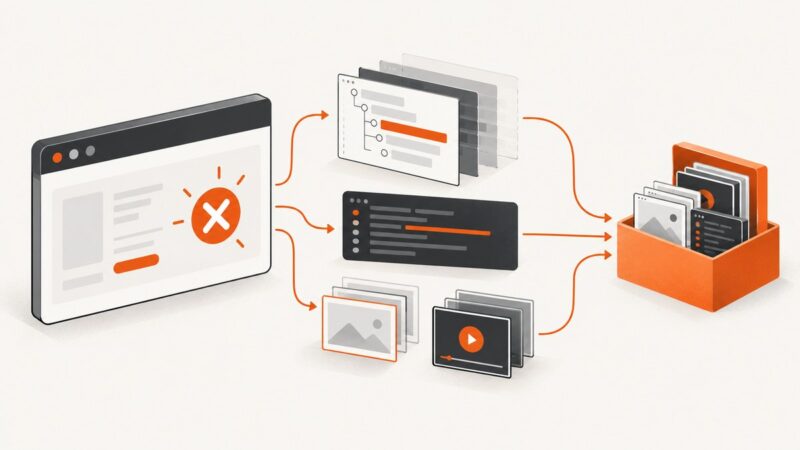
How to Scrape Dynamic Websites with Python
Learn when plain HTTP is enough, when to reproduce JSON requests, and when Playwright is the right Python tool for JavaScript-rendered pages.
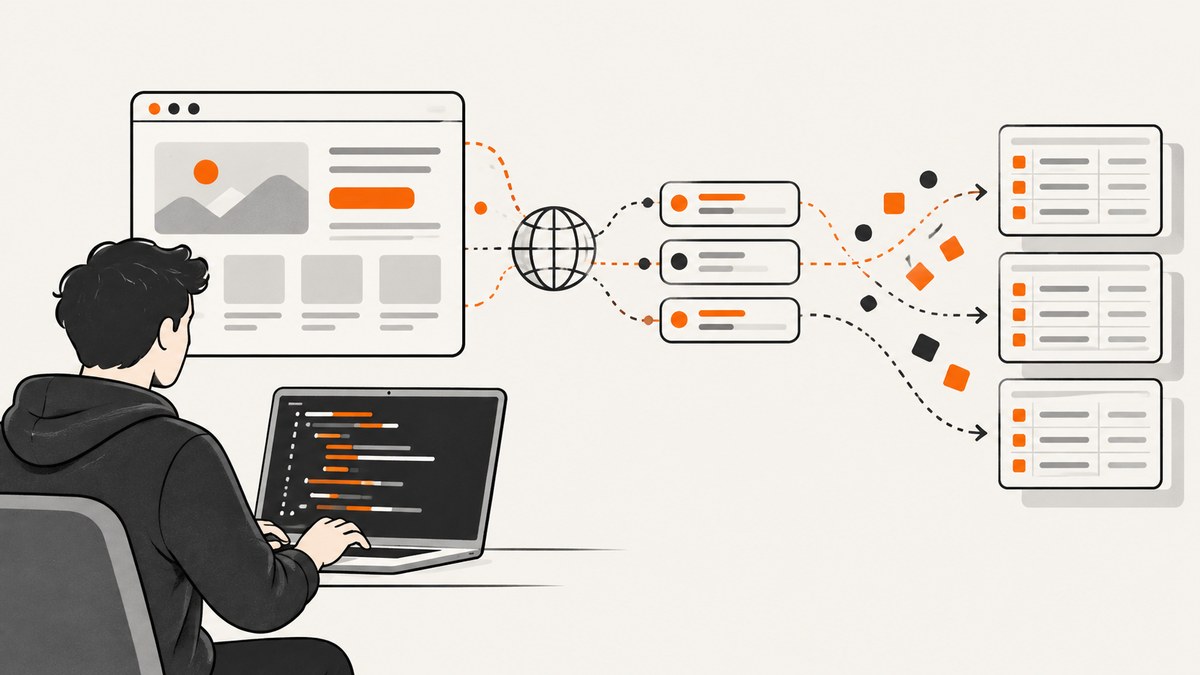
Dynamic pages often look empty to a Python scraper because the first HTTP response contains only a shell. The browser then runs JavaScript, calls one or more data endpoints, and inserts the results into the page. The reliable approach is diagnostic: inspect the initial response, find the request that contains the data, and use the least complex method that meets your requirements.
Start with a normal HTTP request. If the fields are in the HTML or in a reproducible JSON response, use requests (or Scrapy) and parse that response. Use a browser such as Playwright when reproducing the request is impractical, when interaction is required, or when the rendered result itself is the output.
1. Check what the server actually returns
Before installing a browser, compare the raw response with what you see in a browser. This small script records the status, headers, and a sample of the body:

import requests

url = "https://example.com/products"
r = requests.get(
    url,
    headers={"User-Agent": "Mozilla/5.0 (compatible; research client)"},
    timeout=30,
)
r.raise_for_status()
print(r.status_code)
print(r.headers.get("content-type"))
print(r.text[:2_000])
Search the body for a visible product name, a JSON script element, or the field you need. Also inspect the browser’s developer tools: open Network, reload the page, filter by fetch or xhr, and open requests made when the records appear. Record the method, URL, query parameters, request body, and only the headers and cookies that are actually required.
Scrapy’s guidance calls reproducing the request that contains the desired data the preferred approach for pages that fetch data separately: Selecting dynamically-loaded content. A matching method and URL may be sufficient, but pagination, a POST body, authentication, or a required header can also matter.
2. Reproduce a JSON or HTML data request
Once you find the endpoint, keep fetching separate from extraction. That makes it easier to validate the response and change selectors without changing networking code.
import requests

endpoint = "https://example.com/api/products"
params = {"category": "books", "page": 1}
headers = {"Accept": "application/json", "User-Agent": "Mozilla/5.0"}

r = requests.get(endpoint, params=params, headers=headers, timeout=30)
r.raise_for_status()
data = r.json()

products = []
for item in data.get("results", []):
    products.append({
        "name": item.get("name"),
        "price": item.get("price"),
        "url": item.get("url"),
    })

for product in products:
    print(product)
For an HTML endpoint, use an HTML parser instead:
import requests
from bs4 import BeautifulSoup

r = requests.get("https://example.com/catalog", timeout=30)
r.raise_for_status()
soup = BeautifulSoup(r.text, "html.parser")

for card in soup.select("article.product"):
    name = card.select_one("h2")
    price = card.select_one(".price")
    print({
        "name": name.get_text(" ", strip=True) if name else None,
        "price": price.get_text(" ", strip=True) if price else None,
    })
Handle pagination explicitly. Stop on an empty page, a documented total, or a next-page token. Validate that each page has the expected shape and log the URL and page number when it does not. Do not assume that a private endpoint is stable; a site’s public API, terms, authentication rules, and rate limits govern whether you may use it.
3. Use Scrapy for a multi-page crawl
Scrapy is useful when you need queues, retries, item pipelines, and a reusable crawl. It does not automatically make JavaScript run. Find and reproduce the browser-observed data request first, then yield normalized items.
import scrapy

class ProductSpider(scrapy.Spider):
    name = "products"
    start_urls = ["https://example.com/api/products?page=1"]

    def parse(self, response):
        payload = response.json()
        for item in payload.get("results", []):
            yield {
                "name": item.get("name"),
                "price": item.get("price"),
            }

        next_page = payload.get("next")
        if next_page:
            yield response.follow(next_page, callback=self.parse)
Use Scrapy’s download delays, concurrency settings, retry handling, and feed exports for the scale of your project. If the endpoint requires a browser-generated token or a sequence of interactions, reassess whether a browser is the simpler and more reliable boundary.
4. Escalate to Playwright when rendering or interaction is required
Choose a headless browser when the data only exists after JavaScript execution, the site requires clicks or scrolling, you need the rendered DOM, or the result is a screenshot or PDF. Playwright’s Python library supports Chromium, Firefox, and WebKit, with both synchronous and asynchronous APIs. Installing the package and installing browser binaries are separate steps:
python -m pip install playwright
playwright install
The synchronous API is convenient for scripts:
from playwright.sync_api import sync_playwright

with sync_playwright() as p:
    browser = p.chromium.launch(headless=True)
    page = browser.new_page(viewport={"width": 1440, "height": 900})
    page.goto("https://example.com/products", wait_until="domcontentloaded")
    page.locator("article.product").first.wait_for(state="visible")

    products = []
    for card in page.locator("article.product").all():
        products.append({
            "name": card.locator("h2").inner_text(),
            "price": card.locator(".price").inner_text(),
        })
    print(products)
    browser.close()
For concurrent work, use the async API:
import asyncio
from playwright.async_api import async_playwright

async def main():
    async with async_playwright() as p:
        browser = await p.chromium.launch()
        page = await browser.new_page()
        await page.goto("https://example.com/products", wait_until="domcontentloaded")
        await page.locator("article.product").first.wait_for(state="visible")
        names = await page.locator("article.product h2").all_inner_texts()
        print(names)
        await browser.close()

asyncio.run(main())
Playwright navigation reaching the load event does not prove that late API calls have finished. Wait for evidence that matches your page:
page.goto(url, wait_until="domcontentloaded")
page.locator("[data-testid='results']").wait_for(state="visible")
# Or wait for a known response:
with page.expect_response(lambda r: "/api/products" in r.url and r.ok):
    page.reload()
# Or wait for a short, site-specific delay when no stronger signal exists:
page.wait_for_timeout(1_000)
Prefer a target locator or response condition over an arbitrary sleep. Locator actions auto-wait for actionability. Be careful with locator.all(): it returns the matches present immediately and can be unpredictable while a list is still changing. First wait for a stable count, a “loaded” marker, or a final pagination state. See Playwright’s navigation and locator documentation.
5. Configure browser behavior deliberately
- Context: set the viewport, locale, timezone, color scheme, geolocation, and user agent when the site serves different content by environment.
- Authentication: use a documented login flow or permitted session state. Keep credentials outside source control.
- Selectors: prefer stable attributes such as
data-testid; avoid long generated class chains. - Interactions: click “load more,” dismiss a consent dialog when permitted, scroll to trigger lazy loading, then wait for the resulting response or element.
- Network: abort clearly unnecessary images, fonts, ads, or analytics only when doing so does not change the data you need.
- Retries: retry navigation and transient network failures with bounded exponential backoff; do not blindly repeat validation or permission failures.
For screenshots, wait until fonts, images, and the target component are ready. For extraction, capture the smallest useful DOM or response and close the context after each job to avoid leaking state between users.
6. Playwright or Scrapy? A practical decision table
| Need | Best starting point | Reason |
|---|---|---|
| Data in initial HTML or a public JSON response | HTTP client | Lowest runtime overhead; you control parsing, pagination, and errors. |
| Many pages and a reusable crawl | Scrapy | Queues, pipelines, throttling, and exports are built in. |
| Rendered DOM, clicks, scrolling, or screenshots | Playwright | Real browser engines and explicit readiness checks. |
| Existing Selenium team or infrastructure | Selenium WebDriver | A valid browser automation option; project fit and expertise matter. |
Selenium WebDriver is documented at selenium.dev. There is no universal winner: compare data-source visibility, interaction needs, crawl scale, implementation complexity, runtime cost, and maintenance.
7. Respect access rules and build validation in
Before collecting, read the site’s terms, API documentation, and robots.txt. RFC 9309 standardizes the Robots Exclusion Protocol, and Python can parse a site’s rules:
from urllib.robotparser import RobotFileParser

rp = RobotFileParser("https://example.com/robots.txt")
rp.read()
print(rp.can_fetch("MyResearchBot", "https://example.com/products"))
print(rp.crawl_delay("MyResearchBot"))
robots.txt is operational guidance, not a complete permission or legal analysis. Site-specific rules and applicable law still require review. Keep request rates appropriate, identify your client where suitable, and stop when a site asks you to.
Validate every run: check status codes, content types, record counts, required fields, duplicate keys, and a sample of values. Save enough request metadata to reproduce a failure without storing sensitive cookies or personal data.
8. Troubleshooting dynamic scraping
| Symptom | Likely cause | Fix |
|---|---|---|
| HTML has no records | Records arrive from a later request | Inspect Network, reproduce the JSON/HTML endpoint, or use Playwright. |
| Playwright returns an empty list | Enumeration happened before the list stabilized | Wait for a target locator, response, count, or loaded marker before reading. |
| Timeout waiting for a selector | Wrong selector, consent dialog, failed request, or a page variant | Capture a trace/screenshot, inspect the DOM, check responses, and make the selector stable. |
Executable doesn't exist |
Python package installed without browser binaries | Run playwright install (or install only the engine you use). |
| Works locally, fails in CI | Missing system dependencies, different viewport, or sandbox policy | Use the documented CI image/dependencies, set a deterministic context, and retain traces. |
| HTTP 401/403 | Authentication, authorization, rate limit, or bot defense | Use an approved API or login flow, reduce rate, and do not attempt to bypass controls. |
| Duplicate or partial records | Pagination cursor reused or requests raced | Deduplicate by a stable ID, serialize cursor updates, and validate totals. |
| Screenshot misses lazy content | Images load after initial render | Scroll or trigger the component, wait for image/network readiness, then capture. |
9. Performance, reliability, and cost
HTTP parsing is usually cheaper and faster than launching a browser. Reuse an HTTP session, enable connection pooling, cache immutable responses, and paginate with bounded concurrency. Browsers consume more CPU and memory: reuse a browser process while isolating jobs in contexts, limit parallel pages, block resources you do not need, and close pages deterministically.
Reliability comes from explicit readiness conditions, bounded retries, idempotent storage, and observability. Record navigation timing, response status, extraction counts, and failure categories. Treat selectors and private endpoints as dependencies that can change; add a small canary crawl and alert when the shape changes.
10. Or skip the browser setup
If your goal is a clean image or PDF rather than structured records, ScreenshotNeo provides a website screenshot API and MCP server. It accepts one GET request and returns PNG, JPEG, WebP, or PDF. Cookie and consent banners are accepted and 60+ known consent platforms, newsletter popups, and chat widgets are removed before capture; each step can be turned off. Bot checks, blank pages, timeouts, failed loads, and cache hits are not billed, and response headers report the page verdict and billing status.

See the ScreenshotNeo API documentation for all options. A Python call is:
import requests

r = requests.get(
    "https://api.screenshotneo.com/v1/shot",
    params={"access_key": "YOUR_API_KEY", "url": "https://stripe.com"},
    timeout=90,
)
r.raise_for_status()
open("shot.webp", "wb").write(r.content)
Equivalent cURL:
curl -G "https://api.screenshotneo.com/v1/shot" \
  -d access_key=YOUR_API_KEY \
  --data-urlencode url=https://stripe.com \
  -o shot.webp
And Node.js:
const q = new URLSearchParams({ access_key: 'YOUR_API_KEY', url: 'https://stripe.com' });
const res = await fetch(`https://api.screenshotneo.com/v1/shot?${q}`);
Features include full-page capture with lazy images loaded, CSS-element capture, dark mode, device presets and custom viewports, retina scale, PDF paper size/margins/landscape/page ranges, HTML/CSS rendering, custom CSS and JavaScript, clicks, selector waits, delays, network-idle waits, request blocking, headers/cookies/user agents/Authorization, timezone and geolocation, transparent backgrounds, resizing, TTL caching, signed links, asynchronous jobs with signed webhooks, bulk capture for 100 URLs, a usage API, and an OpenAPI specification. An MCP server exposes take_screenshot, get_page_info, and capture_pdf to Claude, Cursor, and other MCP clients.
The Free plan includes 1,000 screenshots per month with no card. Paid plans start at $5 for 3,000 shots; yearly billing gives two months free, and every feature is available on every plan. Create a free ScreenshotNeo account.
FAQ
Why does my scraper return empty content?
The initial response may contain only an application shell. Inspect the Network panel for the request that returns the records, then reproduce it or wait for the rendered element in Playwright.
Should I always use Playwright for JavaScript sites?
No. If a JSON or HTML request contains the data, reproducing it is simpler and lighter. Use Playwright when rendering or interaction is genuinely required.
Can I use locator.all() immediately after navigation?
You can, but it reads the matches present at that instant. Wait for a stable page state first when the list changes asynchronously.
Is robots.txt permission to scrape?
No. It communicates crawler access preferences. Review terms, API rules, authorization, and applicable law separately.
When is a screenshot API useful?
Use one when you need a rendered image or PDF without maintaining browser binaries, wait logic, consent handling, and capture infrastructure yourself.