How to Scrape Eventbrite Events and Listings
Use Eventbrite’s OAuth API to collect event data, paginate safely, export JSON or CSV, and stay within Eventbrite’s terms.
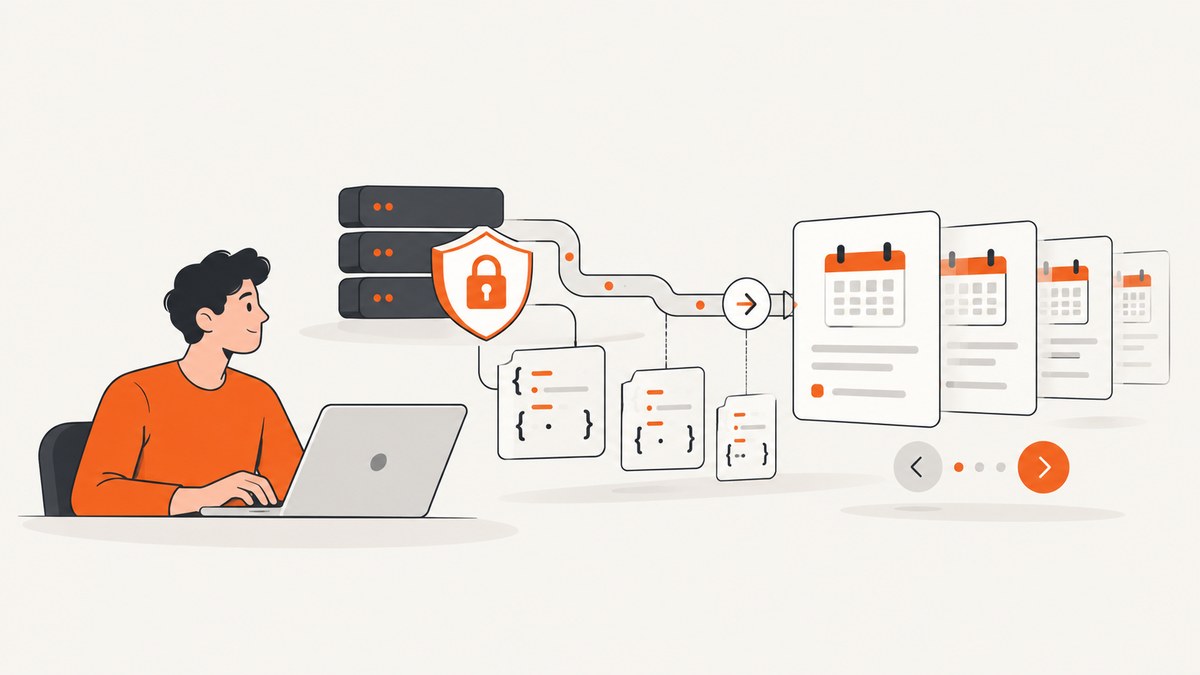
Direct answer: Use Eventbrite’s official REST API with OAuth2. Do not crawl or scrape eventbrite.com HTML: Eventbrite’s Terms prohibit scraping, crawling, and automated extraction from its sites. The legacy public Event Search endpoint was shut down on December 12, 2019.
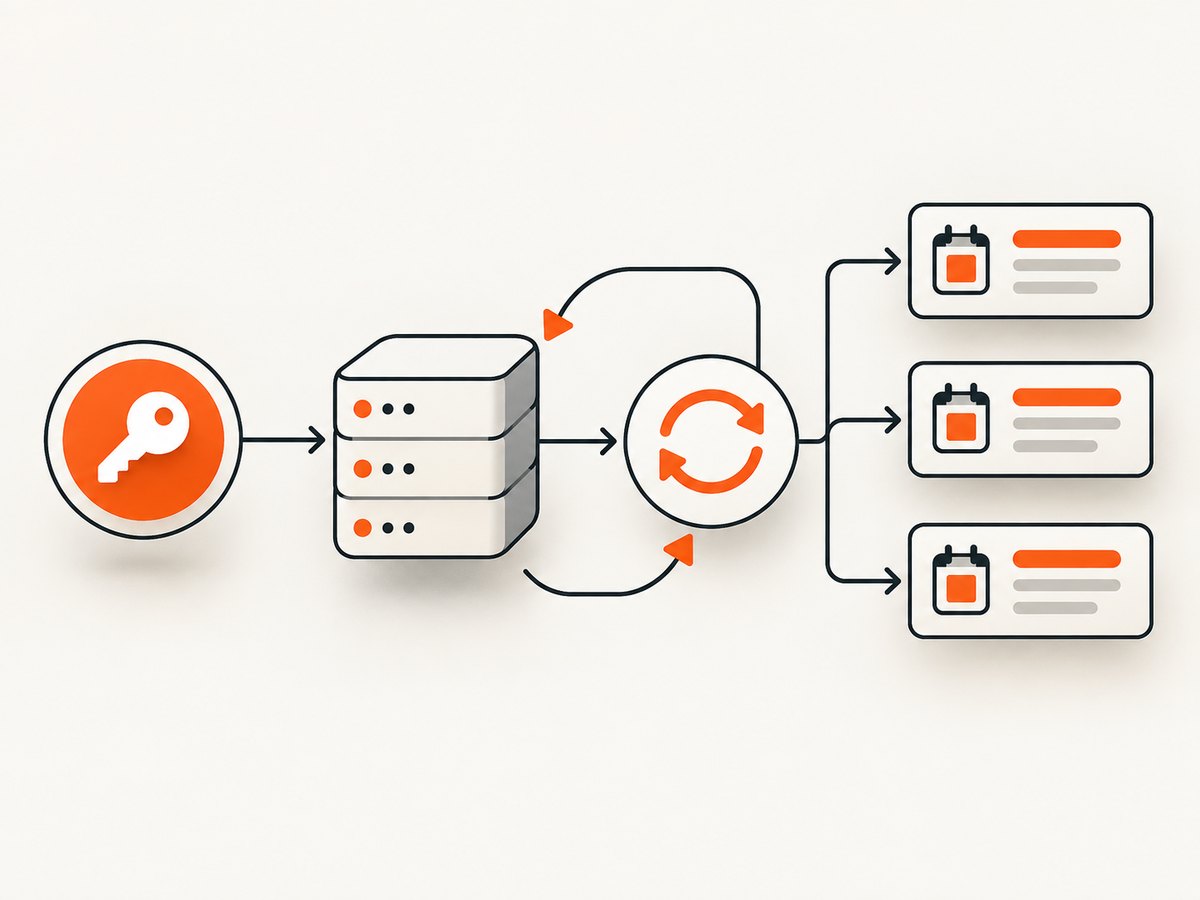
The API returns JSON. A dependable collector authenticates on the server, requests the current event resource available to its account, follows continuation-token pagination until has_more_items is false, normalizes fields such as title, URL, status, and times, and stores the source URL for traceability.
What you can collect
Event objects can include the event name, summary, listing URL, start and end times, creation and change timestamps, publication state, lifecycle status, currency, and whether the event is online. Status values include draft, live, started, ended, completed, and canceled.
| Field | Use |
|---|---|
id |
Stable identifier for deduplication. |
name |
Display title and search text. |
summary |
Short description, when present. |
url |
Canonical Eventbrite listing link. |
start, end |
Scheduled times, including timezone data returned by the API. |
status |
Lifecycle filtering and synchronization. |
currency |
Money formatting for downstream displays. |
online_event |
Separates online events from venue-based events. |
created, changed, published |
Incremental synchronization and audit history. |
API access, authorization, and compliance
- Open Eventbrite Account Settings, choose API Keys, and create an API key. Eventbrite may ask for application details and approve the key by email.
- For a personal integration, use the private token documented by Eventbrite. For an application serving multiple Eventbrite users, implement OAuth2: send users to the authorization endpoint, then exchange the returned code at
https://www.eventbrite.com/oauth/token. - Keep private tokens on your server. Never place them in browser JavaScript, mobile bundles, public repositories, or client-side configuration.
- Choose a current API resource that your account is authorized to access. Eventbrite’s API documentation is REST-based, uses OAuth2, and returns JSON; resource availability depends on the account and application.
- If your application displays API-derived listing content, show the event title and a direct link to the Eventbrite page. Recheck the current API documentation and Terms before launch because endpoints and policy text can change.
Eventbrite’s Terms of Service section 13.1 says: “You have no right to use, and you agree not to, scrape, crawl, or employ any automated means to extract data from the Sites.” The supported route is the API, not HTML parsing.

Pagination with continuation tokens
Every list response is a page. Inspect pagination.has_more_items (or the equivalent pagination object documented for the resource), copy its continuation token, and send that token with the next request. Stop when has_more_items is false or no token is returned. Save the token and retrieval timestamp after each successful page so an interrupted job can resume.
Complete collection example
The examples below use an EVENTS_ENDPOINT environment variable because Eventbrite has multiple event resources and the correct resource depends on your account. Set it to the current endpoint shown in Eventbrite’s API documentation for your use case.
cURL: fetch one page
export EVENTBRITE_TOKEN='YOUR_PRIVATE_TOKEN'
export EVENTS_ENDPOINT='https://www.eventbriteapi.com/v3/REPLACE_WITH_DOCUMENTED_EVENT_RESOURCE/'

curl --fail-with-body --silent --show-error \
  -H "Authorization: Bearer ${EVENTBRITE_TOKEN}" \
  -H "Accept: application/json" \
  "${EVENTS_ENDPOINT}?token=YOUR_CONTINUATION_TOKEN"
For the first page, omit the token query parameter. Use the continuation token returned by the preceding response for later pages.
Python: follow every page and write JSON
import json
import os
import time
import requests

endpoint = os.environ["EVENTS_ENDPOINT"]
private_token = os.environ["EVENTBRITE_TOKEN"]
headers = {
    "Authorization": f"Bearer {private_token}",
    "Accept": "application/json",
}

records = []
continuation = None
retrieved_at = time.strftime("%Y-%m-%dT%H:%M:%SZ", time.gmtime())

while True:
    params = {}
    if continuation:
        params["continuation"] = continuation

    response = requests.get(endpoint, headers=headers, params=params, timeout=60)
    response.raise_for_status()
    page = response.json()

    for event in page.get("events", []):
        records.append({
            "id": event.get("id"),
            "name": event.get("name"),
            "summary": event.get("summary"),
            "url": event.get("url"),
            "start": event.get("start"),
            "end": event.get("end"),
            "created": event.get("created"),
            "changed": event.get("changed"),
            "published": event.get("published"),
            "status": event.get("status"),
            "currency": event.get("currency"),
            "online_event": event.get("online_event"),
        })

    pagination = page.get("pagination", {})
    if not pagination.get("has_more_items"):
        break
    continuation = pagination.get("continuation")
    if not continuation:
        raise RuntimeError("API reported more items but returned no continuation token")

with open("eventbrite-events.json", "w", encoding="utf-8") as output:
    json.dump({"retrieved_at": retrieved_at, "events": records}, output, ensure_ascii=False, indent=2)

print(f"Saved {len(records)} events")
Node.js: follow every page and write JSON
import { writeFile } from 'node:fs/promises';

const endpoint = process.env.EVENTS_ENDPOINT;
const token = process.env.EVENTBRITE_TOKEN;
if (!endpoint || !token) throw new Error('Set EVENTS_ENDPOINT and EVENTBRITE_TOKEN');

const events = [];
let continuation;

while (true) {
  const url = new URL(endpoint);
  if (continuation) url.searchParams.set('continuation', continuation);

  const response = await fetch(url, {
    headers: {
      Authorization: `Bearer ${token}`,
      Accept: 'application/json'
    }
  });
  if (!response.ok) {
    throw new Error(`Eventbrite API returned ${response.status}: ${await response.text()}`);
  }

  const page = await response.json();
  for (const event of page.events ?? []) {
    events.push({
      id: event.id,
      name: event.name,
      summary: event.summary,
      url: event.url,
      start: event.start,
      end: event.end,
      created: event.created,
      changed: event.changed,
      published: event.published,
      status: event.status,
      currency: event.currency,
      online_event: event.online_event
    });
  }

  const pagination = page.pagination ?? {};
  if (!pagination.has_more_items) break;
  continuation = pagination.continuation;
  if (!continuation) throw new Error('More items reported without a continuation token');
}

await writeFile('eventbrite-events.json', JSON.stringify({ events }, null, 2));
console.log(`Saved ${events.length} events`);
JSON and CSV export
JSON preserves nested start/end objects and any optional fields. For CSV, flatten nested values and quote every field that can contain commas, quotes, or line breaks. Keep the original JSON response as an audit copy, then derive CSV from the normalized records.
import csv, json

with open("eventbrite-events.json", encoding="utf-8") as source:
    rows = json.load(source)["events"]

columns = ["id", "name", "summary", "url", "status", "currency", "online_event", "start", "end"]
with open("eventbrite-events.csv", "w", newline="", encoding="utf-8") as target:
    writer = csv.DictWriter(target, fieldnames=columns)
    writer.writeheader()
    for row in rows:
        flat = dict(row)
        flat["start"] = json.dumps(row.get("start"), ensure_ascii=False)
        flat["end"] = json.dumps(row.get("end"), ensure_ascii=False)
        writer.writerow(flat)
Expansions, filtering, and synchronization
- Expansions: Request related organizers or venues only when the output needs them. Expansions add work to each request and can slow collection.
- Filtering: Prefer filters supported by the selected API resource. Filter lifecycle status and changed timestamps after retrieval when server-side filters are unavailable.
- Incremental jobs: Store event ID, changed timestamp, source URL, response version, and retrieval time. On later runs, fetch changed records and upsert by ID.
- Attribution: Preserve the direct Eventbrite URL and display the title whenever API content appears in your application.
Edge cases and reliability
- Events can be canceled, ended, or completed after you first collect them. Do not treat an old record as permanently active.
- Optional fields may be absent or null. Code defensively instead of assuming every event has a summary, venue, currency, or online flag.
- Time values include timezone information. Parse them as timezone-aware values and store the original representation.
- Persist pagination progress after each page. If a job fails, resume from the saved continuation token rather than duplicating the entire run.
- Use bounded timeouts, structured logs, and retry handling for transient HTTP failures. Do not blindly retry authentication or permission errors.
- Keep raw responses for debugging, but restrict access because they may contain data your application is not allowed to redistribute.
Performance and cost notes
Request only fields and expansions needed by the product. Larger pages and related-object expansions increase transfer and processing time. Parallelize only independent jobs; pagination within one listing must remain ordered by its continuation token. Eventbrite’s public materials do not establish a universal request quota in this guide, so read the limits attached to your account and implement backoff when the API signals throttling. Cache normalized records and use changed timestamps to avoid repeatedly downloading unchanged events.
Troubleshooting
| Symptom | Likely cause | Fix |
|---|---|---|
| 401 Unauthorized | Missing, expired, or malformed bearer token. | Regenerate or refresh credentials, send Authorization: Bearer ..., and keep the token server-side. |
| 403 Forbidden | The token or application lacks access to the selected resource. | Choose a resource authorized for the account and complete the required approval or OAuth scope. |
| 404 Not Found | Obsolete or incorrect endpoint. | Use the current resource documented for your account; do not use the retired public Event Search endpoint. |
| Only the first page is saved | Continuation token was ignored. | Check has_more_items, pass the returned continuation token, and loop until it is false. |
| Duplicate events | Job restarted without a checkpoint or used append-only storage. | Upsert by event ID and persist the last successful page token. |
| Broken CSV columns | Unquoted commas, quotes, or line breaks in names and summaries. | Use a CSV library and flatten nested objects explicitly. |
| Incorrect times | Timezone information was discarded. | Store timezone-aware timestamps and convert only at presentation time. |
| Policy concern | HTML crawling or displaying API content without attribution. | Use the API, follow the Terms, show the event title and direct Eventbrite link, and review current policy before launch. |
Or skip the browser setup
If you need a visual snapshot of a page you are allowed to access, ScreenshotNeo provides a single-call screenshot API. It is useful for QA, archival previews, and permitted pages; it does not replace Eventbrite’s API for structured event data.
Cookie banners, newsletter popups, and chat widgets are removed before the shot. Bot checks, blank pages, timeouts, failed loads, and cache hits are not billed, and the response identifies the result with X-Page-Verdict and X-Billed headers. An MCP server lets Claude, Cursor, and other MCP clients take screenshots. The free plan includes 1,000 screenshots a month with no card; paid plans start at $5 for 3,000 shots.
See the ScreenshotNeo API documentation for all options.
curl -G "https://api.screenshotneo.com/v1/shot" -d access_key=YOUR_API_KEY --data-urlencode url=https://www.eventbrite.com -o shot.webpimport requests
r = requests.get("https://api.screenshotneo.com/v1/shot", params={"access_key": "YOUR_API_KEY", "url": "https://www.eventbrite.com"}, timeout=90)
open("shot.webp", "wb").write(r.content)const q = new URLSearchParams({ access_key: 'YOUR_API_KEY', url: 'https://www.eventbrite.com' });
const res = await fetch(`https://api.screenshotneo.com/v1/shot?${q}`);Create a free ScreenshotNeo account with 1,000 screenshots per month and no card.
FAQ
Is there an Eventbrite events API?
Yes. Eventbrite documents a REST API using OAuth2 and JSON responses. Select the resource your account is authorized to use.
Can I scrape Eventbrite’s public HTML?
Eventbrite’s Terms prohibit scraping, crawling, and automated extraction from its sites. Use the API instead.
How do I get every event?
Follow continuation-token pagination, checking has_more_items on every response until it becomes false.
Can I display the collected listings?
Follow the API Terms: display the event title and a direct link to the corresponding Eventbrite page, and verify the current terms before release.
Why did an old tutorial stop working?
The legacy public Event Search endpoint was shut down on December 12, 2019. Replace obsolete instructions with the current authorized API resources.


