How to Scrape Facebook in 2026: Safe, Official Options
Learn what Facebook scraping means, where automation needs permission, and which official tools fit account exports and ad research.
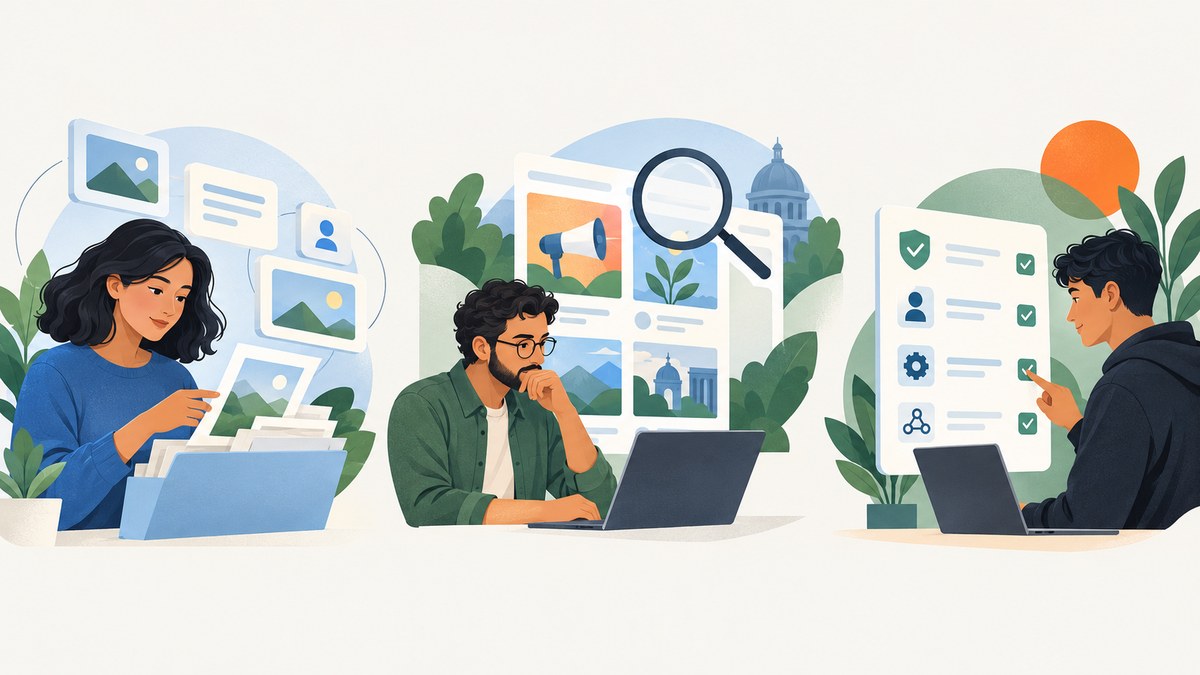
Short answer: There is no general-purpose, official way to scrape all Facebook pages and profiles. “Scraping” means automated collection from a website or an interface made for people; whether a particular collection is authorized depends on the applicable terms, permissions, and laws. For your own account, use Facebook’s download and access tools. For eligible advertising research, use Meta’s Ad Library or its scoped API. For other people’s content, establish that your exact collection is permitted before automating it.
This guide explains the practical options and their limits. It does not provide instructions for evading rate limits, detection, or access controls. A page being visible to the public in Facebook does not itself establish permission to collect and reuse its contents programmatically.
1. What does scraping Facebook mean?
Meta defines scraping as “the automated collection of data” from a website or interfaces and features built for people. A person reading a public post in a browser is not doing automated collection; a program that extracts page contents into a dataset is. Meta says scraping can be authorized, such as web crawling by a search engine, or unauthorized when it violates its terms.
That distinction matters more than the tool or programming language. A browser automation library, an HTTP client, or a data extraction service does not grant permission by itself. Before collecting, identify the data, the account or Page it concerns, the purpose, the intended use, and the current Meta terms or API policy that applies.
Meta describes using rate limits, data limits, pattern recognition, investigations, account enforcement, and requests to hosting companies to remove unauthorized datasets. It also says it cannot fully prevent scraping without harming ordinary use of its services. These statements describe enforcement; they are not a recipe for bypassing it. See Meta’s scraping and data-protection guidance.
2. Choose the right route for your data
| Your goal | Start here | What it is for | Key limit |
|---|---|---|---|
| Get a copy of information associated with your account | Facebook settings or Accounts Center | Review, download, or transfer your own information | It is not an export of other accounts’ data |
| Research ads in Meta’s transparency archive | Ad Library; Ad Library API for supported research | Search eligible advertising information | Coverage is scoped by ad type, geography, and time |
| Manage a Page or another account with authorization | Current Meta tools, permissions, and developer documentation | Use an explicitly authorized workflow | Permission and available data depend on the workflow |
| Collect other people’s posts or profile details | Pause and verify terms, permissions, and privacy obligations | Proceed only when the exact use is allowed | Public visibility is not blanket permission |
3. How do you download your Facebook data?
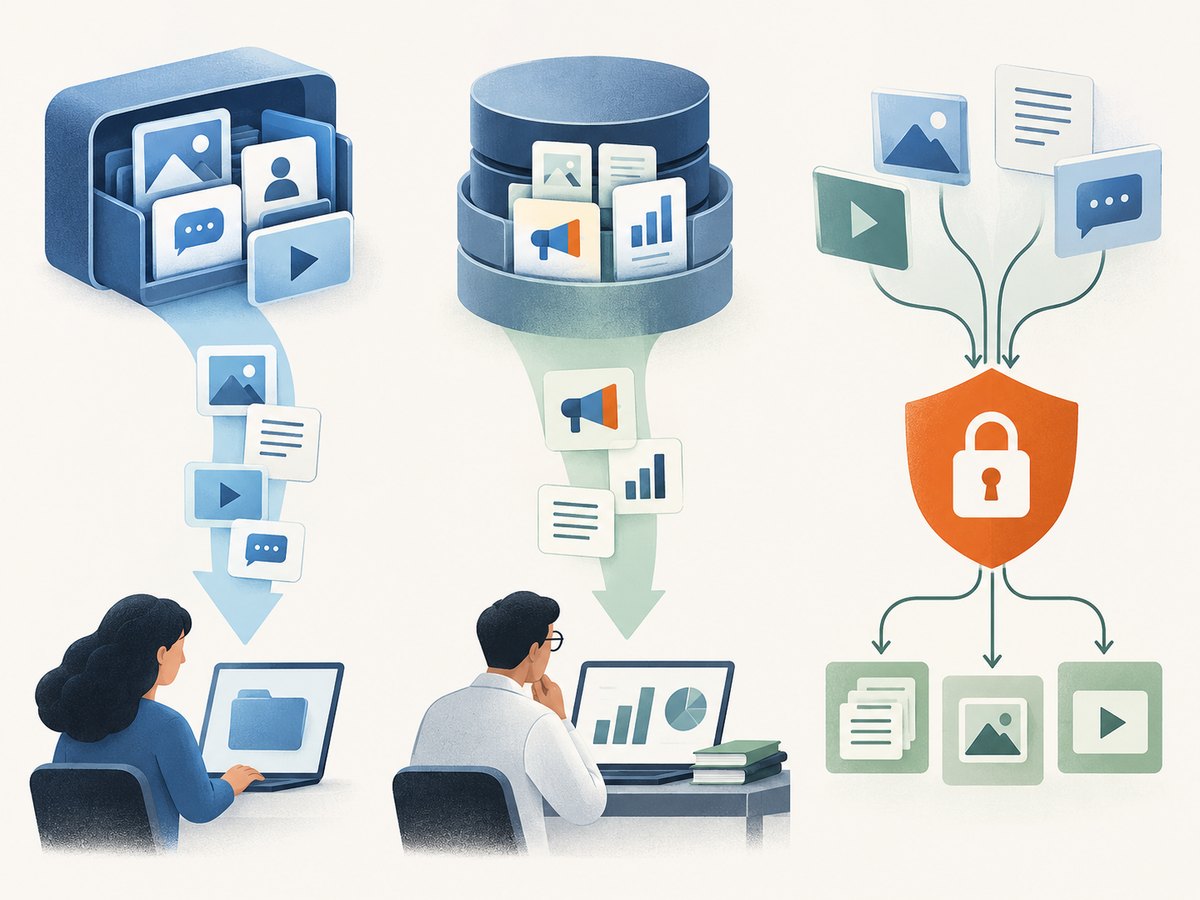
If your goal is to analyze or archive your own Facebook activity, use the account-level export rather than scraping your profile. Meta says Download Your Information and Access Your Information are available through Accounts Center. The export controls let you choose information categories and date ranges; current interface labels may vary by device or account.
- Open Facebook settings and go to Accounts Center.
- Open Your information and permissions, then choose the download or access option.
- Select the Facebook profile or account, the categories you need, and a date range.
- Choose the available export format and request the archive.
- When it is ready, download it and store it securely. Treat the archive as sensitive personal information.
Use Meta’s help page for downloading a copy of your Facebook information for current step-by-step navigation. The specific categories, formats, processing time, and controls can change, so rely on the live account workflow. This export is a copy of information Facebook makes available for your account; it does not grant rights to gather data about other people.
If the purpose is a backup, keep the original archive unchanged and work from a separate copy. If you load the data into an analysis pipeline, document which categories you selected, who can access the files, and when you will delete them. Avoid putting the archive into a shared folder or logging raw messages and identifiers unnecessarily.
4. How can researchers use the Meta Ad Library API?
For advertising transparency research, begin with the Meta Ad Library. The Ad Library API documentation describes a narrower programmatic source: political or social-issue ads delivered anywhere in the world during the preceding seven years, and ads of any type delivered in the UK or EU during the preceding year. These are coverage scopes, not a promise that every desired ad or field is available in every query.
The API documentation lists information such as ad creative, associated Page name and ID, delivery dates, and where an ad appeared. Access requires a Facebook account and Meta for Developers account/app; some political or social-issue access may require identity and location confirmation. Review the live documentation before implementation because API versions, fields, eligibility, and onboarding can change. In particular, do not assume the Ad Library API is a general-purpose export of all Facebook content or all commercial ads worldwide.
Practical research workflow
- Write down the research question. Specify the advertiser, keywords, region, time period, and ad type you need.
- Check archive scope first. Confirm that the category and geography fall within the current API coverage. If not, use the Ad Library interface where appropriate or revise the question.
- Follow the current access process. Use the account and developer-app steps in Meta’s documentation and complete any required identity or location checks.
- Use documented fields and query limits. Request only data relevant to the research question and follow the API’s current rules.
- Record context with results. Save the retrieval date, query criteria, and relevant IDs so that later analysis can be understood and reproduced.
- Review how you will publish or retain results. Ad transparency availability does not automatically answer privacy, copyright, or reuse questions for every downstream use.
Ads and archive coverage can change. The API page should be treated as the operational source of truth for current scope, required permissions, query parameters, and response fields.
5. What about authorized Page management?
If you administer a Facebook Page or have an explicit role in an organization’s workflow, use the official tools and permissions that cover that task. Start from Meta’s current developer documentation and verify that the account, Page, requested permissions, and data type are included. A person’s ability to view a Page in a browser does not establish that an app may collect its content or that collected information may be republished.
Keep the authorization specific. Ask: who authorized the access, which Page or account is covered, what fields may be retrieved, what purpose is allowed, and how long the data may be retained? If an integration requires permissions you do not have, request access through the owner or use another route. Do not attempt to substitute browser automation for unavailable permissions.
6. Privacy and terms checklist before collecting
Privacy requirements depend on the people involved, the data, purpose, and jurisdiction. Meta’s US Regional Privacy Notice describes broad categories of personal information and US-specific rights; it does not determine whether a separate collector’s project is lawful elsewhere or in a particular situation. Meta’s Custom Audiences terms are an example of a specific workflow with its own rights and lawful-basis requirements, not a general license for scraping.
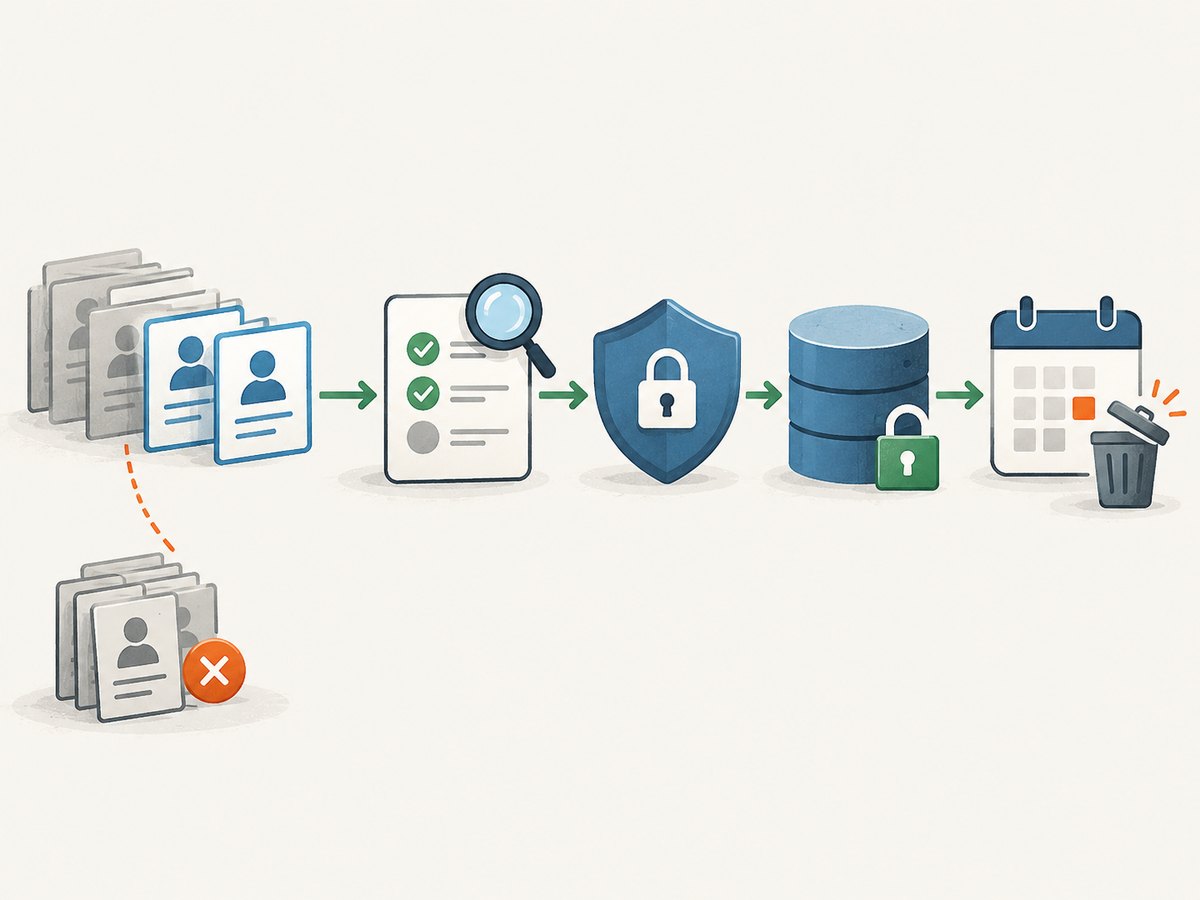
- Identify personal information. Names, profile identifiers, photos, posts, location-related details, and online activity can relate to identifiable people.
- Define the purpose. Be precise about why collection is necessary, what decisions it supports, and whether the data will be shared or published.
- Check the relevant legal basis and consent rules. Requirements differ across jurisdictions and types of processing. Get advice appropriate to the project where needed.
- Review platform terms and developer policies. Verify the current terms and permissions for the exact automated access method and intended use.
- Minimize and protect the data. Collect only what is needed, restrict access, secure stored files, and set a retention and deletion schedule.
- Plan for people’s rights and requests. Determine how you will handle access, correction, deletion, or objections where applicable.
- Review publication and onward sharing. Access to a record does not by itself settle whether you can republish it, build a directory, or share it with another party.
For jurisdiction-specific guidance, consult the relevant regulator and qualified counsel. Neither a public profile nor an available API response resolves every legal question about a dataset.
7. Common problems and safer fixes
| Symptom | Likely cause | Safer next step |
|---|---|---|
| A script receives a block, challenge, or login page | The request is not authorized, or the service requires an access path the script does not have | Stop automated requests. Check permissions and current official access options; do not try to disguise or route around the block. |
| The Ad Library API returns no rows | The query may fall outside the supported ad type, region, or date scope, or access setup may be incomplete | Review the live API documentation, verify eligibility and query scope, and test the question in the Ad Library interface. |
| A field is absent or its format changed | API versions and available fields can change; the chosen ad may not expose that field | Use the current schema and documentation, record the version and retrieval date, and handle optional fields as missing. |
| The account download is incomplete for the task | Only selected categories or dates were included, or the requested information is not available in that export | Review category and date selections and the live export controls. Do not treat another person’s account as an extension of your own export. |
| A project has collected more data than expected | The collection scope or retention rules were not defined before collection | Pause processing, inventory what is held, restrict access, and apply the project’s deletion and legal review process. |
| A team proposes proxies, rotating accounts, or CAPTCHA handling | The proposed method is designed to bypass a restriction or imitate ordinary use | Do not proceed with evasion. Request authorized access or narrow the project to a supported source. |
8. Performance, reliability, and cost
For account exports, prefer the official archive over repeatedly fetching pages: it is designed for a person to obtain their own information, and you can select the categories and dates that matter. Keep large archives out of application logs and make processing restartable so a local parsing error does not require requesting data again.
For Ad Library research, define the query before building a pipeline. Narrow, documented queries make results easier to review and reduce unnecessary collection. Persist retrieval metadata and tolerate missing optional fields. Since API scope and onboarding may change, verify current rules before scheduling recurring jobs and monitor for schema or access changes. Do not interpret an empty result as proof that no relevant ad existed; it may reflect scope, query, availability, or eligibility.
For any authorized collection, make jobs safe to retry, use a bounded request schedule consistent with official documentation, and preserve enough context to audit each result. Stop on access-denied responses rather than retrying aggressively. Budget engineering time for permission review, data minimization, secure storage, and changes in platform documentation. There is no reliable universal cost or timing estimate for a Facebook data project from the sources in this guide; requirements and volumes vary.
9. Or skip the browser setup
If the actual job is to capture a website as an image or PDF, ScreenshotNeo is a website screenshot API and MCP server—not a Facebook data export or general Facebook scraping tool. One GET request can return a PNG, JPEG, WebP, or PDF. For example, this captures Stripe as a WebP image:
curl -G "https://api.screenshotneo.com/v1/shot" -d access_key=YOUR_API_KEY --data-urlencode url=https://stripe.com -o shot.webpSee the ScreenshotNeo API documentation for parameters and supported capture options. Cookie banners, popups, and chat widgets are removed before the shot; bot checks, blank pages, and failed loads are never billed. Its MCP server lets AI agents take screenshots. The free plan includes 1,000 screenshots a month with no card, and paid plans start at $5 for 3,000. These capabilities are for website capture and do not authorize collection of Facebook account data.
Sign up for 1,000 free screenshots a month, with no card required.
10. Decision guide
- Your own Facebook information: use the account download or access controls.
- Advertising transparency research: use the Ad Library or API only within its current documented scope.
- Page administration: use a current, explicitly authorized Meta workflow.
- Other people’s posts or profiles: verify terms, permissions, and applicable privacy requirements before collecting; if authorization is unclear, do not automate collection.
- A screenshot of a website: use a screenshot tool such as ScreenshotNeo for that separate task.
FAQ
Can you scrape Facebook?
Automation is technically possible, but whether a particular collection is authorized depends on the method, terms, permissions, and applicable law. Public visibility alone is not blanket permission. Use an official, scoped route whenever one fits the task.
Is the Ad Library API a way to download all Facebook posts?
No. It is an advertising research source with documented ad-type, geography, and time coverage. It is not a general-purpose export of Facebook content.
Can I use Facebook data I can see for research?
Visibility does not settle whether automated collection, retention, analysis, or publication is permitted. Review platform rules and the privacy obligations for the people and jurisdictions involved.
Does ScreenshotNeo scrape Facebook?
ScreenshotNeo captures website screenshots and PDFs. It is not an account-data export or a general-purpose Facebook scraping service.


