How to Scrape Facebook Comments
Learn the authorized Graph API method to collect Facebook comments, handle permissions and pagination, and avoid policy and privacy mistakes.
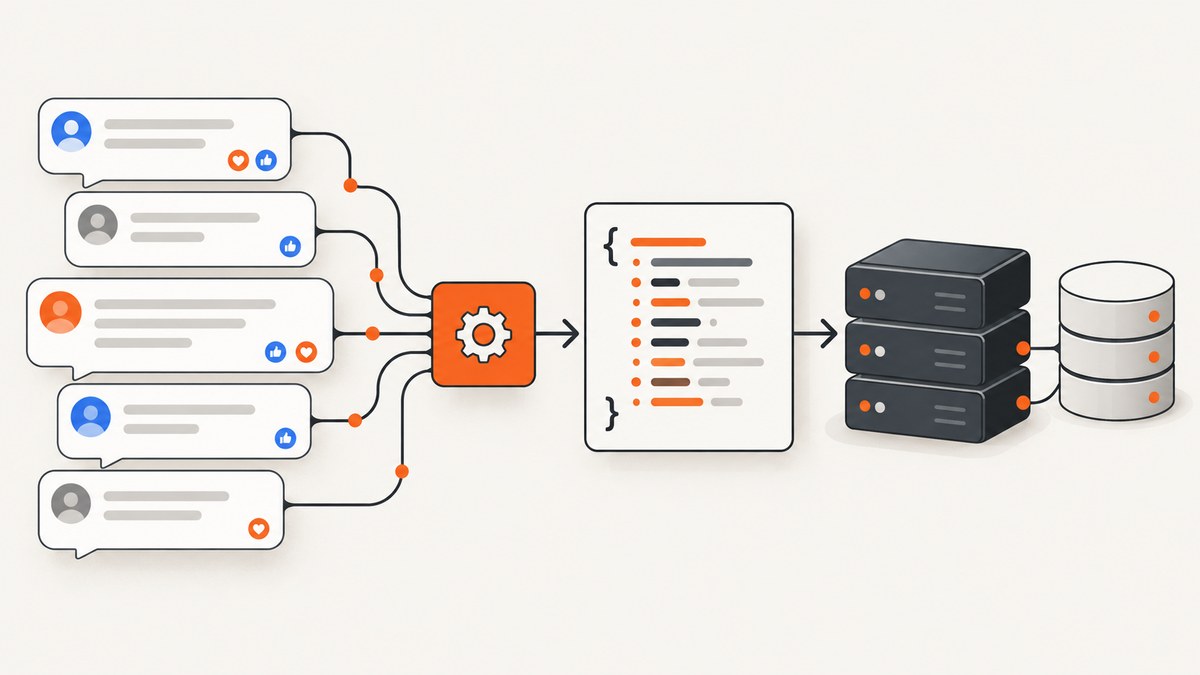
To scrape Facebook comments reliably, use Meta’s authorized Graph API for the Page or object you control or have permission to access. The usual route is the /{object-id}/comments edge, but the correct token, permission, feature approval and fields depend on the parent object. A comment being visible in a browser does not automatically make it available to your application.
Meta defines scraping as automated collection and says automation without permission can violate its terms. Build your collector around approved access, collect only the fields you need, and treat the result as potentially incomplete because comments can be private, deleted, filtered or inaccessible.
1. Choose an authorized access route
There are two practical routes:
| Route | Use it when | Main responsibility |
|---|---|---|
| Meta Graph API | You own the Page/content or your app has the required approval | Maintain permissions, tokens, version changes and privacy controls |
| Hosted collection API | You need an external service for an approved use case | Vet its authorization, data coverage, retention, privacy controls and current terms |
For Page-owned content, consult Meta’s current Page permissions and access-token flow. Public Page content may require Page Public Content Access or Page Public Metadata Access feature approval. In some cases, a Page access token and the ability to perform the Page’s MODERATE task are required. Confirm these requirements in Meta’s current documentation before shipping code.
The Graph API comments reference uses a request shaped like GET /v26.0/{object-id}/comments. The permissions needed to read the parent object also apply to its comments. Do not assume that one user token works for every Page, post or comment thread.
2. Prepare your Meta app
- Create or select an app in Meta for Developers.
- Identify the Page post, photo, video or other supported object whose comments you are authorized to read.
- Request only the permissions and product features required for that object and fields.
- Obtain the appropriate user or Page access token through Meta’s documented flow.
- Verify the token, Page relationship, app mode and Graph API version in a development environment.
Store tokens in a secret manager or environment variable. Never put a Page token in browser JavaScript, a public repository or a client-side mobile bundle.
3. Make the first comments request
Replace OBJECT_ID and ACCESS_TOKEN with values approved for your app. The fields below are examples; readable fields vary by object and permission context.
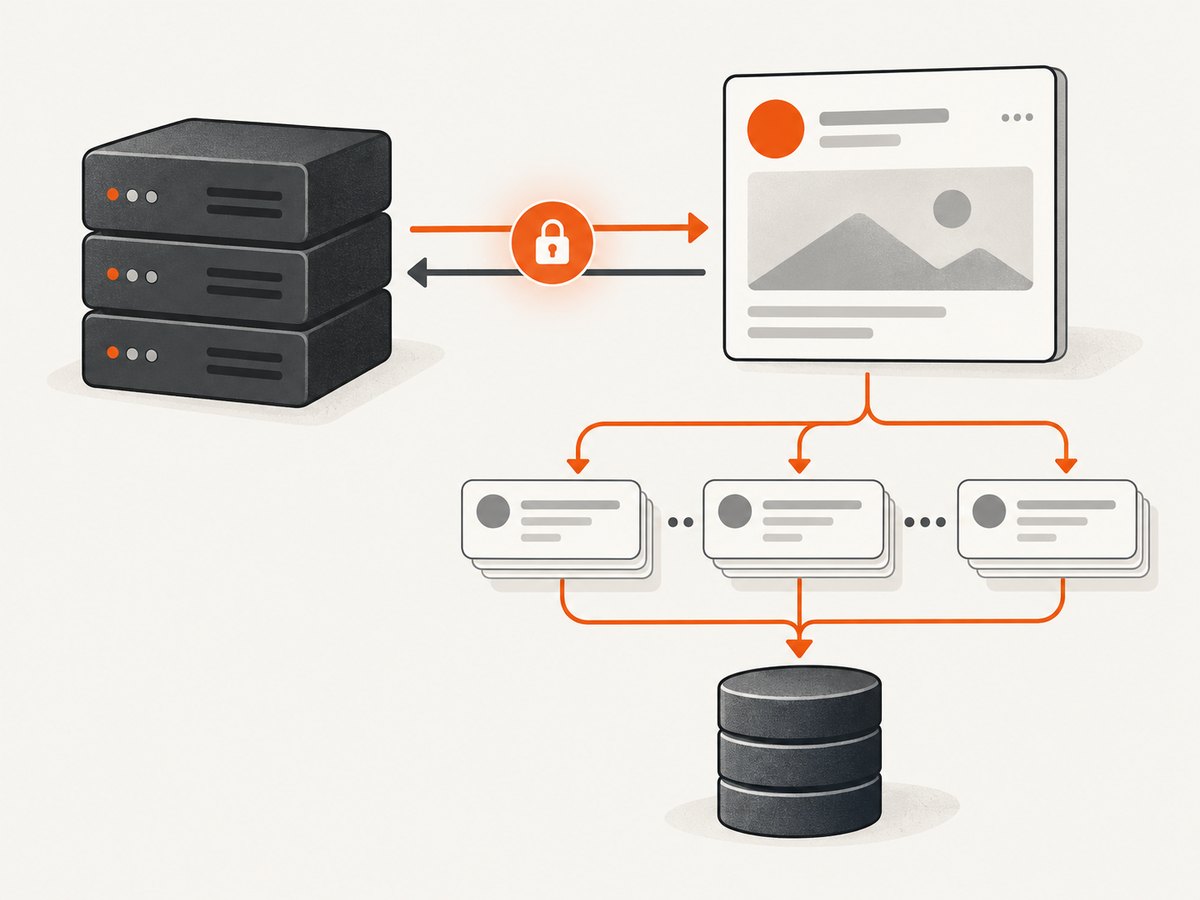
curl -G 'https://graph.facebook.com/v26.0/OBJECT_ID/comments' \
  --data-urlencode 'access_token=ACCESS_TOKEN' \
  --data-urlencode 'fields=id,message,created_time,reactions.summary(true),comments.summary(true)' \
  --data-urlencode 'limit=100'
A successful response normally contains a data array and, when more results exist, a paging.next URL. Follow that URL exactly rather than reconstructing pagination parameters yourself.
Python
import os
import requests

OBJECT_ID = os.environ['META_OBJECT_ID']
ACCESS_TOKEN = os.environ['META_ACCESS_TOKEN']

url = f'https://graph.facebook.com/v26.0/{OBJECT_ID}/comments'
params = {
    'access_token': ACCESS_TOKEN,
    'fields': 'id,message,created_time,reactions.summary(true),comments.summary(true)',
    'limit': 100,
}

while url:
    response = requests.get(url, params=params, timeout=30)
    response.raise_for_status()
    payload = response.json()
    for comment in payload.get('data', []):
        print(comment)
    url = payload.get('paging', {}).get('next')
    params = None  # paging.next already contains the required query string
Node.js
const objectId = process.env.META_OBJECT_ID;
const accessToken = process.env.META_ACCESS_TOKEN;

let url = new URL(`https://graph.facebook.com/v26.0/${objectId}/comments`);
url.search = new URLSearchParams({
  access_token: accessToken,
  fields: 'id,message,created_time,reactions.summary(true),comments.summary(true)',
  limit: '100'
});

while (url) {
  const response = await fetch(url);
  const payload = await response.json();
  if (!response.ok) throw new Error(JSON.stringify(payload));
  for (const comment of payload.data ?? []) console.log(comment);
  url = payload.paging?.next ? new URL(payload.paging.next) : null;
}
4. Retrieve replies and nested discussions
Replies are comments on a comment. Depending on the object and permissions, request the comment’s own comments edge or include a supported nested field. A separate request is easier to reason about when you need predictable pagination:
curl -G 'https://graph.facebook.com/v26.0/COMMENT_ID/comments' \
  --data-urlencode 'access_token=ACCESS_TOKEN' \
  --data-urlencode 'fields=id,message,created_time' \
  --data-urlencode 'limit=100'
Do not infer author identity from text or assume profile fields are available. Meta notes that other users’ profile information and comments on user posts, photos, albums, videos, likes and reactions may not be returned unless those users authorized access.
5. Pagination, filtering and completeness
Pagination is mandatory for production collectors. Process each page, persist a cursor or next URL, and stop when no next link remains. Add retry handling for transient failures, but avoid tight loops that repeatedly request a failing page.
The comments reference supports filtering and ordering options in supported contexts. Use only options documented for your current Graph API version. A total_count value is not a guarantee of retrievable rows: Meta warns it can exceed the number returned because comments may be private or deleted. Very large threads can also encounter paging limits.
- Store the object ID, comment ID and retrieval timestamp.
- Use an idempotent upsert keyed by comment ID so retries do not duplicate data.
- Record the API version and fields requested with each batch.
- Keep a deletion or visibility process so your copy can be removed when source data is no longer available.
6. Respect privacy and Meta’s terms
Use the official API and data you are authorized to access. Meta’s Help Center distinguishes authorized from unauthorized scraping and says it takes enforcement action against unauthorized collection. Meta’s Newsroom states: “Using automation to get data from Facebook without our permission is a violation of our terms.” Read the current comment reference, Page reference and scraping guidance for the exact requirements for your use case.
Minimize collection. If sentiment analysis only needs message text and timestamps, do not retain profile details. Restrict access to your datastore, define a retention period, honor deletion requests and review privacy obligations in every jurisdiction where you operate. Public visibility alone is not a legal or technical authorization to reuse a comment.
7. Hosted APIs: what to check
Third-party Facebook comment APIs exist, but a vendor’s marketing page does not prove that its method complies with Meta’s terms or that it can retrieve every comment. Before sending data to one, ask:
- Does it use an authorized Meta integration for the Page and object you need?
- Which fields, replies and historical ranges are returned?
- How are private, deleted and unavailable comments represented?
- Where is data stored, for how long, and can you delete it?
- How are rate limits, API-version changes and errors communicated?
- Are your intended analysis and redistribution permitted by current terms?
Do not choose a provider because it promises to bypass permissions or access controls.
8. Or skip the browser setup
If your goal is to archive or review the public Facebook page itself rather than ingest structured comment records, ScreenshotNeo can capture the rendered page with one request. It is useful for a visual record when API fields are unavailable, while the Meta API remains the route for authorized structured data.

See the ScreenshotNeo API documentation for all options. This basic call returns an image:
curl -G "https://api.screenshotneo.com/v1/shot" -d access_key=YOUR_API_KEY --data-urlencode url=https://stripe.com -o shot.webpimport requests
r = requests.get("https://api.screenshotneo.com/v1/shot", params={"access_key": "YOUR_API_KEY", "url": "https://stripe.com"}, timeout=90)
open("shot.webp", "wb").write(r.content)const q = new URLSearchParams({ access_key: 'YOUR_API_KEY', url: 'https://stripe.com' });
const res = await fetch(`https://api.screenshotneo.com/v1/shot?${q}`);ScreenshotNeo accepts consent banners before capture and removes more than 60 known consent platforms, newsletter popups and chat widgets; each step can be turned off. Bot checks or CAPTCHAs, blank pages, timeouts, failed loads and cache hits are not billed, and response headers identify the page verdict and whether the shot was billed. Its MCP server gives AI agents tools named take_screenshot, get_page_info and capture_pdf. You can also use full-page capture, CSS element selection, custom JavaScript, waits, headers, cookies, user agents, geolocation, blocking rules, caching and bulk capture.
One thousand screenshots per month are free with no card. Paid plans start at $5 for 3,000 shots, and every feature is available on every plan. Create a free ScreenshotNeo account.
9. Reliability, performance and cost
API collection
- Request the smallest useful field set; large nested responses increase transfer and processing time.
- Use bounded concurrency and backoff for rate-limit or transient errors.
- Persist each page before requesting the next one so a worker restart loses little progress.
- Keep raw responses only when needed for audits; normalize comments into an indexed table for analysis.
- Expect partial results when permissions, deletion or paging limits intervene.
Meta’s API pricing, limits and permissions can change with the Graph API version. Recheck the current documentation during deployment and schedule version upgrades rather than silently changing versions.
Screenshot capture
Full-page pages and pages that wait for network idle take longer than a fixed viewport. Cache stable URLs with a TTL you choose, use asynchronous jobs and signed webhooks for long captures, and use bulk capture for up to 100 URLs per call. Only clean shots are billed; inspect X-Page-Verdict and X-Billed in your logs.
10. Troubleshooting
| Symptom | Likely cause | Fix |
|---|---|---|
| OAuth or permission error | Token lacks access to the parent object or required Page feature | Check the object owner, Page relationship, approved features, token type and current version documentation. |
Empty data array |
Comments are private, deleted, filtered or outside the authorized context | Test with content you own and record that an empty result is not proof that no comments exist. |
| No comment IDs for a Page post | Page Public Content Access does not grant the MODERATE capability | Use the Page access flow and task requirements documented by Meta. |
total_count is larger than rows |
Unavailable or deleted comments and paging limits | Follow every next link and report coverage honestly. |
| Repeated pages | Cursor or next URL was rebuilt incorrectly | Persist and request the supplied paging.next URL unchanged. |
| Screenshot contains a popup | Consent, newsletter or chat handling was disabled | Enable the relevant ScreenshotNeo cleanup step and wait for the page state you need. |
| Screenshot response is not billed | Bot check, blank page, timeout, failed load or cache hit | Inspect X-Page-Verdict and X-Billed; adjust waits, headers or target URL. |
FAQ
Can I scrape any public Facebook post?
No. Browser visibility does not grant API access. The parent object’s permissions and Meta feature approvals determine what your app can read.
Will the API return every comment?
No guarantee. Privacy, deletion, filtering, permissions and paging limits can all reduce the result set.
Can I get commenters’ names and profiles?
Only where the current API and authorization context make those fields available. Do not assume identity data is returned.
Should I use screenshots or the Graph API?
Use the Graph API for authorized structured comment data. Use screenshots for a visual record of the rendered page when that is the actual requirement.
Is a hosted comments API automatically compliant?
No. Verify its authorization method, coverage, retention, privacy controls and current Meta terms before use.


